
AI Gender Swap makes an alternate look from a single adult selfie or headshot. It outputs one vertical PNG from 768 × 1024 up to 2480 × 3312 pixels for 5–9 credits, with no site watermark. The examples are free to view, and a Fast edit needs 5 credits ($2.50 at the Trial Pack rate).
How to use the gender swap filter
Start with one adult portrait you have permission to edit. Choose a feminine or masculine look, or describe the styling yourself. You can set the output quality before signing in and spending credits. After the edit, compare the two photos and check the eyes, hairline and expression before saving the PNG.
1. Upload one portrait
Choose a clear JPG, PNG or WebP up to 10 MB, with each side 128–2048 pixels. A front-facing head-and-shoulders photo works best.
2. Pick a look and quality
Select Feminine or Masculine, or choose Custom and describe your look. Then select a quality setting and confirm that you have permission to edit the photo.
3. Compare and download
Sign in to generate a single portrait, check the comparison, then download the 3:4 PNG from your account.
Gender swap photo examples
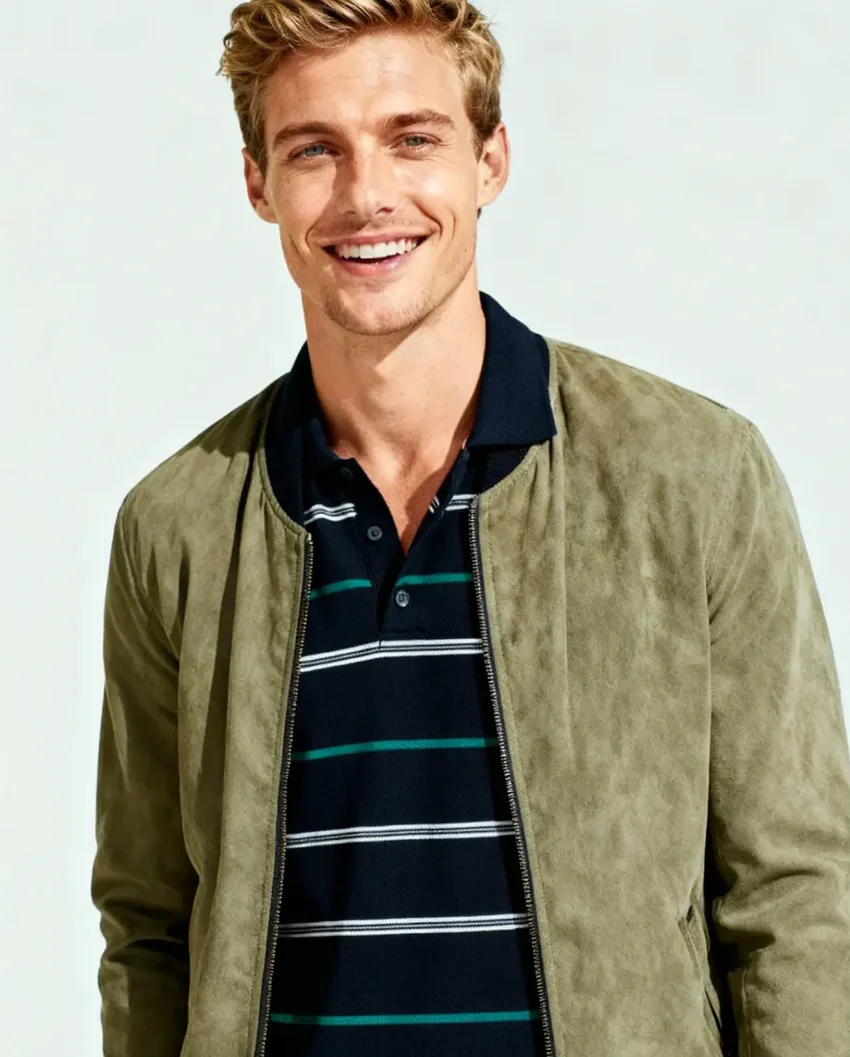
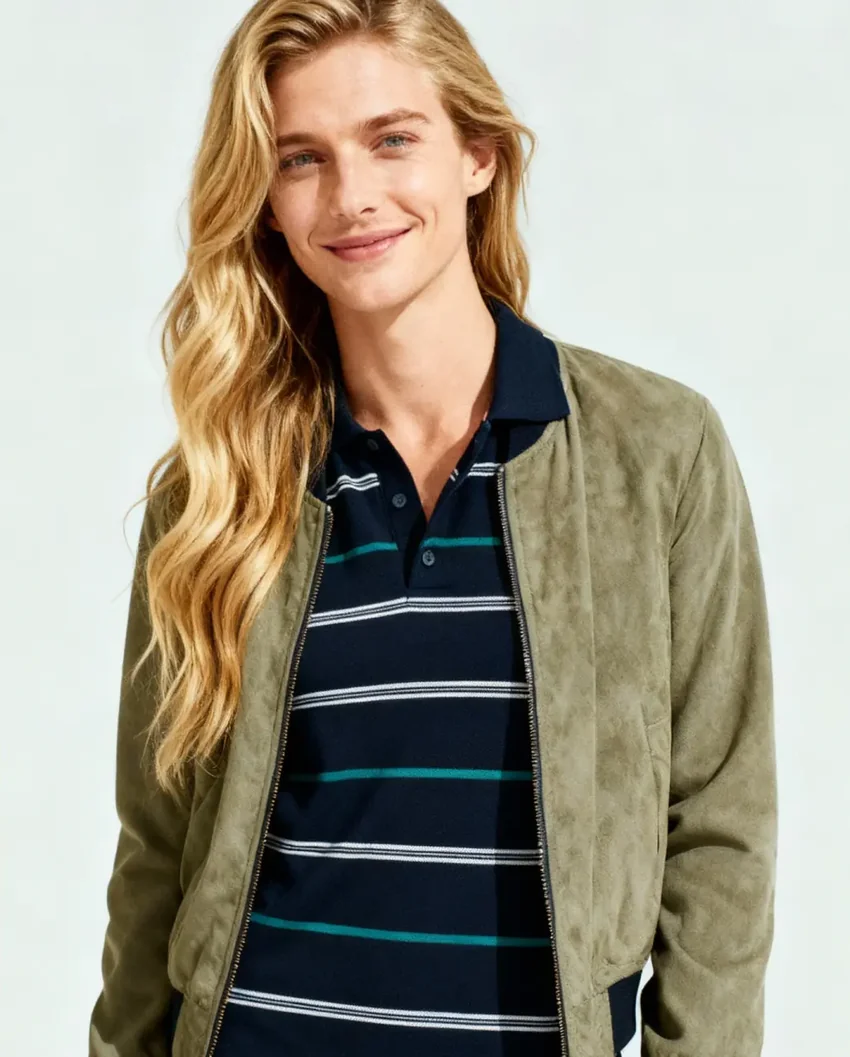
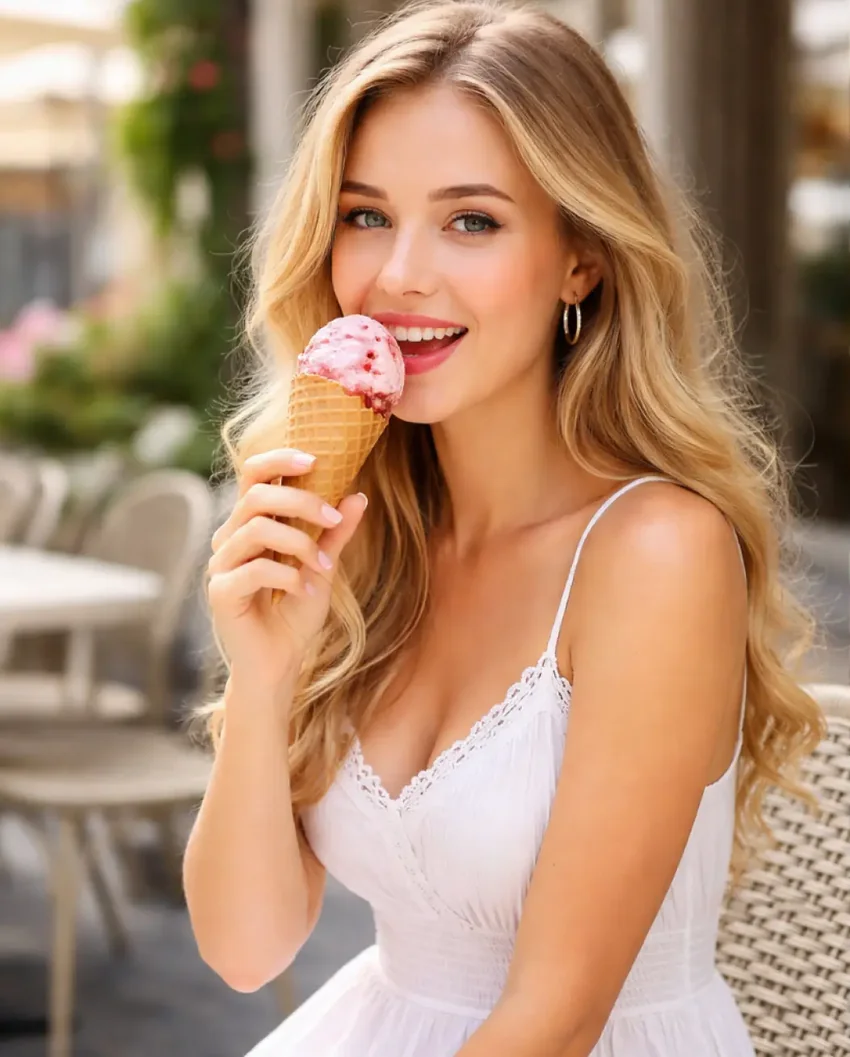
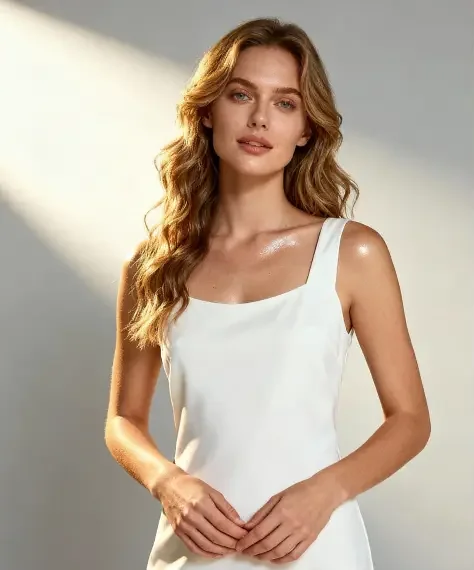
Compare the original and edited portrait in each pair. Look first at the hair and jawline, where the styling changes are most apparent, then at the position of the eyes and the angle of the head. Some edits change clothing as well. The examples keep their original framing. Downloads from this tool use a vertical 3:4 frame.
Before
After
Olive jacket portrait
A softer face shape and longer hair change the presentation while the striped shirt, jacket, and framing remain similar.
Before

After
Outdoor portrait
The edit changes the face and outfit while keeping the ice cream cone, outdoor setting, and camera framing.
Before
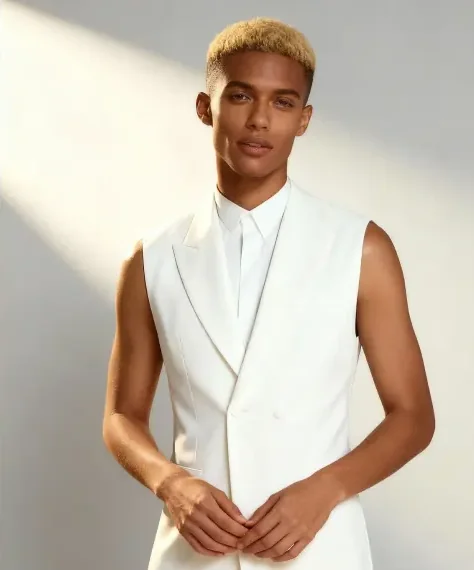
After
High-contrast studio portrait
The edit changes the face, hair, and outfit while retaining the hand placement and directional studio lighting.
Can an AI gender swap photo still look like you?
An AI gender swap can still look like you when the edit is mostly about hair, grooming or makeup. This tool asks the model to retain features such as the eyes, nose, skin tone and expression, along with pose and background. A sharp, evenly lit photo with both eyes visible gives the model more of those details to work from.
With Custom, name the change you want, such as shorter hair or softer makeup, and mention any detail you want to keep, such as freckles or glasses. You can add one optional hairstyle or styling reference.
Can you use this AI gender changer online for free?
AI Gender Swap charges 5–9 credits to generate a portrait. Eligible new accounts get 1 signup credit. Fast needs 5 credits, so that alone will not cover an edit. You can view before-and-after examples and explore the controls for free. Sign in to generate. The one-time Trial Pack is $5 for 10 credits. A Fast image uses 5 credits, equivalent to $2.50 at that rate. The PNG download is included, with no added site watermark.
Pricing, credits and download terms
Each generation uses 5–9 credits for one 3:4 PNG, or $2.50–$4.50 at the Trial Pack rate. The pack costs $5 for 10 credits as a one-time purchase. HD, Ultra HD and Studio also require paid access through an eligible credit pack or subscription. Studio spends more on image detail at a smaller size than Ultra HD.
| Quality | Pixels | Credits | Pack-rate equivalent |
|---|---|---|---|
| Fast | 768 × 1024 | 5 | $2.50 |
| HD | 1536 × 2048 | 7 | $3.50 |
| Ultra HD | 2480 × 3312 | 8 | $4.00 |
| Studio | 1536 × 2048 | 9 | $4.50 |
| Feature | Details |
|---|---|
| Free access | View examples and use the controls without signing in. |
| Signup allowance | Eligible new accounts get 1 signup credit. Fast needs 5 credits, so that alone will not cover an edit. |
| Generation | Sign in with enough credits. Higher-quality tiers require eligible paid access. |
| Download | One 3:4 PNG per run. Downloading costs no extra credits. |
| Watermark | No visible watermark added by this site. |
When the gender swap filter works less well
The model redraws parts of one still portrait, so it can shift the eyes, jawline, glasses or expression even when the instructions ask to keep them. Tiny faces, hard shadows, heavy filters and group shots make resemblance harder to retain. This page works one photo at a time and does not offer a live camera effect, batch processing or video output.
For an isolated change, such as changing only the smile or makeup, try the AI Face Editor.
AI gender swap FAQ
How does gender swap AI differ from face swap?
A gender swap filter, also called an opposite gender filter, edits the presentation of the person already in the photo. A face swap transfers a face from another person or photo. You only need one photo for either preset here.
Do I need a gender swap app for my phone?
No. Open the tool in a mobile browser, choose a portrait from your photo library, and save the PNG after the edit. The same page works on a desktop browser.
Does gender bender AI work on a full-body photo?
Yes, if the photo meets the upload limits. Use a clearly visible face and leave space around the subject. This tool outputs a vertical 3:4 image, so a wide shot might be reframed and small faces are harder to preserve.
Who can see the portrait I upload?
Only upload your own photo or one you have permission to edit. The image provider receives uploaded files to process the edit. The download screen requires your account, but anyone who has a direct storage link may be able to open the file. See the privacy policy for handling and deletion requests.