
How face retouch works
Upload one portrait, choose how much to change and compare the result with your original before saving it. The editor works only on the skin issues you pick and is told to keep your face shape, expression, hair, clothes and background, so the person in the photo still looks like you.
- Upload one JPG, PNG or WebP photo, up to 20 MB, with your face in focus.
- Pick Natural skin, Even tone or Subtle detail. Or choose Custom and write what to fix, such as whitening your teeth slightly.
- Sign in and select Retouch my photo. Fast 1K is the default; HD, Ultra HD and Studio sit under Advanced settings.
- Drag the line across your cheeks and eyes to compare, then download the PNG.
Face retouch before and after examples
Each pair is a sample portrait before and after the kind of retouch one preset asks for. The square close-ups enlarge the cheek, so you can see that the marks are gone and how much fine texture remains. Look for the same things in your own result: real skin should still show some pores and shading. Your output depends on the light and sharpness of your photo.
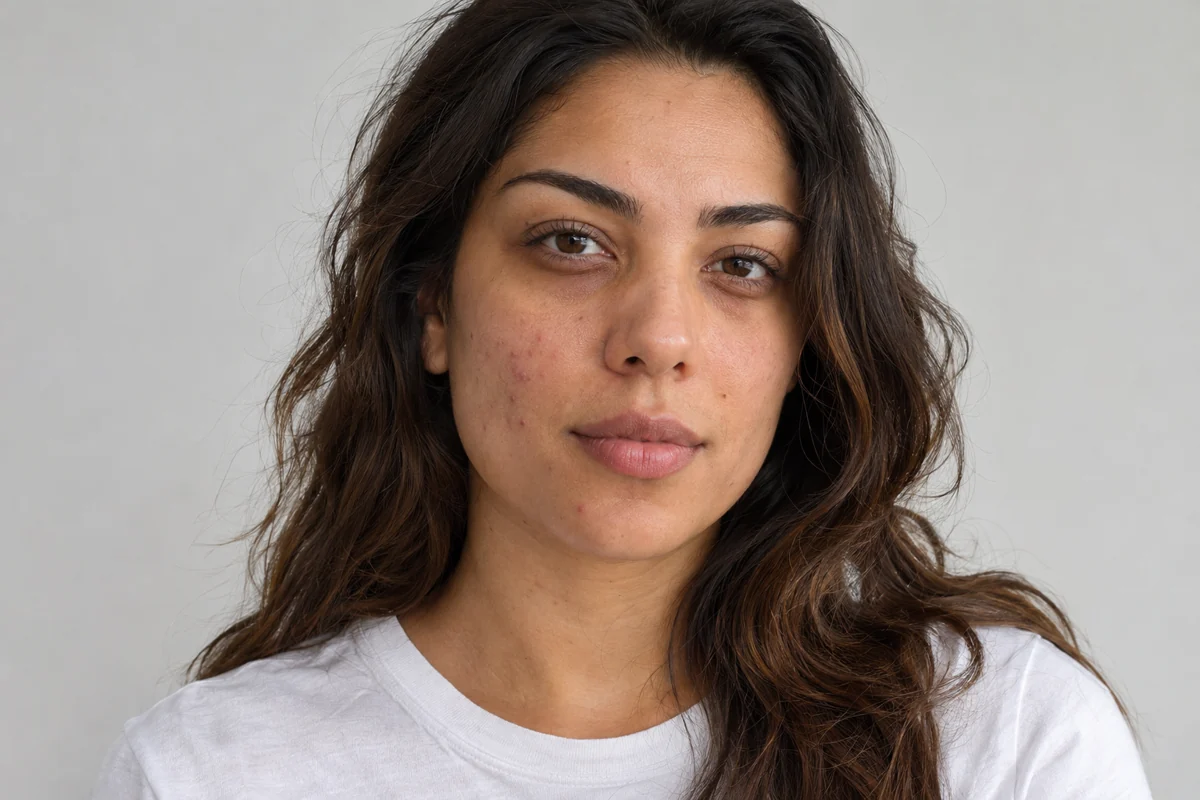
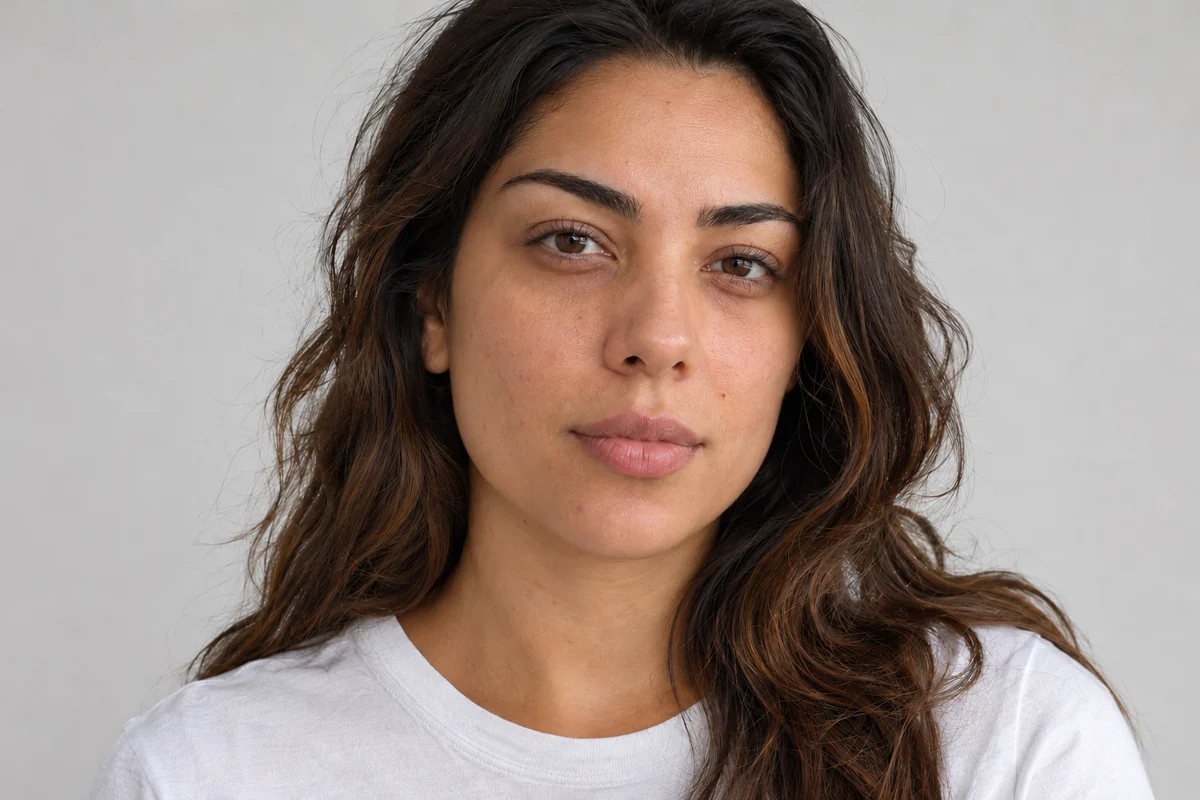
Natural skin
Sample: acne marks on the cheeks are cleared and the skin looks a little smoother and warmer. Brows and face shape match the original, and fine texture is still visible up close.
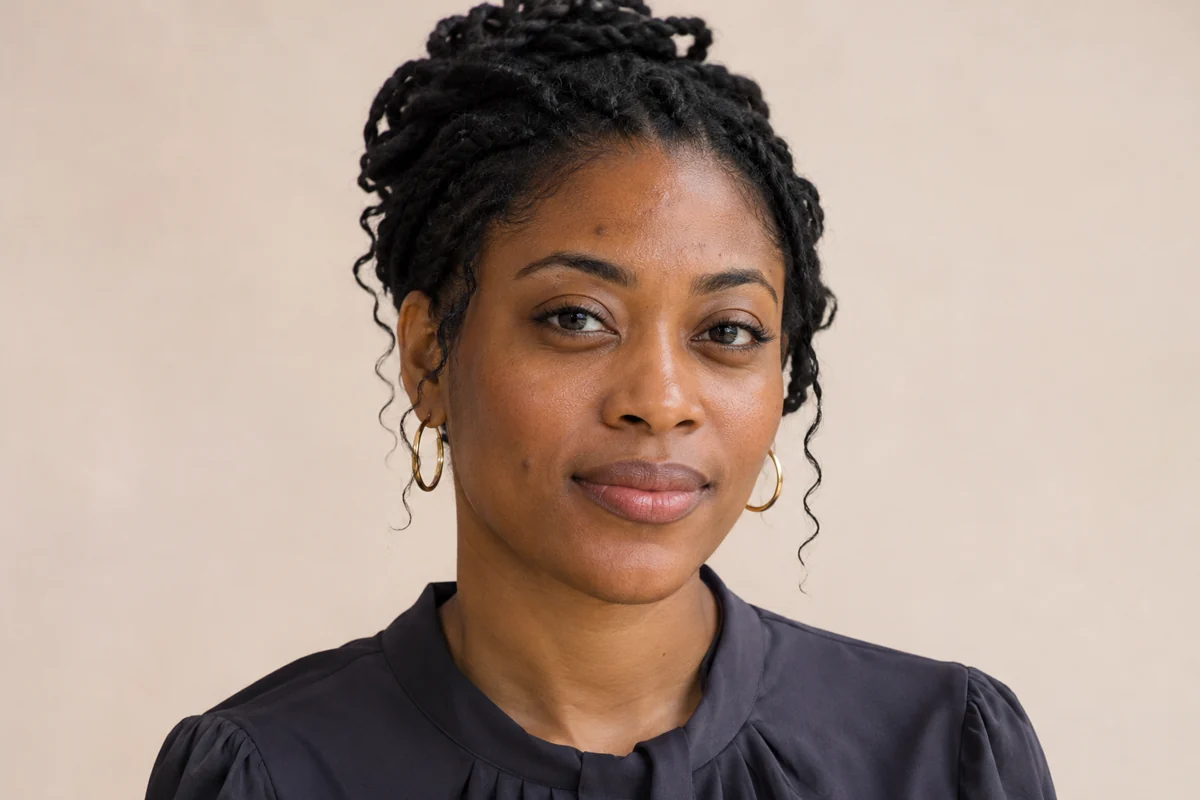
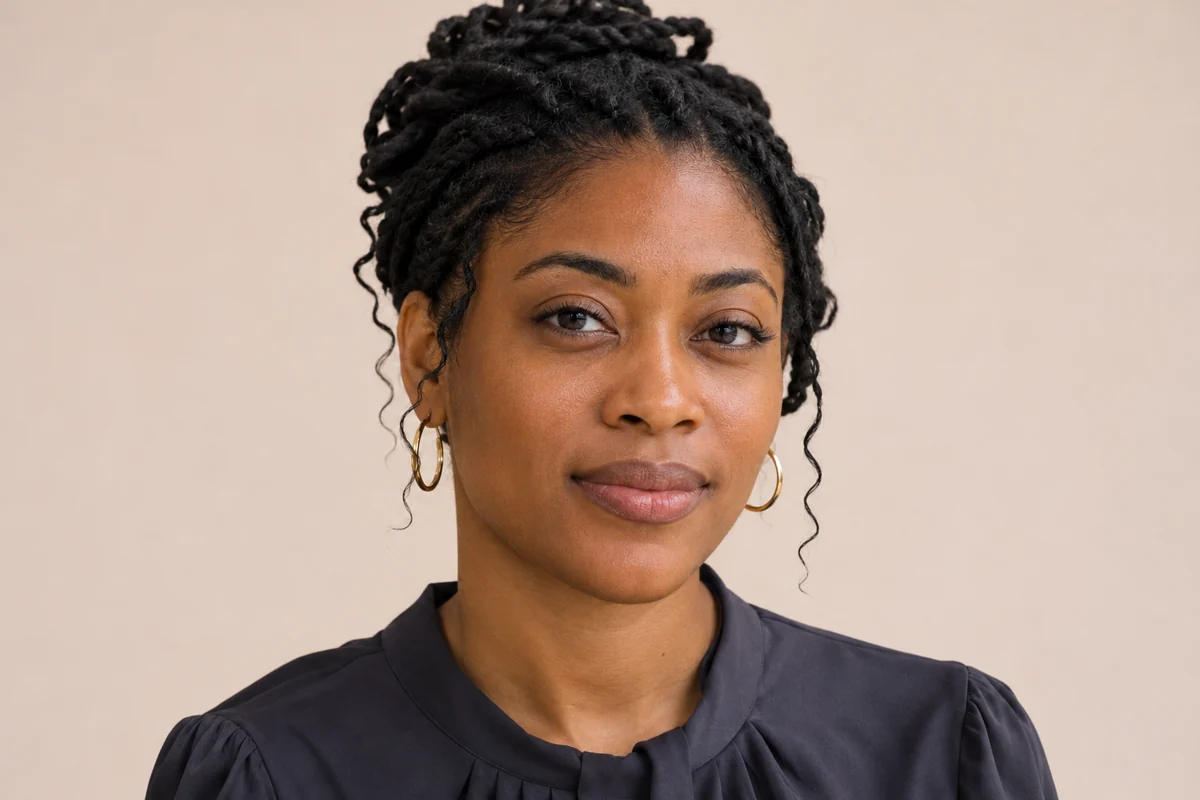
Even tone
Sample: dark spots fade and the under-eye area evens out. The overall skin tone stays close to the original, only slightly warmer.
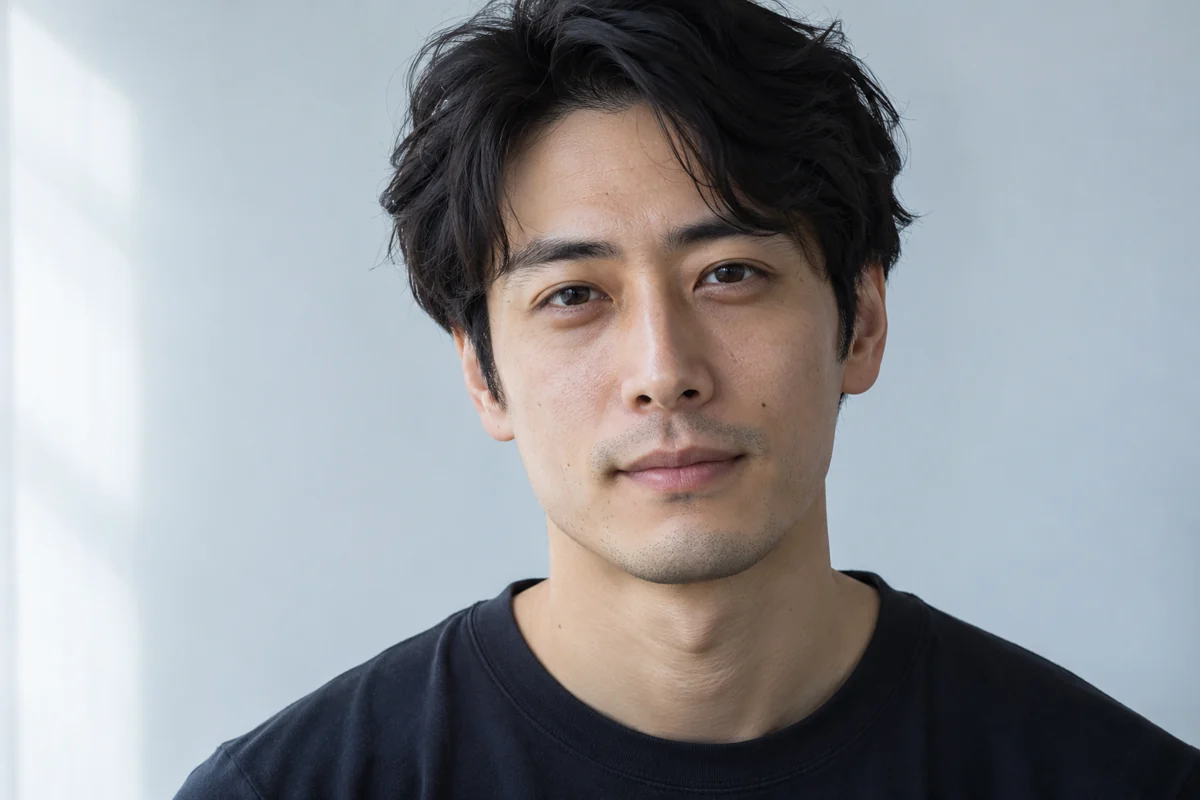
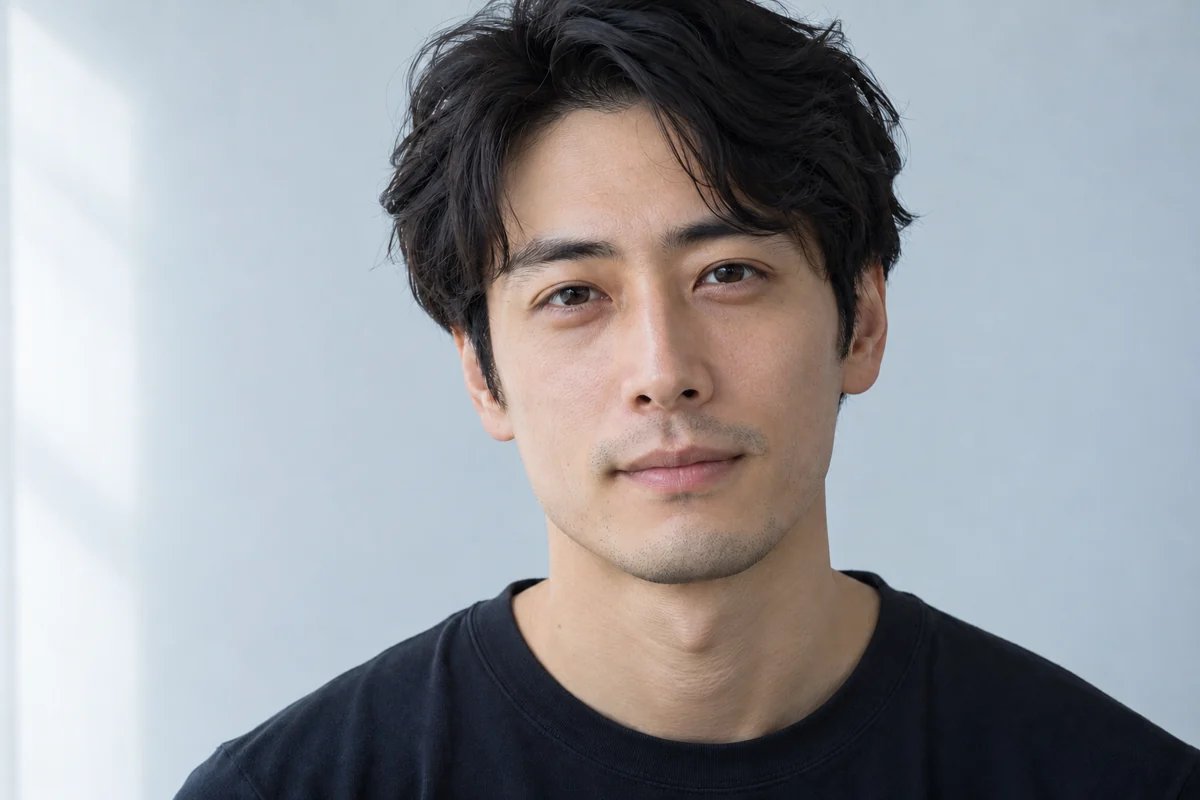
Subtle detail
Sample: a light pass that softens a few small marks and some shine. Stubble, brow hairs and the hairline look as photographed.
Can you retouch a face photo online for free, without a watermark?
Not completely. Eligible new accounts get 1 welcome credit, and the cheapest retouch, Fast at 1K, uses 2 credits, so finishing one edit needs a pack or plan. What you do get without paying extra is a clean file: every PNG downloads at full output size with no watermark from us. For a few watermark-free retouches, the $5 Trial Pack's 10 credits cover 5 Fast edits.
What face retouch prompt keeps your real skin and face shape?
Name the problem first, then list what must stay. A prompt that holds up says which marks to remove, keeps pores, freckles, moles and fine lines, and rules out changes to face shape, eyes, nose, lips, age, expression and light. Below is the exact prompt behind the Natural skin preset. Paste it into any editor that follows written instructions, or pick Custom above and write a request of up to 300 characters.
Natural skin retouch prompt
Retouch the face in the supplied portrait photograph and return the same photo with the same framing. Gently remove temporary blemishes such as pimples, red spots, small scabs and flaky patches. Keep pores, fine lines, peach fuzz, freckles, moles, scars and beauty marks exactly where they are. Keep the face shape, jawline, nose, eye shape, eye color, lips, age, expression, hairstyle, makeup, teeth, clothing, background and lighting. Never blur skin into a plastic or airbrushed look. Leave other people and the rest of the scene untouched, and add no text, border or watermark.
Can you retouch your face on iPhone without installing an app?
Yes. This face retouch tool runs in Safari or Chrome on iPhone and Android, so you can pick a photo from your camera roll, compare the result and save the PNG with no app or desktop editor. It is a handy fallback when the retouch option in CapCut or Snapchat is missing on your phone or account. To post the result, save it to Photos and share it from there.
Do you need Photoshop or Lightroom for face retouch?
Not for a quick cleanup. Photoshop and Lightroom give brush-level control, frequency separation and batch editing, which matter for client work and large shoots. For one selfie or headshot, AI face retouch needs a single upload and a preset, with no layers, masks or plugins. Choose Photoshop or Lightroom when you must fix one exact spot by hand or keep a RAW workflow.
Face retouch cost per photo
One face retouch costs 2 credits at Fast 1K, 5 at HD 2K, 8 at Ultra HD 4K and 17 at Studio 2K. With the $5 Trial Pack (10 credits), a Fast retouch works out to $1.00. Credits are taken when a run starts and returned if it fails. HD and higher need an active subscription or unexpired paid credits.
| Quality | Output | Credits | Account access |
|---|---|---|---|
| Fast | 1K | 2 | Signed in, with credits |
| HD | 2K | 5 | Active subscription or unexpired paid credits |
| Ultra HD | 4K | 8 | Active subscription or unexpired paid credits |
| Studio | 2K | 17 | Active subscription or unexpired paid credits |
When AI face retouch does not work well
It works best on one clear, front-lit face. Group photos can change a second face too. Hair falling across a cheek may get smoothed into the skin. Blurry or low-resolution shots can come back with invented texture, and harsh side light can read as blotchy skin. Deep scars or makeup you want to keep need a Custom request that says so. The editor redraws the photo, so small details can shift, and it works on still photos only, not video.
Fix uneven lighting first with AI RelightFace retouch FAQ
What does face retouch mean?
Face retouching means editing a portrait to remove temporary flaws, such as pimples, redness, shine or dark circles, while the person still looks like themselves. A beauty filter reshapes features; a retouch only cleans up the skin.
Will retouching lighten darker skin?
It should not. Every preset tells the editor to keep the person's own skin tone, and Even tone is limited to under-eyes and redness without lightening the complexion. Check the comparison anyway. If your result looks lighter, choose Custom and add "keep my exact skin tone".
Can face retouch whiten teeth or add makeup?
Not with the presets, which leave teeth and makeup alone. Choose Custom and ask for it, for example "whiten my teeth one shade and keep their shape" or "add a soft pink lip tint".
Do I need an account to retouch a photo?
Yes. You can upload a photo and choose a style first, but generating needs a signed-in account so that credits and your past results are saved. The finished PNG stays in your history for downloading later.