Portrait studio Updated 2026-11
AI Suit Photo Generator
An AI suit photo generator changes the clothes in an existing portrait. For a LinkedIn profile, speaker bio or résumé photo, upload your portrait and choose a preset or add a photo of your own suit. Each edit returns one still image at 1K, 2K or 4K for 2–16 credits. Sign-in is required. There are no dedicated free runs or added visible watermarks.
The edit
How do I turn a normal photo of myself into a professional-looking suit portrait using AI?
- 01
Choose a portrait
Upload a JPG, PNG or WebP up to 20 MB. Use a photo of one person with both shoulders in view. A neutral wall works well for a résumé. For a speaker bio, keep a setting that tells readers something about you.
- 02
Pick the outfit and quality
Choose a preset jacket or select “Use my own suit” and add a clear photo of the outfit. Check the credit quote before generating. Use a wider portrait if you want the waistcoat or trousers to appear.
- 03
Compare, then download
When the image is ready, slide across the portrait to check the eyes, glasses and jacket seams against the original. Download the result before trying another cut or color.
Before & after
Can I use one AI suit photo generator to create several versions of the same portrait, like a black suit, navy suit and grey suit, while keeping my face and background consistent across all the images?
Start each version from the same original photo. A navy jacket with a white shirt works well in a small profile circle because the collar stays legible. A lighter jacket against a dark background gives the shoulders a clearer outline. In the pairs below, compare a detail that should stay still, such as a part in the hair, with a detail you expect to change, such as the width of the lapel. Each suit takes a separate generation. Switching the selected style alone costs nothing.
 Original
 Suit edit
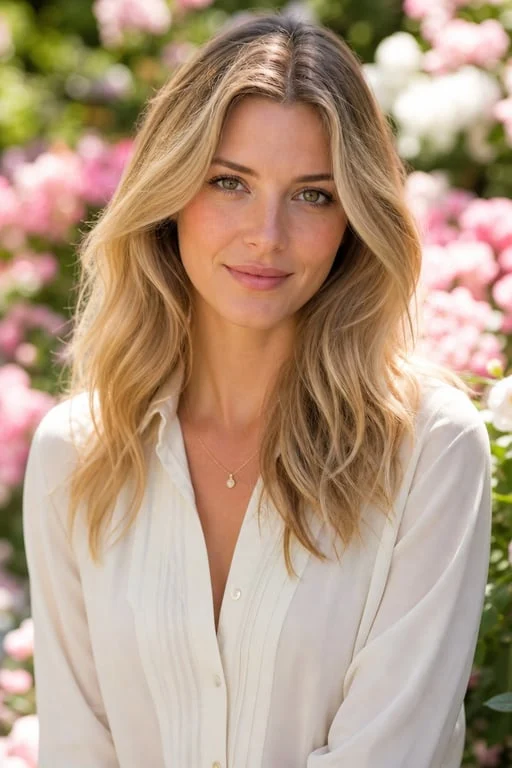
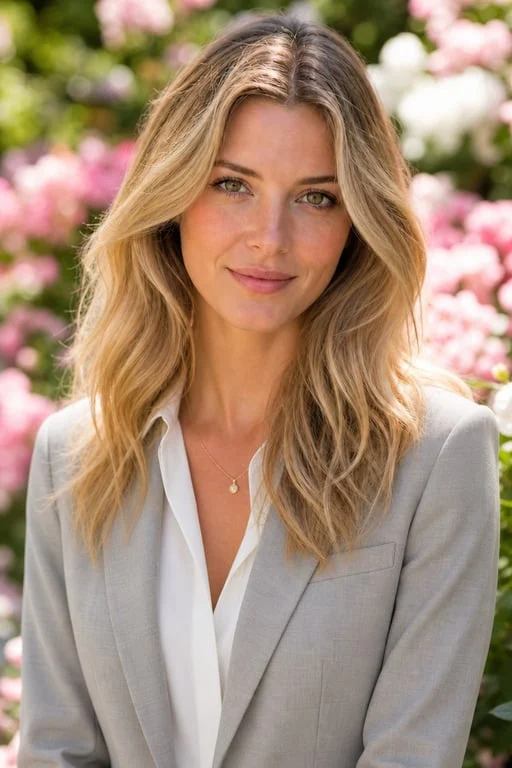
Garden portrait
A light gray lapel frames an open white collar. Compare the loose hair where it crosses the jacket.
 Original
 Suit edit
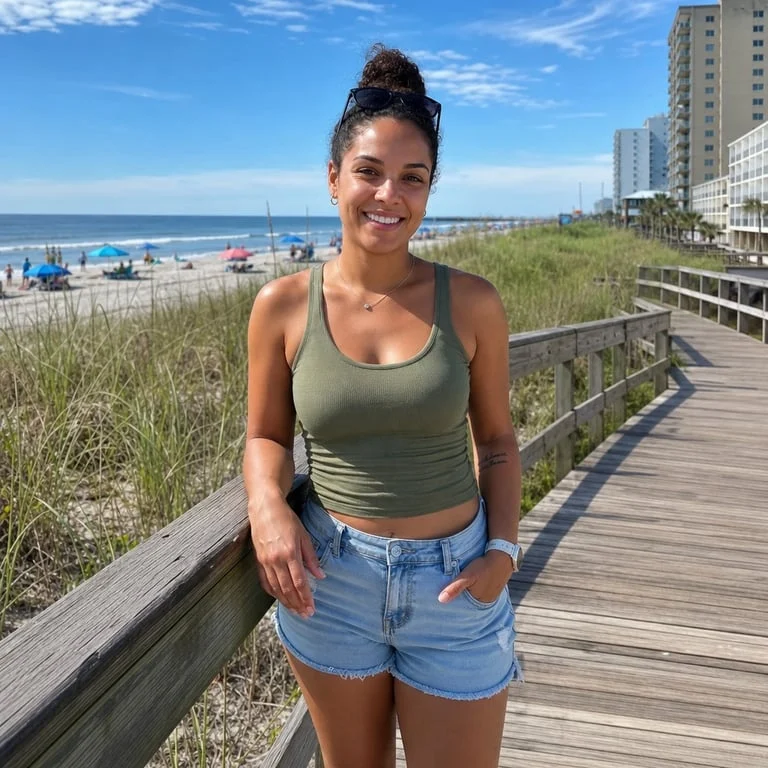
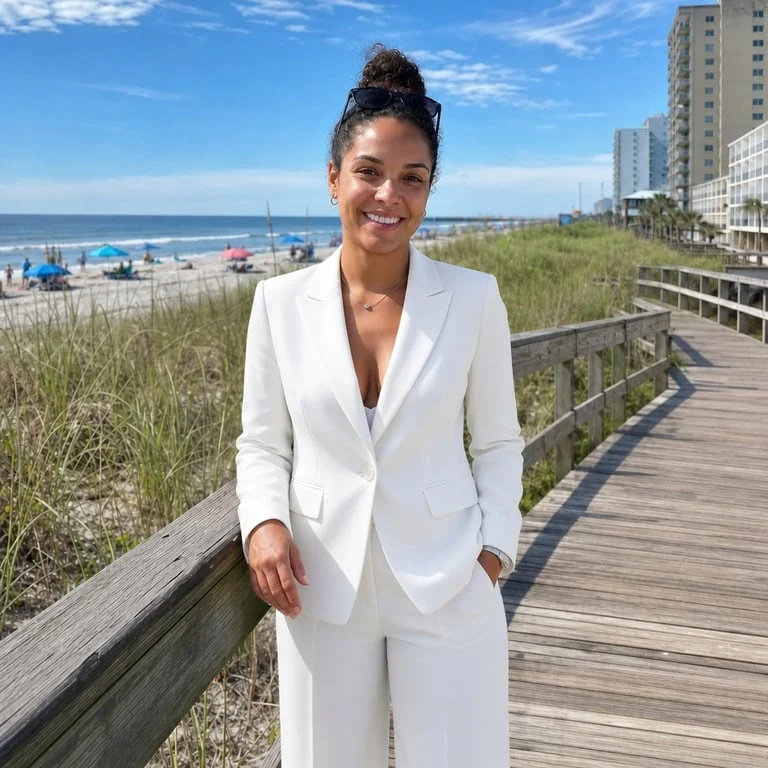
On the boardwalk
A white pantsuit replaces a tank top and denim shorts. Look at how the open jacket falls beside the hands.
 Original
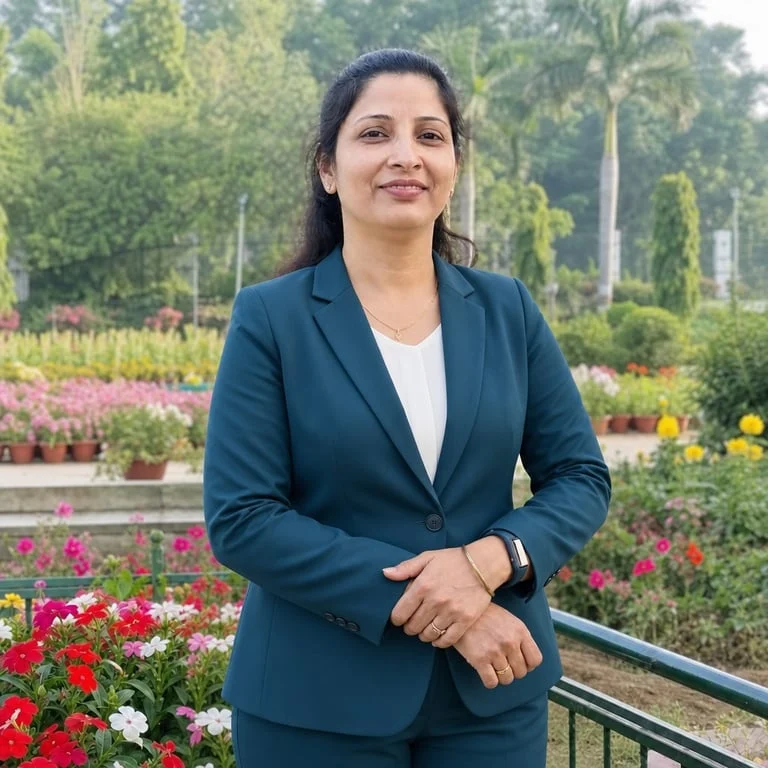 Suit edit
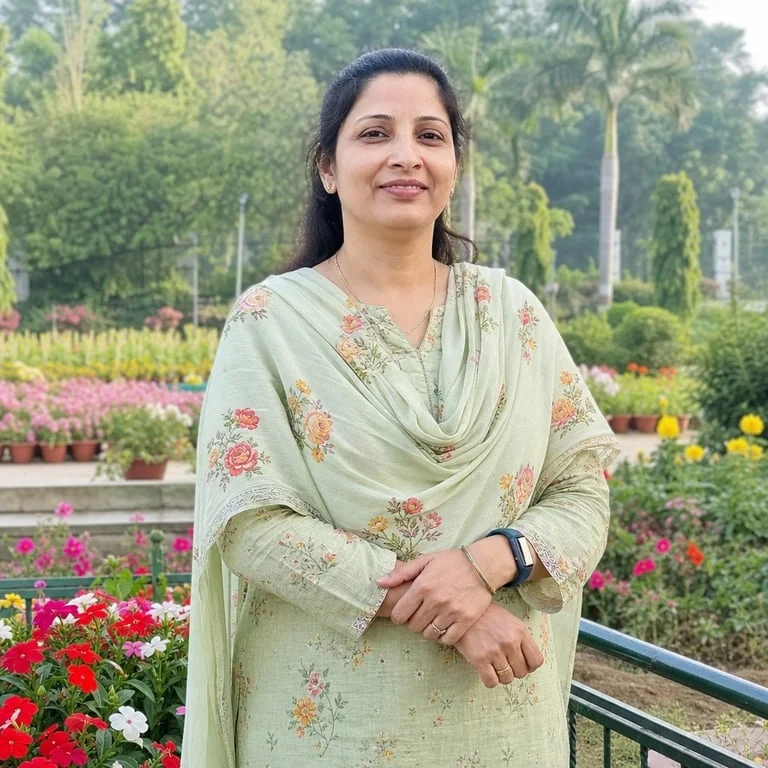
Park portrait
A dark tailored jacket follows the angle of folded arms. The park railing gives you a fixed point for comparing the pose.
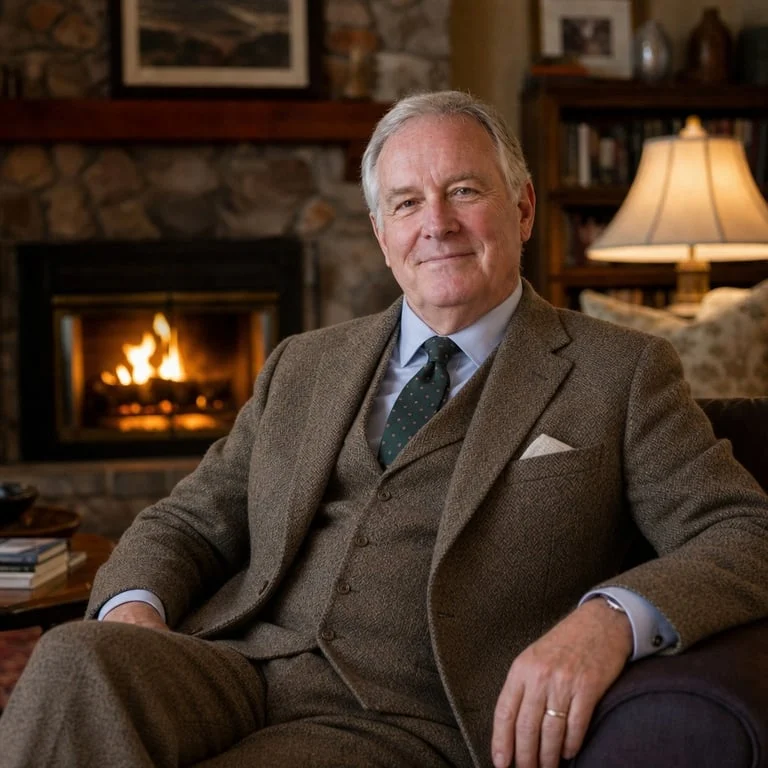
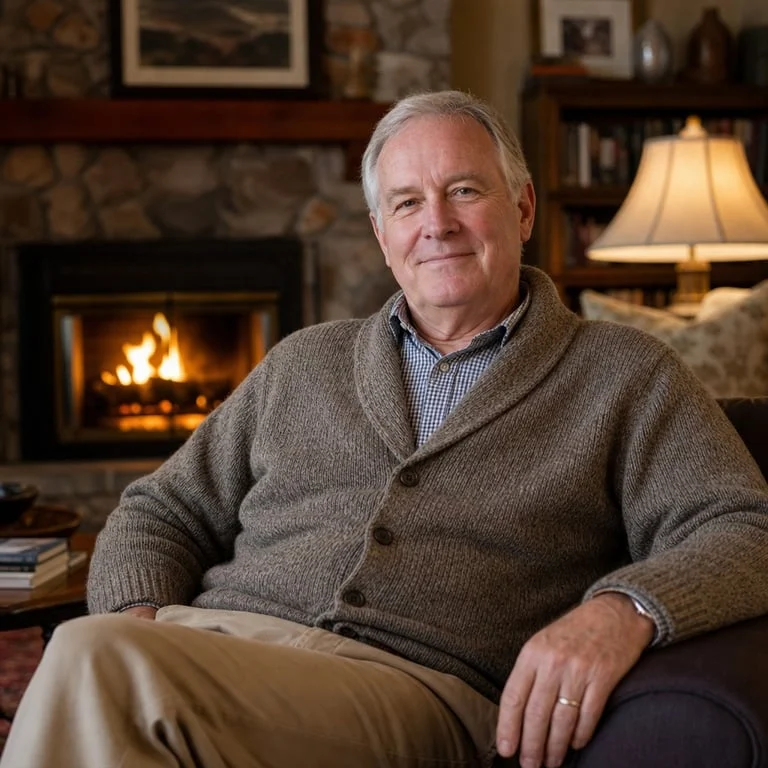
OriginalSuit editBy the fireplace
A waistcoat, tie and pocket square replace the knit layers. Compare the seated shoulder line and the warm light across both sleeves.
Checking the result
Why does the suit in my AI-generated portrait look like a badly pasted-on sticker?
Look at the shadow under your chin first. If your cheek is lit from the left but the collar casts its shadow to the left too, the jacket can look pasted on. Start again with a photo in softer light and show both shoulder seams. Hair or hands over a neckline can turn into stray fabric. The editor can also alter glasses, facial features and small background details. It cannot recover a hidden shoulder reliably, fit a real garment to your measurements, or certify a portrait for an ID application.
Change a headshot backgroundCredits & downloads
How much do AI suit photo generators usually cost?
For one existing portrait, the price here depends on the output quality you select. Fast takes two credits. Higher resolutions and Studio detail require an active paid entitlement, which can come from a subscription or unexpired paid credits. The displayed quote covers one edited picture and its download. A second color or another attempt after a successful edit uses credits again. If you want several new portraits with different poses and settings, compare the number of images included in a headshot package with the number of individual edits you actually need.
| Tool | Price | Free allowance | Watermark | Output |
|---|---|---|---|---|
| This editor | Fast 2 · HD 5 · Ultra HD 7 (8 with your own suit) · Studio 16 credits | No dedicated free edits | No added visible mark | One edited portrait, 1K–4K |
| BetterPic Basic | From $35, one-time | Not publicly specified for Basic | Not publicly specified | 20 new 4K headshots, one style |
| Aragon Basic | $35 package | Not publicly specified for Basic | Not publicly specified | 40 new standard-resolution headshots |
Suit photo FAQ
What exactly do they do?
A suit photo edit gives you a version of a photograph you already have, dressed for a different occasion. The photograph supplies the face, pose, light and surroundings. Your choice of outfit tells the editor what to replace. For a job profile, start with an image you would already be happy to use apart from the clothes. For a company directory, check the final crop against the other portraits at thumbnail size. The collar and face should still be easy to distinguish.
Can I upload a photo of the suit I want to wear?
Yes. Upload your portrait first, select “Use my own suit” and add a second JPG, PNG or WebP up to 20 MB. A front view makes the cut, lapels and buttons easier to see. The editor uses the first photo for your face and pose and the second for the outfit. Fine patterns, exact shades and the fit can vary.
Do they just change the clothes in an existing photo, or do they create a completely new professional headshot?
This AI suit image generator starts with one existing photograph. It asks the model to keep the pose, face and scene while changing the clothes. A headshot package can generate a series of newly staged portraits from several photos. Choose the single edit when there is already a photo you want people to recognize.
Can I add a suit to a photo online from my phone?
Open the AI suit photo editor in your browser, choose a portrait from your phone and sign in before generating. Upload a JPG, PNG or WebP under 20 MB. If your iPhone saved the picture as HEIC, export a JPEG copy first.
Are there any genuinely free AI suit photo generators that let you download the finished picture without a watermark?
On this page you need at least two available credits for one Fast edit. Browsing the examples is free. There is no page-specific daily allowance or separate download fee. The site adds no visible watermark. The Fast model can embed an invisible SynthID signal.
Why does every AI suit photo generator seem to change my face slightly?
Image editing can redraw details across the frame. In the comparison, line up the inner corners of the eyes, the frames of the glasses and the outline of the jaw before looking at the suit. Keep the original if a change affects your likeness.
What should I check before downloading the final image?
Look along the hairline, both shoulders and the space between the collar and chin. A tie should hang from the center of the collar, and a lapel should follow the chest even when you turn slightly. If a hand covers the neckline, try another original with the hands out of the way.
Can an AI suit photo maker give me both a close-up headshot and a waist-up portrait?
The editor requests the framing of your input. Start from a waist-up photo to retain room for a longer jacket, or crop a copy before uploading for a close-up. Each submission returns one still image. To make multiple versions, keep your original file and change one setting per run.