
Your photo. A comic-book look.
Marvel AI Generator
Turn your photo into bold superhero comic art.
Start with Marvel Comic for bold ink and saturated color, or explore DC Comic, manga and more. Upload a photo, choose a preset, and generate one restyled image. No text prompt needed.
JPG, PNG or WebP · Up to 20MB · Sign-in required · 1K costs 1 credit

Marvel Comic style preview
AI-generated style illustration, not a result from your photo. Your output depends on the reference image and selected style.
Marvel Comic is selected by default. Choose a style to restyle your photo; no text prompt is needed.
Up to 20MB. Choose a clear photo with the face and outfit visible.
1KQuick drafts for trying ideas.
Marvel Comic style preview
Your photo is uploaded for AI processing. Privacy Policy
Choose a comic-book style for your photo
Compare the linework, shadows and color palette before you generate. Marvel Comic is the starting style; open Art style for the full gallery, with search, categories and larger previews.
Marvel Comic
Bold ink contours, saturated primary colors and energetic halftone shading.
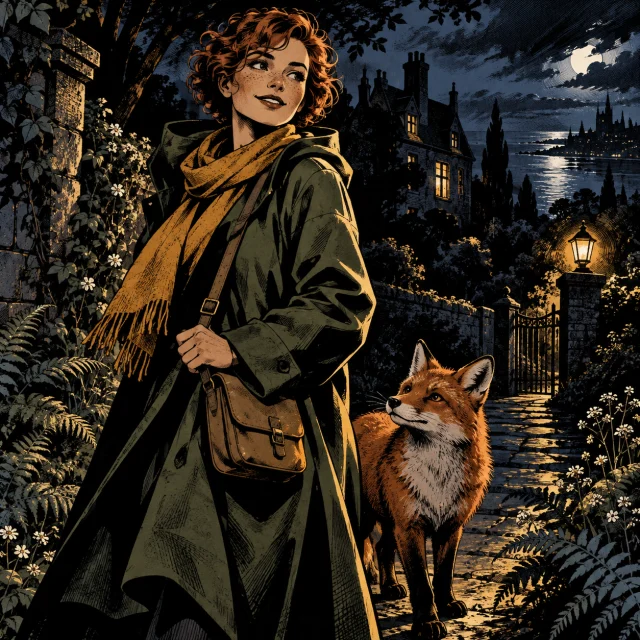
DC Comic
Angular silhouettes, deep black shadows and a restrained graphic-novel palette.

Manga
Black-and-white ink, expressive linework, hatching and screentone shading.
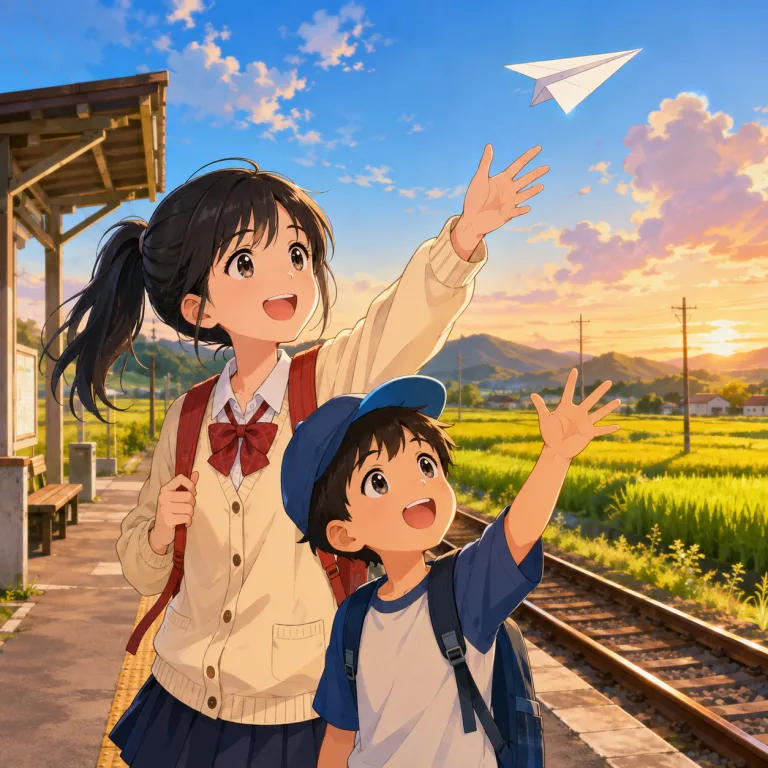
Anime
Clean animation linework, expressive faces and softer painted scenery.
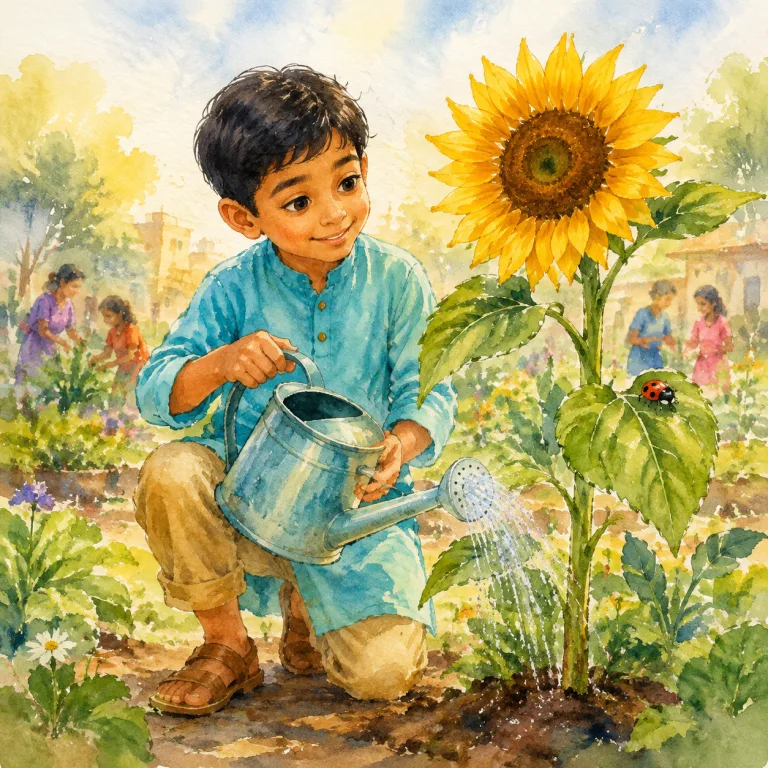
Watercolour
Translucent washes, loose outlines and a textured-paper finish.
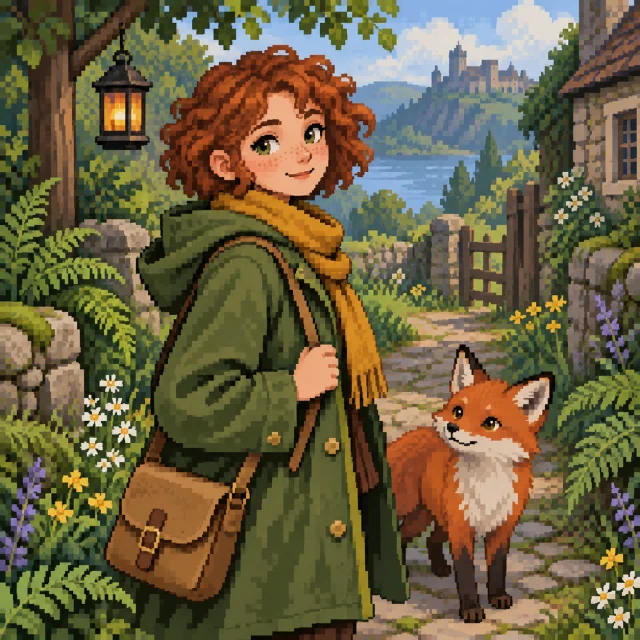
Pixel Art
Visible pixel clusters, a limited palette and crisp, game-like shapes.
AI-generated style illustration, not a result from your photo. Your output depends on the reference image and selected style.
Choose and confirm a style in the generator above. Each new generation uses the selected preset and costs credits.
Explore the stylesHow to use the Marvel AI generator
1. Upload your reference
Choose a clear portrait, cosplay photo or character image. Keep the face and costume details you want visible: the preset changes the drawing style, while your photo supplies the subject, outfit and pose. Use a JPG, PNG or WebP file up to 20MB.
2. Choose the art style
Keep Marvel Comic for colorful superhero-comic rendering. Open Art style to search the full gallery, preview another look and confirm your selection. Then choose the output quality.
3. Generate, check and download
Sign in and check the displayed credit cost before generating. Review the face, hands, costume colors and silhouette, then download the image. To compare another style, keep the same photo and generate again; each new image uses credits.
Choose the right starting point for your comic
The best AI to generate Marvel comics depends on the job: restyling a photo, designing a character or assembling a story. Here is where this tool fits.
Turn a photo into comic art
Use the generator above when the face, outfit and pose are already in your image. Choose the drawing style, then download one new illustration for a portrait or character concept.
Design a new superhero
Open Create Character to describe an original costume, powers or setting. Bring a character image back here when you want to try a different visual style.
Build a multi-panel story
Use an approved character image as a reference for new scenes. Arrange those images and add speech bubbles in a separate comic editor; this page does not assemble pages or dialogue.
How can I keep my superhero character consistent?
Start with one clear reference, then decide which details need to stay recognizable. Keep a copy of the source and compare each result before using it in another scene.
Continue with a consistent characterMake the face and costume easy to read
Choose a well-lit portrait or character image with visible facial features and outfit details. If the costume matters, include its colors, mask shape and silhouette in the reference instead of relying on a character name.
Check the result against your reference
Compare the face shape, hairstyle, hands and costume colors side by side. A different art style can simplify details, so check whether the character is still recognizable and which details need further editing.
Reuse the version you approved
Download a version you like and use that same image in the consistent character generator for new scenes. Avoid switching between conflicting references. Review every result: facial details and outfits can still vary.
Creating a full AI Marvel comic?
Start here for a single comic-style image. The preset restyles the subject and background together; it does not provide custom text prompts, a specific costume selector, page layouts or editable speech bubbles. Use the character tools below for a new design or scene, then finish the sequence and lettering in your comic editor.
Marvel AI generator questions
How can you create images of people on AI as superheroes?
Upload a clear photo and choose Marvel Comic or DC Comic for a superhero-comic drawing style. This page changes the visual treatment of your reference. For a particular costume, start with a suitable cosplay or character reference; for a new character design, continue in Create Character.
Can AI turn me into a comic Spiderwoman?
You can give a portrait or cosplay photo a superhero-comic look with the Marvel Comic preset. The preset changes the drawing style; it does not select a Spiderwoman costume or guarantee an exact character match. Use a reference that already shows the costume you want, then check the mask, outfit colors and facial details in the result.
Can this AI edit a Marvel or DC comic?
It can reinterpret an uploaded image in a selected style, including Marvel Comic and DC Comic. It is not a panel editor: targeted speech-bubble changes, precise lettering and page layout are not controls in this tool. Work from a single clear character image for the most focused transformation.
Can I create a full AI Marvel comic here?
The generator creates a single image per request. You can use the results as portraits or visual references for a comic project, but page layout, panel sequencing and dialogue need a separate editing workflow.
Can I keep the same superhero across different scenes?
Reuse the same approved reference image in the consistent character generator and keep the key face, hair and costume details visible. Review each new scene side by side. This page restyles one source image at a time and does not lock a character across a comic.
How should I compare Marvel AI image generators on Reddit?
Look for posts that show the reference and several outputs, plus the model or preset, settings and total attempts. Compare the face, costume and any lettering, and include the cost of retries. Check whether the example uses photo restyling, text-to-image or a separate comic editor before expecting the same workflow here.
Can I switch to other styles besides Marvel Comic?
Yes. Open Art style, search or filter the gallery, preview a style and confirm it. DC Comic, Manga, Anime, Watercolour and Pixel Art are among the choices. Changing the selection keeps your uploaded photo; generating another image uses credits.
How many credits does a comic-style image cost?
A 1K image costs 1 credit, 2K costs 4 credits and 4K costs 6 credits. Sign in with enough credits to generate. For 2K and 4K, you also need an eligible subscription or unexpired paid credits. Check the selected quality and cost before each request. Generating another version uses credits again.
Keep creating with your character
Photo to Color Sketch
Explore colored pencil drawing with the same photo-to-art workflow.
Create Character
Describe a new character, costume or scene with the character generator.
Consistent Cartoon Character AI
Use a reference to continue a character across different scenes.
Dream Works AI Generator
Give your photo expressive 3D cartoon shapes and cinematic light.
Give your photo a comic-book finish
Start with Marvel Comic, or find another look in the style gallery. Your uploaded photo stays in place when you switch styles.
Create my comic art