
It suits outfit try-ons before you buy and sellers who have one product photo but need more colorways. Upload a JPG, PNG or WebP up to 20 MB and get one PNG at 1K, 2K or 4K with no added watermark. A 1K recolor costs 2 credits; eligible new accounts get 1 free credit (not enough for one recolor), and the $5 trial pack adds 10.
How the AI clothes color changer works
Upload one photo
Use a clear JPG, PNG or WebP (up to 20 MB) where the garment is not hidden by hair, hands or a bag. Worn outfits and flat product shots both work.
Pick the new color
Tap a swatch for a one-click recolor of the main garment. Choose Custom to name the item and any color or HEX code, and optionally add a swatch photo.
Choose a quality and generate
Fast (1K) is the default at 2 credits. HD, Ultra HD and Studio sit in the quality picker for paid accounts.
Compare and download
Drag the divider to check seams, sleeves and the face against your original, then save the PNG.
Clothes color changer examples
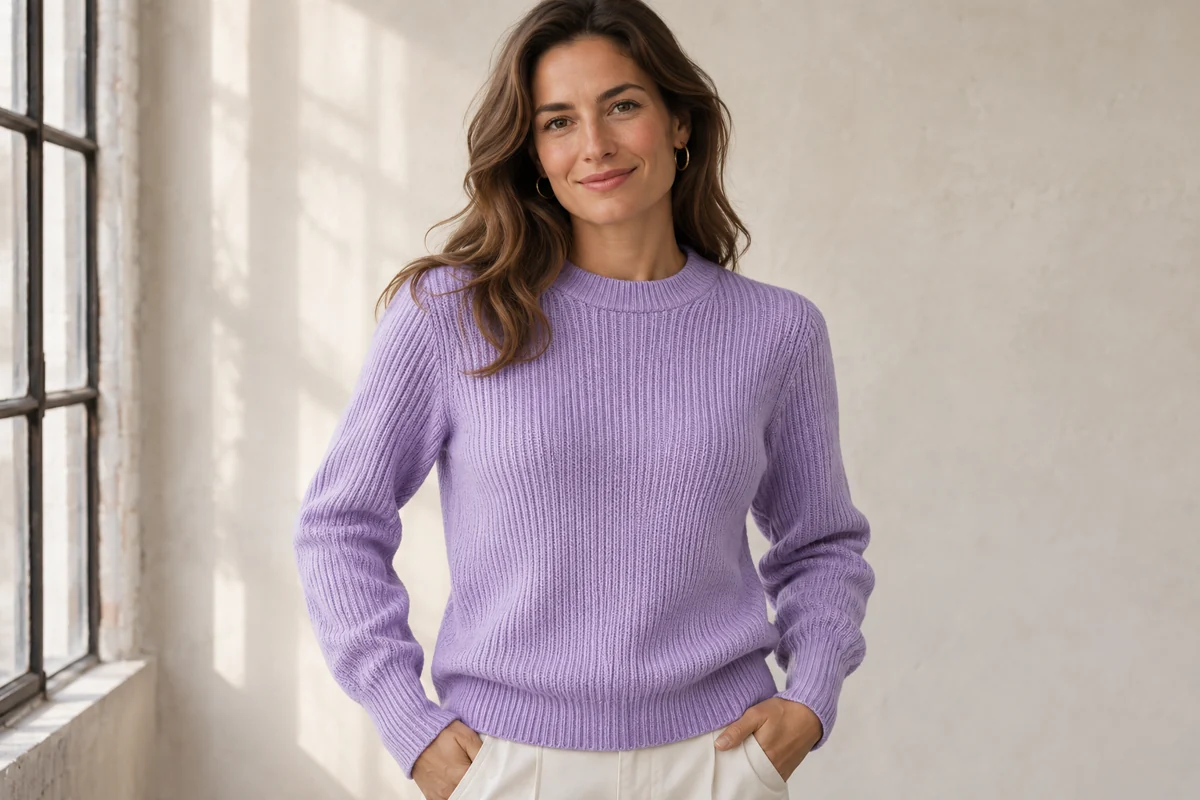
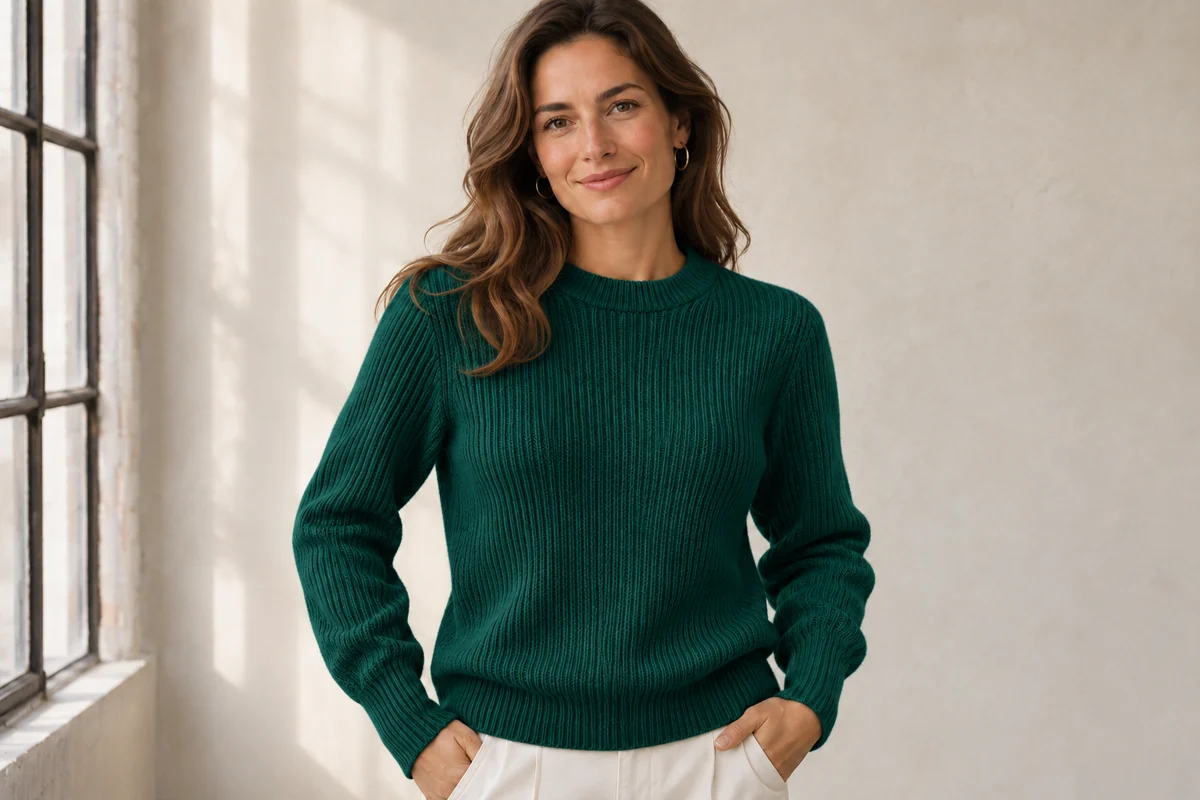
Ribbed sweater: lavender to deep teal
The rib knit, cuffs and white trousers carry over unchanged; only the sweater turns from lavender to a dark teal green.
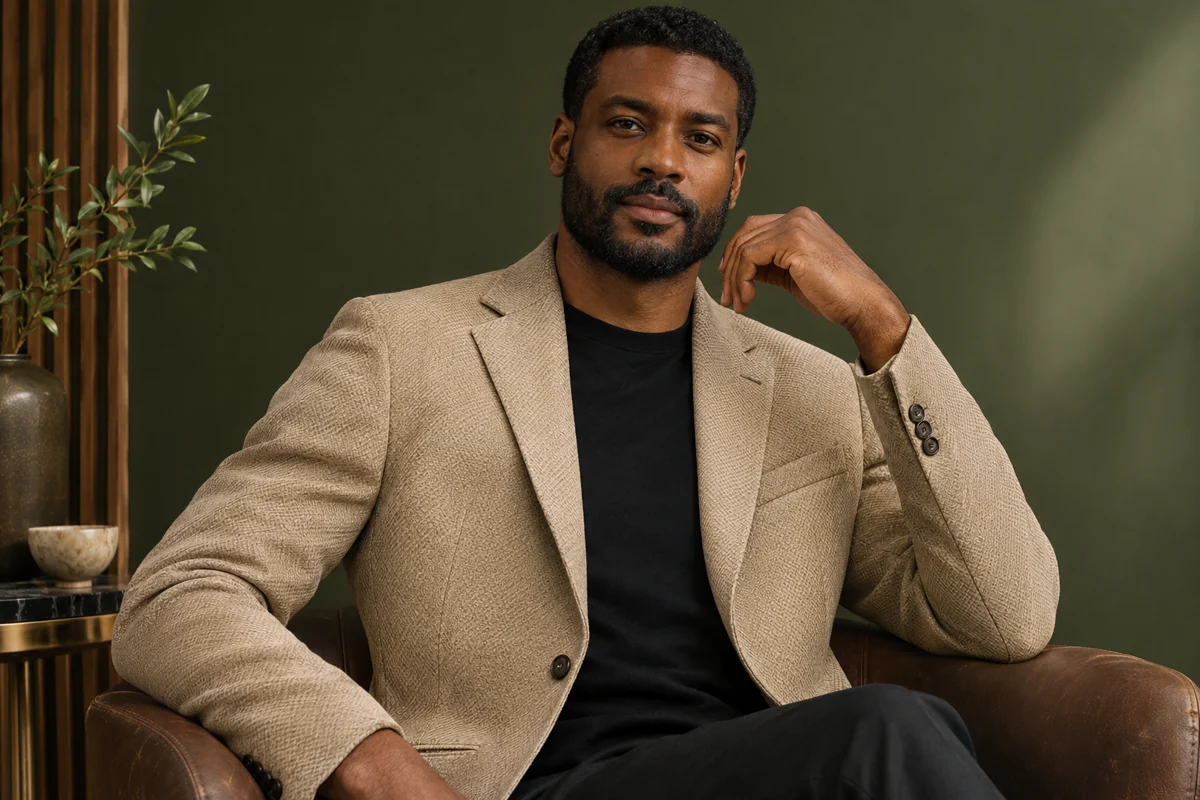
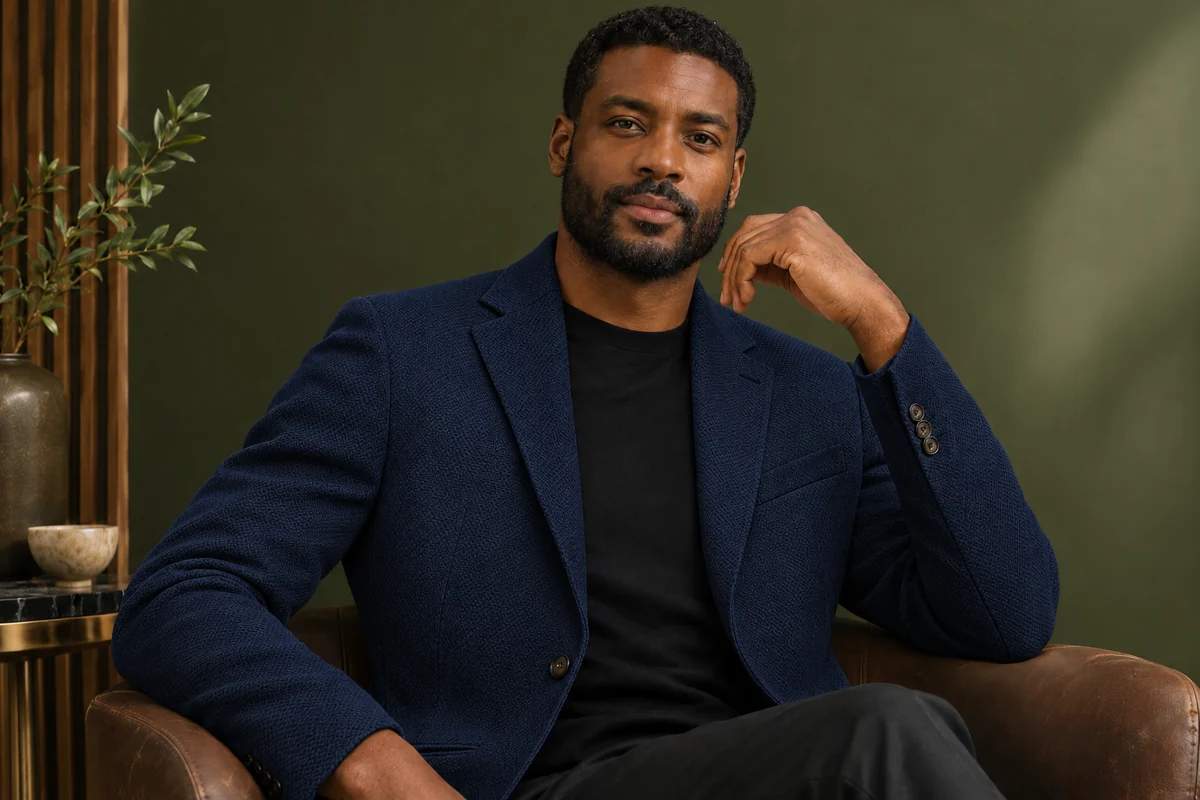
Tweed blazer: sand to navy
A textured sand blazer becomes navy. The weave, lapels and buttons remain visible, and the black tee underneath is not touched.
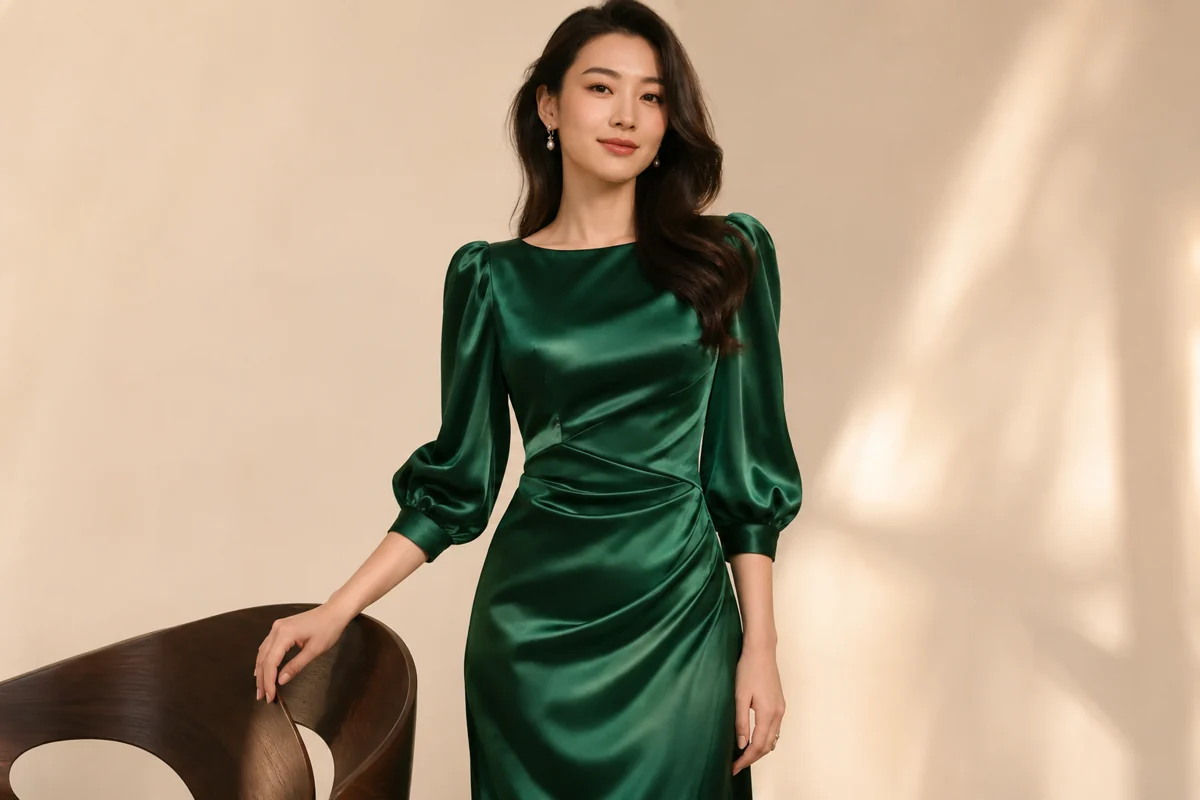
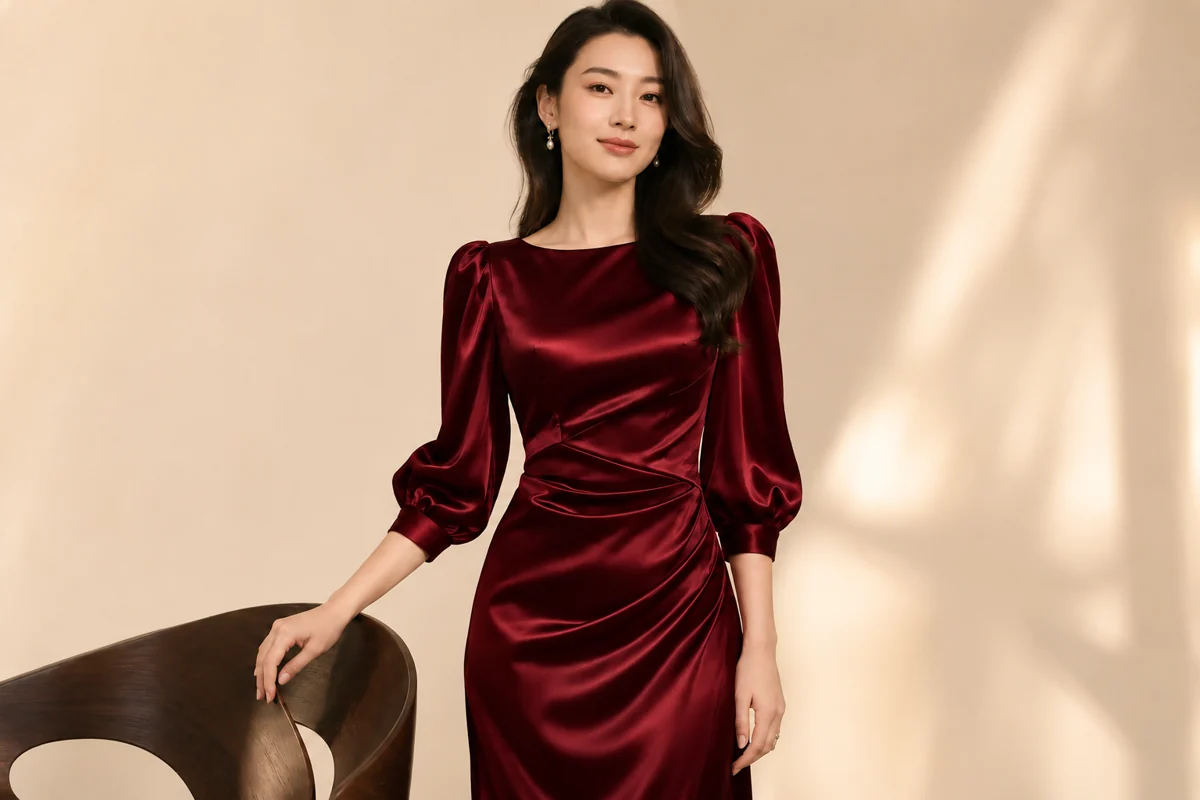
Satin dress: emerald to burgundy
The satin keeps its sheen and draped gathers at the waist while the emerald dress shifts to burgundy.
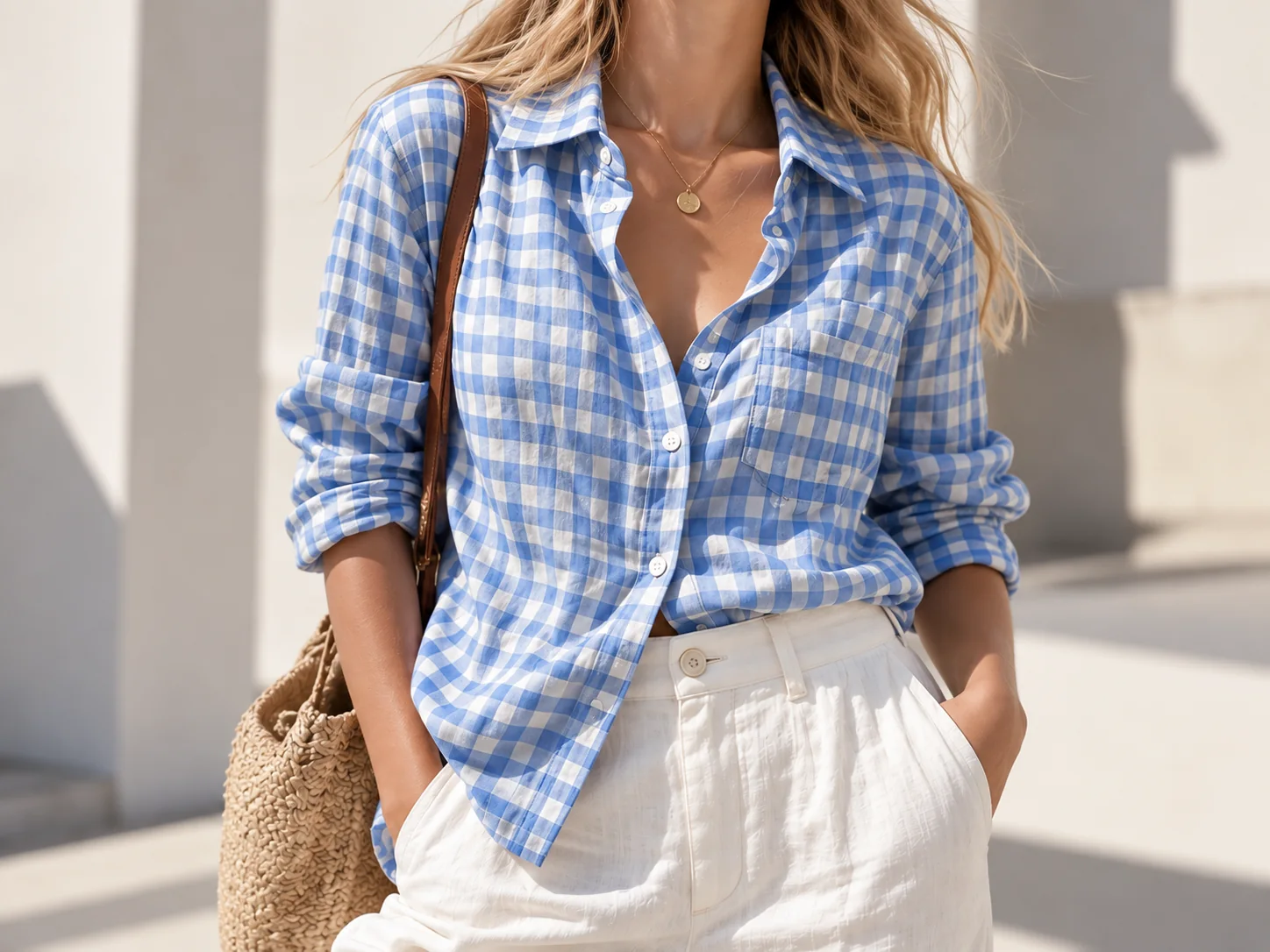
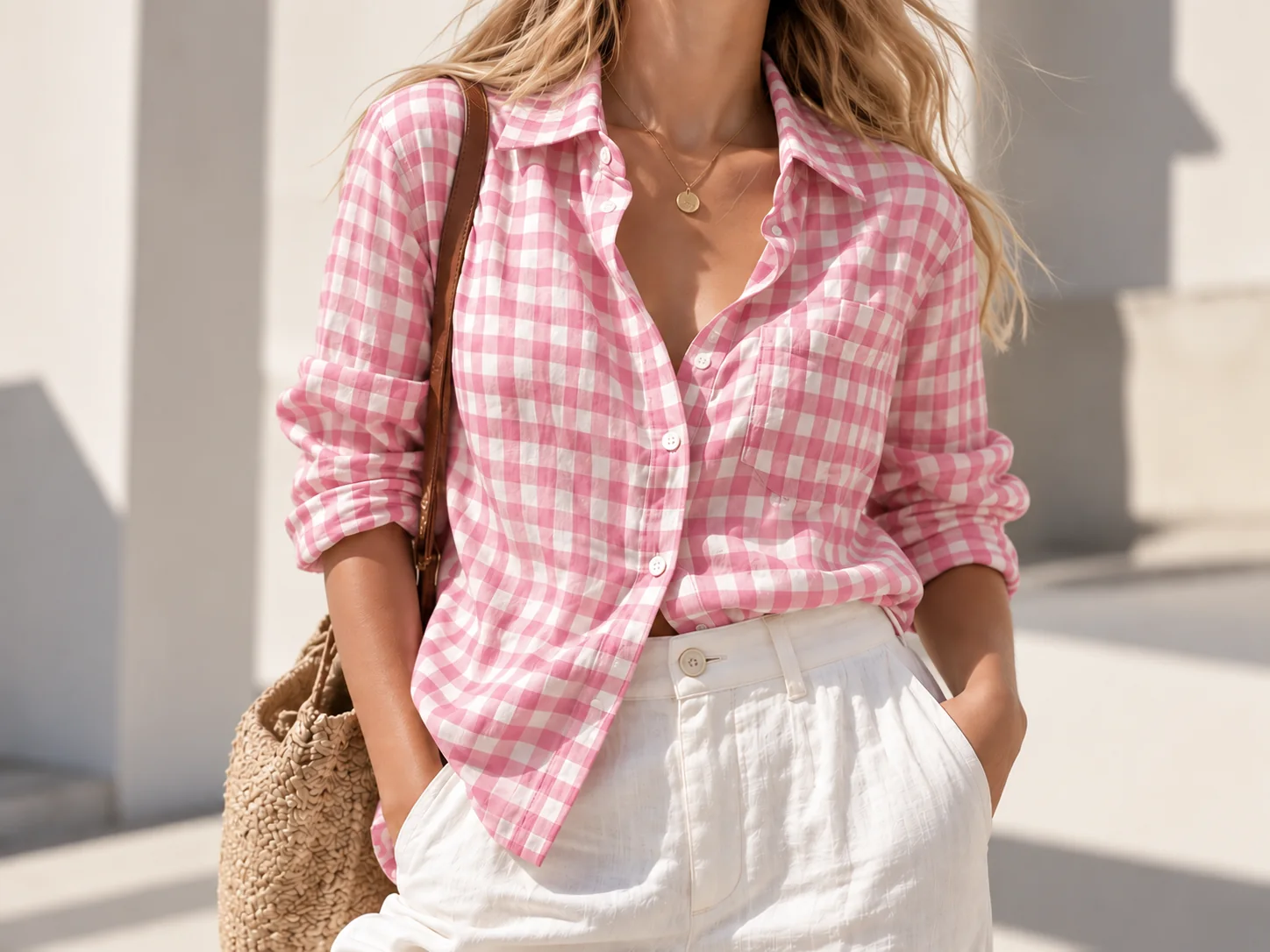
Gingham shirt: blue checks to pink checks
A patterned shirt keeps its check layout: blue and white gingham becomes pink and white, and the white trousers and straw bag stay the same.
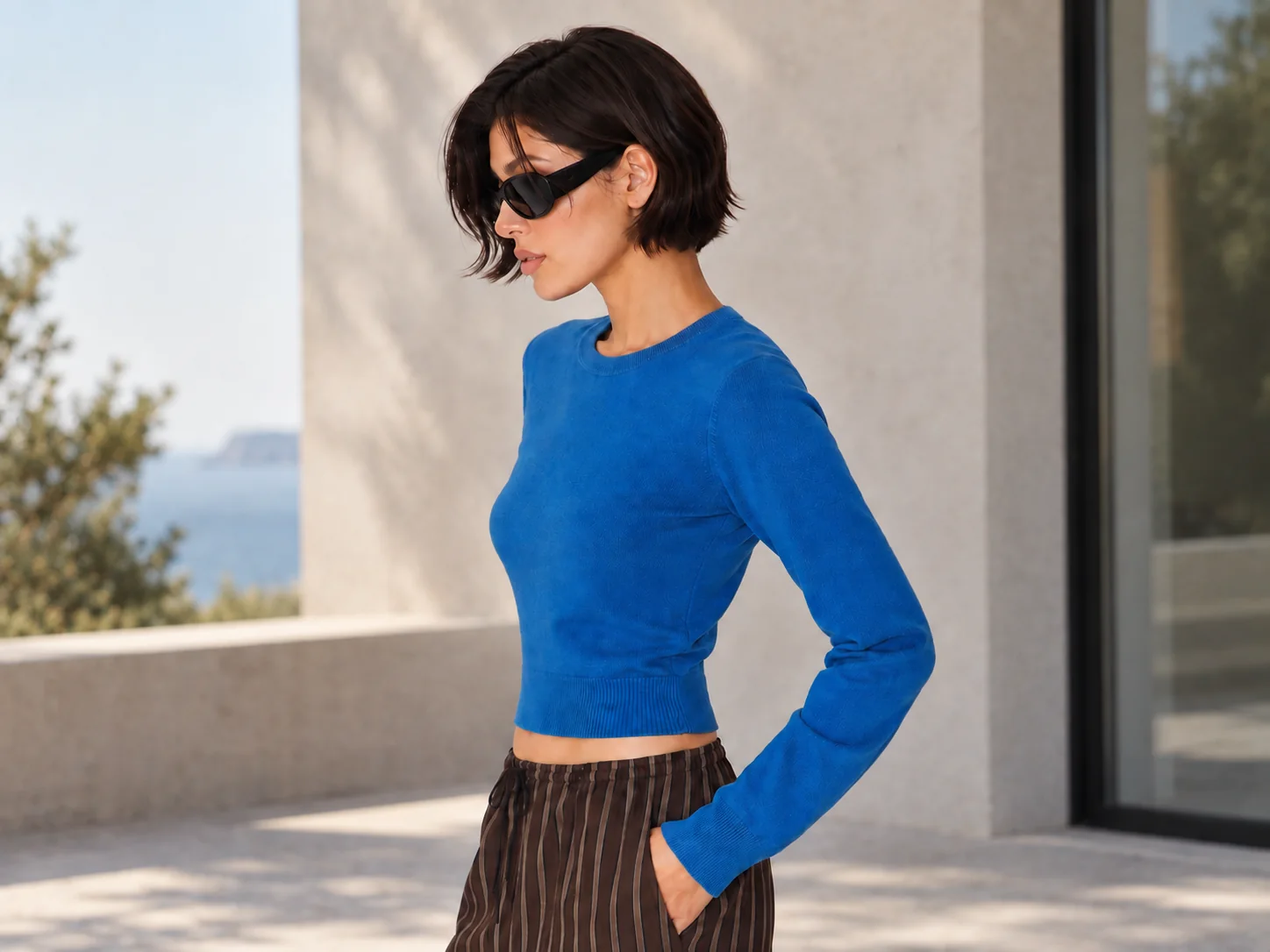
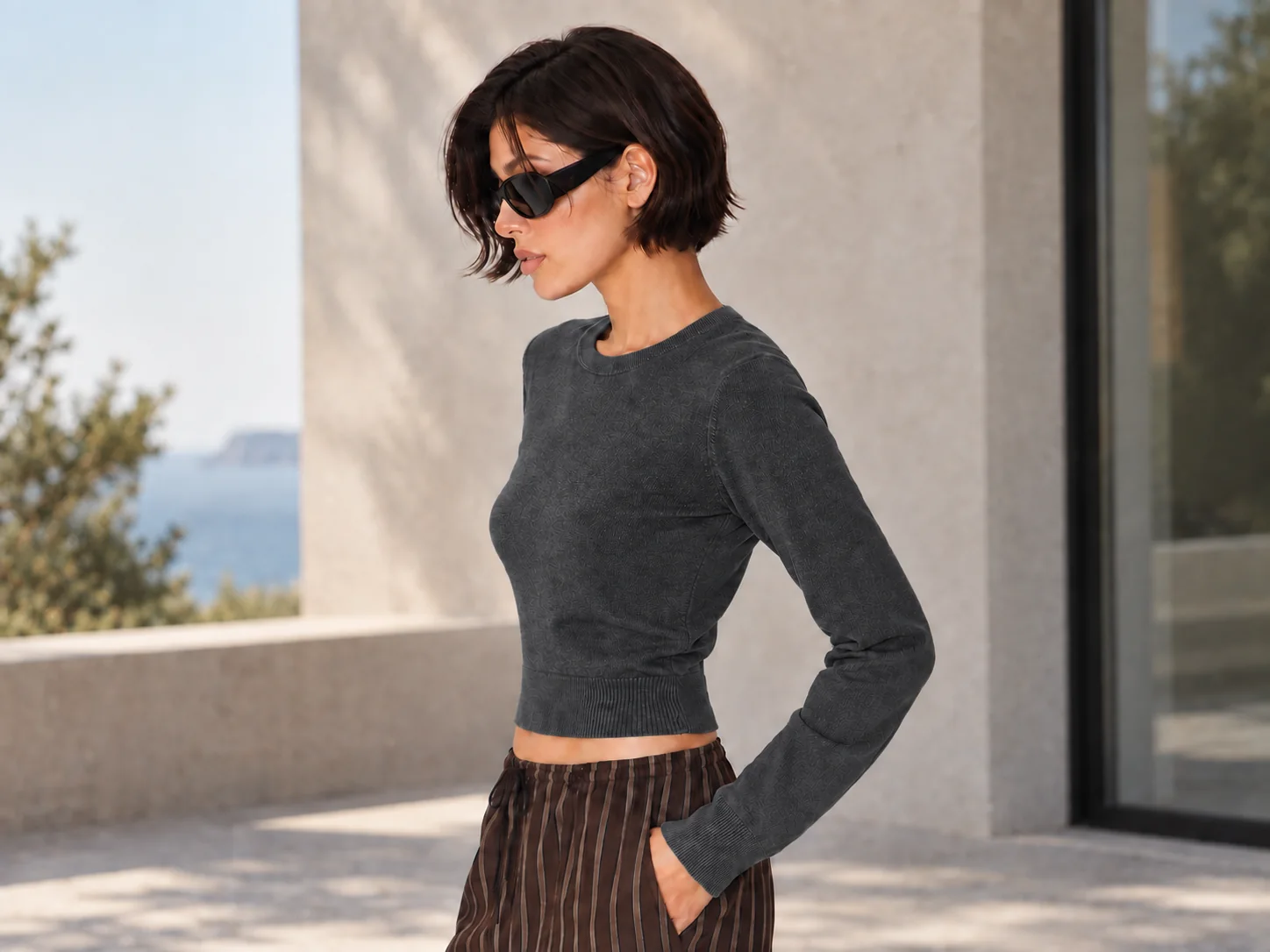
Long-sleeve top: cobalt to charcoal
A bright cobalt top turns charcoal gray. The striped trousers, sunglasses and terrace background are unchanged.
How do I change a dress or shirt color without changing my face?
Upload the photo, pick a swatch, and the AI clothes color changer recolors only the main garment, which is usually the shirt, dress or jacket that takes up most of the frame. The instructions sent to the model tell it to leave the face, skin tone, hair, pose, other clothes and background exactly as they are, and to keep folds and shadows so the color does not look painted on.
If the photo has several garments, choose Custom and name the one you want, for example “only the dress, keep the cardigan cream”. Use the before-and-after divider to check the face and sleeve edges. Because this is a generative edit, very small details can shift; generate again or try a sharper source photo if they do.
How do I match clothes to a reference color or HEX code?
Choose Custom, write the item and the target color, and add the code if you have one, such as “only the hoodie to #2F5D50 forest green”. If you only have a picture of the shade, upload it in the optional color reference box: a fabric swatch, a paint chip or another garment. The model matches the garment to that picture’s main color and copies nothing else from it.
A color reference counts as a second image: HD and Studio use one more credit with it, while Fast and Ultra HD cost the same (the table below lists both). Screens and lighting change how a color looks, so treat the result as a preview, not a color-managed proof for production.
What prompt changes only the clothing color?
Name one garment, give the new color, and list what must not change. The prompt below is the exact text this tool sends for the Navy swatch. You can copy it into another image editor, or swap the color and garment and use it in Custom mode here.
Navy swatch prompt
Edit the supplied photo and return one photorealistic still image with the same framing. Recolor only the main garment: the most visible top, dress, jacket or coat on the person, or the single clothing item in a product photo. Make it a dark navy blue (#1F2F4F). Keep the garment's shape, fit, fabric texture, knit or weave, seams, stitching, buttons, zippers, folds and wrinkles. The new color must follow the original light: darker in folds and shadows, lighter where light falls, with the same sheen or matte finish. Keep checks, stripes and prints in the same layout and shift only their main color; keep logos and lettering legible. Leave every other clothing item, the face, facial features, expression, skin tone, hair, hands, body shape, pose, accessories, background and lighting exactly as they are. Add no text, border or watermark.
AI clothes color changer pricing, free credit and watermark
You can’t recolor a photo completely free here. Signing in is required, eligible new accounts get 1 welcome credit, and a Fast 1K recolor costs 2 credits. The $5 trial pack’s 10 credits cover 5 Fast recolors, about $1.00 each. Every result is a PNG with no added watermark.
| Quality | Output | Credits, one photo | With a color reference | Account access |
|---|---|---|---|---|
| Fast | 1K | 2 | 2 | Signed in, with credits |
| HD | 2K | 5 | 6 | Active subscription or unexpired paid credits |
| Ultra HD | 4K | 8 | 8 | Active subscription or unexpired paid credits |
| Studio | 2K | 17 | 18 | Active subscription or unexpired paid credits |
Failed generations are refunded automatically. Downloading the result costs nothing extra; another version uses the credits again.
If you prefer to tap the garment instead of describing it, dedicated recolor apps work differently. Their published plans, checked on the date below, compare like this:
| Tool | Price | Free allowance | Visible watermark | How you set the color |
|---|---|---|---|---|
| ConsistentCharacterAI | $5 for 10 credits; 2 credits per 1K recolor | 1 welcome credit if eligible (not enough for one recolor) | None added | Swatch, typed color or HEX, or a color reference photo |
| Pixelcut Recolor | Free plan; Pro $10/month or $8/month billed yearly (600 AI credits) | Free plan with limited tools | Free export without watermark | Select the item, then pick a color |
| Photoroom Recolor | Pro from $7.50/month billed yearly (8,000 AI credits) | Free trial | Not published | Describe the item and the color |
Checked 2026-11-08 on each service’s public pricing page.
See credit packs and monthly plansWhen the clothes color changer struggles
Results are weakest when the garment is small, hidden or very busy. Lace, sheer fabric and tiny all-over prints can lose detail. Going from black to white is harder than the reverse because the model has to invent texture in dark areas. Two people wearing the same color may both change unless Custom names one of them.
- One photo and one result per run; there is no batch mode for a whole catalog.
- It recolors what you already wear. To swap the garment itself, use the virtual try-on tool.
Clothes color changer FAQ
Is there an AI clothes color changer app, or does it work in my phone browser?
There is no app to install. The clothes color changer runs in Safari, Chrome and other mobile browsers: upload from your camera roll, generate, and save the PNG back to your phone.
Can I use the recolored photo in a product listing?
Yes, if you own or have the rights to the original photo; no watermark is added. Only show colors you actually sell, and label colorway previews as previews so buyers are not misled.
Can I recolor two people’s outfits differently in one photo?
Ask for one change per run. Use Custom to name the first garment, for example “only the man’s jacket to navy”, download the result, then upload it again for the second color.
Can it change clothes color in a video?
No. This clothes color changer edits photos only, one image per generation. Recoloring video frame by frame is not supported.