Fitting room
AI Virtual Try-On
AI virtual try-on puts a garment from a product photo or shopping screenshot onto a photo of you. Use it to compare a neckline, color or outfit before buying. Sign in for one downloadable 1K–4K image per edit, from 2 credits. There are no free guest generations. The site adds no visible watermark. Use the store’s measurements to choose a size.
Photo guide
How do I make an AI virtual try-on picture using a photo of myself and a screenshot of a dress from an online store?
- 01
Start with your photo
Pick one person facing the camera. Include the whole area the garment will cover. For a dress, leave room below the hem. An uncropped mirror selfie works if the phone and your arms leave the neckline visible.
- 02
Crop the clothing screenshot
Keep one front view of the item, including both sleeves and the entire hem. Trim away the price, color swatches, buttons and other products. A flat lay works too. No hand-drawn outline is needed.
- 03
Generate and inspect
Choose a quality and check the credit total before generating. Compare the result with your original photo, then look back at the garment to check its seams and print. Download the still as a PNG.
Wardrobe comparisons
Can AI virtual try-on help me plan a capsule wardrobe using photos of clothes I already own, instead of buying new items?
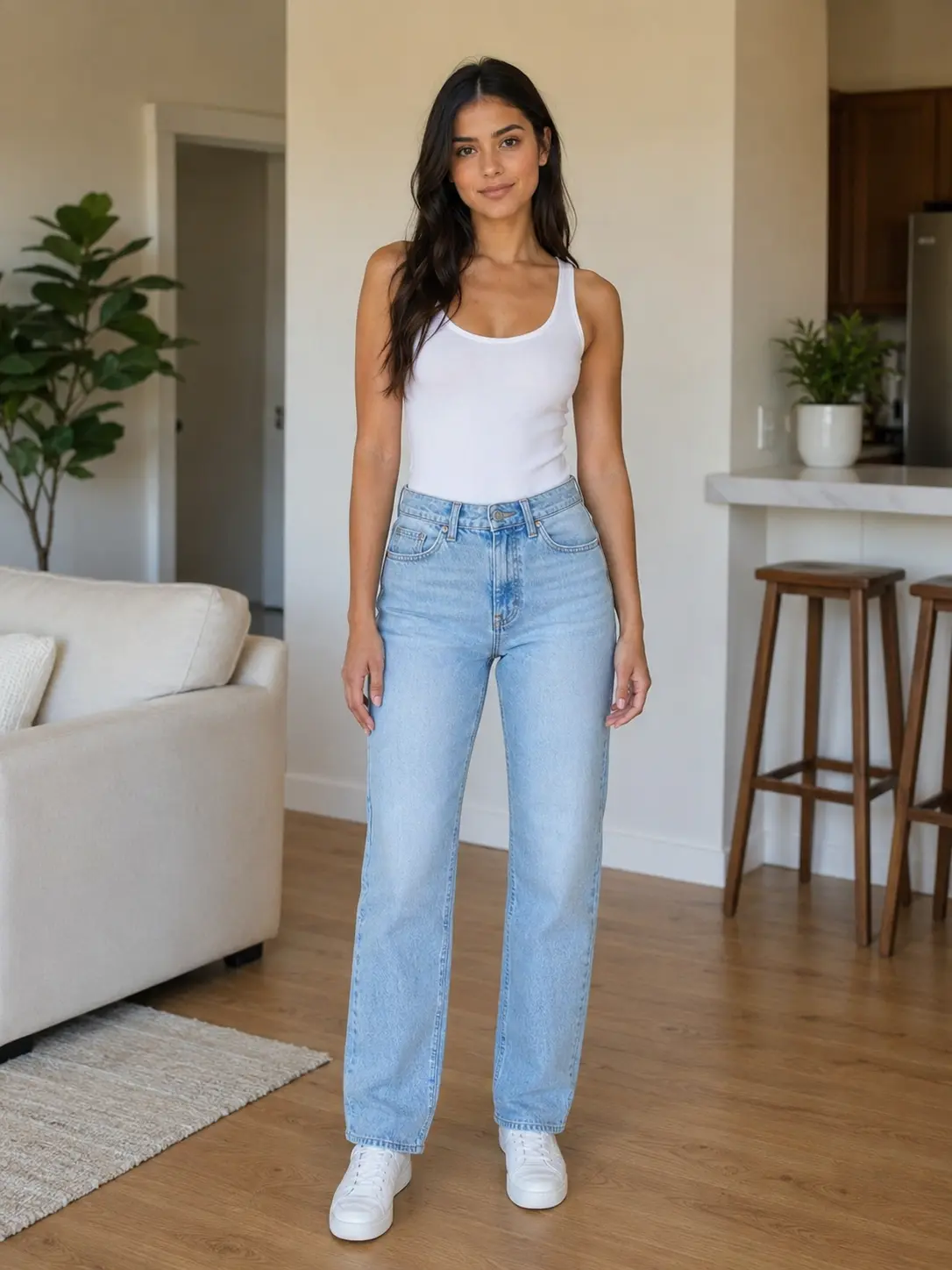
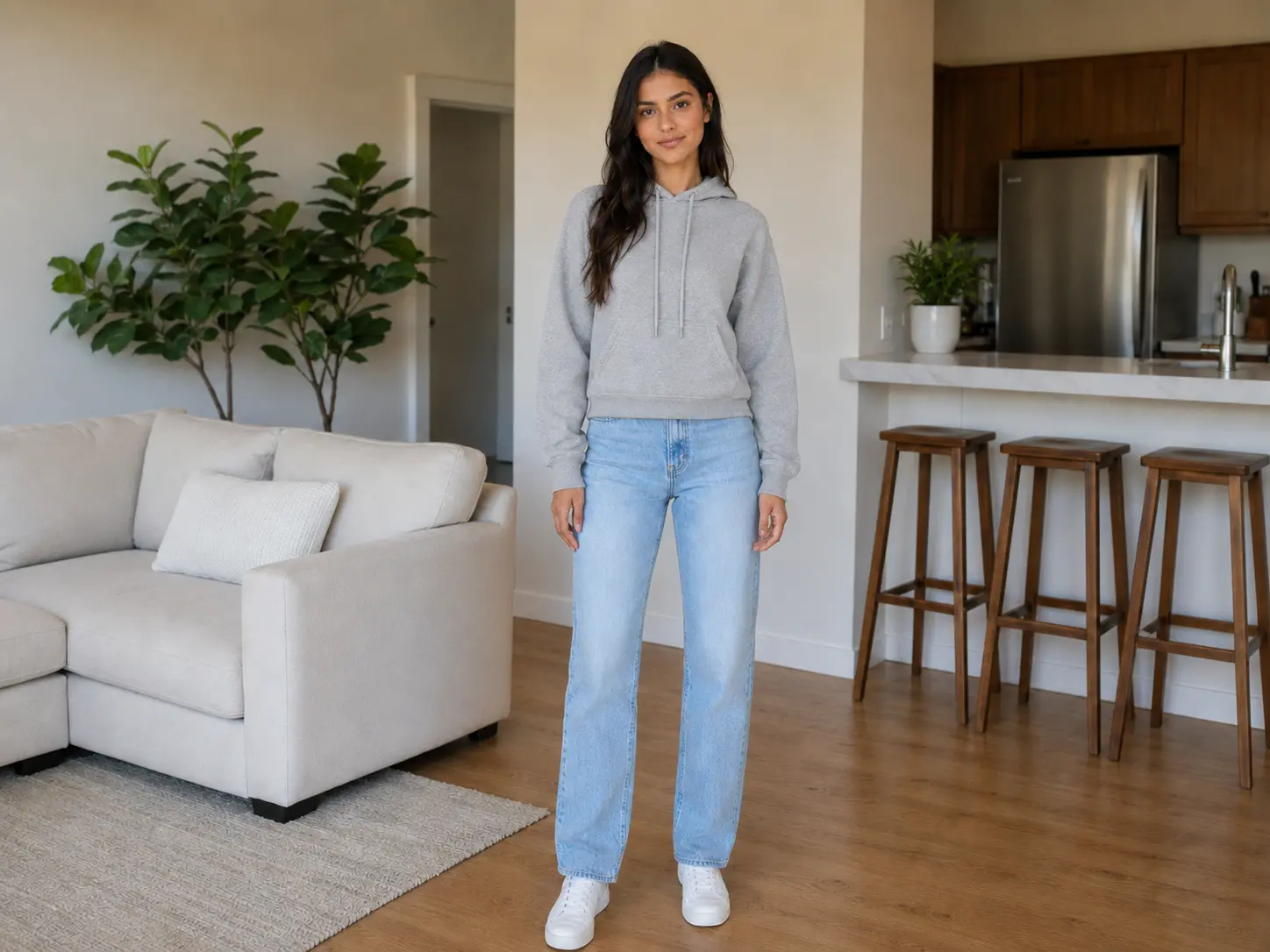
Use one standing photo as the starting point for a small wardrobe. Photograph each item separately and run one edit per garment. Keeping the starting pose and lighting steady makes it easier to compare where a hem falls in the picture or how two colors look together. In the examples below, the hoodie, dress and trousers all start from the same white tank and jeans. Look at the shoes as well as the clothes. A change in framing can make a pair of trousers appear longer even when the outfit is the only change you asked for.
 Original
 Try-on
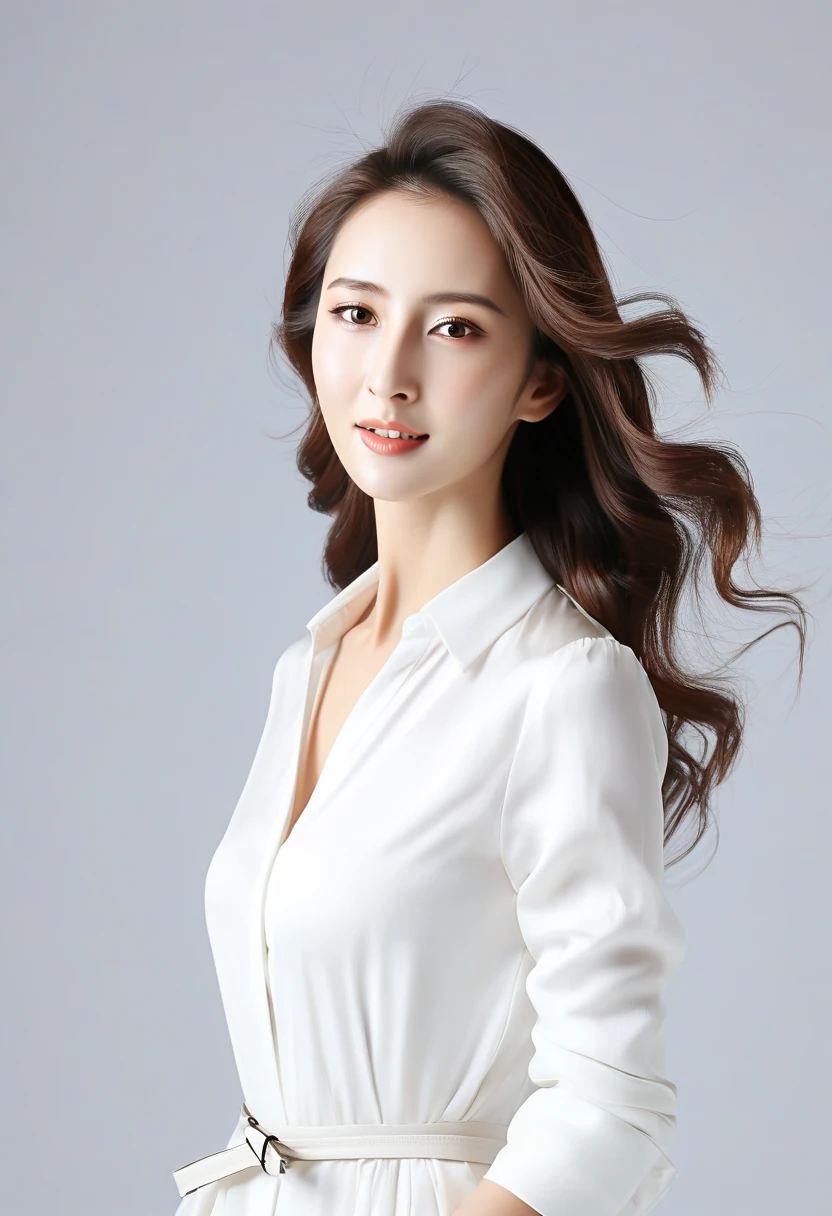
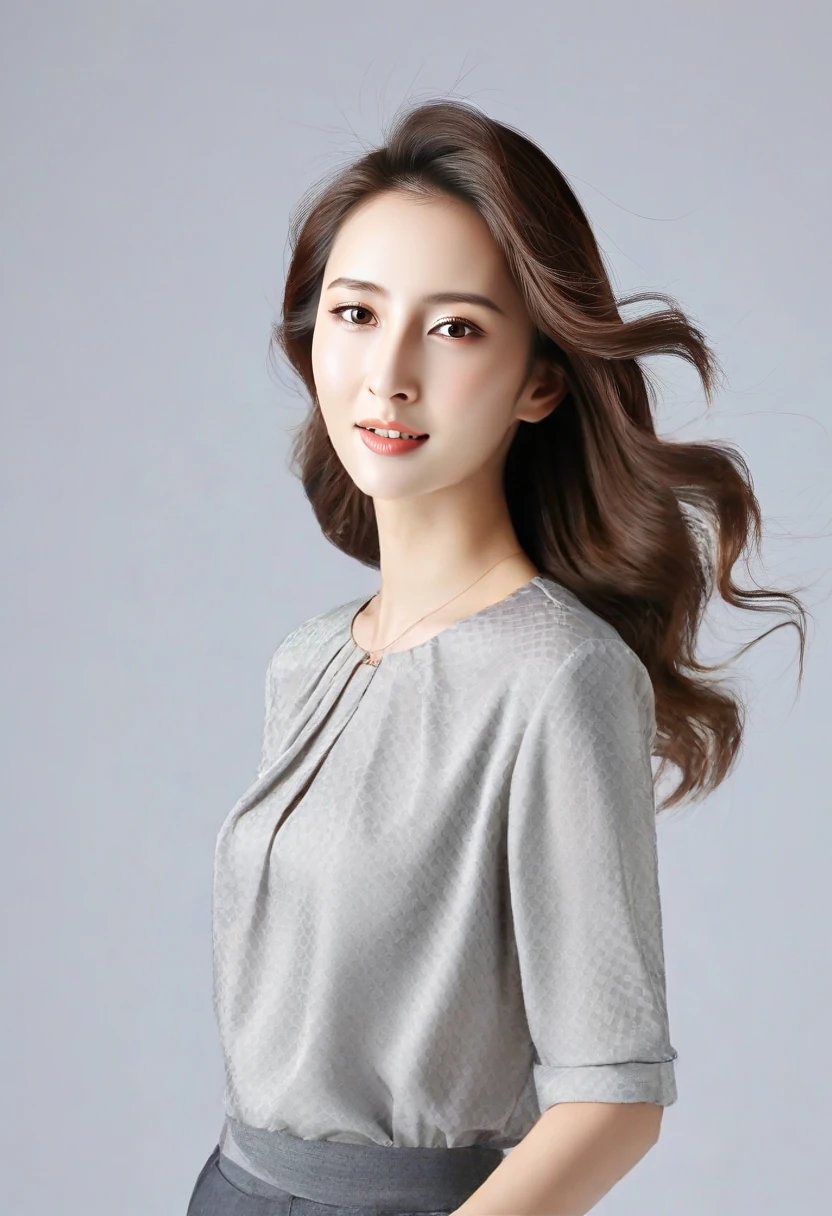
01A pleated neckline
Compare the folds at the collar and the sleeve edge. The reference shows a textured weave that appears smoother in the edit.
 Original
 Try-on
02A drawstring hoodie
Follow the hood and drawstrings from the neck to the chest. The original jeans and shoes remain visible for comparison.
Original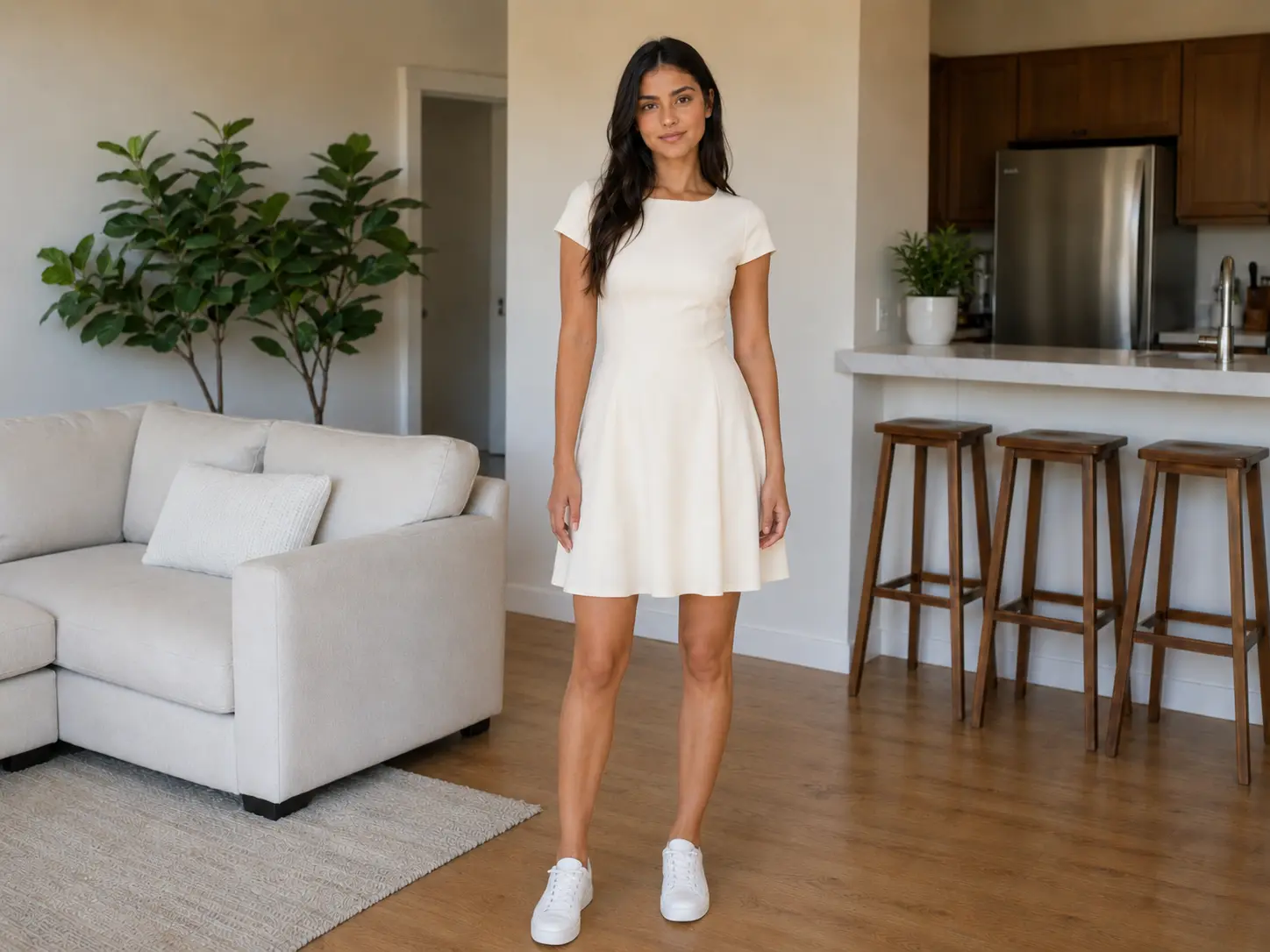 Try-on
03A short-sleeved dress
A single garment replaces both the tank and jeans. The full-length view lets you compare the skirt with the shoes.
Original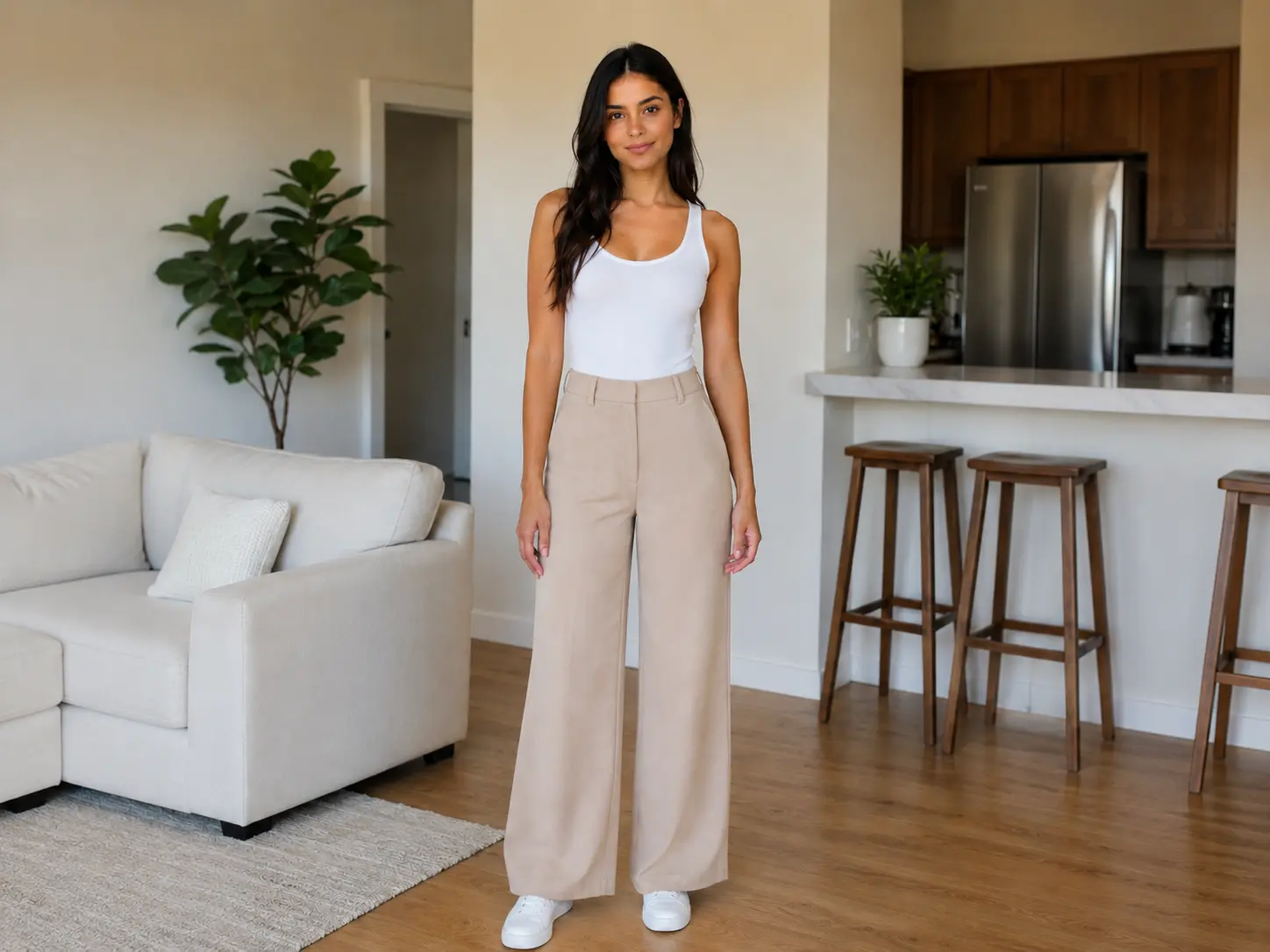 Try-on
04Wide-leg trousers
The tank stays visible while the jeans become wide-leg trousers. Compare the leg opening at each shoe.
Fit and fabric
Can AI virtual try-on actually tell whether jeans or a dress will fit my body, or does it just generate a realistic-looking picture?
A photo can show whether you like the shape of a dress with your shoes. It cannot measure the waistband, predict whether a zip will close or tell you how the fabric will stretch when you sit. For a size decision, measure a garment that already fits and compare it with the shop’s chart. A front-view product shot also leaves the back, lining and sometimes the pockets unseen. Folded arms, an open coat or a bag across the chest can hide enough fabric for the editor to draw a different seam. Check those details against the listing.
Add a business suit to a portraitCredits and downloads
How much does AI virtual try-on usually cost per image, and is a monthly subscription worth it for someone who only uses it occasionally?
One edit on this page uses 2–16 credits, depending on image quality. Start with Fast if you just want to see a color next to your face. Pick a higher resolution if you need a larger file to inspect the collar or hem. Each run returns one image, and changing the garment or generating a second option uses credits again. Downloading the finished PNG does not use another credit. For occasional edits, compare the price of a one-time pack with the monthly options. HD, Ultra HD and Studio require an active paid entitlement.
| Tool | Price | Free allowance | Watermark | Output |
|---|---|---|---|---|
| Consistent Character AI | Fast 1K · 2 credits / HD 2K · 5 / Ultra HD 4K · 7 / Studio 2K · 16 | 0 guest edits. Eligible signup gift is 1 credit. | No visible site mark. Fast includes invisible SynthID. | One still, PNG download |
| FASHN App | $19/month for Basic, 200 credits | 10 starter credits | Not publicly specified | On-model still image |
| ImageHub | Plus from $9.99/month | 1 free task per day across its tools, no login | No ImageHub watermark | HD still image |
Try-on FAQ
Is there a good online AI clothes try-on website where I can upload two pictures and get a finished photo without installing anything or knowing how to use Photoshop?
You can do the whole edit in a browser. The person photo supplies the face, pose and room. The garment photo supplies the clothing. That distinction matters when the shop photographed the item on someone else. Put that picture in the clothing slot and use your own photo in the first slot. If you searched for “try on AI” after seeing an outfit swap, this is the still-photo version. You can inspect the examples before signing in and decide whether you have the two views you need for your own edit.
I have an iPhone 15 and a mirror selfie, and I saved a jacket from Zara's website. How can I put that exact jacket on myself using AI without having to cut out the clothing manually?
Upload the selfie first and the cropped jacket picture second. Leave the jacket edges and lapels visible. A phone in front of your face or a hand across your chest hides features the editor needs. Take a step back or move the phone to one side if you can. Export an iPhone HEIC photo as JPEG before uploading.
I'm using an Android phone and only have a waist-up selfie, not a full-body picture. Can I still do an AI clothes try-on for a pair of trousers, and what should I do first?
Take a new photo that includes your waist, both legs and shoes. A waist-up selfie gives the editor no evidence for trouser length, stance or where the fabric meets your shoes. Save that selfie for tops or jackets. The same browser upload works on Android and desktop.
Can I use an AI virtual try-on tool completely free, without signing up or paying for credits?
Here you can browse the examples without an account. Generation requires sign-in and at least 2 usable credits. An eligible new account may receive one signup credit, which alone does not cover a Fast try-on. There is no separate daily try-on allowance. The table above lists the free terms published by two other tools.
What's a good prompt for AI virtual try-on that changes only the clothes while keeping my face, hair, body shape, pose, and background exactly the same?
A useful instruction is “Put the garment in photo two on the person in photo one. Keep the face, pose, proportions, light and room from photo one.” This editor already supplies those instructions. You only need the photos. A clear, uncovered face and a garment shown from a similar angle give the model more to work with.
Why does my face look like a different person after I use AI virtual try-on, and how can I stop the tool from changing my facial features?
The model redraws parts of the photograph and can alter details near a collar, hairline or cheek. Start from a sharp, evenly lit picture with one visible face. Compare the eyes and jaw with the original before saving the result. If they have drifted, try a clearer starting photo. A higher resolution alone will not restore a likeness.
I uploaded a photo with two people, and my virtual try-on tool keeps putting the dress on the wrong person. How can I select just one person and preserve everything else in the picture?
Crop a copy of the picture around the person who will wear the garment and upload that copy. Include their whole outline where the fabric should fall. This tool has no person selector in a group photo. A separate portrait is a better starting point if another person’s arms or clothes overlap yours.