
Consistent Character AI · Retro photo studio
AI 80s Photo Generator
Upload one selfie and get an AI 80s photo — big hair, period outfits, studio flash and real film grain — with your face still recognizably yours.
No prompt to write · 4 retro presets · Your choice of aspect ratio
One clear portrait — JPG, PNG, or WebP, up to 20 MB
1KQuick drafts for trying ideas.

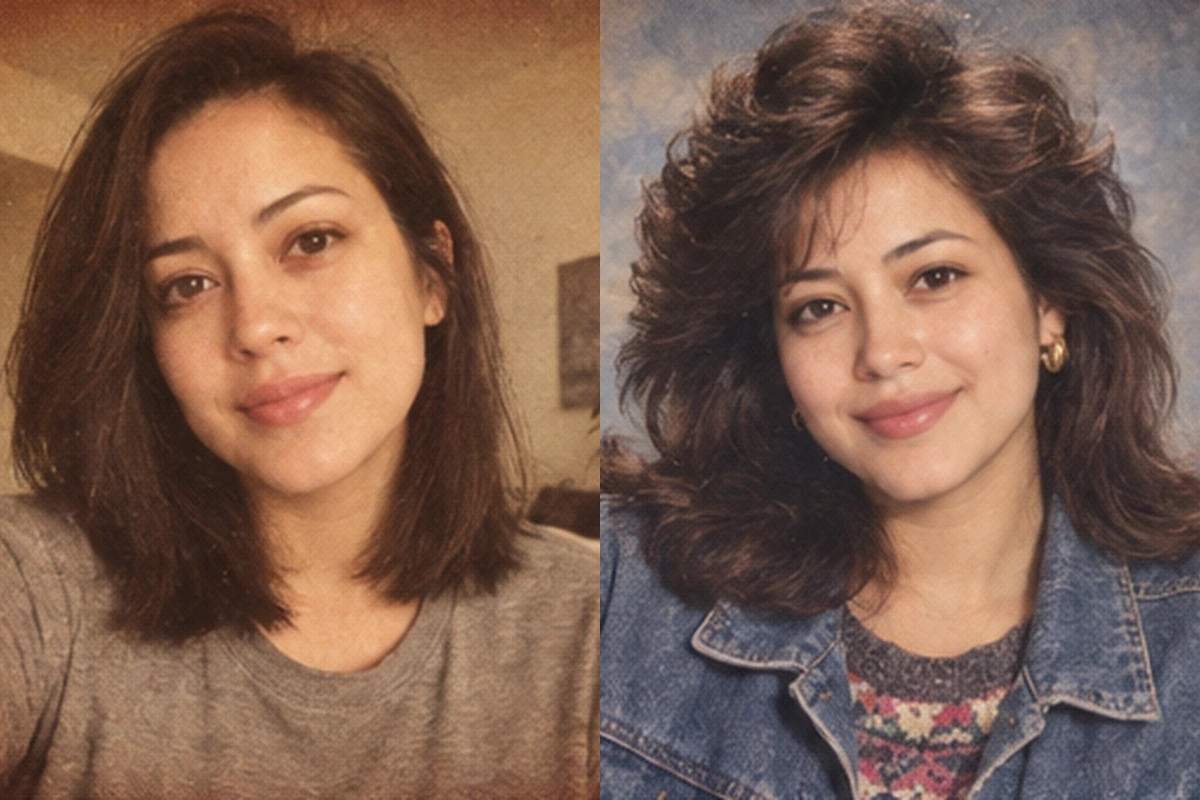
Example: a modern selfie and its 1985 studio portrait.
Upload a selfie on the left to make your own.
More than an 80s photo filter
A vintage filter only shifts color and adds grain on top of the photo you already have. You still have today's haircut, today's clothes, and today's background.
This 80s AI generator redraws the whole scene around you: the hair gets volume, the outfit changes to denim, knitwear, or a structured blazer, the backdrop becomes a painted studio canvas, and the light turns into the direct flash of a 1980s portrait studio. The film grain and faded print color come last, as part of the image rather than a layer on top.
Because new pixels are generated, small details can vary between attempts. Your face shape, skin tone, expression, and pose are used as the anchor, so the result should still read as you.
What makes a convincing 1980s photo?
Most "retro" results fail because they reach for neon and nothing else. A believable 1980s photo generator has to get four things right at the same time.
Hair with volume
Feathered layers, perms, and teased bangs do most of the work of dating a portrait.
Clothes from the decade
Acid-wash denim, patterned knitwear, oversized blazers, and small gold earrings, chosen so the look feels worn, not rented.
Studio light
Direct frontal flash, a soft glow around highlights, and a painted mottled backdrop. That is the look of a real 1985 photo generator result, not a synthwave poster.
Analog texture
Fine 35mm grain, slightly warm color, and the gentle fade of a print that has lived in an album for forty years.
Each preset on this page is tuned for those details, so this works as an 80s vibe image creator without you describing any of it.
Four 80s looks, one face
The images below use the same person across every preset. The styling changes; the face doesn't.

1985 Studio portrait
The classic department-store sitting: painted backdrop, warm flash, feathered hair, and a denim jacket over a knit top. The safest pick if you want a natural 80s AI photo to share.

Yearbook portrait
Use it as an 80s yearbook photo generator: laser or blue-gray gradient backdrop, tight head-and-shoulders framing, and the slightly awkward school-picture-day smile.

Floating head portrait
The 80s floating head portrait usually takes a Photoshop tutorial. Here it is a preset: a large translucent profile floats behind the main portrait in a violet haze with soft laser lines.

Holiday card
A cozy 80s Christmas photo generator look: chunky sweater, string lights, a small tree, and the warm household flash of an old family album.
How to use the 80s photo generator
1. Upload a selfie
Pick a clear photo of yourself where your face is easy to see. JPG, PNG, and WebP up to 20 MB work.
2. Choose a look and ratio
Select one of the four presets and the aspect ratio you plan to post: square for profile pictures, 4:5 for Instagram, 9:16 for stories.
3. Generate and download
Sign in, generate the photo, and download it. Want to see the 80s version of me in another style? Switch presets and run the 80s image generator again.
Choose a photo that keeps it looking like you
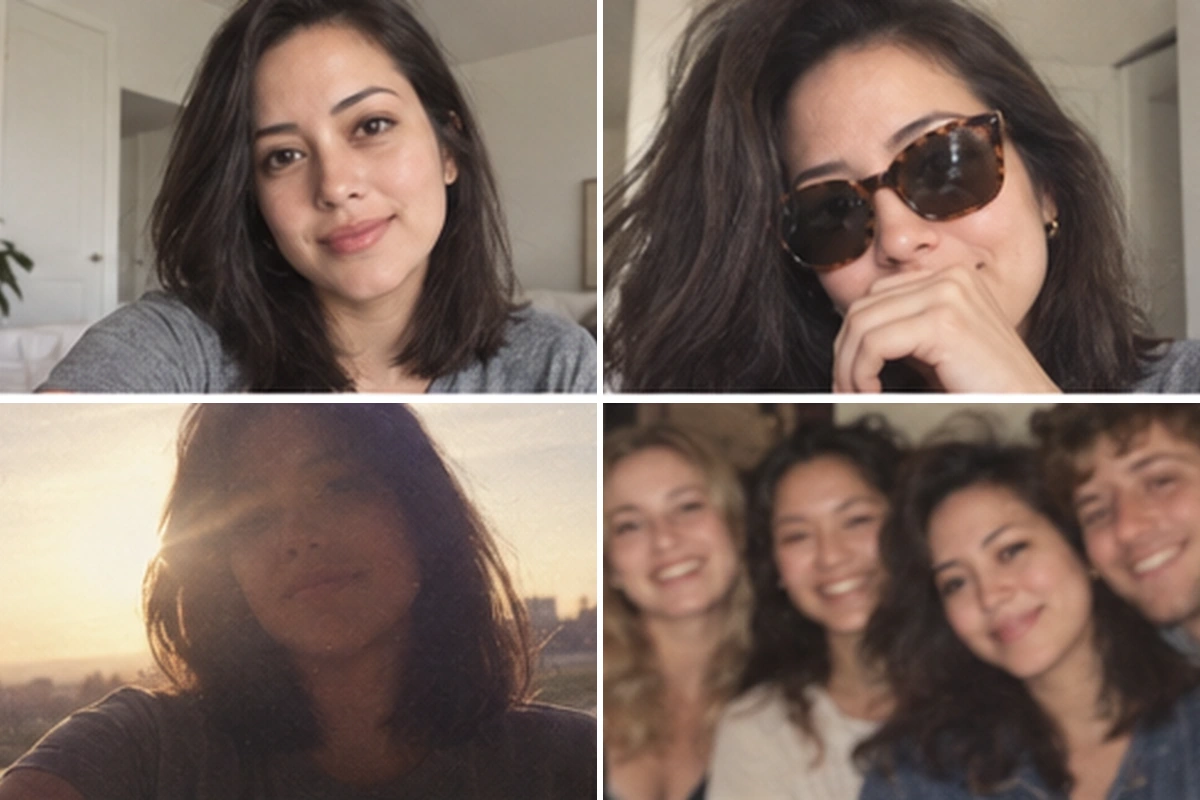
The AI can only preserve what it can see.
No AI tool can promise an exact match every time. If the first result doesn't look enough like you, a sharper, better-lit photo usually fixes it faster than retrying the same image.
Turn your 80s photo into a consistent character
Most 80s photo tools stop at one download. Consistent Character AI is built for what comes next: keeping the same person looking the same across many images.
Save it as a character
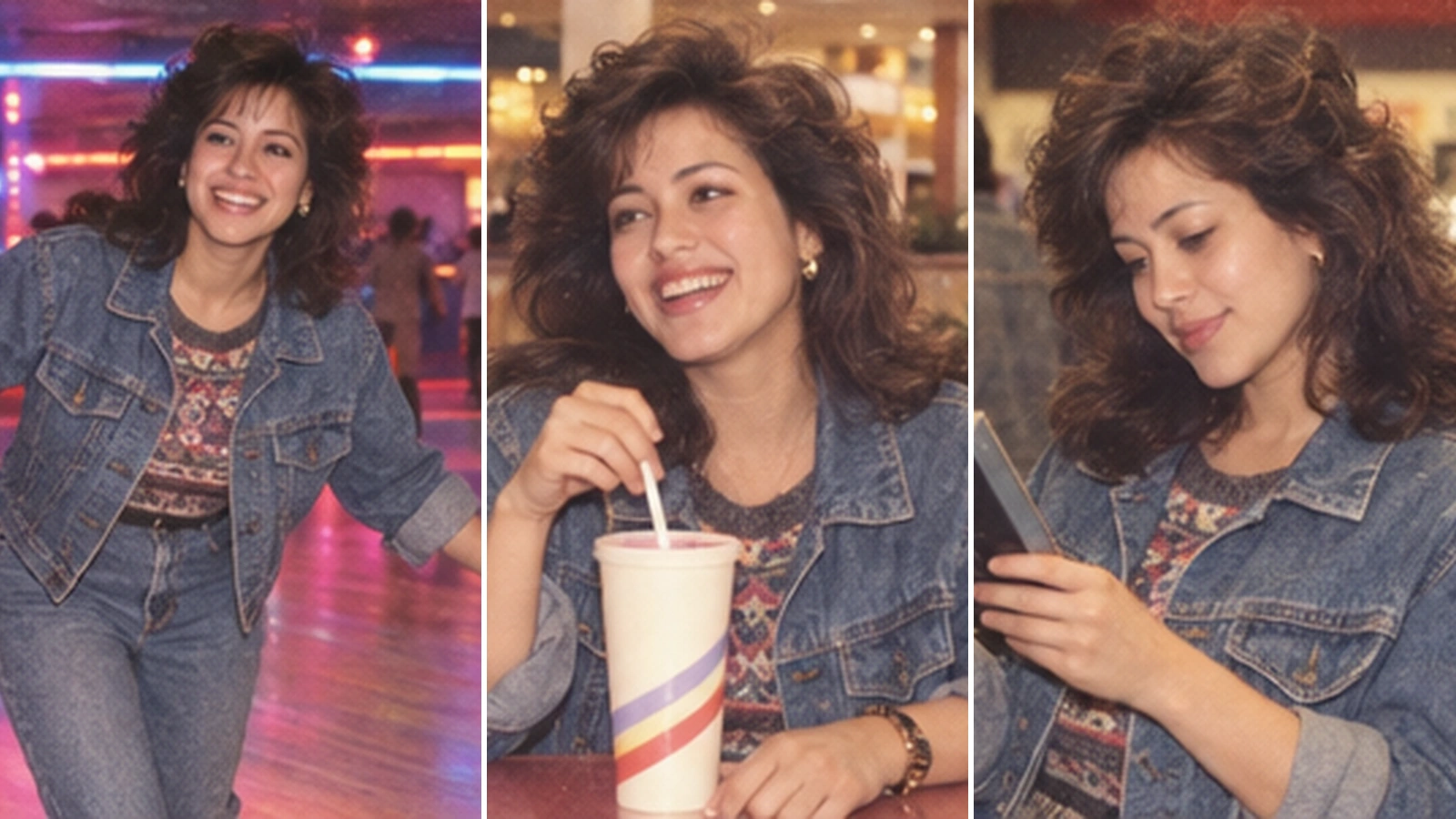
Use your 80s portrait as the reference on Create Character. The face, hair, and outfit become a reusable character.
Put that character anywhere
Generate new scenes with the same look: a roller rink, a mall food court, a VHS rental store, a prom photo, while the face stays consistent from image to image.
Tell a story
Turn a series of 80s scenes into a comic or a picture book with the Storybook Maker, using the same character on every page.
What people make with it
- ✓Join the 80s AI photo trend. Post a before-and-after carousel and let your followers guess which one is real.
- ✓Throwback profile pictures. A 1:1 studio portrait makes a memorable avatar for a glorious 80s trend week or a themed event.
- ✓Party invitations and reunion posters. Retro portraits for 80s-themed birthdays, class reunions, and office parties.
- ✓Holiday cards. A family-album style card without an actual photo shoot.
- ✓Characters for stories. Start an 80s-set comic, game, or storybook with a character who looks the same in every scene.
More than a passing 80s trend, the look works anywhere nostalgia does.
Frequently Asked Questions
What would I look like in the 80s?
Upload a clear selfie to the generator above and pick a preset. You'll get a portrait with 1980s hair, clothes, lighting, and film texture while keeping your face shape, skin tone, and expression. It's an AI interpretation, so it's a fun, believable version of you, not a historical record.
Do I need to write an 80s photo prompt?
No. Every preset already includes a detailed 80s photo prompt covering hair, outfit, backdrop, lighting, and film grain. You only upload a photo, choose a look, and pick an aspect ratio.
Is this the ChatGPT 80s photo trend?
It creates the same kind of retro portrait that went viral as the ChatGPT 80s photo trend, but you don't need to copy prompts or chat back and forth. The presets handle the styling in one click.
How is this different from a vintage photo filter?
A filter changes color and grain on your existing photo. This tool regenerates hair, clothing, background, and lighting, so the whole image looks like it was taken in the 1980s.
Will it keep my face?
It is designed to keep you recognizable, and a sharp, front-facing, evenly lit photo gives the best results. No AI can guarantee an identical match every time, so if a result looks off, try a clearer photo.
Can I make an 80s yearbook or floating head portrait?
Yes. Yearbook and Floating Head are two of the four presets, alongside 1985 Studio and Holiday Card.
Can I use the same 80s look in more images?
Yes. That's what Consistent Character AI is built for. Save your 80s photo as a character, then generate new scenes, poses, or a storybook with the same face and style.
Is the AI 80s photo generator free?
You need to sign in, and each photo costs 1 to 17 credits: Fast 1, HD 4, Ultra HD 6, Studio 17. HD and above are for subscribers. If a generation fails, the credits are returned automatically. See the pricing page for credit plans.
Keep creating
Try direct flash, disposable film, and yearbook looks from the next decade.
Save any portrait as a reusable character.
Place the same character into new scenes and poses.
Photoreal characters that stay the same across images.
Turn a photo into a Pixar-style, anime, or comic character.
Turn a pet photo into cartoon, watercolor, or illustrated art.
Turn your character into an illustrated story.
Enlarge your finished image for print.
Ready to meet your 80s self?
Upload one selfie, pick a look, and let the AI 80s photo generator do the rest. Choose Fast, HD, Ultra HD or Studio, from 1 to 17 credits a photo, and failed generations are refunded automatically.
Make my 80s photo