
A little pixel life, made yours
Stardew Character Creator
Create a Stardew-inspired farmer from a description or one reference photo. Make a pixel-style portrait or full-body illustration, then reuse a favorite result to try another expression or outfit.
Sign in to generate · 1 to 17 credits per image · A trial for eligible new accounts
Describe the little details that make this character yours.
Describe the hair, skin tone, clothing, expression, pose and setting you want. Optional controls are off by default.
Character inspiration · AI illustration
A spring farmer
Start from a description or add a reference. Your result will appear here.
- Start with
- Text or one image
- Make
- Portraits & full-body art
- Download
- PNG · Fast, HD, Ultra HD or Studio
Stardew character ideas, illustrated
AI illustrations created with ChatGPT for this page. Use the prompts as a starting point; your generated results will vary.
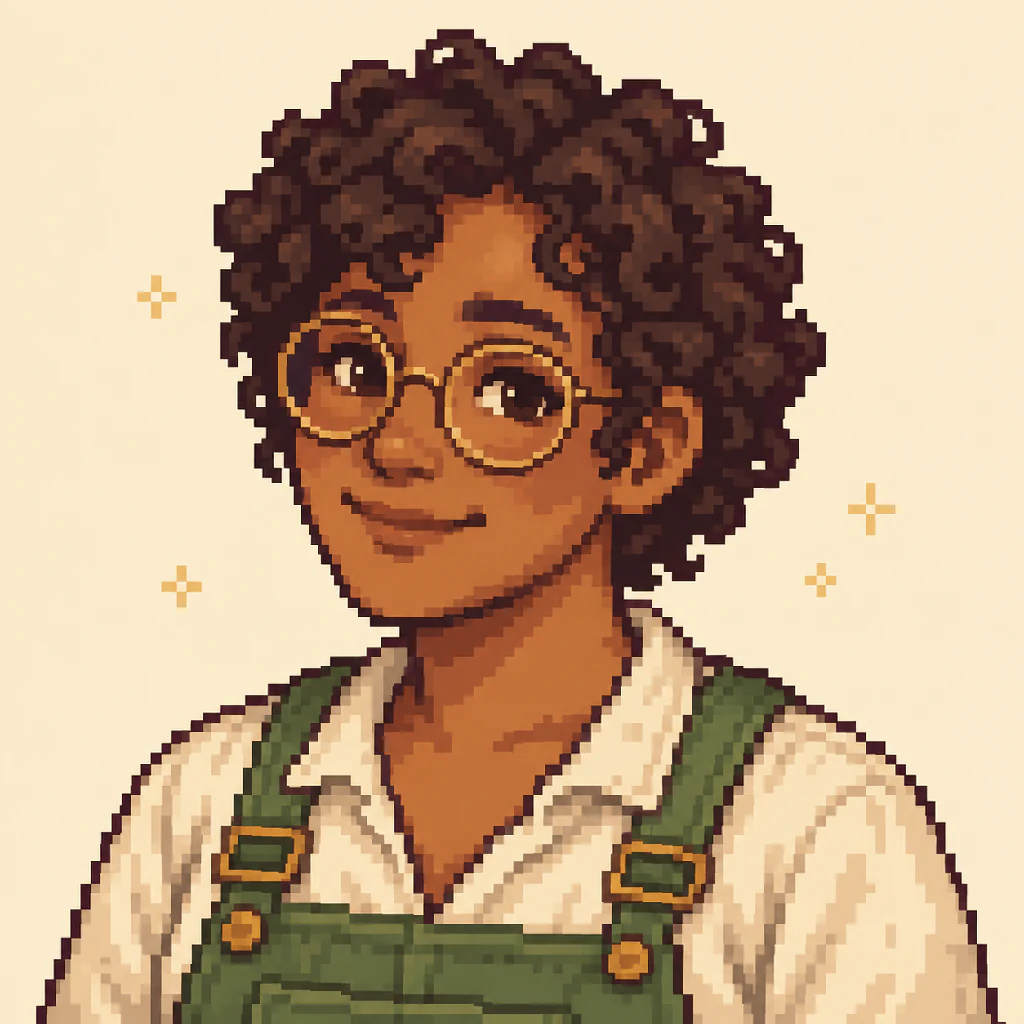
A spring farmer
An original farmer with curls, glasses and green overalls.
Try this prompt
An adult farmer with short dark curls, medium brown skin, round glasses, green overalls over a cream shirt, and a gentle smile.
Suggested settings: Auto · Auto · Auto · Auto
Illustrated with ChatGPT · October 8, 2026
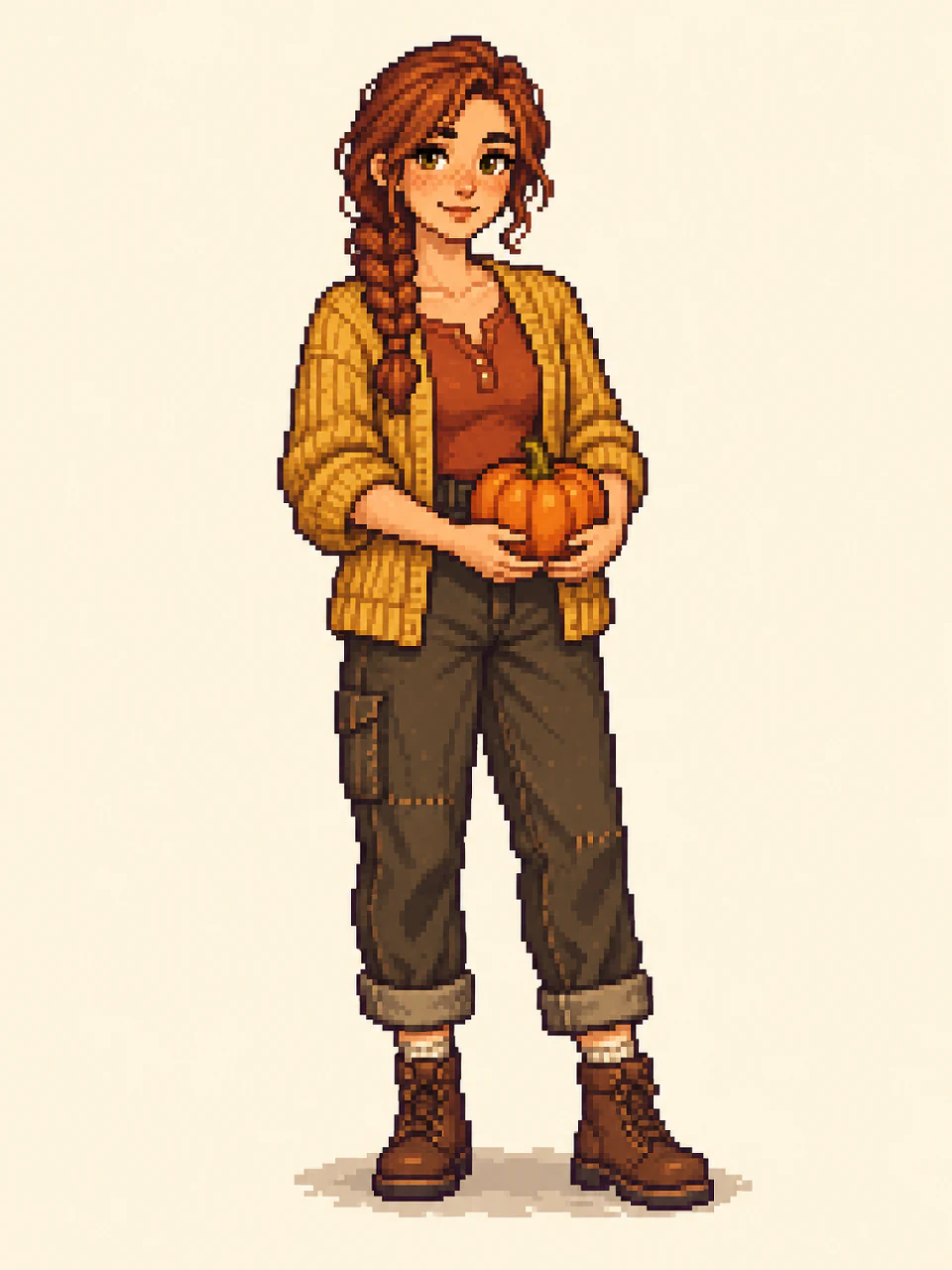
Ready for the pumpkin harvest
A full-body character concept with a clear outfit and silhouette.
Try this prompt
An original adult farmer with an auburn braid, freckles, a mustard cardigan, brown boots, holding a small pumpkin. Show the full body.
Suggested settings: Full-body art · Auto · Auto · Auto
Illustrated with ChatGPT · October 8, 2026
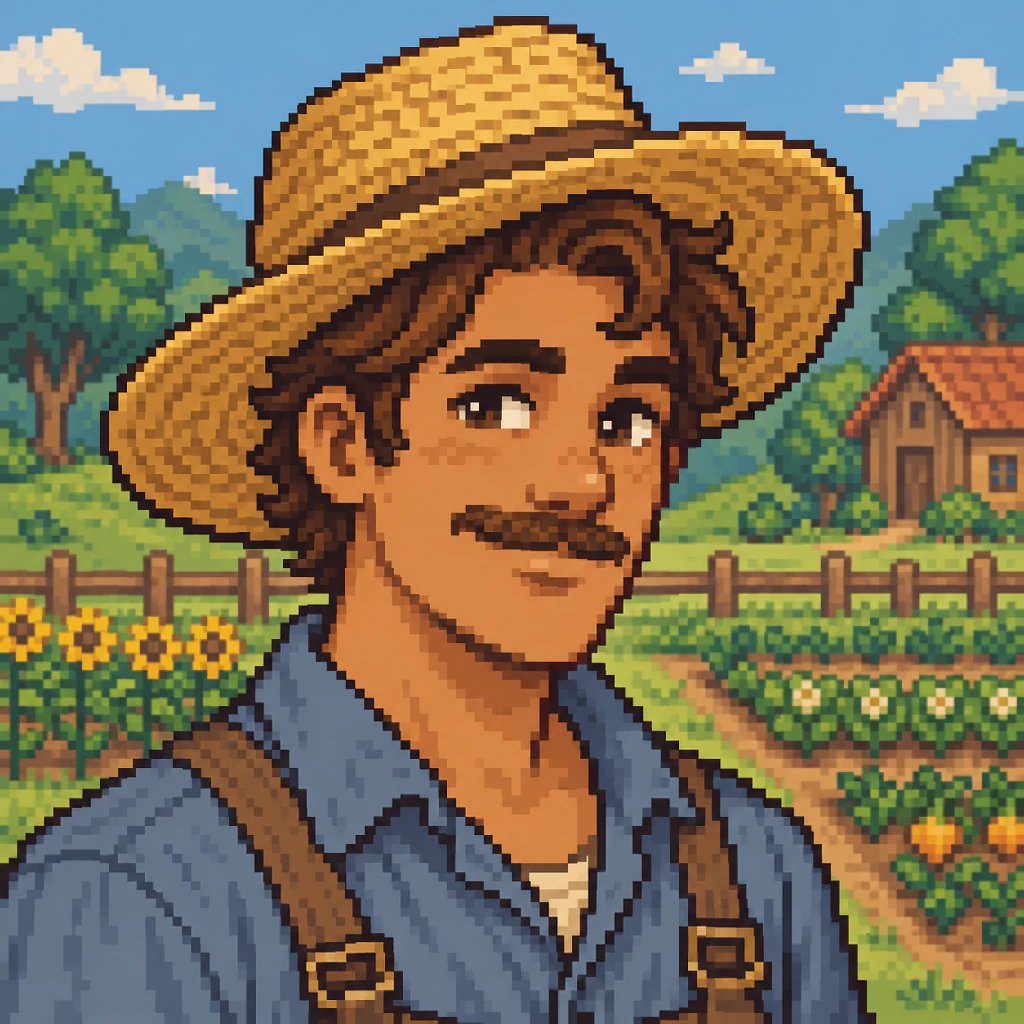
Among the summer crops
An original farmer with a straw hat, a blue work shirt and a sunlit farm backdrop.
Try this prompt
An adult farmer with tan skin, wavy brown hair, a small moustache, a straw hat and a blue work shirt. A calm, friendly expression.
Suggested settings: Auto · Auto · Auto · Farm
Illustrated with ChatGPT · October 8, 2026
Turn a photo into your Stardew-inspired avatar
Choose Photo / reference and add one clear image. A single person, even lighting and an unobstructed face give the model a useful starting point. It can refer to hair shape, skin tone, glasses and clothing while translating the image into a cozy pixel-style portrait.
For a Stardew Valley avatar maker workflow, start with a square portrait and a simple background. Check the face and accessories in the result before using it as a Discord avatar or profile picture. This is a stylized interpretation: likeness and small details can change.
You can also upload an existing character illustration. Use the same reference when trying a new outfit, rather than describing every visual detail again. Upload one image at a time; combining several people or photos is outside this page’s single-character workflow.
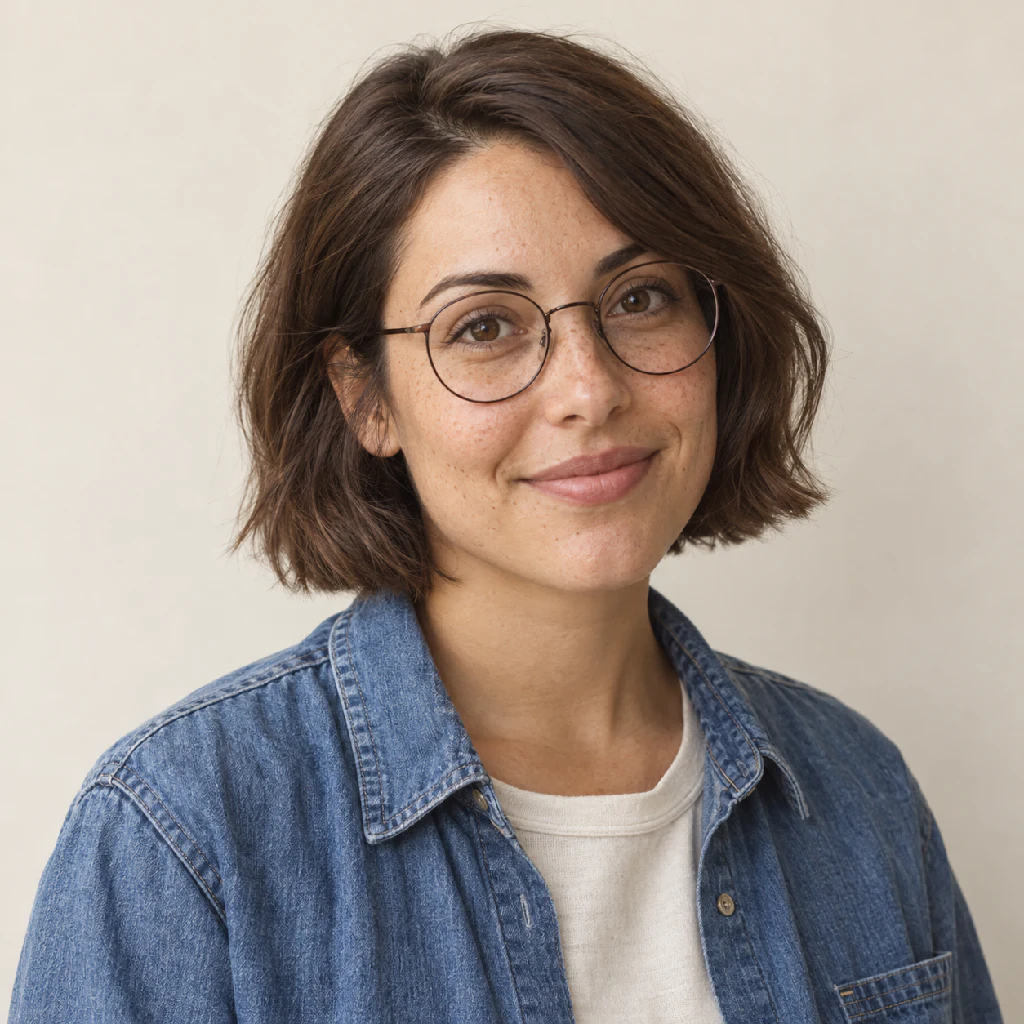
Fictional reference photo
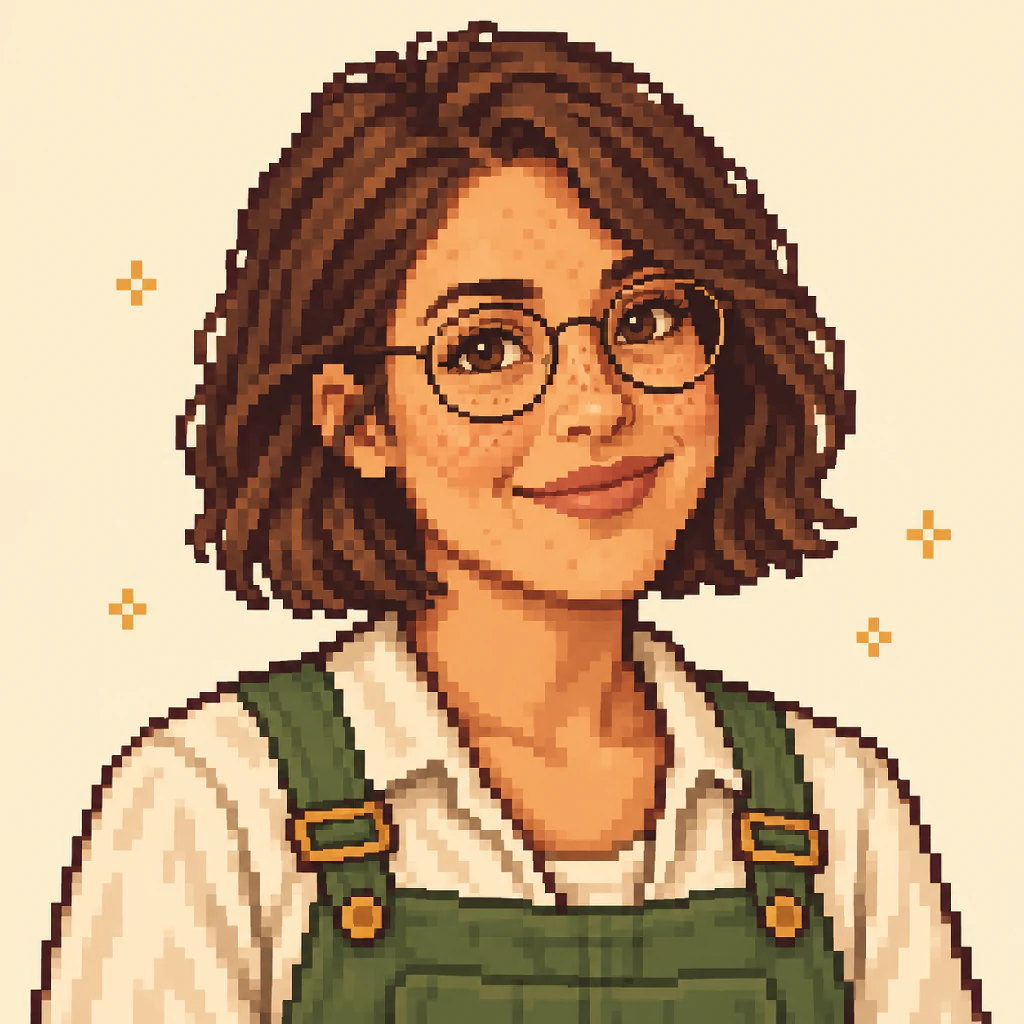
Pixel-art interpretation
Create an original farmer from a description
Use the text mode as a Stardew Valley character maker for a farmer you have imagined. Start with a few distinctive details: cropped curls or an auburn braid, freckles or round glasses, worn boots or a favorite cardigan. Add a mood and choose a simple setting.
This Stardew Valley OC maker creates character artwork from your description. It does not need an existing NPC or a photo. Try one of the example prompts, then change the details that matter to your character. A concise description with a few clear traits is easier to review than several competing styles in one prompt.
Describe the composition, pose and setting you want; optional controls are off by default. If you want a preset, enable Use optional controls and choose Full-body art for an outfit concept or Portrait for a face-focused image. Leave any other setting on Auto so it adds no extra constraint.
Try another expression or outfit with the same reference
When a result feels right, select Use this character as reference beneath it. The tool puts that image into the reference input and restores its original description. Describe a happy expression, an autumn cardigan or a winter coat, or enable optional controls to select just the changes you want. Then generate one new image.
Keeping the curls, glasses and face shape in view gives the model more to work with than a new text prompt alone. Compare both images for changed eye spacing, hair edges, skin tone and accessories.
Reference-based generation does not lock pixels or guarantee an identical face. For an exact expression sheet, a manual pixel editor or a portrait maker with fixed parts may fit better. Save the versions you like before starting another generation.
Original look
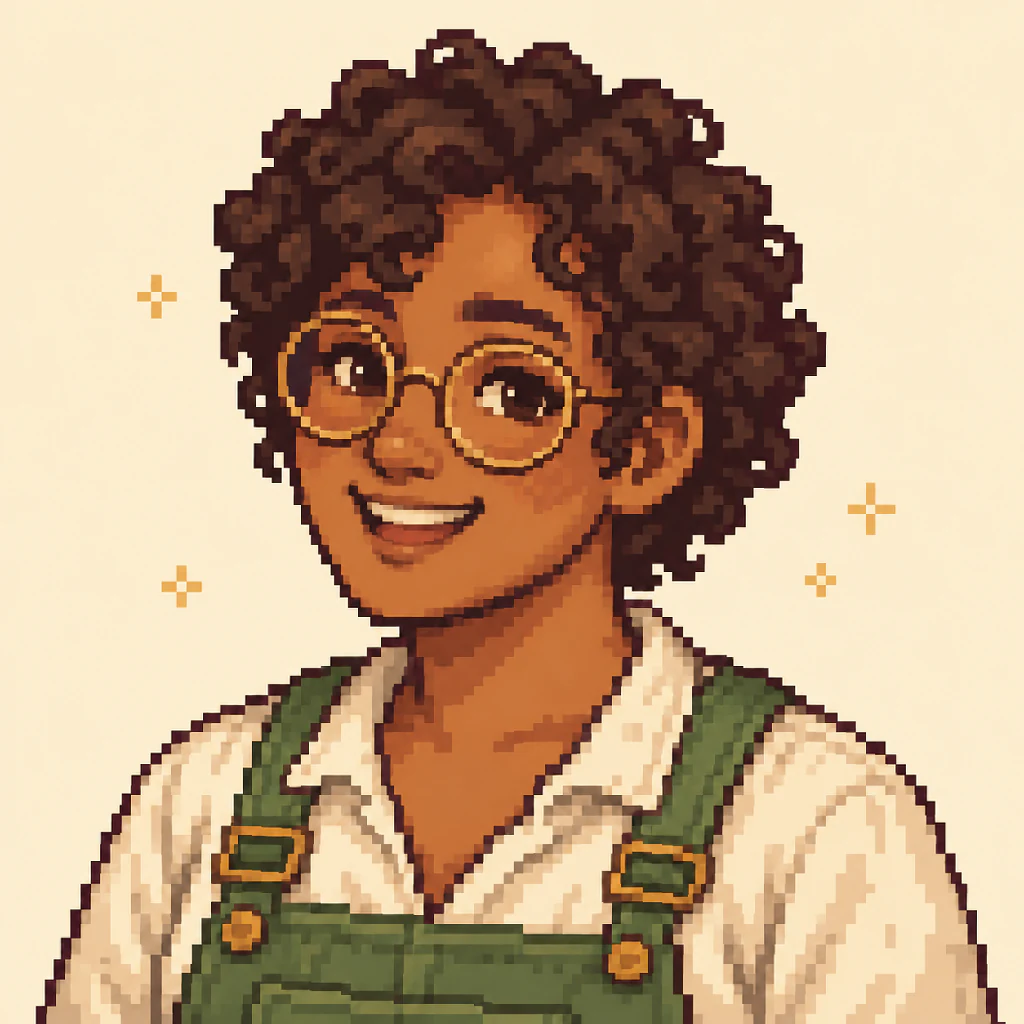
A happier expression
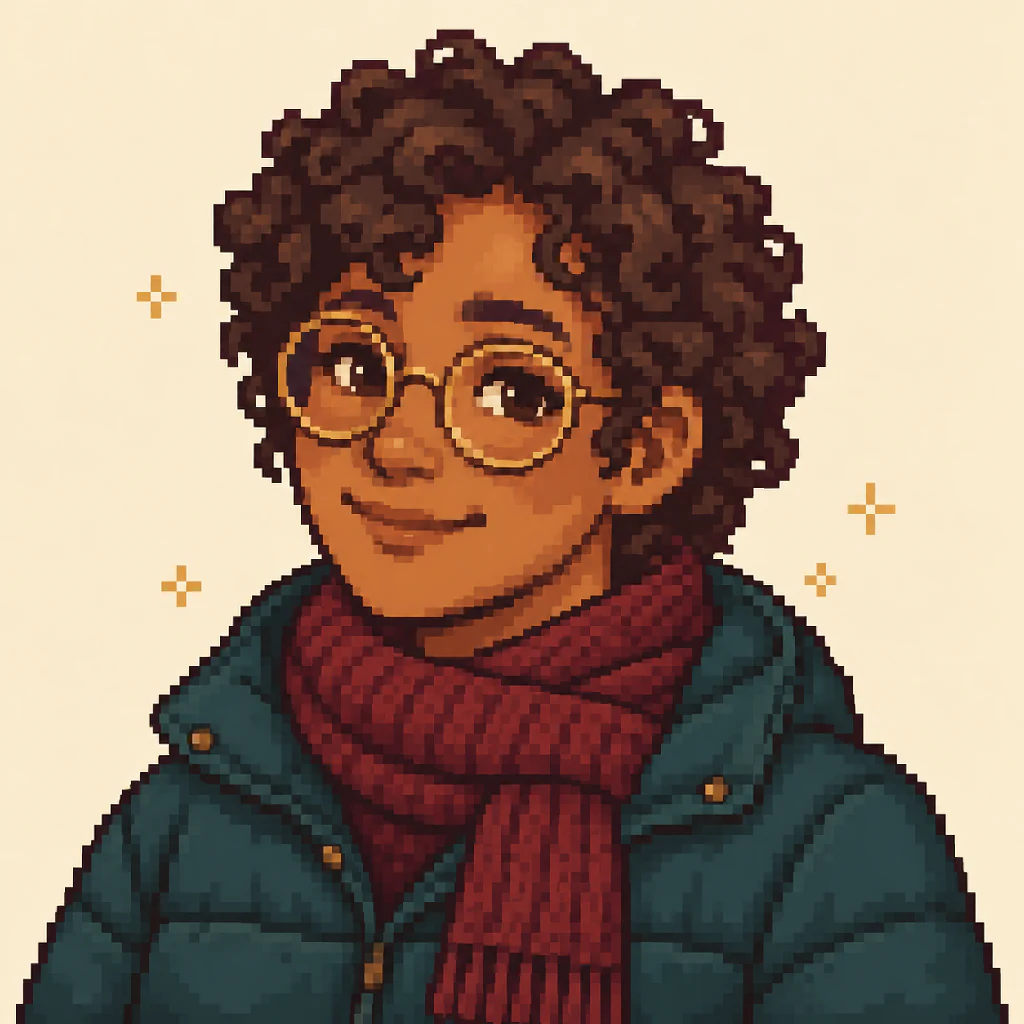
A winter outfit
Portrait, illustration, or game asset?
Choose the output for what you want to do next. A Stardew portrait maker, a character illustration tool and a game mod tool solve different tasks.
| What you need | Best use | This page |
|---|---|---|
| Pixel-style portrait | A Stardew Valley PFP, social avatar or character close-up. | Square AI artwork from text or a reference. |
| Full-body illustration | A farmer outfit concept or an original character design. | One vertical illustration, including the whole character. |
| Game sprite or portrait mod | Playable animation frames or an installable game asset. | Not exported here. Requires game-specific dimensions, layout and mod setup. |
How to use this Stardew character creator
Describe or add a reference
Choose Text description for an original farmer, or Photo / reference to add one image. Describe the character or any changes you want.
Generate from your description
Generate directly from your description, or turn on optional controls for specific choices. Sign in, choose a quality and create one image for 1 to 17 credits.
Review, download or make a variation
Check the result, download a PNG, or use it as a reference for another expression or outfit. Each new generation costs 1 to 17 credits.
Credits and downloads
Each generation produces one image. Choose Fast (1K, 1 credit), HD (2K, 4 credits), Ultra HD (4K, 6 credits) or Studio (finest detail, 17 credits); HD and above are for subscribers. Sign in before generating. Eligible new accounts receive one trial credit, subject to the existing signup eligibility rules; trial credits expire after 30 days.
Creating another expression, changing an outfit or regenerating a prompt is another generation and uses credits again. Tasks confirmed as failed follow the existing credit-refund flow. If a status check is interrupted, check your generation history before starting again.
Download a PNG after reviewing the result. The aspect ratio is automatic by default. If you enable a composition preset, Portrait sets a square image (1:1) and Full-body art sets a vertical image (3:4). The quality names describe the generation tier; the exact pixel dimensions are in the downloaded file. These high-resolution illustrations are not native 64×64 game assets.
Frequently asked questions
What does this Stardew character creator make?
It creates Stardew-inspired pixel-style portraits and full-body character illustrations from text or one reference image. Use it for farmer concepts, original characters and avatars. This is an independent tool with no official affiliation with Stardew Valley or ConcernedApe.
Can I turn my photo into a Stardew-style character?
Yes. Choose Photo / reference and upload one clear photo, then generate a portrait. The model uses the image as a visual reference, so recognizable features may carry over, but likeness and fine details are not guaranteed.
Can I create a character without uploading a photo?
Yes. Choose Text description and describe your farmer’s hair, skin tone, outfit and accessories. The example prompts give you a starting point for an original character; no reference image is required.
Can I change the hair, clothes or expression?
Yes. Describe any hair, clothing, expression, pose or background you want. Optional controls are off by default. Turn them on for specific choices, and leave other settings on Auto. Each result is a new AI generation, not an exact edit of selected pixels, and costs 1 to 17 credits depending on quality.
Can I keep the same character across several portraits?
Use a result as the reference for the next image. This gives the model a visual guide to the character’s face, hair and accessories. Some details can still change. Use manual pixel editing when you need exact consistency between frames.
Is the Stardew character creator free?
Generation requires an account and costs 1 to 17 credits per image, depending on quality. Eligible new accounts receive 1 trial credit, valid for 30 days and subject to signup eligibility rules. Further images, including variations, require credits; there is no unlimited free tier.
What file and resolution can I download?
You can download a PNG at the quality you choose, from Fast at 1K to Ultra HD at 4K. Aspect ratio is automatic unless you enable a composition preset: Portrait sets 1:1 and Full-body art sets 3:4. Check the downloaded file for its exact dimensions. The output is not a native 64×64 sprite or portrait template.
Can I put the result directly into Stardew Valley?
The output is an image, not an installable mod or playable character. In-game use needs the appropriate dimensions, expression layout, character mapping and mod setup for your platform and game version. This page does not package or validate those assets.
Keep creating your character
Meet your next little farmer
Start with a few distinctive details, or bring one photo. Keep a favorite portrait and see where the next expression takes it.
Create my characterIndependent, Stardew-inspired artwork. Not affiliated with ConcernedApe. Game assets and mod packages are not included.