
An anime PFP is an anime-style profile picture for a social or gaming account; this anime PFP generator uses your selfie to request an original illustration with recognizable features; likeness can vary. One 1024×1024 PNG costs 5 credits ($2.50 at the $5/10-credit pack rate); the current allowance is 1 signup credit, below the 5 needed for one image; sign in to generate; downloads add no credits or visible site watermark. Larger square outputs are available to eligible paid accounts.
How to use the anime PFP maker
The anime PFP maker starts with a clear selfie and a drawing style. Upload one person, choose Classic, Soft or Dark, then check the selected output size and credit cost. The server asks the image model to redraw the person with recognizable features and space for a circular crop. Review the face, glasses and hair outline before downloading your square PNG.
1. Upload a selfie
Choose a sharp head-and-shoulders photo of one person you have permission to edit.
2. Choose your anime style
Pick a preset, or choose Custom and describe an anime look. A style reference is optional in Custom.
3. Generate and check the crop
Sign in, check the credits and generate one image. Compare the face, then download the square PNG.
Photo-to-anime profile picture examples
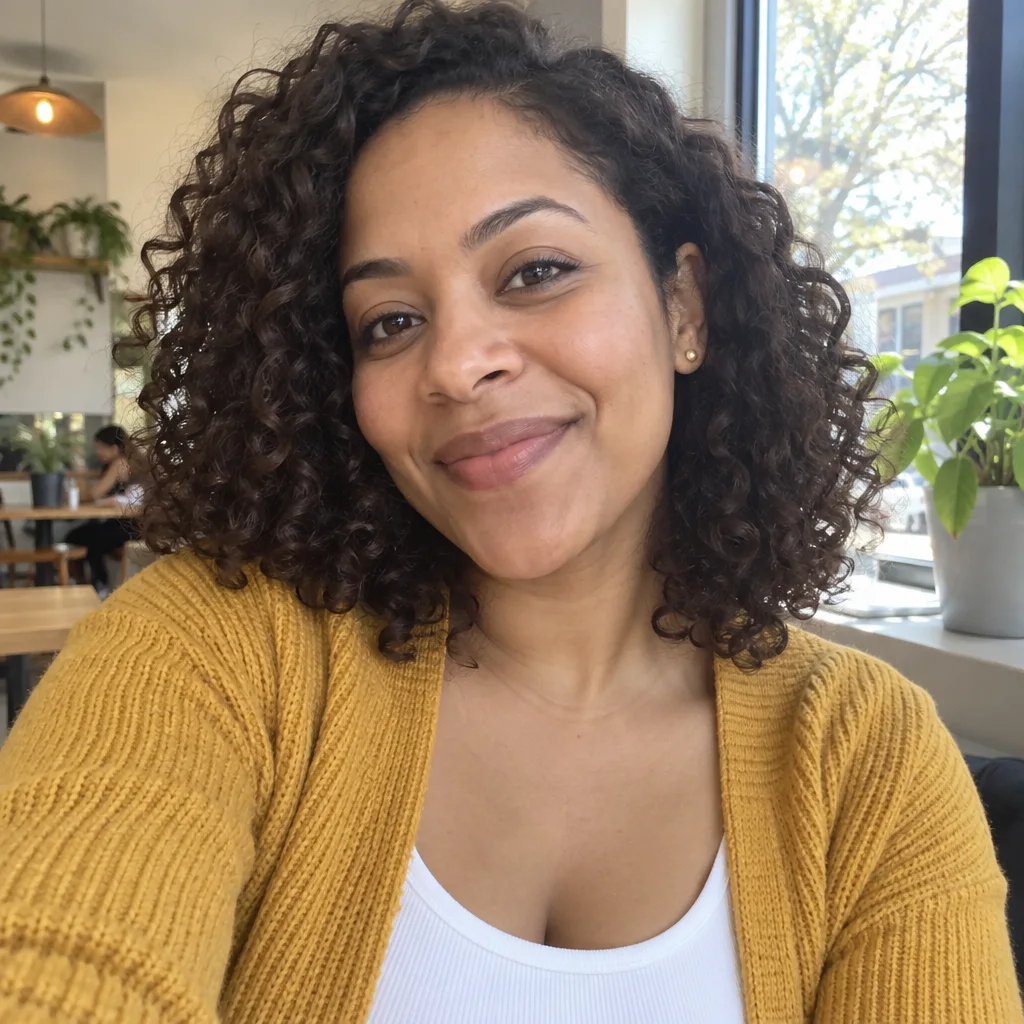
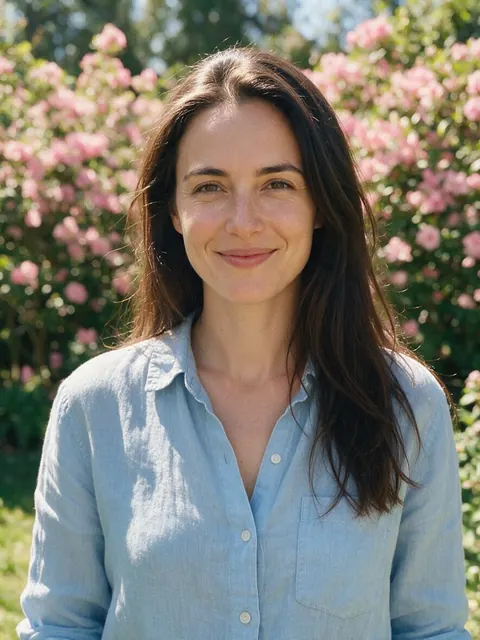
These before-and-after portraits illustrate different ways a photo can be redrawn with anime linework and shading. Compare the hair outline, face shape, clothes and background across each pair. The garden and street examples show the broader photo-to-anime treatment; the generator requests a centered square avatar. Details and likeness depend on the uploaded photo and image model, so examples do not guarantee your result.
Original
Anime portrait
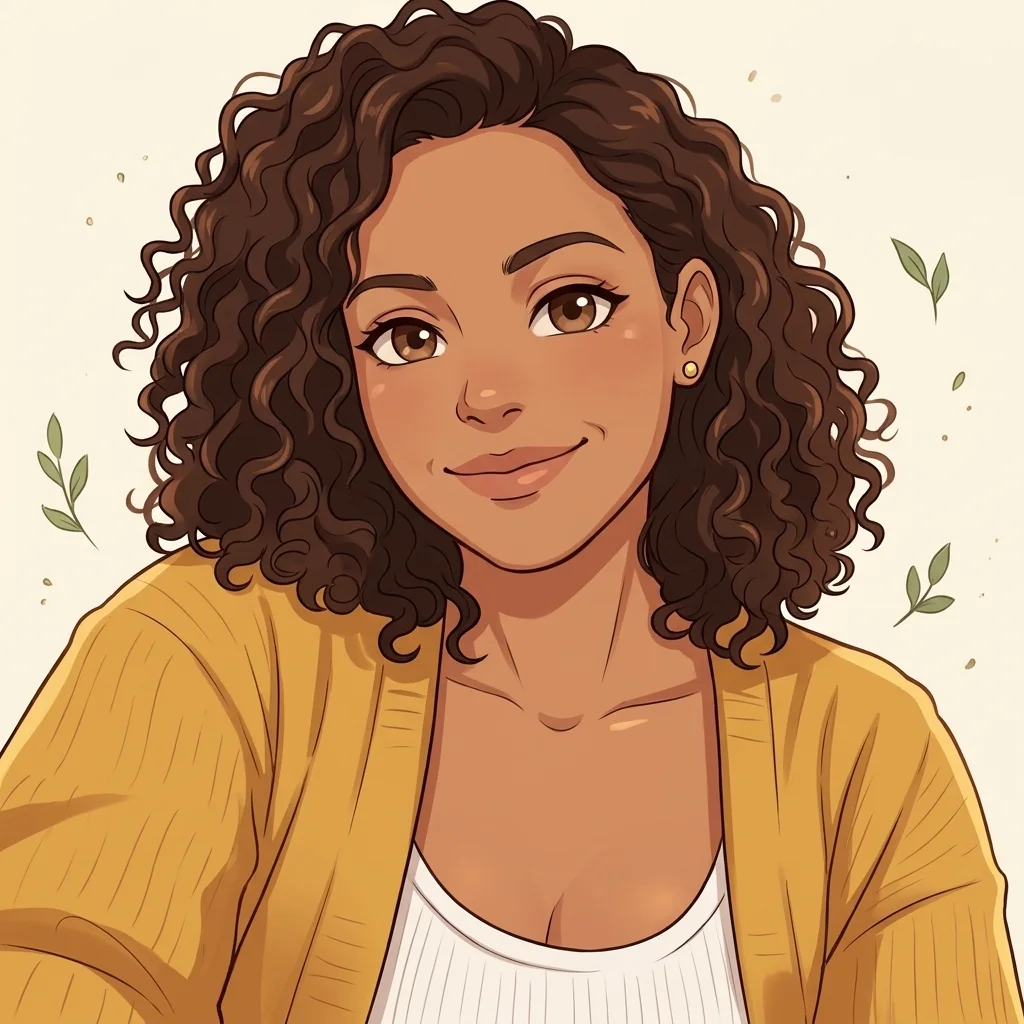
Warm cel shading
Curly hair, gold earrings and a mustard cardigan appear in both portraits; the background becomes warm cream.
Original
Anime portrait
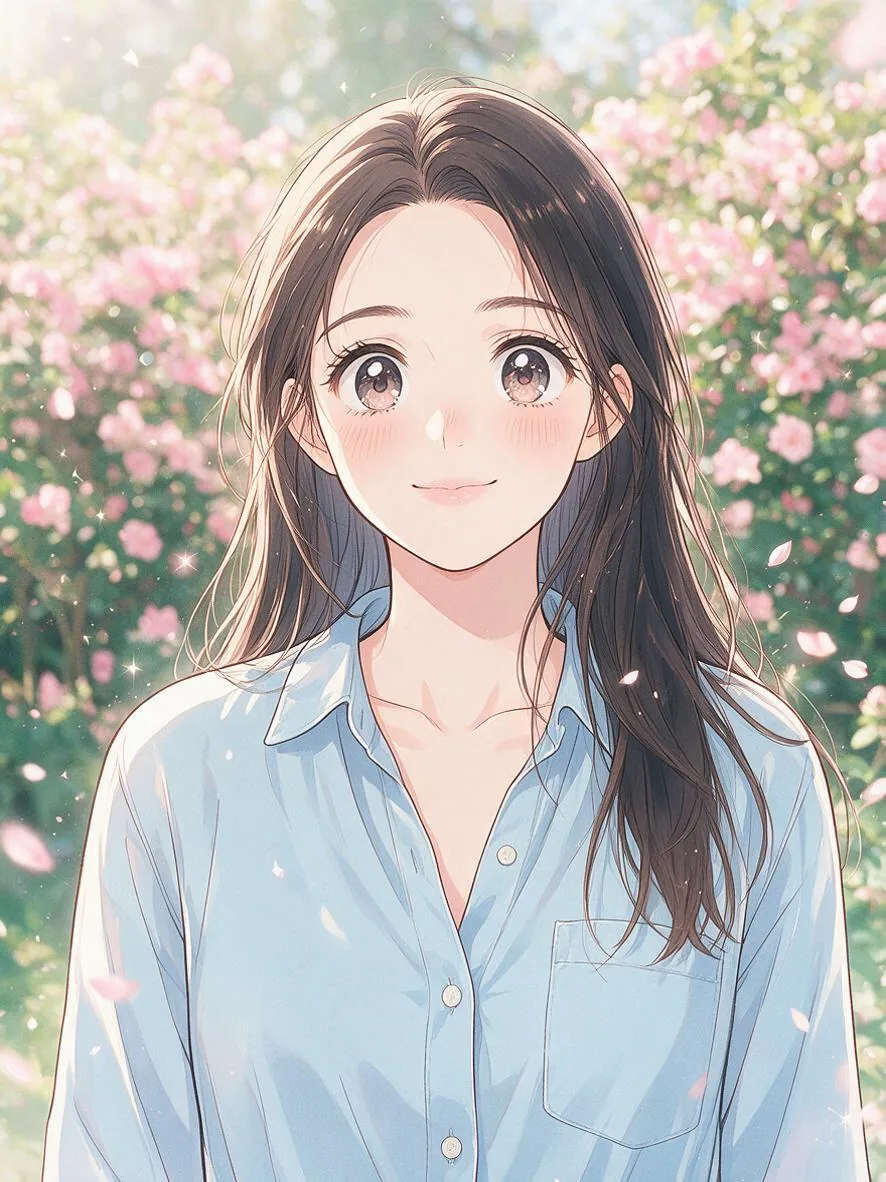
Soft garden portrait
Long dark hair, a blue shirt and pink flowers carry across the pair, with more expressive anime eyes.
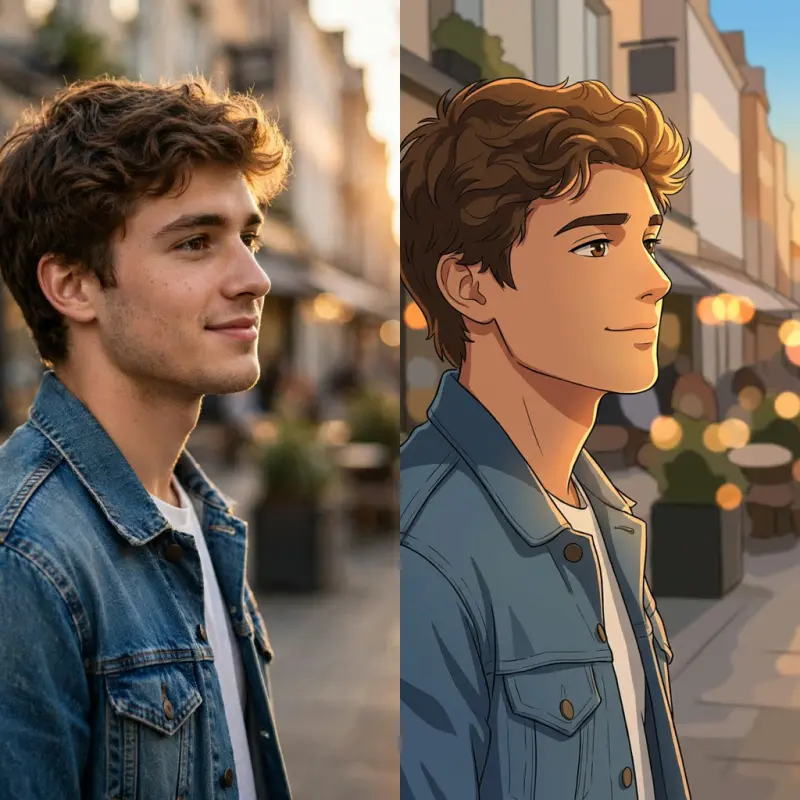
Modern TV anime
The side-by-side image shows the same profile, curly hair, denim jacket and warm street colors in photo and anime styles.
How do I make an anime PFP for Discord?
An anime PFP for Discord works best when the face stays readable in a small circular crop. This tool requests a 1:1 square image with the head and shoulders centered, leaving room above the hair and beside the face. Download the PNG, upload it through your account’s avatar settings and check the platform’s crop preview. Keep glasses, eyes and hair away from the corners; output dimensions alone do not ensure a good crop.
How can I get a cute or dark anime PFP?
A cute anime PFP can start with Soft, which asks for delicate lines and gentle pastel lighting. For a dark anime PFP, choose Dark for cool lighting and a simple darker backdrop. Classic asks for crisp cel shading. These options change the requested drawing treatment rather than assigning a character, gender or hair color. Use Custom to describe the mood more precisely; a style reference guides the art treatment, while your selfie remains the identity reference.
Pricing, free access & downloads
Generating your own avatar with this tool is not free; browsing examples costs nothing. The current allowance is 1 signup credit, below the 5 needed for one image. Each still image uses 5–9 credits, equivalent to $2.50–$4.50 at the $5/10-credit pack rate. The smallest purchase is that $5 one-time pack. Downloading a completed result costs no extra credits; generating another variation costs credits again.
| Quality | Output | Credits | Pack-rate equivalent |
|---|---|---|---|
| Fast | 1K · 1024×1024 PNG | 5 | $2.50 |
| HD | 2K · 2048×2048 PNG | 7 | $3.50 |
| Ultra HD | 4K · 2880×2880 PNG | 8 | $4.00 |
| Studio | 2K · 2048×2048 PNG | 9 | $4.50 |
| Feature | Details |
|---|---|
| Signup allowance | 1 signup credit, below the 5 needed for one image |
| Smallest purchase | $5 once for 10 credits |
| Download | One PNG; no extra download credits |
| Watermark | No visible site watermark added |
| Access | Sign-in required; HD, Ultra HD and Studio need eligible paid access |
| Failures | Confirmed generation failures or invalid output return credits. Unconfirmed requests keep the same task; temporary storage issues retry saving without generating again. |
| Photo handling | Photos are stored by this site and sent to the image provider. Account checks protect app previews and downloads; direct storage links may be accessible to holders. No automatic deletion is promised. |
What the avatar generator cannot guarantee
The avatar generator cannot guarantee exact facial likeness, unchanged details or a particular copyrighted character. The instructions ask for recognizable features, but anime proportions, hair, glasses or skin tones can still shift. Use a clear photo of one person and review the result before sharing it. Higher output size adds pixels rather than certainty. The tool exports one static, filled-background PNG; it does not deliver animation, transparent layers, a banner or a batch of matching avatars.
Anime profile picture FAQ
The profile picture maker produces one still avatar at a time. The questions below explain how separate requests can coordinate two people, which export format is available, how browser access works and what the optional reference image controls. Check these details before preparing your photos.
Can I make anime matching PFPs for two people?
Make two separate images using the same style and a consistent Custom description. Each request uses one person’s photo and is charged separately; two Fast images cost 10 credits. Coordinated colors may help, but the tool does not guarantee a perfectly matched pair or split one result into two avatars.
Can I download an anime GIF PFP?
This tool returns a static PNG, not a GIF or animated avatar. Choose it for a still profile picture. It does not animate the image or export video.
Does the anime profile picture maker work on a phone?
Use the tool in a phone or desktop browser; no app download is required. Sign in before generating so the request and result stay with your account. The browser needs to support image uploads and PNG downloads.
What photo and anime style reference should I upload?
Use a clear photo of one person with the face visible. JPG, PNG and WebP are supported up to 10 MB; choose images no larger than 2048 pixels per side. In Custom, the optional second image guides linework, shading, lighting and background colors, not another person’s face or identity. Only upload material you have permission to use; generated artwork is not a copyright clearance.
More portrait tools
A seasonal profile picture and a character reference sheet serve different needs. Choose the Christmas tool for a festive avatar, or the reference-sheet tool when you need a broader character presentation. Both are separate image tools with their own controls and credit requirements; check those pages before starting.