
Consistent Character AI’s clothes wrinkle remover is for anyone whose creased shirt, dress or jacket spoils a headshot, outfit photo or product listing. Upload one JPG, PNG or WebP up to 20 MB and get one PNG at 1K, 2K or 4K with no added watermark. A Fast 1K edit costs 2 credits; eligible new accounts get 1 free credit, not enough for one edit, and the $5 trial pack adds 10 credits.
How to remove wrinkles from clothes in a photo here
Removing wrinkles from clothes in a photo here takes four steps: upload one photo, choose how flat the fabric should look, pick a quality, then compare the result with your original and download it. There is no brushing or masking; the default Fast edit costs 2 credits and works in a desktop or phone browser.
Upload one photo
Use a clear JPG, PNG or WebP up to 20 MB where the creased garment is in focus. Headshots, outfit photos, flat lays and hanger or mannequin product shots can all be used.
Choose Natural, Pressed or Custom
Natural asks for steamed-looking fabric that still has soft drape folds. Pressed asks for a just-ironed look. Custom lets you name the garment or area to smooth.
Pick a quality and generate
Fast (1K) is the default at 2 credits. HD, Ultra HD and Studio sit in the quality picker for paid accounts.
Compare and download
Drag the divider to check buttons, stripes and the face against your original, then save the PNG.
Before-and-after clothes wrinkle removal examples
These six before-and-after pairs show what a clothes wrinkle removal edit looks like on common photo types: an office headshot, a full-length street photo, a dark suit, a striped shirt, a casual tee and a ghost-mannequin product shot. Look at collars, buttons and stripe lines in each pair; those are the details to check on your own result.


Office headshot: white button-down
Creases across the chest and sleeves of a white shirt are gone in the after photo. The collar, chest pocket, face and office background look the same in both.
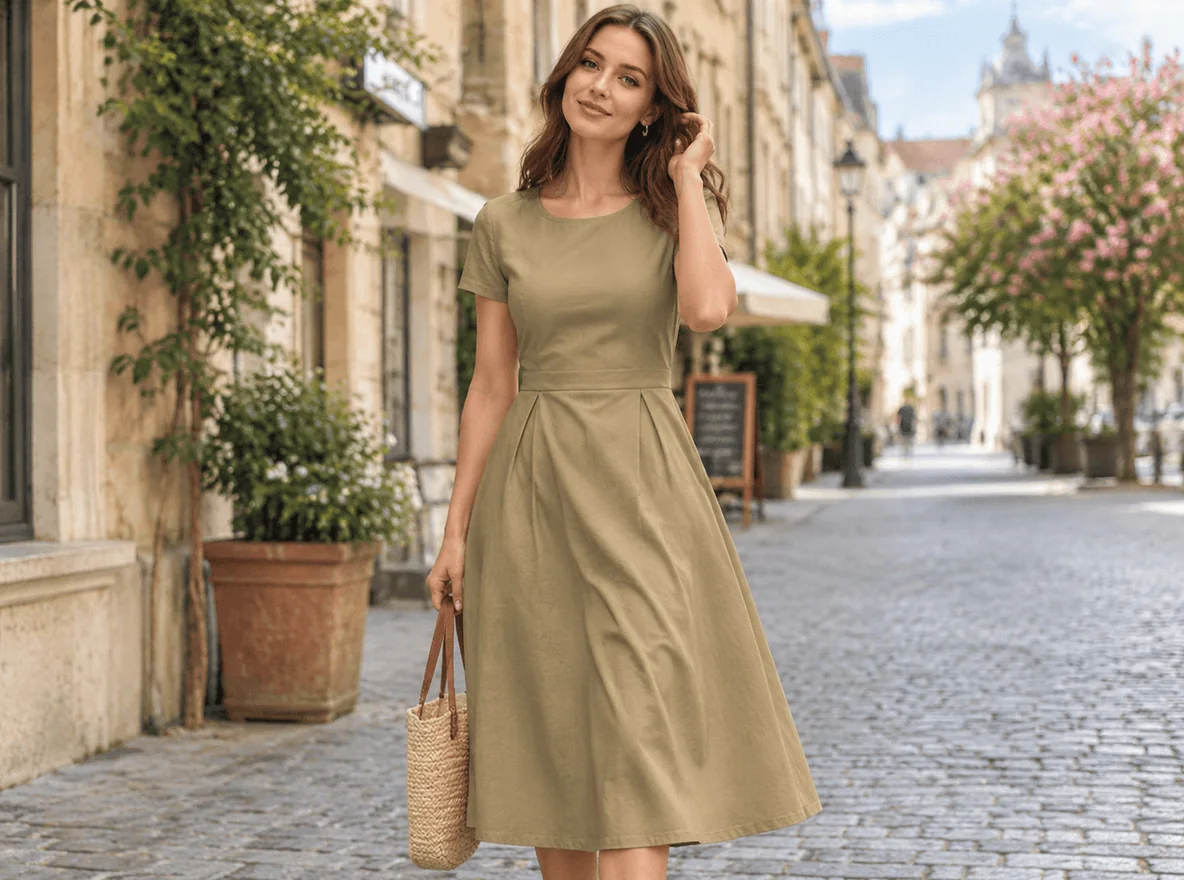
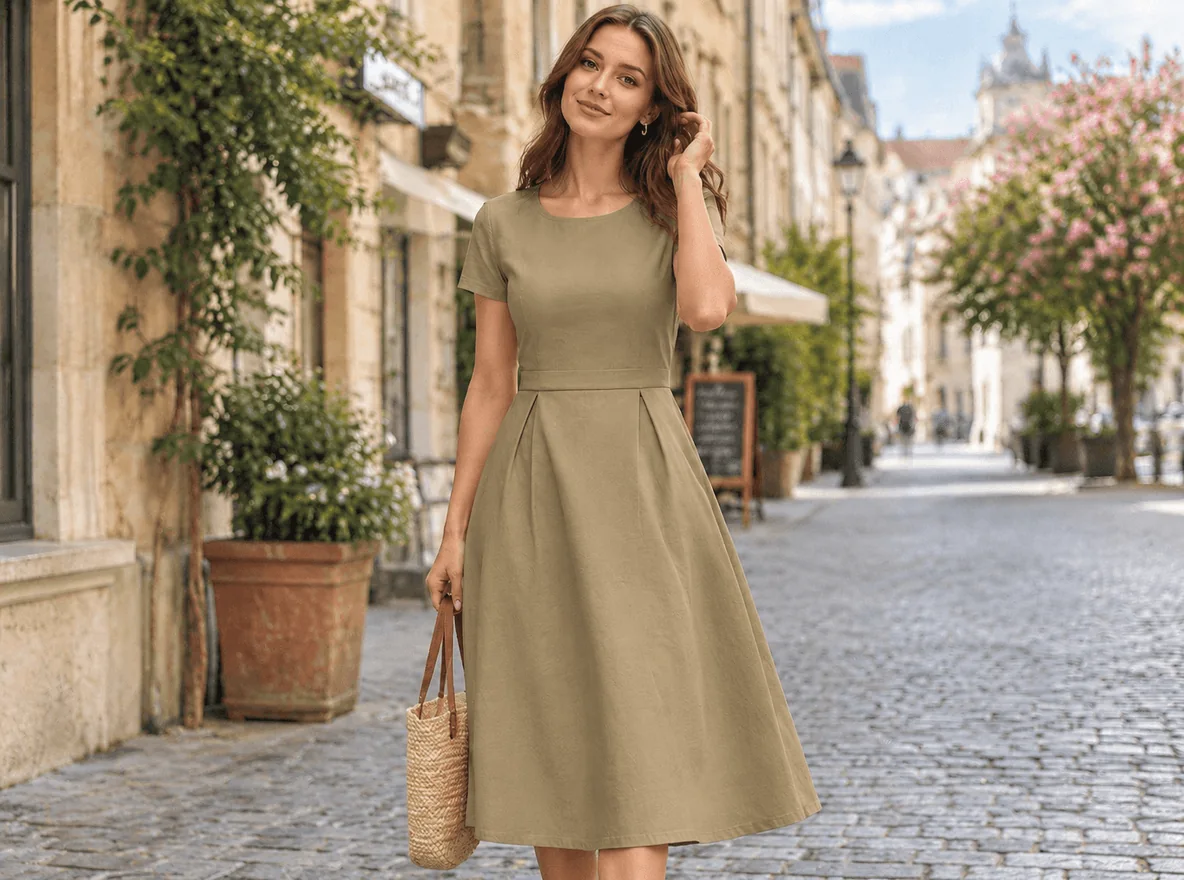
Street photo: khaki A-line dress
The crumpled bodice and skirt of a full-length dress are smooth after the edit, while the pleats, woven bag and cobbled street match the original.


Dark suit: black jacket and tie
Folds across the front and sleeves of a black suit jacket are reduced. Dark fabric is a harder case because creases show mostly as light streaks.
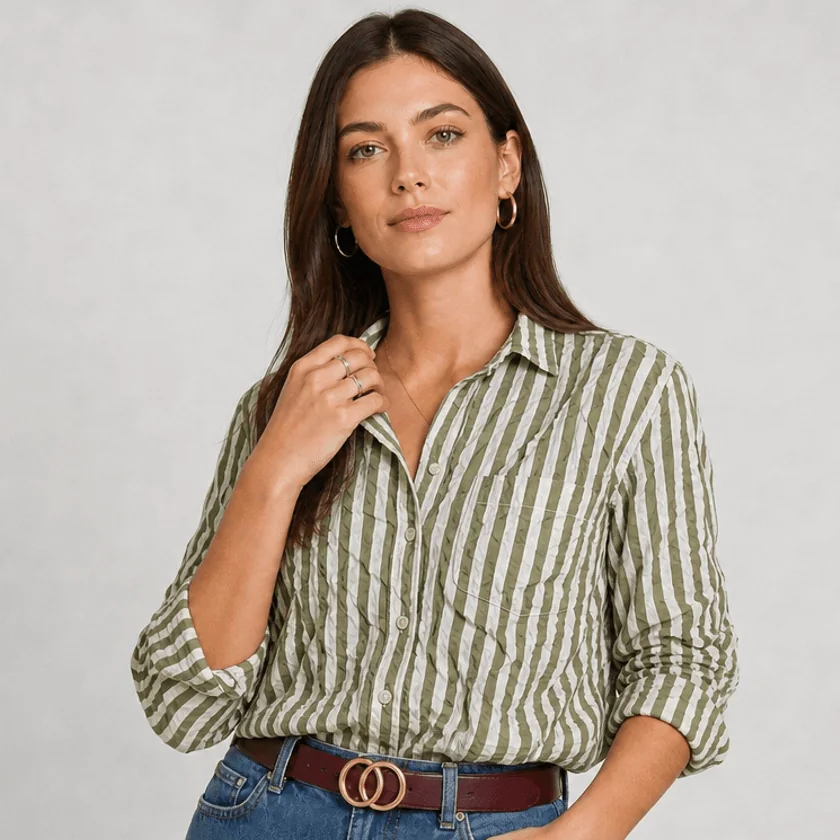
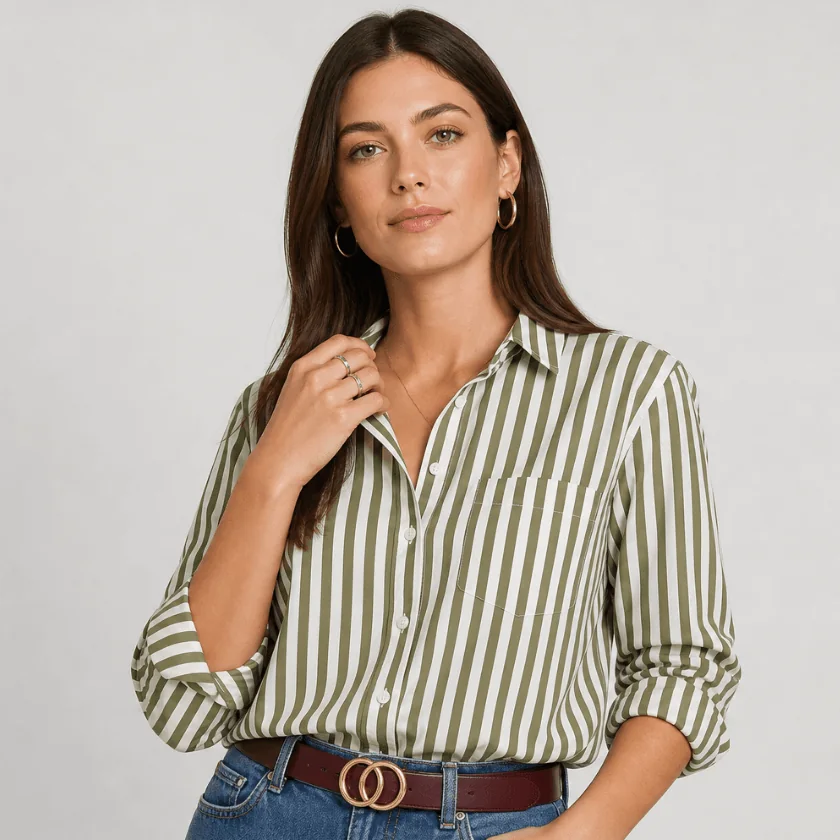
Striped shirt: pattern lines
Vertical green stripes run straighter once the crumples are gone; the belt, jeans and hand pose are unchanged. Patterns are where to check the result closely.
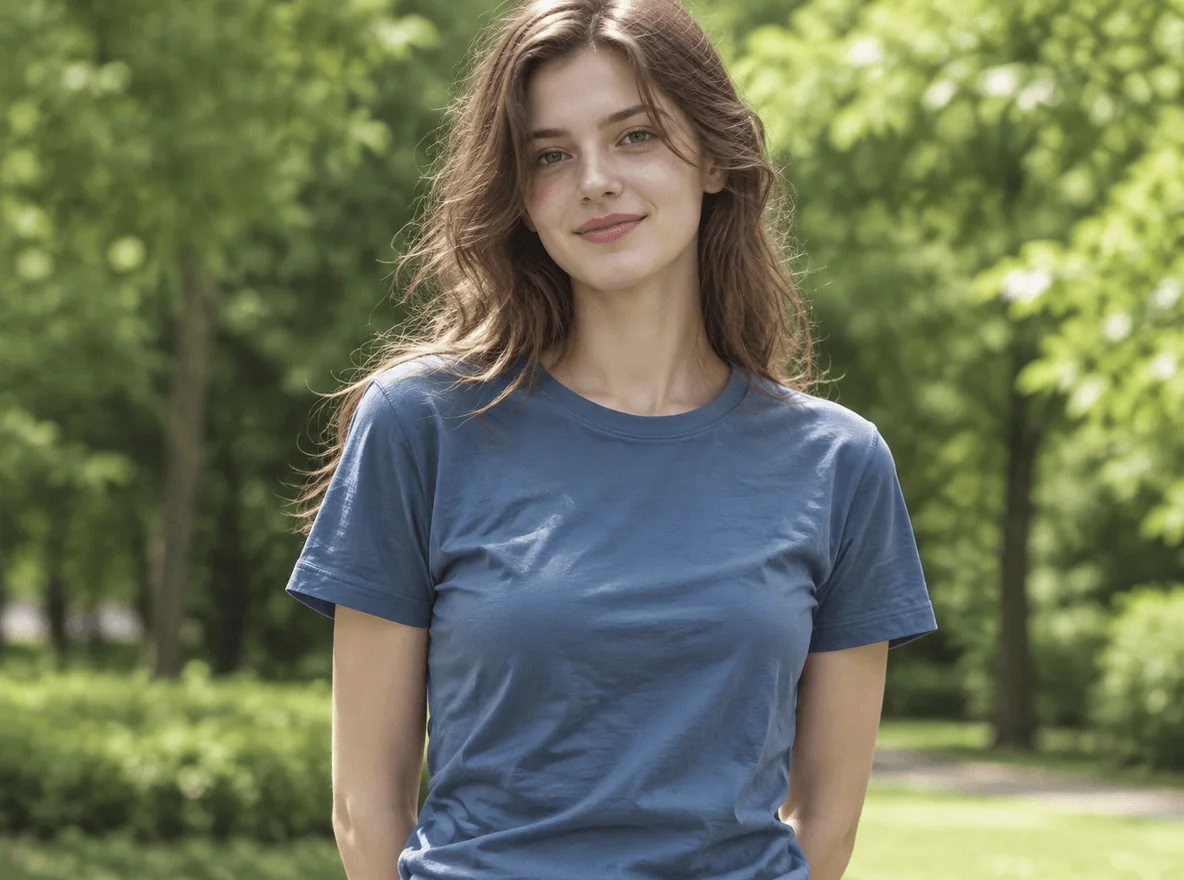
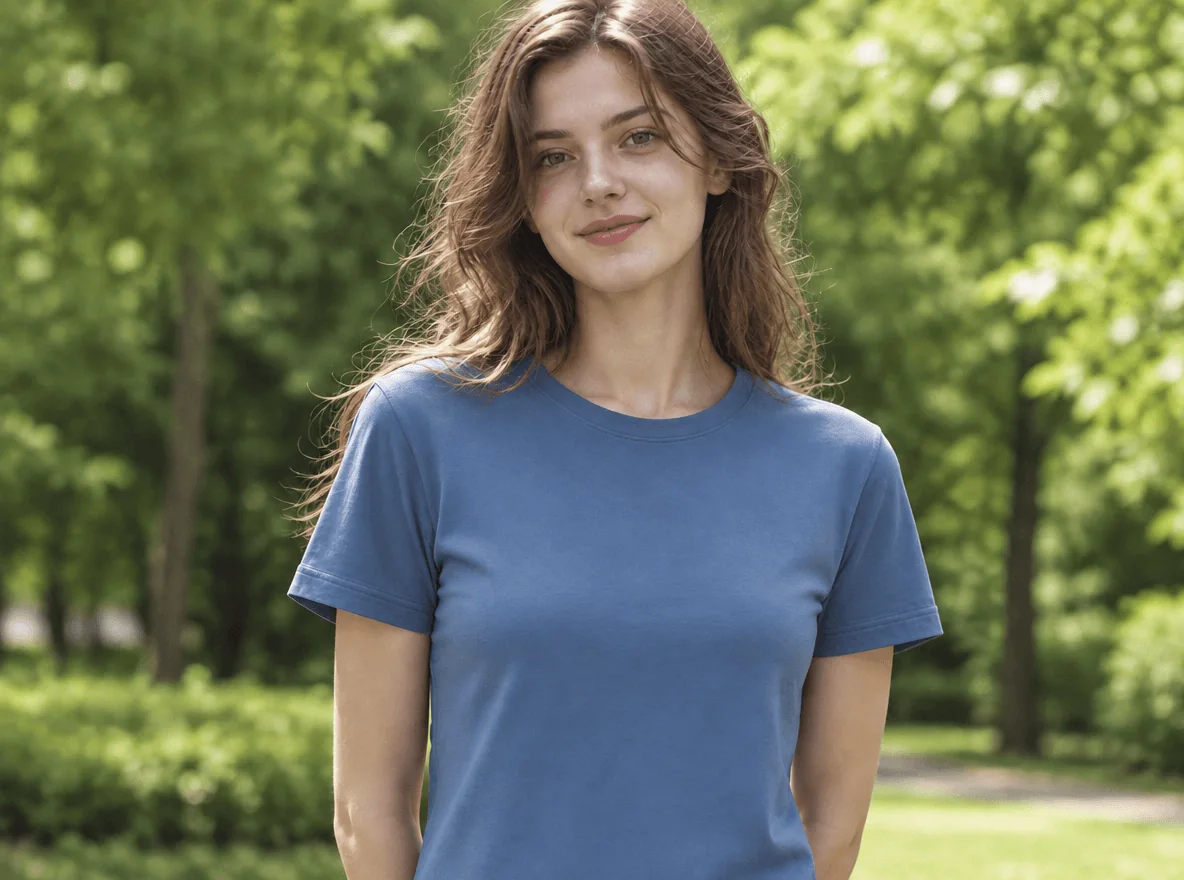
Casual photo: blue cotton T-shirt
A crumpled blue tee becomes smooth cotton with the same crew neck, sleeve length and park background.
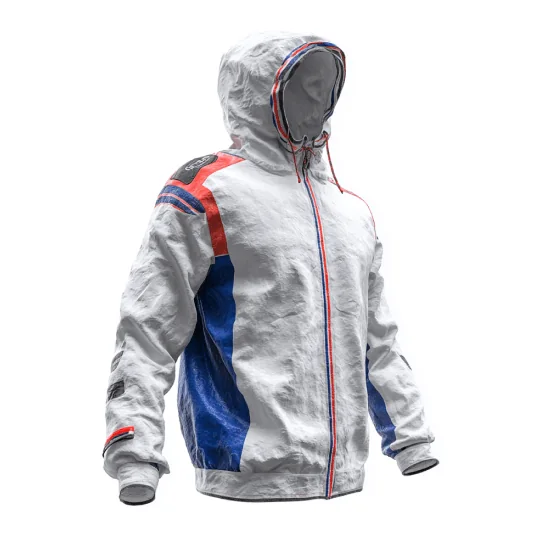
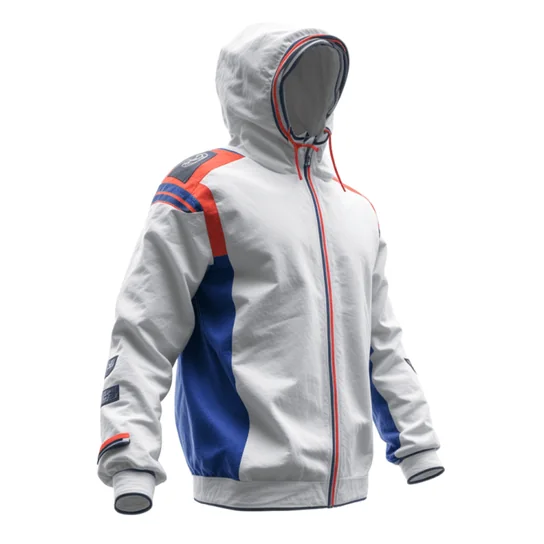
Product shot: ghost-mannequin windbreaker
A crinkled white windbreaker on a ghost mannequin turns into a smooth listing photo, with the red and blue panels, zipper and drawstrings still in place.
Can AI remove wrinkles from clothes without changing anything else?
AI can remove wrinkles from clothes in most photos, but it redraws the fabric rather than retouching pixels, so small details can shift. The prompt this tool sends asks the model to change only the fabric surface and to leave colors, prints, stripes, buttons, the face, body shape, pose and background as they are; results vary with the model and the photo.
Choose Natural to keep soft drape folds at the elbows and waist, or Pressed for a just-ironed look. If only one item should change, choose Custom and name it, for example “only the white shirt, leave the jacket”. Drag the comparison divider to check the face, buttons and pattern lines before you download, and generate again if something moved.
How do you remove wrinkles from clothes in Photoshop, Lightroom or Canva?
Photoshop, Lightroom and Canva can remove wrinkles from clothes, but you mark the creases by hand. In Photoshop, select the creased fabric and run Generative Fill with a prompt such as “smooth fabric, same color”, or paint over folds with the Healing Brush. In Lightroom, use the Remove tool or a brush mask with negative Texture. In Canva, brush the area and use Magic Edit.
Snapseed’s Healing tool and Facetune’s Smooth brush work the same way on a phone: you paint over each fold. A one-click AI editor like this page skips the masking, since the whole garment is processed at once. Manual tools give finer control over which fold stays; the AI route is quicker for headshots, outfit photos and product shots where every crease should go.
Is there an app to remove wrinkles from clothes in photos?
The Consistent Character AI wrinkle remover needs no app: it runs in Safari, Chrome and other mobile browsers, so you can upload from your camera roll, generate, and save the PNG back to your phone. If you prefer an installed app, Facetune has a Smooth brush you paint over clothes, and Photoroom offers an Ironing tool for clothing photos.
Remove wrinkles from clothes photo online: free credit, price and watermark
Removing wrinkles from clothes in a photo is not free here: sign-in is required, eligible new accounts get 1 welcome credit, and a Fast 1K edit costs 2 credits. The $5 trial pack is the smallest purchase that pays for an edit from a zero balance; its 10 credits cover 5 Fast edits, about $1.00 each. Every result downloads as a PNG with no added watermark.
| Quality | Output | Credits | At trial-pack rate | Account access |
|---|---|---|---|---|
| Fast | 1K · PNG | 2 | $1.00 | Signed in, with credits |
| HD | 2K · PNG | 5 | $2.50 | Active subscription or unexpired paid credits |
| Ultra HD | 4K · PNG | 8 | $4.00 | Active subscription or unexpired paid credits |
| Studio | 2K · PNG | 17 | $8.50 | Active subscription or unexpired paid credits |
If the model fails or returns no image, the credits go back automatically. Downloading the result costs nothing extra; another version uses credits again.
Dedicated wrinkle tools price differently. Their published terms, checked on the date below, compare like this:
| Tool | Price | Free allowance | Visible watermark |
|---|---|---|---|
| Consistent Character AI | $5 for 10 credits; 2 credits per 1K edit | 1 welcome credit if eligible (not enough for one edit) | None added |
| Fotor | Paid plans (Pro+ or Pro Max); price not listed on the tool page | Free credits for new users, more via its Credit Reward page | Not published |
| Photoroom Ironing | Pro from $7.50/month billed yearly (8,000 AI credits) | Free trial | Not published |
Checked 2026-11-12 on each service’s public tool, help or pricing page.
See credit packs and monthly plansWhen removing wrinkles from clothes in a photo works less well
Wrinkle removal is least reliable when the garment is small in the frame, partly hidden, or covered in fine detail. Lace, embroidery, sheer fabric and tight checks can lose detail; deep satin folds may come back flatter than you want; and on dark suits creases show mostly as highlights, so subtle ones can remain. Printed text and logos may be redrawn slightly.
- One photo and one result per run; there is no batch upload for a whole catalog.
- Photos only; clothes in a video are not supported.
- It edits the photo, not the garment: if buyers will receive a wrinkled item, say so in the listing.
Clothes wrinkle remover FAQ
Clothes wrinkle remover questions that the sections above do not cover: accounts, using the smoothed photo in a listing, and the size of the downloaded PNG.
Do I need an account to remove wrinkles from a photo?
Yes. You can pick a photo and settings first; pressing Remove wrinkles asks you to sign in, because credits are charged to your account and the result is saved in your history there.
Can I use the smoothed photo commercially, for example in a product listing?
Yes, if you own or have the rights to the original photo; no watermark is added. Smoothing wrinkles is a common product-photo edit, but keep the color, size, print and condition of the item true to what buyers will receive.
Will the download keep my original resolution?
No. The result is a new PNG at the quality you pick: Fast at 1K, HD and Studio at 2K, Ultra HD at 4K, with the aspect ratio following your photo. A 3000 × 4000 camera photo therefore comes back at the chosen size, not pixel for pixel.