
How do I make a Christmas PFP from my photo?
Upload one JPG, PNG or WebP photo of yourself or your pet. Choose a Christmas look, sign in, and pick an image quality. Select Make my Christmas PFP to generate one square avatar. Check that the face fits inside the round preview, then download the PNG for your profile.
How do I use a Christmas PFP editor without losing my likeness?
Start with a clear photo of one face with space above the hair. Choose Santa hat if you want to keep the clothes, expression and lighting from your selfie. Sign in, select a quality and generate the image. Drag the comparison across the eyes, freckles and hairline before saving the PNG. The prompt below is the one the editor uses for this look.
Santa hat editing prompt
Use the uploaded photo as the identity reference for one square Christmas profile picture. Edit the portrait as a photograph. Fit a red velvet Santa hat to the angle of the head, keeping its white brim above the eyebrows. Keep the original clothes, expression, glasses, hairline, skin texture and facial proportions. Light the hat from the same direction as the face. Add soft snow behind the shoulders and a few warm lights in the distance. Frame one subject at eye level, head and shoulders centered, with space above the head and at both sides. Keep eyes, ears and any hat tip inside a centered circular crop. Deliver the full square image with no printed words, logo, border or circular mask.
Which Christmas PFP template suits my selfie or pet?
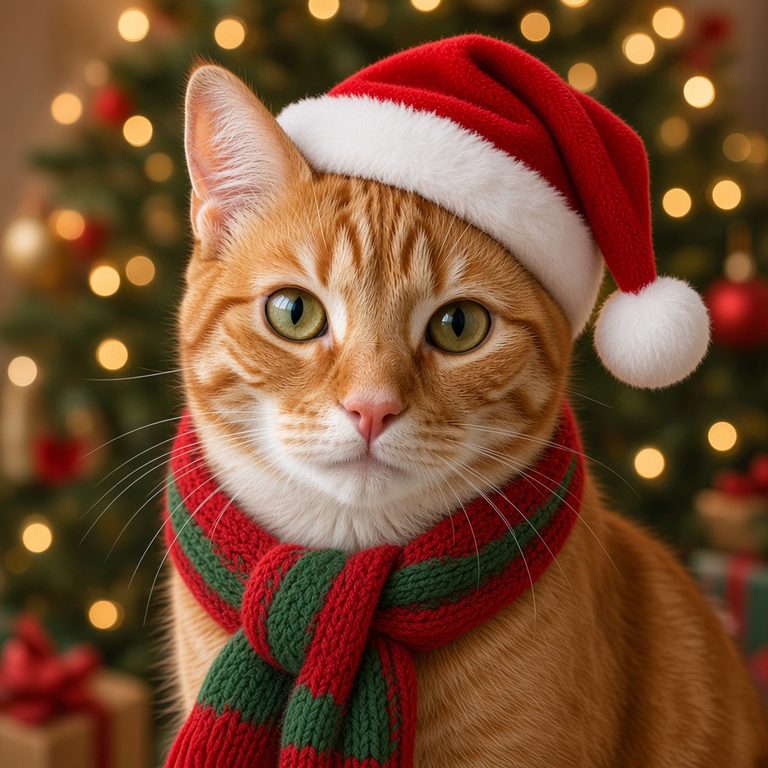
Use Santa hat for the smallest change to a selfie. Anime turns the face into an illustration, while Cozy knit changes the sweater and the light around it. For a cat or dog, choose Pet scarf and start with both eyes and ears visible. In the pairs below, compare the same selfie across three looks, then check the tabby’s forehead stripes before and after the pet edit.
 Original
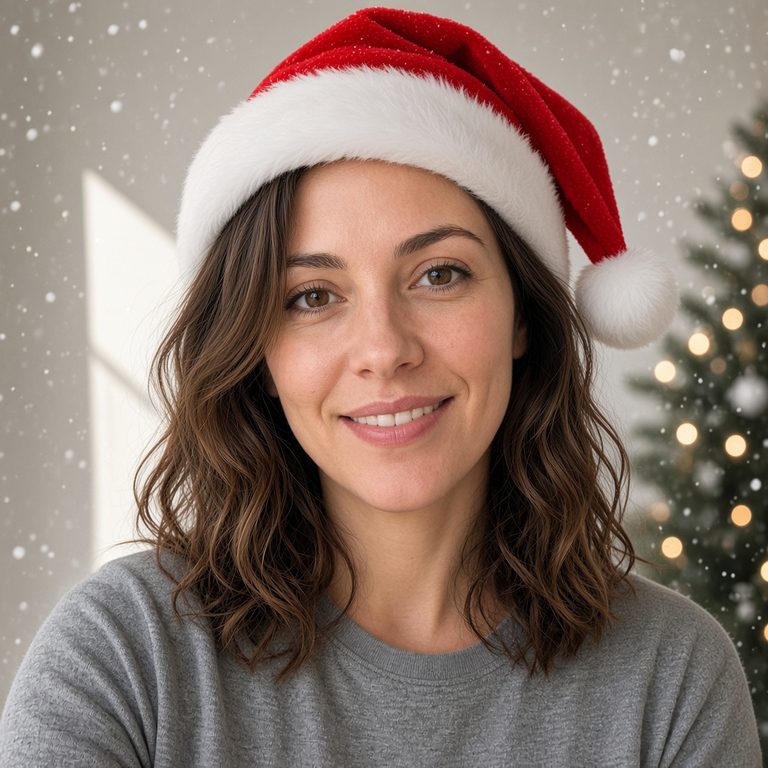 Christmas PFP
The red brim leaves the brows visible. The gray shirt and the light across the cheek are easy to check against the original.
Original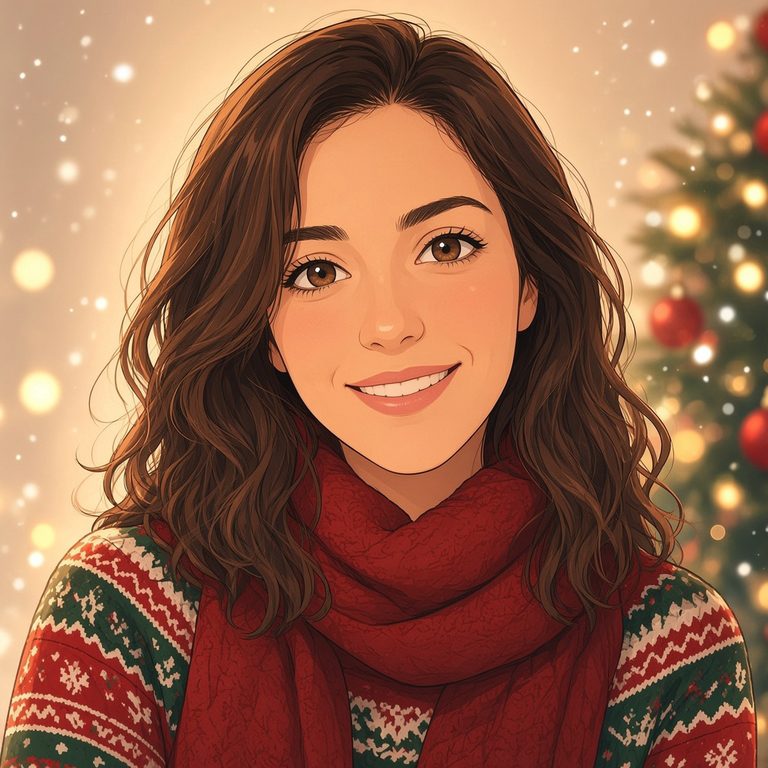 Christmas PFP
The red scarf and ink outlines change the portrait most. The part in the hair and the tilt of the smile still give you something to compare.
Original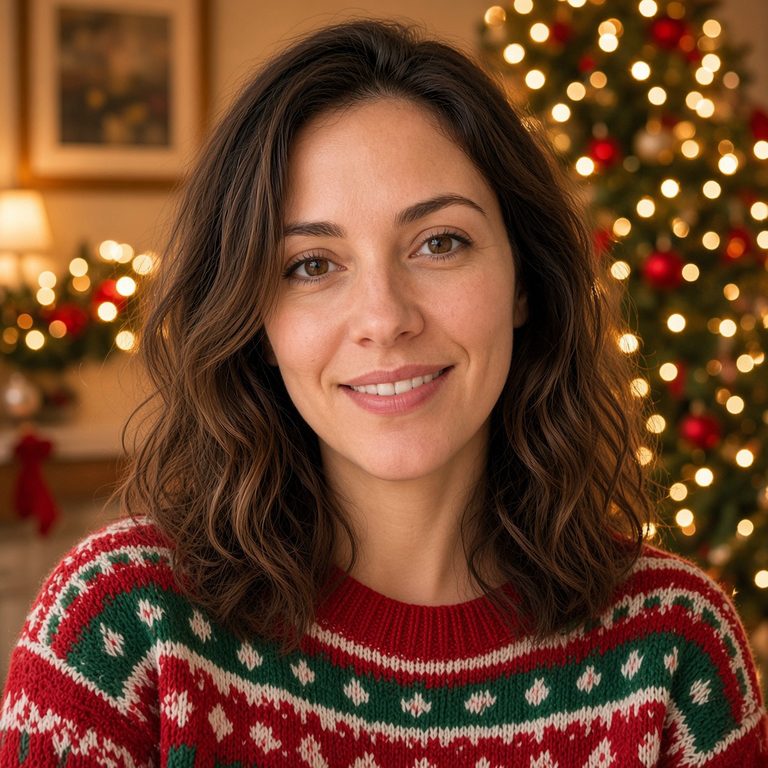 Christmas PFP
A red-and-green sweater replaces the gray shirt. Compare the cheek and hairline under the warmer light, especially if you plan to make a matching set.
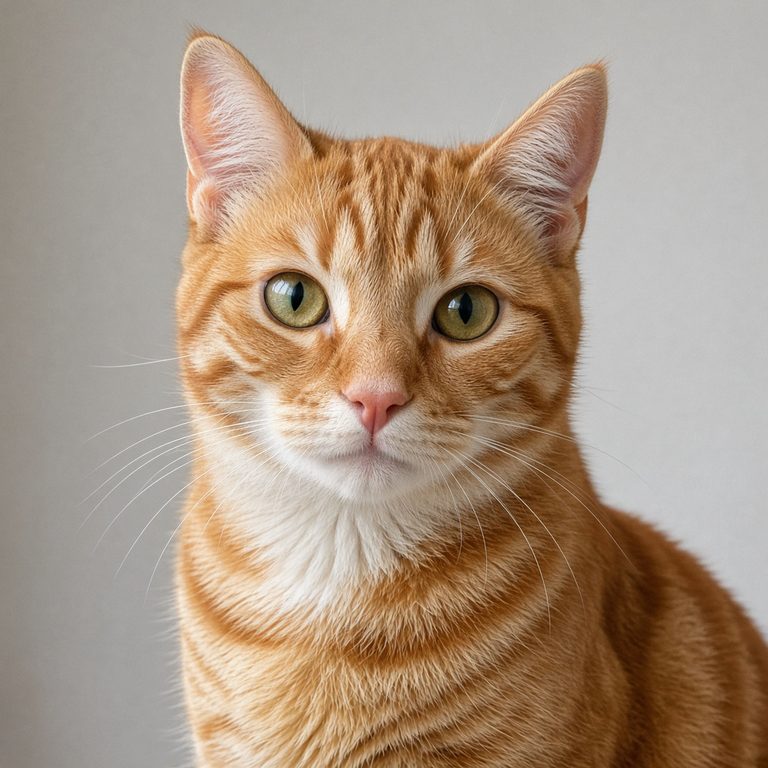 Original
 Christmas PFP
The tabby keeps its striped forehead and pale muzzle. The hat sits beside one ear and the scarf leaves the face clear.
How do friends make matching Christmas PFPs from separate photos?
Use one photo per person and make two separate edits with the same look and quality. Pick photos taken at eye level, with faces about the same size. Cozy knit gives both portraits a red-and-green sweater and warm tree lights. Save the first PNG before replacing its photo with the second. Two Fast avatars use 4 credits in total. The colors can coordinate even when the lights and sweater patterns differ.
What size Christmas PFP works inside a round profile crop?
Start with a 1:1 square PNG. The Fast setting requests a 1K image, which leaves room to crop again when setting a profile picture. Use the small round preview to judge what survives at chat-icon size on Discord, TikTok, Instagram or X. Keep the pompom and ears away from the corners. Download the full square and adjust the zoom in the destination app.
When can a Christmas PFP AI effect change a face or hide the hat?
A hood, dark glasses or a tight crop can hide details that the editor has to guess. Group photos can also give it the wrong subject. For the closest likeness, use an eye-level portrait with one visible face, natural light and space above the head. Anime changes facial proportions on purpose. If every original pixel matters, a sticker layered over your own photo gives more precise control.
Is this AI Christmas PFP generator free, and are downloads watermarked?
Eligible new accounts receive 1 free signup credit. The lowest-cost Christmas PFP uses 2 credits, so the welcome credit alone does not cover a complete edit. The $5 Trial Pack includes 10 credits. Each generation makes one square image, and downloading its PNG adds no watermark or extra charge. The quality picker shows the cost before you generate.
| Quality | Output | Credits | Account access |
|---|---|---|---|
| Fast | 1K | 2 | Signed in, with credits |
| HD | 2K | 5 | Active subscription or unexpired paid credits |
| Ultra HD | 4K | 8 | Active subscription or unexpired paid credits |
| Studio | 2K | 17 | Active subscription or unexpired paid credits |
Which Christmas PFP maker should I use for a holiday portrait?
Choose ConsistentCharacterAI when you want to compare a few specific looks on your own face or pet and inspect the circle before downloading. Adobe Firefly accepts written instructions, so you can describe an individual change such as replacing a background. Petalpic turns one photo into a retro holiday studio portrait with a sweater and snowball. Their free allowances and paid options are compared below.
| Tool | Price | Free allowance | Visible watermark | Output |
|---|---|---|---|---|
| ConsistentCharacterAI | $5 for 10 credits. Edits from 2 credits. | 1 welcome credit if eligible | None added | One square PNG, 1K–4K |
| Adobe Firefly | Free account or Firefly Standard at $9.99/month | Free daily generations (count not published) | Not published | Edited holiday portrait |
| Petalpic | $4.99 for 50 credits | One picture per day | Not published | Retro studio portrait |
The Christmas PFP trend is a seasonal profile change. Friends can share a color palette through the holidays and switch their pictures back in January.