
Classic high waist
A structured, full-coverage top and high-waisted bottoms give this bikini photo editor a clear shape to work with. Try terracotta for a warm beach palette or black for a simple, graphic look.
A new look, the same you
Picture your next swimwear look.
Change clothes to a bikini, a sporty two-piece, or a classic swimsuit in your own photo. Choose the cut and color; the AI bikini changer edits the outfit while aiming to keep your face, pose, and surroundings recognizable.

Your original photo and the generated edit will appear here. Pick a style on the left to get started.
Before & after
Explore how other AI tools restyle swimwear. These third-party examples are credited to their original publishers; they were not generated by this tool. Compare the outfit, face, pose and background, and expect results to vary by model and photo.
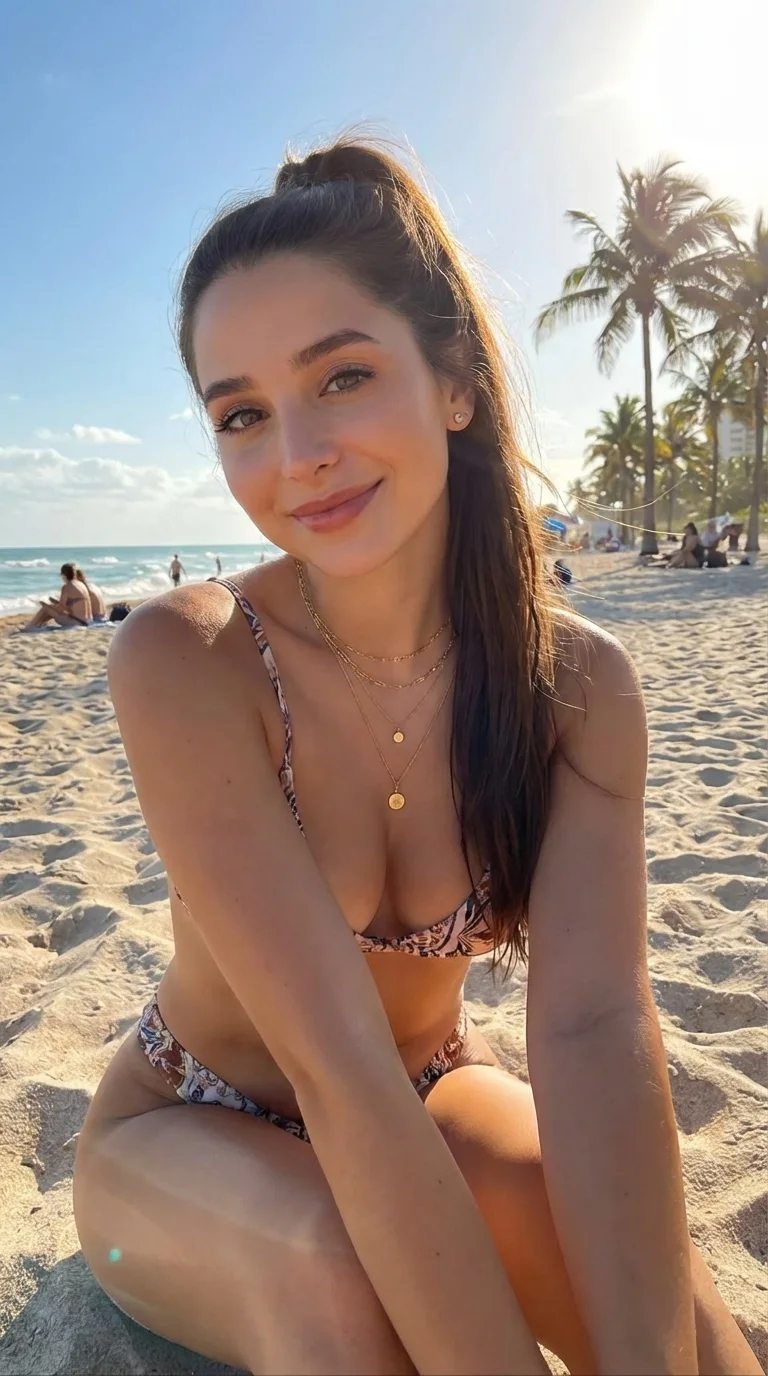
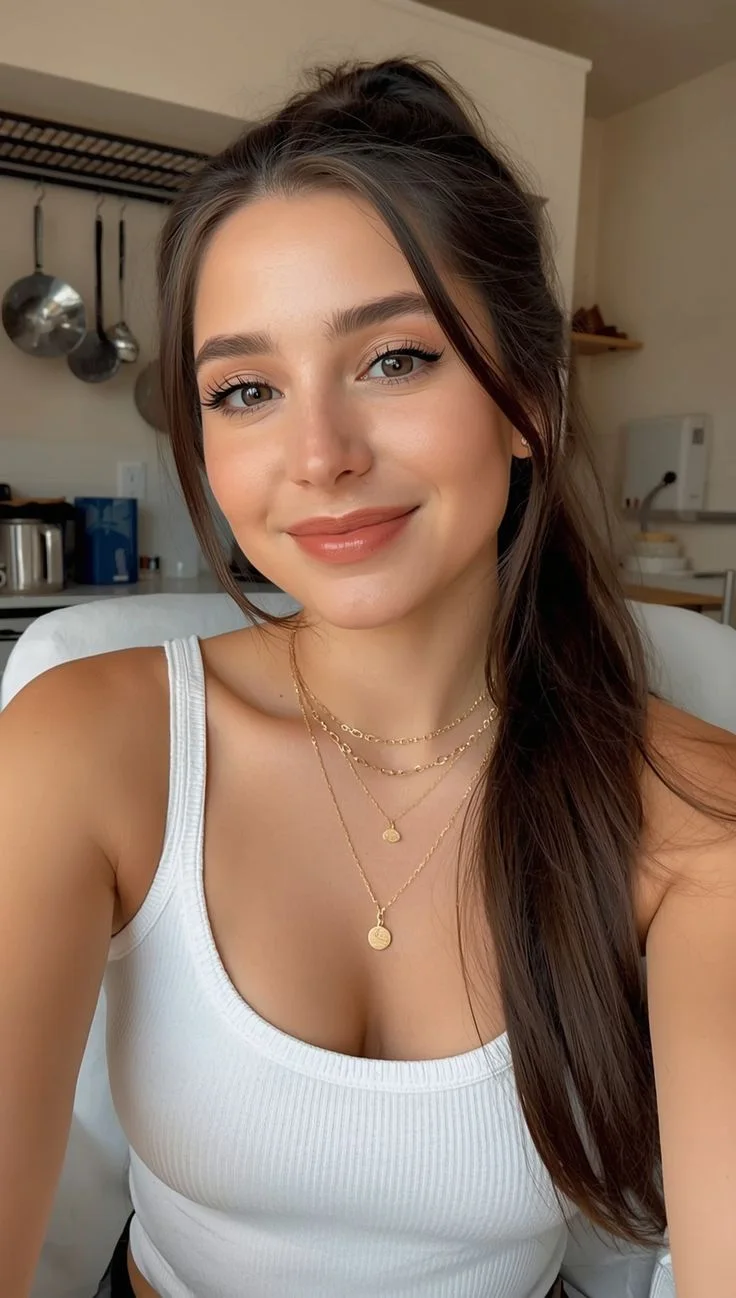
This publisher-labelled Nano Banana Pro example changes a casual indoor portrait into a floral bikini beach scene. The pose, background and framing also change.
Source: VAKPixel / @imcoderkk
Model: Nano Banana Pro (publisher label)
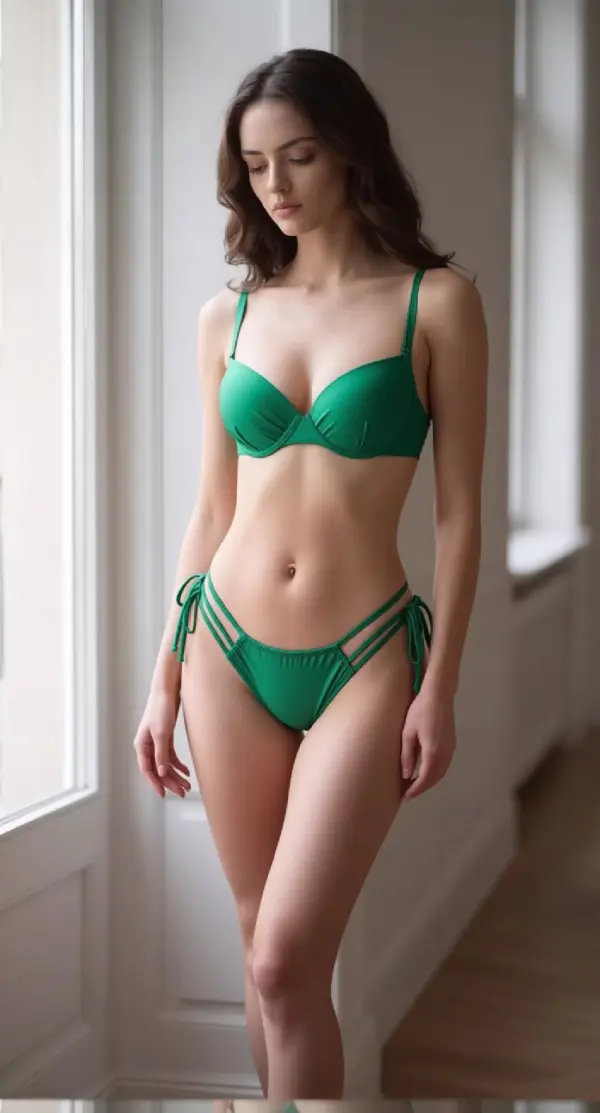
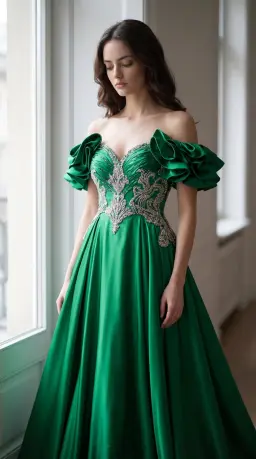
A green dress becomes a green bikini in this third-party example. Compare the face and room as well as the outfit: the crop and proportions shift.
Source: Tryonr
Model: Not publicly disclosed
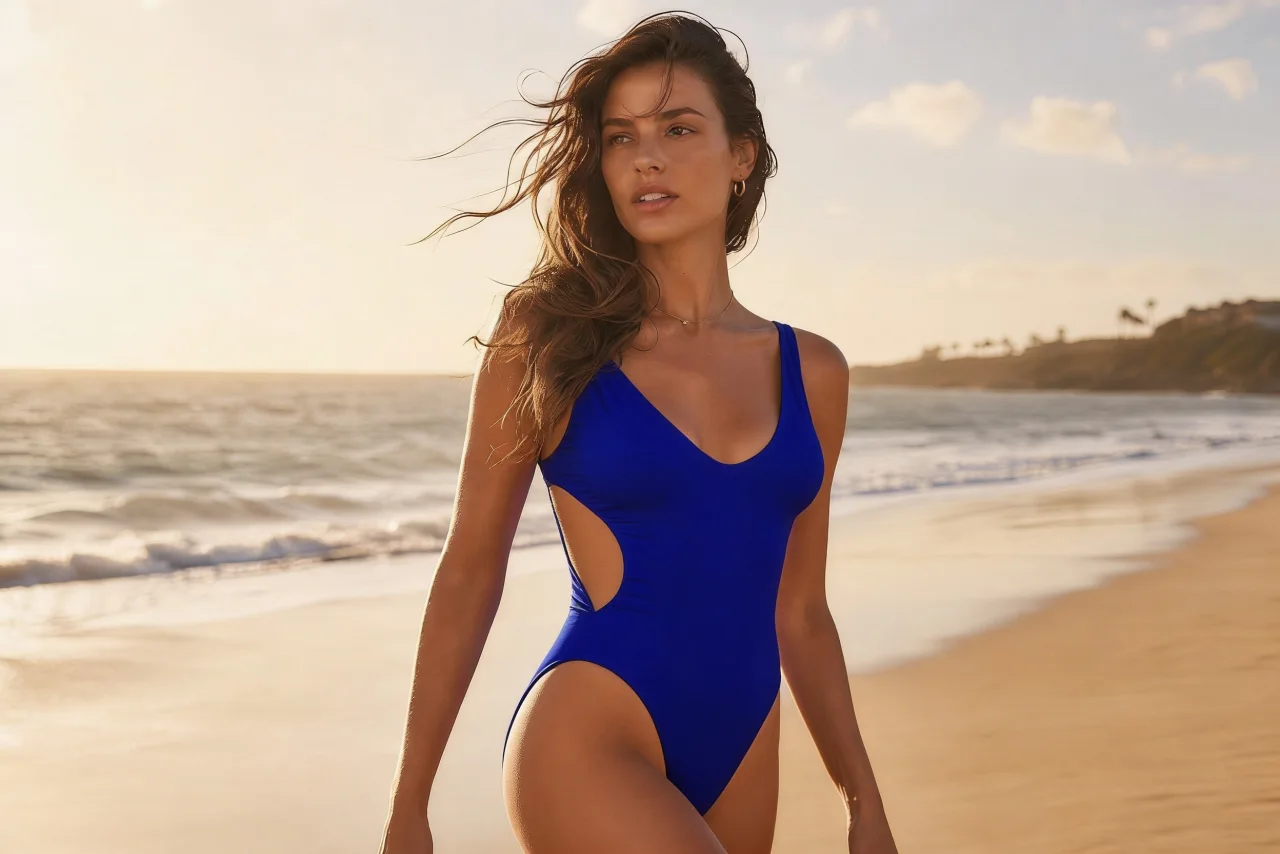
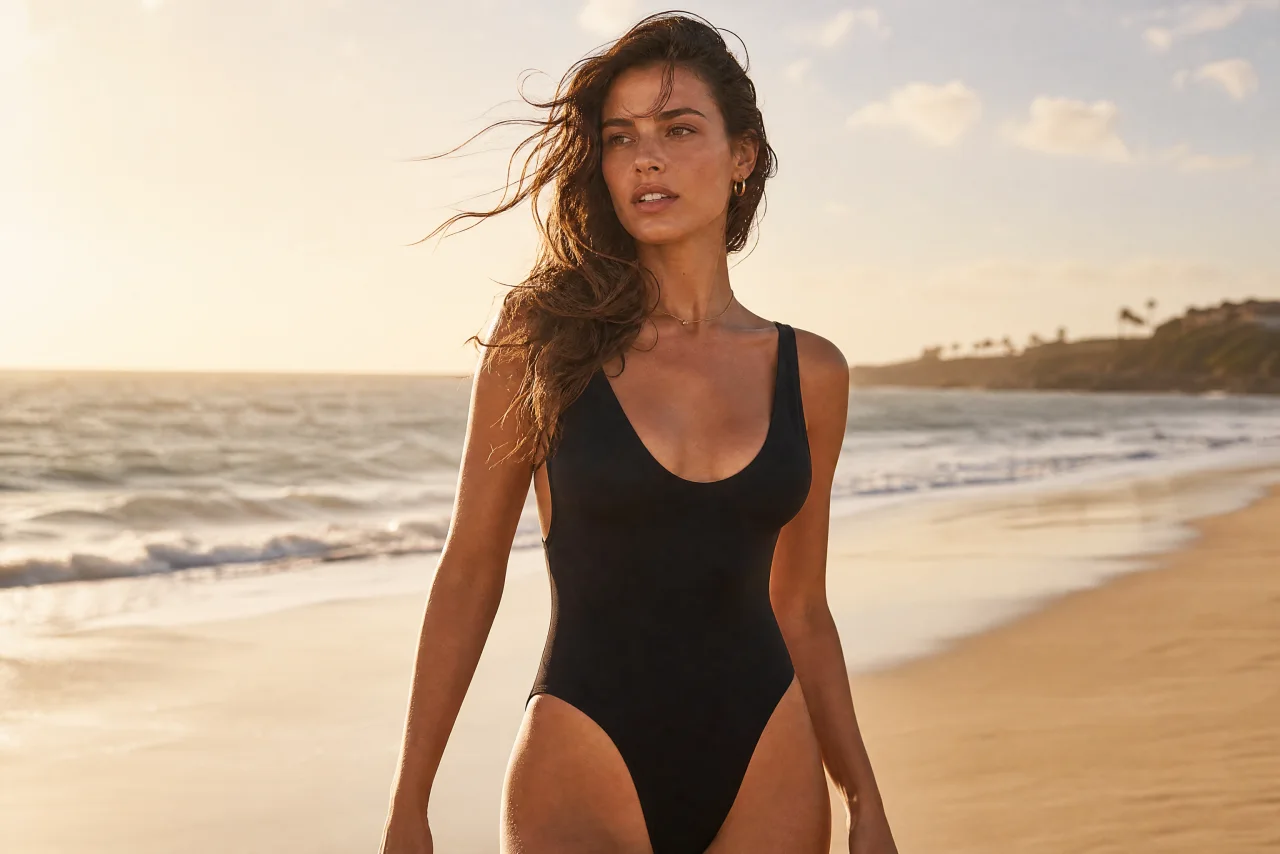
A black one-piece becomes a blue cutout swimsuit in this example. It demonstrates a new color and cut on an existing swimwear photo.
Source: BudgetPixel
Model: Not publicly disclosed
01 / THE SWIMWEAR EDIT
Start with the silhouette, then choose a color. These swimwear illustrations help you decide on a direction before spending credits. Each AI bikini changer request creates one fresh interpretation; it does not reproduce an exact retail garment.
A structured, full-coverage top and high-waisted bottoms give this bikini photo editor a clear shape to work with. Try terracotta for a warm beach palette or black for a simple, graphic look.
Broad straps and a clean athletic cut work well for poolside photos and active holiday mood boards. Choose teal for a crisp swimwear outfit without introducing a busy pattern.
A restrained leaf print adds detail to a full-coverage bikini. The AI swimsuit changer interprets the pattern rather than copying a brand, so check that it follows the fabric naturally.
Prefer a little more coverage? Select the one-piece swimsuit for a continuous silhouette and modest neckline. It is a useful alternative when you want an AI swimwear try-on beyond a bikini.
AI-created style illustrations. Your photo edit will appear after generation.
02 / THE SWIMWEAR EDIT
Use a JPG, PNG, or WebP up to 10 MB. A front-facing or three-quarter photo with one consenting adult and a visible outfit gives the AI bikini changer more useful detail than a face-only crop.
Pick one of four swimwear cuts and four colors. Select Fast for a quick concept, or HD, Ultra HD or Studio for a larger, finer image to inspect. The credit cost is visible before you generate.
Review your original and edited photo with the comparison slider. Look at the face, straps, hands, and garment edges before downloading. Each new variation is a separate paid edit.
A considered outfit edit
An AI bikini changer is useful when you want to explore an outfit before arranging a new shoot. The edit asks the model to replace clothing with opaque swimwear and retain the scene, instead of asking you to paint a selection by hand. It can help with vacation mood boards, creator outfit ideas, and early styling concepts. It is a visual interpretation, not a measurement of how a real swimsuit will fit.
When you change clothes to a bikini, the model must imagine areas covered by the original clothing. Results can change proportions or small facial details. Compare the result carefully and use a different source photo if the outline looks wrong. A loose coat, crossed arms, or a tightly cropped selfie makes an accurate outfit edit harder.
03 / THE SWIMWEAR EDIT
Include the torso and hips, ideally with the whole person in frame. A headshot cannot show the swimwear you want to preview. Avoid hands, bags, or furniture covering the clothing.
Soft daylight makes the body outline and fabric easier to interpret. Heavy filters, deep shadows, motion blur, and very small images often lead to less convincing swimsuit edits.
Use the AI bikini changer to compare one cut or color at a time. The background is meant to stay in place; changing the location or pose is outside this tool’s controls.
Look for misplaced straps, unusual fingers, distorted prints, and changed facial features. AI bikini changer results vary, and a higher output resolution cannot recover detail missing from the source.
The AI bikini changer uses purchased credits: Fast costs 1 credit, HD 4, Ultra HD 6 and Studio 17 per edit. HD, Ultra HD and Studio are for subscribers. Sign in to generate; confirmed failed edits return the credits to their original balance and expiry. Signup and check-in credits do not apply to this premium tool.
04 / THE SWIMWEAR EDIT
If you are searching for “best site to change clothes to bikini no log in no credit,” check what each site actually includes. You can browse these style ideas for free without logging in, but this tool requires an account and purchased credits to generate. We do not offer unlimited free edits or claim that one tool is best for every photo.
The style guide and photo preparation tips are free to read. Generating an edited image costs 1 to 17 credits, depending on whether you choose Fast, HD, Ultra HD or Studio. There is no separate free generation mode on this page, and the cost is shown before you submit your photo.
The editing instructions ask the AI to preserve your identity, pose, natural proportions, and background. That is an editing goal, not a guarantee. Inspect your result before sharing it, especially when the original outfit hides much of the body.
Yes. The AI swimsuit changer includes a classic one-piece option as well as high-waisted, sporty, and tropical-print two-piece styles. All presets request opaque swimwear with full coverage.
No. Generation credits and payment cards are different things. This AI bikini changer spends your purchased account credits; payment methods and prices are listed at checkout. Reading the page does not require a card or account.
Use photos of yourself or adults who have explicitly agreed to this swimwear edit. Everyone pictured must be at least 18. Do not upload minors, sexual images, or photos of people who have not consented. A single-person photo is recommended.
Your photo is uploaded to our image storage and sent to the image provider to perform the edit. The generated image is stored so you can retrieve it. Upload only images you have permission to use; read our Privacy Policy for the broader service practices. Privacy Policy
Keep the page open while the edit runs. If your connection drops, reopen this page in the same browser to check the saved task. A failed or timed-out edit returns its credits; checking an existing task does not start another paid generation.
Upload one clear photo, choose one look, and let the AI bikini changer create your first outfit preview.
Try the bikini changer