
Pink photo filter lets you request a soft pink look for a selfie, couple portrait or street photo without installing an app. One 3:4 PNG costs 5–9 credits at 1K, 2K or 4K; the current allowance is 1 signup credit. Sign in to generate, then download without an added visible watermark. AI may redraw details or change the framing.
How to add a pink filter to a photo
Upload one clear photo, choose the pink color mood and select a quality before generating. The tool sends your photo and the selected color-grading instructions to an image model; it does not apply a pixel-preserving browser overlay. Compare the finished image with the original and check faces, whites and small details. Download the PNG when you are happy with it; a different attempt is a new paid generation.
1. Upload your photo
Choose one JPG, PNG or WebP up to 10 MB and 2048 pixels per side. Use a clear photo with enough room around the subject for a 3:4 result.
2. Choose your pink tone
Soft requests an even blush, Baby requests a paler tint, and Rose requests warmer pink. Custom requires a description and accepts an optional color reference. Choose quality and review the credits.
3. Compare and download
Inspect the delivered image against the original. Save the PNG without an extra download charge. Changes to a completed result require a new generation.
Pink photo filter before and after
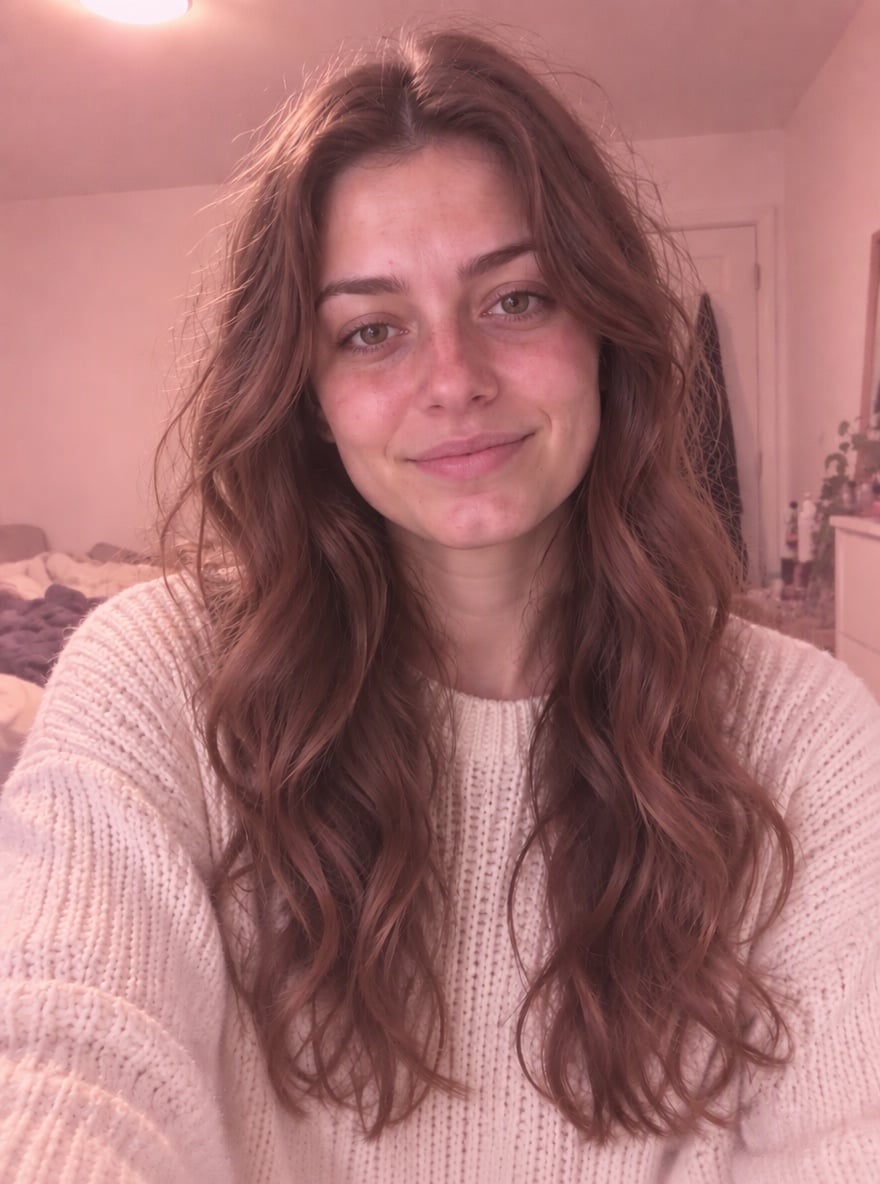
These four photo pairs show a soft pink color mood on a portrait, a couple, a selfie and an outfit shot. Look at how highlights, skin and background colors differ from each original. The pairs illustrate one soft-pink look; they are not separate tests of the three preset options. Your uploaded photo, selected instructions and image model can produce different details and colors.
Original
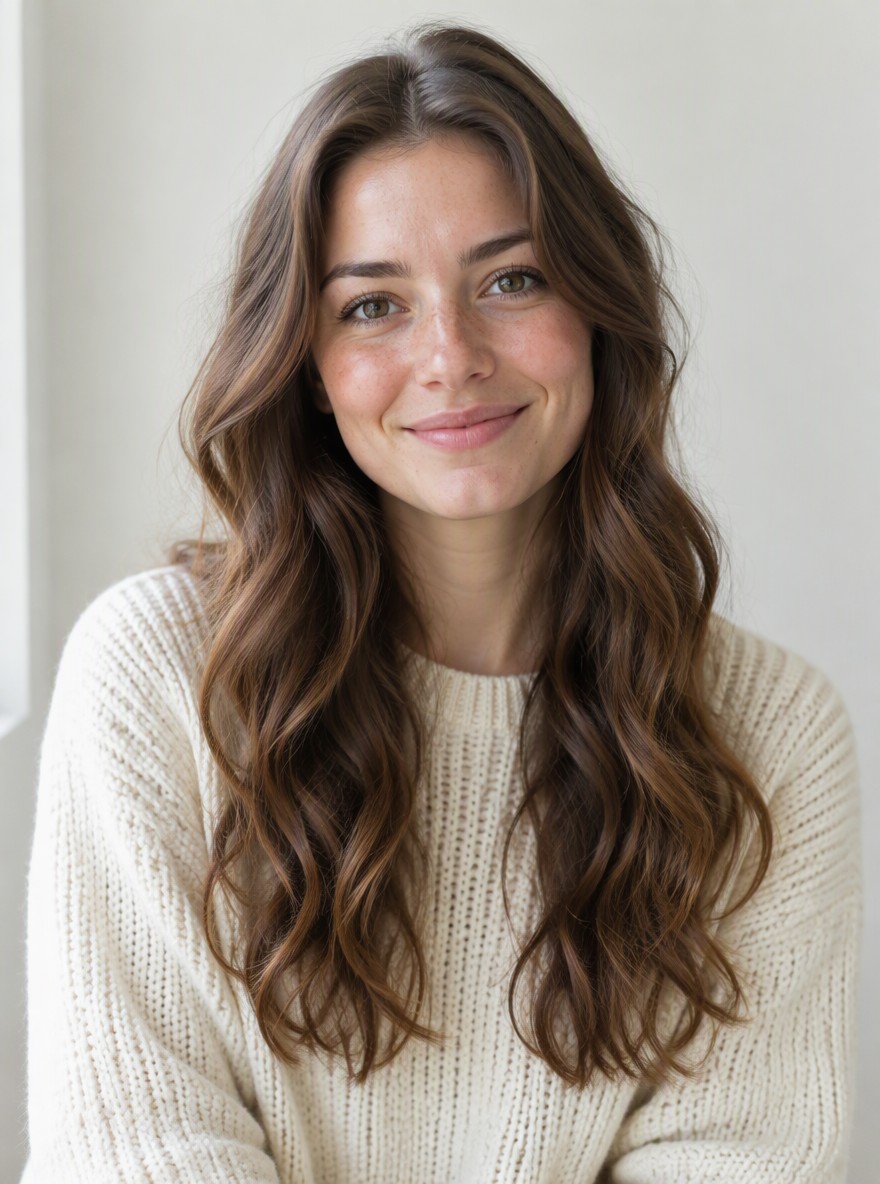
Pink tone
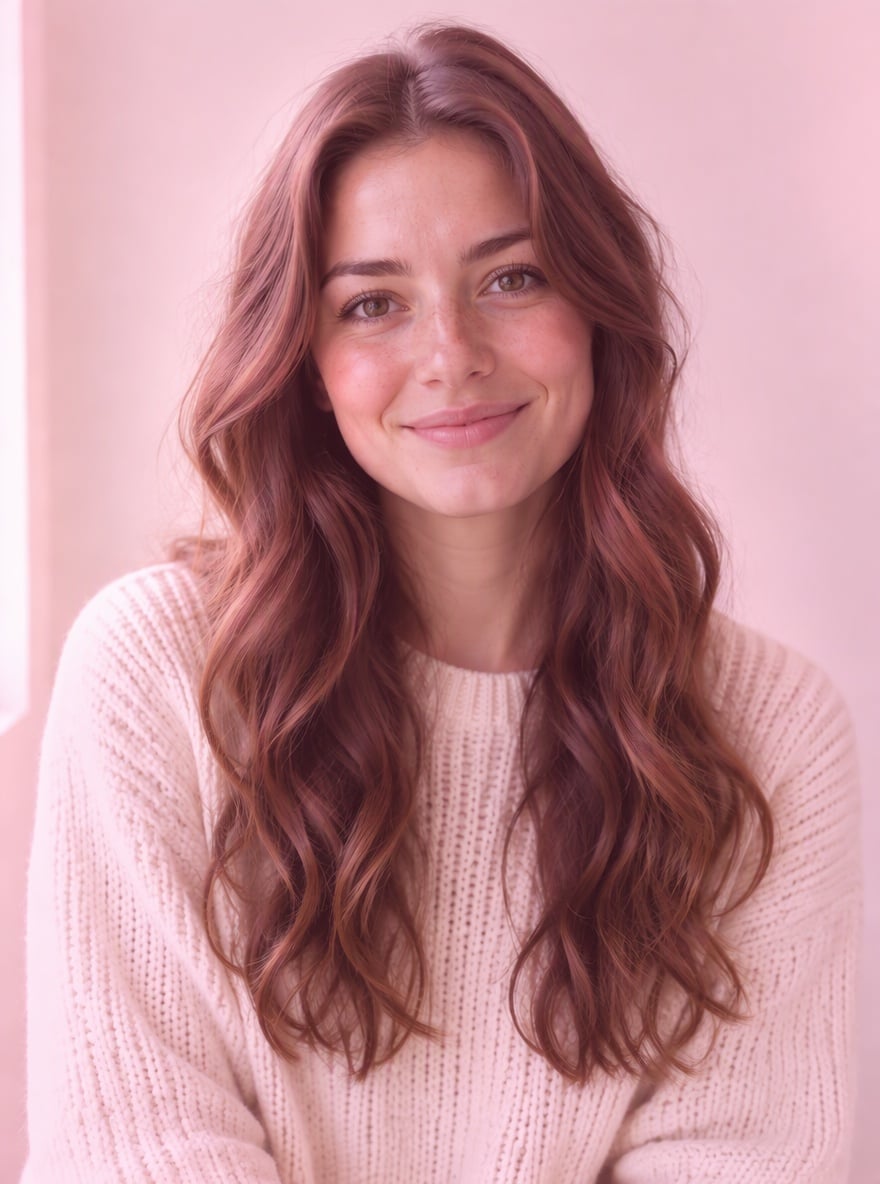
Blush portrait
A cream sweater portrait with rosy highlights and muted background colors.
Original
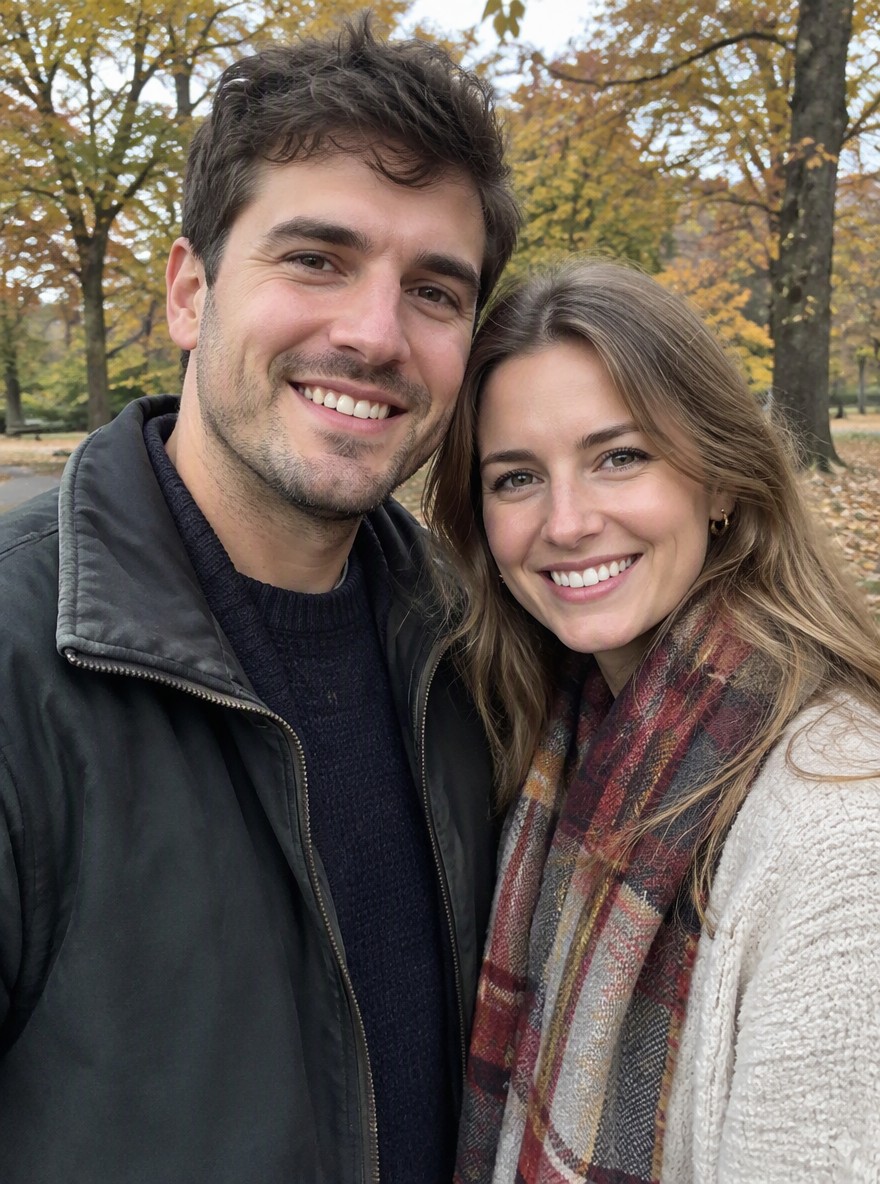
Pink tone
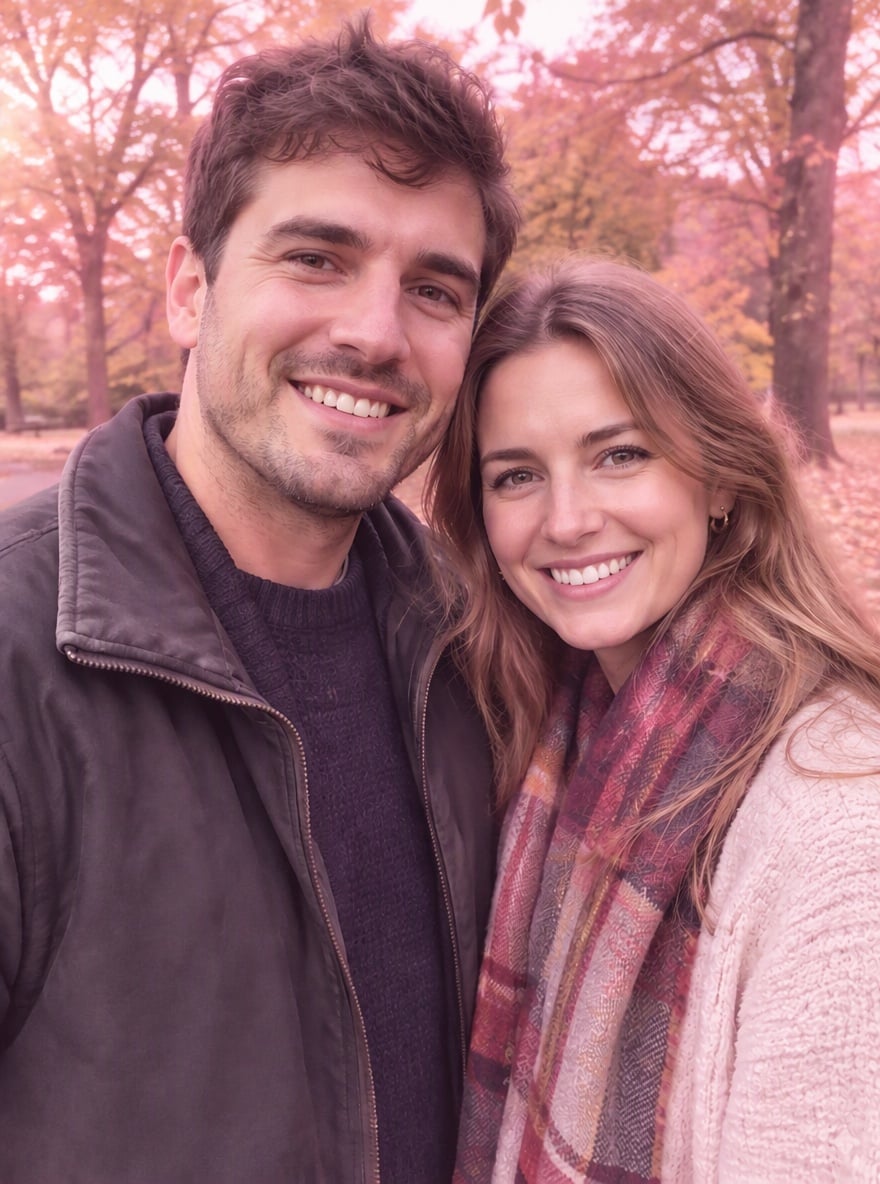
Autumn couple
A couple outdoors with a soft rose cast across the autumn scene.
Original
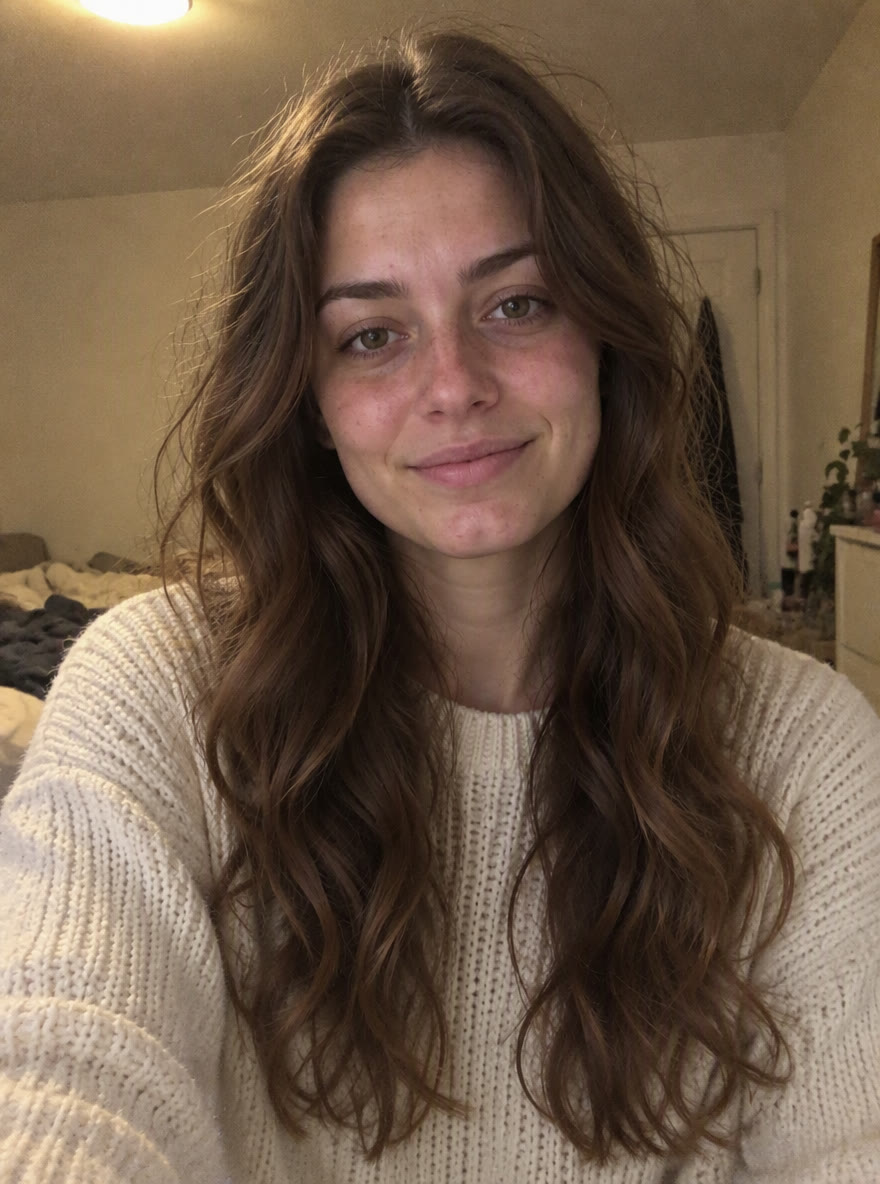
Pink tone
Window-light selfie
A window-lit selfie with pale pink highlights and a gentle haze.
Original
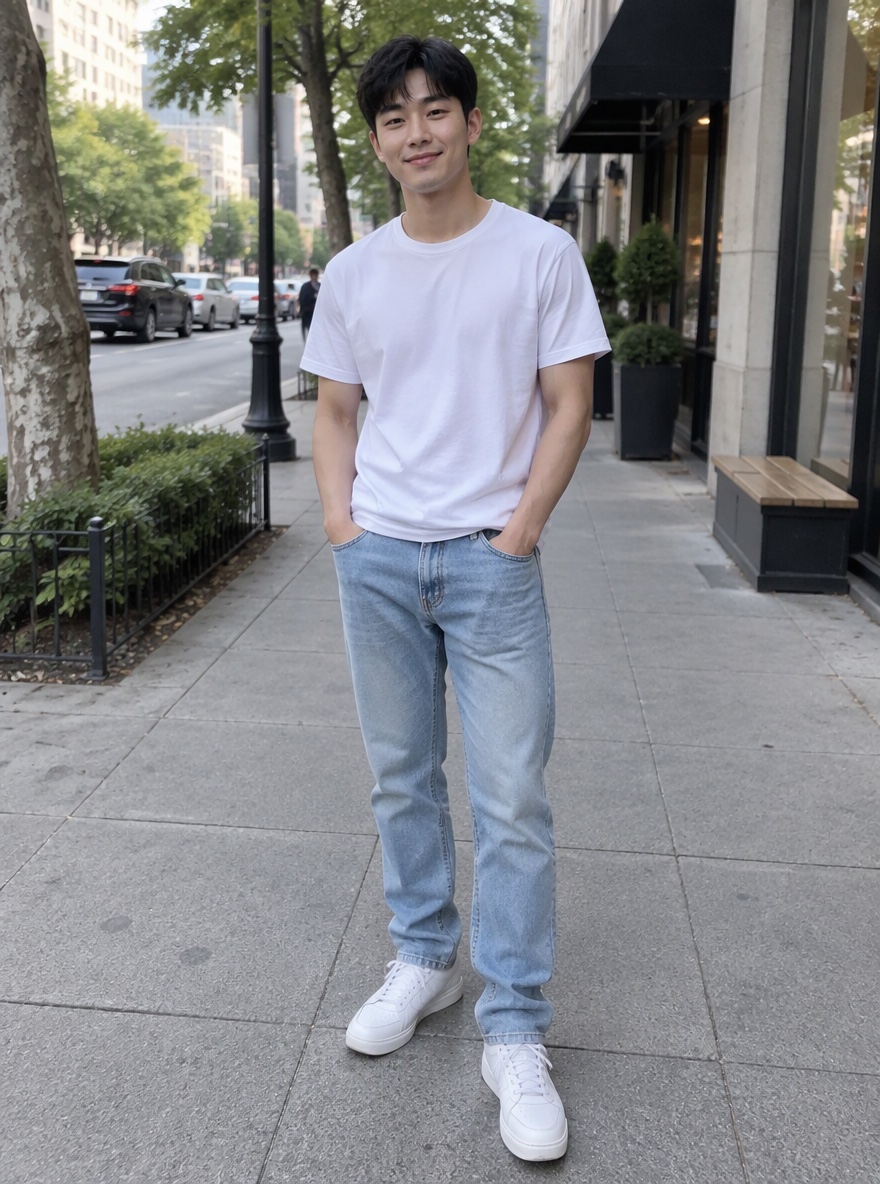
Pink tone

Street style
An outfit photo with pink-tinted light and softened street colors.
How do I get a light pink photo filter?
Pink photo filter’s Baby option requests pale pink highlights and gentle contrast for a lighter color grade. Soft pink requests a more even blush across the image; Rose pink asks for a richer, warmer tint. For a pink and white photo filter, choose Custom and ask for pale pink highlights with readable whites. These options change the model’s instructions, rather than an exact color slider. Results depend on the starting light and colors; inspect skin and bright fabric before sharing.
How do I put a pink filter over a photo on iPhone?
Pink photo filter works in a current iPhone browser: upload a photo, choose a pink tone and quality, then sign in and generate. No app installation is required. Upload a JPG, PNG or WebP up to 10 MB and 2048 pixels per side; convert HEIC first if needed. Save the completed PNG using the download button. The result is a fixed 3:4 image, so a wider original may have its framing extended or changed.
Is this pink photo filter free online?
Pink photo filter generation is not free with the current signup allowance. This tool currently offers 1 signup credit; one image needs 5–9 credits and an account. Browsing the examples is free. The smallest credit pack costs $5 for 10 credits, so the 5-credit option uses $2.50 of that pack. This is a credit equivalent, not a separate single-image purchase. Saving the completed PNG costs no extra credits.
Pink photo filter pricing and credits
One image costs 5, 7, 8 or 9 credits, depending on quality, with the same price for presets and Custom. The equivalents below use the smallest $5/10-credit Trial pack; other packs have different rates. You purchase a pack rather than the individual dollar amounts shown. Current signup allowance: 1 signup credit. Downloading the same completed PNG adds no credits; every new generation uses credits.
| Quality | Output | Credits | Trial-pack equivalent |
|---|---|---|---|
| Fast | 1K · PNG | 5 | $2.50 |
| HD | 2K · PNG | 7 | $3.50 |
| Ultra HD | 4K · PNG | 8 | $4.00 |
| Studio | 2K · PNG | 9 | $4.50 |
| Condition | What applies here |
|---|---|
| Signup allowance | 1 signup credit |
| Smallest purchase | $5 for 10 credits |
| Output | One still PNG, fixed 3:4, at 1K, 2K or 4K |
| Watermark | No added visible watermark; inspect the delivered image |
| Downloads | Included for the completed image; no recurring free quota |
| Access | Sign in to generate; higher quality needs purchased credits or an eligible plan |
| Photo handling | Uploads go to this site and its image provider. Account checks protect app previews and downloads; direct storage links may be accessible to their holders. |
| Failure | Confirmed provider failure returns credits. Unconfirmed requests remain pending; saving retries do not run generation or charge again. |
What this pink filter cannot guarantee
AI color grading can redraw a face, change small lettering or shift the original framing, even when the prompt asks for the same subject and scene. The output is fixed at 3:4 rather than your original aspect ratio. This page cannot provide an exact pixel-preserving overlay, selective-color mask, live camera effect, video or batch processing. It does not promise automatic deletion or rights clearance. Upload only photos you have permission to use.
Pink photo filter FAQ
A soft pink photo filter describes a color mood rather than one universal preset. The questions below cover face changes, selective colors, and Instagram effects. Review your finished image before posting it. If you need exact colors or unchanged geometry, use a conventional photo editor with manual adjustment controls; changing a prompt is not the same as applying a saved numeric preset.
Will the soft pink filter change my face?
The prompt asks the model to preserve recognizable features, expression, hair, clothing and surroundings while changing the color grade. AI can still redraw details or alter framing. This tool cannot guarantee an unchanged face or identical pixels. If exact geometry is essential, use a conventional color-adjustment editor instead.
Can I keep green areas in a pink green filter photo?
Choose Custom and describe the colors to retain, for example “light rosy highlights, keep leaves green, preserve neutral whites.” You can optionally add a color-reference photo below the description. This is a model instruction, not a selective-color mask, so exact color separation is not guaranteed.
Is this the pink photo filter inside Instagram?
This is a separate browser tool that returns a downloadable still PNG. It does not install an Instagram effect, identify a specific creator’s preset, apply a live camera filter or post to your account. Save the image and upload it to your chosen social app yourself.
More photo tools
Choose a different tool for warm golden light or a colored pencil drawing. Each tool has its own instructions and credit price. The pink photo filter is for a rosy color mood on a still photograph, rather than a full illustration or a video effect.