
Book mockup generator turns an existing cover into a promotional still for authors and book designers; AI can change lettering. One vertical 1K PNG costs 5 credits ($2.50 at the $5/10-credit pack rate); the current allowance is 1 signup credit, fewer than the 5 needed for one Fast image. Sign in to generate and download without a visible site watermark; eligible paid accounts can choose 2K or 4K output.
How to use the book mockup generator
Start with your finished front cover rather than a blank page or a photograph of a printed book. Choose the physical format and scene, check the credits and generate one image. The instructions ask for the cover to remain recognizable as it is placed into the new setting. Read the title and author name carefully, because a convincing book shape does not guarantee accurate lettering.
1. Upload a front cover
Use a flat, sharp JPG, PNG or WebP of your finished front cover, with title and author name already placed.
2. Choose a book scene
Pick Hardcover, Paperback or Stack. Custom requires a scene description and can use an optional scene reference.
3. Generate, inspect and save
Check the credits, sign in and generate. Review all lettering and edges, then download the PNG.
Cover-to-book scene examples
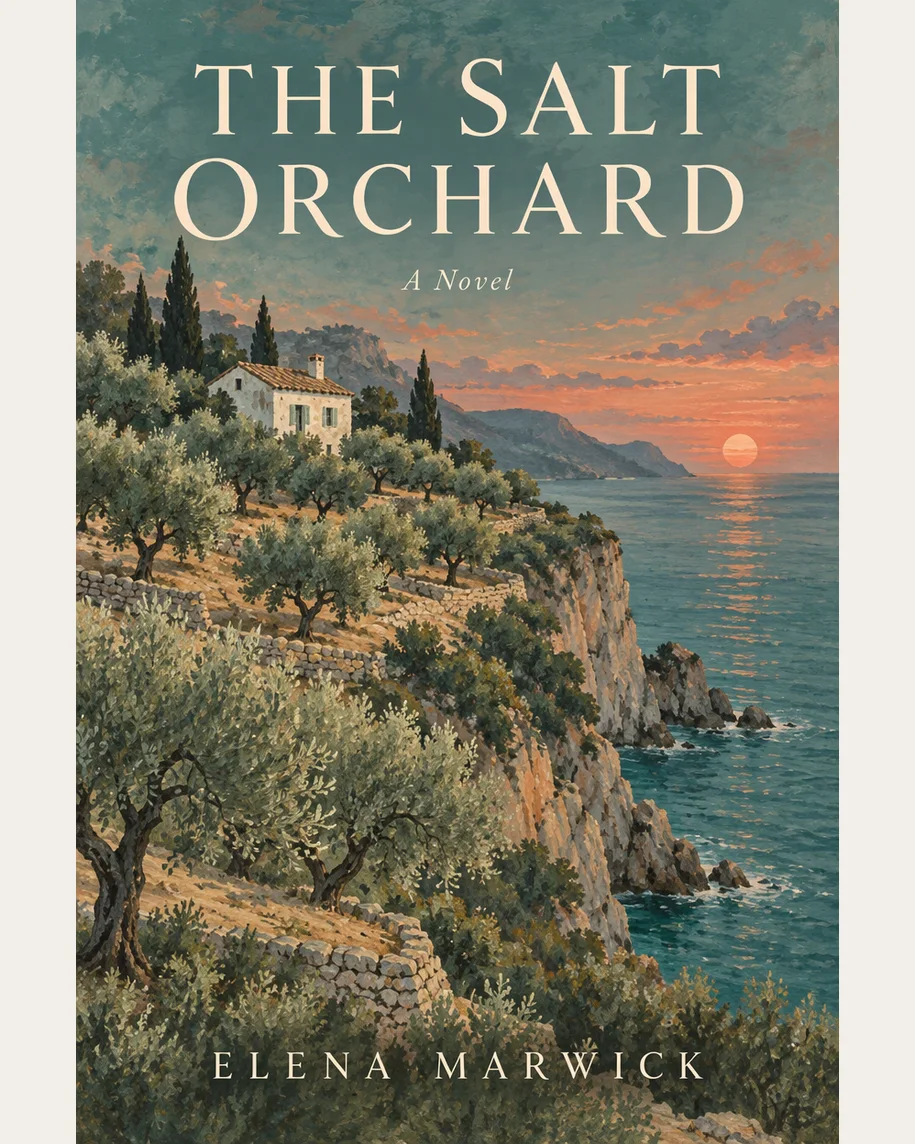
These four pairs use one illustrated novel cover in different settings: a standing hardback, a hand-held paperback, a coffee flat lay and a bookshop stack. Compare the original lettering and illustration with each scene rather than checking the background alone. The examples show possible compositions; your cover and selected output option can produce different results. They are visual guides rather than a promise of text accuracy.
Original cover
Book scene
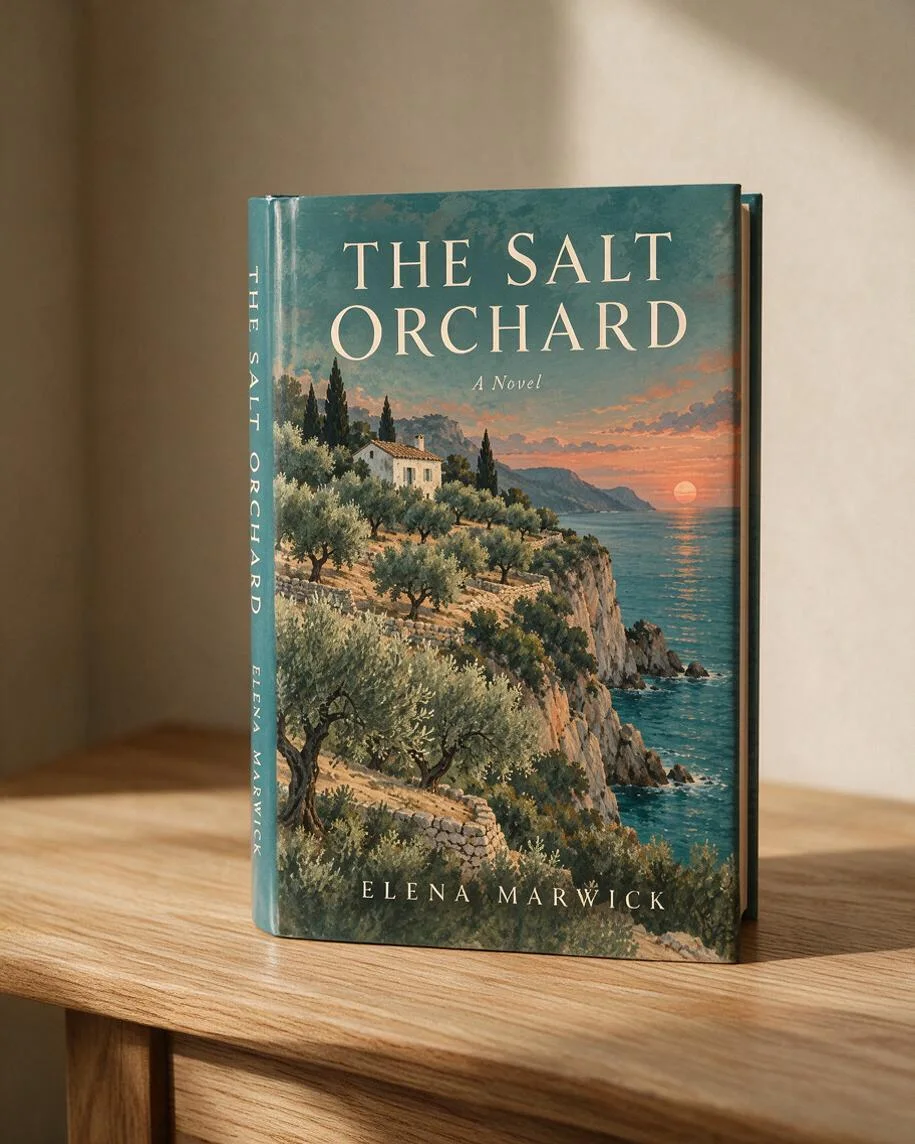
Hardcover on a wooden table
A standing hardback with a visible spine, warm side light and a simple indoor background.
Original cover
Book scene
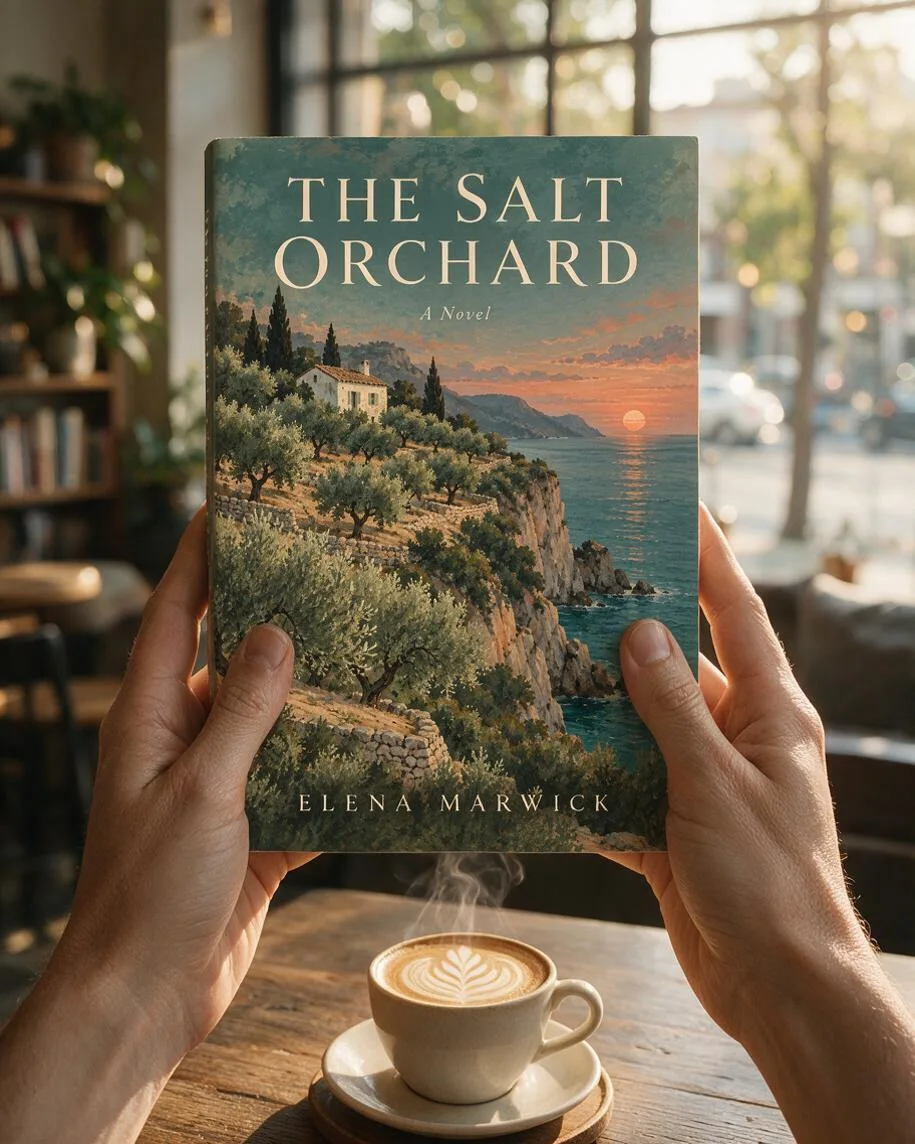
Paperback held in two hands
The same front cover on a hand-held book, with a softly lit café background.
Original cover
Book scene
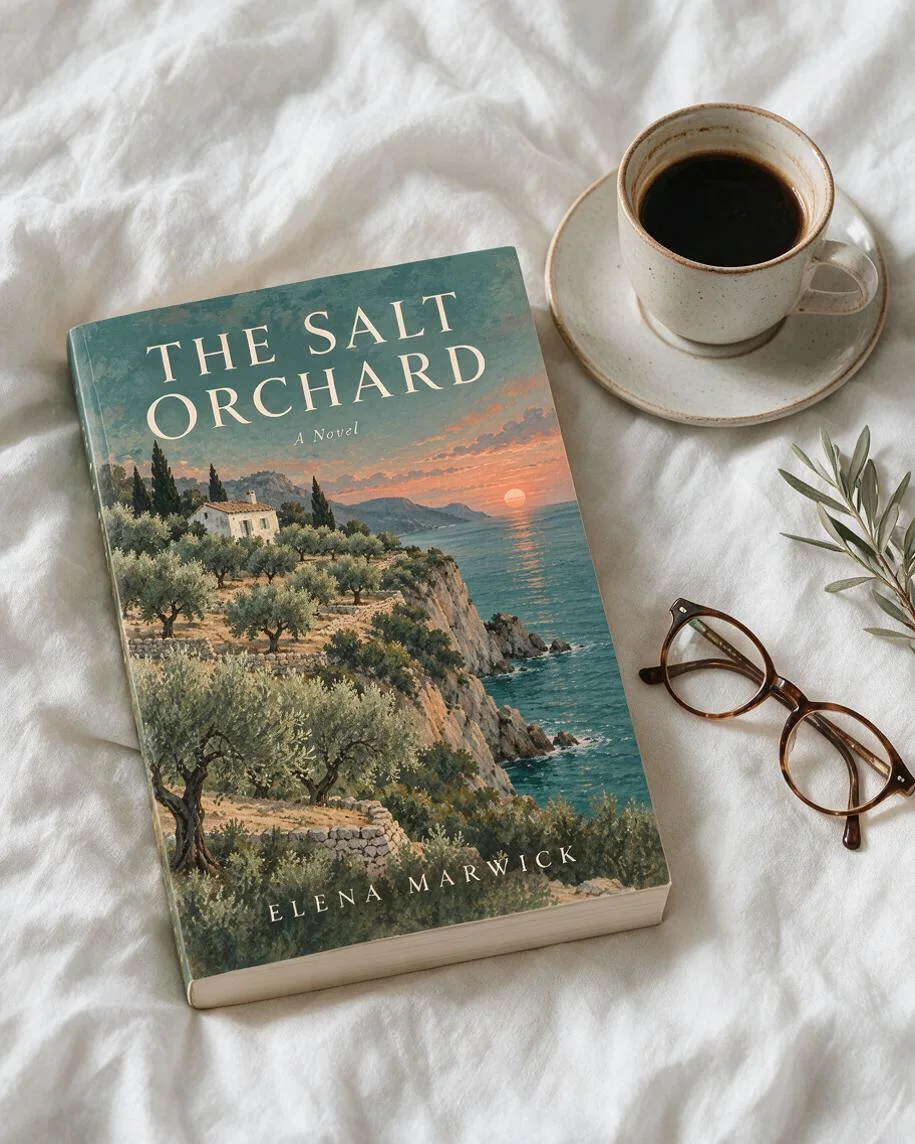
Book beside coffee and glasses
A closed book viewed from above on pale fabric, next to coffee, glasses and a sprig of leaves.
Original cover
Book scene
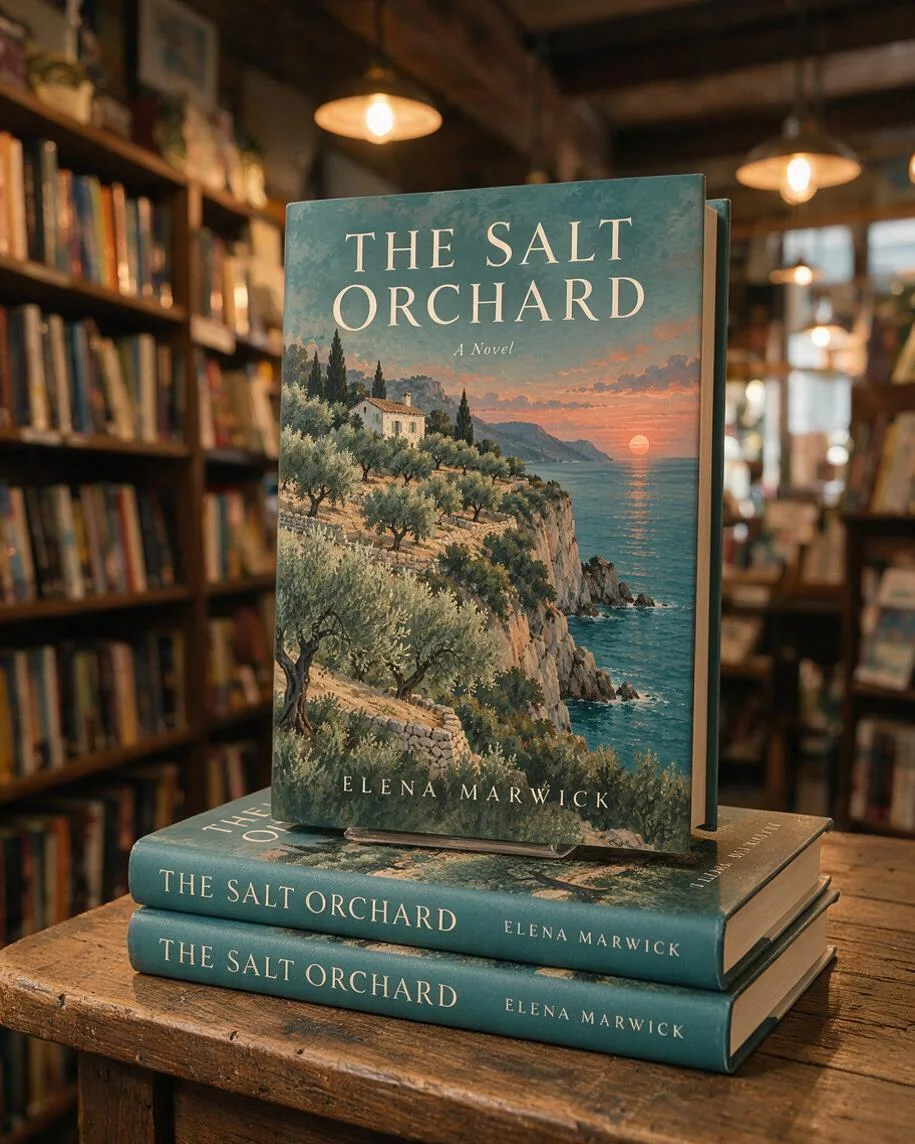
Bookshop display and stack
A front-facing book above two matching stacked copies, with shelves and warm lights behind it.
Is this a free book mockup generator?
This book mockup generator is not free to generate your own image; browsing the examples costs nothing. The current allowance is 1 signup credit, fewer than the 5 needed for one Fast image. One Fast image uses 5 credits, equivalent to $2.50 at the $5/10-credit pack rate. The smallest purchase is that $5 one-time pack. Downloading a completed PNG uses no additional credits and adds no visible site watermark.
How do I make a 3D hardcover or paperback book mockup?
A 3D book mockup starts with a flat front-cover image and adds perspective, a physical book shape, shadows and a setting. Upload the finished cover, choose Hardcover, Paperback or Stack, and select an output option. The prompt asks the model to retain the cover artwork and lettering, but AI can alter text and proportions. Inspect the title and author name before using the downloaded image. The output is a still picture, not an editable 3D model.
Can I upload a book mockup with the front and back cover?
This book cover mockup tool expects the front cover alone. Crop the front panel out of a full-wrap design before uploading: a back cover, spine and front in one image can be interpreted as one wide cover. The model invents visible book edges and any spine details; it cannot calculate a print-ready spine from a page count. Use this tool for promotional pictures, and prepare a separate publisher-approved wrap for printing.
Pricing & credits
One vertical still image uses 5–9 credits, depending on the output option. At the $5/10-credit pack rate, that equals $2.50–$4.50 of credits per image. The smallest purchase is a $5 one-time pack with no subscription required. HD, Ultra HD and Studio need eligible paid access. Downloading an existing result is included; a new scene or variation uses credits again.
| Quality | Output | Credits | Pack-rate equivalent |
|---|---|---|---|
| Fast | 1K · 9:16 PNG | 5 | $2.50 |
| HD | 2K · 9:16 PNG | 7 | $3.50 |
| Ultra HD | 4K · 9:16 PNG | 8 | $4.00 |
| Studio | 2K · 9:16 PNG | 9 | $4.50 |
| Feature | Details |
|---|---|
| Signup allowance | 1 signup credit, fewer than the 5 needed for one Fast image |
| Smallest purchase | $5 once for 10 credits |
| Download | One PNG; no extra download credits |
| Watermark | No visible site watermark added |
| Access | Account required; higher output options need eligible paid access |
| Failed requests | Confirmed provider failures return credits. A delivered valid image awaiting storage stays charged and uses the same request. |
| Cover handling | Images are stored by this site and sent to the image provider. Account checks protect app previews and downloads; direct storage links may be accessible to holders. No automatic deletion is promised. |
What this mockup tool cannot do
AI book scenes are not print proofs. The model can alter small text, artwork, proportions, fingers or spine details despite instructions to preserve the cover. There is no exact trim-size, page-count or bleed calculation, no guaranteed transparent background, and no PSD, full-wrap PDF, animation or 3D file export. The output is a vertical scene, not a new cover design. Use the original cover file for publishing and inspect every generated detail before marketing.
Book cover mockup FAQ
Check the export format, book shape, browser access and image rights before starting. These details help you decide whether a promotional still fits the job or whether you need a separate design or print-layout tool. Review the answers before uploading your cover.
Can I download a book mockup PSD?
No. Downloads are flattened PNG images. This tool does not export Photoshop smart objects, layered PSD files, print PDFs or editable 3D assets.
Can I make a square book mockup?
Custom lets you request a square-shaped physical book and describe its setting. The exported scene still has a fixed vertical 9:16 frame; square export is not offered. AI may change the book proportions, so this is not a trim-size proof.
Can I use the book mockup generator online without an app?
Yes. Use a phone or desktop browser, upload JPG, PNG or WebP up to 10 MB and sign in to generate. The browser prepares images to at most 2048 pixels per side. Convert HEIC photos first. No installed design app is required.
Can I use a mockup in book marketing?
Use covers, artwork and optional reference images you have permission to use. Review every generated image for inaccurate text, unwanted marks and third-party content before publishing it. This tool does not verify rights or grant permission to use someone else’s cover.
More product image tools
Design a front cover before making a mockup, or try placing a design on a T-shirt. The cover tool creates artwork for a new book, while this page uses an existing cover for promotional scenes. Each tool has its own inputs and credit prices.