
This lens flare filter edits one photo into a single 3:4 PNG for a portrait, car shot, or social post. Choose the light style or describe a custom effect; instructions ask to preserve the subject, but AI can change details. One image costs 5–9 credits, from $2.50 using the $5 pack of 10 credits; the current 1-credit signup allowance is short of the 5-credit minimum. Output is 1K–4K with no added visible watermark.
How to add a lens flare effect to a photo
Upload one photo, choose the flare style and output quality, and generate an edited image. Custom lets you specify the color, direction, and intensity in words, with an optional light-style reference. The editor sends your photo for processing rather than placing a movable overlay in your browser. Compare the generated subject and highlights with the original before saving the result.
1. Upload your photo
Choose JPG, PNG, or WebP, up to 10 MB and 2048 pixels per side. An existing sun, lamp, or headlight gives the flare a plausible starting point.
2. Choose the light
Select Golden sun, Soft haze, or Edge light. For Custom, describe the light you want; an optional second image guides its appearance.
3. Inspect and download
Check faces, lettering, shadows, and bright areas against your original. Download one 3:4 PNG; keep your source photo for comparison.
Lens flare before-and-after photos
Compare the original and edited image in each pair to see where the light sits, how much haze it creates, and whether important details remain clear. These examples illustrate a light effect rather than a promise about your own result. Your photo, chosen preset, and custom instructions can produce different colors, highlights, or changes to the subject.
Original
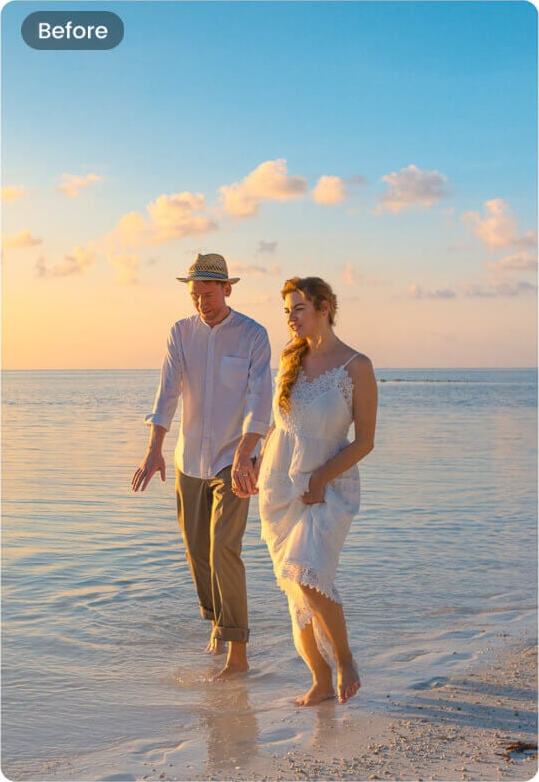
With flare
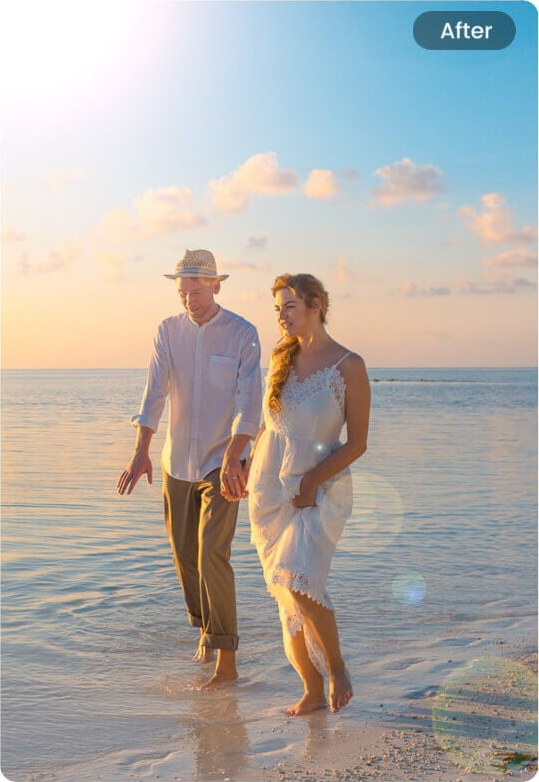
Golden light by the sea
A couple by the sea with a golden glow from the upper left. Compare the faces and the light direction.
Original
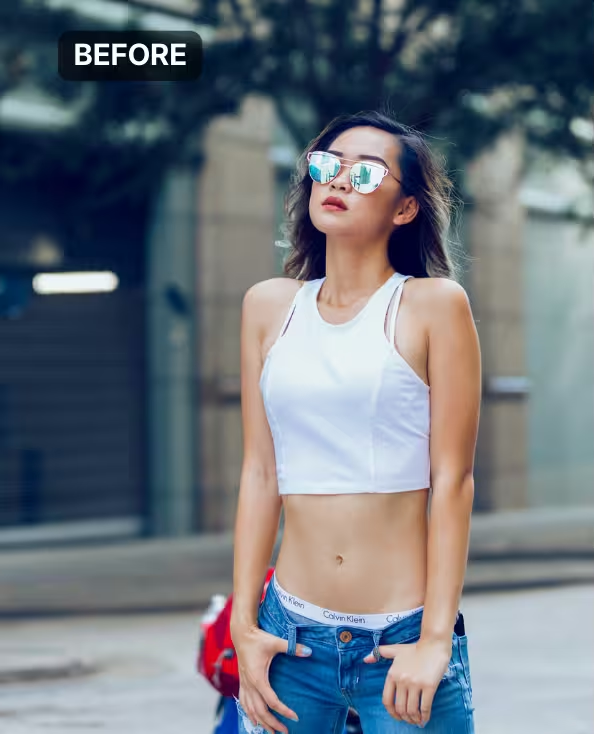
With flare
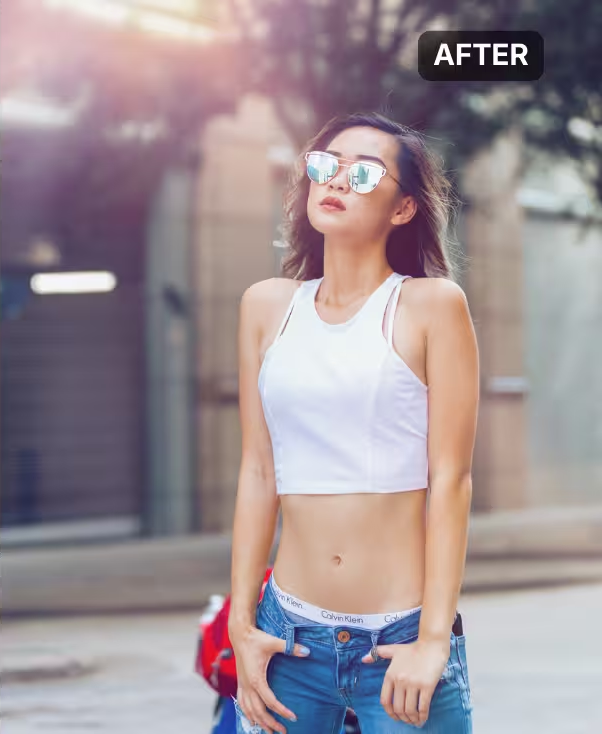
Soft city haze
A city portrait in mirrored sunglasses and a white sleeveless top with pink-gold haze above. Compare reflections and contrast outside the glow.
Original
With flare

Warm edge light
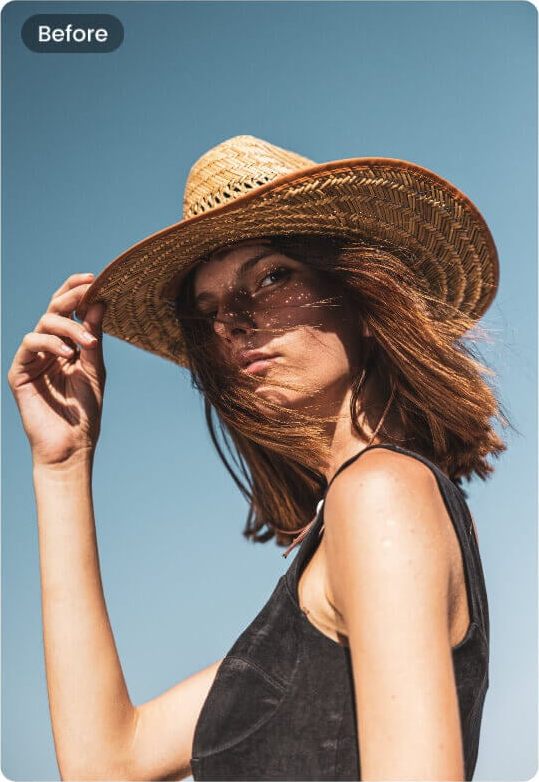
A woman in a straw hat with a warm light leak at the left edge. Compare the face and hat details outside the glow.
Is this lens flare effect free?
The 1-credit signup allowance does not cover the 5-credit minimum. Browsing examples and choosing settings is free; generating your own photo costs 5–9 credits. The $5 pack contains 10 credits and is a pack purchase, not a $2.50 single-image checkout. Sign-in is required, and there is no daily free generation quota, separate download fee, or added visible watermark.
Can I add a lens flare effect online on my iPhone?
You can use this lens flare effect online in an iPhone, Android, or desktop browser without installing an app. Upload a photo from your device, choose a preset or write a custom light description, and sign in to generate. Save the resulting PNG after processing. This is an online image editor: your photo is uploaded, and an internet connection is needed to submit and retrieve the result.
What are the different types of lens flare effect?
A sun flare adds warm haze and a bright light source; an anamorphic flare creates a long horizontal streak, often blue; rainbow ghosts add colored rings or small reflections along the light direction. The presets here focus on warm light: Golden sun, Soft haze, and Edge light. Use Custom to request a blue streak, rainbow ghosts, or another flare, describing its position and strength; these are interpreted instructions, not exact optical controls.
Is a lens flare overlay the same as an AI lens flare filter?
A lens flare overlay is a separate image layer that you position and blend onto a photo. This AI lens flare filter instead generates the light into a new version of the photo, using the selected style or your description. It offers no draggable light source, layer stack, or pixel mask. An overlay gives more predictable control over unchanged pixels; an AI edit may also redraw surrounding details.
Lens flare effect pricing and credits
One submission produces one image and costs the credits shown below, including an optional Custom reference. Dollar examples use the $5 pack of 10 credits; other packs and subscriptions can have a different price per credit. Fast needs sign-in and a sufficient balance. HD, Ultra HD, and Studio also require paid access. Confirmed failed generations return the original credits; an unconfirmed submission should be checked as the same request.
| Quality | Output | Credits | Pack-equivalent cost |
|---|---|---|---|
| Fast | 1K · PNG | 5 | $2.50 |
| HD | 2K · PNG | 7 | $3.50 |
| Ultra HD | 4K · PNG | 8 | $4.00 |
| Studio | 2K · PNG | 9 | $4.50 |
| Condition | What applies here |
|---|---|
| Signup allowance | The current 1-credit signup allowance is short of the 5-credit minimum. |
| Minimum pack | $5 for 10 credits; enough for two Fast edits at 5 credits each. |
| Download | One 3:4 PNG per successful edit; no separate export charge. The selected tier sets the output resolution, not the original file dimensions. |
| Visible watermark | No visible watermark is added. Existing marks in your photo are not a removal target. |
| Account and payment | Sign-in and enough credits required; paid access required for HD, Ultra HD, and Studio. No card needed to browse examples. |
| Failed or unconfirmed request | Confirmed failures refund credits. If submission is unconfirmed, check the same request instead of paying for another attempt. |
What this lens flare editor cannot guarantee
The editor cannot guarantee unchanged faces, text, products, or background pixels. Preservation is an instruction to the model, not a hard mask, and adding strong light can obscure details. It does not recover clipped highlights, edit RAW files, or export the original pixel dimensions. Every result is one 3:4 still image; fitting a wide photo may extend its background. There are no video effects, sound effects, plugins, editable layers, or batch exports.
Lens flare effect FAQ
This tool creates a finished still photo with a generated light effect. Keep your original image and inspect the edited version before using it in a post or design. The answers below explain the optical meaning of lens flare, the download format, importing a result into another editor, and what happens to an uploaded photo.
What causes the lens flare effect in a real camera?
Bright light can reflect and scatter inside a lens, producing haze, rings, or bright ghosts. This editor simulates that appearance in a photo; it does not change how the original camera captured the light.
Can I download a transparent lens flare effect?
No. The download is your edited photo as a PNG, with the generated light included. PNG is the file format, not a promise of transparency. A separate transparent flare, overlay pack, or isolated light layer is not exported.
Can I use the finished lens flare photo in Photoshop?
Yes. Download the PNG and open or place it in Photoshop or another image editor that accepts PNG. It is a flattened photo, so the light is not a separate editable layer. No Photoshop plugin or preset is included.
Where are my uploaded photos sent?
Your uploads go to this site’s storage and its image-processing provider. Viewing and downloading the result require its owning account, but anyone holding a direct storage link may be able to open it. This page does not promise automatic deletion after a fixed period; upload only photos you have permission to edit.
More photo lighting tools
Choose another photo tool when your goal is broader than a light flare. Warm Filter changes the color grade of a photo, while AI Relight requests a different lighting treatment. This page focuses on a visible light accent such as a sun glow or horizontal streak, with the existing photo as its starting point.