
Lip filler filter is an AI photo editor for people comparing fuller-looking lips; it requests a change to lip fullness while keeping the face and photo recognizable, but exact preservation is not guaranteed. The current 1-credit signup allowance is below one generation. One 3:4 PNG starts at 5 credits, about $2.50 at the $5/10-credit pack rate, with no added visible watermark or separate download charge; this is a visual simulation, not a treatment prediction.
How the AI lip filler simulator works
AI lip filler simulator starts with one clear portrait rather than a live camera feed. Choose a subtle, balanced or fuller visual effect, then select image quality and review the credit cost. Custom requires a description and can use an optional lip-style reference. After generation, compare the lips with your original photo before downloading the PNG. The result is a new AI-edited image; the face and background may also change.
1. Upload a clear portrait
Use one front-facing person, visible lips and even light. JPG, PNG or WebP must fit 10 MB and 2048 pixels per side.
2. Choose lip fullness
Select Subtle, Balanced or Fuller. Custom accepts a required description and an optional lip-style reference. Quality and credit choices stay visible.
3. Compare and download
Check lip shape, teeth and the surrounding face. Download one 3:4 PNG: 768×1024, 1536×2048 or 2480×3312 depending on quality.
Lip filler before and after filter examples
Lip filler before and after filter examples place the original portrait beside a fuller-lip interpretation. Compare the upper-lip outline, cupid’s bow and overall balance instead of assuming that a fuller image represents a particular filler volume. Each pair shows a visual editing direction, including a masculine portrait. Your photo, chosen direction and AI interpretation affect the result; these examples do not establish treatment outcomes or guarantee the same change on another face.
Original
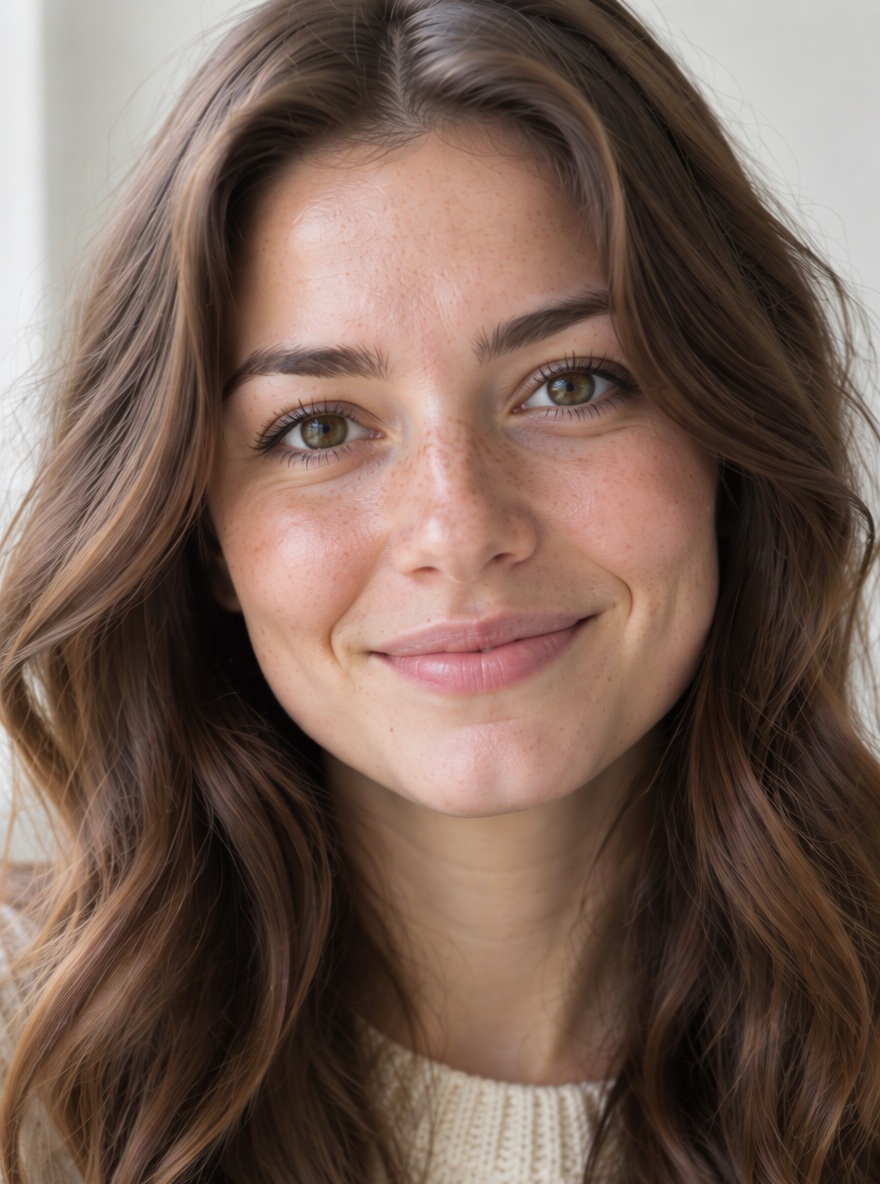
Lip preview
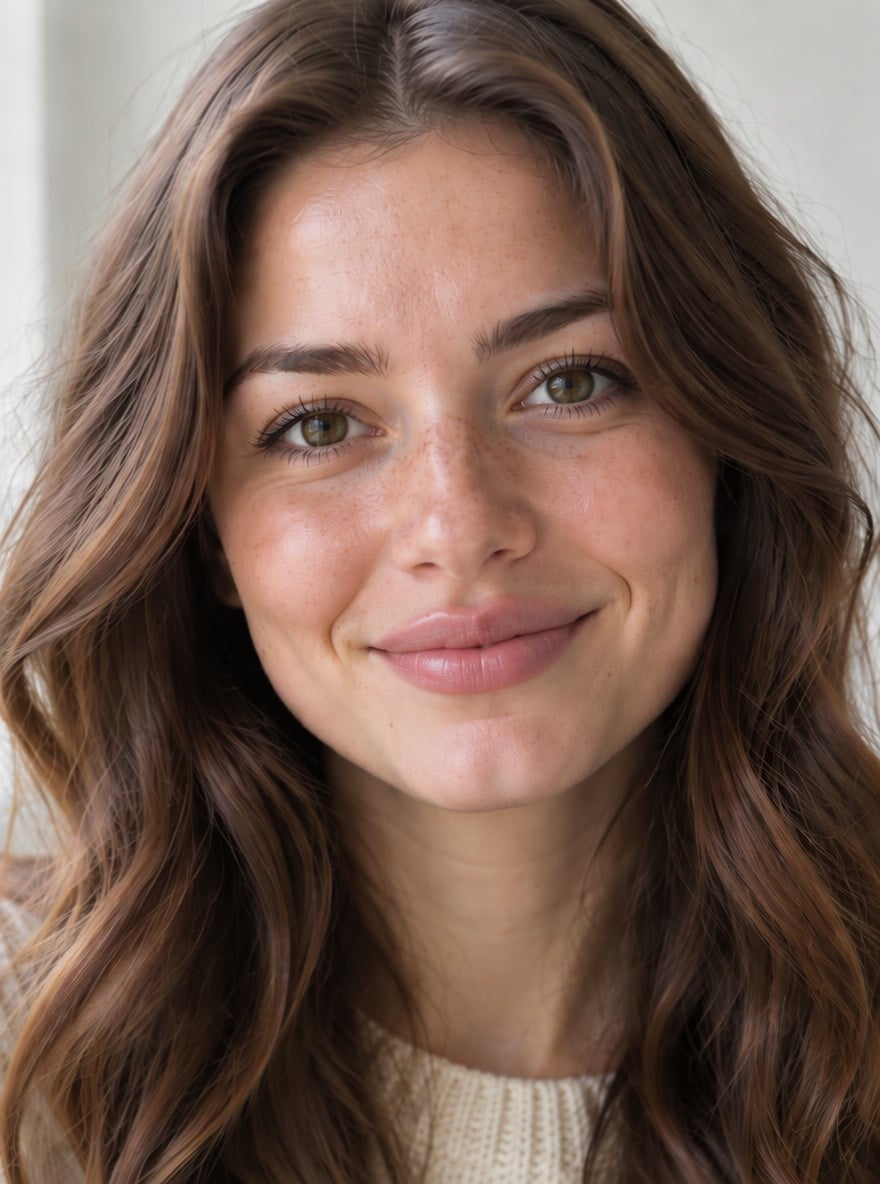
Fuller upper-lip look
The comparison shows a more prominent upper lip and fuller overall outline. This is an appearance change without a millilitre label.
Original
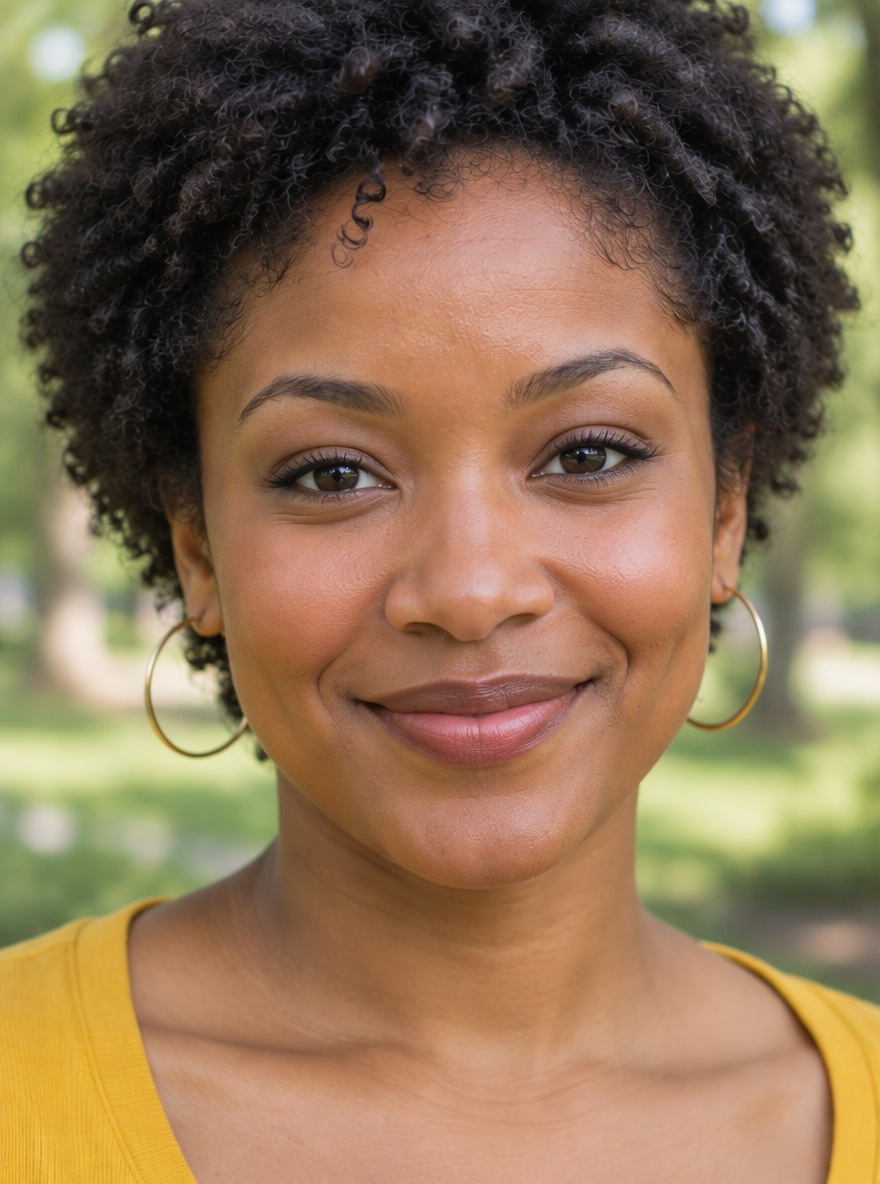
Lip preview
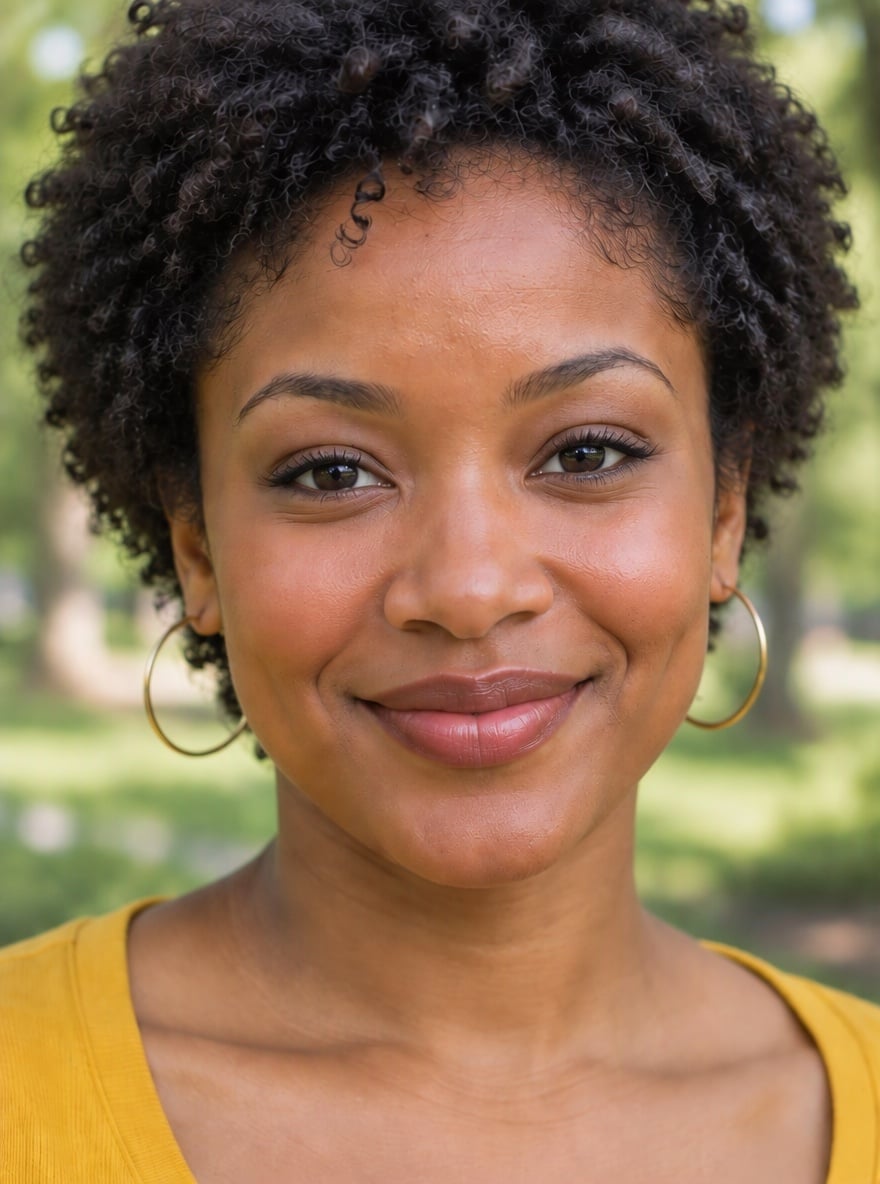
Defined cupid’s bow
A clearer upper-lip outline and fuller center change the visible cupid’s bow. Compare the whole face as well as the lips.
Original
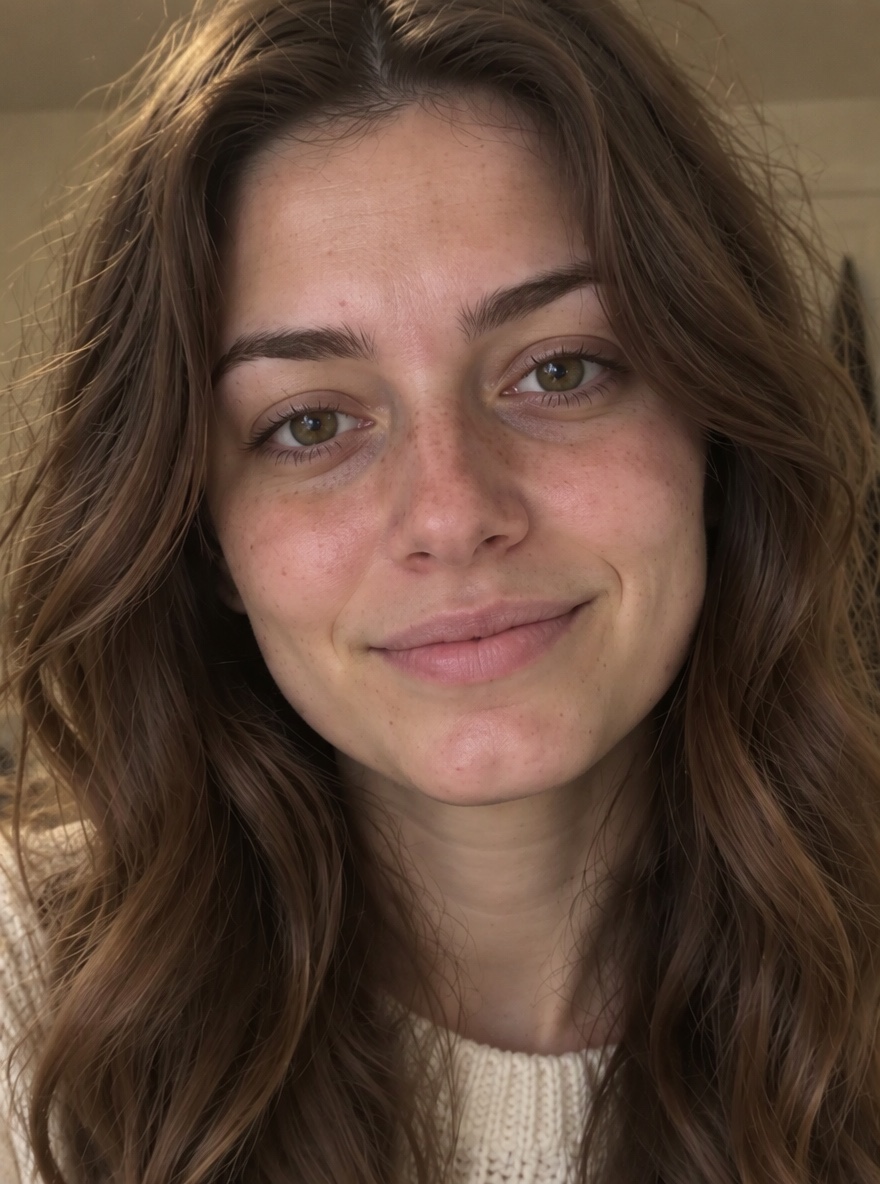
Lip preview
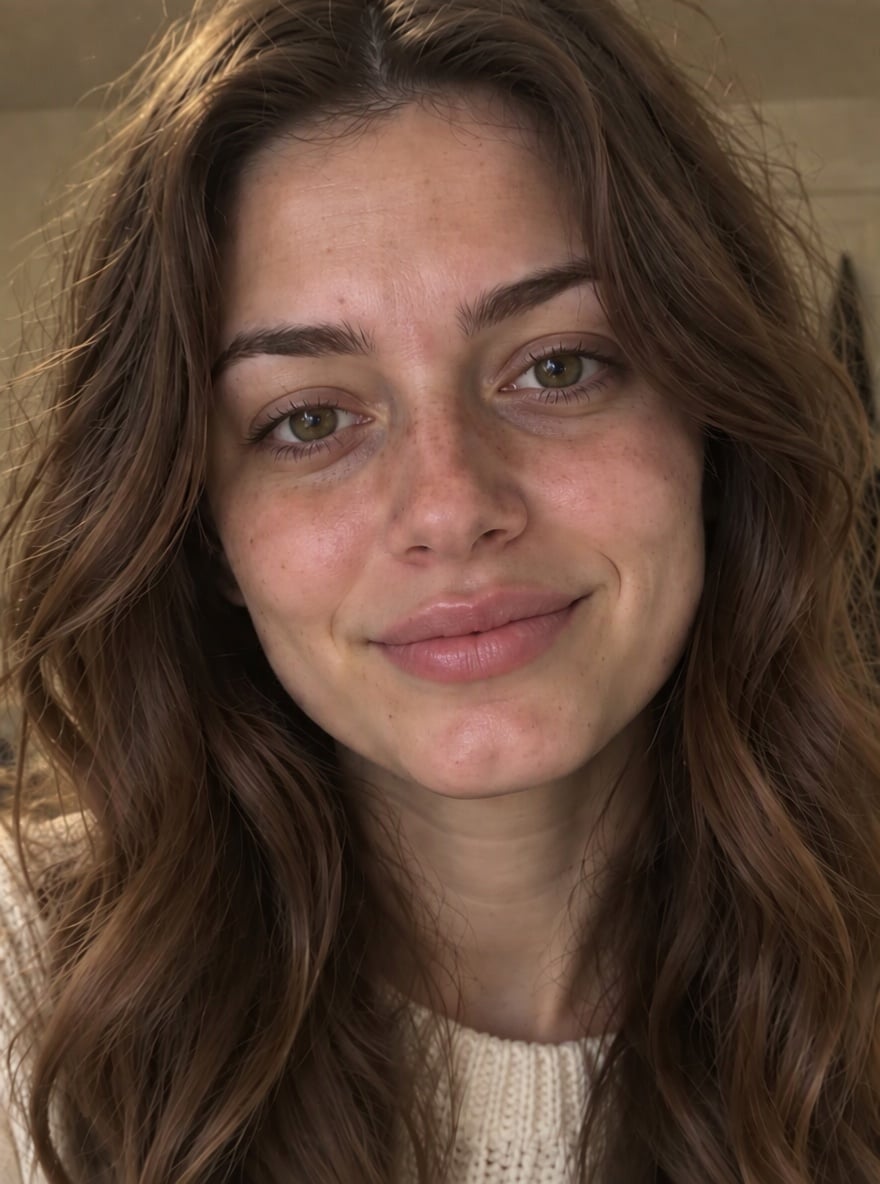
Natural plump direction
This pair explores apparent lip fullness while retaining a familiar portrait. A subtle request can still change texture or nearby details.
Original

Lip preview

Fullness in a masculine portrait
A man’s portrait shows a change in apparent lip fullness. The effect is a visual editing idea, with no predicted treatment volume.
Is this lip filler filter free online?
This lip filler filter is not free with the current signup allowance. Browsing examples and preparing an upload costs nothing, but an image uses at least 5 credits. The current 1-credit signup allowance is below one generation. From zero balance, the smallest purchase covering an image is the $5 one-time pack with 10 credits. There is no recurring daily free quota. Downloading a completed PNG has no additional charge, and this tool adds no visible watermark.
Does a 0.5 ml or 1ml lip filler filter predict real results?
A 0.5 ml lip filler filter or 1ml lip filler effect is a visual interpretation, not a measured preview of an injection. This tool uses Subtle, Balanced and Fuller directions rather than millilitre labels because an image cannot determine how a treatment will look. Compare the apparent lip shape and fullness only. Do not use the result to choose an injection amount or expect a real procedure to reproduce it.
Is this the lip filler filter on Snapchat or TikTok?
This lip filler filter edits an uploaded photo and returns one still PNG. It is separate from a Snapchat Lens or TikTok live camera effect: it does not track your mouth while you move, record a reaction video or install a social-media filter. Use it when you want to compare a saved portrait with an AI-edited version in a browser. For a live camera effect, use the camera tools in the relevant app.
Lip filler filter pricing & credits
Lip filler filter charges per generated image, including Custom with an optional style reference. Fast costs 5 credits, about $2.50 at the $5/10-credit pack rate. From zero balance, that one-time pack covers an image without a subscription. HD, Ultra HD and Studio require paid access. Every new generation spends the amount shown on the button; downloading its completed PNG uses no extra credits.
| Quality | Output | Credits | Pack-rate equivalent |
|---|---|---|---|
| Fast | 1K · PNG | 5 | $2.50 |
| HD | 2K · PNG | 7 | $3.50 |
| Ultra HD | 4K · PNG | 8 | $4.00 |
| Studio | 2K · PNG | 9 | $4.50 |
| Item | What you receive |
|---|---|
| Signup allowance | The current 1-credit signup allowance is below one generation. |
| Minimum purchase | $5 one-time Trial Pack · 10 credits. No subscription required. |
| Download | One PNG included; no second download charge. |
| Visible watermark | This tool adds no visible watermark. Supplier provenance metadata is not removed. |
| Quality access | Fast requires sign-in and enough credits. HD, Ultra HD and Studio require paid access. |
| Unfinished requests | Confirmed provider failure or an invalid output returns the charged credits. Lost confirmation or temporary saving delays keep the same request for recovery; do not pay again. |
What a lip filler photo filter cannot show
Lip filler photo filter cannot predict an injection result, measure filler volume or recommend a treatment. It also cannot guarantee that every pixel outside the lips stays unchanged. Teeth, skin texture, facial proportions and backgrounds can shift, especially in blurred, side-view or heavily edited photos. This tool produces one still PNG, without live face tracking, editable layers or video export. Review the full image and treat it as a visual idea rather than evidence about a real procedure.
Lip filler filter FAQ
Lip filler filter works from a portrait and a visual direction. Subtle requests a small change, Balanced requests moderate fullness and Fuller requests a more noticeable effect; these names describe appearance rather than quantities. Custom lets you describe lip-shape preferences within the same photo-editing task. The answers below cover natural-looking requests, Russian-style searches, browser access and sign-in. The selected quality and credit cost apply to each separate generated image.
Can I request a natural lip filler filter?
Choose Subtle to request a small increase in lip fullness with the original lip color and outline. Use a clear, evenly lit portrait. The prompt asks to preserve the surrounding face, but no preset guarantees a natural-looking or exact result.
Can I try a Russian lip filler filter?
Choose Custom and describe the visible shape you want, such as a more defined cupid’s bow, then optionally add a lip-style reference. The model interprets appearance only. It does not simulate an injection technique, and the reference does not replace your portrait’s identity.
Do I need a lip filler filter app?
No app installation is required. Open this tool in a current mobile, tablet or desktop browser, upload a portrait and choose a direction. It returns a still image rather than a camera effect. An internet connection, sign-in and enough credits are required to generate.
Can I use the AI lip filler filter without signing up?
You can browse examples and prepare your settings without an account; generation and result access require sign-in. Uploads go to this site and its image provider. Result access checks your account, but anyone holding a direct storage link may be able to open it. Only upload photos you have permission to edit.
More portrait editing tools
Bold Glamour Filter offers a separate makeup-style portrait transformation. No Beard Filter focuses on facial-hair removal. Each tool has its own controls, output and credit costs. This lip filler filter stays focused on apparent lip shape and fullness in one portrait; it does not combine a full makeover with the lip change. Use the original photo again when comparing different editing tasks.