
Linocut generator is an AI image tool for anyone who wants the look of a hand-pulled relief print from a photo, for posters, cards or a carving sketch. The prompt asks the model for carved lines, solid blacks and paper texture while it tries to hold the pose and likeness; results vary. The current 1-credit signup allowance is below one generation. One 3:4 PNG starts at 5 credits, about $2.50 at the $5/10-credit pack rate, with no added visible watermark.
How to make a linocut from a photo
Linocut generator turns one uploaded photo into one linocut-style PNG in three steps. Upload a clear photo, choose Scene to carve the background too or Subject to set the subject on plain paper, then check the image quality and credits beside Generate. Use Custom to ask for a second ink color, thicker lines or less detail. The prompt requests the same pose and subject; results vary by photo.
1. Upload your photo
Choose one clear photo in JPG, PNG or WebP, up to 10 MB and 2048 pixels per side. Portraits, couples, pets and street scenes work; upload only a photo you may edit.
2. Choose a print style
Pick Scene or Subject, or use Custom to describe ink colors, line weight and detail. Select image quality and check the credits beside Generate.
3. Review and download
Check faces, small lines and the background, then download the PNG. If a request is unconfirmed, check the same request instead of paying again.
Linocut generator examples: photo to print
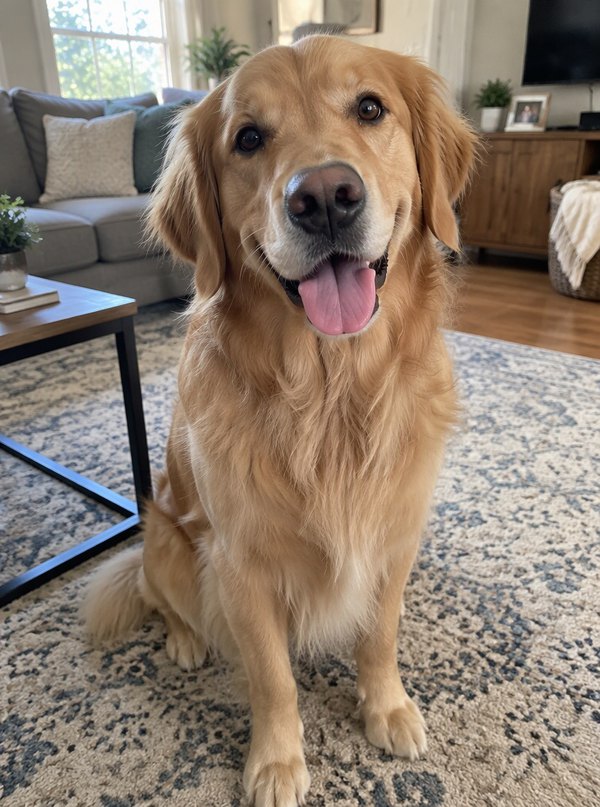
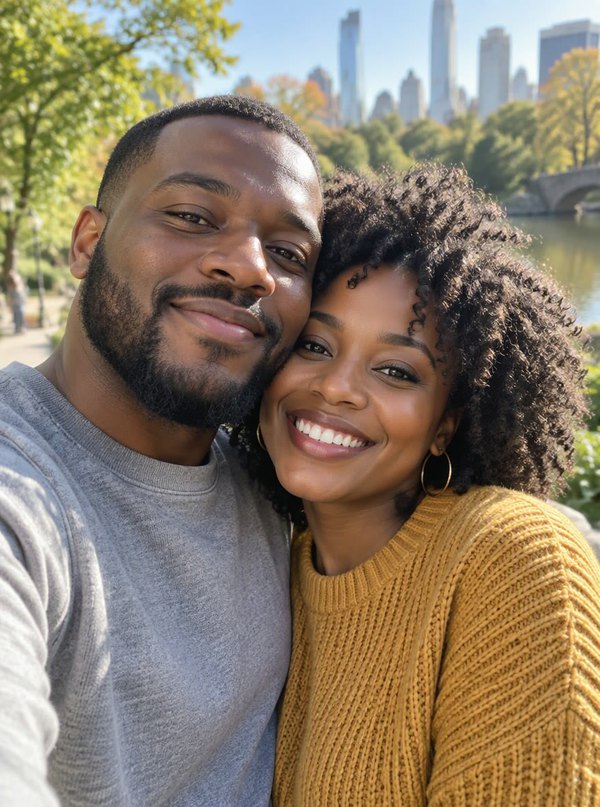
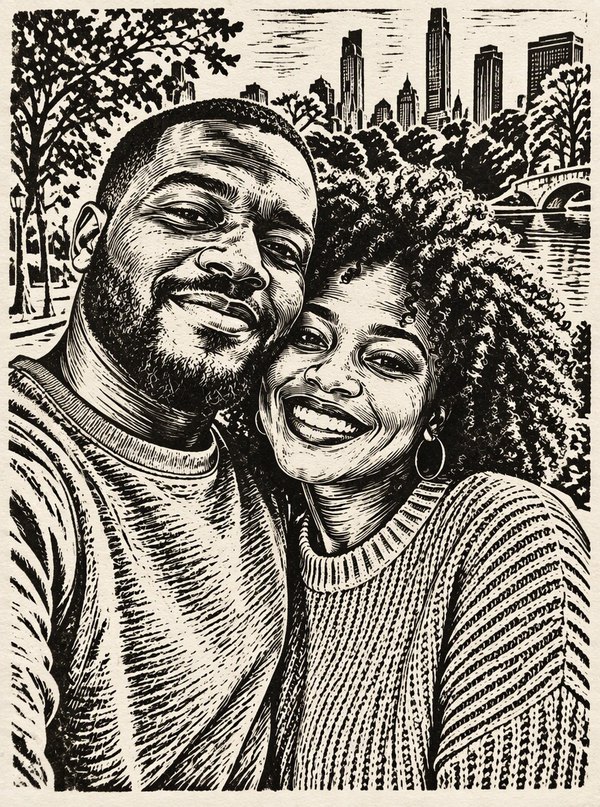
Linocut generator examples show four ordinary photos next to black-and-white linocut versions: a portrait on plain paper, a man on a city street, a golden retriever at home and a couple in a park. Compare how carved hatching replaces skin tones, fur and sky while the pose and framing line up. These pairs illustrate the visual direction of the presets; results from your own photo will differ.
Photo

Linocut
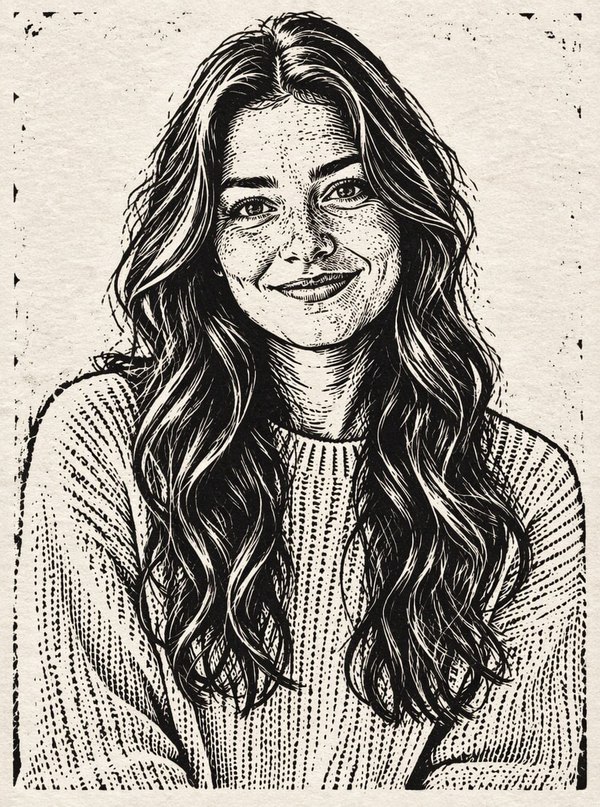
Portrait to linocut print
A soft studio portrait redrawn with carved hatching in the hair and knit sweater on plain paper.
Photo

Linocut
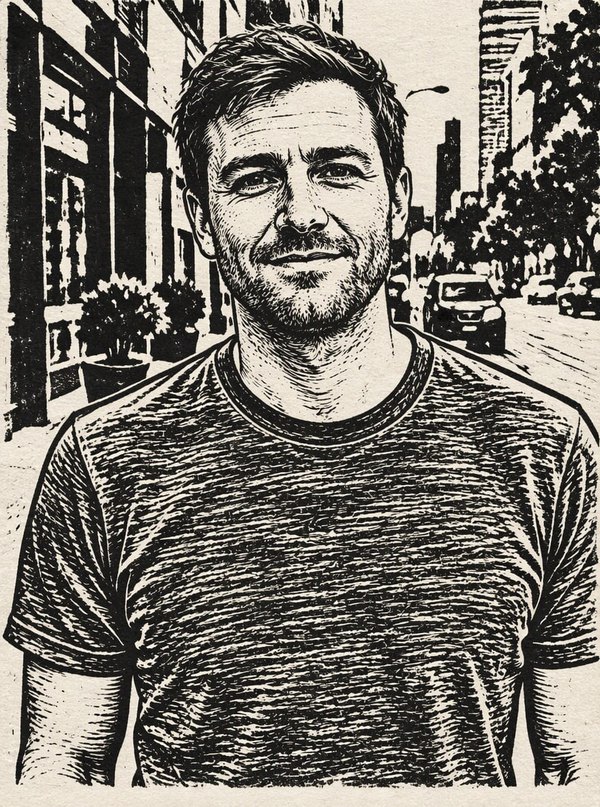
City street portrait
A man on a city sidewalk, with buildings, trees and parked cars carved into the background.
Photo
Linocut
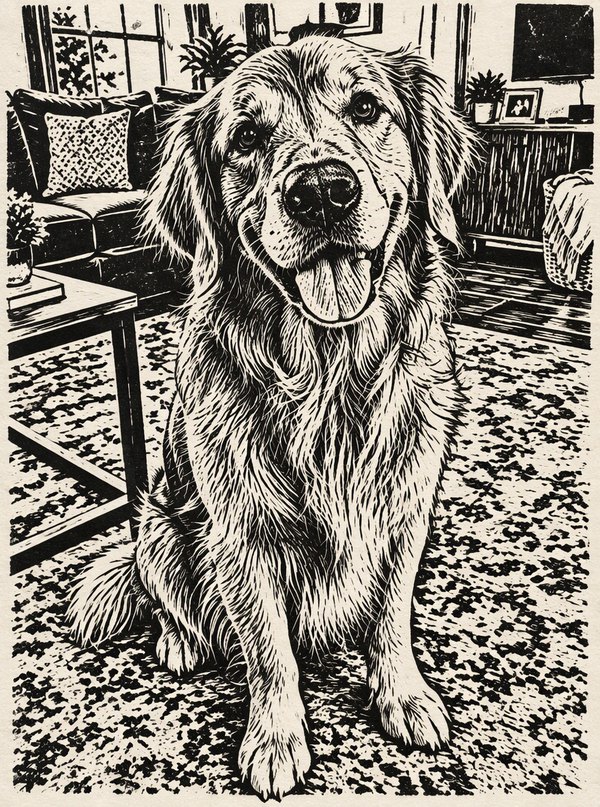
Golden retriever at home
A golden retriever on a patterned rug, its fur turned into carved strokes and the living room into solid black shapes.
Photo
Linocut
Couple selfie in the park
A couple's selfie by a lake, with trees and a city skyline carved behind them.
Is this linocut generator free online?
This linocut generator is not free with the current signup allowance. Browsing examples and choosing options cost nothing, but making a PNG costs at least 5 credits. The current 1-credit signup allowance is below one generation. From zero balance, the smallest purchase covering an image is the $5 one-time pack with 10 credits. There is no recurring daily free quota, no added visible watermark and no extra charge to download a completed PNG.
Other linocut tools take different approaches. The table lists what each official page stated when checked; our own tool is listed first and is not affiliated with the others.
| Tool | How it works | Free use | Files |
|---|---|---|---|
| This linocut generator | AI redraws your photo | This linocut generator is not free with the current signup allowance. Fast is 5 credits, about $2.50 at the pack rate. | PNG |
| ImageRoute Photo to Linocut Print | AI redraws your photo; free account required | 1 credit per image from a one-time pack; pack price not shown on the tool page | Image download |
| Morphogeny Linocut | Effect drawn in your browser; photo not uploaded | Free (listed at price 0 in its page data); no sign-up step shown | PNG or SVG |
| OpenArt AI Linocut Generator | AI text-to-image prompts | Unlimited on 4 basic models; 50 trial credits at sign-up | Image download |
Can a linocut stencil generator make a design you can carve?
Linocut generator output is a print-style picture, not a checked carving stencil. The presets ask for carved lines and solid blacks, but the image can still contain hair-thin lines, tiny islands and lettering that would be hard to cut. For a block, choose Custom and ask for thick lines, large open areas and little detail, then trace or simplify the PNG. Flip it horizontally before transfer, because a printed block reverses the design.
Is there a linocut generator app for iPhone or Android?
Linocut generator on this page runs in a phone browser, so there is no app to install. Open the page in Safari or Chrome, sign in, upload a photo from your camera roll and download the PNG to your phone. Generation happens on our servers, so a slow phone does not change the result. Photos are uploaded to this site and its image provider, unlike offline filter apps that process images on the device.
Linocut generator pricing & credits
Linocut generator pricing is per image, including Custom with an optional style reference. Fast costs 5 credits, equivalent to $2.50 at the $5/10-credit pack rate. From zero balance, that one-time pack covers an image without a subscription. Higher quality tiers require paid access. Each new request spends the displayed credits; downloading a completed PNG costs no additional credits.
| Quality | Output | Credits | Pack-rate equivalent |
|---|---|---|---|
| Fast | 1K · PNG | 5 | $2.50 |
| HD | 2K · PNG | 7 | $3.50 |
| Ultra HD | 4K · PNG | 8 | $4.00 |
| Studio | 2K · PNG | 9 | $4.50 |
| Item | What you receive |
|---|---|
| Signup allowance | The current 1-credit signup allowance is below one generation. |
| Minimum purchase | $5 one-time Trial Pack · 10 credits. No subscription required. |
| Download | One PNG included; no second download charge. |
| Visible watermark | This tool adds no visible watermark. Supplier provenance metadata is not removed. |
| Quality access | Fast requires sign-in and enough credits. HD, Ultra HD and Studio require paid access. |
| Unfinished requests | Confirmed provider failure or an invalid output returns the charged credits. Lost confirmation or temporary saving delays keep the same request for recovery; do not pay again. |
What this linocut generator cannot do
Linocut generator cannot guarantee an identical face, the exact number of strands of hair or lines that are safe to carve. The prompt asks for the same pose, subject count and likeness, but generative details may change, and dark or blurry photos can turn into heavy black areas. It returns one fixed 3:4 PNG, so wide photos are recomposed. It does not export SVG, PDF or separate color layers, mirror the design for a block, or animate the print.
Linocut generator FAQ
Linocut generator creates one still print-style image per request. These answers cover text-only prompts, file formats, how a linocut effect differs from other filters and selling prints. Review each result against your photo before downloading; carved details can change even when the same photo is used again.
Can I make a linocut image from text without a photo?
No. This linocut generator needs one photo as the subject. Custom text changes ink colors, line weight, detail and background, not the subject itself, so photograph or find a picture you may edit first.
Can I download free linocut designs as PDF or SVG?
Each result downloads as one PNG at the resolution of the tier you chose, from 1K to 4K. There is no PDF or SVG export; use a vector tracing tool on the PNG if a cutting machine or printer needs a vector file.
How is a linocut effect different from a sketch or woodcut filter?
A linocut effect uses broad gouge cuts, solid black shapes and white carved-away areas, with no gray shading. A sketch filter keeps fine pencil lines and gray tones, and a woodcut look usually adds visible wood grain and more angular cuts. The presets here ask for the linocut look; choose Custom to ask for a different cut style.
Can I sell prints of my linocut image?
Check the rights first: you need permission for the photo you upload and for any people in it. Copyright protection for AI-generated images is limited in many countries, and shop or platform rules vary, so read them before listing prints or digital downloads.
More photo-to-drawing tools
For a colored pencil look instead of carved ink, try Turn Photo Into Color Sketch. For a playful wax-crayon version of the same photo, use Photo to Crayon Drawing. Each tool is a separate request with its own price.