
Gemini Rain AI Effect by Consistent Character AI is an independent photo editor, not Google's Gemini, using GPT Image 2.6 Flare through APIMart. One portrait PNG costs 4 credits ($2.00 at the trial-pack rate); the 1-credit signup gift does not cover one image. The smallest purchase is a $5 one-time pack of 10 credits, and downloads have no added visible site watermark, although likeness and lighting vary.
How to create a rain AI photo
Gemini Rain AI Effect starts with one clear photo of one person. Choose a rainy-night scene, select a quality, then sign in and confirm the credit cost to request a portrait PNG. The preset supplies the scene instructions, so you do not need to write a prompt; Custom lets you describe a different night-rain look. Review the completed image before downloading or sharing it.
1. Upload one portrait
Use a clear photo with the face visible. The model is asked to use this person as its identity reference.
2. Choose the night-rain look
Pick a reaching pose, a bridge setting or amber streetlights. Use Custom for your own rain-night description.
3. Request and download
Select quality, check credits and generate one portrait PNG. Compare the result with your photo before saving.
Rain AI photo before-and-after ideas
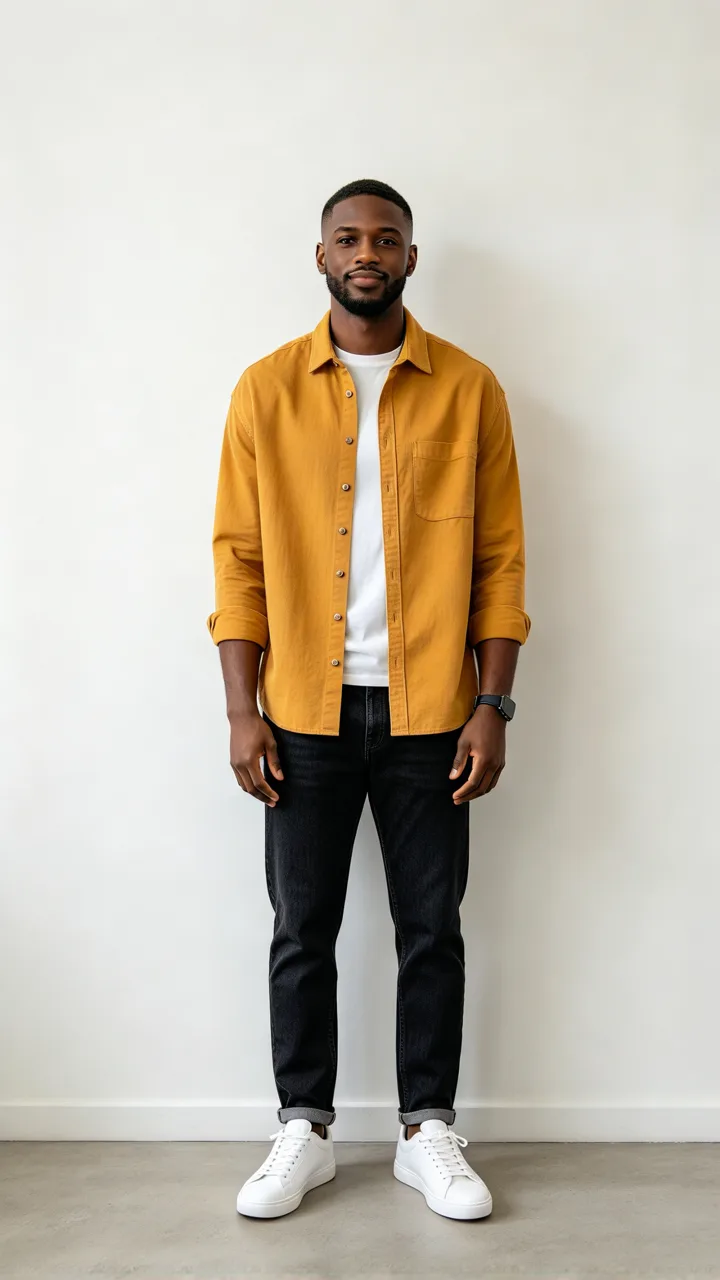
Rain AI photo edits combine a portrait with falling rain, wet hair and blurred city lights. These three before-and-after pairs show a reaching pose, a bridge portrait and an amber-streetlight scene. Compare the faces as well as the background: pose, clothes and facial details can change. Your own result depends on your uploaded photo, description and selected quality.
Original photo
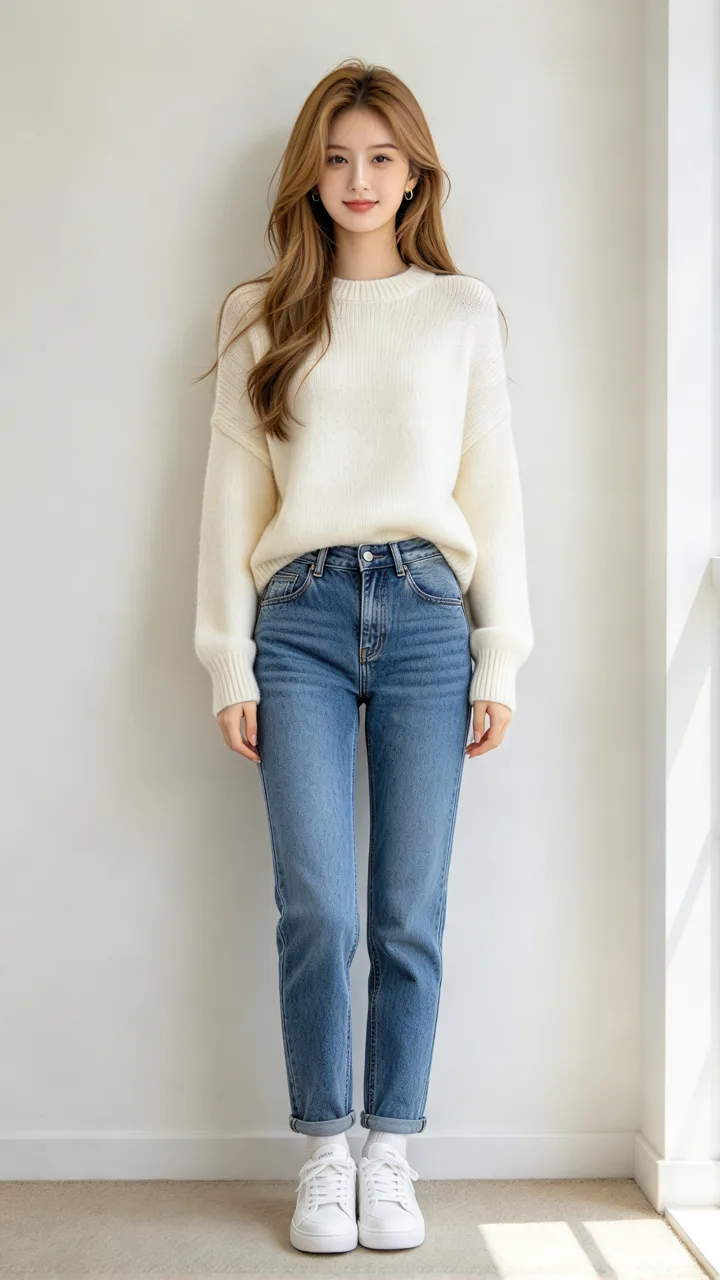
Rain photo
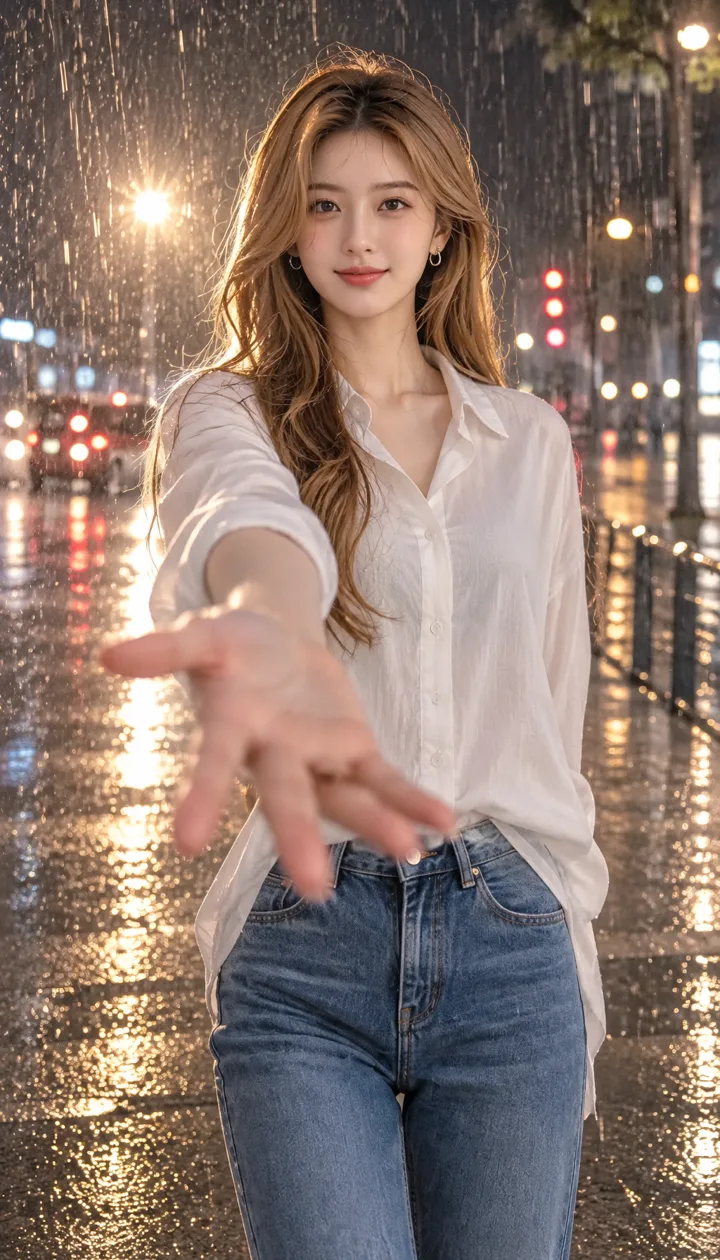
Reach into the rain
A woman reaches forward on a rainy street, with warm lamps behind her.
Original photo
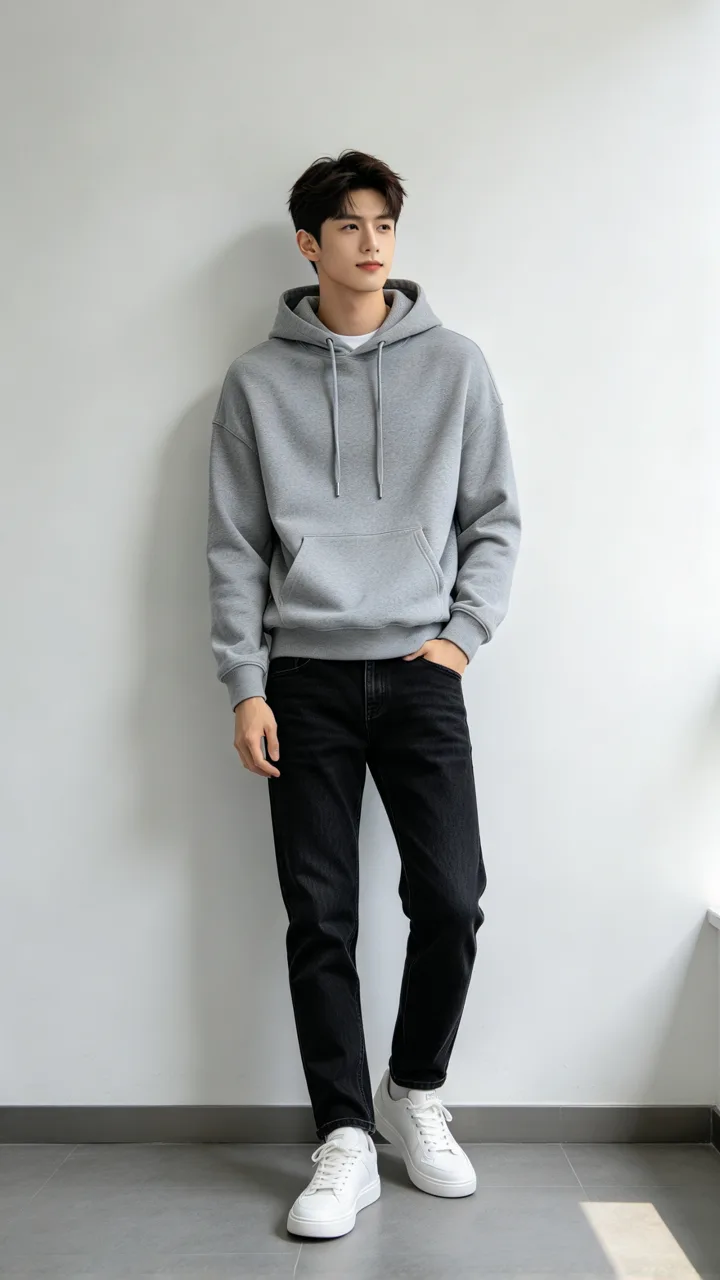
Rain photo
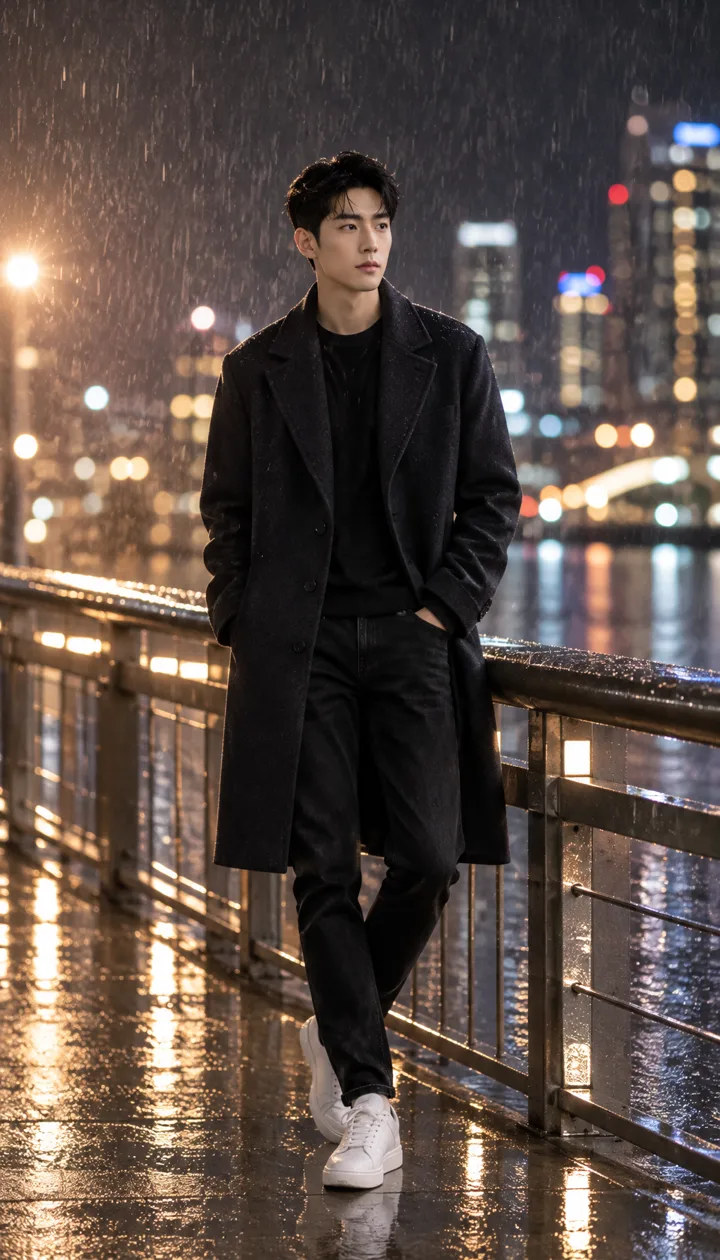
City bridge at night
A man stands beside a bridge railing amid rain and distant city lights.
Original photo
Rain photo
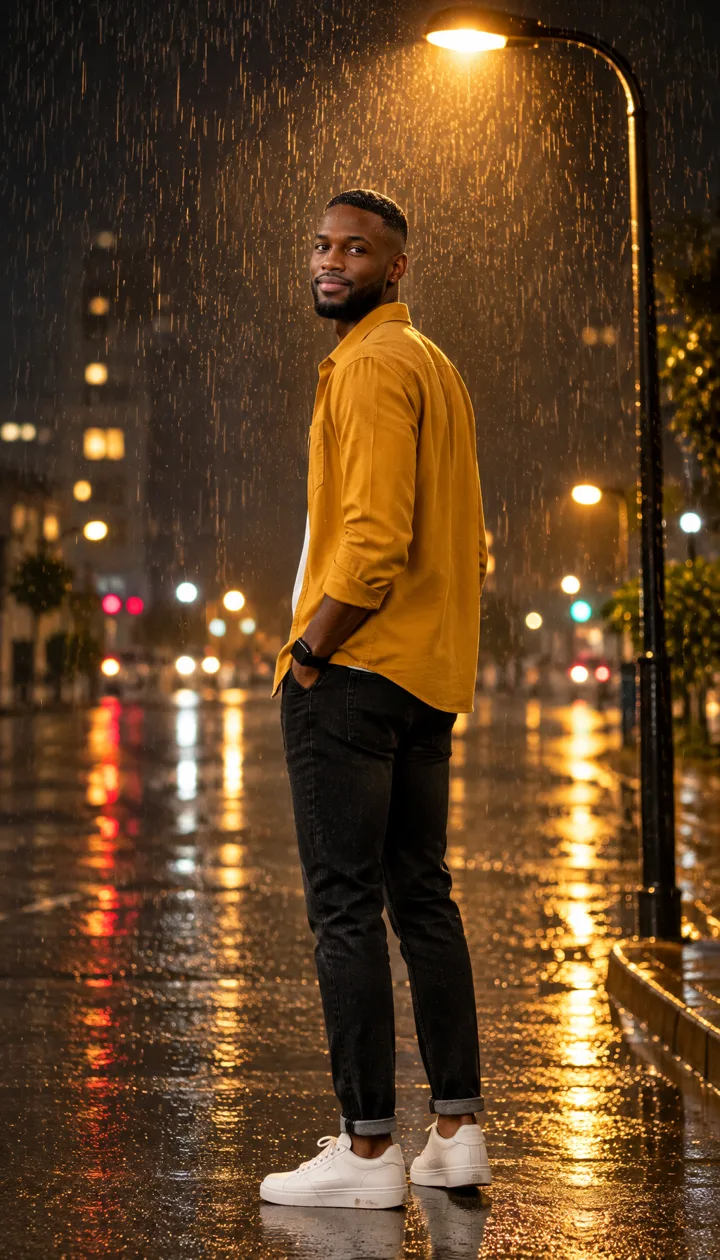
Amber streetlights
A person looks back through rain, with amber lamps along the street.
What is the Gemini rain AI effect?
Gemini rain AI effect describes a photo-editing look: a person in nighttime rain, wet hair, water droplets and cinematic blue or amber lighting. The image is generated from a reference photo, rather than created by adding a transparent rain overlay. This page focuses on single-person city-night portraits and requests an identity-guided edit; it uses GPT Image 2.6 Flare, not a Google Gemini model.
Do I need a Gemini rain AI effect app download?
Gemini Rain AI Effect works in a mobile or desktop browser; no dedicated app or APK download is required to use this page. Choose a photo stored on your device, pick a preset and sign in here to request an image. A completed PNG can be downloaded to your device and shared to Instagram or TikTok; this tool produces a still photo.
Is the Gemini rain AI effect free?
Gemini Rain AI Effect is not covered by the 1-credit signup gift, because one Fast image needs 4 credits. A Fast photo costs 4 credits, equal to $2.00 using the $5 trial pack's rate; the smallest purchase from zero balance is that one-time 10-credit pack. Browsing the examples and choosing a look are free. Generating a finished photo requires sign-in and enough credits, and the PNG download is included without an added visible site watermark.
Gemini rain AI effect pricing and credits
Gemini Rain AI Effect charges for one requested portrait image at a time. The table uses the $5 trial pack's price per credit to show an approximate dollar value, not a separate cash payment for each photo. Fast costs 4 credits; HD, Ultra HD and Studio require active paid access. A purchase of credits covers future requests as well as the included download.
| Quality | Output | Credits | Value at trial-pack rate |
|---|---|---|---|
| Fast | 1K · PNG | 4 | $2.00 |
| HD | 2K · PNG | 4 | $2.00 |
| Ultra HD | 4K · PNG | 5 | $2.50 |
| Studio | 2K · PNG | 5 | $2.50 |
| Feature | Details |
|---|---|
| Signup gift | The 1-credit signup gift does not cover one image. |
| Smallest purchase | $5 one-time trial pack · 10 credits · no subscription required. |
| Download | One portrait PNG is included with each completed generation. |
| Visible site watermark | No visible site watermark is added. This is not a watermark-removal tool. |
| Quality access | Fast needs sign-in and enough credits; HD, Ultra HD and Studio also need active paid access. |
| Failures and recovery | Provider failure before delivery returns credits. If a billed image was delivered and saving it fails, the same task is recovered without another generation charge. |
What a rain photo filter cannot guarantee
Gemini Rain AI Effect asks the model to use your photo as the identity reference, but cannot guarantee an exact face, pose, outfit or light pattern. Rain, wet hair and droplets are generated details; the model can alter facial features or invent objects. This page requests one single-person still portrait, not a two-person composition, animated video, editable rain layer or an exact copy of another image.
Gemini rain AI effect FAQ
Gemini Rain AI Effect uses an uploaded photo and night-rain scene instructions to request a portrait PNG. These answers explain what the template download contains, how a Custom description and style reference are used, and who can access the files. The tool requests the scene you choose; the finished appearance can vary with the model and photo.
Can I download a Gemini rain AI effect filter template?
Gemini Rain AI Effect downloads a finished portrait PNG rather than an editable filter-template file. The night-rain looks are presets inside this browser tool, not downloadable layers, app files or reusable photo-editor filters. Choose a preset or Custom, generate one portrait, then download the included image after the task completes.
Can I customize the AI rain effect on my photo?
Choose Custom and enter a required description of up to 500 characters. You may add one optional image for colors or lighting. The system still requests a single-person nighttime rain portrait and treats the extra image as a style reference, not another identity. The model may interpret your instructions differently.
Who can access my uploaded photo and finished portrait?
Uploaded reference photos use this site’s existing storage; anyone with an original file link can open it. The photos are sent to APIMart for this edit. Finished rain portraits use private storage and require your signed-in account to preview or download. Upload only photos you have permission to use.
More photo editing tools
For a different portrait edit, use the warm filter to request warmer colors or the portrait relighting tool to change the light. Each tool has its own options and credit cost; choose the rain effect here when you want generated wet hair, water droplets and a city-night background.