
Text to image · Fast to Studio
AI Feet Generator
Describe a scene in one sentence and the AI feet generator draws feet with five separate toes, real arches and ankles that join the leg.
Pick a style, a camera angle and a skin tone, then generate an image for a drawing reference, a pedicure idea, a sandal listing or an anime scene. Every prompt carries anatomy rules, so you spend less time fixing fused or extra toes.
Example image
Realistic photo
Sample from ChatGPT's image model · your result will differ
AI Feet Generator Examples
Six AI feet pics, one per style. Each card shows the exact settings and description, so you can load it into the AI feet generator and change one detail at a time.
Realistic photo
Natural light, true skin texture and visible creases, like a 50mm camera shot.
“A woman's bare feet resting on warm wooden deck boards at golden hour, ankles crossed, a towel and sea view softly blurred behind.”
Settings: Auto · Light · 4:3
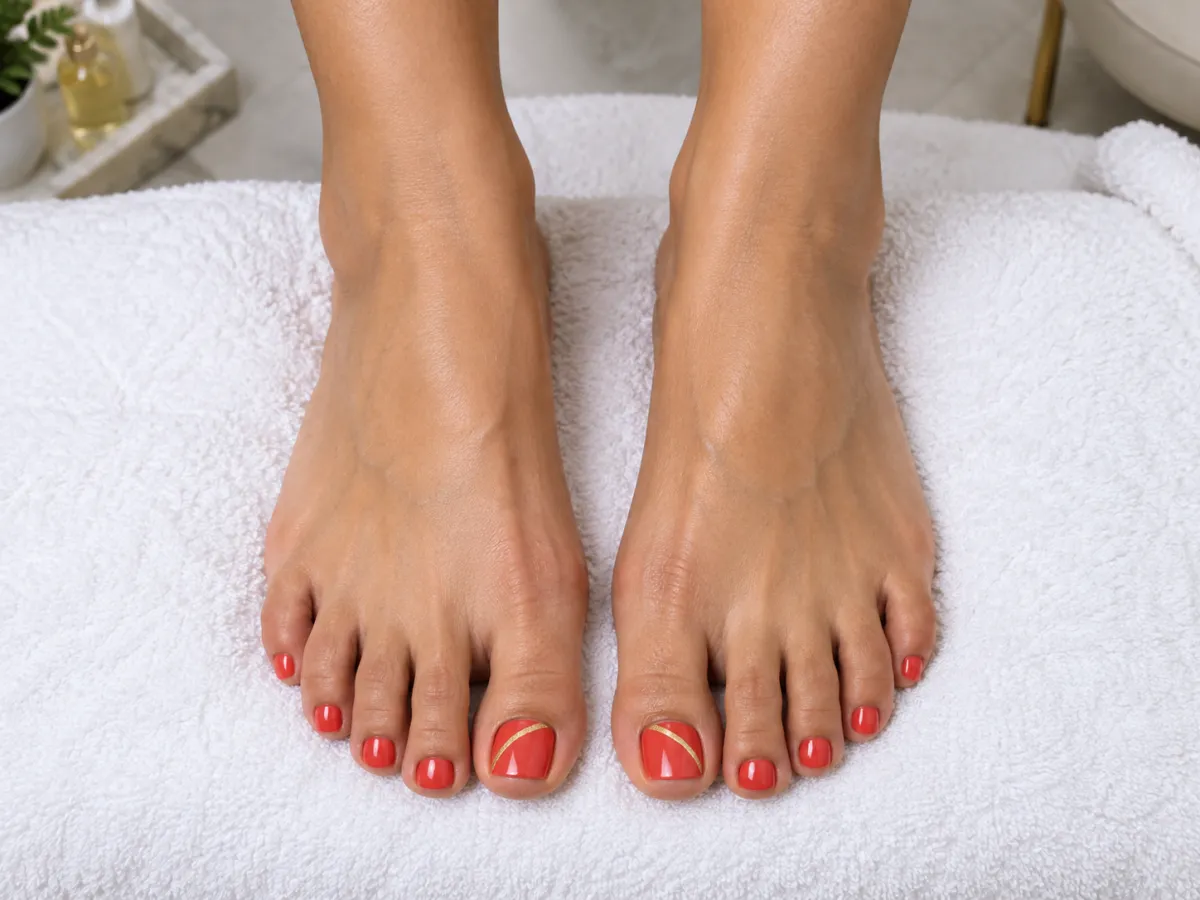
Pedicure & nails
Clean beauty close-ups to preview polish colours and nail art before an appointment.
“Fresh pedicure with glossy coral-red polish and a thin gold line on the big toes, feet resting on a white fluffy towel in a nail salon.”
Settings: Top-down · Medium · 4:3
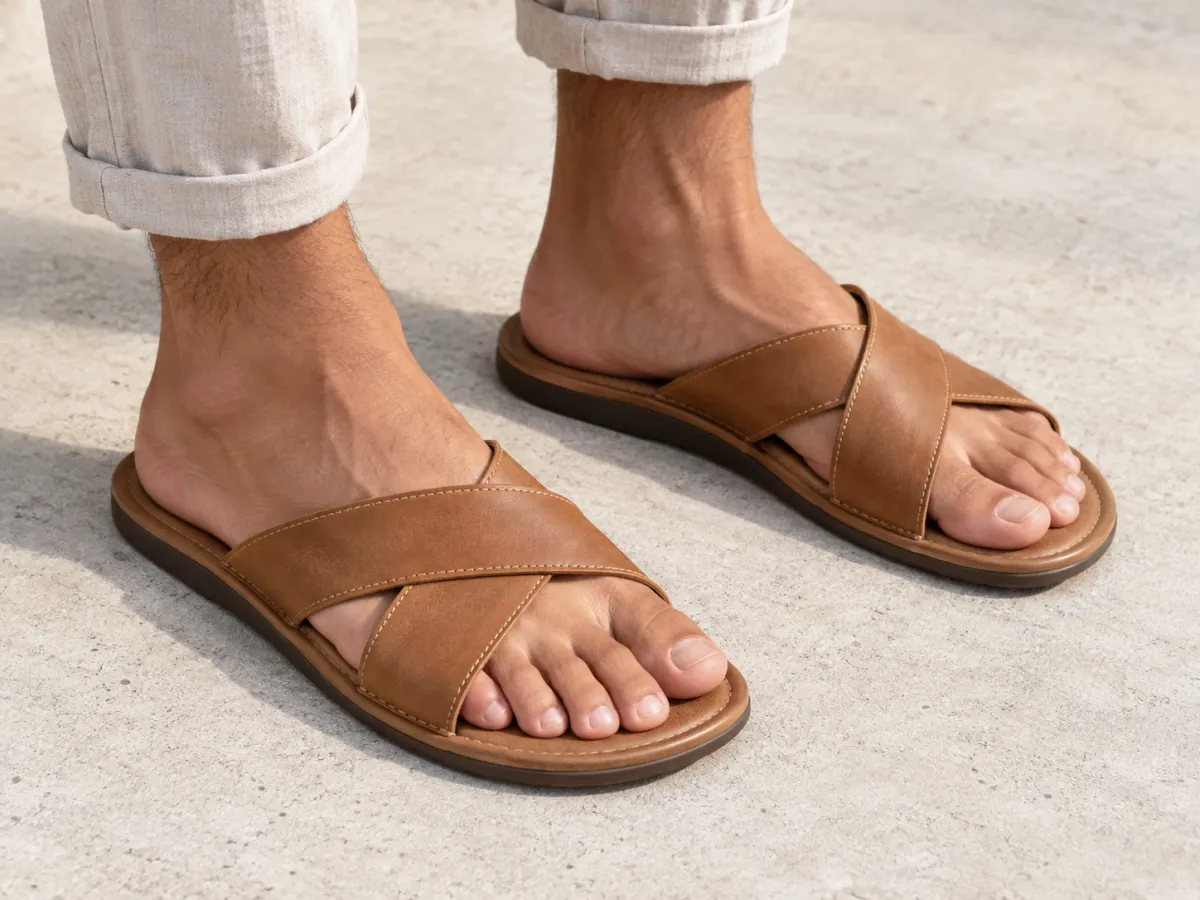
Footwear product
Catalog lighting with sandals, sneakers or anklets in sharp focus for a shop listing.
“A man's feet wearing tan leather slide sandals on light concrete, product shot for an online shoe store.”
Settings: 3/4 view · Tan · 4:3
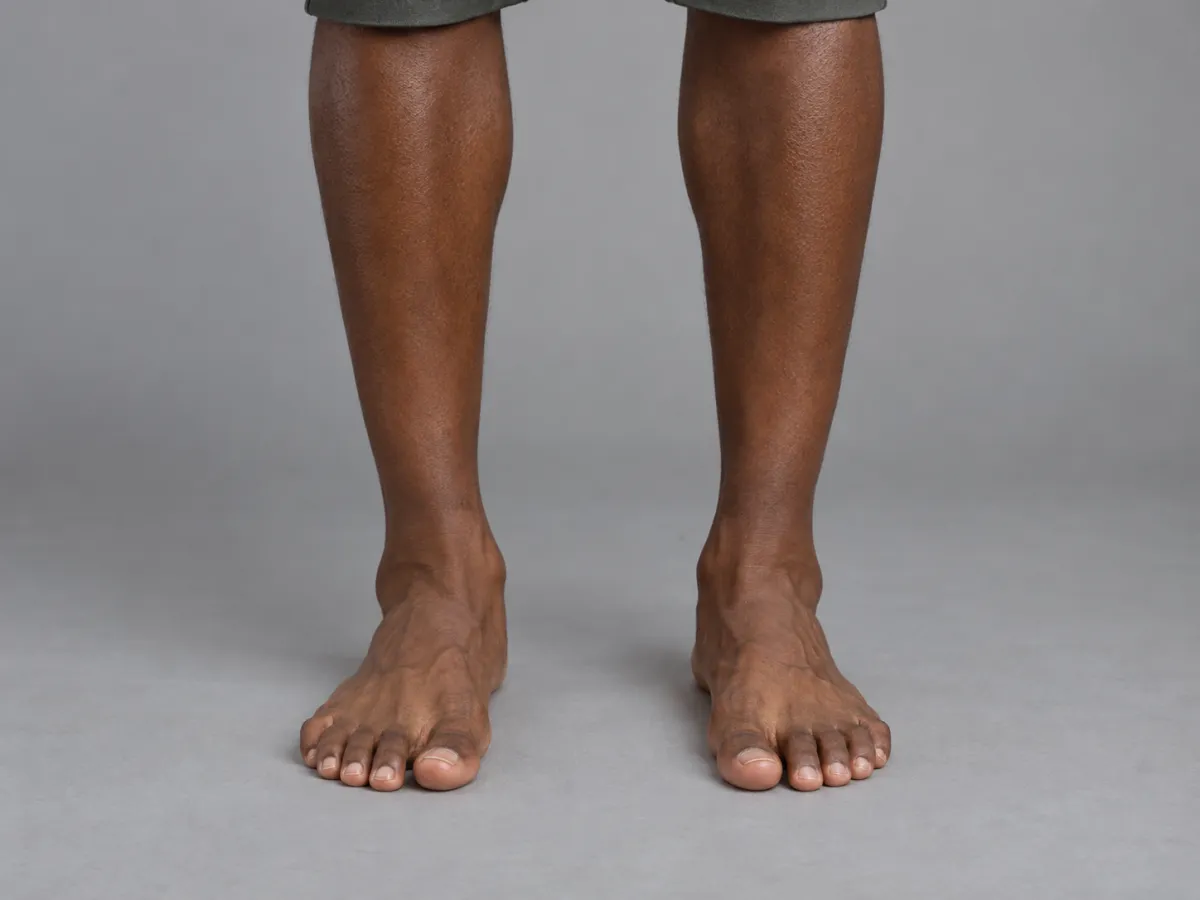
Drawing reference
Plain gray studio background and even light that shows the arch, tendons and bones.
“Both feet standing flat and relaxed, weight evenly balanced, slightly apart, for a figure drawing reference.”
Settings: Front · Deep · 4:3
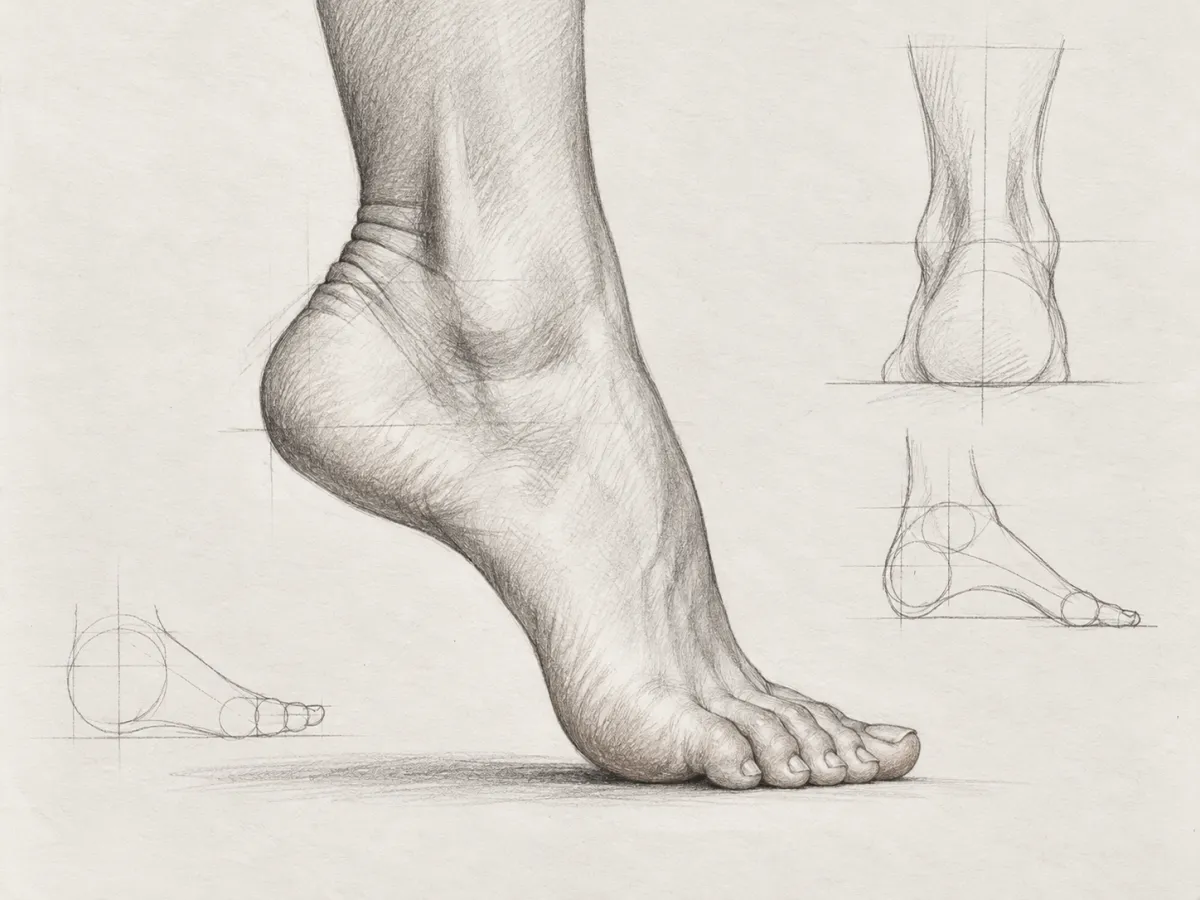
Pencil sketch
Graphite anatomy study with construction lines, like a figure-drawing sketchbook page.
“One foot from the side, pointed like a ballet dancer, with construction lines showing the heel, arch and ball of the foot.”
Settings: Side · Auto · 4:3
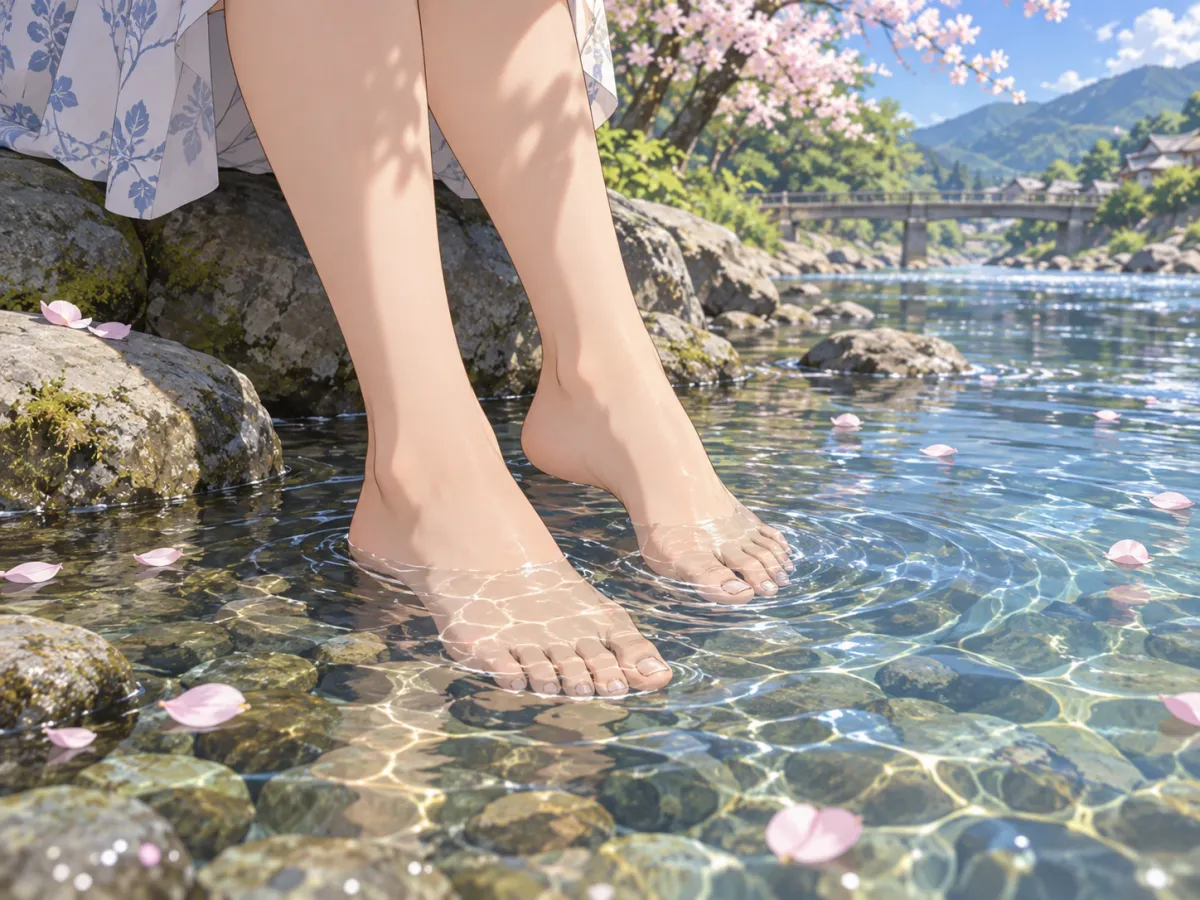
Anime
Crisp line art and cel shading with simple, correct feet for character scenes.
“A young woman in her twenties sitting on a riverbank, bare feet dipped in clear water, cherry blossom petals floating, summer afternoon.”
Settings: Auto · Auto · 4:3
Samples were generated on 8 October 2026 with ChatGPT's image model from the same prompt this tool builds, so your images will look different.
How to Use the AI Feet Generator
- 1
Describe the scene
Write one or two sentences: who, where, what the feet are doing and what they rest on. Start from an example card if you prefer.
- 2
Choose style, angle and ratio
Pick one of six styles, a camera angle such as side profile or top-down, an optional skin tone and the image shape.
- 3
Generate, check and download
The AI feet generator returns one PNG, usually within a minute or two. Check the toes with the list below, then download or adjust one phrase and try again.
Each image uses 1 to 17 credits, depending on the option you choose. If the generation fails, the credits go back to your balance automatically.
Why AI Gets Feet Wrong — and How This AI Feet Generator Helps
A foot has 26 bones and five toes that overlap from most angles, and many training photos crop or hide them. Image models guess, which is where fused toes, six toes and backwards big toes come from.
- Exactly five separate toes per foot, big toe on the inner side
- A natural arch, a heel and an ankle that joins the leg smoothly
- Left and right feet drawn as mirror images in the same perspective
- Contact shadows wherever a foot touches the ground or a towel
- Framing at or below the knee so the feet stay the subject
These rules are added to every prompt the AI feet generator sends. They raise the hit rate; they do not guarantee a perfect result, so check before you use the image.
Check Your AI Feet Image in 30 Seconds
- 1
Count the toes
Five on each visible foot, none merged, none floating.
- 2
Find the big toe
It sits on the inner side. On two feet facing you, the big toes point toward each other.
- 3
Follow the ankle
The ankle bones and heel should line up with the leg, not twist sideways.
- 4
Compare left and right
Both feet share one light direction and one perspective.
- 5
Look for the shadow
A soft shadow under the sole shows the foot is really standing on something.
If one item fails, keep the description and change a single setting, such as switching to a side profile, which hides fewer toes than a front view.
What You Can Make with an AI Feet Generator
Drawing and pose references
Artists who find feet hard can generate a side profile, a pointed foot or weight on the ball of the foot, then draw from it, which makes realistic feet drawing practice faster. The pencil sketch style adds construction lines.
Pedicure and nail art previews
Salons and clients can try a polish colour or a nail design on the AI feet before the appointment, or make menu and social images.
Footwear and accessory mockups
Small shoe, sandal and anklet shops can mock up a lifestyle shot of a product idea. Use real product photos for the final listing, because AI will not copy your exact design.
Anime and character art
As an anime feet generator it gives simple, correct feet for character scenes and reference sheets. Pair it with our character tools for the rest of the figure.
Blog, ad and social images
Foot-care articles, spa promotions and travel posts need clean, non-sexual feet images. One prompt to this feet pic generator replaces a stock photo search.
AI Feet Generator Prompts That Work
Good AI feet pose prompts name four things: the pose, the surface, the light and the purpose. These six feet prompts cover common poses; paste one into the AI feet generator and swap the details.
Standing reference
Both feet standing flat and relaxed, weight even, slightly apart, on a gray studio floor.
Walking on sand
Bare feet mid-step on wet sand at sunrise, footprints behind, soft side light.
Ballet point
One foot pointed like a ballet dancer, side view, ankle and arch fully visible.
Sneaker crop
Feet in white sneakers on a city crosswalk, low angle, streetwear catalog photo.
Spa moment
Feet resting in a wooden foot bath with warm water and flower petals, calm spa light.
Yoga mat
Feet in a warrior pose on a cork yoga mat, toes spread for balance, morning light.
Prompt tip for fixing toes: describe a pose that shows the toes from the side, add "toes slightly spread", and avoid crossed or overlapping feet.
What This AI Feet Generator Will Not Make
The AI feet generator makes general-audience images of adult feet. Descriptions that ask for nudity, sexual or fetish content, or children are rejected before any credits are used, and the image model applies its own safety filter. Do not describe a real, identifiable person. Use it for art, beauty, product and editorial images.
AI Feet Generator Price
Choose Fast, HD, Ultra HD or Studio, from 1 to 17 credits per image. HD, Ultra HD and Studio are for subscribers. Failed generations are refunded automatically. Credits come from a monthly plan or a one-time credit pack.
See credit plansAI Feet Generator FAQ
What is an AI feet generator?
It is a text-to-image tool focused on feet, sometimes searched as feet AI or an AI foot generator. You describe the scene, pick a style and angle, and the AI feet generator draws an image with anatomy rules for toes, arches and ankles built into the prompt.
How much does it cost?
Each image uses 1 to 17 credits and you need to be signed in. There is no free tier on this page. If a generation fails, the credits are returned automatically.
Can it make realistic feet pics?
Yes. The Realistic photo style asks for natural light, real skin texture and correct anatomy, which is what most people mean by the best AI to make real-looking feet pics. Results can still be wrong, so check toes and ankles before you use one.
Can I upload a photo and fix the feet in it?
Not on this page. It generates new images from text only, so it is not an AI feet image editor, a feet generator from photo uploads or a feet fixer for existing pictures. To replace a broken foot, describe the same scene here and generate a clean version.
Why does AI draw extra or fused toes?
Toes are small, similar and often hidden behind each other, so models guess. Side views, toes slightly spread and simple poses help. This AI feet generator also adds explicit five-toe and ankle rules to every prompt.
Which sizes can I choose?
4:3, 1:1, 3:4, 16:9 and 9:16. Fast is 1K, HD and Studio are 2K, Ultra HD is 4K, and every image downloads as a PNG.
Can I use the images commercially?
You can use your generations for art, product mockups and marketing within our Terms of Service. AI images may not match a real product exactly, and they must not imitate a real person.
Does it make anime feet?
Yes. The Anime style works as an anime feet maker for character scenes, with clean line art and five toes per foot.
What content is not allowed?
Nudity, sexual or fetish content, minors and real identifiable people. Such descriptions are blocked before you are charged.
More AI Image Tools
Try the AI Feet Generator
Start from an example, change one detail and get a new image, usually within a minute or two.
Generate feet image