
Change Digit in Image is a browser editor for updating prices, dates and other numbers in your own pictures, with one PNG per request and no added site watermark. The 1 signup credit allowance does not cover a 7-credit edit; Fast costs 7 credits, equivalent to $3.50 using the $5/10-credit trial pack, which permits one successful generation. Choose 1K–4K output and check every digit before using the image.
How to edit numbers in image
To edit numbers in an image, upload the original, type the exact current and replacement values, and describe the target location. Choose an output shape close to the source and a quality tier, then generate one PNG. Inspect the requested digit, nearby text and background before downloading; a generated edit can change details you wanted to preserve.
1. Upload your image
Use a JPG, PNG or WebP up to 10 MB, with each side between 128 and 2048 pixels. Keep the original file.
2. Specify the number and place
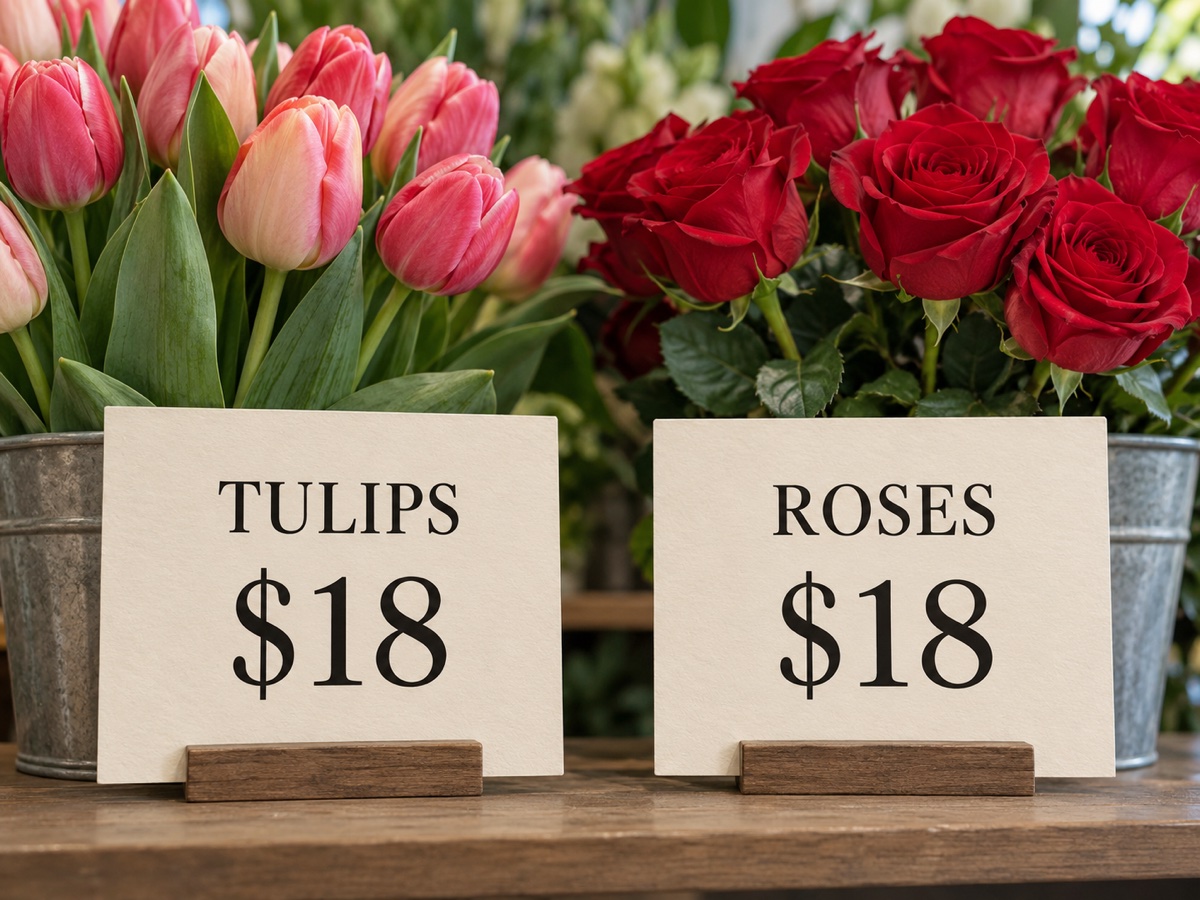
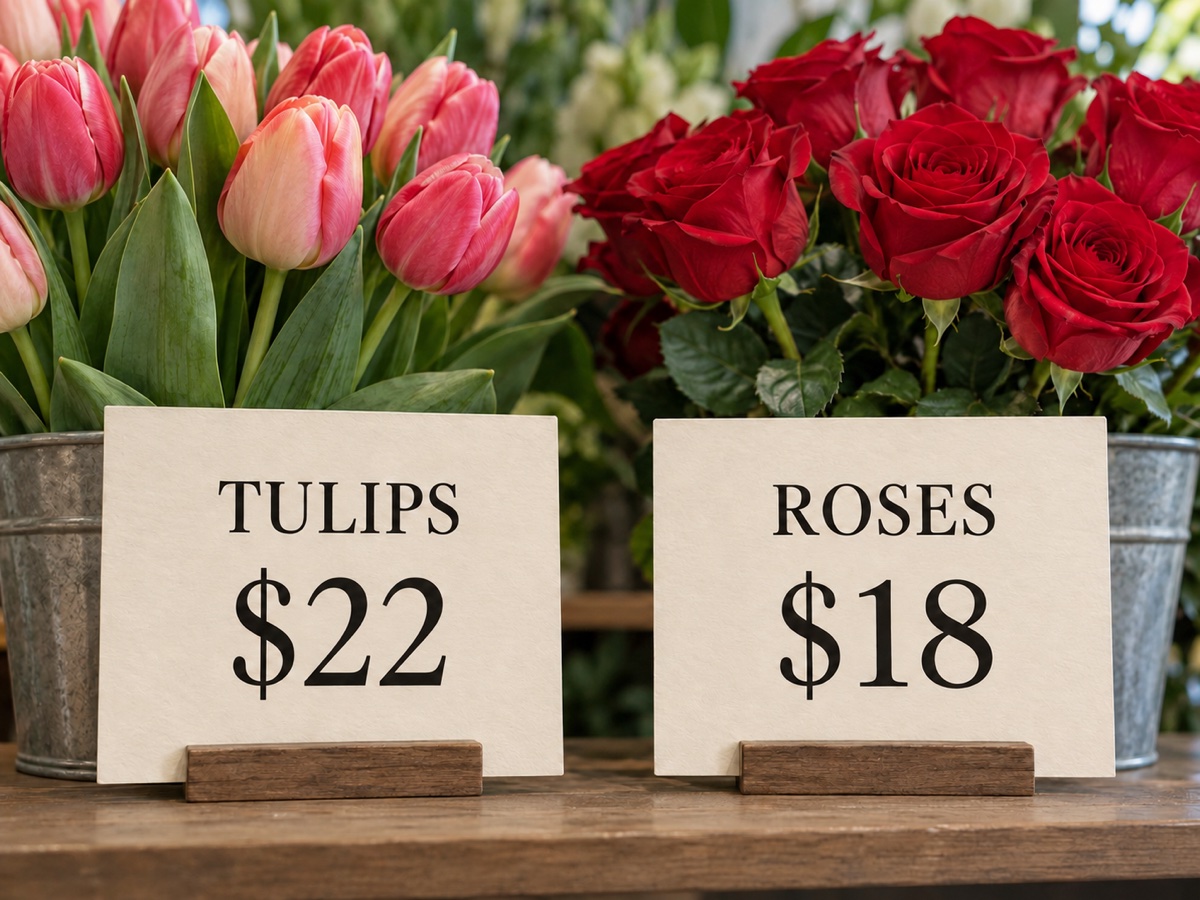
For example: $18 → $22, on the left TULIPS sign. Include decimals, currency signs or leading zeros exactly as needed.
3. Generate and check the PNG
Select quality and shape, confirm permission, then generate. Check all numbers, not just the one you asked to change.
Before and after: change a digit in an image
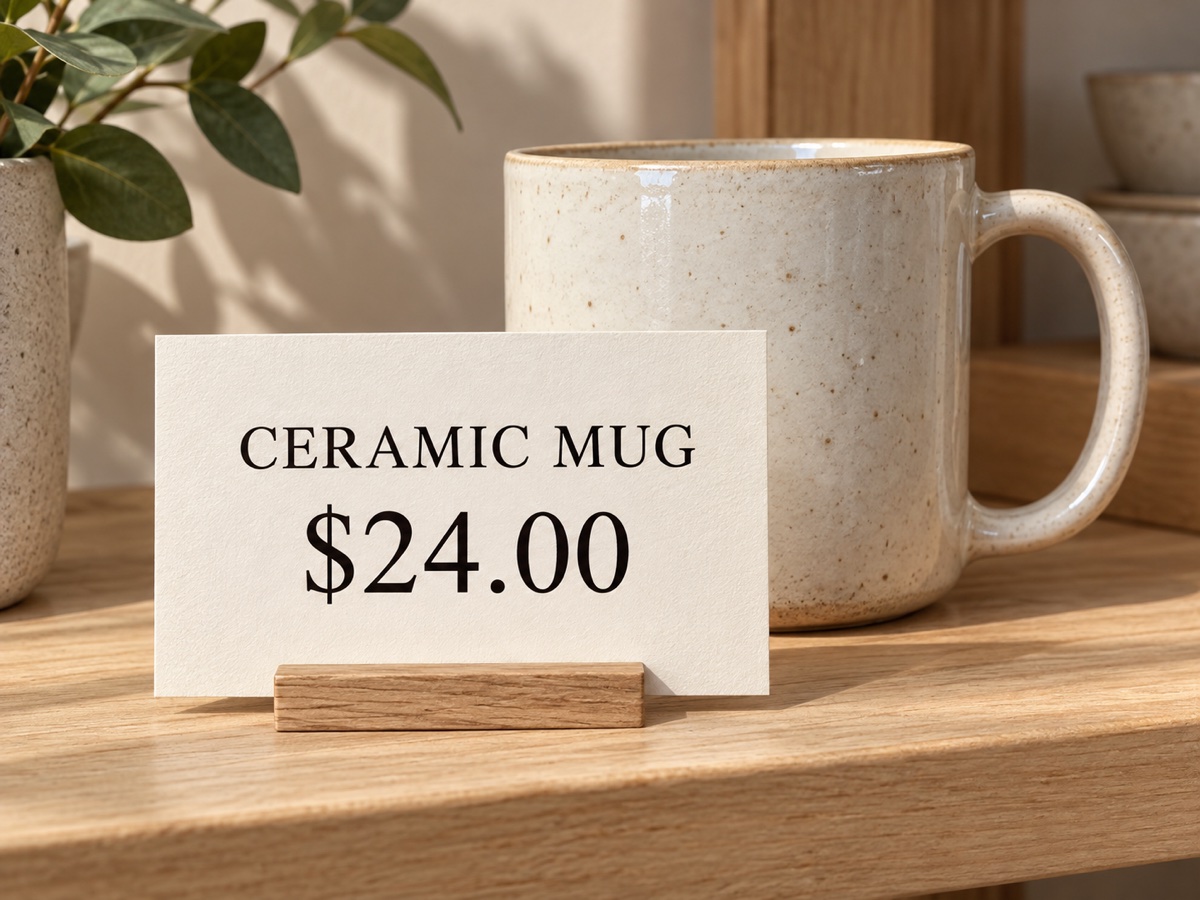
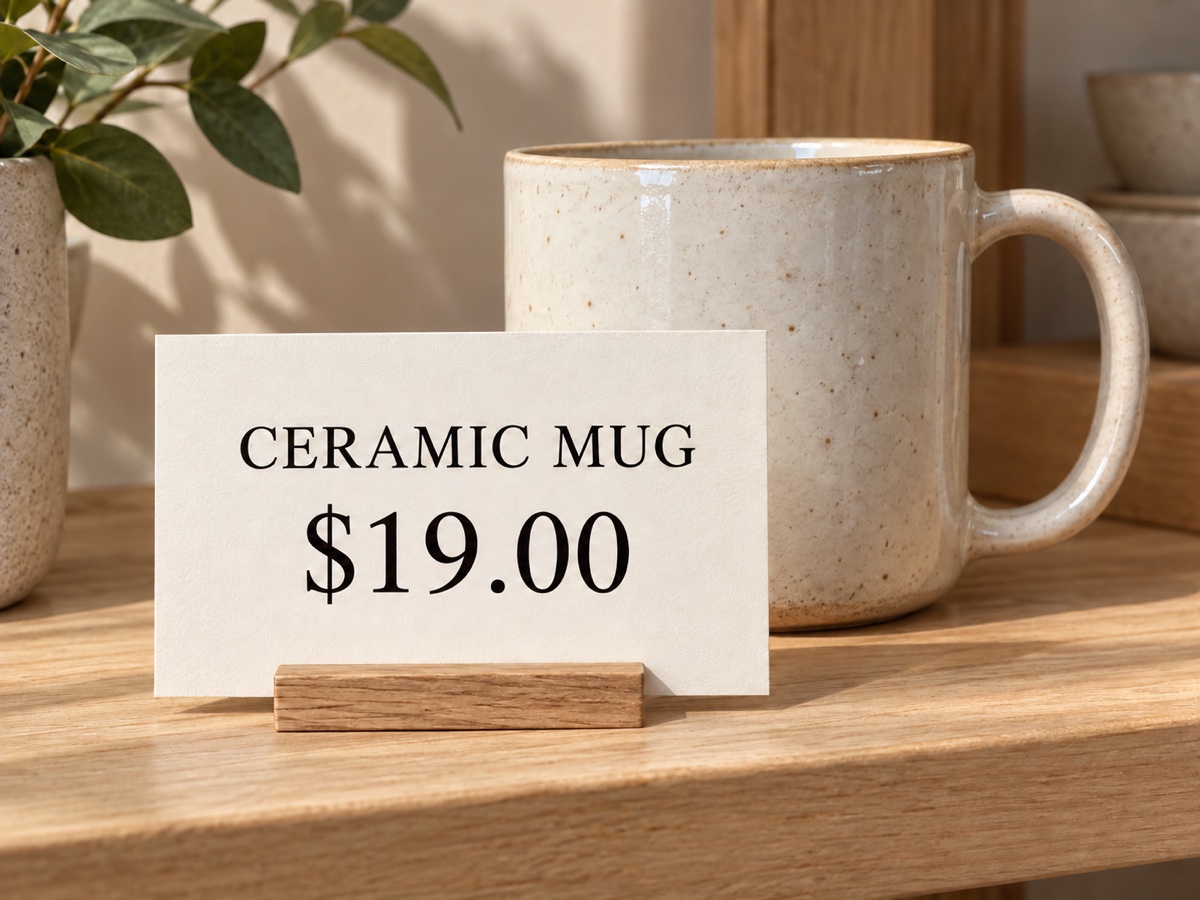
These three image pairs show distinct number-editing tasks: updating a price tag, moving a workshop date and changing only one of two matching prices. Compare the original and edited values as well as the surrounding type and paper texture. They illustrate the requested changes; an individual generation may still alter typography or other details.
Original
Edited
A new price on the same tag
The ceramic mug price changes from $24.00 to $19.00 on the tabletop label.
Original

Edited

A different workshop date
The clay workshop poster changes OCT 24 to OCT 31 while retaining 2 PM.
Original
Edited
Only the left price changes
TULIPS changes from $18 to $22; the ROSES price stays $18.
Can I edit numbers in an image online?
You can edit numbers in an image online in this browser tool by supplying a picture, the original value, the replacement and its location. It works in a phone or desktop browser without installing an app. Select the source’s closest output shape and use clear, readable digits; this is an image regeneration request, so inspect the rest of the picture too.
Is change digit in image free?
Generation is not free with the current signup allowance. You can view the examples, select options and prepare an upload without paying; the 1 signup credit allowance does not cover a 7-credit edit. Each Fast result uses 7 credits. The $5 trial pack provides 10 credits for one successful generation, with a PNG download and no added site watermark. Preparing an upload does not produce a free edited image.
Pricing and credits for a number edit
Each request produces one PNG and uses the credits shown below. The dollar examples use the $5/10-credit trial pack, not a separate pay-per-image checkout. That pack permits one successful generation even if credits remain afterward. Signup credit availability is shown separately, and a confirmed failed generation returns its charged credits; an unconfirmed request should be checked again before starting another.
| Quality | Output | Credits | Trial-credit equivalent |
|---|---|---|---|
| Fast | 1K · PNG | 7 | $3.50 |
| HD | 2K · PNG | 9 | $4.50 |
| Ultra HD | 4K · PNG | 12 | $6.00 |
| Studio | 2K · PNG | 14 | $7.00 |
| Item | What is included |
|---|---|
| Signup allowance | The 1 signup credit allowance does not cover a 7-credit edit. |
| Minimum purchase | $5 for 10 credits; one successful trial generation. Fast uses 7 credits. |
| Download | One PNG in the selected shape, with 1K, 2K or 4K output depending on quality. No editable text layer. |
| Site watermark | No visible site watermark is added to the edited PNG. |
| Account | Sign in to generate or retrieve a result. HD, Ultra HD and Studio require paid access. Examples and settings are open. |
| Failed request | Confirmed generation failures return charged credits. Check the same request when submission is unconfirmed. |
What this number editor cannot guarantee
This AI editor cannot guarantee an exact font match, unchanged pixels outside the target, or perfectly preserved neighboring numbers. Tiny, blurred, curved, handwritten or partially covered digits are harder to edit. Output follows your chosen shape and resolution rather than retaining the source file’s exact dimensions, and it contains no editable text layer. Use your original document for authoritative records; review generated images carefully before sharing.
Edit number in image FAQ
Check the file requirements, font limits and storage terms before sending a number edit. The old and new values are entered as text, so include punctuation and leading zeros explicitly. Keep your original image, select the nearest output shape and compare the downloaded PNG against it before using a corrected price, date or other numeric detail.
Which picture formats can I upload?
Upload JPG, PNG or WebP, up to 10 MB and 128–2048 pixels per side. The result is one PNG; editable PDF, spreadsheet and layered design files are not supported.
Will the new number use exactly the original font?
The model is asked to match the font, spacing, angle and background. An exact font match is not guaranteed, especially with tiny or unusual lettering; compare the original and edited image at full size.
Do I need Photoshop to replace a number?
No. Enter the old number, new number and location in your browser. If the same value appears several times, describe the intended one, such as “left TULIPS price sign”; no automatic text-selection boxes are provided.
How are uploaded pictures and results stored?
Photos and generated PNGs are saved in this site’s storage. The result API checks your account, but underlying storage links may be publicly accessible. Do not upload sensitive personal or financial records; no immediate automatic deletion is promised.
Related image tools
Use the general image generator for a new picture, or AI Relight to adjust illumination. For a number correction, keep the target and replacement explicit in this tool rather than describing a whole new scene. Choose the tool that matches the change you actually need.