
Animal crossing character maker is an AI photo tool for fans making a human islander or animal villager image. The prompt requests recognizable hair, skin tone or fur markings, but likeness varies. The current 1-credit signup allowance is below one generation. One 3:4 PNG starts at 5 credits, about $2.50 at the $5/10-credit pack rate, with no added visible watermark or separate download fee.
How the Animal Crossing character creator works
Animal Crossing character creator starts from one clear photo of a person or pet. Pick Human islander or Pet villager, check image quality and credits, then sign in to generate. Custom accepts a required description and an optional clothing or palette reference. The prompt guides a rounded 3D game-inspired illustration; inspect the face, fur, hands and outfit before downloading. These are still images for avatars or design ideas, with no game-import feature.
1. Upload a person or pet
Choose a JPG, PNG or WebP up to 10 MB and 2048 pixels per side. Use one clearly visible subject; full-body photos help guide full-body framing.
2. Choose your character
Pick a human islander or a pet in a pink outfit. For a different original design, choose Custom and describe it. Quality choices and credit costs stay visible.
3. Review and download
Inspect likeness and anatomy. Download one 3:4 PNG: 768×1024, 1536×2048 or 2480×3312 depending on quality. A PNG is not necessarily transparent.
Photo-to-villager design examples
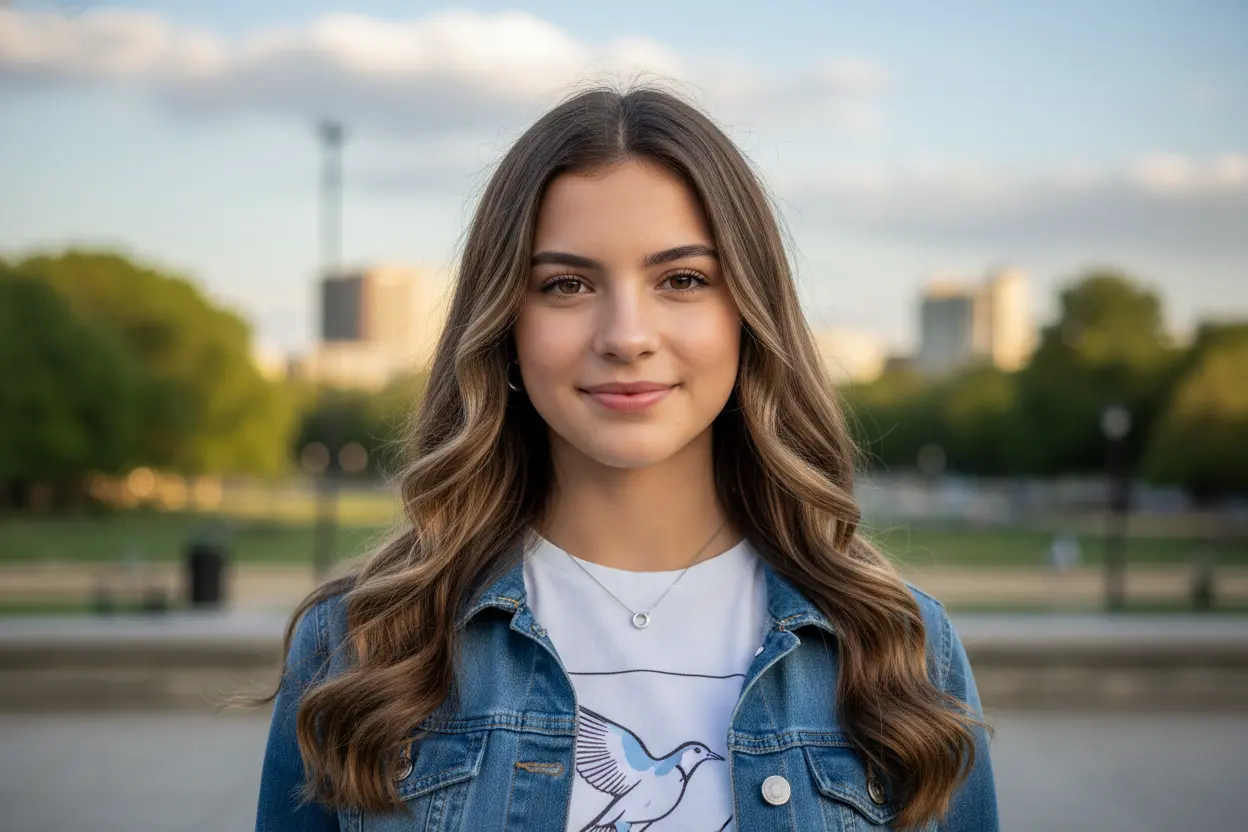
Animal Crossing-style design examples compare a starting photo with a rounded character interpretation. The first pair shows a brown-haired human islander; the second shows a long-haired dog as an animal villager. A third comparison uses a more detailed 3D interpretation of a two-tone hairstyle. These examples illustrate possible design directions rather than a promise of matching likeness, clothing, proportions or background from your own upload.
Original
Character interpretation
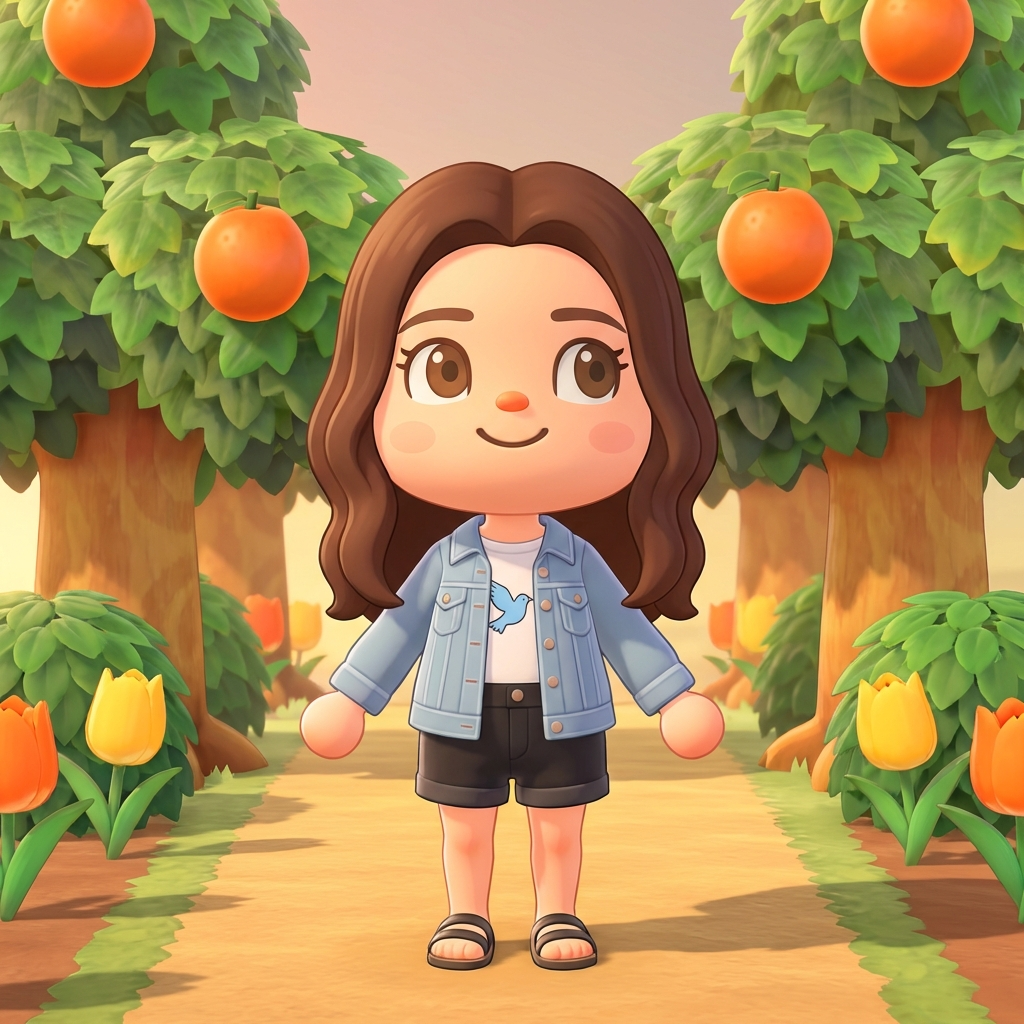
Portrait → human islander
A brown-haired portrait becomes a full-body island character in a denim jacket between orange trees. The proportions and background are redesigned.
Photo → character comparison
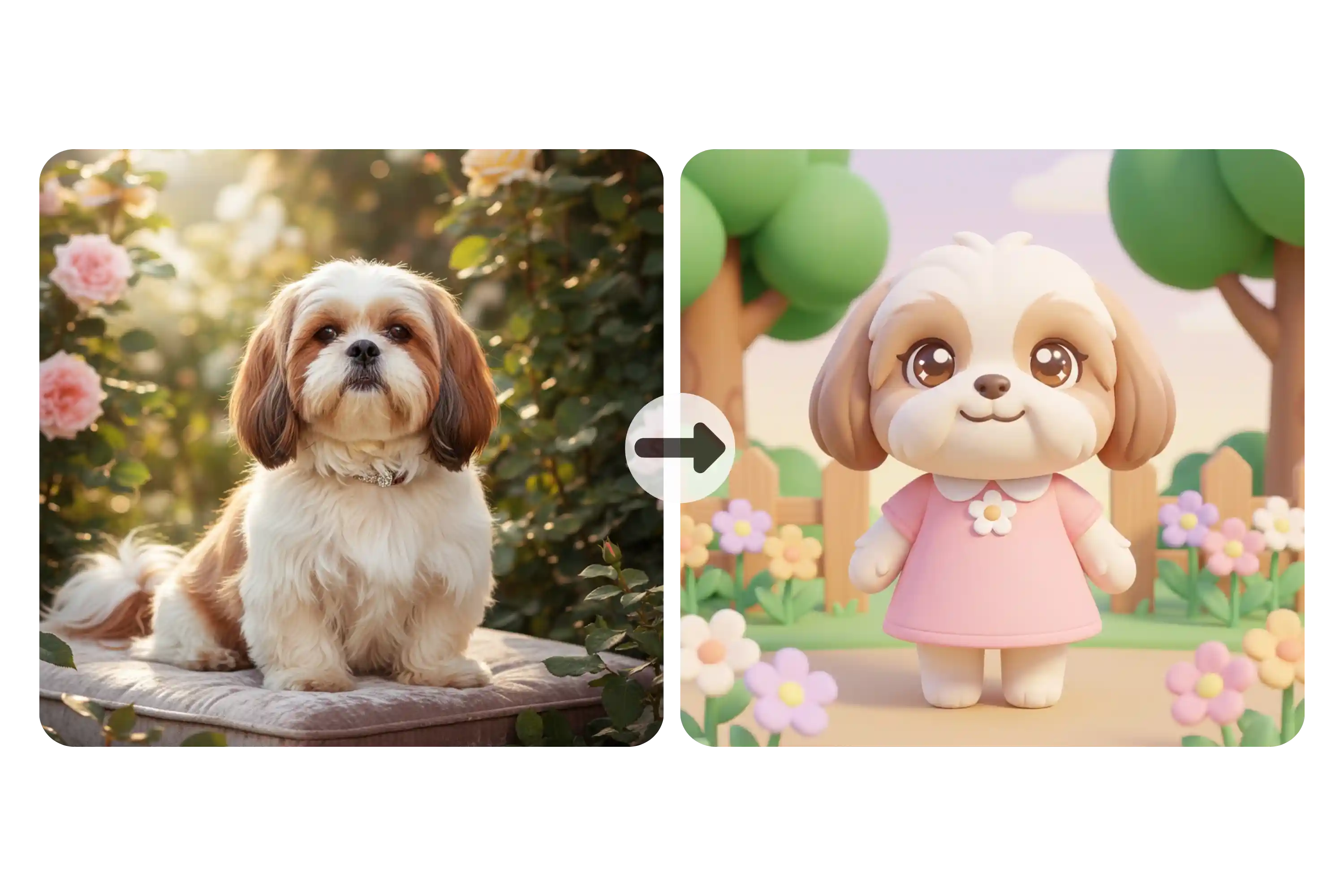
Dog → animal villager
The original comparison shows a long-haired cream-and-brown dog beside a rounded dog villager in pink clothing. Fur detail and body shape are simplified.
Photo → character comparison
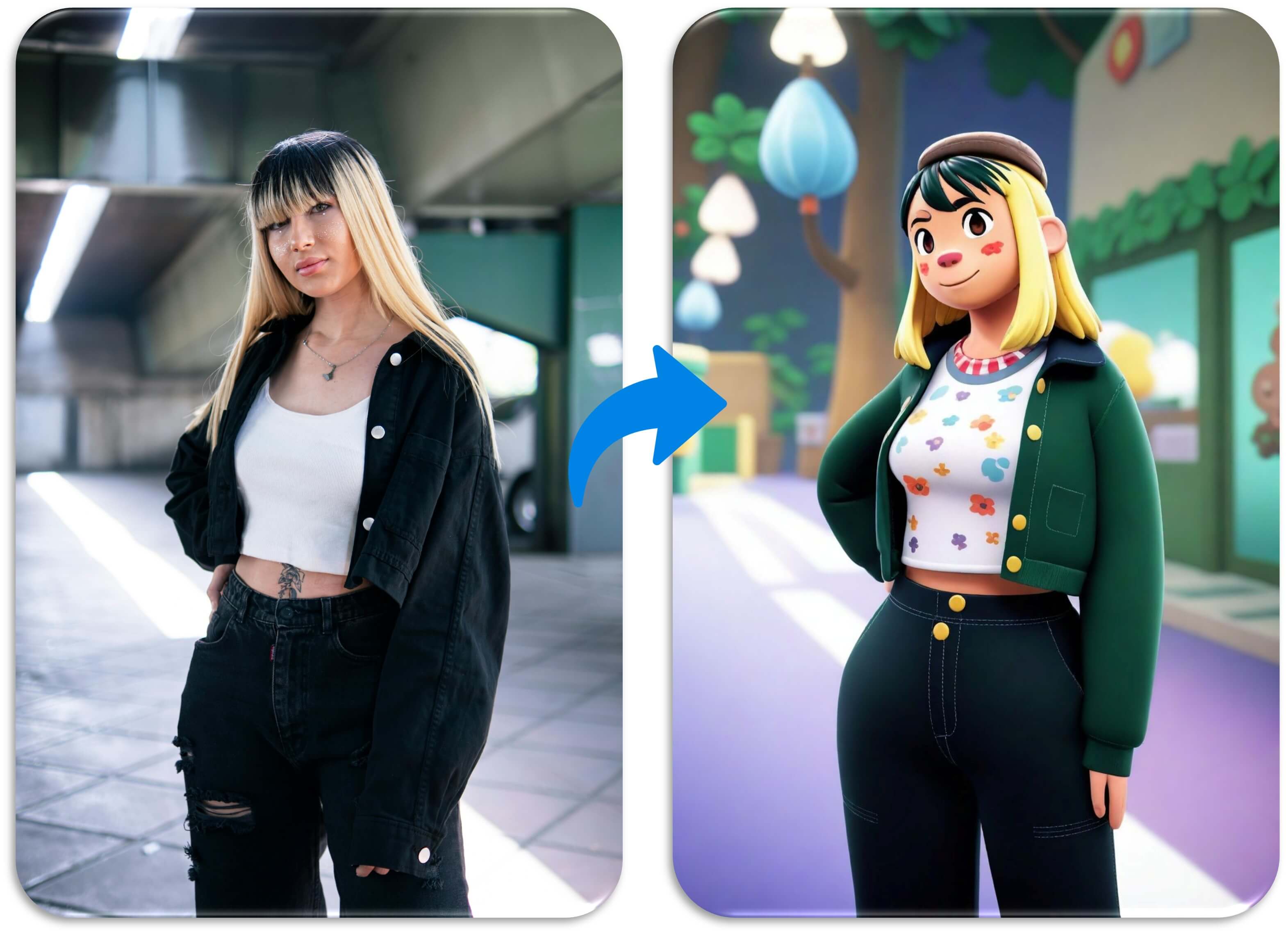
Two-tone hair → detailed 3D character
This comparison uses longer, more detailed proportions than the other examples. Two-tone hair and a dark jacket guide the character interpretation; exact clothing changes.
Is this Animal Crossing character maker free?
This Animal Crossing character maker is not free with the current signup allowance. Browsing designs and preparing an upload costs nothing, but generating an image uses at least 5 credits. The current 1-credit signup allowance is below one generation. Starting from zero balance, the smallest purchase covering an image is the $5 one-time pack with 10 credits. There is no recurring free daily quota. A completed PNG has no additional download charge.
Can I make a full-body 3D Animal Crossing character?
Animal Crossing character maker requests a rounded 3D-style full-body illustration of the subject in your photo. Use visible feet or paws, a clear face and room around the body to guide proportions. With a close-up, the model must invent unseen clothing and anatomy; those details may differ from reality. Output is a flat 3:4 PNG, not a rotatable 3D model, editable game asset or multi-view sheet.
How does this differ from an Animal Crossing Picrew maker?
This Animal Crossing character generator draws a new illustration from your uploaded photo and design direction. A Picrew-style dress-up maker combines an artist’s existing illustrated parts instead. Here you can request an outfit or palette in Custom, but you cannot drag individual eyes, lock every hair strand or guarantee identical results across several pictures. Choose photo generation for an interpretation of yourself or a pet; choose manual customization when precise placement matters.
Animal Crossing character maker pricing & credits
Animal Crossing character maker charges per image, including Custom with an optional reference. Fast costs 5 credits, equivalent to $2.50 at the $5/10-credit pack rate. From zero balance, that one-time pack covers an image without a subscription. HD, Ultra HD and Studio require paid access. Each new generation spends the amount shown on the button; downloading its finished PNG spends no additional credits.
| Quality | Output | Credits | Pack-rate equivalent |
|---|---|---|---|
| Fast | 1K · PNG | 5 | $2.50 |
| HD | 2K · PNG | 7 | $3.50 |
| Ultra HD | 4K · PNG | 8 | $4.00 |
| Studio | 2K · PNG | 9 | $4.50 |
| Item | What you receive |
|---|---|
| Signup allowance | The current 1-credit signup allowance is below one generation. |
| Minimum purchase | $5 one-time Trial Pack · 10 credits. No subscription required. |
| Download | One PNG included; no second download charge. |
| Visible watermark | This tool adds no visible watermark. Supplier provenance metadata is not removed. |
| Quality access | Fast requires sign-in and enough credits. HD, Ultra HD and Studio require paid access. |
| Unfinished requests | Confirmed provider failure or an invalid output returns the charged credits. Lost confirmation or temporary saving delays keep the same request for recovery; do not pay again. |
What this Animal Crossing villager maker cannot do
Animal Crossing villager maker cannot guarantee an exact face, fur pattern, outfit match or consistent character across repeated generations. The prompt requests recognizable details, but glasses, curls, paws and small accessories can change. Output is one flat PNG with a generated background, without guaranteed transparency, editable layers, a biography or a game-import code. This is an unofficial fan-style tool with no Nintendo affiliation; creating an image does not grant rights to third-party characters or designs.
Animal Crossing character maker FAQ
Animal Crossing character maker accepts one photo of a person, pet or original character as its starting point. Choose the corresponding preset, or use Custom for visual instructions within the same rounded 3D game-inspired direction. The answers below cover game compatibility, custom designs, random villager searches and browser use. Review the selected quality and credit cost before each request; another generation can produce a different interpretation.
Can I import this character into Animal Crossing: New Horizons?
No. This Animal Crossing: New Horizons-inspired character creator produces a standalone image. It does not edit your island, save file, playable avatar or resident roster. It is an unofficial fan-style image tool, not a Nintendo game feature.
Can I design my own custom Animal Crossing character?
Yes. Upload an original character sketch or photo and choose Custom. A description is required; request visual details such as fur color, a sweater or a pose. An optional second image can guide clothing or palette. The first upload remains the character reference; exact results are not guaranteed.
Is this a random Animal Crossing villager generator?
No. This tool generates a new image from your photo and chosen direction. It does not randomly select an existing game villager, rank characters or produce a tier list. Each new image is a separate credit-based request, rather than a free random-name draw.
Can I use the character maker online on a phone or iPad?
Yes. Use a current browser on a phone, iPad, Chromebook or computer; no app installation is needed. Sign-in and enough credits are required to generate. Uploads go to this site and its image provider. Result access checks your account, but anyone holding a direct storage link may be able to open it. Only upload images you have permission to use.
More character and image tools
Stardew Valley Character Creator offers a separate pixel-art character workflow. Photo to Cartoon explores other cartoon interpretations with its own controls and credit costs. This Animal Crossing-style generator produces one illustrated PNG with a generated background. Reusing a saved character as the next reference can help communicate the design you want, but does not guarantee identical hair, clothing or face details in another image.