
AI kebaya turns one portrait into a still photograph with kebaya lace and batik, or a beskap outfit. Choose a preset or describe colors and settings in your browser. One 3:4 PNG costs 2–18 credits; a Fast photo is $1.00 with the $5 trial pack, and the 1-credit signup gift is less than one photo. Downloads have no added visible site watermark; Fast includes invisible SynthID. Likeness and clothing accuracy vary.
How AI kebaya portraits work
Start an AI kebaya portrait with a clear photograph of one person. Choose a traditional-dress look, review the quality and credit cost, then sign in to generate one image. Each preset includes instructions to retain facial features, skin tone and existing hair or hijab while changing the clothing and setting. Those instructions guide the model; they do not guarantee a matching face.
1. Upload one photo
Use a clear face and enough of your body to guide the portrait. JPG, PNG or WebP: at least 256 pixels per side, up to 8 megapixels and 10 MB. Uploads are converted to PNG.
2. Choose the dress and setting
Try white lace, garden hijab, red and gold, green temple or studio beskap. For purple ungu, a specific region or another color, choose Custom and write a description. A style reference is optional.
3. Generate and inspect
Review the credits before generating. Check the face, hijab coverage, batik and hands in the result, then download the PNG. Another generation uses credits again.
AI foto pakai kebaya: before and after
These five pairs show the same input portraits beside traditional-dress interpretations: white lace with batik, a pink garden portrait with a hijab, red and gold, green at a temple, and a male beskap studio portrait. Compare the face as carefully as the clothing and background. The examples illustrate visual directions; they do not establish how closely a new result will match your photo. Examples use taller crops; this tool outputs 3:4.
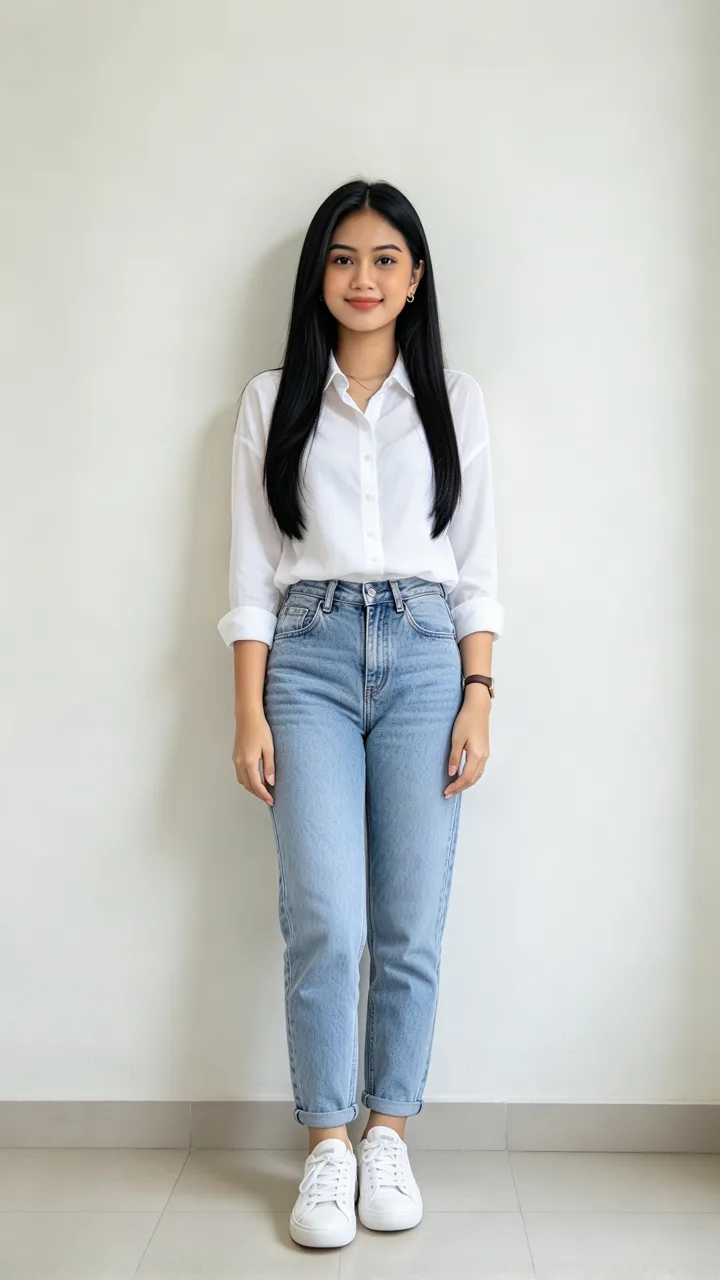
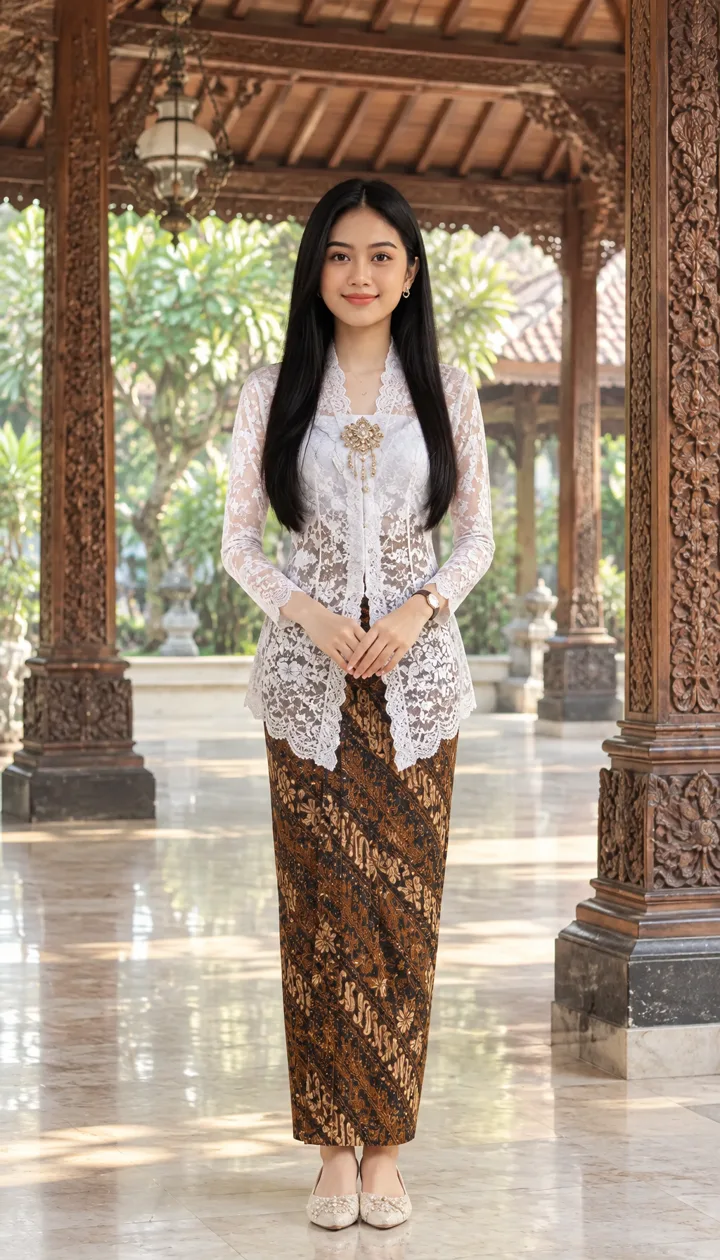
White lace in a wooden pavilion
A white blouse and jeans change to white lace, batik kain and a wooden pavilion setting.
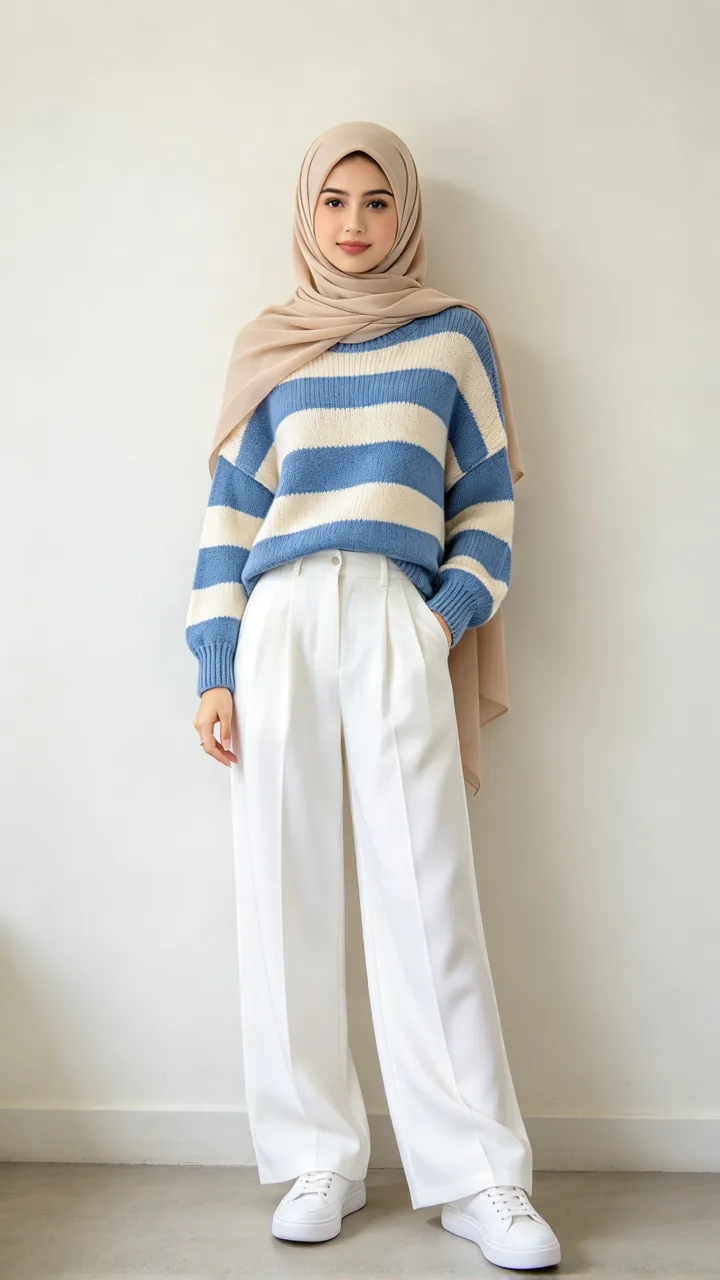
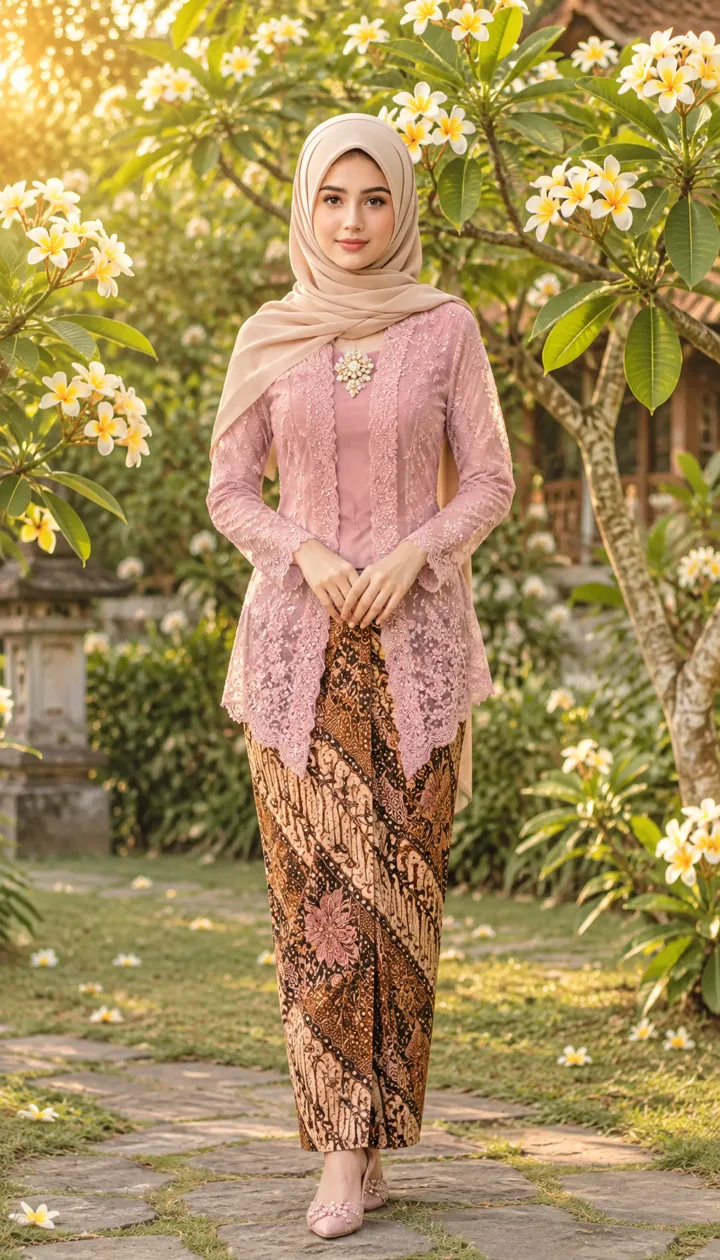
Pink kebaya with a hijab
A striped casual top changes to pink lace and batik in a sunlit garden; a light hijab appears in both images.
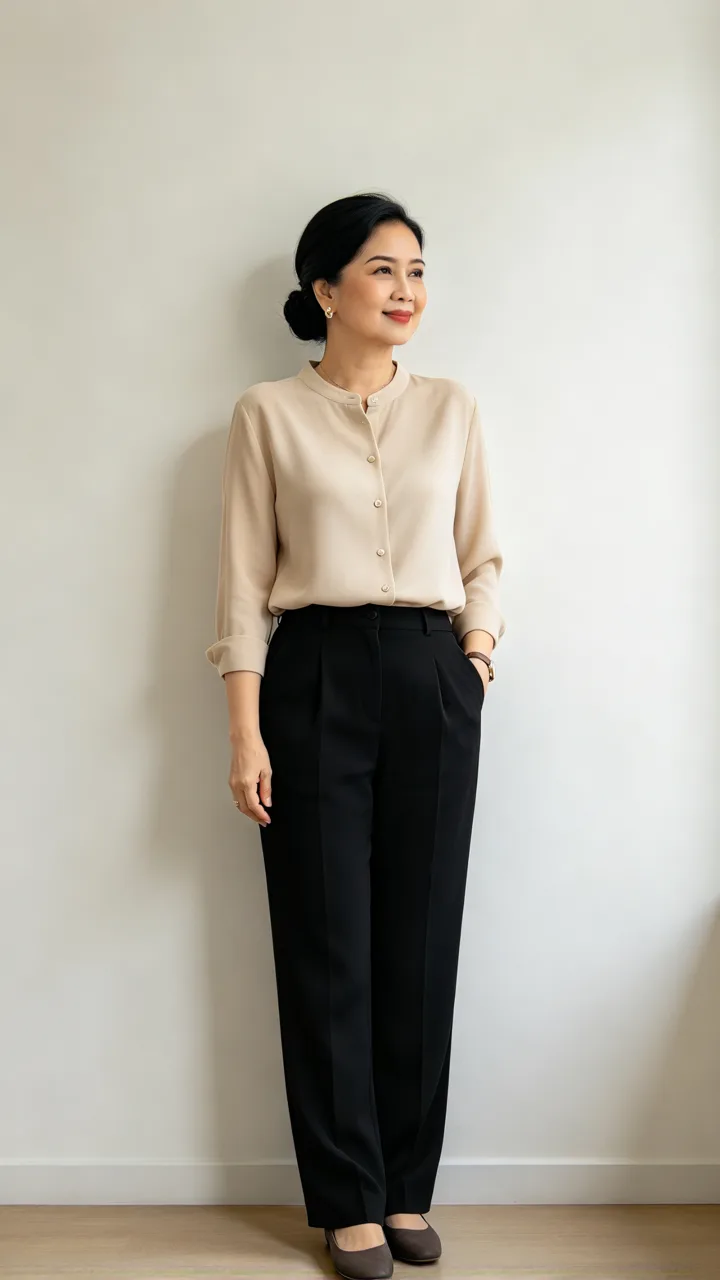
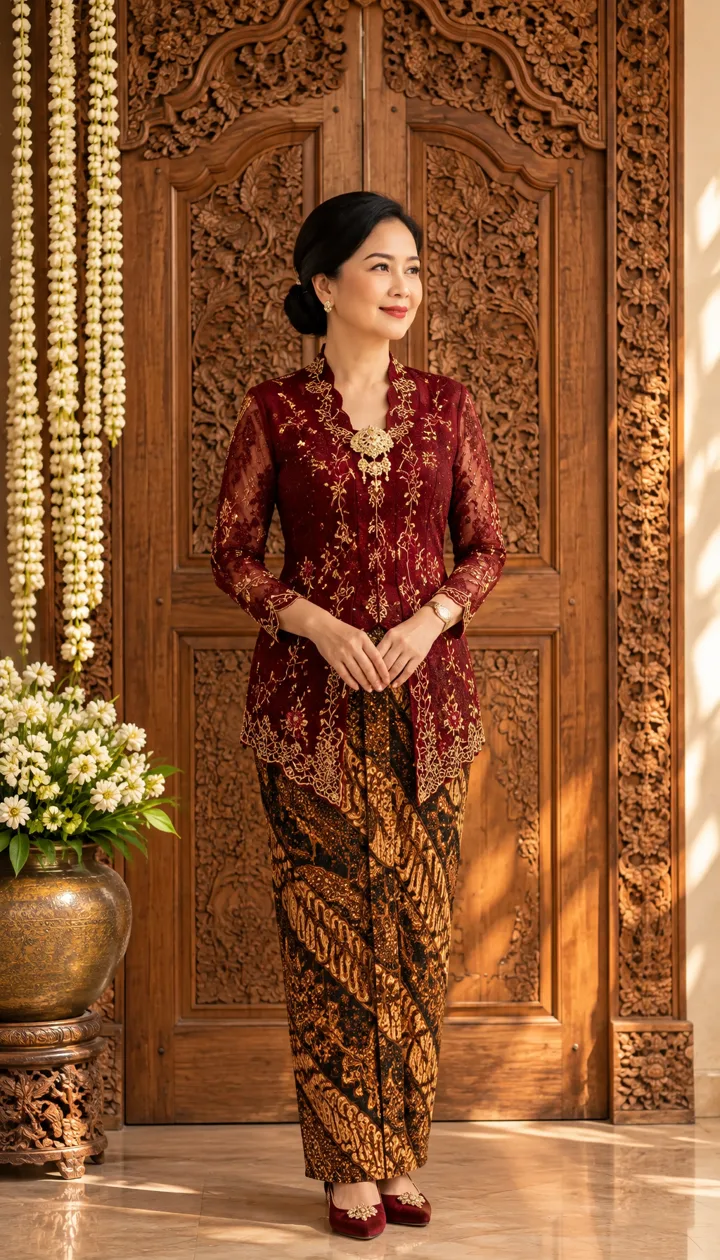
Red and gold with carved wood
A neutral blouse becomes a red-and-gold outfit with batik against carved wooden doors.
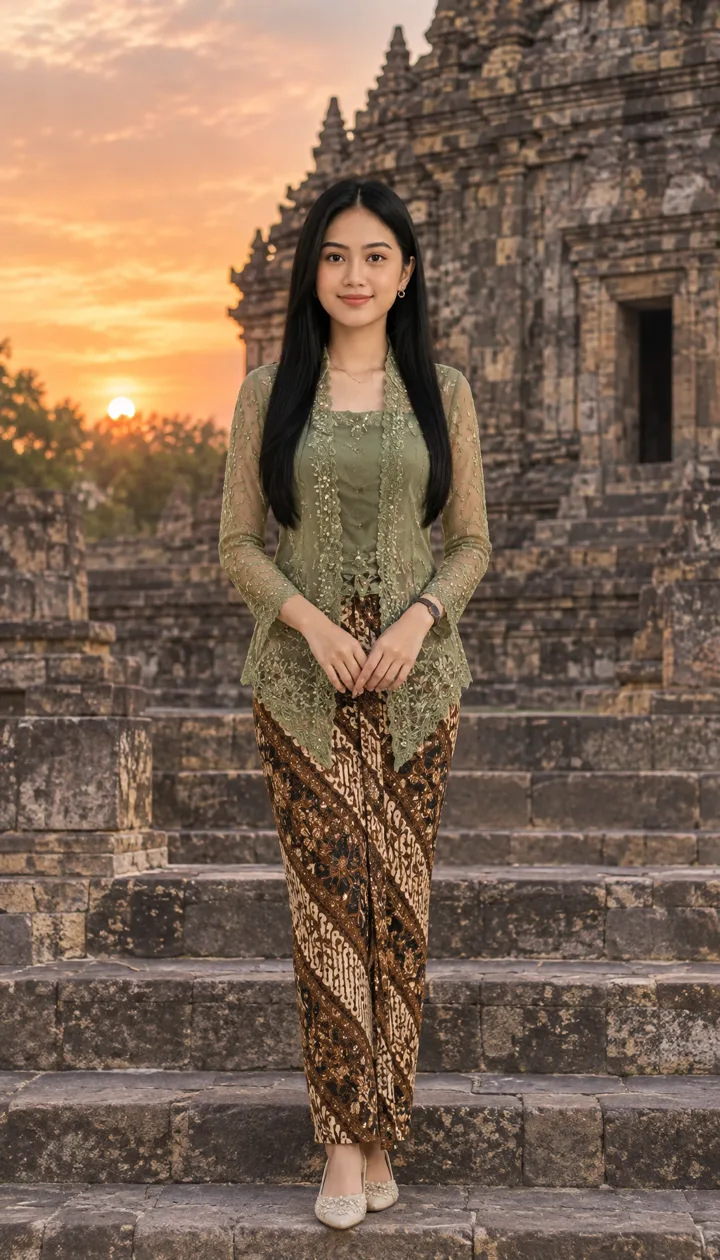
Sage green at a temple
The white-blouse portrait changes to sage-green lace and batik with a stone temple backdrop.
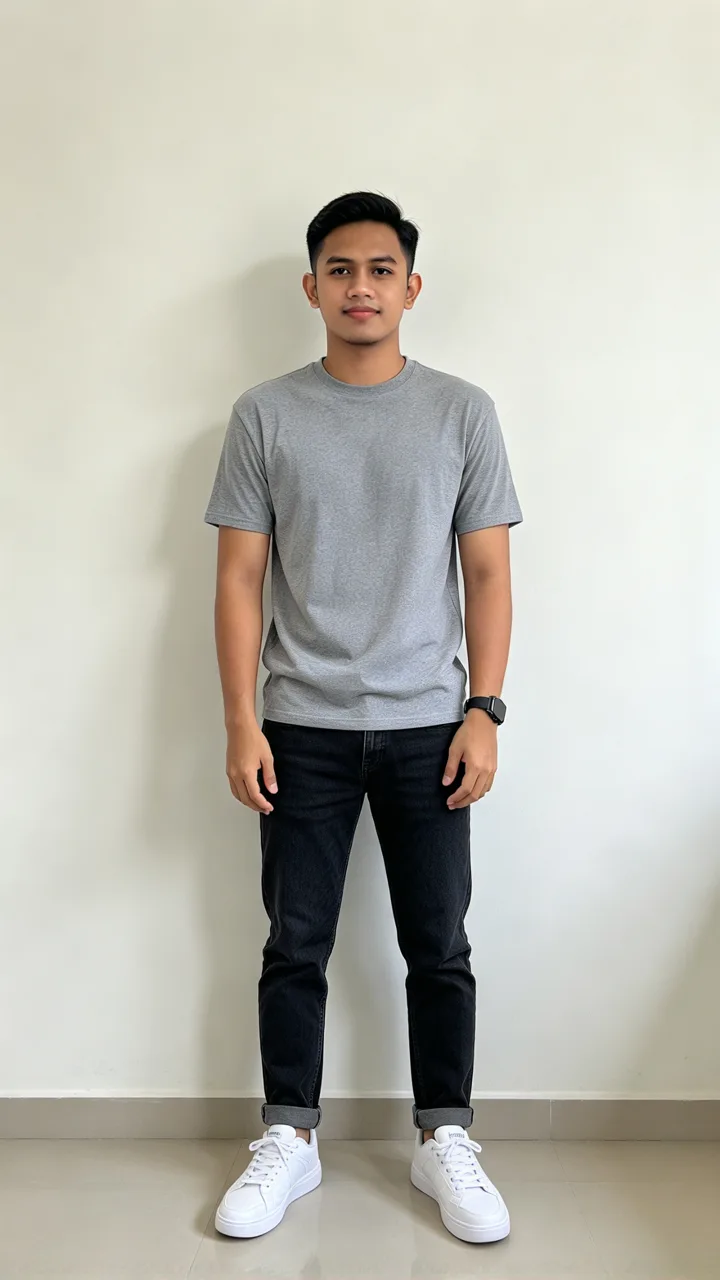
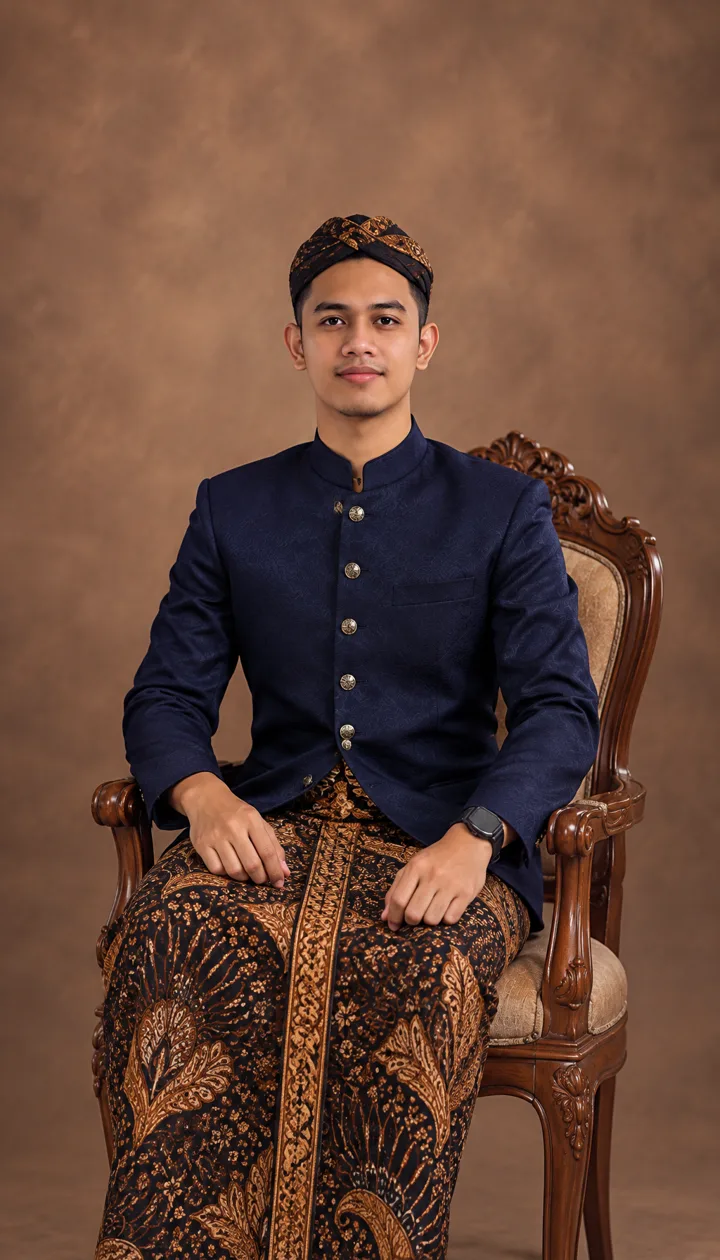
A dark beskap studio portrait
A gray T-shirt portrait becomes a seated beskap look with batik kain and a blangkon headcloth.
How does AI edit foto kebaya use my selfie?
AI edit foto kebaya uses your uploaded photograph as the identity reference, then asks an image model for traditional clothing and a new setting. This tool requests the same facial features, skin tone, apparent age, body shape and original hair or hijab. Use an evenly lit portrait without a face filter. A cropped selfie cannot provide unseen body details, and a higher pixel tier does not guarantee a more accurate face.
Can AI kebaya make purple, green or Javanese looks?
AI kebaya can take color and regional styling instructions: choose Green temple for a sage-green Javanese setting, or use Custom for purple ungu, green hijau or a specific kebaya Jawa brief. Describe the blouse, batik, accessories and setting separately. For kebaya Bali, specify the Balinese garment details you want instead of treating a temple background as proof of that style. Regional and ceremonial accuracy still needs your review.
Is this kebaya AI tool free?
Generating a kebaya AI photo requires credits; the 1-credit signup gift does not cover the 2-credit starting cost. Viewing examples and choosing settings are free. The minimum purchase is a $5 trial pack with 10 credits, enough for 5 Fast images from zero credits. PNG download is included, with no extra export fee or added visible site watermark; Fast includes invisible SynthID. Each new generation costs credits, including a new attempt to correct a face or outfit.
AI kebaya pricing & credits
One AI kebaya photo costs 2–18 credits for one 3:4 PNG. A Fast image is $1.00 using the $5 trial pack, the minimum purchase from an empty balance. The optional Custom style reference is included. HD, Ultra HD and Studio need paid access. The pixel tier describes output resolution, not a promise of photographic accuracy or exact garment details.
| Quality | Output | Credits | Using the trial pack |
|---|---|---|---|
| Fast | 1K · PNG | 2 | $1.00 |
| HD | 2K · PNG | 3 | $1.50 |
| Ultra HD | 4K · PNG | 4 | $2.00 |
| Studio | 2K · PNG | 18 | $9.00 |
| Item | What is included |
|---|---|
| Signup gift | Signup credits: 1; one Fast photo needs 2 |
| Download | One PNG; no extra export charge |
| Watermark | No visible site watermark; Fast includes invisible SynthID |
| Paid quality modes | HD, Ultra HD and Studio require paid access |
| Task recovery | Confirmed provider failures return credits. Unconfirmed submissions stay pending for support. A delivered photo awaiting storage recovery is not refunded or regenerated. |
What AI kebaya cannot promise
AI kebaya does not guarantee your exact face, hijab coverage, body shape or authentic regional dress. Review lace, batik motifs, accessories and hands before sharing, and never treat a generated portrait as an identity document or proof that you wore an outfit. Upload only photographs you have permission to use. This workflow stores inputs and results at unlisted public links; anyone with a link can open them.
AI kebaya FAQ
AI kebaya here is a one-person, one-image workflow with built-in clothing presets. It does not train a personal model or combine two selfies into a couple portrait. Custom can describe another color, a regional outfit or a graduation setting, but the image model may interpret those details differently from your request.
Do I need an AI kebaya app?
No app installation is required. Use this kebaya AI tool in a phone or desktop browser and sign in to generate. Upload a JPG, PNG or WebP; convert an HEIC phone photo first. Completed images download through the browser.
Can I make a hijab-friendly kebaya portrait?
Use a source photo showing your own hijab and choose Garden hijab, or describe the coverage in Custom. The prompt requests that the original hijab stays, with modest, lined clothing. Check the result for exposed hair or changes to coverage; those instructions are not a guarantee.
Does AI kebaya also support men in beskap?
Studio beskap requests a dark beskap jacket, batik kain and blangkon in a studio portrait. The other presets also request a beskap interpretation for a male subject. Beskap is a different garment from a kebaya; inspect the clothing and headcloth rather than assuming every detail is historically exact.
Can I use this for a kebaya wisuda graduation photo?
Choose Custom and describe your kebaya color, graduation gown or cap and campus setting. A clear half-body or full-body source provides more pose information than a cropped headshot. Review insignia, lettering and academic dress before sharing, and present the result as an edited portrait.