
How the AI clothes changer works
- Upload one clear photo of a single person, ideally with the whole outfit in frame and nothing covering the clothes.
- Pick Camel blazer, Sage midi dress or Yellow summer set, or choose Custom to add an outfit photo, a short description, or both.
- Generate, then drag the slider across the collar, hands and hairline to compare with your original before you download the PNG.
AI clothes changer examples: the same person in a new outfit
Each pair shows an original photo and the edited result. Compare the face, hands and background as well as the new clothes.
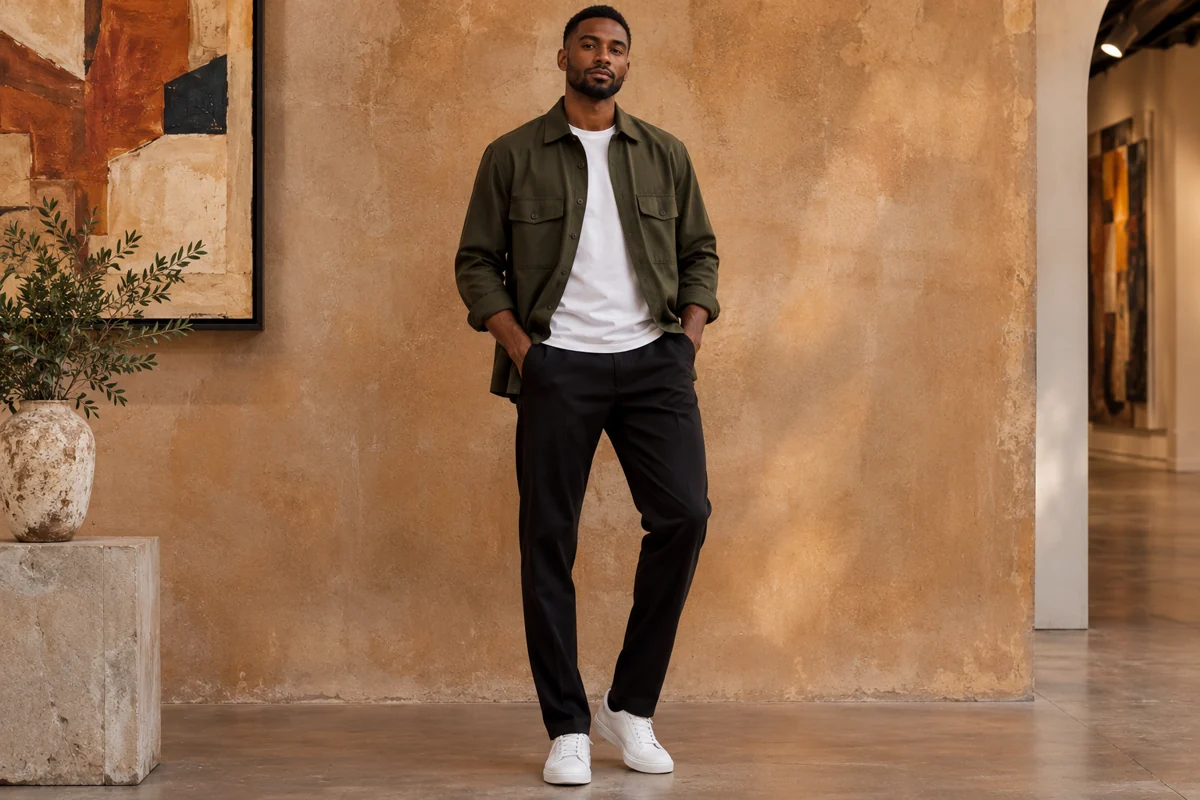 Original
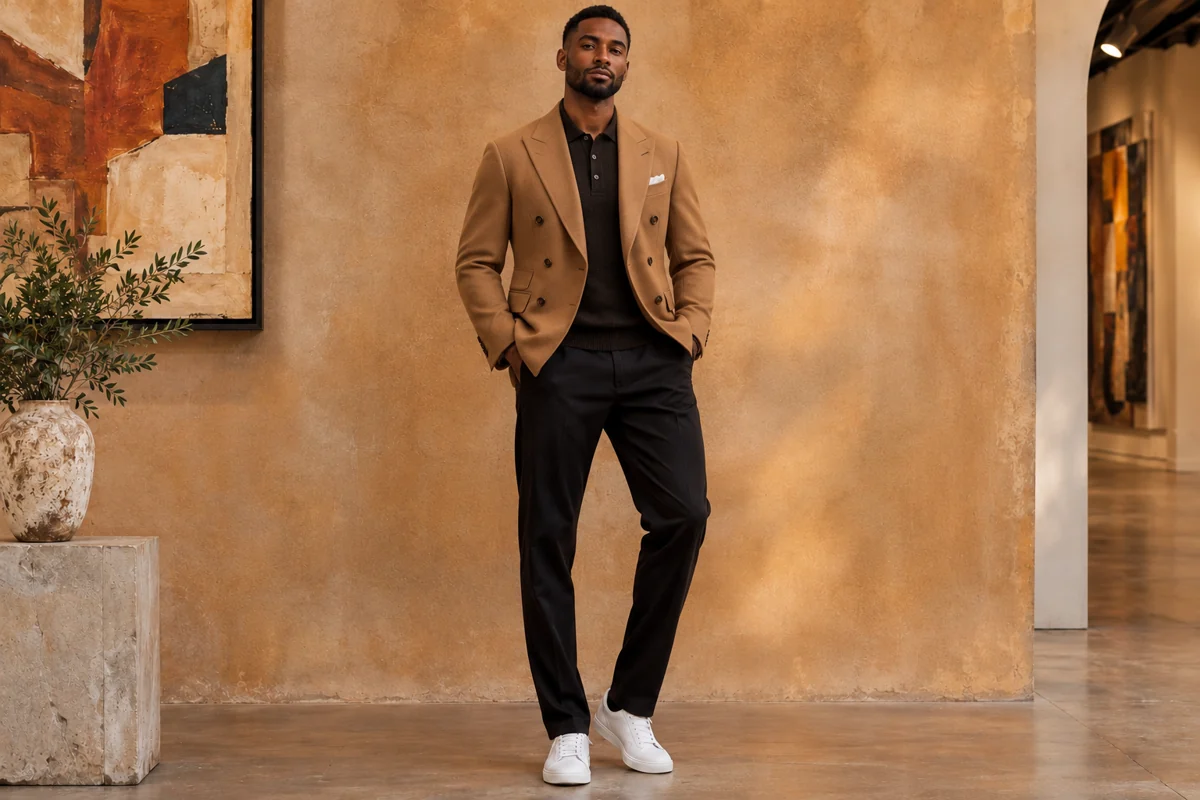 New outfit
The white T-shirt and green overshirt become a black polo under a double-breasted camel blazer. The black trousers, white sneakers and ochre wall are unchanged.
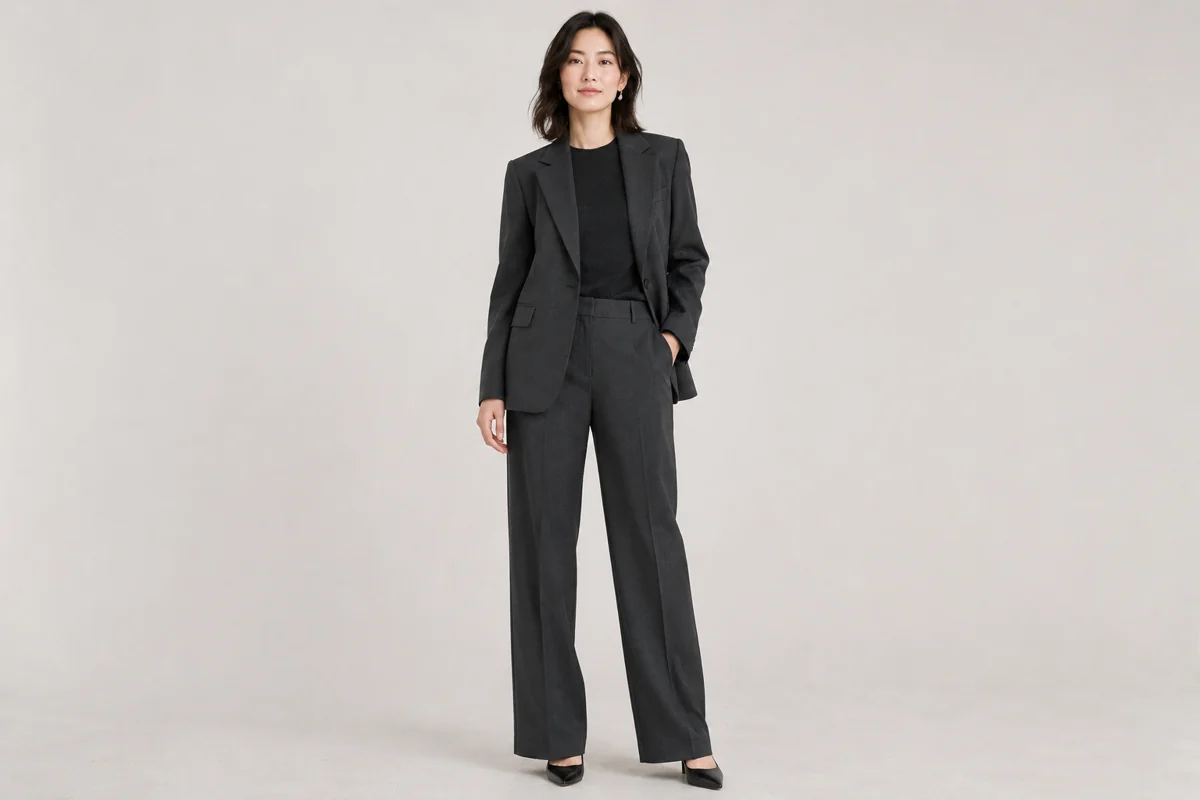 Original
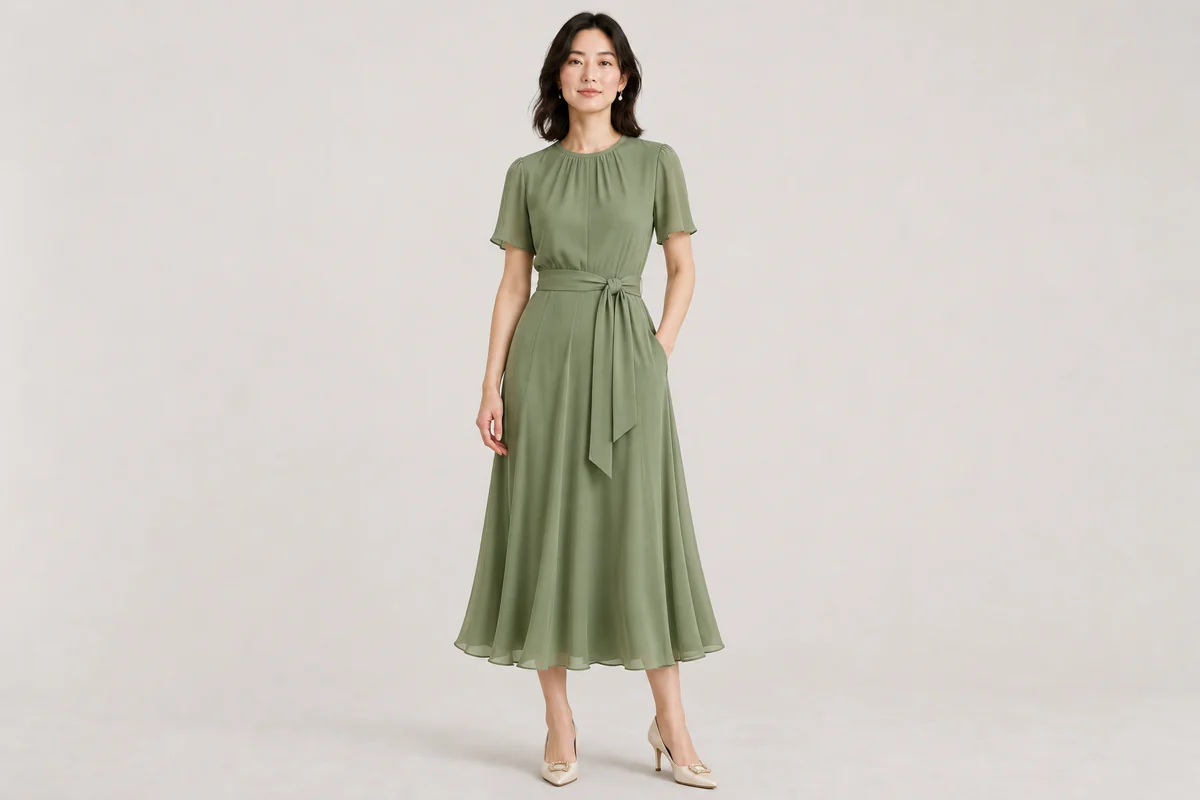 New outfit
A trouser suit is replaced by a short-sleeved midi dress with a tie belt. The hair, earrings and plain studio backdrop stay the same, while the shoes change to suit the dress.
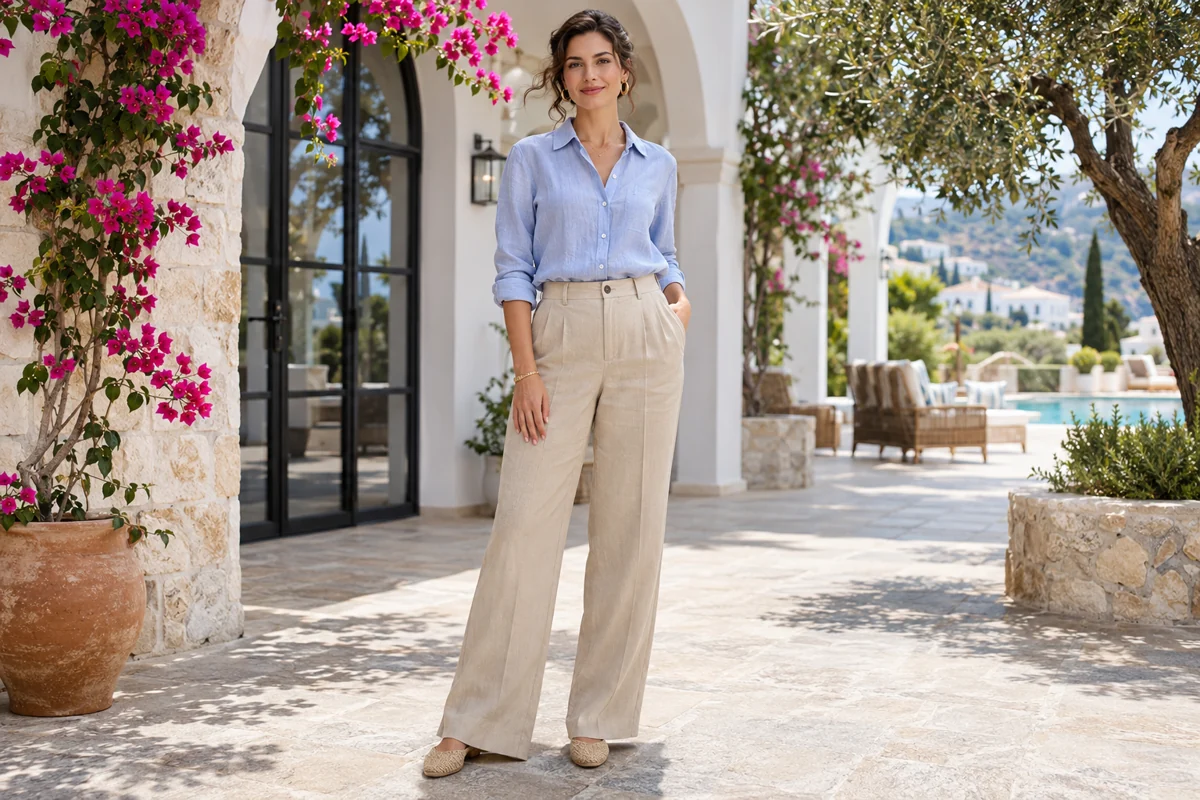 Original
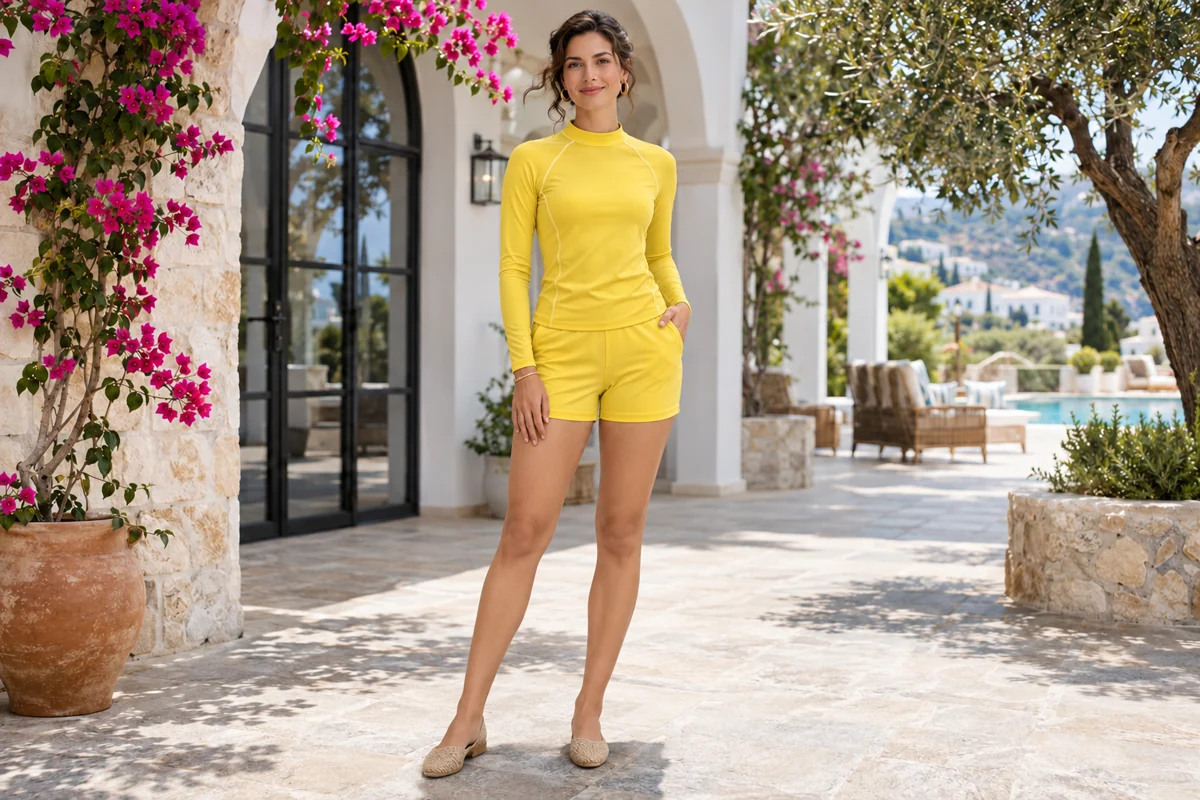 New outfit
A light-blue shirt and beige trousers become a yellow long-sleeved top with matching shorts. The courtyard, flowers and flat shoes stay in place.
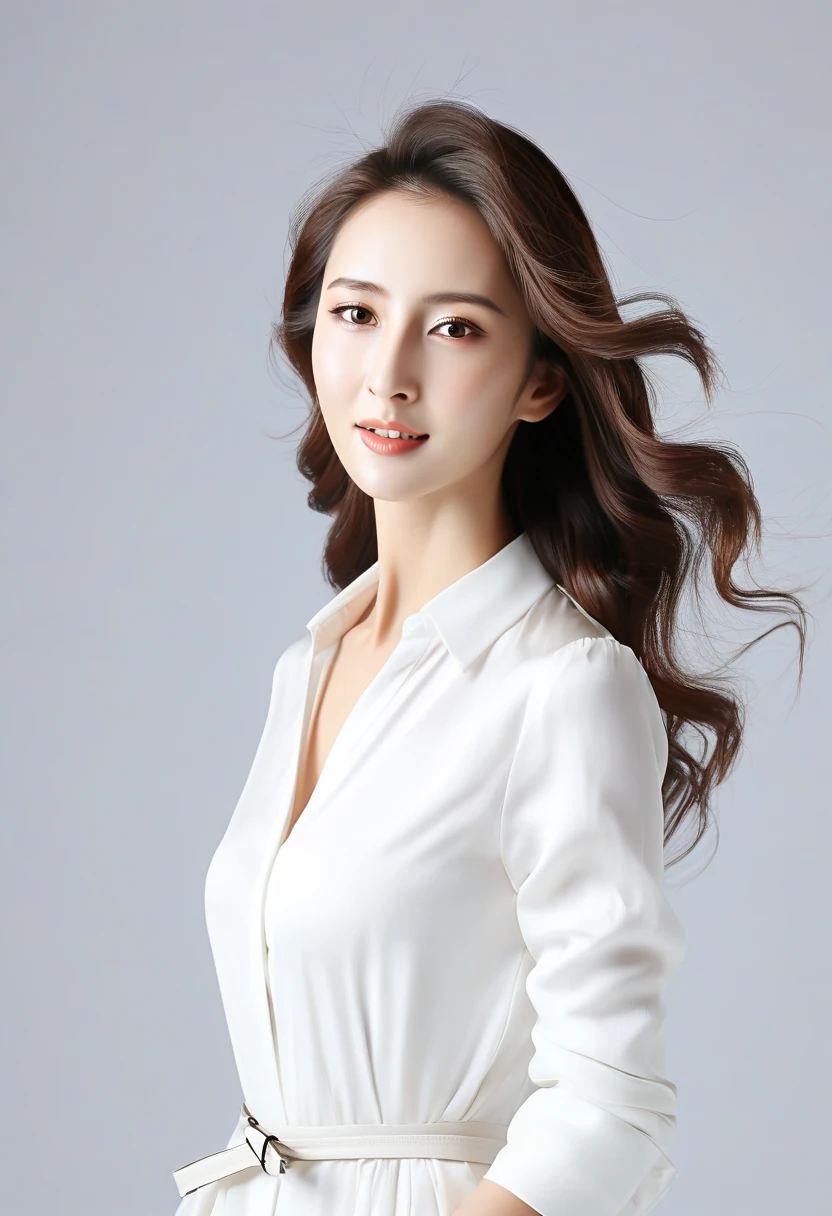 Original
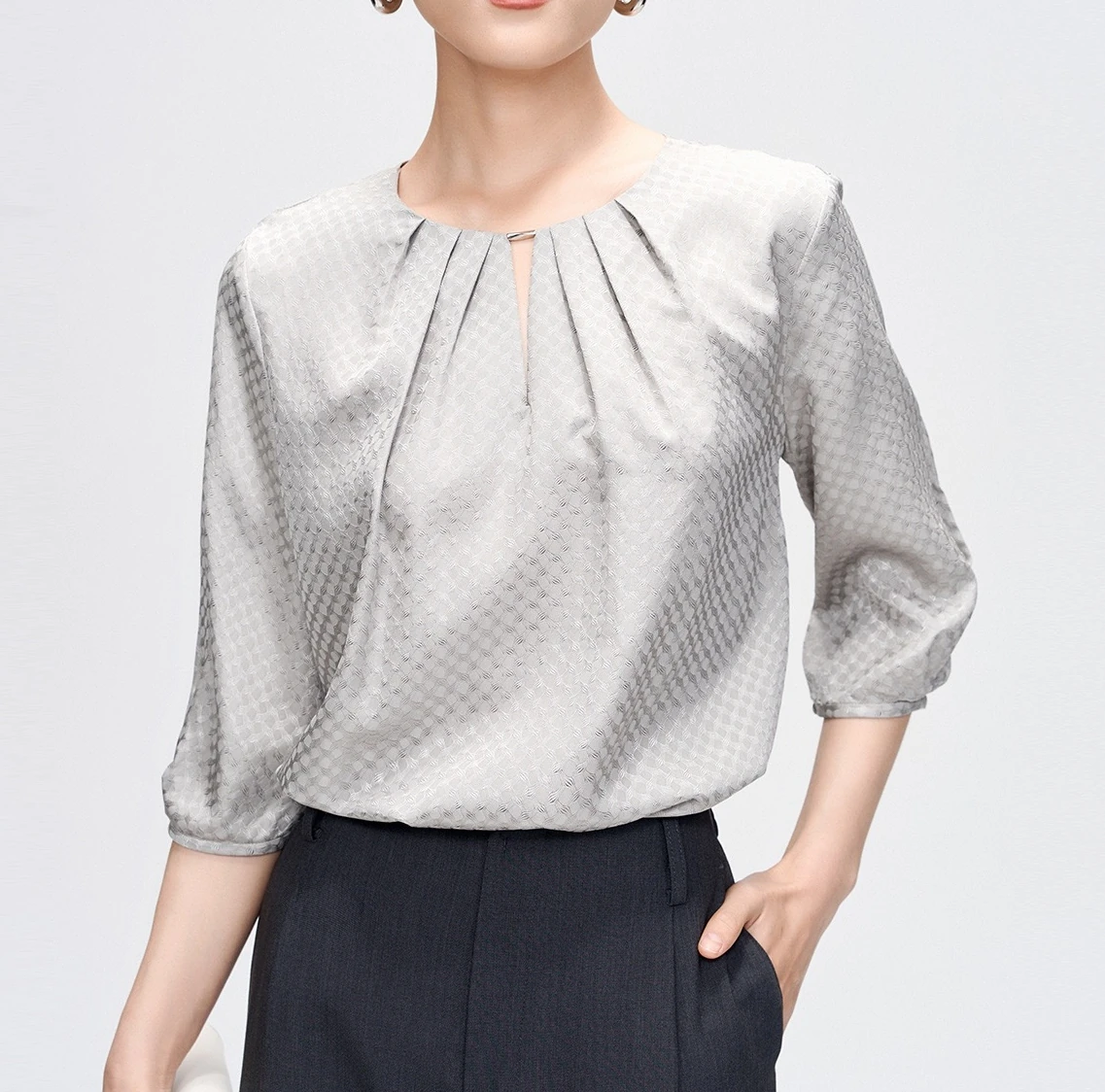 Outfit photo
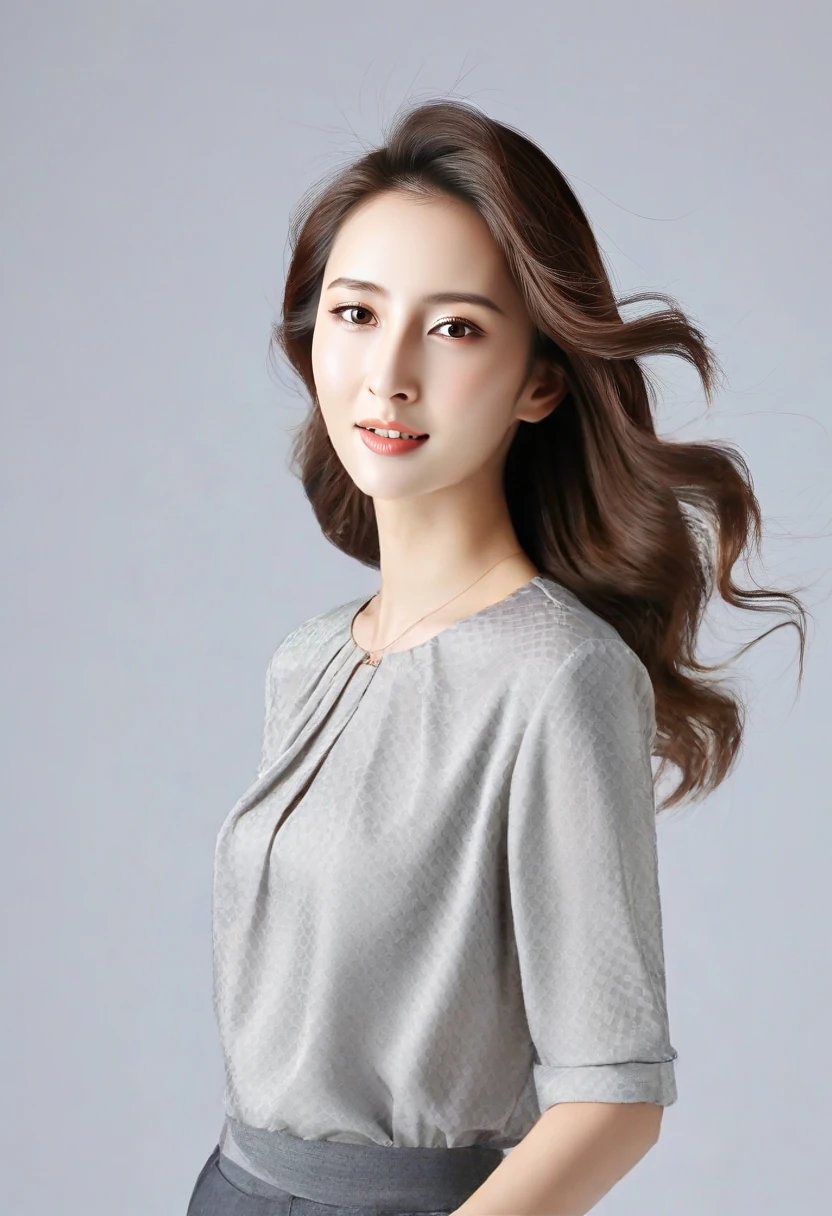 New outfit
Custom mode with an outfit photo. The blouse's gathered neckline and elbow-length sleeves replace the white shirt, though the reference's textured weave comes out smoother.
Can an AI clothes changer change my outfit from a text prompt or a reference image?
Yes. Choose Custom and type the outfit in plain words, such as “navy wool suit with a white shirt and no tie”, upload a photo of the garment, or do both. The AI clothes changer then redraws only the clothing in your photo and keeps your face, hair, pose and background. With an outfit photo it copies the visible colour, pattern, neckline and sleeve length, and your words add what the photo does not show. Name the garment, colour, fabric and fit, and leave the face out of the description.
Prompt used by the Camel blazer preset
Edit the uploaded image as a photograph and change only the clothing of the person in it. New outfit: a camel double-breasted wool blazer worn open over a black knit polo shirt, with slim black trousers. Keep existing shoes and accessories unless the outfit description replaces them. Keep the person's face, expression, hairstyle, skin tone, body proportions, pose, hands, framing, lighting and background exactly as they are. Fit the new garments to the existing pose with natural folds, seams and shadows that match the light in the photo. Let hair, hands and carried objects overlap the fabric naturally. Do not slim or reshape the person, show more skin than the described outfit covers, add people, add printed words or logos, or change the camera angle. Return one photorealistic still image.
Can I use an AI clothes changer for men's suits, headshots or passport-size photos?
Yes for headshots and profile pictures. Start from a front-facing photo with your shoulders in frame, pick Camel blazer or describe a suit, shirt and tie, and the edit keeps your face and the original background. Men's and women's clothing both work, because the outfit comes from the preset or your words rather than from someone else's body. For an official passport or ID photo, check the issuing authority's rules first: many require an unedited picture, so an AI-changed outfit may be rejected.
Need a studio-style suit headshot? Try the AI suit photo generatorIs this AI clothes changer free online, and does it add a watermark?
It is not free to run. Eligible new accounts get 1 signup credit, but the cheapest change costs 2 credits, so you need more credits before the first edit; the $5 Trial Pack has 10. You sign in so your photo and result stay in your own account rather than a public gallery. Every result downloads as a PNG with no watermark and no extra download fee. The table below lists each quality's cost, and the generate button shows it again before you start.
AI clothes changer credits per photo
Credits are taken when a change starts and returned automatically if it fails. Adding an outfit photo under Custom costs one more credit on HD and Studio, because the model reads a second image; Fast and Ultra HD cost the same either way.
| Quality | Output | Preset or description | With outfit photo | Account access |
|---|---|---|---|---|
| Fast | 1K | 2 | 2 | Signed in, with credits |
| HD | 2K | 5 | 6 | Active subscription or unexpired paid credits |
| Ultra HD | 4K | 8 | 8 | Active subscription or unexpired paid credits |
| Studio | 2K | 17 | 18 | Active subscription or unexpired paid credits |
$5 for 10 credits. Edits from 2 credits.
See credit packs and monthly plansWhat this AI outfit changer can't do
It edits one still photo per run and does not make videos. The face can drift slightly where a collar, hair or hands overlap the new clothes, and small logos, lettering or fine patterns from an outfit photo may be simplified. It does not predict size or fit, so use it for styling ideas rather than choosing a size. It will not remove clothing, make underwear, swimwear or see-through edits, or change who is in the photo; such requests are refused before any credits are charged.
AI clothes changer FAQ
Does the AI clothes changer work in a phone browser, or do I need an app?
It runs in the browser on iPhone, Android and desktop, so there is nothing to install. Upload straight from your camera roll, sign in, and save the PNG to your phone when it is ready.
Can I change only the colour of my clothes?
Yes. Choose Custom, leave the outfit photo empty and describe the same garment in a new colour, for example “the same shirt in forest green”. The shape of your current clothes stays the guide.
Can I change just one item, like shoes or a jacket?
Yes. Under Custom, name the single item and say the rest stays, for example “replace only the jacket with a black leather biker jacket”. An outfit photo of one garment also changes only what that garment covers.
Can I use the edited photo in a shop listing or an ad?
Paid plans include a commercial-use license; the pricing page has the exact terms. Because the picture is AI-edited, label it where a marketplace asks and do not present it as proof of how a product fits. Only upload photos of people who have agreed to it.