
AI Mona Lisa turns one photo of you into a still portrait inspired by Leonardo da Vinci’s Mona Lisa. Choose distant hills or keep your own surroundings, then download one PNG at 1K, 2K or 4K with no visible site watermark. Examples are free to view. Generation costs 2–16 credits, and the one-credit gift for eligible new accounts covers part of a first portrait.
How can I make the AI preserve my actual face?
AI Mona Lisa preserves likeness best with a photograph you recognise even at thumbnail size. The distance between the eyes, the outline of the chin and the curve of the mouth all give the AI Mona Lisa generator cues that survive a change of clothing or light. A sharp head-and-shoulders photo in window light works well. Keep both eyes visible. In the outdoor example below, the smile and tilt of the head carry over even as a column and hills appear behind the sitter. Compare those features with your photo before judging the colour of the painting.
Four portrait studies
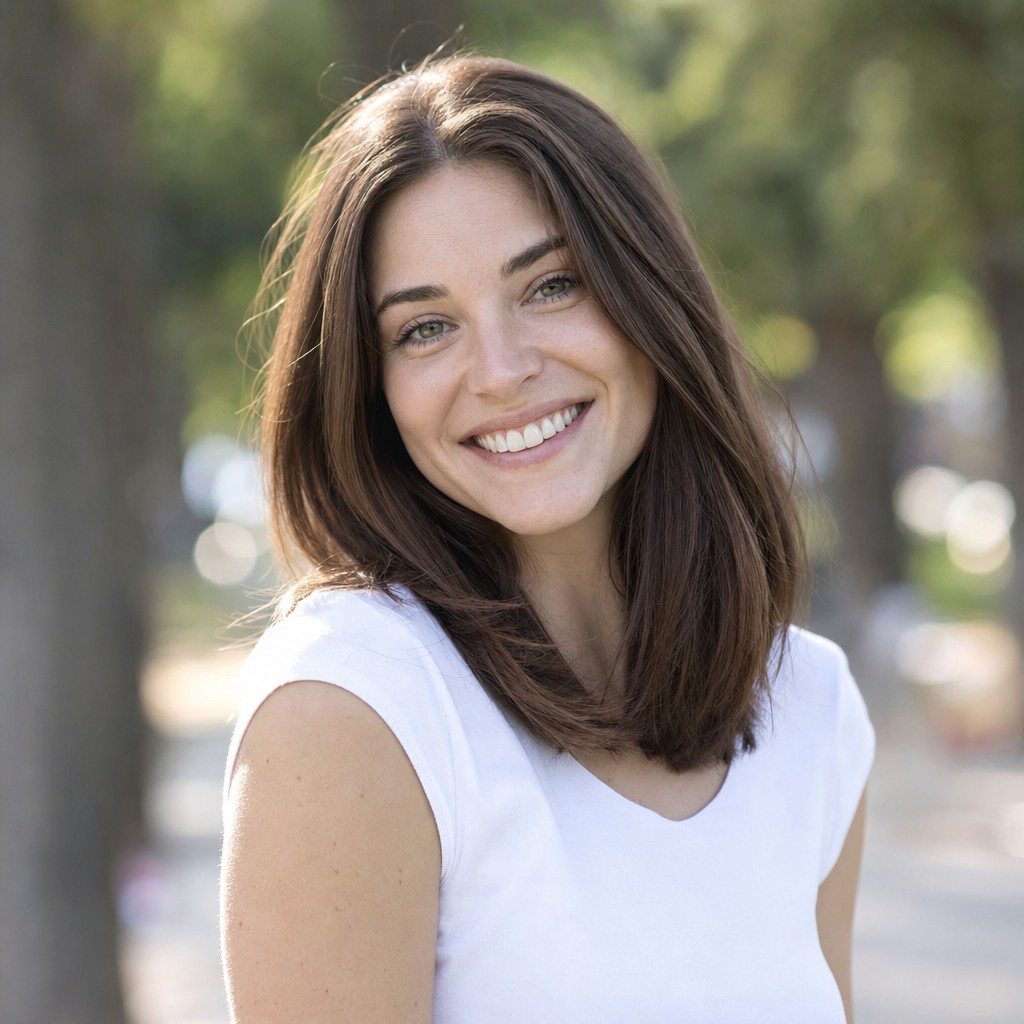 Photograph
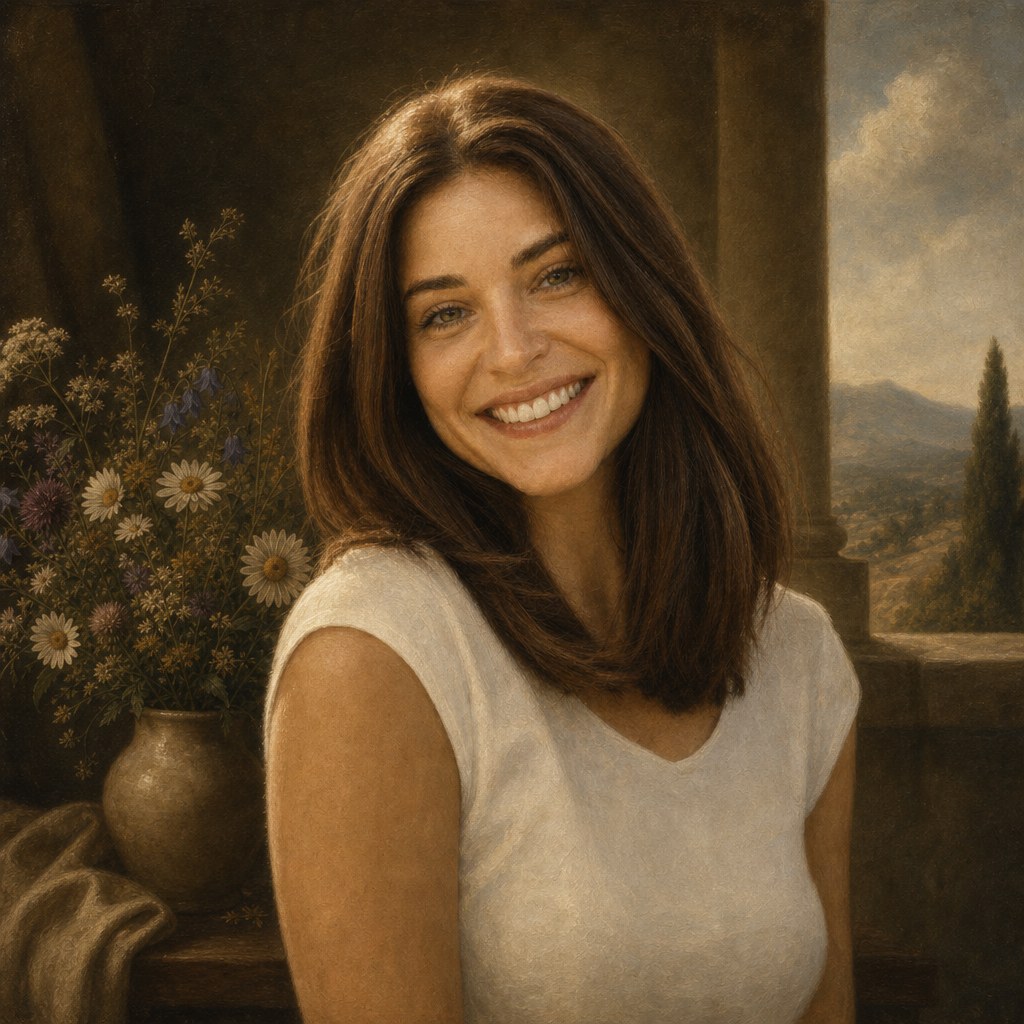 Oil painting
The head tilt and smile carry across. A stone column and distant hills replace the trees.
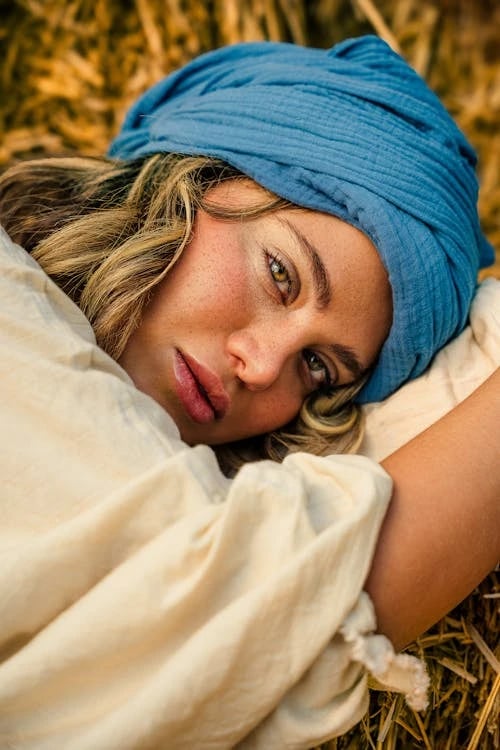 Photograph
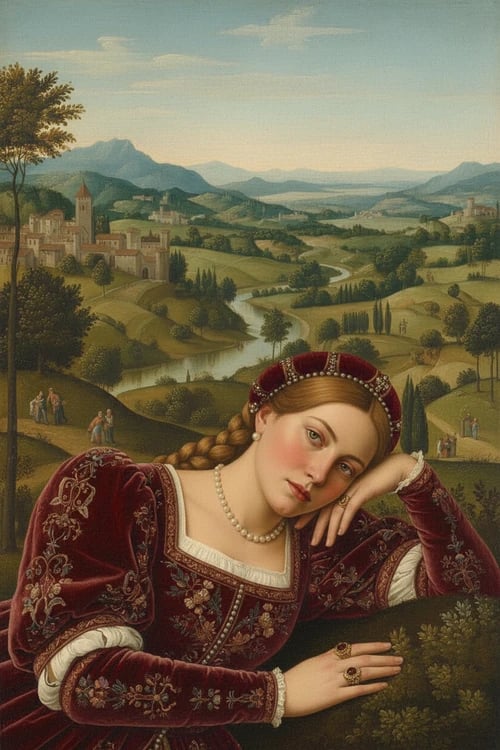 Oil painting
The tilted head anchors both images. The blue wrap gives way to braids, a red dress and a wider view.
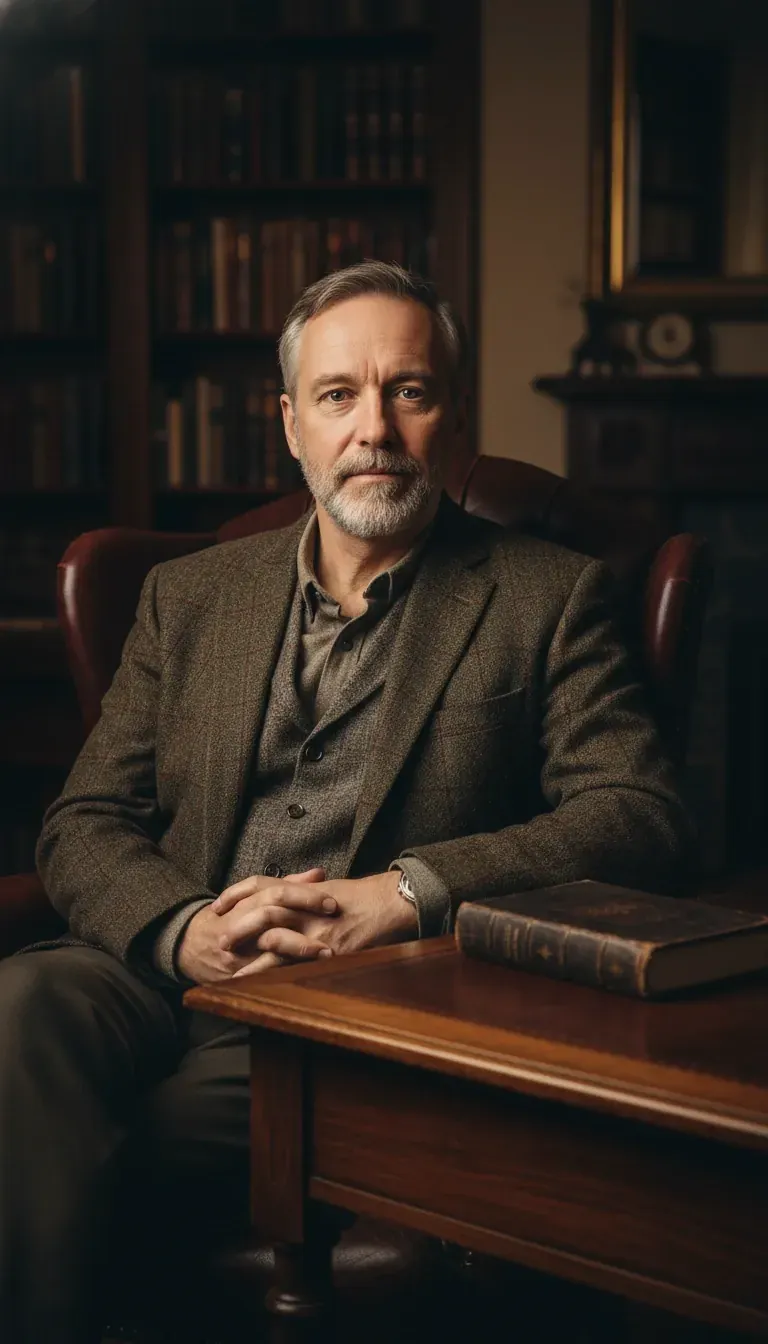 Photograph
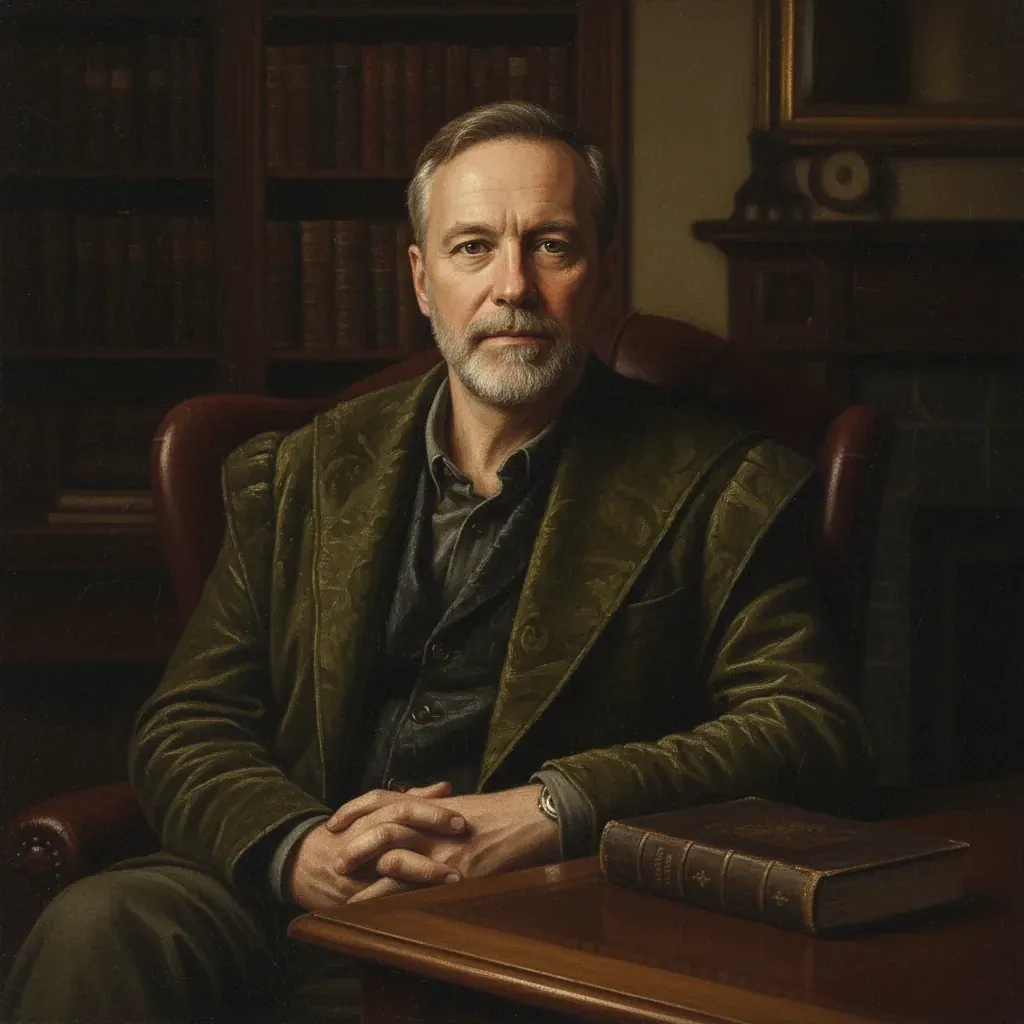 Oil painting
The beard, clasped hands and book identify the sitter and the room even as the crop tightens.
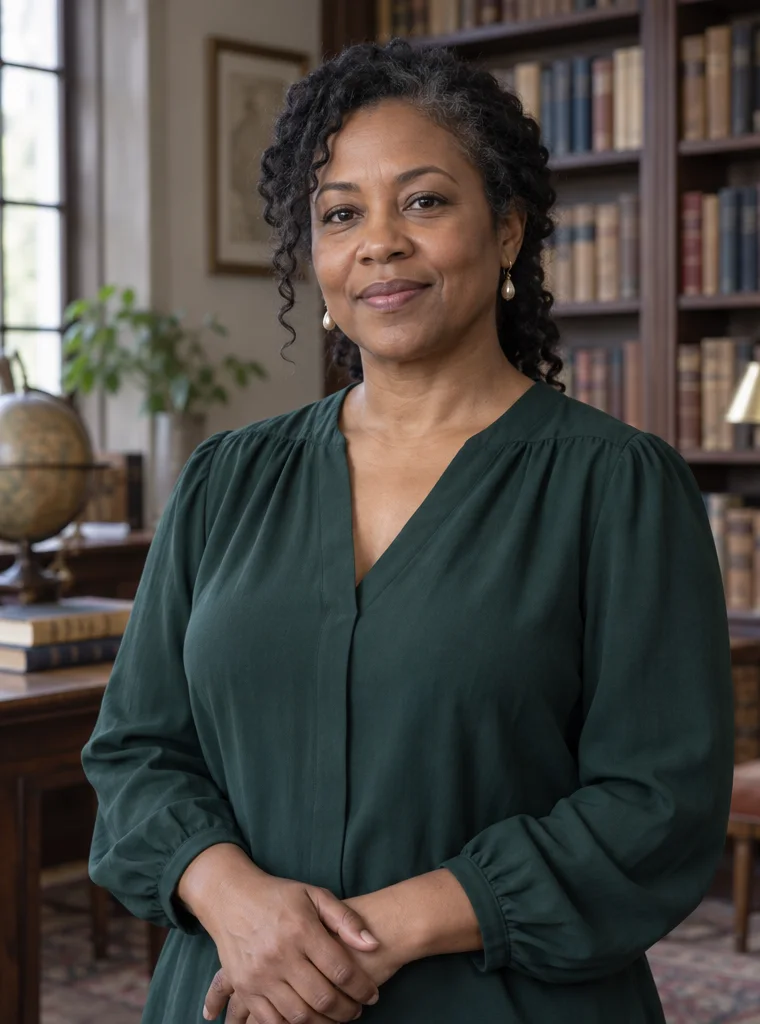 Photograph
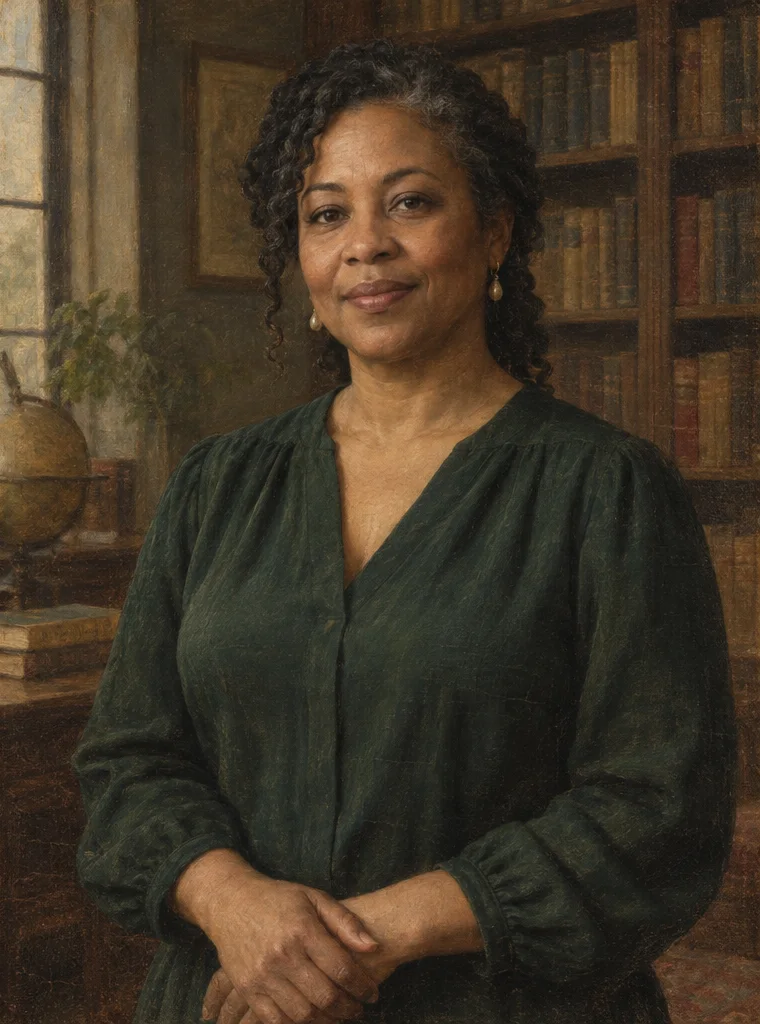 Oil painting
The curl beside the cheek and the green blouse remain visible. The shelves dissolve into warm shadow.
Is there a ready-made AI Mona Lisa template I can use instead of writing a prompt?
AI Mona Lisa offers Landscape for a painted setting with a river, distant hills and a stone ledge. Choose My setting to keep recognisable clothing and surroundings. Both picture cards show the kind of composition to expect. To describe your own background, palette or lighting, choose Custom and enter up to 300 characters. Your portrait remains the face reference for all three choices. The default is Fast 1K; open Advanced settings for larger images. Every choice produces one still painting at the displayed credit price.
From photo to painting
1. Upload a single portrait
Choose a clear JPG, PNG or WebP, up to 20 MB.
2. Choose a painting setting
Pick a picture card or choose Custom and describe your scene. Fast 1K is the default; other sizes are in Advanced settings.
3. Paint and save the PNG
Sign in, generate once, then compare the portrait with your photo and download it.
How should I describe the lighting, sfumato, clothing, background landscape, brush texture, and facial movements in my prompt?
AI Mona Lisa custom prompts can describe the setting, clothing, palette and light you want. Choose Custom and try “a sunlit garden, muted green drapery and warm afternoon light.” The service combines your details with the Mona Lisa painting style and instructions to preserve your face, expression and pose. Custom details cannot guarantee exact likeness; compare the result with your photograph. A still image captures one expression, so directions to blink or look around do not create animation. The landscape preset wording is available below.
Read the landscape preset’s prompt
Use the uploaded portrait as the identity reference for a single still oil painting inspired by Leonardo da Vinci’s Mona Lisa. Place the sitter at a stone parapet overlooking a winding river and blue-green hills fading into mist. Translate visible clothing into simple Renaissance drapery. Keep the head angle and expression from the photograph. Keep this person’s face shape, eye spacing, nose, skin tone, age, hair texture and any visible glasses. Preserve the expression, pose and visible hands. Let the sitter keep their own features. Use sfumato to blend the transitions from light to shadow at the cheeks and mouth, keeping the eyes in focus. Use thin oil glazes and restrained brushwork. Return one unframed painting with no lettering, signature or visible logo.
Likeness and limitations
Is there a way to keep those features while still getting the Renaissance painting style?
AI Mona Lisa can retain glasses, curls and skin tone more easily when the photograph shows them clearly. If a reflection hides a pupil, use another shot or tilt the frame away from the window before taking the photo. Leave space around the hair so its silhouette is visible. A deep shadow across one cheek can become a patch of dark paint, and the warm palette can shift skin colour. Compare the face against the original at full size. In the library pair, notice how the loose curl remains visible while the light on the forehead becomes warmer.
Can these templates handle couples and group photos, or should I generate separate portraits first?
AI Mona Lisa works with one sitter at a time, so use a separate portrait for each person. The template takes one photograph and follows the features of one person. When two faces share the frame, it can borrow an eyebrow, hairline or expression from the wrong face. Crop the original into two photos if each face still has enough detail. For a matching pair, use the same preset and quality for both people and leave similar space above each head. Each submission produces its own PNG and uses the displayed number of credits. A severely blurred face or a face hidden behind a hand will still be guesswork.
I don’t mind signing up for a free account, but I don’t want a trial that automatically turns into a subscription. What are my options?
AI Mona Lisa examples are free to view without signing in. To paint your own portrait, sign in and use an existing credit balance or buy a one-time pack. Eligible new accounts receive one gift of one credit. The least expensive edit costs two, so the gift alone will not pay for a portrait. There is no daily free generation on this page. A finished PNG can be downloaded without paying again. The site adds no visible watermark. Fast images carry the model’s invisible SynthID mark. The credit table shows the charge for one photo at each quality.
| Quality | Resolution | Credits | Access |
|---|---|---|---|
| Fast | 1K | 2 | Signed in with credits |
| HD | 2K | 5 | Active paid access and credits |
| Ultra HD | 4K | 7 | Active paid access and credits |
| Studio | 2K | 16 | Active paid access and credits |
Starting with no credits? The $5 one-time Trial Pack includes 10 credits. The selected quality determines how many portraits you can make.
What’s the difference between a regular Mona Lisa photo filter, an AI face swap, and the animated Mona Lisa video effect?
AI Mona Lisa repaints your portrait; a colour filter only changes the photograph’s colours. A face swap places a new face inside another portrait, often keeping the pose of the original painting. The Mona Lisa effect here paints from your photo, following your face and pose. An AI Mona Lisa video effect adds movement to the painted portrait. You may see that version described as “Mona Lisa AI video” or “photo to Mona Lisa video.” The comparison below lists what each effect delivers, which part can be previewed for free and how each service describes its charge.
| Tool | Price per result | Free allowance | Watermark | Output |
|---|---|---|---|---|
| Consistent Character AI | 2–16 credits | Examples free. Eligible signups get 1 credit once. | No visible site mark. Fast includes invisible SynthID. | One PNG image |
| GoEnhance | 30 credits for the full video (members) | One preview per day. First 3 seconds clear. | Not publicly specified for this effect | 5-second video |
| SendFame | 10 credits per clip | Not publicly specified for this effect | Not publicly specified for this effect | 5-second MP4 |
Credit values differ between providers. Each price is in that tool’s own credits.