
A little flash. A little film. A whole different decade.
90s Photo Generator
Turn a photo into a 90s flash, disposable-camera, or yearbook portrait. Or describe a scene and start from scratch.
Our 90s photo generator puts the camera look in your hands: choose a style, decide how much to change, and compare the result with your original. No camera jargon needed.
Style illustration
90s FlashFilm texture
Period lighting
Recognizable faces


Style illustration · not a live result from this tool
Your free 90s photo prompt
No sign-in needed. Your selected settings are included.
Find your look with the 90s photo generator
A convincing 90s photo is about light, color, and context. This 90s photo generator offers six starting points, from a spontaneous party snapshot to a carefully lit studio portrait.
90s Flash
Bright faces, a darker room, and a crisp shadow behind the subject. Start here for house parties, candid couples, and the just-found-it-in-an-album feeling.
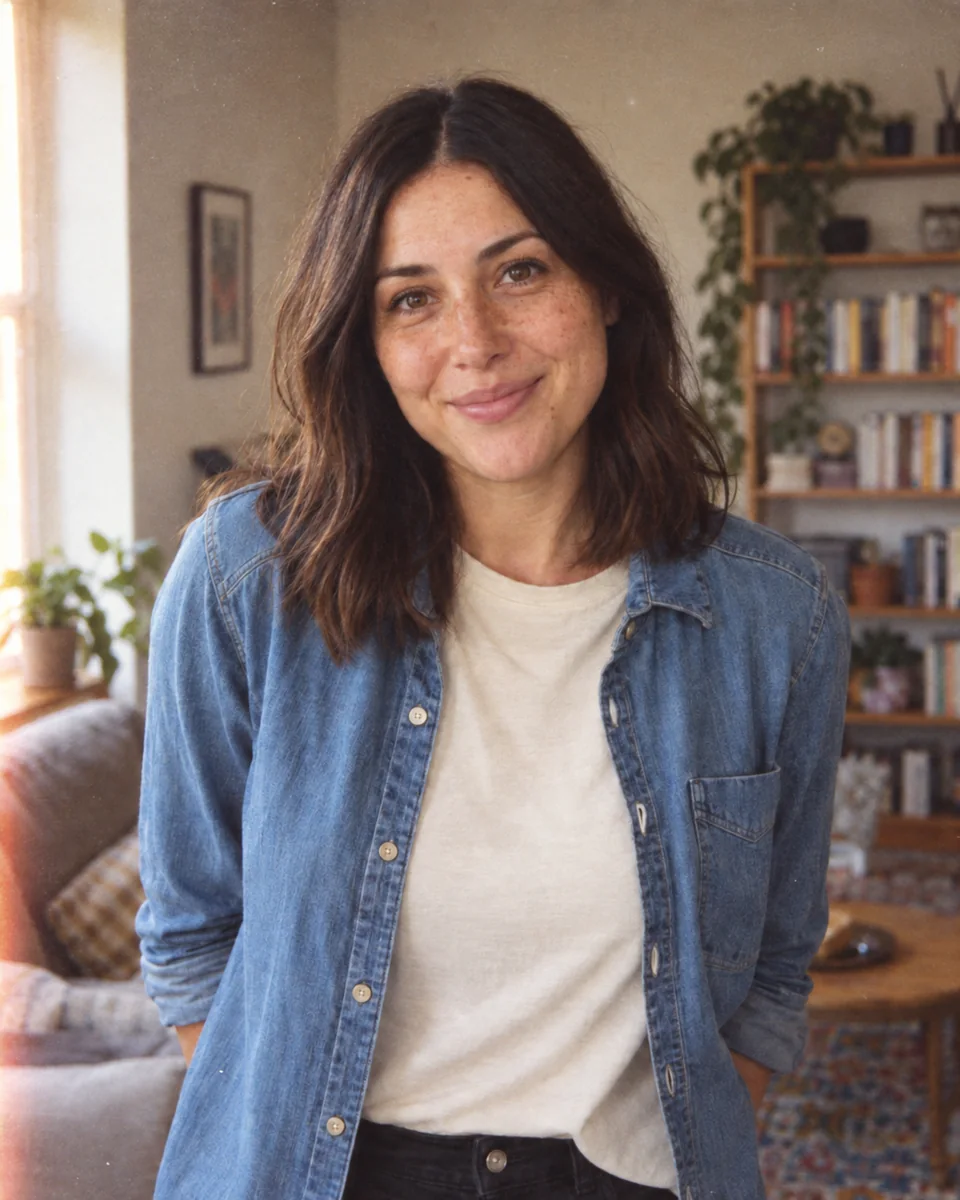
Disposable Camera
Soft consumer-lens detail, visible grain, and slightly uneven exposure. Give travel photos, afternoons at the beach, and everyday friendships a printed-photo finish.
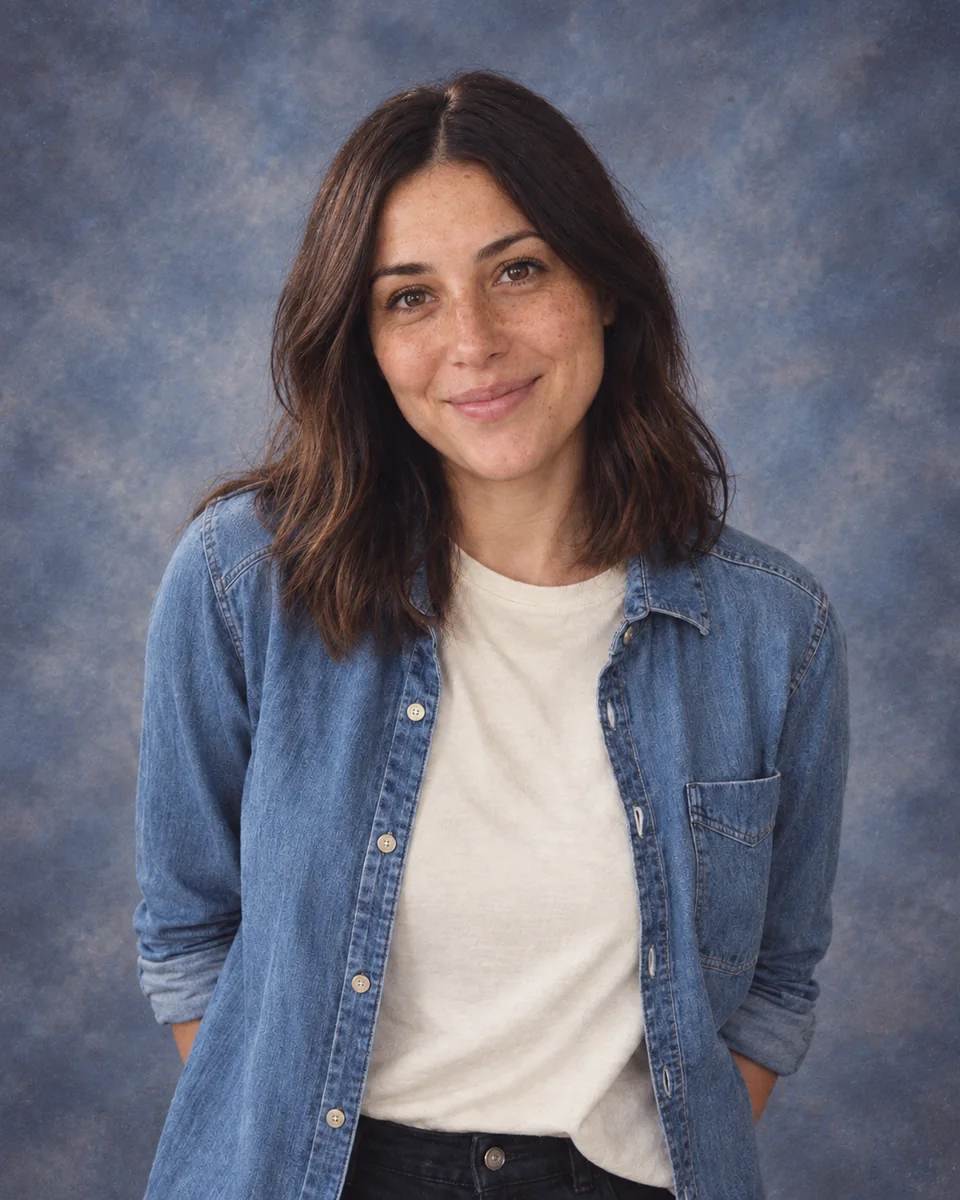
90s Yearbook
Even frontal lighting, a relaxed smile, and a school-photo mood. Keep composition on to retain your setting; turn it off when you want an era-appropriate studio backdrop.
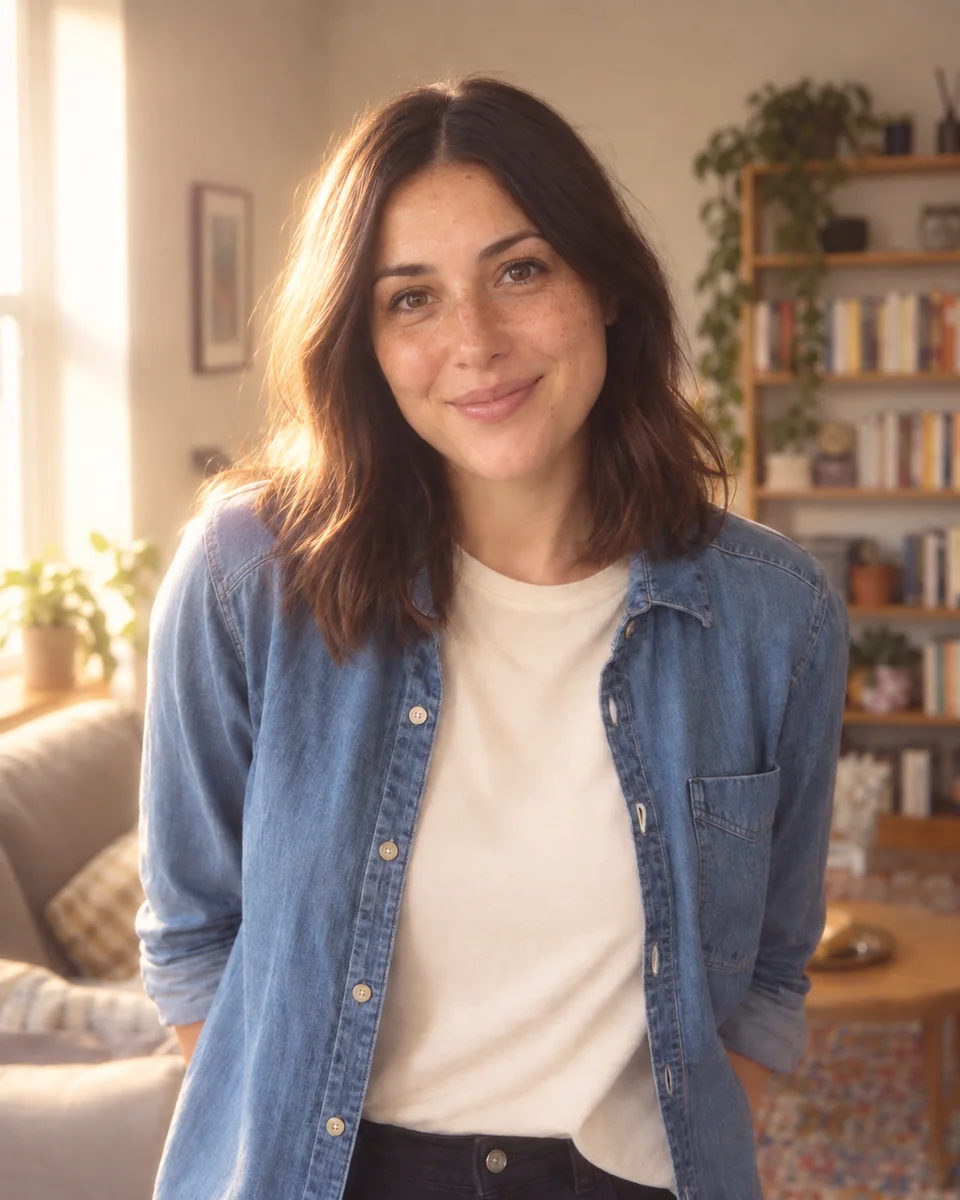
90s Glamour
Gentle diffusion and a luminous, flattering light. A little highlight bloom creates the soft-focus studio look without asking the AI to smooth away every facial detail.
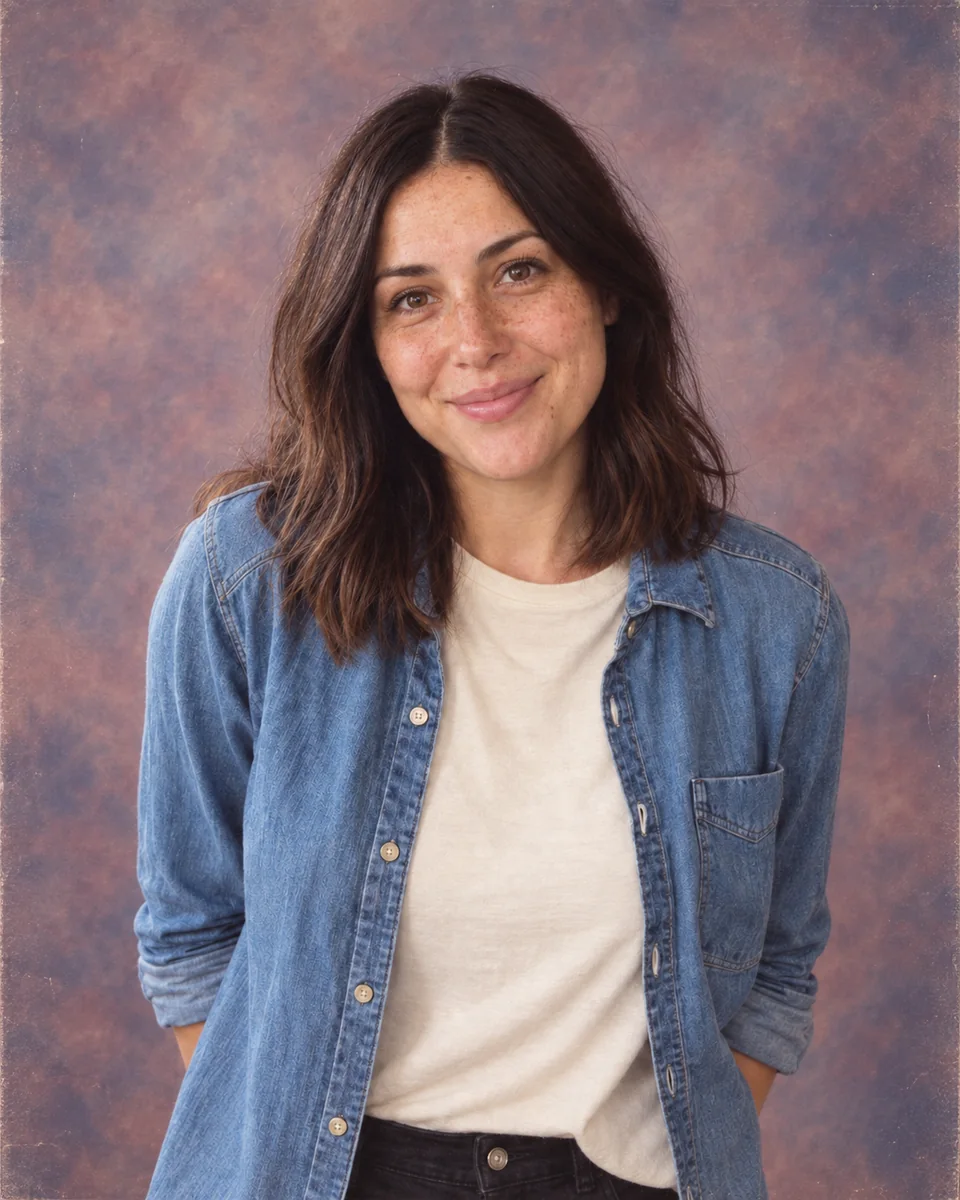
90s Mall Photo
A department-store portrait with a mottled backdrop and a quietly posed expression. Use this for a reunion portrait, a denim look, or a nostalgic family-photo idea.
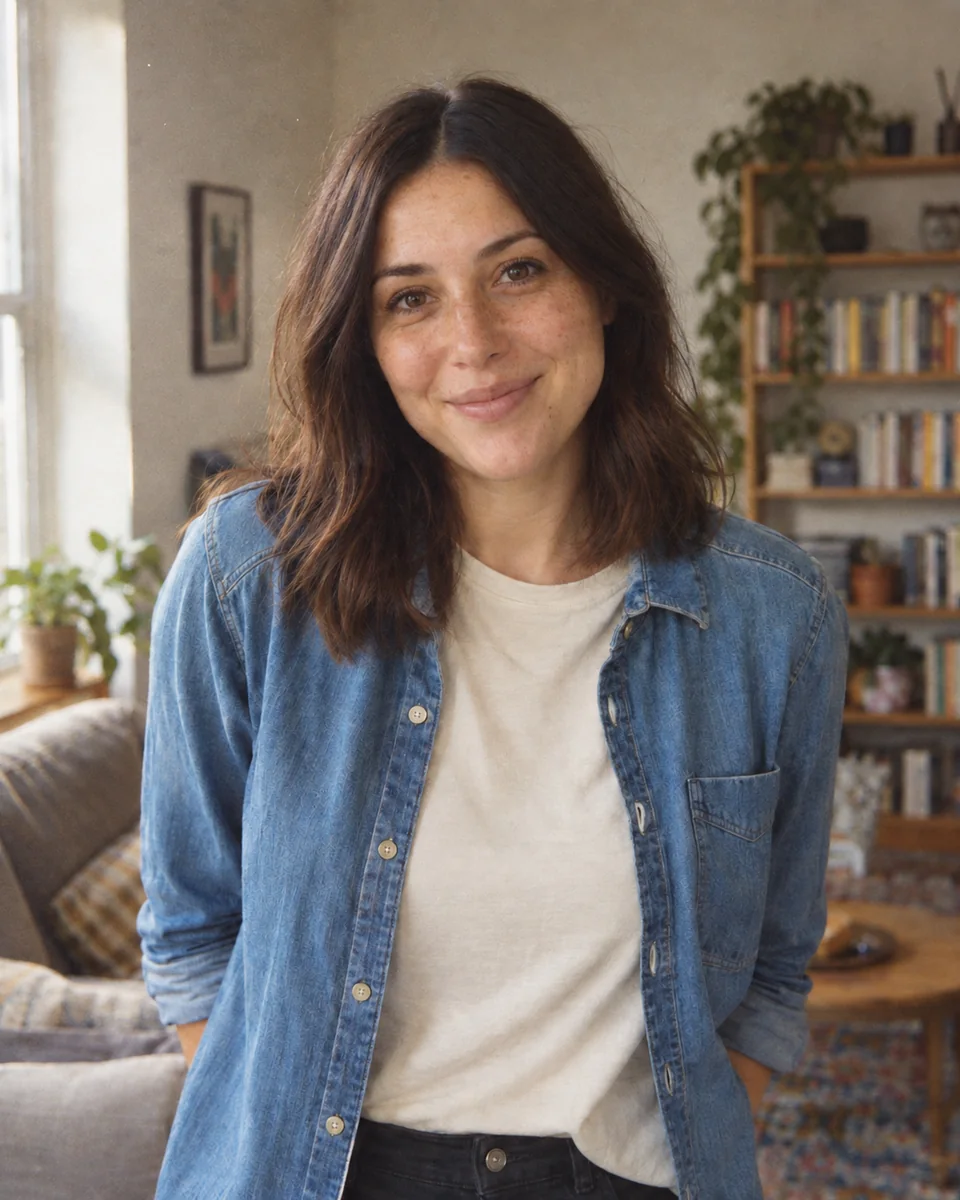
90s Film Portrait
Fine 35mm-style texture, restrained contrast, and natural color. A good choice when you want the decade to feel believable instead of heavily filtered.
AI-generated style illustrations made with imagegen, not live output from this tool. Fictional people; your results will vary.
How to use the 90s photo generator
- 1
Upload a photo or describe a scene
Choose one JPG, PNG, or WebP up to 20 MB. A sharp photo with clearly visible faces works best. For a new scene, switch to Generate from prompt and describe the people, place, and mood.
- 2
Choose the look and what to keep
Pick a preset and Subtle, Natural, or Strong styling. In photo mode, keep facial identity and composition selected when you want familiar people in the same arrangement. Fine-tune the warmth, grain, and output ratio.
- 3
Generate, compare, and download
Sign in and check your balance before generating. Each AI image costs 1 to 17 credits, depending on whether you pick Fast, HD, Ultra HD or Studio. Compare an edited photo with the original using the slider, then download it or find it again in your generation history.
A free 90s style prompt generator, built into the tool
Choose your settings in the 90s photo generator and copy the assembled 90s image prompt for free. It includes the selected camera look, strength, and preservation instructions. Add a subject and setting in prompt mode, or use one of these original 90s photo prompts as a starting point.
90s photo trend prompt: party flash
Restyle this photo as a candid 1996 house-party snapshot. Keep each person recognizable, their apparent age, and the same arrangement. Use direct on-camera flash, a dimmer room behind them, small hard shadows, and fine consumer-film grain. Keep skin tones believable and avoid modern logos or invented date text.
90's family photo prompt generator: the living room
Turn this single family photo into a natural 1990s living-room portrait. Keep the same number of people, recognizable facial features, apparent ages, expressions, and relative positions. Add warm household flash, gentle print fade, and modest 35mm grain. Do not merge faces, add relatives, or turn the skin orange.
90s yearbook photo prompt
Create a photorealistic 1994 yearbook portrait of a young adult in a denim shirt. Use an understated blue-gray studio backdrop, even frontal light, a relaxed expression, and a softly scanned color-print finish. Keep proportions natural, with no lettering, school logos, or plastic-looking skin.
90s film photo prompt: summer friends
Create a candid 1997 summer photograph of three adult friends talking at a seaside picnic. Use soft late-afternoon light, casual denim and cotton clothing, slightly faded color, and disposable-camera grain. Keep the scene ordinary and believable, with imperfect framing and no phones or contemporary branding.
A ChatGPT 90s photo prompt can use the same descriptive structure, but results depend on the image model and its upload support. Copying a prompt is free here; using another service follows that service’s terms and pricing.
A 90s AI photo generator does more than a vintage filter
The free preview changes the displayed color and texture in your browser. It helps you choose a direction, but it does not predict the finished AI image. A 90s photo generator can reinterpret lighting and details, and can build a new scene from words.
- Free filter preview
- Immediate, local to your browser, and available without sign-in. The people and scene remain the original photograph.
- AI photo restyling
- Uses your uploaded photo and the selected instructions to generate new pixels. Facial identity and composition are requests to the model, not an exact-match guarantee.
- Generate from prompt
- Creates a scene without a source image. Describe who is there, what they are doing, and where they are. The chosen preset supplies the photographic style.
Keep your face recognizable and your 90s photo natural
Give the 90s photo generator an in-focus image with visible eyes. Heavy beauty filters, sunglasses, tiny faces, or very dark rooms give the model less information. Use Natural strength first, then change one setting at a time.
For one person
Use a clear portrait with even light. Leave facial identity on. If the result drifts, lower the strength or use a sharper source instead of repeatedly generating from a blurry image.
For couples and families
Upload one photo with everyone already in frame. Keep composition on and ask for the same people, ages, and positions. This page accepts one source image; it does not combine relatives from separate photos.
For a photo that looks too yellow
Reduce Warmth and choose Film Portrait. Ask for neutral skin tones in the extra instructions. A 90s photo look does not require a heavy sepia cast.
For clothing and backgrounds
Composition preservation favors your current scene. Turn it off and describe the setting or outfit when you want a fuller restyle. Review hands, eyes, clothing edges, and every face before sharing.
Make more than a one-off 90s photo trend
Use the 90s photo generator for a throwback avatar, a party invitation, a reunion portrait, or visual references for a story. Save a result you like as a character in Consistent Character AI to continue that look in other scenes.
90s photo generator FAQ
Is the 90s photo generator free?
The prompt generator and in-browser filter preview are free and do not require sign-in. AI image generation requires an account and costs 1 to 17 credits per image: Fast 1, HD 4, Ultra HD 6 or Studio 17. HD and above are for subscribers. Available promotional credits can be used on Fast images if your account has them; this is not unlimited free generation. Check your balance or the pricing page before generating. Failed AI tasks return their generation credits.
How do I convert my picture into a 90s photo?
In the 90s photo generator, open Restyle a photo, upload a clear image, and choose a preset. Keep facial identity on, select Natural strength, and generate. Use the comparison slider to check the result. For a new image without an upload, use Generate from prompt instead.
Will the 90s photo generator keep my face?
The preservation setting asks the model to retain recognizable facial features, skin tone, apparent age, and expression. It cannot promise identical features every time. A clear source and lighter styling usually give the model a better reference; check all faces in a group photo.
Can I use this for a 90s family photo?
Yes. Upload a single group photo to the 90s photo generator with each face visible, keep identity and composition selected, and add the family prompt above. The AI may still alter small details. This tool does not combine separate family photos into one image.
How do I write a realistic 90s photo prompt?
Describe the subject, action, place, and mood. Then choose one photographic direction: direct flash, disposable film, yearbook, mall portrait, or soft glamour. The built-in 90s style prompt generator adds those details for you. Avoid mixing several decades or asking for extreme grain if recognizable faces matter.
Can I use a ChatGPT 90s photo prompt or a Spanish instruction?
You can copy the generated prompt into an image-capable service, subject to its own rules and pricing. A Spanish request such as “dame una versión noventera de esta foto” can go in Extra instructions; adding the desired lighting and what to preserve makes the request clearer. This page generates images itself and does not connect to ChatGPT.
What is the difference between 80s and 90s AI photos?
There is overlap, but large teased hair and dramatic laser backdrops tend to suggest an 80s studio portrait. For a more understated 90s result, try direct flash, denim, a mall portrait, or disposable-camera texture. The separate AI 80s Photo Generator offers presets for the earlier decade.
Is this an old photo restoration tool?
No. This 90s photo generator creates a nostalgic interpretation of a photo or a new scene. It does not recover missing historical details or verify what someone actually looked like in the 1990s. Keep an original copy and treat the output as AI-generated.
Keep the same character, try another scene
Try the 90s photo generator with your own photo
Start with a photo, choose a look, and let the 90s photo generator take it from there. Copy a prompt for free, or generate an AI image from 1 credit.
Make my 90s photo