
Skin color changer is a photo editor for people exploring a natural tan or correcting uneven portrait color. The prompt requests recognizable features, texture and background; results vary. The current 1-credit signup allowance is below one generation. One 3:4 PNG costs 5 credits in Fast 1K, about $2.50 at the $5/10-credit pack rate, with no added visible watermark or separate download fee.
How to change skin color in a photo
Skin color changer edits one saved portrait at a time. Upload a clear photo, choose a natural tone adjustment and image quality, then sign in to generate. Sun-kissed requests gentle warmth, Bronze a deeper tan, and Lift shadows a lighter exposure adjustment. The prompt asks for the original face and surroundings; it does not lock their pixels. Compare your result with the original before sharing.
1. Upload a portrait
Choose a JPG, PNG or WebP up to 10 MB and 2048 pixels per side. Show the face and neck clearly in even light.
2. Choose a tone
Pick Sun-kissed, Bronze or Lift shadows, or describe a Custom edit. Check the image quality and exact credits before generating.
3. Compare and download
Compare skin, facial details, clothes and background with your original. Download one PNG; keep an unconfirmed request to check again without paying twice.
Skin tone changer before and after
Skin tone changer before-and-after pairs show three possible editing directions: a warm outdoor tan, a deeper bronze complexion and lighter skin shadows. The person, clothing and composition can be compared within each pair. Use these still images to decide what you want to request, then inspect your own result carefully. An AI edit may shift details beyond skin tone; these examples are not a guarantee.
Original
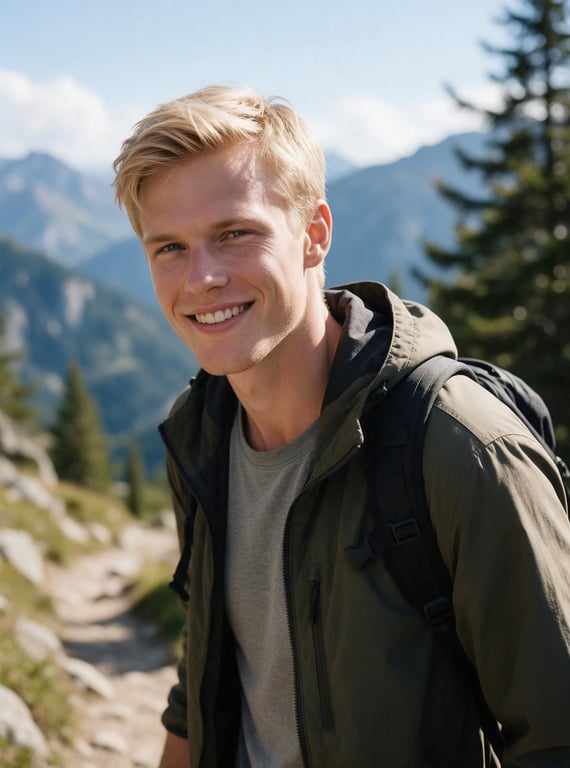
Tone edit
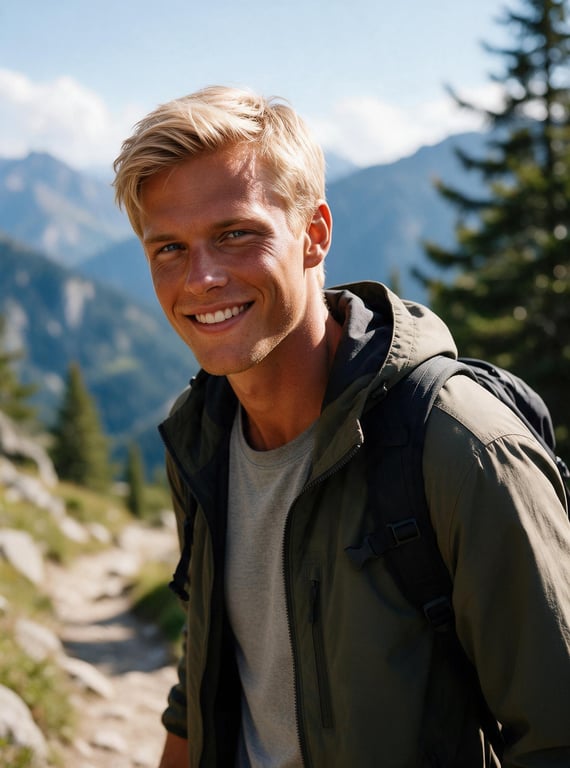
Sun-kissed · outdoor portrait
Warmer face and neck in an outdoor portrait with a mountain background.
Original
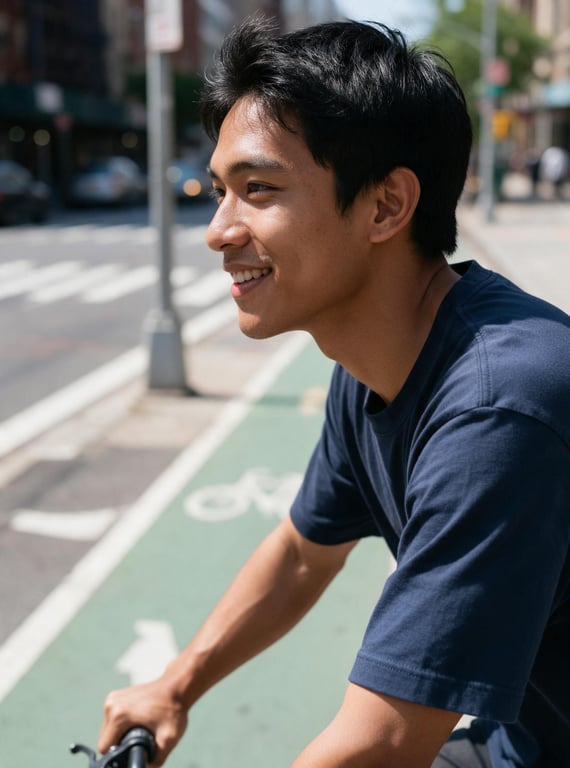
Tone edit
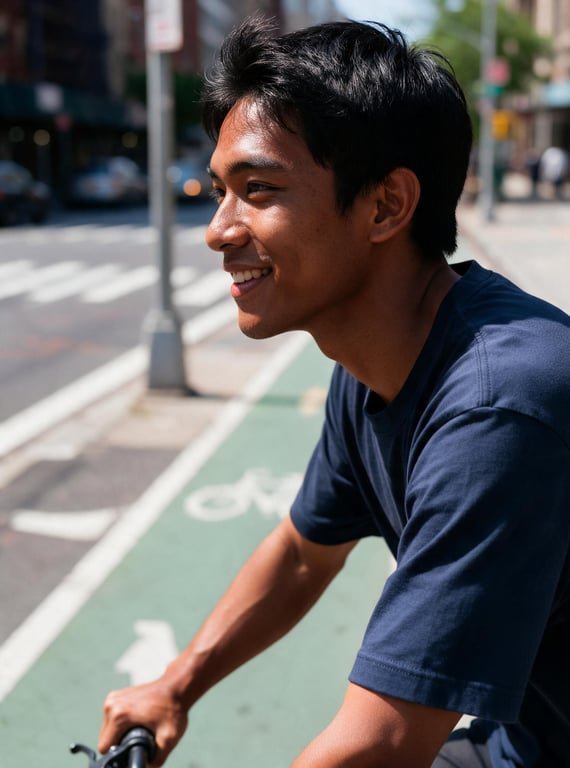
Bronze · cycling portrait
Deeper warmth across the face, neck and visible arms in a street portrait.
Original
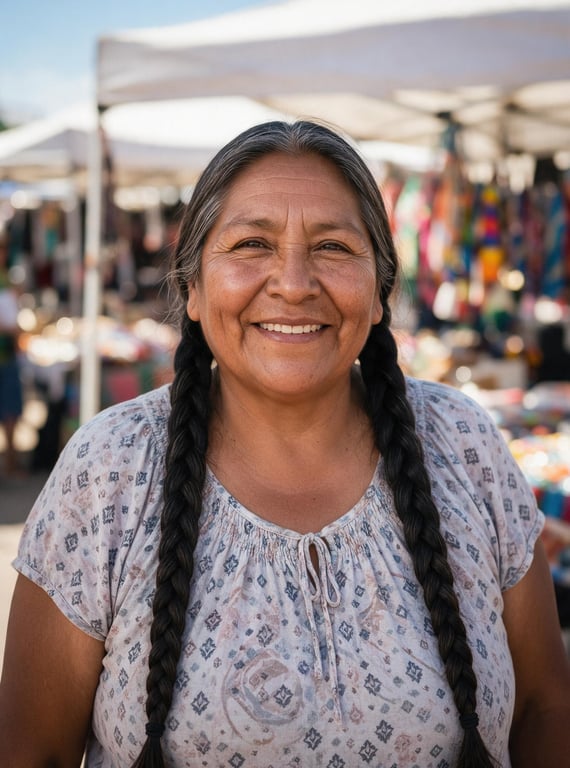
Tone edit
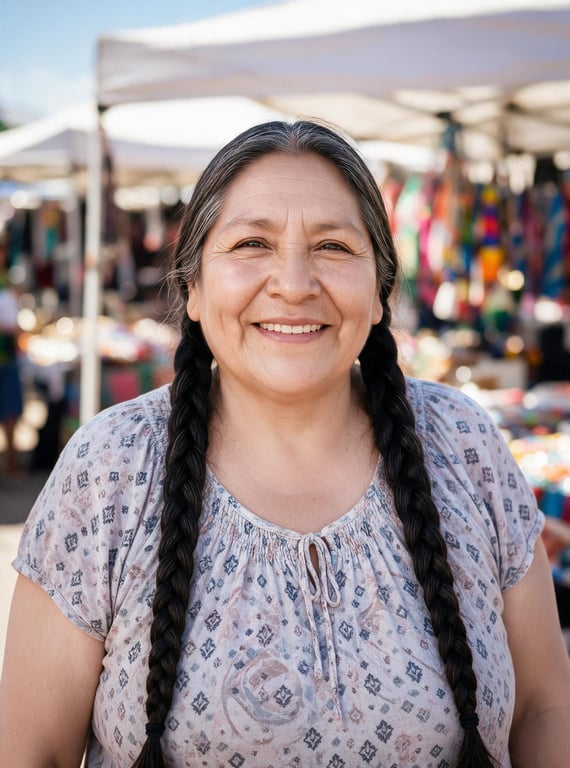
Lift shadows · daylight portrait
Lighter facial shadows in a braided-hair portrait with the same patterned top.
Can I use this skin color changer online free?
This skin color changer is not free with the current signup allowance. Browsing examples and choosing a tone costs nothing, but generation costs at least 5 credits. The current 1-credit signup allowance is below one generation. From zero balance, the smallest purchase covering one image is the $5 one-time pack with 10 credits. There is no recurring free daily quota or separate payment to download a generated PNG.
How does an AI skin tone changer edit a photo?
An AI skin tone changer uses the uploaded photo and a tone description to generate an edited image. This tool requests changes to visible skin color and exposure, while asking the model to retain the face, freckles, hair, clothing and background. It is a generative edit, not a pixel-locked skin mask: small details may change. For uneven skin tone or redness, use Custom to name the exact area and request a subtle correction.
Can I change skin color in a photo without an app?
Skin color changer runs in a phone or desktop browser, so you can upload an existing photo without installing a skin tone changer app. Choose a preset for a quick request or write a Custom description for a more specific adjustment. Sign-in and enough credits are required to generate. The result is one downloadable still image; this page does not provide a live camera filter, video recoloring or batch editing.
Skin color changer pricing & credits
Skin color changer pricing is per generated image, including Custom with an optional skin tone reference. Fast costs 5 credits, equivalent to $2.50 at the $5/10-credit pack rate. A zero-balance account can buy that one-time pack to cover an image. Higher quality tiers require paid access. The settings below determine the resolution and credit charge; downloading a finished PNG spends no additional credits.
| Quality | Output | Credits | Pack-rate equivalent |
|---|---|---|---|
| Fast | 1K · PNG | 5 | $2.50 |
| HD | 2K · PNG | 7 | $3.50 |
| Ultra HD | 4K · PNG | 8 | $4.00 |
| Studio | 2K · PNG | 9 | $4.50 |
| Item | What you receive |
|---|---|
| Signup allowance | The current 1-credit signup allowance is below one generation. |
| Minimum purchase | $5 one-time Trial Pack · 10 credits. No subscription required. |
| Download | One PNG included; no second download charge. |
| Visible watermark | This tool adds no visible watermark. Supplier provenance metadata is not removed. |
| Quality access | Fast requires sign-in and enough credits. HD, Ultra HD and Studio require paid access. |
| Unfinished requests | Confirmed provider failure or an invalid output returns the charged credits. Lost confirmation or temporary saving delays keep the same request for recovery; do not pay again. |
What this skin color changer cannot guarantee
Skin color changer cannot guarantee an identical face, exact skin masking or unchanged background pixels. Preserving these details is an instruction to a generative model. The tool does not measure a real complexion, predict a physical tan, diagnose skin conditions or match a foundation shade accurately. Strong edits can look unnatural. Use modest changes, compare the whole photo and describe digital edits clearly when they could mislead viewers.
Skin color changer FAQ
Skin color changer accepts a portrait and returns one edited still image. These answers explain custom wording, output sizes, targeting a person and how uploaded photos are handled. Before generating, check that your selected tone matches the change you actually want; each new request uses the credit amount shown beside the generation button.
What prompt should I use to even out skin tone?
Choose Custom and describe the area and degree of adjustment: “Gently reduce the red cast on my cheeks and match my face to my neck. Retain freckles, pores, facial features and background colors.” A description is required; a skin tone or lighting reference photo is optional. The model may still change details, so compare the output carefully.
What image can I download, and at what size?
The download is one 3:4 PNG: Fast 768×1024, HD and Studio 1536×2048, or Ultra HD 2480×3312. The tool requests background extension when the original has a different shape. These are output dimensions, not a promise to recover missing detail. No video, GIF or editable filter preset is included.
Can I adjust just one person in a group photo?
The presets request tone changes to visible skin throughout the image. To target one person, use Custom and identify them by position and clothing, while asking to leave everyone else unchanged. This tool has no manual person-selection mask, so it cannot guarantee isolation. A separate portrait is easier to review than a busy group photo.
What happens to the photos I upload?
Photos are uploaded to this site’s storage and shared with the image provider to process your request. Result access through this site checks your account, but anyone holding a direct storage link may be able to open it. Upload only pictures you have permission to edit.
More portrait tools
Skin color changer requests a local complexion adjustment. For a warm grade across the whole image, use Warm a photo; for changing the direction or feel of light, use Relight a portrait. Those tools have their own settings and credit costs, and neither should be treated as an exact skin mask.