
Bold glamour filter for photos is for trying a makeup look on an existing selfie, rather than filming with a live camera effect. The prompt requests recognizable features and your original skin tone; results vary. The current 1-credit signup allowance is below one generation. One 3:4 PNG costs 5 credits in Fast 1K, about $2.50 at the $5/10-credit one-time pack rate; downloads have no additional charge or added visible watermark.
How the Bold Glamour filter works
The Bold Glamour filter edits one saved portrait at a time. Upload a clear photo, choose a makeup look and image quality, then sign in to generate. Full glam asks for liner, lashes, lip color and contour; Soft reduces their intensity; Groomed omits eye and lip makeup. All three prompts request the original identity and skin tone, without promising an exact match.
1. Upload your selfie
Choose a JPG, PNG or WebP up to 10 MB. A well-lit, front-facing portrait makes the requested makeup easier to judge.
2. Pick your makeup
Choose Full glam, Soft or Groomed, or describe Custom makeup. Quality and the exact credit cost are shown before you generate.
3. Review and save
Compare your result with the uploaded photo and save one PNG. An unconfirmed request keeps the same request number so you can check it again.
Bold Glamour filter before and after
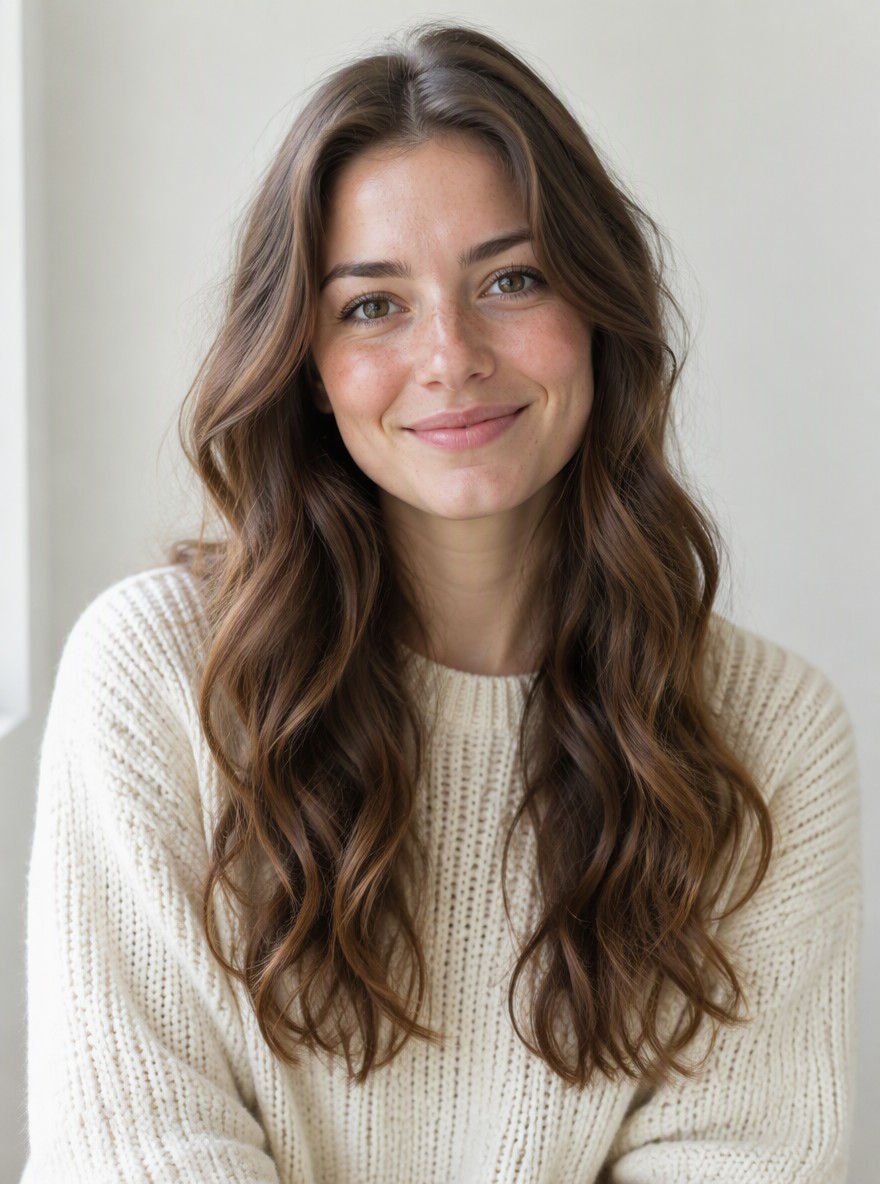
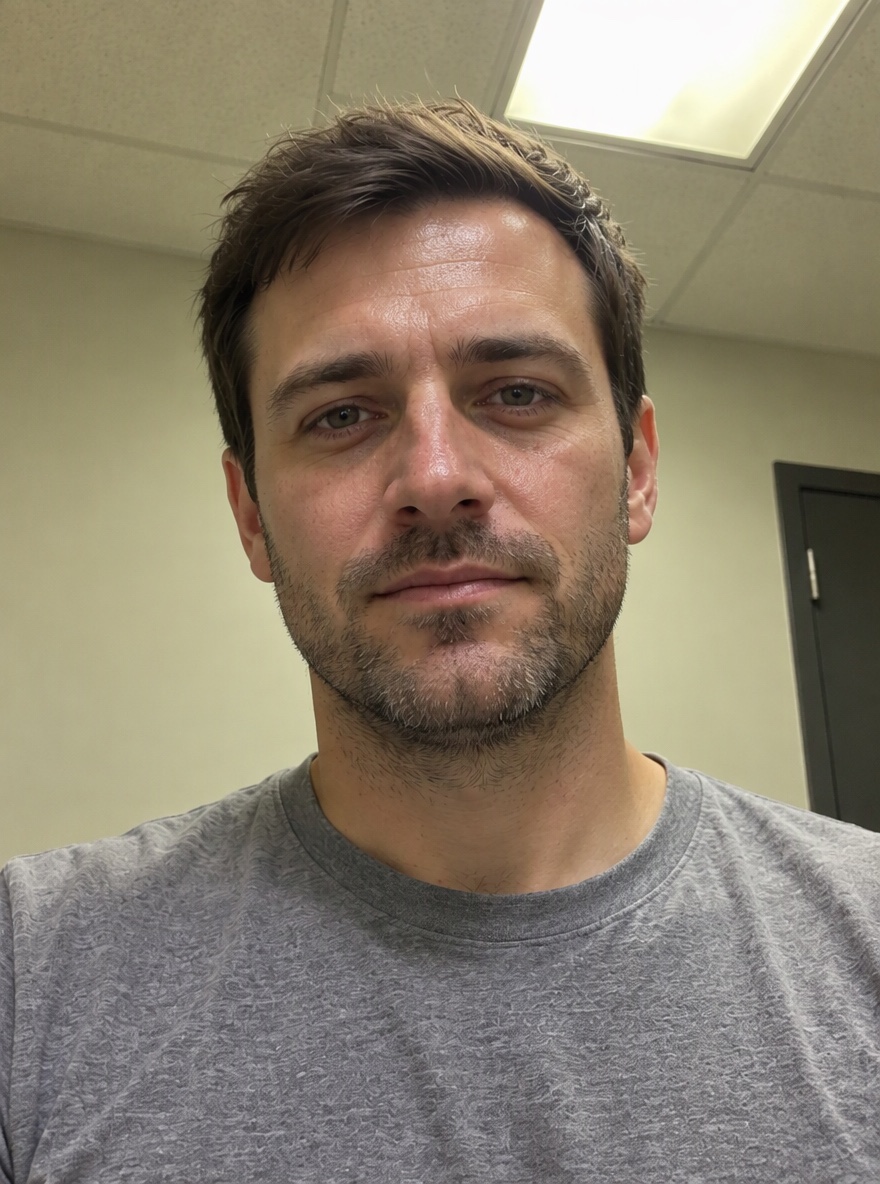
Bold Glamour filter before-and-after pairs show the difference between cosmetic retouching and a heavier makeup look. Compare the same face, hair, neckline and room in each pair: liner, lash definition, lip finish and cheek shading are the visible changes. These four still-image examples help you choose a direction; AI results depend on your photo and the selected look.
Original
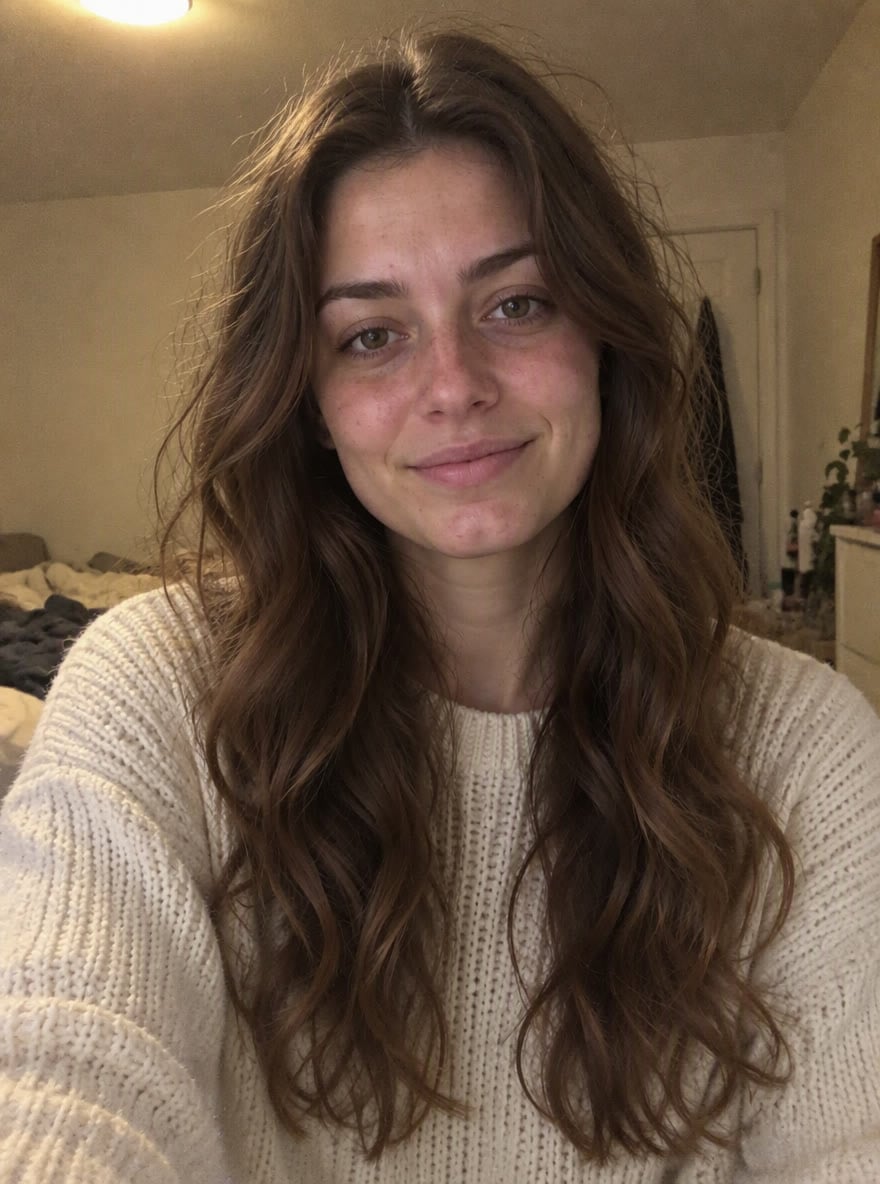
With makeup
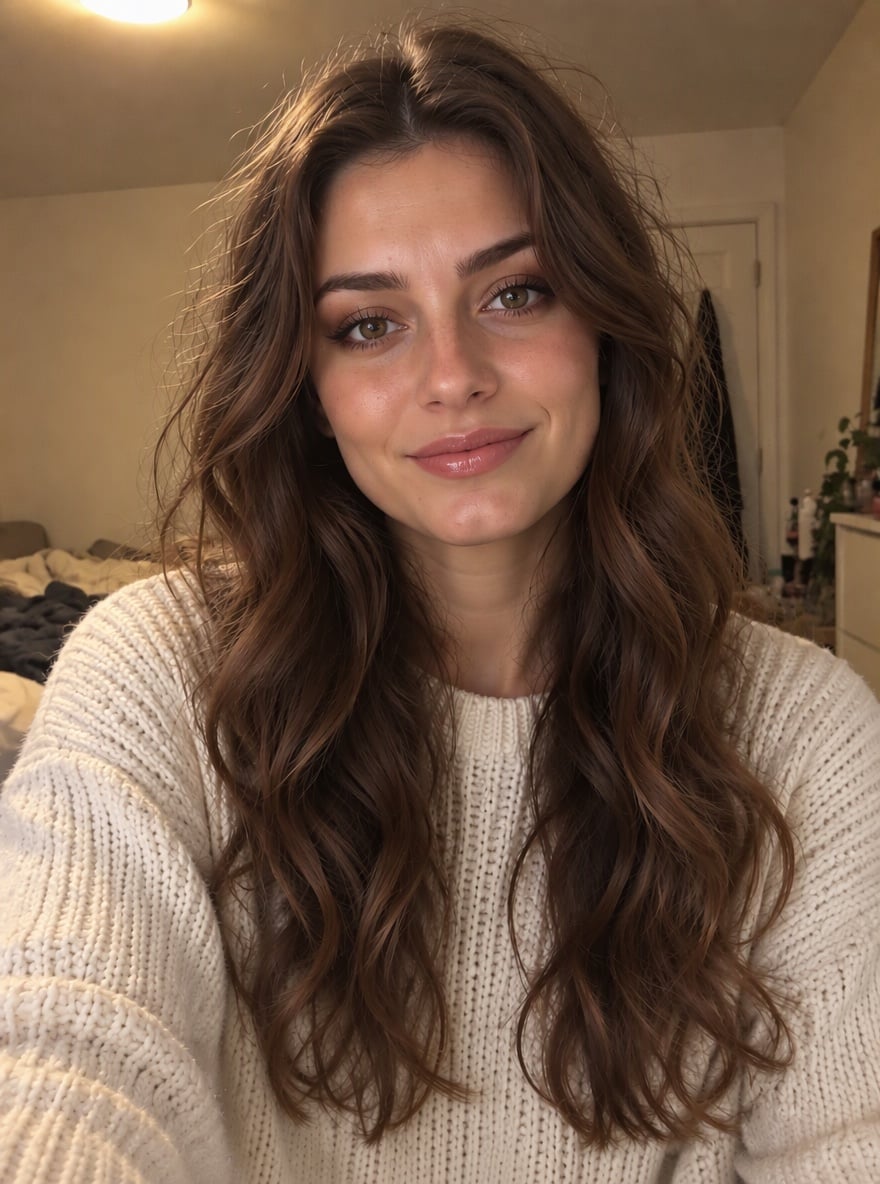
Full glam · long-haired portrait
Winged liner, fuller-looking lashes, glossy nude lips and more defined cheek shading.
Original
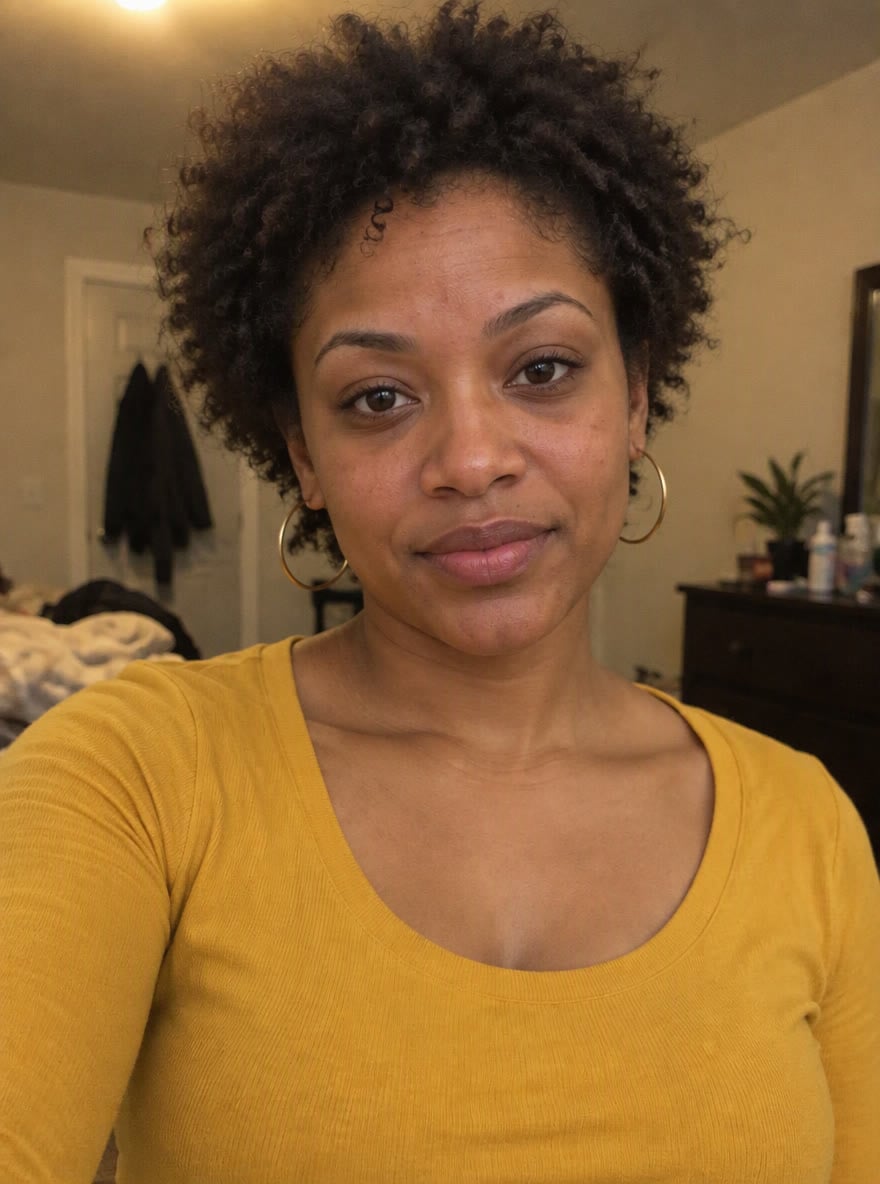
With makeup
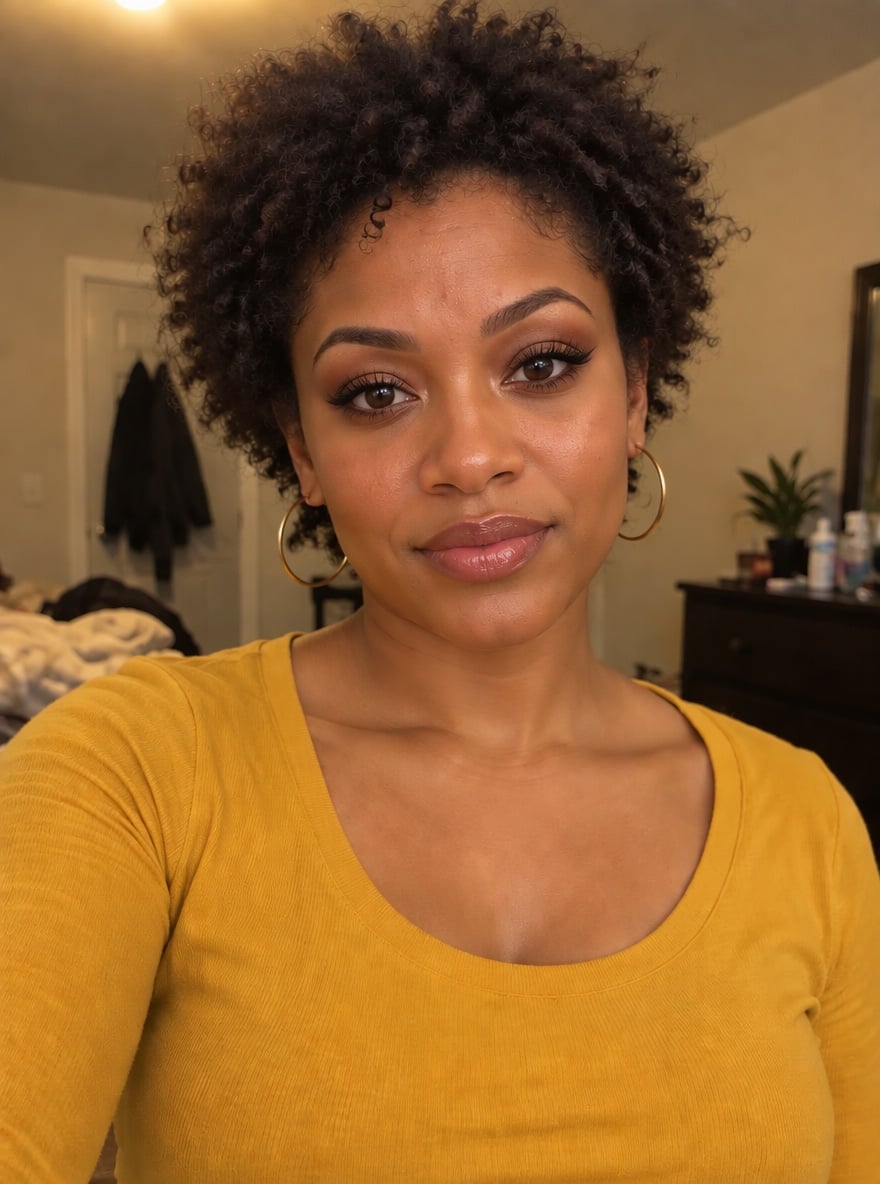
Full glam · short curls
A yellow-top portrait with defined brows, stronger lashes and a polished complexion.
Original
With makeup
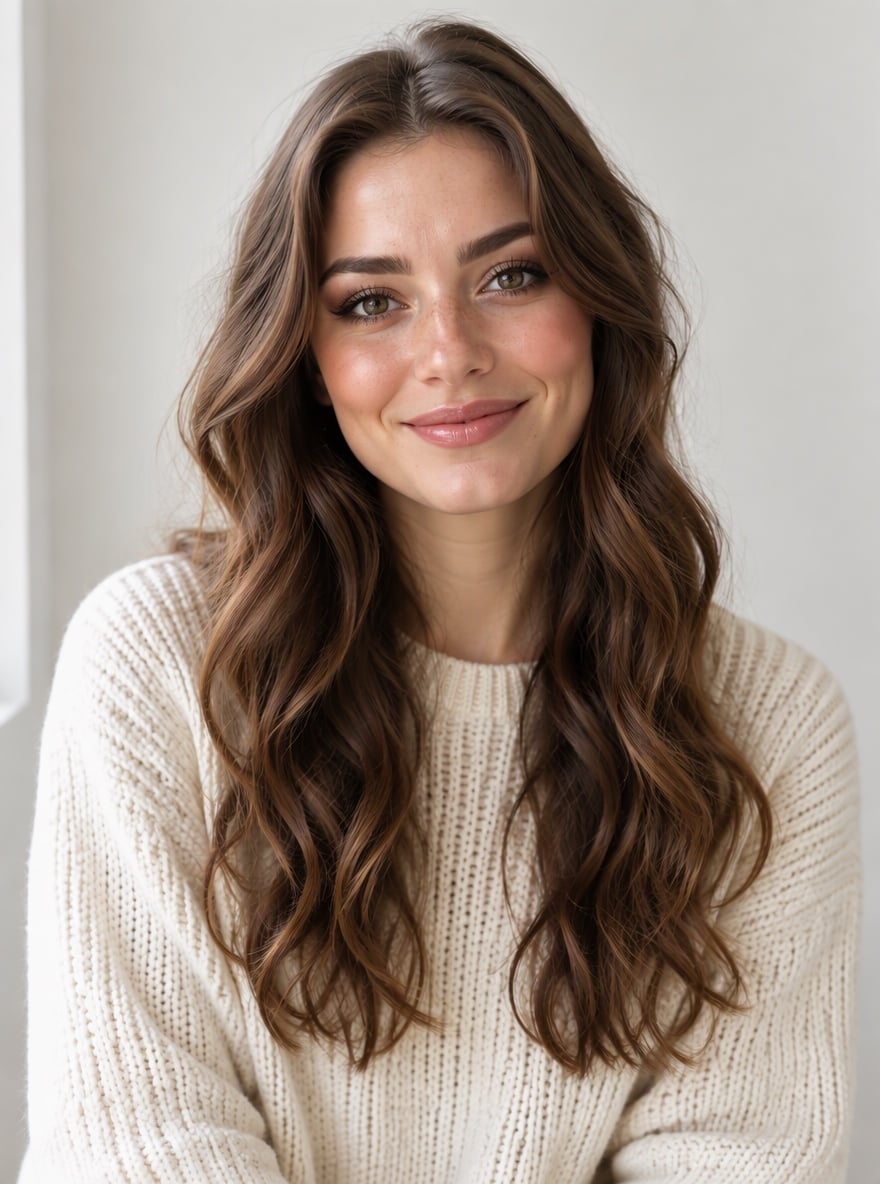
Soft glam · window-light portrait
Lighter cheek contour and softer eye makeup against the same pale background.
Original
With makeup
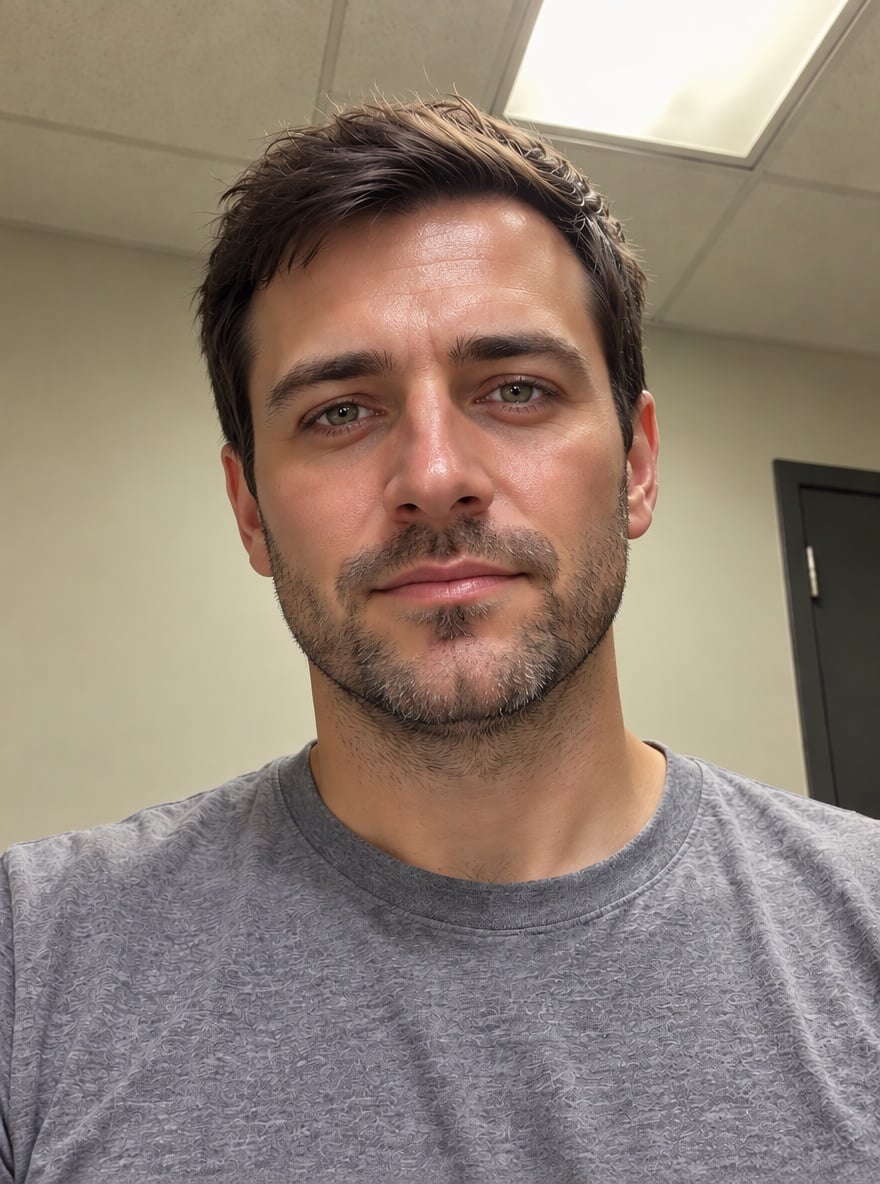
Groomed · bearded portrait
A more even complexion and defined brow area, with the beard and grey T-shirt visible in both images.
What does the Bold Glamour filter change?
Bold Glamour combines makeup-like changes with skin retouching and cosmetic contour: brows, eyeliner, lashes, lip finish and cheek shading can all look different. This photo tool asks the model to leave facial proportions, skin tone, apparent age, hair and clothing recognizable. Choose Soft or Groomed if you want less makeup. AI may still alter features; compare the result with your original before sharing.
Can I use the Bold Glamour filter on photos without an app?
The Bold Glamour filter for photos runs in a phone or desktop browser, so a saved selfie can be uploaded without installing a Bold Glamour filter app. This is an independent still-photo editor, not the original TikTok live effect or a Snapchat lens. It returns one PNG, not a live camera filter, video transition or editable app preset. Sign-in is required to start generation.
Can I use this Bold Glamour filter online free?
This Bold Glamour filter is not free with the current signup allowance. Browsing examples and choosing a look costs nothing, but generation costs at least 5 credits. The current 1-credit signup allowance is below one generation. From zero balance, the smallest purchase covering one image is the $5 one-time pack with 10 credits. There is no recurring free daily quota or separate payment to download a generated PNG.
Bold Glamour filter pricing & credits
Bold Glamour filter pricing is per generated image, including Custom with an optional makeup reference. Fast costs 5 credits, equivalent to $2.50 at the $5/10-credit pack rate. A zero-balance account can buy that one-time pack to cover an image. Higher quality tiers need paid access; their model settings and credit amounts are listed below. Downloading the result does not spend more credits.
| Quality | Output | Credits | Pack-rate equivalent |
|---|---|---|---|
| Fast | 1K · PNG | 5 | $2.50 |
| HD | 2K · PNG | 7 | $3.50 |
| Ultra HD | 4K · PNG | 8 | $4.00 |
| Studio | 2K · PNG | 9 | $4.50 |
| Item | What you receive |
|---|---|
| Signup allowance | The current 1-credit signup allowance is below one generation. |
| Minimum purchase | $5 one-time Trial Pack · 10 credits. No subscription required. |
| Download | One PNG included; no second download charge. |
| Visible watermark | This tool adds no visible watermark. Supplier provenance metadata is not removed. |
| Quality access | Fast requires sign-in and enough credits. HD, Ultra HD and Studio require paid access. |
| Unfinished requests | Confirmed provider failure returns the charged credits. Lost confirmation or saving delays keep the same request for recovery; do not pay again. |
What the Bold Glamour photo filter cannot guarantee
The Bold Glamour photo filter cannot reproduce the original live effect exactly or guarantee unchanged facial features. Makeup and identity preservation are instructions to a generative model, not pixel-locked edits. The tool does not supply a live camera effect, video, GIF or filter-off transition. One clear portrait is recommended; occlusion and blur make the result harder to judge. Treat the look as a creative edit, not a beauty standard.
Bold Glamour filter FAQ
The Bold Glamour filter produces a still photo, with the makeup look selected before generation. These answers cover downloading, the lighter option and the context behind the trend. Review the edited image against your original, and choose a look that feels right for your own photo.
Can I download a Bold Glamour filter meme or GIF?
You can download the generated PNG and save your original separately for a before-and-after meme. This page does not export a GIF, moving filter-off transition or CapCut template.
Does the Bold Glamour filter work on men?
Choose Groomed for retouching without eyeliner, eyeshadow, false lashes or lipstick. Full glam and Soft request makeup regardless of gender. The prompt asks for the original gender presentation, facial hair and facial proportions; results can vary and should be reviewed.
What happens to the photos I upload?
Photos are uploaded to this site’s storage and shared with the image provider to process your request. Result access through this site checks your account, but anyone holding a direct storage link may be able to open it. Upload only pictures you have permission to edit.
Why was the Bold Glamour filter controversial?
The original live effect drew attention because realistic-looking beauty edits made the boundary between a filtered face and an unedited one harder to notice. A makeup simulation can affect how people judge their appearance; an edited photo is not a standard you need to match.
UC Berkeley discussed the original Bold Glamour effect and its realism in March 2023.
More photo tools
Use another tool when the task is about lighting or color rather than makeup. Each tool has its own settings and credit price. The warm filter requests a color grade, while portrait relighting requests a change to the direction or feel of the light.