
AI photoshoot turns one clear portrait into one styled, still PNG with new clothes, pose, lighting and surroundings; no model training is needed. Generation starts at 2 credits ($1.00 using the $5 trial pack); the 1-credit signup gift does not cover one photo. Choose 1K, 2K or a 4K pixel tier. Downloads have no added visible site watermark; Fast includes invisible SynthID.
How an AI photoshoot works
Start an AI photoshoot with a well-lit photograph of one person, then choose an outdoor editorial look or describe your own. Pick an image quality and review the credit cost before generating. The first photo supplies the identity; an optional image in Custom supplies styling only. No separate model training or collection of twenty selfies is required.
1. Upload one portrait
Choose a JPG, PNG or WebP up to 20 MB, at least 256 pixels per side and no more than 8 megapixels. The browser converts uploads to PNG; a clear half-body photo helps show your proportions.
2. Choose the styling
Use Editorial, Camel coat or Tailored blazer for a warm outdoor fashion portrait. Custom lets you describe an outfit, setting and lighting, with an optional mood reference.
3. Generate one photo
Sign in, review the credit amount and generate. Inspect the face and hands before saving the PNG; every new generation uses credits.
AI photoshoot before-and-after examples
These four before-and-after pairs compare close portraits with outdoor fashion pictures. The results add coats, knitwear, a blazer, new poses and warm street lighting. Look at facial shape and hair as well as the overall scene: a convincing location does not establish exact identity preservation. These are visual examples, and individual generated results vary.
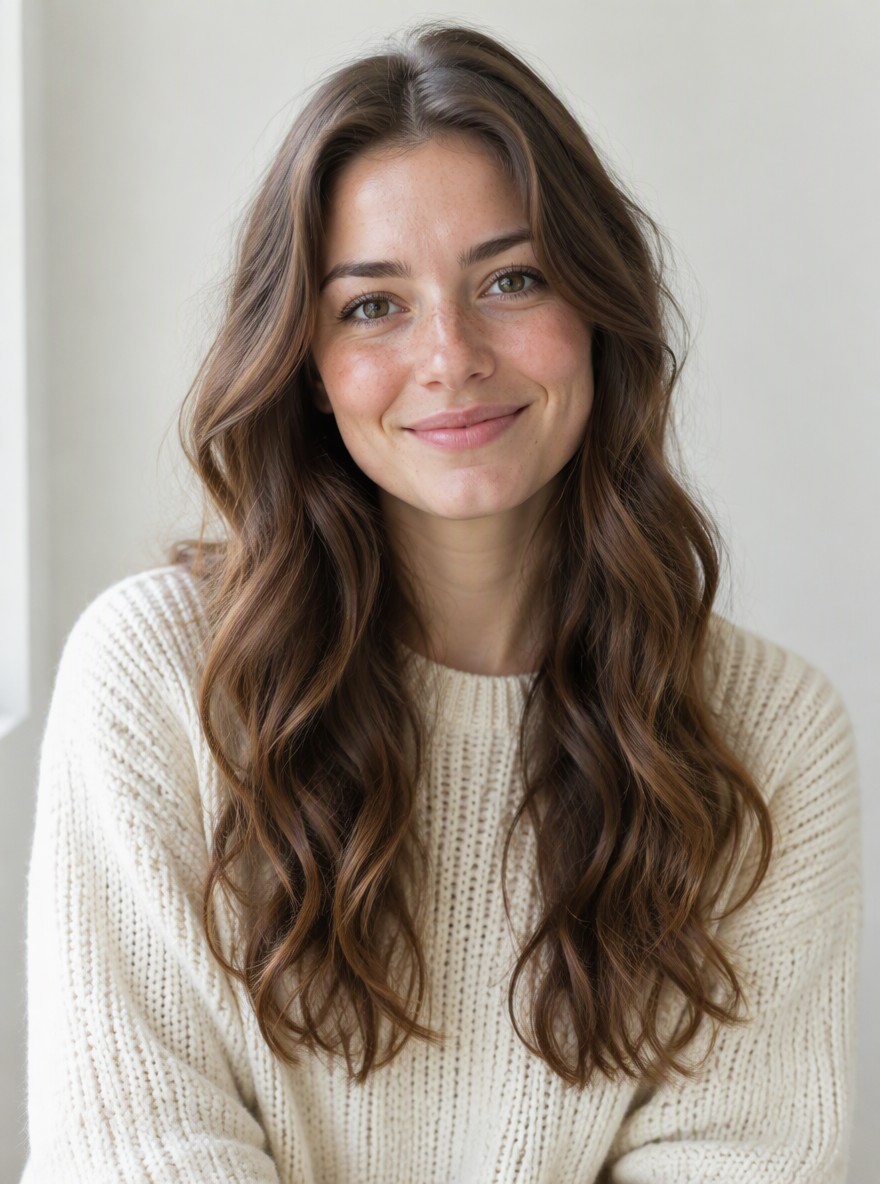
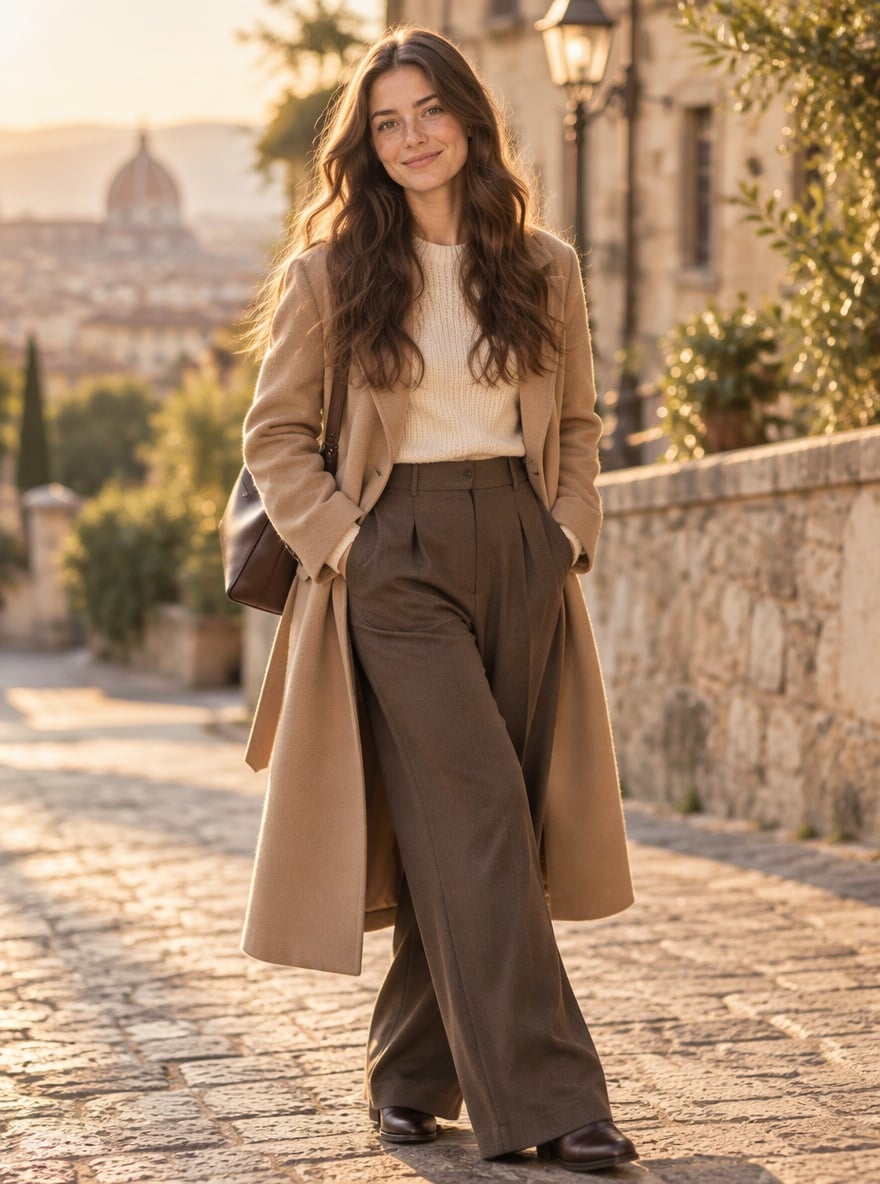
A trench coat in warm street light
A cream-knit close portrait becomes a full-length outfit with a long coat and an old-town backdrop.
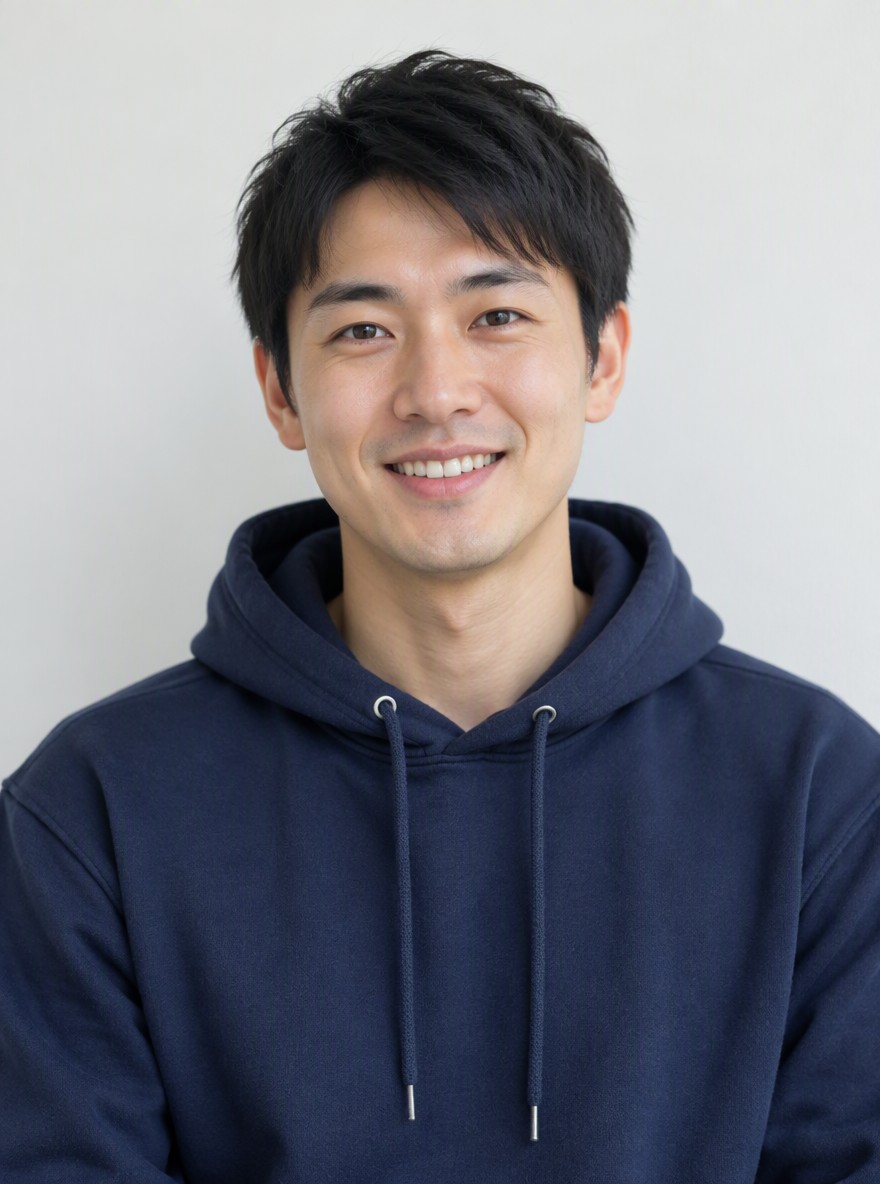
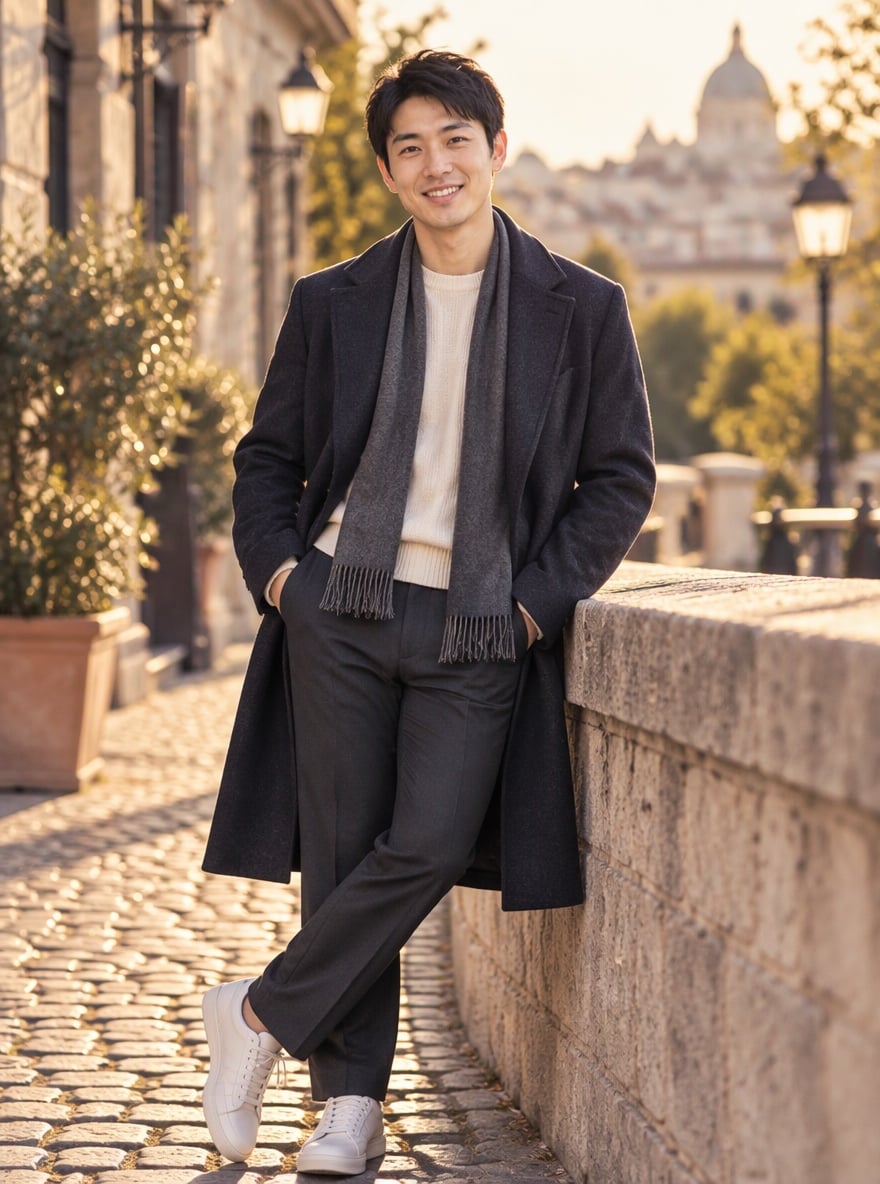
From hoodie to an outdoor editorial
The close portrait changes to a standing pose with a dark coat, scarf and warm stone-street scenery.
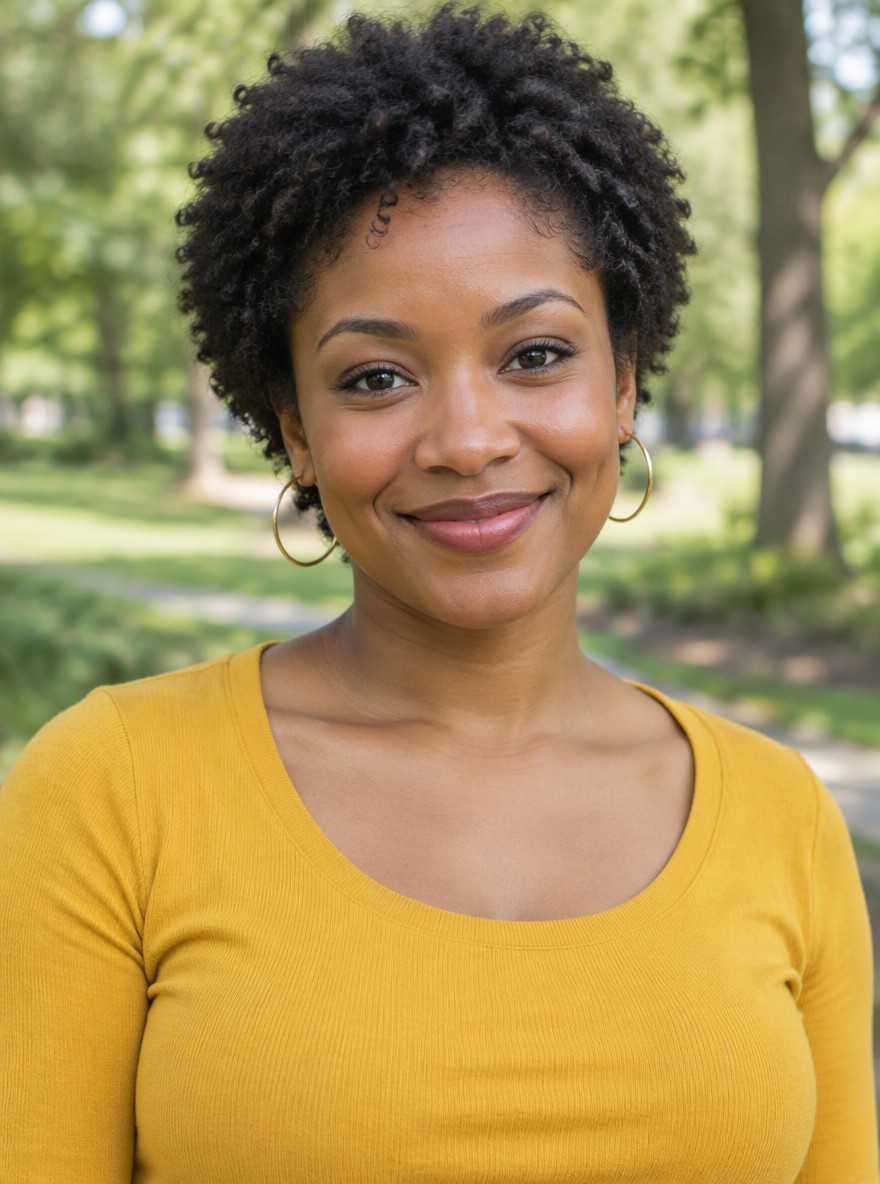
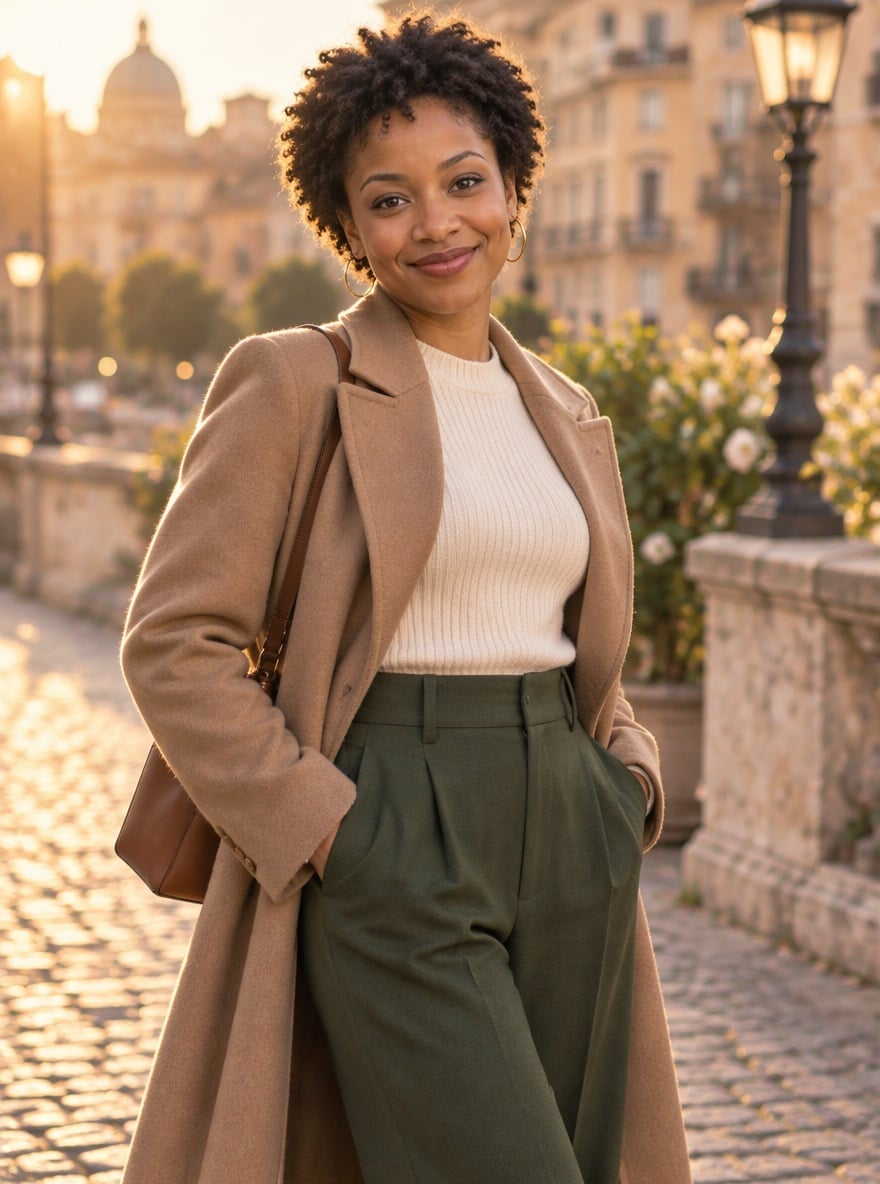
Camel coat and ivory knitwear
Short curls and hoop earrings appear alongside a camel coat, dark trousers and golden-hour lighting.
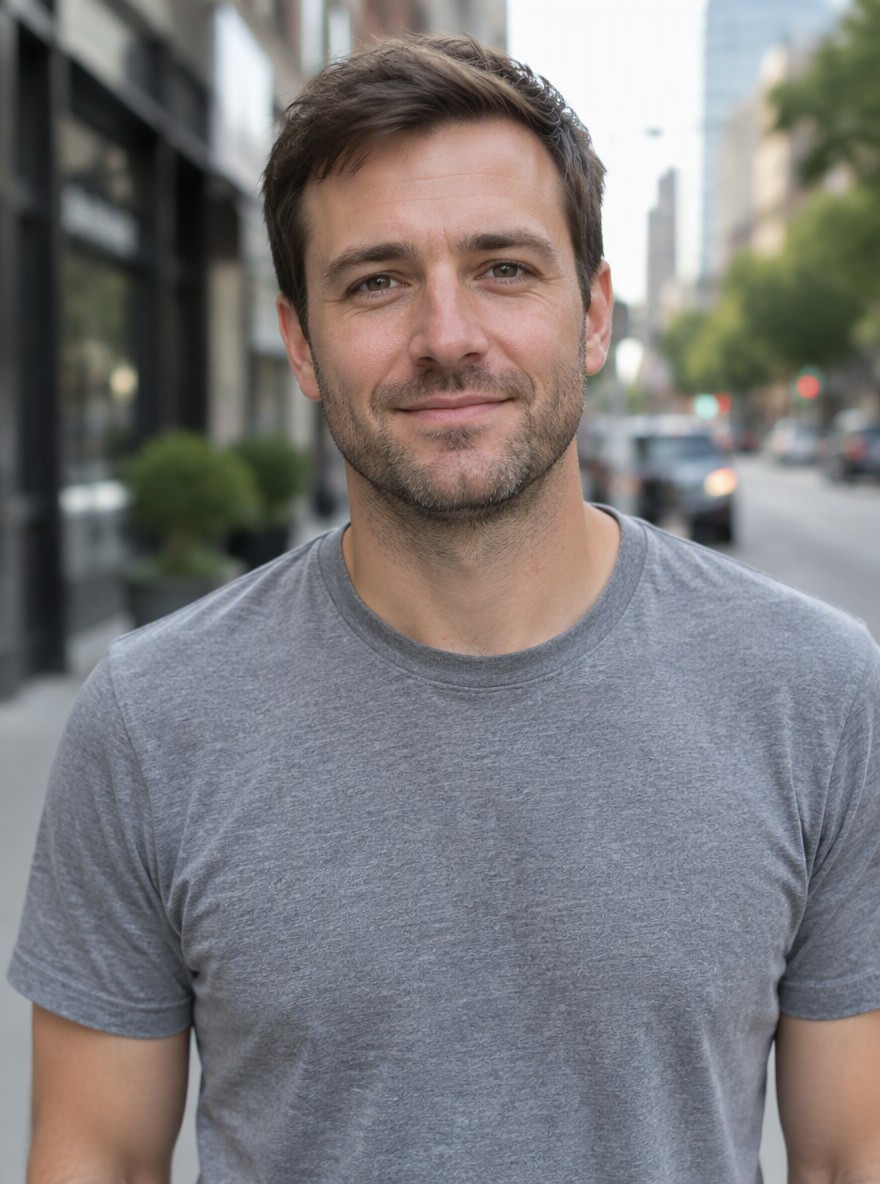
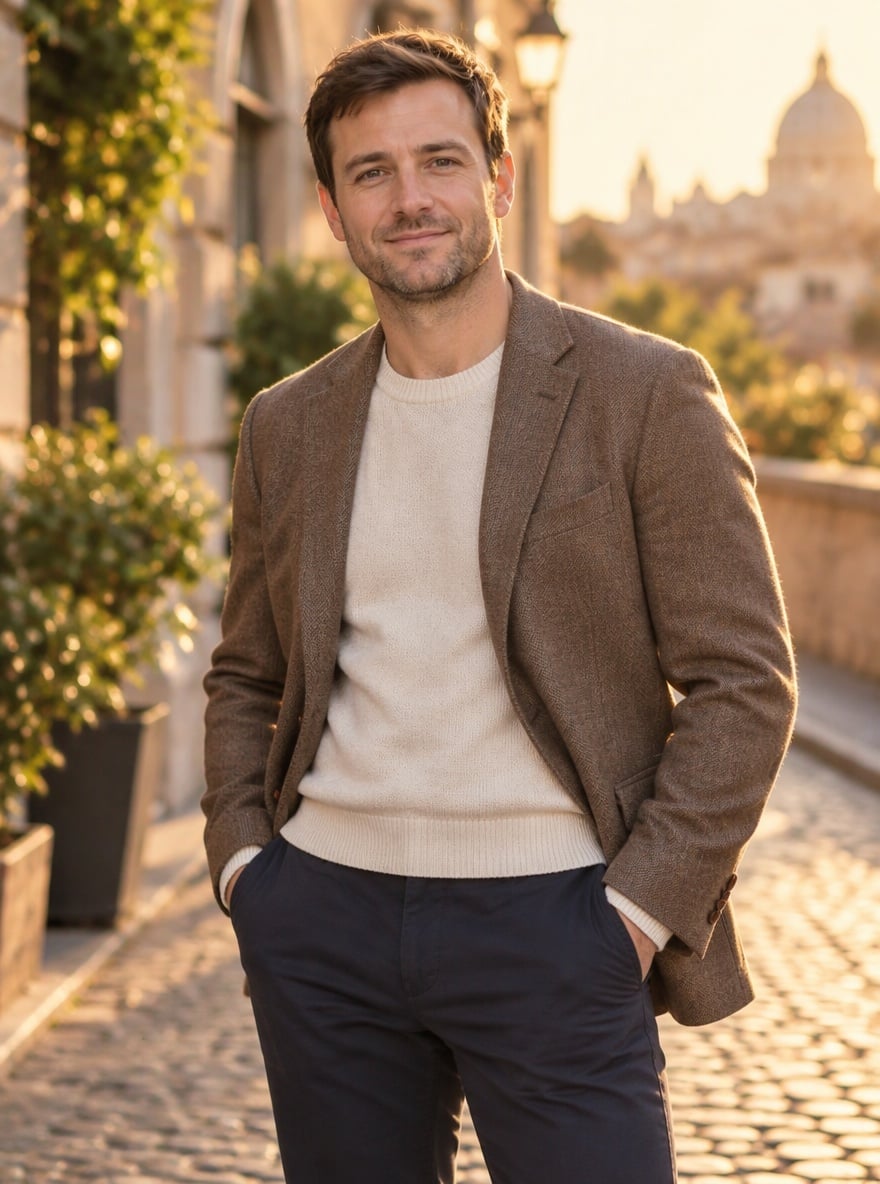
A warm tailored blazer
A gray T-shirt portrait changes to a cream knit top and brown blazer against a softly blurred street.
How does an AI photoshoot generator from photo keep my face?
An AI photoshoot generator from photo uses your uploaded portrait as the identity reference and written instructions to change the styling. This page asks the model to retain facial features, hair, skin texture and body proportions while changing the outfit, pose, light and location. That is a request, not a guarantee: a selfie cannot supply body details outside its crop, and a higher resolution cannot recover unseen features.
Is this AI photoshoot generator free?
Generating an AI photoshoot requires credits; the 1-credit signup gift is less than the 2-credit starting cost. Browsing the examples and choosing settings is free. The smallest purchase is the $5 trial pack with 10 credits, enough for 5 Fast photos from an empty balance. Downloading the PNG has no extra charge or visible site watermark; Fast includes invisible SynthID. This is a credit-based photo tool, with no unlimited free generation.
What should I put in an AI photoshoot prompt?
A useful AI photoshoot prompt describes the outfit, pose, setting, framing and light, then states which facial and body details should stay unchanged. Choose Custom above to add those instructions; its description is required and a styling image is optional. The ready-made looks already include identity instructions, so no prompt is needed for a preset. Keep the request to one person and one still photograph.
AI photoshoot pricing & credits
One AI photoshoot costs 2–18 credits, depending on image quality. A Fast photo is $1.00 using the $5 trial pack, which is the minimum purchase from zero credits. The prices include the optional Custom style reference and one downloadable PNG. HD, Ultra HD and Studio need paid access. The 4K pixel tier depends on framing; it does not mean every side is 4,000 pixels.
| Quality | Output | Credits | Using the trial pack |
|---|---|---|---|
| Fast | 1K · PNG | 2 | $1.00 |
| HD | 2K · PNG | 3 | $1.50 |
| Ultra HD | 4K · PNG | 4 | $2.00 |
| Studio | 2K · PNG | 18 | $9.00 |
| Item | What is included |
|---|---|
| Signup gift | Signup credits: 1; one Fast photo needs 2 |
| Download | One PNG; no extra download fee |
| Watermark | No visible site watermark; Fast includes invisible SynthID |
| Paid quality modes | HD, Ultra HD and Studio require paid access |
| Task recovery | Confirmed provider failures return credits. Delayed confirmation stays pending for support; a delivered photo awaiting storage recovery is not refunded or regenerated. |
What an AI photoshoot cannot promise
An AI photoshoot can change a face, body shape, hands or garment detail despite identity instructions. It cannot prove that you wore the outfit or visited the location, and it is unsuitable for identity documents or exact product-label reproduction. Use one person, check the output carefully, and upload only photos you have permission to use. Uploads are stored at unlisted public links for processing; anyone with a link can open them.
AI photoshoot FAQ
This photoshoot AI tool is designed for one person and one still image at a time. The first upload supplies the face and identity; a second, optional image is a styling reference rather than another person to include. Here is how the browser workflow, background controls and birthday styling work.
Does this AI photoshoot generator need an app?
No app installation is needed. Use the AI photoshoot generator online in a desktop or phone browser, upload a JPG, PNG or WebP, and sign in to generate. Convert HEIC phone images to a supported format first. The PNG download is saved through your browser.
Can I choose the AI photoshoot background?
Yes. Choose Custom and describe a location, such as a quiet rooftop with warm evening light. You may also upload a mood image. The second image guides styling and scenery; it does not replace the person in your first photo or guarantee an exact pose.
Can I use this as an AI birthday photoshoot generator?
Choose Custom and describe a birthday portrait, for example a fully covered evening outfit beside a cake in warm light. This remains a single-person photo workflow. Check candle counts, lettering and facial likeness before sharing; matching a particular decoration or printed message is not guaranteed.