Would an AI no beard filter actually help me decide whether to shave, or is it mostly just a funny gimmick?
A preview can help you decide whether you like the contrast between bare cheeks and your hair or glasses. Pick a recent photo taken at eye level and compare the edited face with your original at the same scale. Start with the mouth corners and cheekbones, which you can already see. Then look at the chin, where the app has less evidence. In the red-beard example below, a whole stretch of jaw appears that the original never showed. Treat that outline as one possible look when deciding whether to reach for a razor.
Four portraits, before and after
 Original
 Clean-shaven
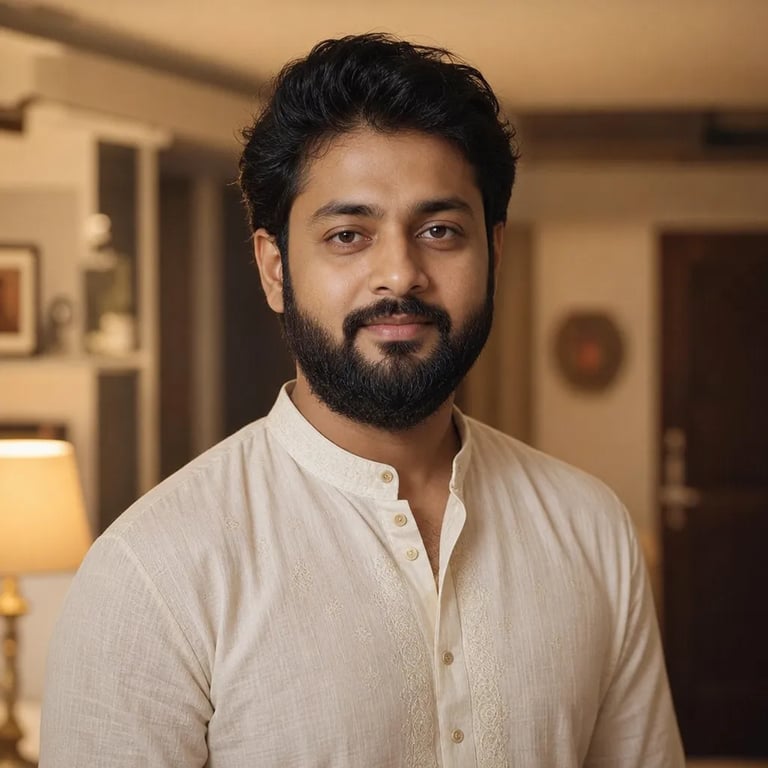
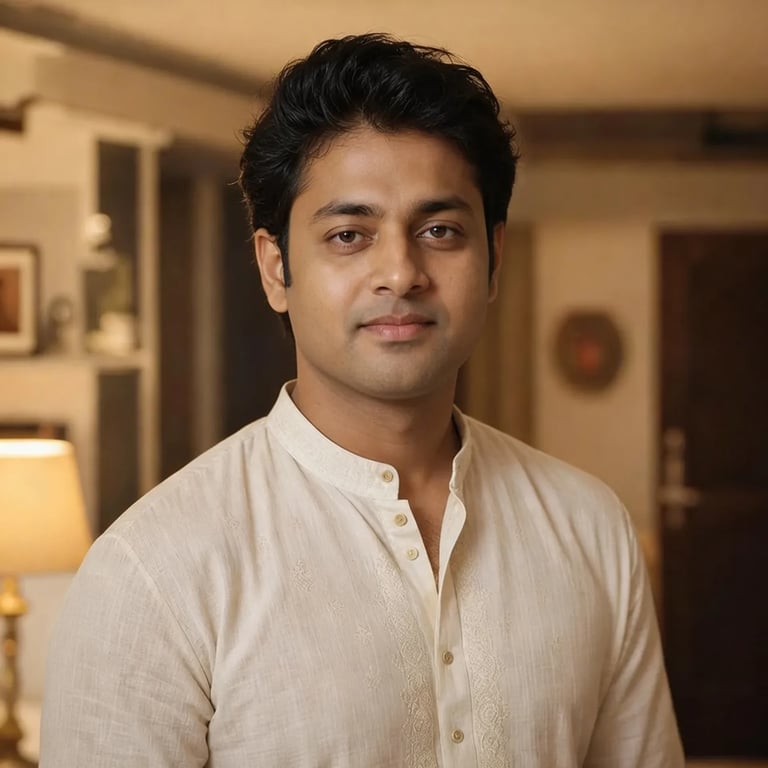
Short dark beard
Warm indoor light. The lip corners and shirt collar give you two fixed points to compare.
 Original
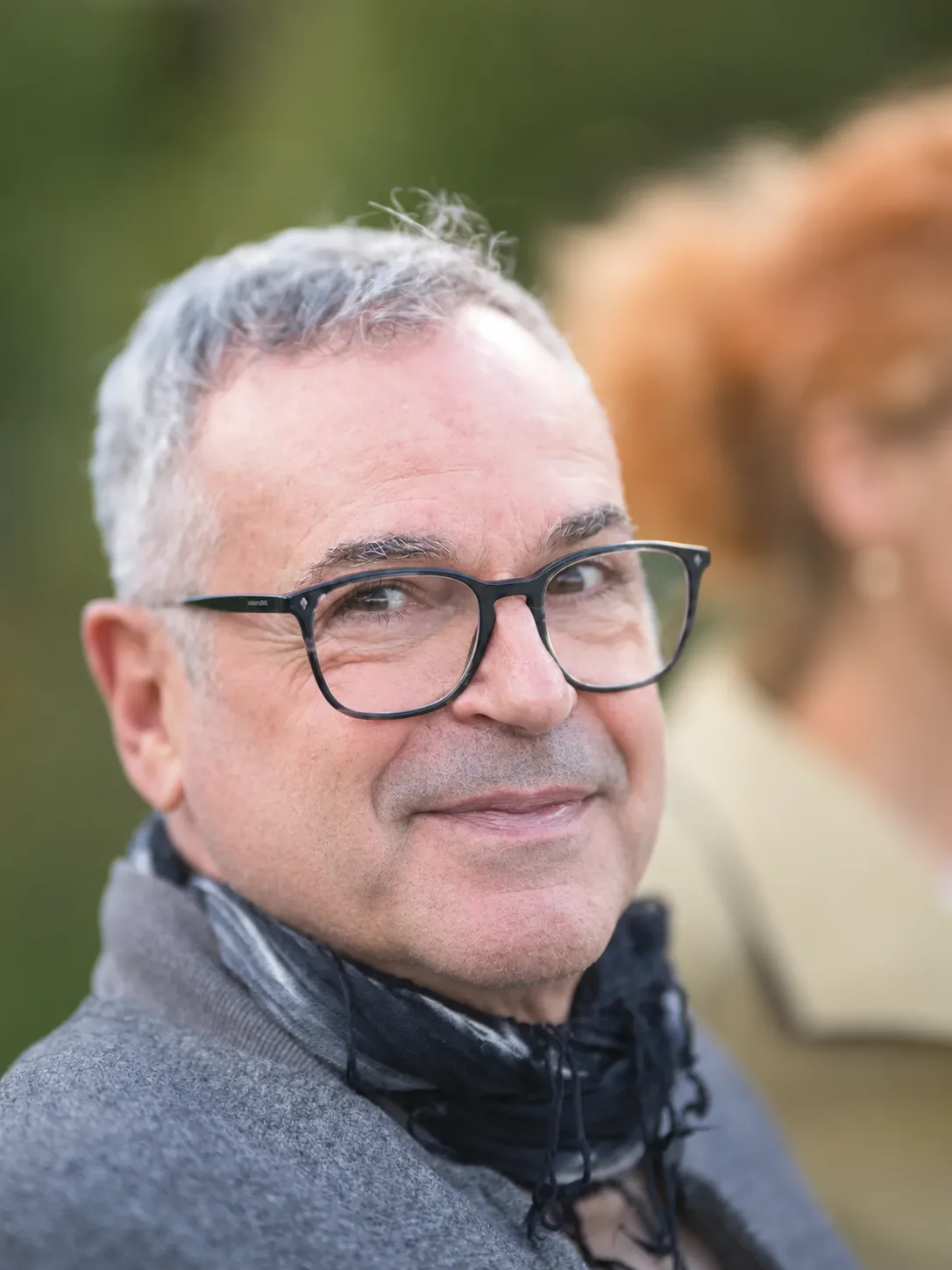 Clean-shaven
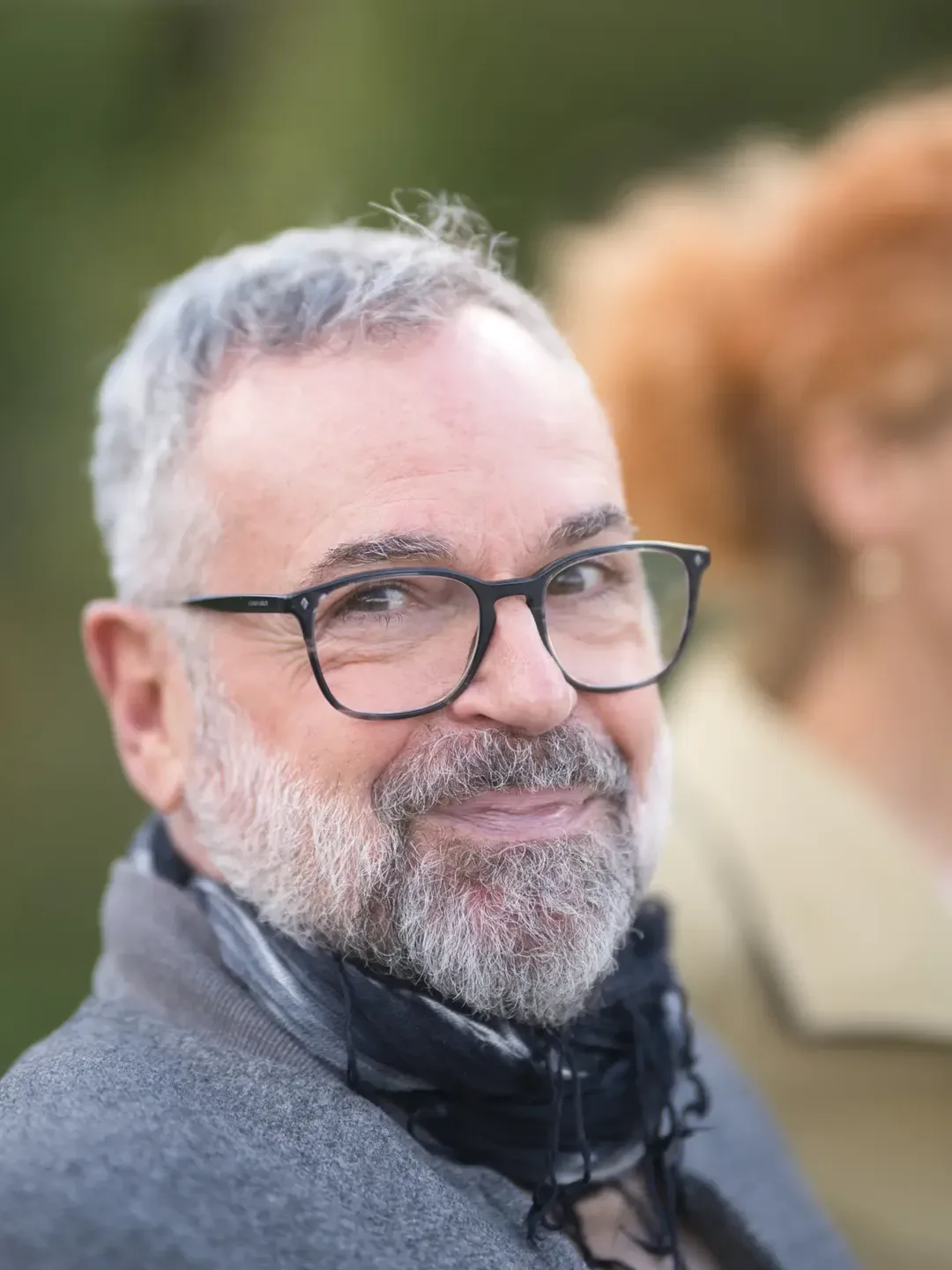
Gray beard and glasses
Follow the rim of the glasses and the smile lines as the gray hair comes away.
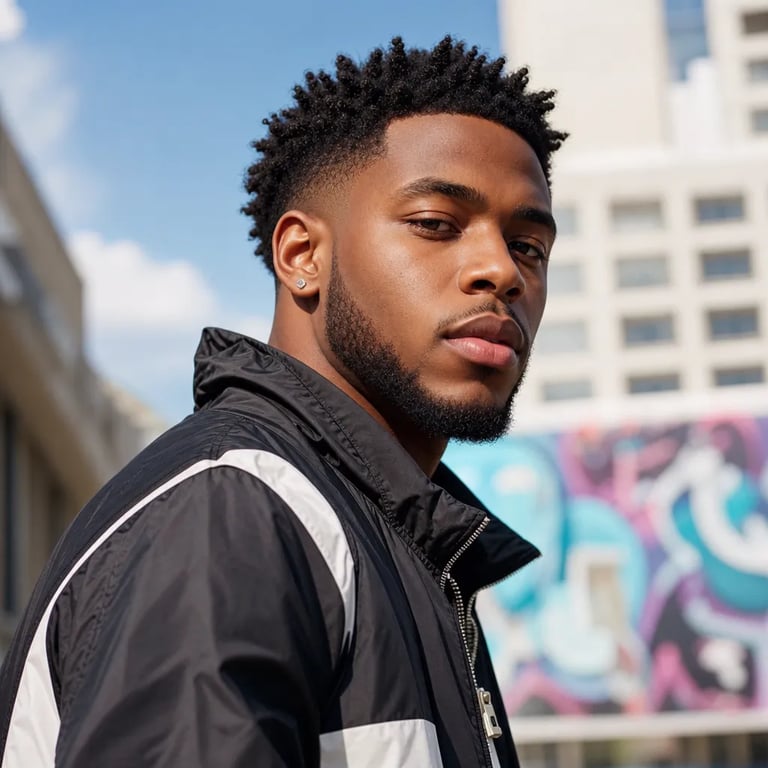 Original
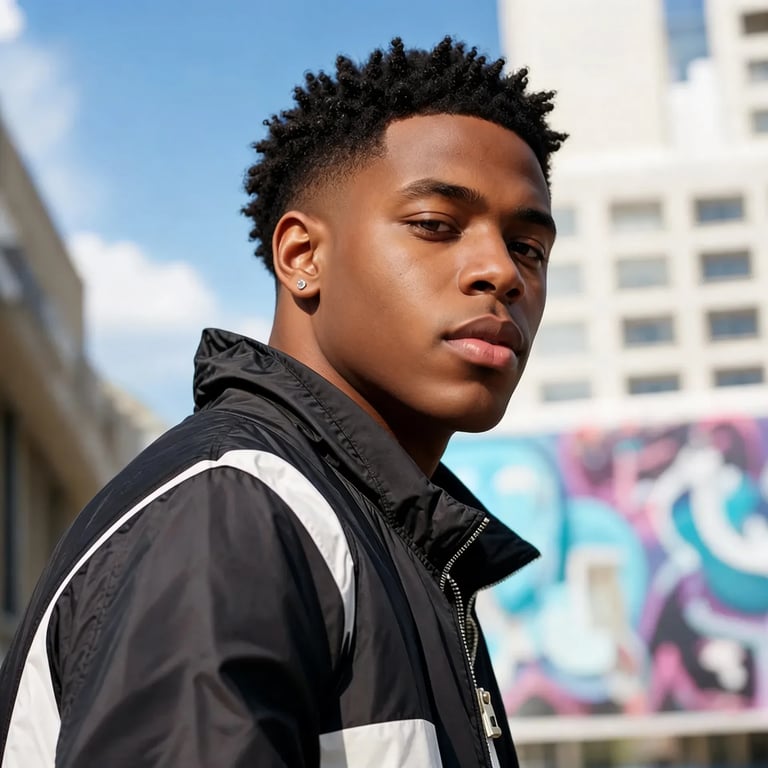 Clean-shaven
Jaw seen at an angle
The near cheek is visible in daylight. The far edge of the chin gives the editor fewer clues.
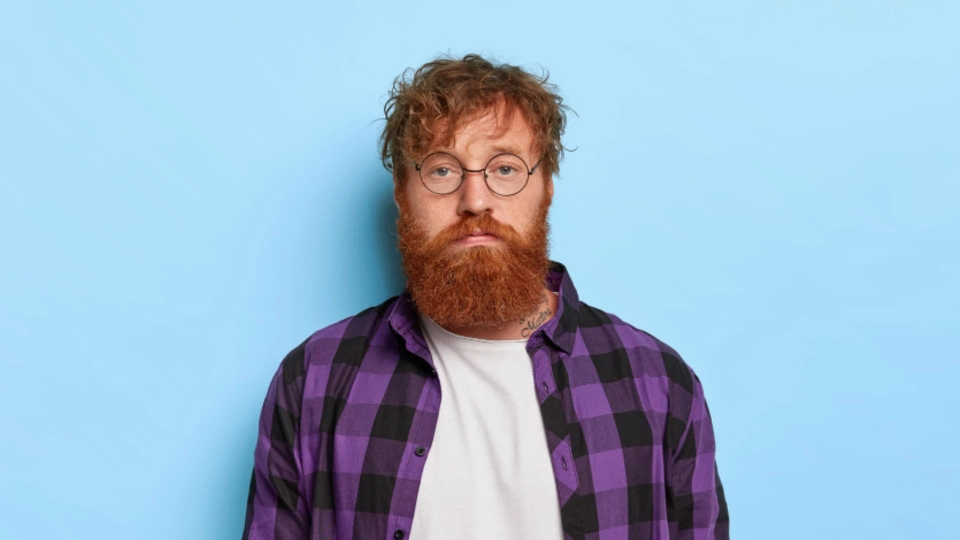 Original
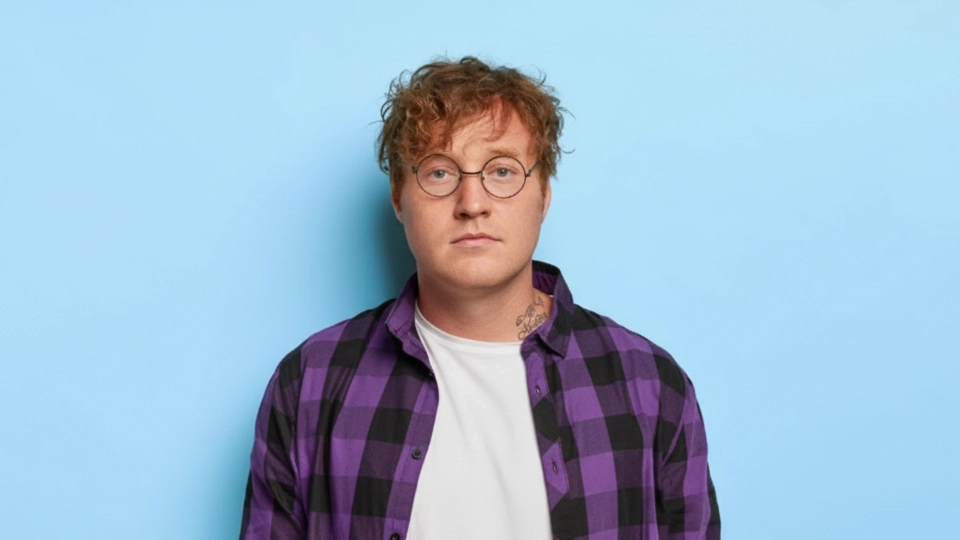 Clean-shaven
Full red beard
The beard covers the entire chin. The outline below the mouth is the largest guess in this pair.
Where the filter struggles
Why does my face look wider and my chin look completely different after I use an AI no beard filter? How can I fix that?
A full beard hides the line where your cheek ends and your neck begins. The editor has to draw skin in that space, and two plausible outlines can give the same face a different apparent width. Shadows under the mouth can also survive as gray patches. Try a front-facing portrait taken in even window light, with your chin clear of your hand and collar. Compare your ears, lip corners and nose against the original. A higher resolution can show more texture, but it cannot reveal the actual shape hidden under the hair.
What prompt should I use so the AI removes the cheek and chin hair but doesn't touch his mustache, eyebrows or hairstyle?
Choose Keep mustache when the upper lip should stay as it is. This setting asks the AI to clear hair from the cheeks, chin and neck while keeping the shape and density of the existing mustache. It also asks for the eyebrows, upper sideburns and hairstyle to stay in place. Start with a photo where you can see both ends of the mustache. If the beard joins it at the corners of the mouth, check those edges at full size before saving. Clean shave also clears the upper lip.
Is there a trustworthy website where I can upload a selfie, remove my beard and download the clean-shaven photo directly in Chrome?
Open this page in Android Chrome or iPhone Safari and choose a photo from your library. JPG, PNG and WebP files up to 20 MB are supported. If your phone saved the picture as HEIC, export a JPEG copy first. You can select the file and inspect its preview before signing in. Generating sends the photo for processing, so use a portrait you have permission to edit. When the result appears, choose Download PNG. Your browser handles the save, and the download uses no additional credits.
What's the difference between Snapchat's no beard lens and an AI beard remover that edits photos?
The no beard challenge spread in 2021 when people used Snapchat’s Remove Beard Lens to show someone a freshly shaved face on camera and filmed the reaction. A photo-based AI beard remover starts with a picture you already have. It estimates the skin under the hair, keeps the framing as close as it can and gives you a still you can inspect beside the original. Beardless filter and clean shaven filter are two names for that effect. Use the photo version when you want a saved portrait to look at later.
How much does a realistic AI no beard filter usually cost, and are free credits enough for one photo?
On this page, one portrait costs 2 credits in Fast, 5 in HD, 7 in Ultra HD or 16 in Studio. Both shave settings cost the same. An eligible new account receives one signup credit, so the welcome credit alone falls short of one Fast edit. There is no daily allotment for this tool. HD, Ultra HD and Studio require an active paid entitlement. Choose HD or Ultra HD for a larger image and Studio for finer detail at 2K. Each new generation uses credits, including another attempt on the same original.
| Quality | Output | Credits | Account access |
|---|---|---|---|
| Fast | 1K | 2 | Signed in, with credits |
| HD | 2K | 5 | Active subscription or unexpired paid credits |
| Ultra HD | 4K | 7 | Active subscription or unexpired paid credits |
| Studio | 2K | 16 | Active subscription or unexpired paid credits |
Is there a genuinely free no beard filter that lets me download the finished photo without a watermark?
LooksAnalysis lists three free runs per day and says its results have no watermark. Pixelbin describes a free allowance and watermark-free HD downloads. Its beard-removal page does not give a number of free edits. Here, you can look through the examples before opening an account. Generating your own portrait requires a credit balance, and the price shown on the button covers the finished download. There is no watermark unlock fee. The table separates each tool’s published allowance from what it lets you save.
| Tool | Price | Free allowance | Watermark | Output |
|---|---|---|---|---|
| This tool | 2–16 credits per photo | 1 eligible signup credit once. No daily runs. | None added | PNG · 1K, 2K or 4K |
| LooksAnalysis | Free | 3 runs a day, no sign-up | None added | Still image |
| Pixelbin | Free allowance, then paid credits. Per-edit price undisclosed. | Number of free edits undisclosed | None added | HD still image |