
Preview a bixie, the layered cut between a bob and a pixie, on your selfie. Choose volume, fringe or parting; facial details can change. One 1K image costs 5 credits ($2.50 at the $5/10-credit pack rate); 1 signup credit, fewer than the 5 needed for one Fast image. Sign in to generate a watermark-free PNG, with 2K and 4K options for eligible paid accounts.
How to use the bixie haircut filter
Start with one clear selfie and choose the part of the bixie you want to change: crown volume, fringe or parting. The model receives your photo with instructions to edit the hair and preserve the person and setting. Review the ears, hairline, face and neckline before saving the preview or showing it to your stylist.
1. Upload your selfie
Choose one person with the face, ears and neckline visible, using a photo you have permission to edit.
2. Pick your bixie
Choose Fluffy, Fringe or Side part. Custom needs a description and can include an optional hairstyle reference.
3. Generate and compare
Check the credits, sign in and generate. Compare with your original, then download one still PNG.
Bixie haircut before-and-after examples
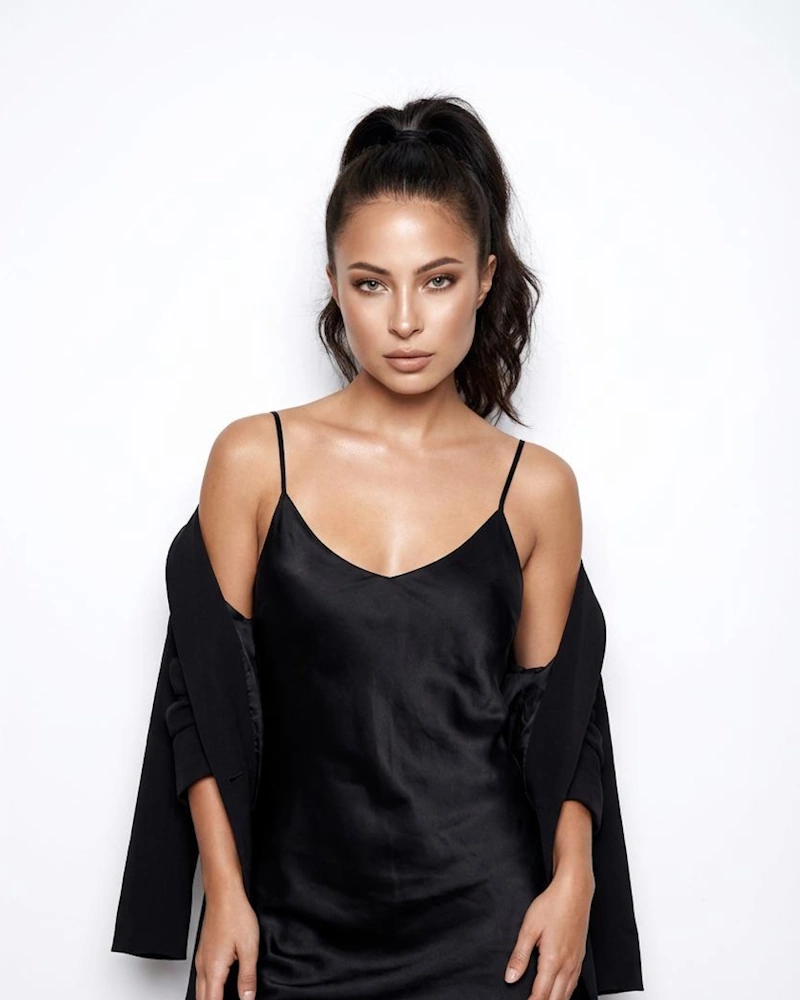
These three before-and-after pairs show long or tied-back hair becoming a shorter, layered bixie. Look at the length near the ears, the fringe and the crown shape rather than the hair alone. Compare the face and background too: an AI preview can change small details. The examples illustrate possible looks, and your photo can produce different results.
Original photo

Bixie preview

Soft layers around the face
Long dark hair becomes a short layered bixie with a side fringe, in the same outdoor portrait.
Original photo
Bixie preview
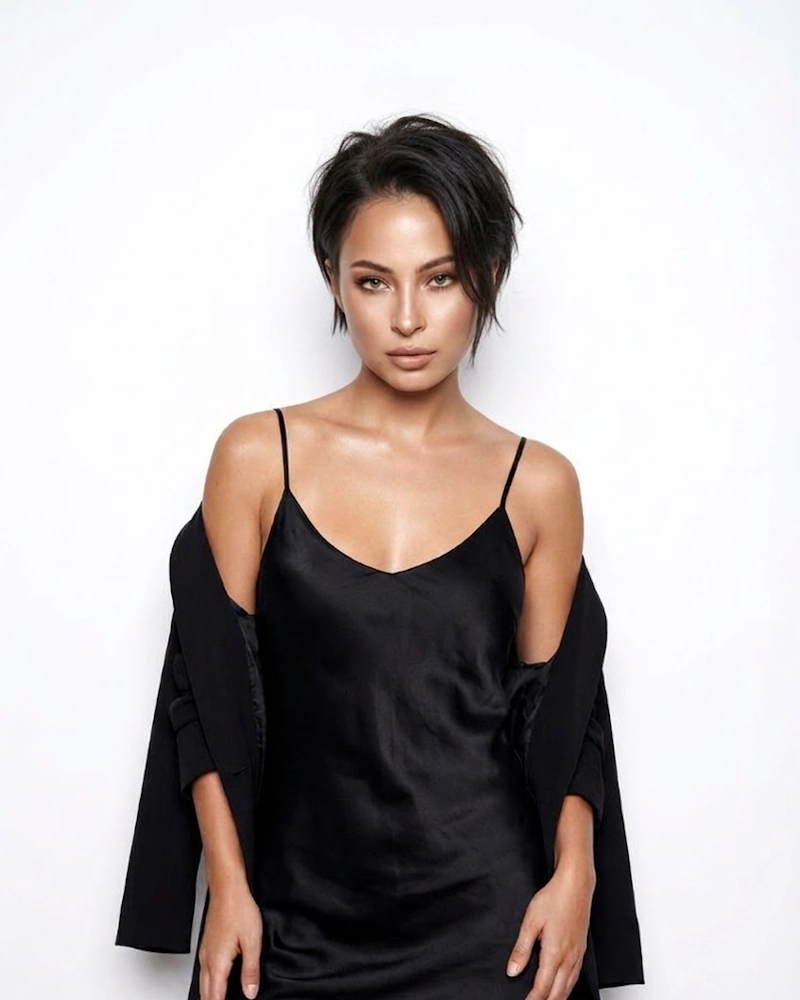
From ponytail to textured bixie
A high ponytail becomes a short, piecey bixie while the black outfit and light background remain visible.
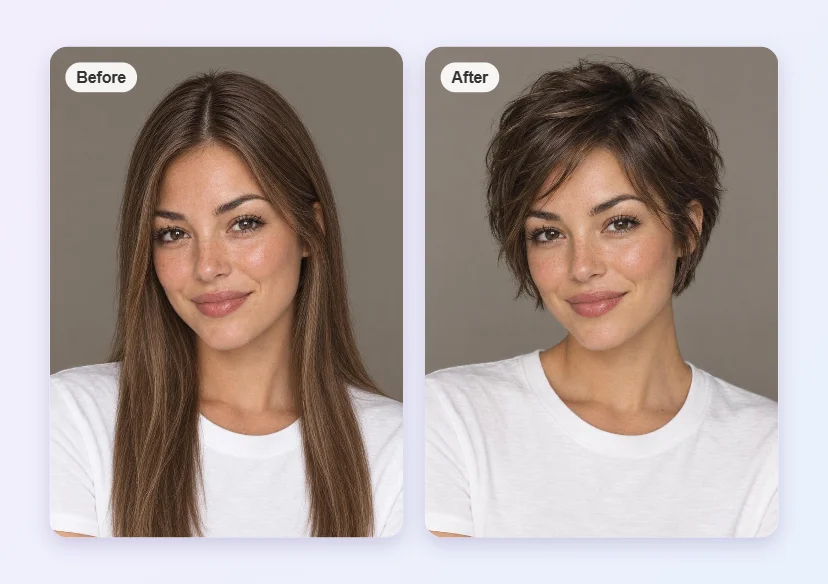
Long hair to a lifted bixie
A side-by-side portrait compares long straight hair with a lifted, layered bixie and an angled fringe.
Can I use a bixie haircut filter online without an app?
You can use this bixie haircut filter online in a phone or desktop browser without downloading an app. Upload a clear selfie, choose a short layered style and sign in to generate one still image. This is a photo editor rather than a live camera effect. If you found the look under “bixie hair filter,” the goal is the same: preview short layers on your own face before deciding whether to cut your hair.
Is the bixie haircut filter free to generate and download?
Generating your own bixie photo is not free; browsing the examples costs nothing. The current allowance is 1 signup credit, fewer than the 5 needed for one Fast image. A Fast image costs 5 credits, equivalent to $2.50 at the $5/10-credit pack rate. The smallest purchase is that $5 one-time pack. Downloading a completed PNG adds no credits and no visible site watermark; each new variation costs credits again.
Can I preview a bixie haircut for thin hair?
You can preview a bixie haircut for thin hair to compare the outline, fringe and apparent volume around your face. Choose Fluffy for a lifted crown or Custom to request light, fine strands without exaggerated fullness. A generated image can invent density that your real hair cannot achieve. It cannot measure hair thickness, diagnose hair loss or predict how the cut will dry; bring the preview to a stylist to discuss realistic layers and upkeep.
Bixie haircut filter pricing & credits
One still image uses 5–9 credits, depending on the output option. At the $5/10-credit trial-pack rate, that equals $2.50–$4.50 of credits per image. The smallest purchase is a $5 one-time pack, with no subscription required for that pack. HD, Ultra HD and Studio require eligible paid access. Downloading an existing result is included; generating a new variation uses credits again.
| Quality | Output | Credits | Pack-rate equivalent |
|---|---|---|---|
| Fast | 1K · 9:16 PNG | 5 | $2.50 |
| HD | 2K · 9:16 PNG | 7 | $3.50 |
| Ultra HD | 4K · 9:16 PNG | 8 | $4.00 |
| Studio | 2K · 9:16 PNG | 9 | $4.50 |
| Feature | Details |
|---|---|
| Signup allowance | 1 signup credit, fewer than the 5 needed for one Fast image |
| Smallest purchase | $5 once for 10 credits |
| Download | One PNG; no extra download credits |
| Watermark | No visible site watermark added |
| Access | Account required; higher output options need eligible paid access |
| Failed requests | Confirmed failures return credits; unresolved requests keep the same task |
| Photo handling | Photos are stored by this site and sent to the image provider. Account checks protect app previews and downloads; direct storage links may be accessible to holders. No automatic deletion is promised. |
What a bixie haircut filter cannot show
A bixie preview cannot guarantee a real haircut will look the same. It does not measure hair density, growth direction, curl shrinkage or how much daily styling you need. The model may change facial details or invent hair volume, especially with obscured ears, blurred photos or heavy filters. Higher resolution adds pixels, not certainty. This tool returns a still image, and does not offer live camera effects or video.
Bixie cut filter FAQ
Check what makes a bixie different and choose a suitable selfie before you generate.
What is the difference between a bixie, pixie and bob?
A bixie combines the shorter back and textured layers of a pixie with longer face-framing pieces associated with a bob. A pixie is usually more closely cropped; a bob usually keeps a fuller, more continuous perimeter. This bixie cut filter targets the in-between shape, with optional wispy fringe or side part.
What selfie works best with a bixie cut filter?
Use a sharp front-facing photo in even light, with your face, ears and neckline visible. Avoid hats, hands over the hair and heavy beauty filters. Upload JPG, PNG or WebP up to 10 MB; the browser prepares the image to at most 2048 pixels per side. Convert an HEIC phone photo first.
Can I try a bixie on wavy or curly hair?
Yes. The preset instructions ask the model to retain your natural hair texture and color while shortening the silhouette. For tighter curls, use Custom and describe a curly bixie with visible curl definition. An optional hairstyle reference guides the hair only. Curl shrinkage and styling effort still need a real salon assessment.
Will the bixie hair filter change my face or background?
The instructions ask for only the hairstyle to change, preserving your face, expression, skin tone, clothes and setting. Generative editing can still alter details, ears, hairlines or facial features. Compare the result with your original; exact identity and pixel-level preservation are not guaranteed. Do not treat a preview as a promise of a salon result.
More hairstyle tools
Compare other hairstyles on your face or try a different short-hair edit.