
Turn a dog, cat or other pet photo into one cartoon portrait for an avatar or personal keepsake. The prompt asks for the original markings and pose, but details can change. A 1K PNG costs 5 credits ($2.50 at the $5/10-credit pack rate); 1 signup credit, fewer than the 5 needed for one Fast image. Sign in to generate; downloading is included without a visible site watermark.
How pet photo to cartoon works
Start with one photo and select a drawing style instead of writing a prompt from scratch. Your pet photo supplies the visual reference; the selected preset supplies the art direction. The model is instructed to preserve recognizable animal features, rather than invent a different pet. Review the result against the original before using it as an avatar or keepsake.
1. Upload your pet
Choose one clear photo with the face and ears visible. Use an image you have permission to edit.
2. Choose a cartoon style
Pick 3D, Anime or Cartoon. Custom adds a required description and an optional style-reference image.
3. Generate and compare
Check the credit cost, sign in and generate. Compare the markings and eyes, then download one PNG.
Pet cartoon before-and-after examples
Each comparison shows a pet photograph beside a cartoon portrait of the same animal. Compare coat colors, eye placement, ear shape and posture across the two sides rather than judging the drawing style alone. These examples illustrate the photo-to-cartoon task; a new upload can produce different details, and the model may alter markings or proportions.
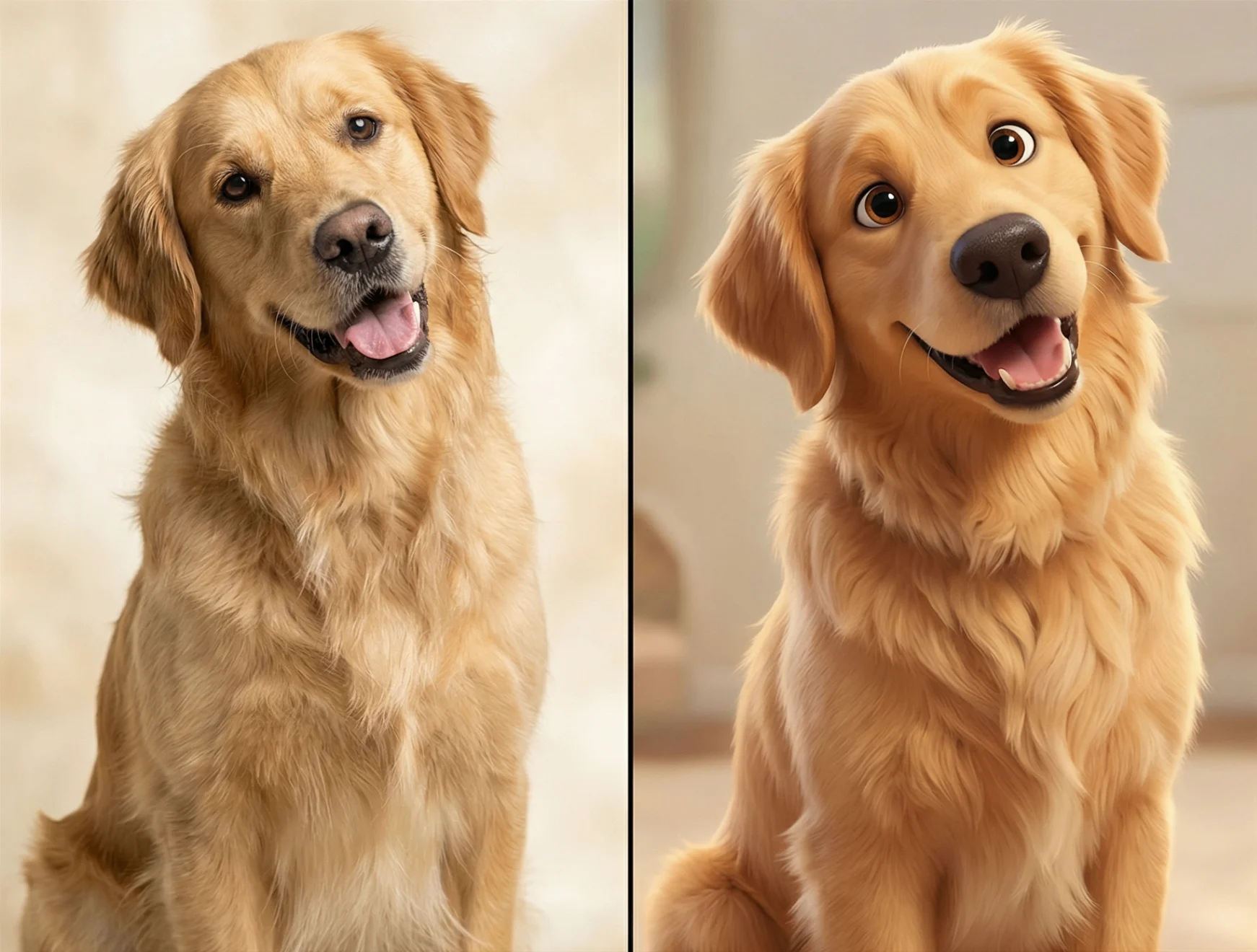
Golden retriever in 3D cartoon style
A golden retriever changes from a photo into a rounded 3D cartoon portrait; the head tilt and open mouth stay recognizable.
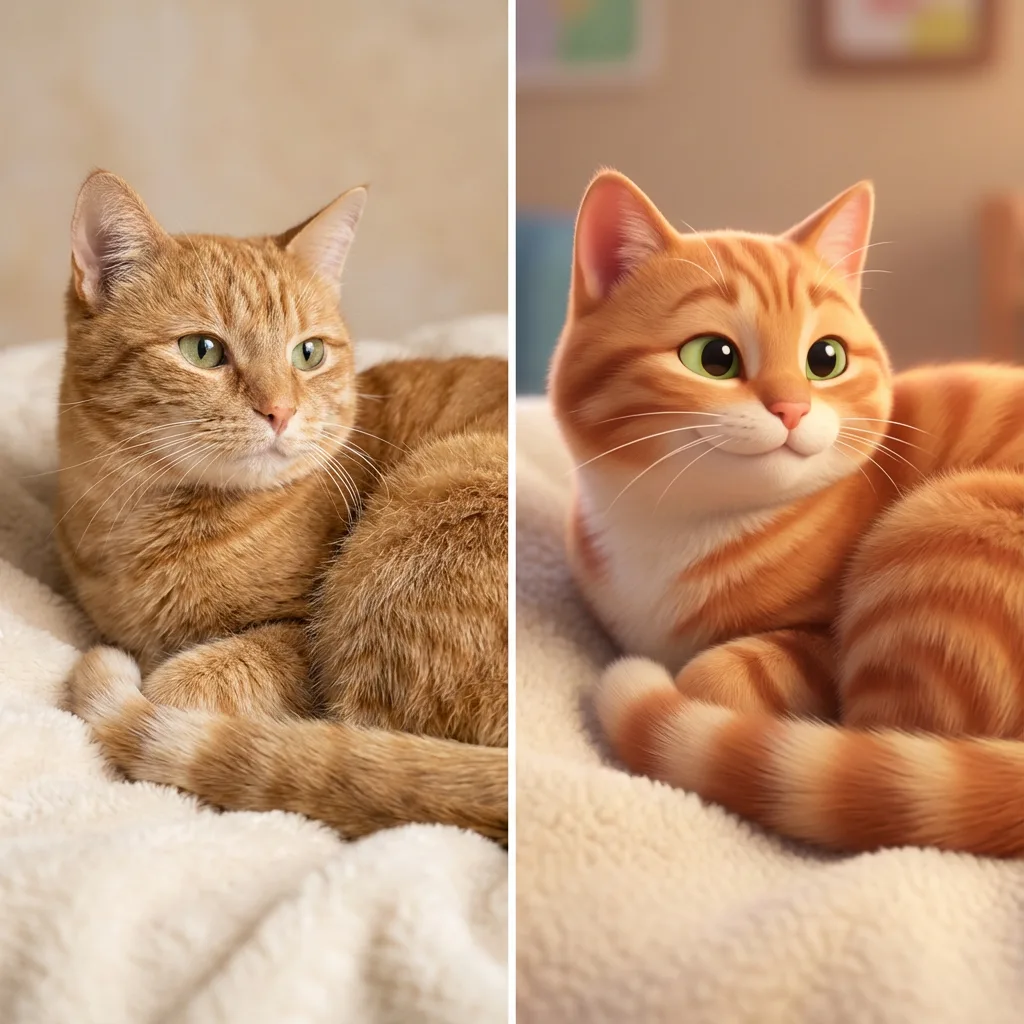
Orange tabby in 3D cartoon style
An orange tabby stays curled on a cream blanket while its fur and eyes become a soft 3D cartoon. Fine stripes can change.
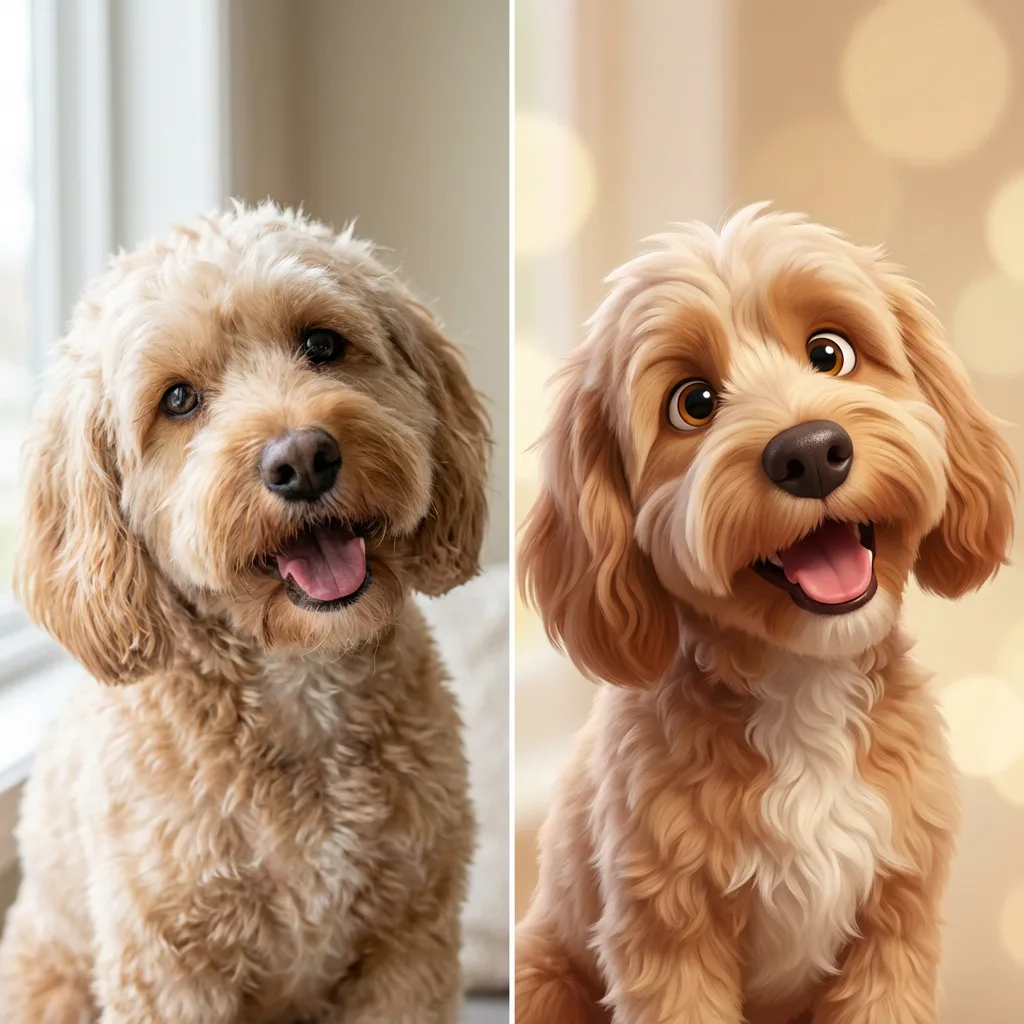
Curly dog in 3D cartoon style
A curly tan dog keeps its floppy ears and head tilt in a 3D cartoon portrait; the background and small fur details differ.
Is pet to cartoon free on this website?
Generating a pet cartoon on this website requires credits; viewing the examples is free. The current allowance is 1 signup credit, fewer than the 5 needed for one Fast image. A Fast image costs 5 credits, equivalent to $2.50 at the $5/10-credit trial-pack rate. The smallest purchase is that $5 pack, rather than an individual $2.50 payment. Downloading your finished PNG adds no credits and no visible site watermark.
How do I turn my pet photo into a cartoon?
Upload a clear photo of your dog, cat or another pet, then choose 3D, Anime or Cartoon and an output option. The editing prompt asks the model to retain the animal’s breed, fur colors, markings, eyes, ears and pose while changing the drawing style. Select Custom to describe a particular look. After generating, compare the result with your photo before saving it; exact likeness is not guaranteed.
Do I need an app to turn my pet into a cartoon?
You can convert a pet picture to a cartoon in a current phone or desktop browser without installing an app. Upload a JPG, PNG or WebP, choose a preset and sign in to generate. On a phone, download the PNG and save it using your browser’s image or file controls. This page returns one static portrait, rather than a moving pet, animated sticker pack or cartoon-pet game.
Pet to cartoon pricing & credits
One pet cartoon uses 5–9 credits for one image, depending on the output option. At the $5/10-credit trial-pack rate, that is $2.50–$4.50 of credits per image. The smallest purchase is a $5 one-time pack; no subscription is required for that pack. Higher-resolution options require eligible paid access. Downloading an existing result is included; generating a new variation uses credits again.
| Quality | Output | Credits | Pack-rate equivalent |
|---|---|---|---|
| Fast | 1K (768 × 1024 px) · 3:4 PNG | 5 | $2.50 |
| HD | 2K (1536 × 2048 px) · 3:4 PNG | 7 | $3.50 |
| Ultra HD | 4K (2480 × 3312 px) · 3:4 PNG | 8 | $4.00 |
| Studio | 2K (1536 × 2048 px) · 3:4 PNG | 9 | $4.50 |
| Feature | Details |
|---|---|
| Signup allowance | 1 signup credit, fewer than the 5 needed for one Fast image |
| Smallest purchase | $5 once for 10 credits |
| Download | One 3:4 PNG; no extra download credits |
| Watermark | No visible site watermark added |
| Access | Account required; HD, Ultra HD and Studio need eligible paid access |
| Failed requests | Confirmed failures return credits; unresolved requests stay on the same task |
What this pet cartoon converter cannot guarantee
A generative pet cartoon can change a breed’s proportions, fur pattern, eye color, paws or original pose. Clear photos help, but exact likeness and print accuracy are not guaranteed. This page does not provide transparent-background PNGs. The output is a 3:4 still PNG, so the composition may change to fit that frame. Higher resolution adds pixels, not a promise of correct anatomy. This tool does not make video, deliver physical prints or assemble a ready-to-use sticker pack.
Pet to cartoon FAQ
Choose a clear pet photograph and check the input requirements before generating. Custom descriptions and style references can guide the drawing, but they do not guarantee exact details. The answers below cover source photos, custom art direction, two pets in one frame and what happens to uploaded images.
What pet photo should I upload?
Use a sharp, well-lit photo with the eyes, ears and distinctive fur markings visible. JPG, PNG and WebP are supported up to 10 MB; each side must be no larger than 2048 pixels. Resize a larger photo before uploading. One clearly visible pet is the simplest starting point. Convert an HEIC phone photo to a supported format first.
Can I choose a different pet cartoon style?
Choose Custom and enter a required description of up to 500 characters. You can also add an optional style reference below it. The first photo remains the pet reference; the second image guides colors, line work and shading. A style reference does not replace the required description or guarantee an exact imitation.
Can I cartoon a picture of two pets together?
You can upload one photo containing both pets. The prompt asks the model to retain their number, positions and separate markings, but overlapping bodies or similar coats can be mixed up. Check each animal’s face, paws and colors in the result. The tool does not accept separate pet photos to assemble into a group.
Who can access my uploaded pet photo and result?
Your account is required to generate and use the result routes. Uploaded images are sent to the image service for processing and saved with the result in this site’s storage. Direct storage links can be accessible to anyone who holds them. Crop out addresses, collar phone numbers and other details you do not want to upload.
More pet and photo tools
For a broader range of pet art, explore the pet portrait generator. For human portraits and other art directions, use the photo-to-cartoon page. These tools have their own style choices and credit costs; check their examples and input requirements before starting a different edit.