
AI Renaissance Portrait is for people who want their own face in a classical oil painting, with period clothing and a distant landscape. One uploaded photo produces a vertical 3:4 PNG; the current 1-credit signup allowance is below one generation. Images cost 5–9 credits, with Fast at $2.50 using the $5 pack rate and no extra download fee or added visible watermark.
How the AI Renaissance Portrait Generator Works
To turn your photo into a Renaissance painting, upload one clear portrait, choose an outfit and select image quality. Brocade, Velvet and Veil share the same soft oil shading and landscape window setting; Custom lets you describe another period outfit or background. Sign in to generate, compare the result with your photo, then download one PNG. A recognizable face is the goal, not a guaranteed exact copy.
1. Upload a clear portrait
Choose a JPG, PNG or WebP up to 10 MB and 2048 pixels per side. Use one person or pet, with an unobstructed face and even light.
2. Choose the period outfit
Pick crimson brocade, velvet and pearls, or an embroidered gown with a veil. Custom requires a description and optionally accepts an outfit or palette reference.
3. Check the face and download
Compare eyes, hair and facial proportions before saving. Download a 3:4 PNG: 768×1024, 1536×2048 or 2480×3312, depending on quality.
Photo to Renaissance Painting Examples
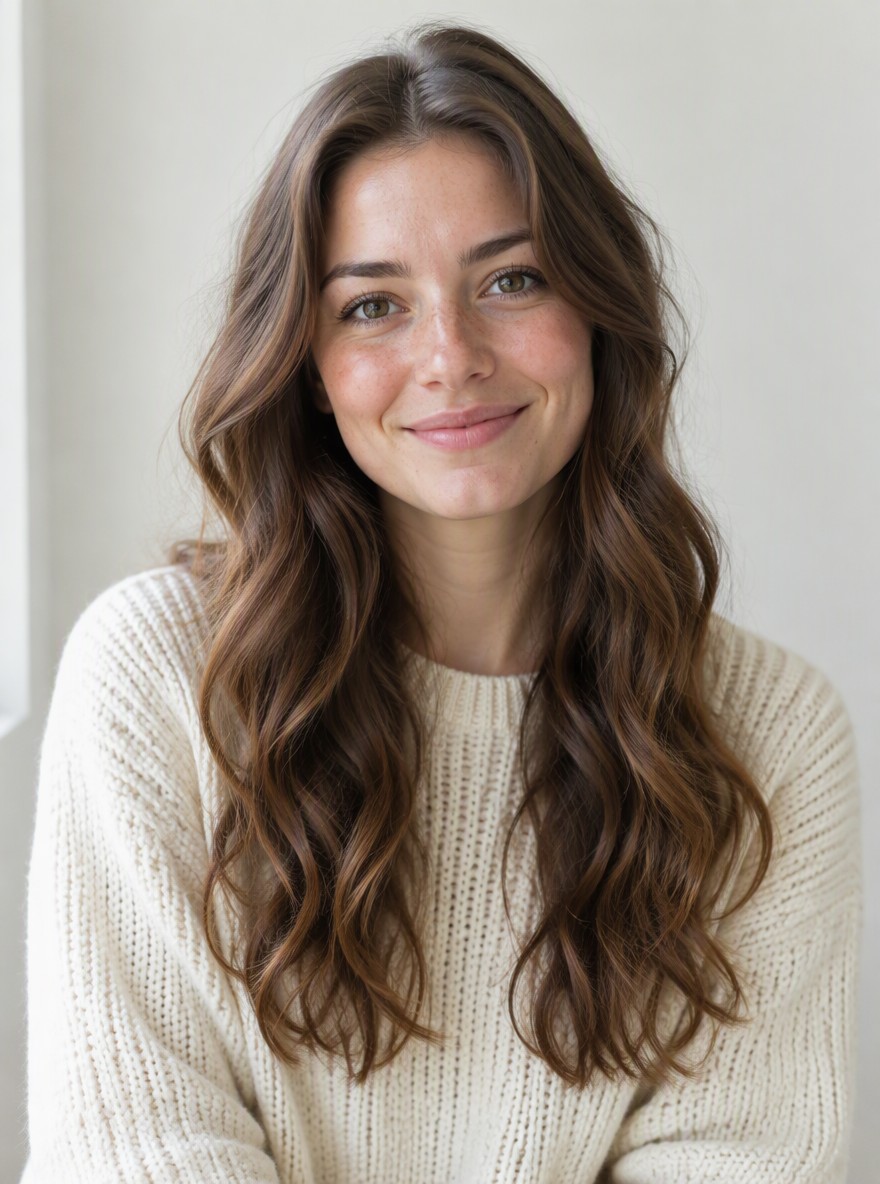
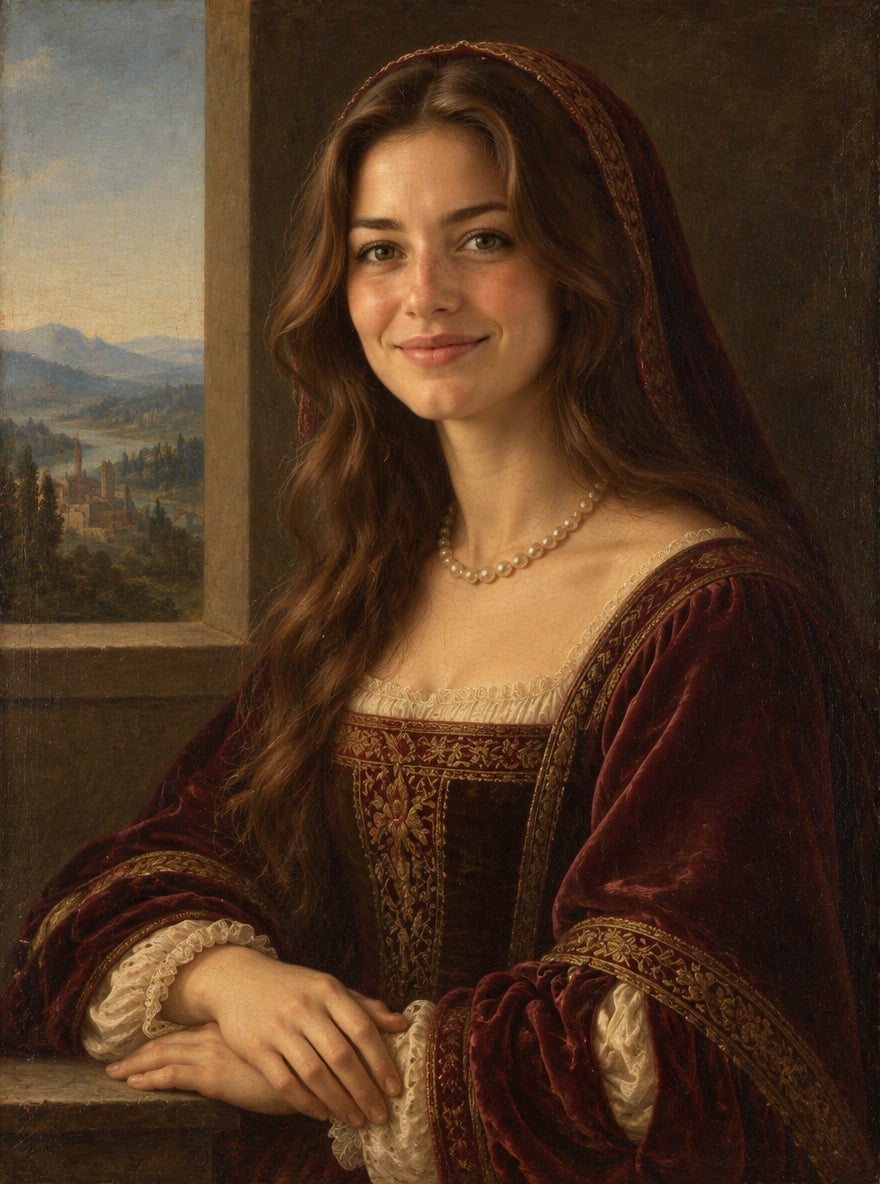
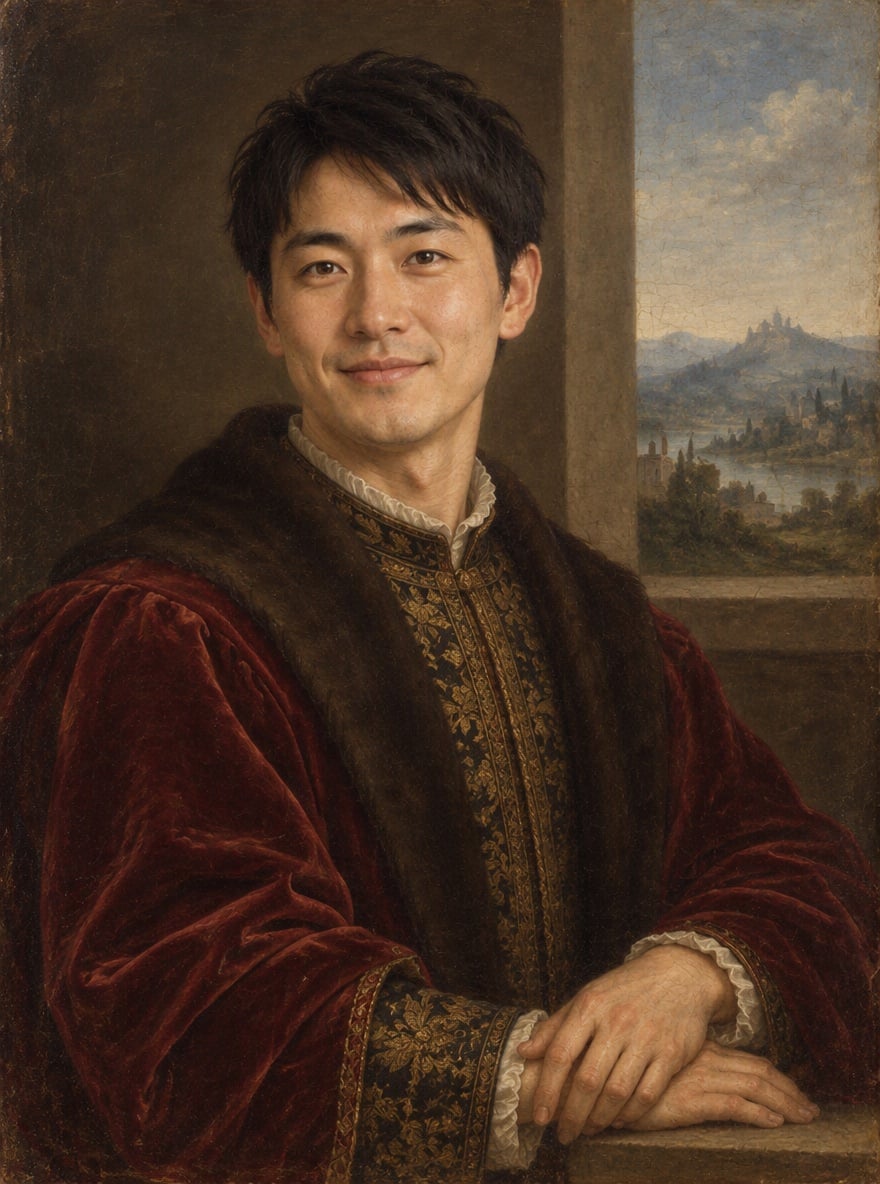
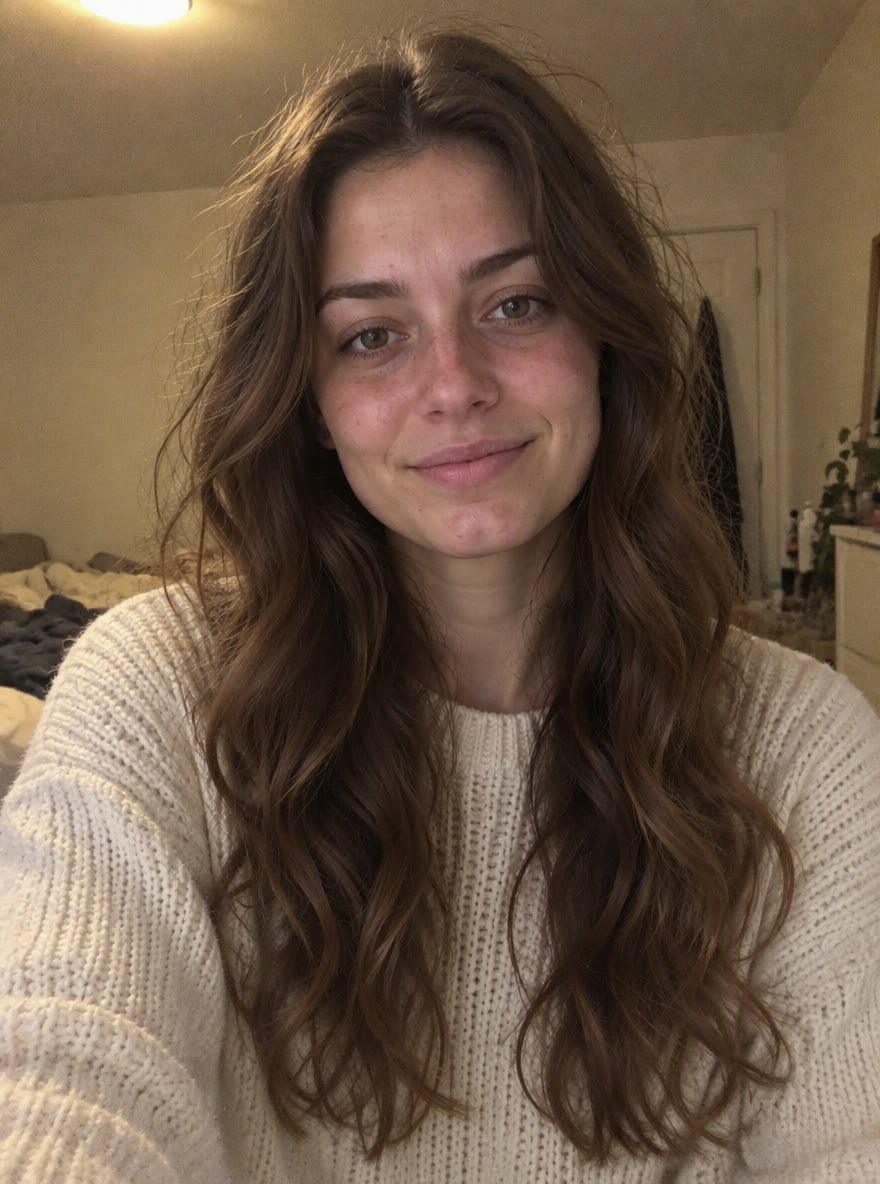
These before-and-after portraits show modern selfies reimagined as Renaissance oil paintings: knitwear becomes velvet, hoodies become embroidered brocade, and everyday rooms become distant landscape windows. Compare the eyes, nose, hair and expression in each pair to see what changed. Clothing and pose can be redrawn as well as the background. These examples illustrate the style; your result depends on your photo and selected settings.
Original photo
Oil portrait
Velvet and pearls
A woman in a light knitted top becomes a sitter in deep red velvet, with pearls and a landscape window.

Original photo
Oil portrait
Crimson brocade
A man in a dark hoodie is repainted in crimson brocade with gold embroidery and soft window light.
Original photo
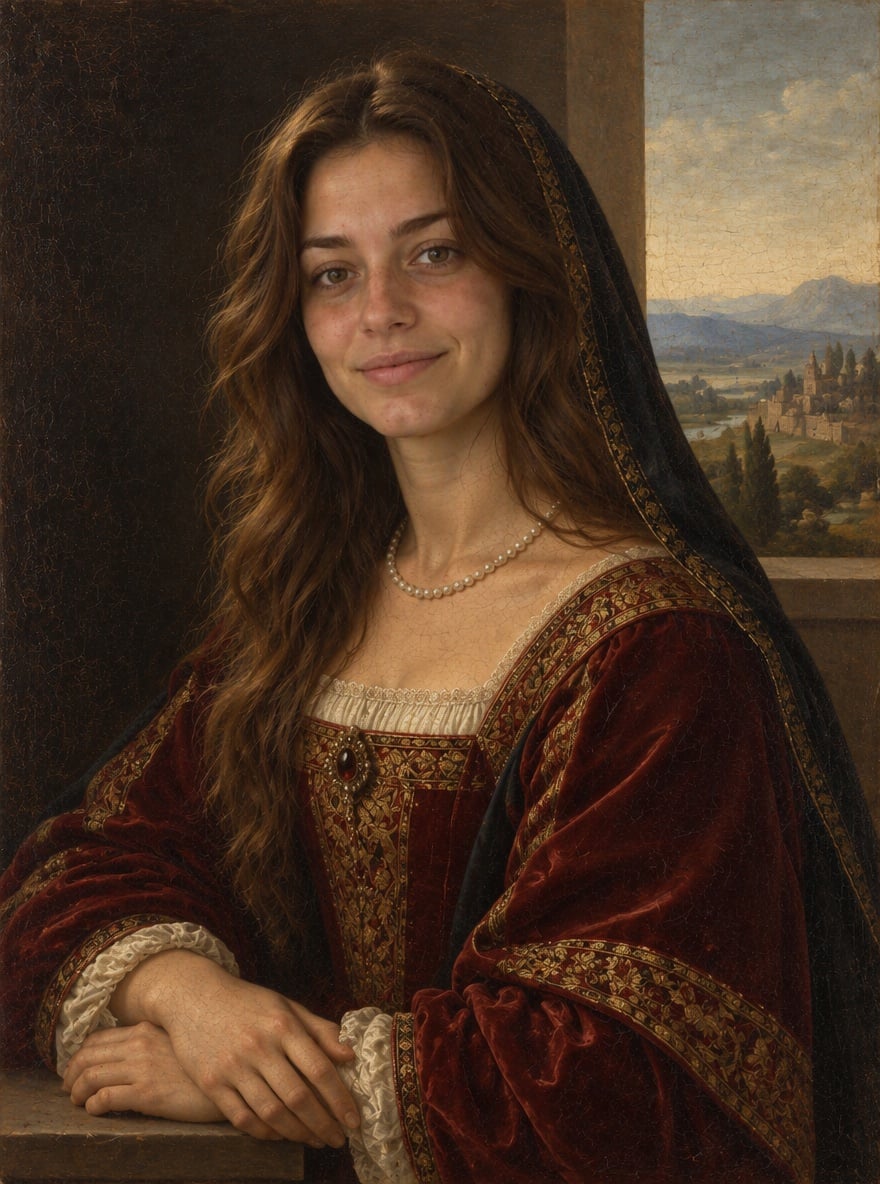
Oil portrait
Embroidered gown and veil
A bedroom selfie becomes an oil portrait with a deep red embroidered gown, black veil and hazy hills.
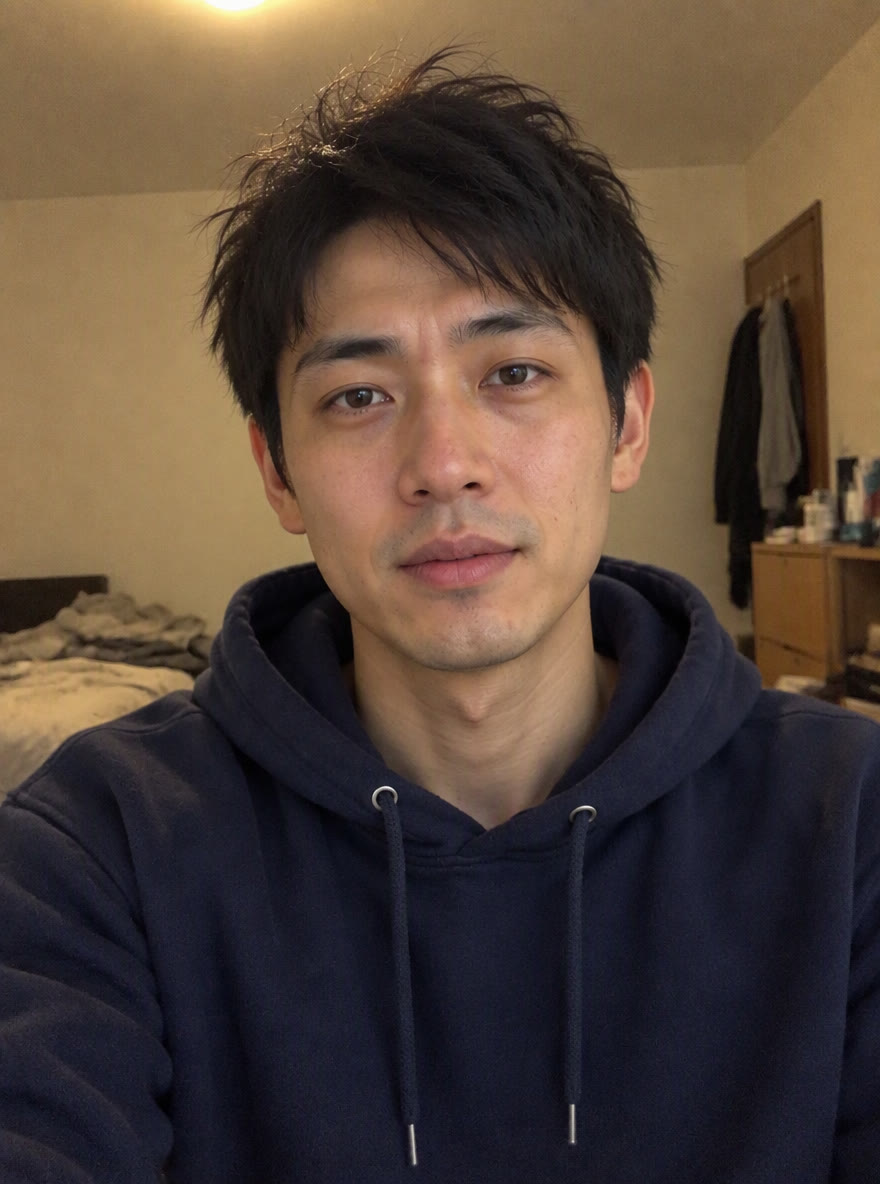
Original photo
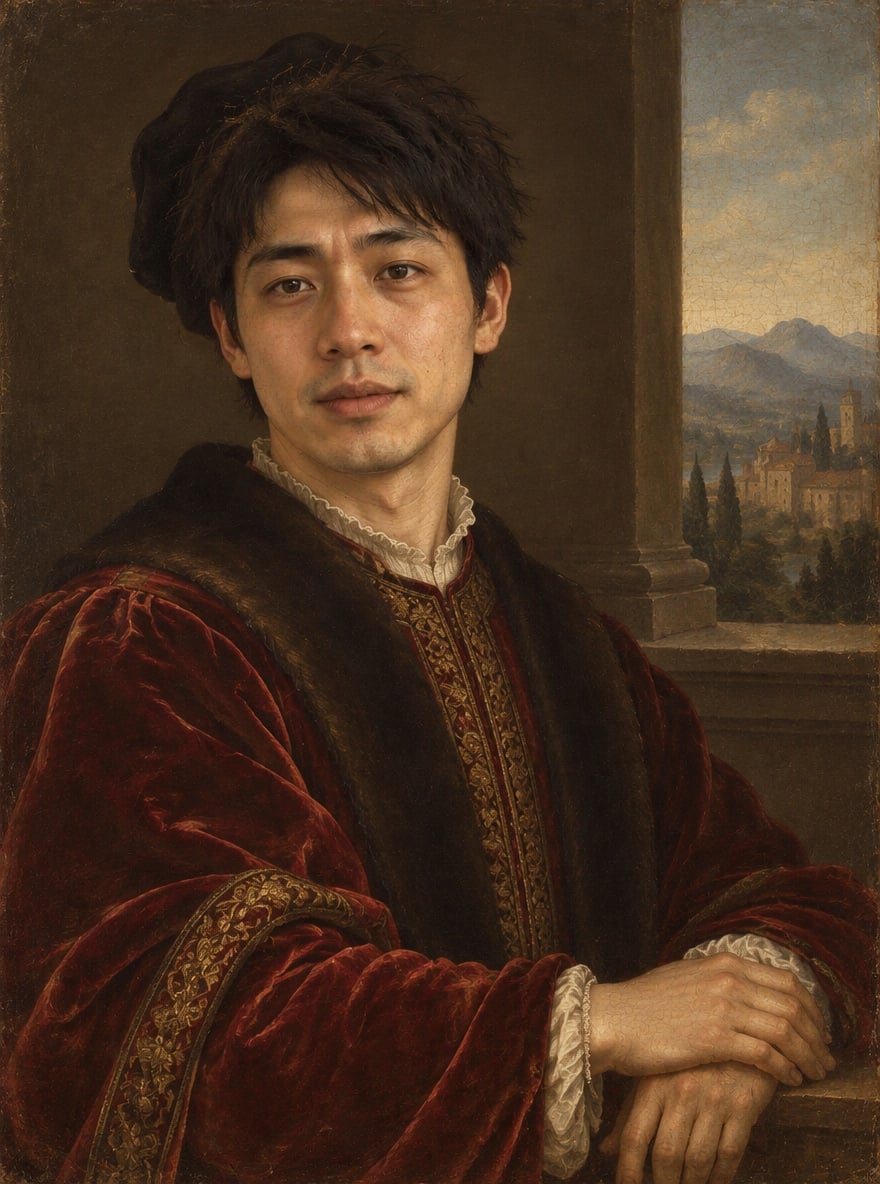
Oil portrait
Florentine-style nobleman
A casual indoor portrait becomes a nobleman in patterned red brocade, with the face softly shaded.
Is AI Renaissance Portrait Free?
AI Renaissance Portrait is not free with the current signup allowance. You can view the comparisons and prepare a photo for free, but generating an image costs at least 5 credits. The current 1-credit signup allowance is below one generation. From zero balance, the smallest purchase covering a generation is the one-time $5 pack with 10 credits. No subscription is required for that pack, and completed PNGs have no added visible watermark or extra download charge.
How Do I Turn a Photo Into a Renaissance Painting?
Use a clear photo with one visible face, then choose a period outfit or describe one under Custom. This AI Renaissance painting generator redraws the scene, clothing and light instead of adding only a canvas texture. The prompt asks it to keep your facial proportions, skin tone, age and hair; it can still change small details, hands or jewelry. For a specific Mona Lisa composition, use the separate AI Mona Lisa tool below.
Can I Make an AI Renaissance Pet Portrait?
Yes. Upload one clear cat or dog photo, then select a preset or use Custom to describe a crimson brocade cape or a velvet collar. The Renaissance AI portrait generator asks the model to keep the pet’s species, muzzle, ears and coat markings, using period fabric around the shoulders without turning it into a person. Fine fur patterns can change. The examples above show people; a pet result is not demonstrated here.
AI Renaissance Portrait Pricing & Credits
An AI Renaissance portrait costs 5, 7, 8 or 9 credits for one image, depending on quality. The one-time $5 Trial Pack includes 10 credits: enough for two Fast portraits from zero balance. At that pack rate, Fast is $2.50 per image; other packs and subscriptions change the cash equivalent. Higher-quality choices require eligible paid credits. The tables include the signup allowance, export and watermark terms.
| Quality | Output | Credits | Pack equivalent |
|---|---|---|---|
| Fast | 1K · PNG | 5 | $2.50 |
| HD | 2K · PNG | 7 | $3.50 |
| Ultra HD | 4K · PNG | 8 | $4.00 |
| Studio | 2K · PNG | 9 | $4.50 |
| Item | What is included |
|---|---|
| Signup allowance | The current 1-credit signup allowance is below one generation. |
| Smallest purchase | $5 once · 10 credits · no recurring subscription |
| Download | One 3:4 PNG; no extra download fee |
| Watermark | No added visible site watermark |
| Access | Browser on mobile or desktop; sign-in required to generate |
| Unfinished requests | Confirmed provider failures return credits; saving a delivered result is retried without another generation charge |
What This Portrait Tool Cannot Preserve
AI Renaissance Portrait redraws a picture; it cannot lock every facial pixel, preserve every finger or reproduce a necklace exactly. It is designed for one person or pet, so group portraits, face merging and precise historical clothing are not supported workflows. A close-up selfie may require invented hands and clothing. You receive a flat PNG with a background, not an editable painting, physical canvas, transparent cutout or video.
Renaissance Portrait FAQ
A clear single-subject photo gives the model more reliable features to follow than a group shot or heavy beauty filter. The output is a digital image whose print size depends on pixel dimensions. The answers below cover choosing an input, preparing a print and using a phone; generation prices and the free allowance are listed separately above.
What photo should I upload?
Use a front-facing or gently turned portrait with even lighting, visible eyes and no heavy face filter. One person or pet should dominate the image. JPG, PNG and WebP are accepted up to 10 MB and 2048 pixels per side; converted PNG uploads must also fit 10 MB. Only upload photos you have permission to edit.
Can I print a Renaissance portrait on canvas?
You can take the downloaded PNG to a print service; no physical canvas is included. Ultra returns 2480×3312 pixels, about 8.3×11 inches at 300 pixels per inch. A 12×16-inch print would be about 207 pixels per inch. Check the face at full size and ask the printer about its requirements before ordering.
Does it work on my phone without an app?
Yes. Use a current mobile browser to upload, choose an outfit and save the PNG; no app is needed. Sign-in and sufficient credits are required to generate. Uploads are sent to this site and its image provider. Result pages check your account, but anyone holding a direct storage link may be able to open it.
More Portrait Tools
AI Mona Lisa follows a specific Leonardo-inspired composition and offers a landscape or the original setting. AI Pet Portrait offers other painting treatments for cats and dogs. Choose the tool that matches the picture you want; each has its own options and credit costs.