
PFP Maker is a photo-to-avatar tool for social and gaming profiles: upload one selfie or pet photo, choose a photographic look and get one square PNG; likeness varies. A 1024×1024 image costs 5 credits ($2.50 at the $5/10-credit pack rate). The current allowance is 1 signup credit, below the 5 needed for one image. Sign-in is required, downloads add no credits or visible site watermark, and larger outputs need eligible paid access.
How to make a PFP from your photo
PFP Maker starts with one clear selfie or pet photo. Upload your photo, choose a style and check the size and credits. The prompt asks for a centered square composition with a simple background and room for a circular crop. Review the eyes, hair or ears in the finished result, then download the PNG and set the crop in your social app.
1. Upload one photo
Use a sharp selfie or pet photo with the face visible. Choose a photo you have permission to edit.
2. Choose the light and backdrop
Pick Clean, Neon or Flash, or describe your own photographic look in Custom.
3. Generate and check the circle
Sign in, check the credits and create one image. Review the features and round preview before downloading.
Profile picture examples: before and after
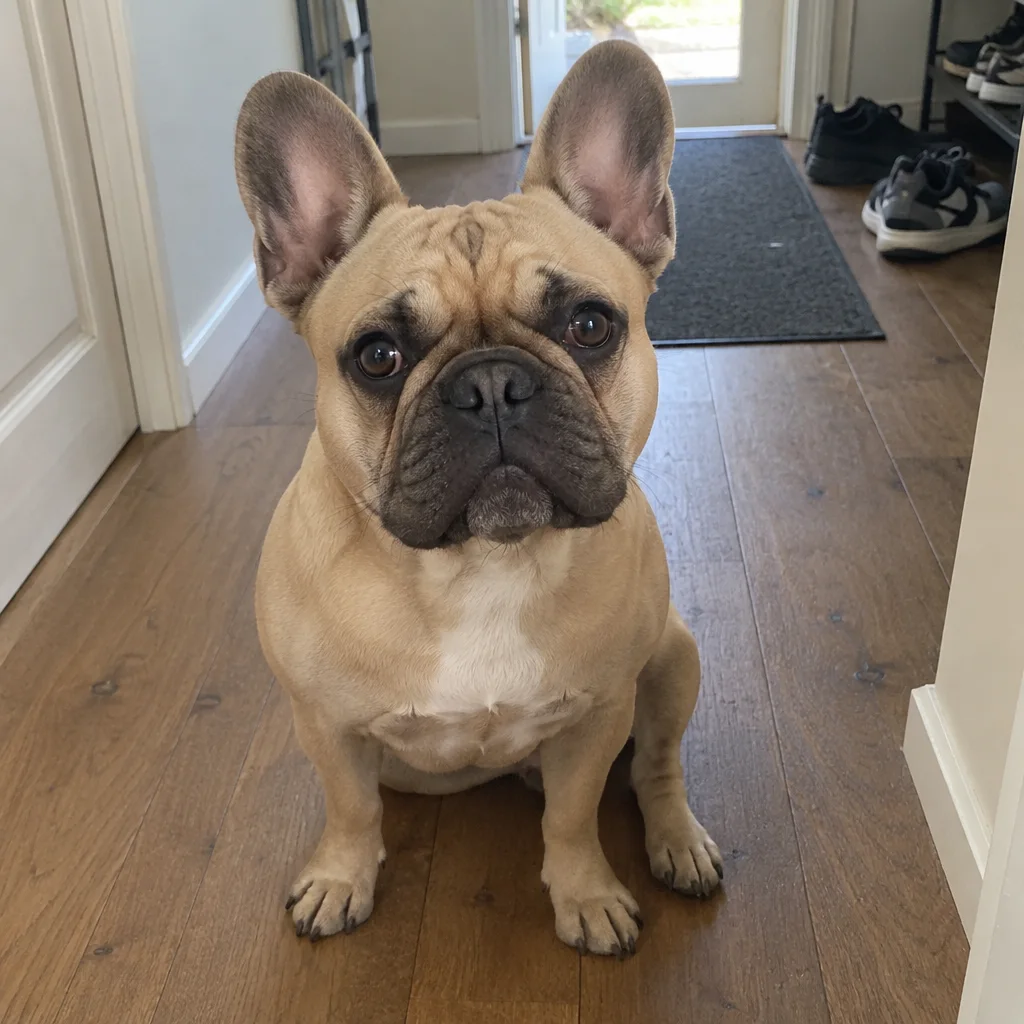
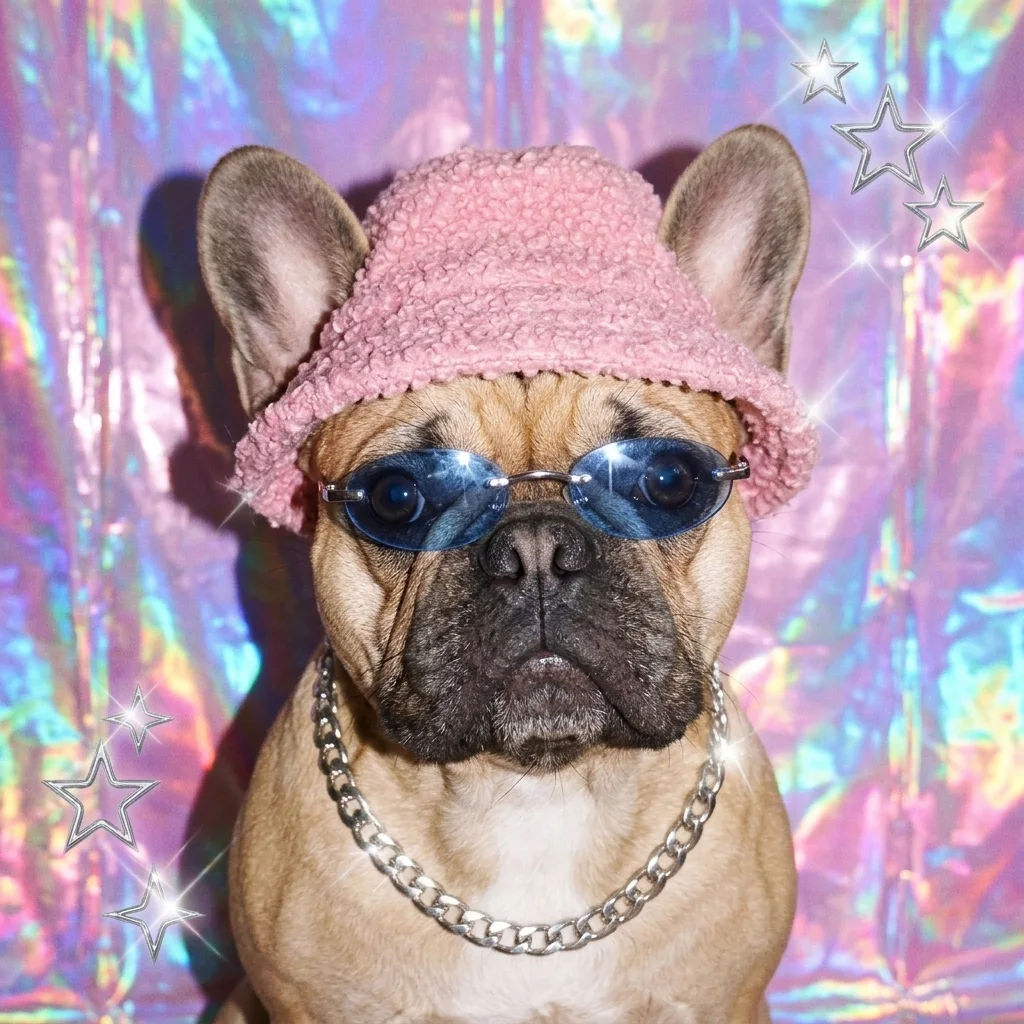
These three pairs show a cleaner portrait backdrop, a neon pet avatar and a flash-lit pet portrait. Compare the face shape, hair, eyes, ears and coat markings across each pair, as well as the changes in clothing and light. The clean portrait illustrates a background edit in its original framing; this generator requests a square. Examples illustrate visual directions rather than guaranteed results for your photo.
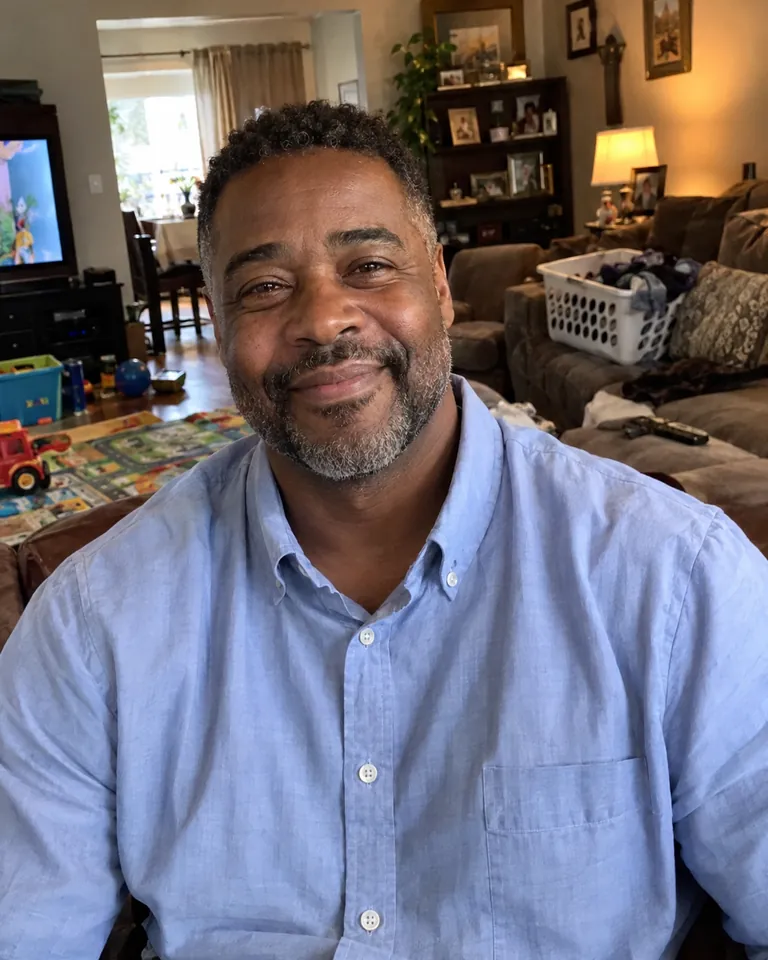
Original
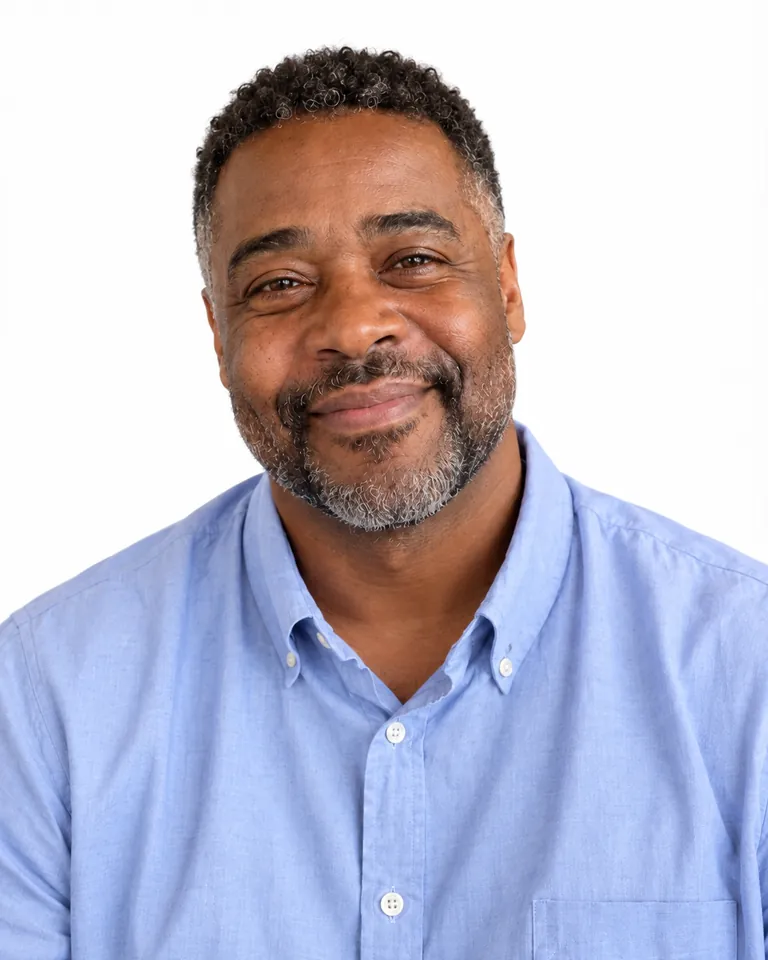
Profile picture
A cleaner portrait backdrop
The blue shirt, short curls and grey-flecked beard appear across both images; the busy living room becomes white. This example keeps its original 4:5 framing.
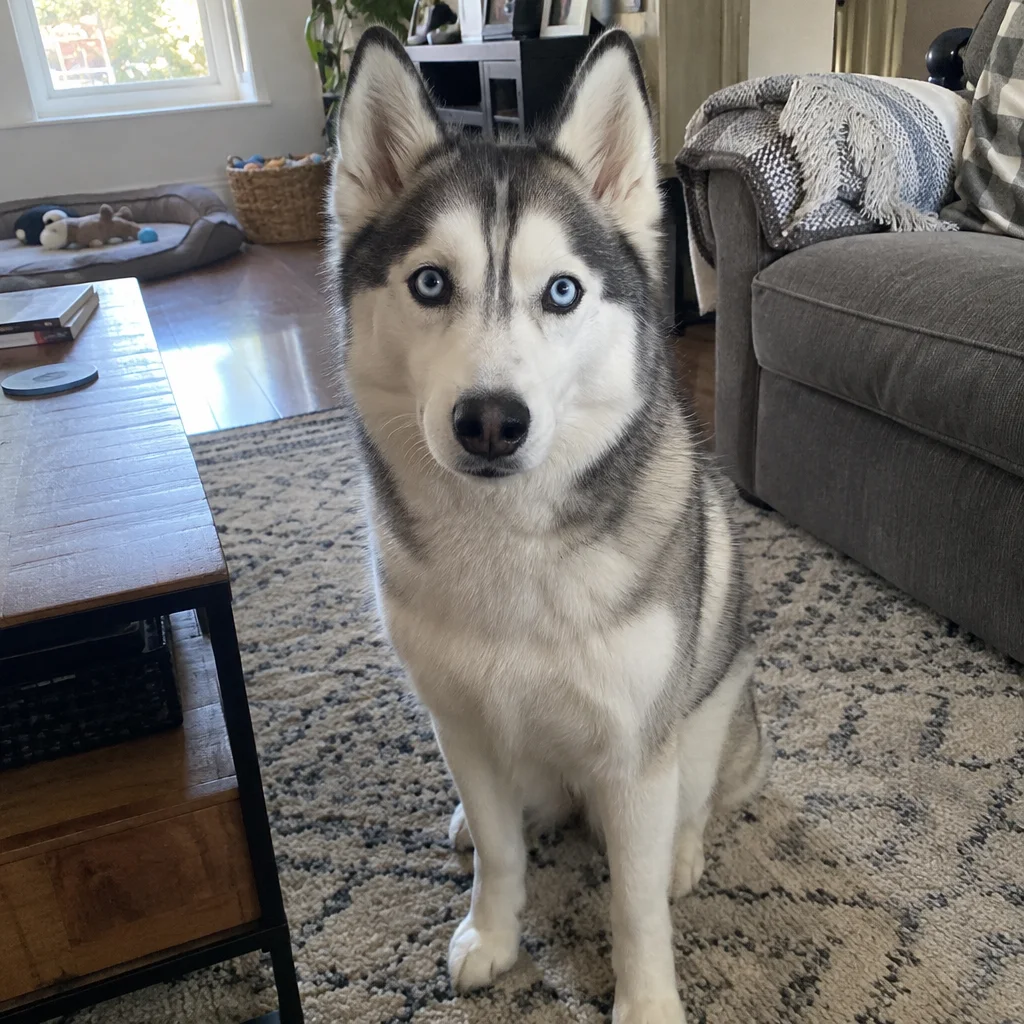
Original
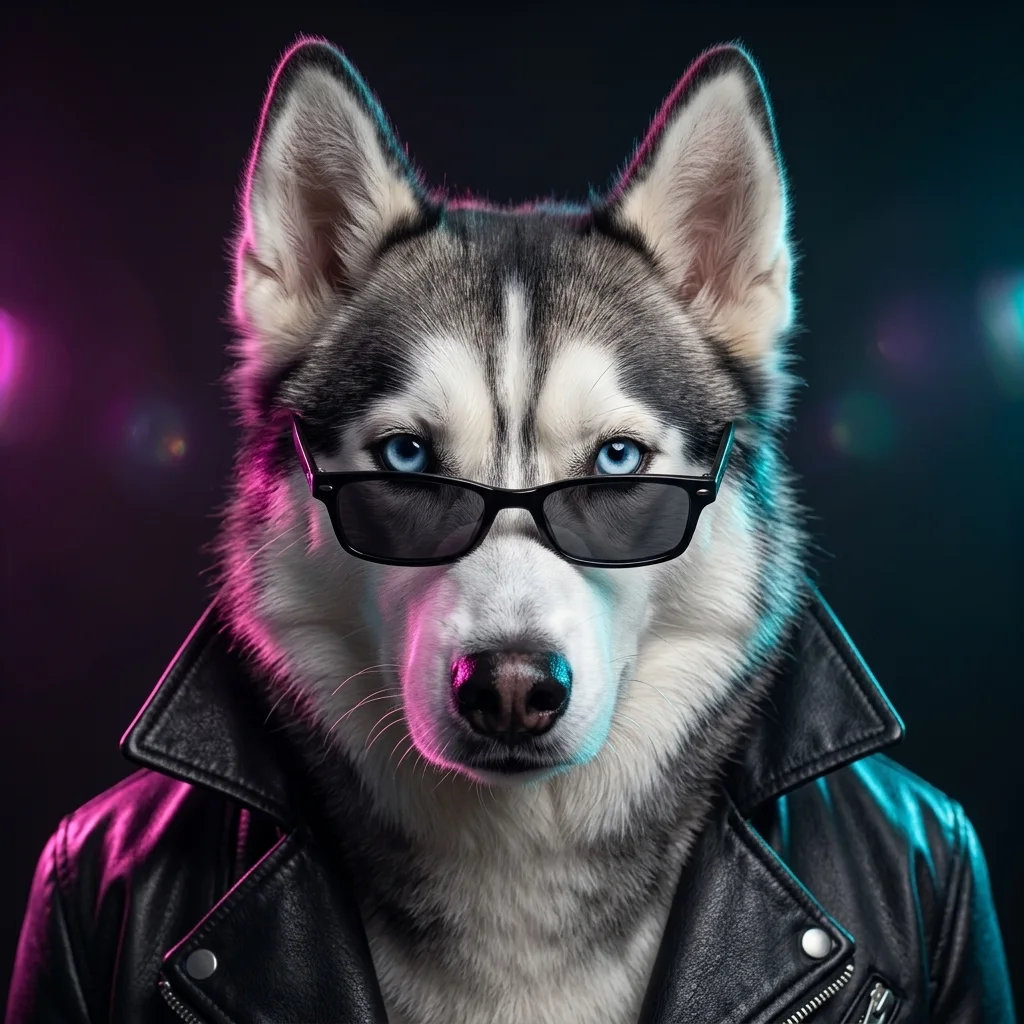
Profile picture
Neon light for a pet avatar
The husky’s blue eyes and grey-and-white markings remain visible, with low-set shades, a leather jacket and pink-and-cyan light.
Original
Profile picture
Flash-lit Y2K pet portrait
The fawn bulldog gets a pink bucket hat, blue-tinted glasses and a silver chain against a holographic backdrop.
How do I make a good PFP for Discord?
A good PFP for Discord needs a face that stays readable inside a small circle. This Discord PFP maker requests a square head-and-shoulders portrait with space around the hair, hat or ears; the round preview helps you inspect the crop. Favor one subject and a simple background. After downloading, upload the PNG in your account’s avatar settings and check that app’s crop preview; larger pixel dimensions cannot fix a face that fills the corners.
How does PFP Maker use my photo?
PFP Maker uses your upload as a reference for the subject’s features. This AI profile picture generator asks the image model to retain face shape, hair, eye color and skin tone, or a pet’s muzzle and coat markings, while changing the photographic treatment. Clean asks the model to retain the existing clothing; Neon and Flash request new accessories. Details can drift, so compare the result with your original before using it as your profile picture.
Can I use this as an aesthetic PFP maker?
PFP Maker offers three photographic directions: Clean requests an uncluttered white backdrop, Neon requests pink-and-cyan edge light and a leather jacket, and Flash requests a Y2K-style hat, tinted glasses and a holographic backdrop. Custom lets you describe a color palette, light and background, with an optional style image. The source photo remains the identity reference. For a drawn anime avatar, use the separate anime tool linked below.
Pricing, free allowance & watermark
PFP Maker charges credits to create a profile picture; browsing examples costs nothing. The current allowance is 1 signup credit, below the 5 needed for one image. One image uses 5–9 credits, equivalent to $2.50–$4.50 at the $5/10-credit pack rate. The smallest purchase is $5 once. Downloading a completed result costs no extra credits; a new variation is another generation.
| Quality | Output | Credits | Pack-rate equivalent |
|---|---|---|---|
| Fast | 1024 × 1024 · PNG | 5 | $2.50 |
| HD | 2048 × 2048 · PNG | 7 | $3.50 |
| Ultra HD | 2880 × 2880 · PNG | 8 | $4.00 |
| Studio | 2048 × 2048 · PNG | 9 | $4.50 |
| Feature | Details |
|---|---|
| Signup allowance | 1 signup credit, below the 5 needed for one image |
| Smallest purchase | $5 once for 10 credits |
| Download | One static PNG; no extra download credits |
| Watermark | No visible site watermark added |
| Access | Sign-in required; HD, Ultra HD and Studio require eligible paid access |
| Failures | Confirmed generation failures or invalid output return credits. Unconfirmed requests keep the same task; temporary storage issues retry saving without generating again. |
| Photo handling | Photos are stored by this site and sent to the image provider. Account checks protect app previews and downloads; direct storage links may be accessible to holders. No automatic deletion is promised. |
What the profile picture generator cannot guarantee
The profile picture generator cannot guarantee exact likeness, unchanged pixels or a perfect crop in every app. The prompt requests recognizable features, but facial details, skin tones, fur markings, glasses and accessories can still change. Start with one sharp, unobstructed subject and review the output. This page produces a static image with a filled background; it does not provide animation, transparent layers, an account update service or a guaranteed matched pair. Higher resolution adds pixels rather than certainty.
Profile picture FAQ
PFP Maker makes one photo-based avatar per request. The questions below cover text-only generation, animated exports, coordinating separate profile pictures, and using the tool from a phone. These are distinct from the lighting choices and round-crop guidance above; check the supported workflow before preparing your image.
Can I generate an AI person PFP from text alone?
This AI PFP maker requires a source photo; Custom describes how that subject should look and does not replace the upload. To request an entirely invented character from words, use the site’s AI character generator. Only upload images you have permission to use.
Can I download PFP GIFs or animated avatars?
The output here is one static PNG. This page does not export a GIF, animation, video or transparent background. Choose it when you want a still profile picture.
How do I make matching PFPs for best friends?
Make two separate requests, each with one person’s photo, using the same style and a consistent Custom description. Two Fast images cost 10 credits. Similar colors and framing can help coordinate the pair, but separate requests do not guarantee perfectly matching results.
Can I use the PFP generator online without signing up?
You can browse examples on a phone or desktop without an app download. Sign-in is required to generate, keep the request with your account and access the result. Upload JPG, PNG or WebP up to 10 MB and 2048 pixels per side. Custom can include one optional style image with the same limits.
More portrait tools
Browse Black PFP for dark profile picture ideas, Anime PFP for illustrated linework, or Christmas PFP for holiday clothing and decorations. Each is a separate tool with its own presets and credit requirements; check the relevant page before starting.