
Funny AI Image Generator makes a square PNG for a group chat, birthday card or pet post. Upload one photo to guide the subject’s appearance, or describe a fictional scene. Fast makes a 1024 × 1024 image for 5 credits ($2.50 at the $5 for 10 credits pack rate). Sign in to generate and download without an added site watermark. Eligible new accounts get 1 signup credit. A Fast image needs 5 credits.
How to make a funny AI image
Start with a clear photo of one person or pet, or open From text and write a scene. In photo mode, pick a setting or describe your own in Custom. Choose a quality level, check the credit cost, and sign in to generate. Preview the expression and details, then download the PNG.
1. Pick a photo or text
Give the editor a photo with a clear view of the face or pet markings. For a fictional subject, start with text.
2. Set up the joke
Choose a photo scene such as Office, or use Custom to describe the setting, prop and expression. In text mode, describe the subject too.
3. Generate and save
Pick a quality level and check the credit cost. Review the finished square image before you save the PNG.
Funny AI image examples
These text-to-image scenes illustrate three ways to tell a joke in one picture: exaggerate an expression, give a character the wrong prop, or stage an ordinary activity as something dramatic. When writing a prompt, pick one focal point so the joke still reads at the small size people see in a chat.
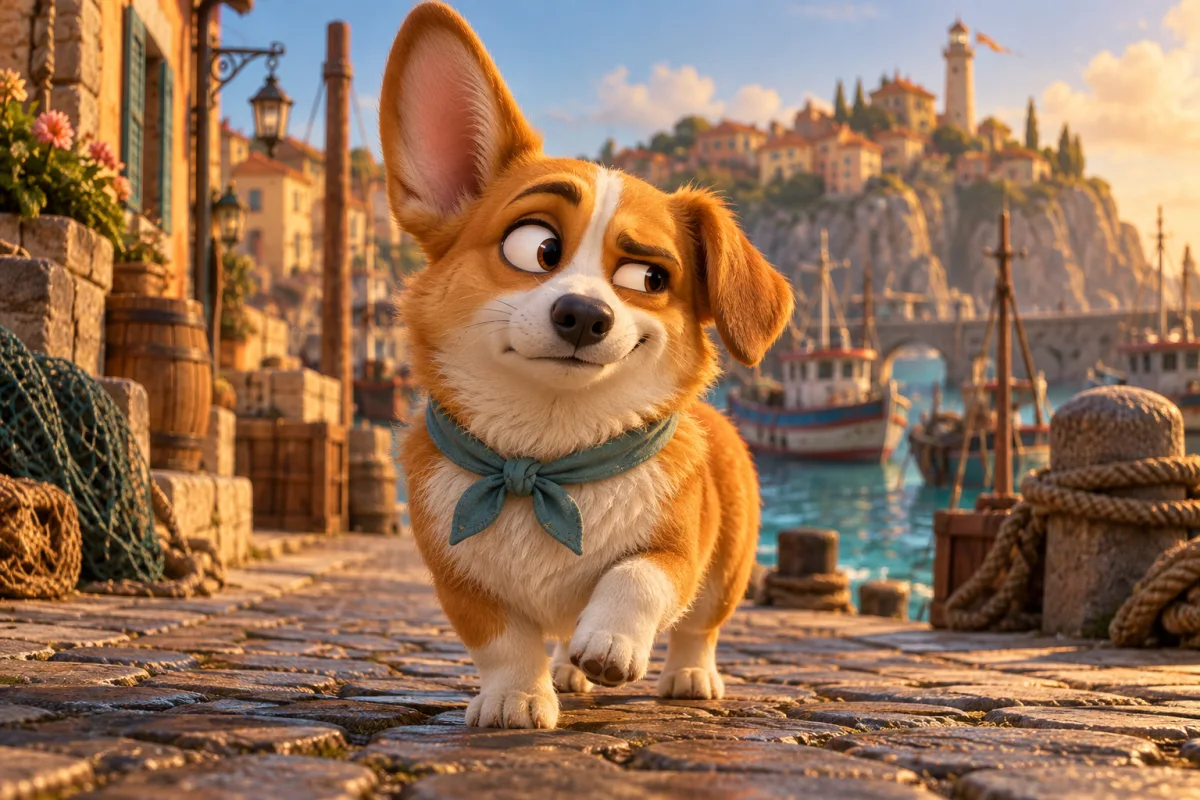
The unimpressed corgi
A corgi in a teal kerchief gives an exaggerated side-eye on a harbor street.
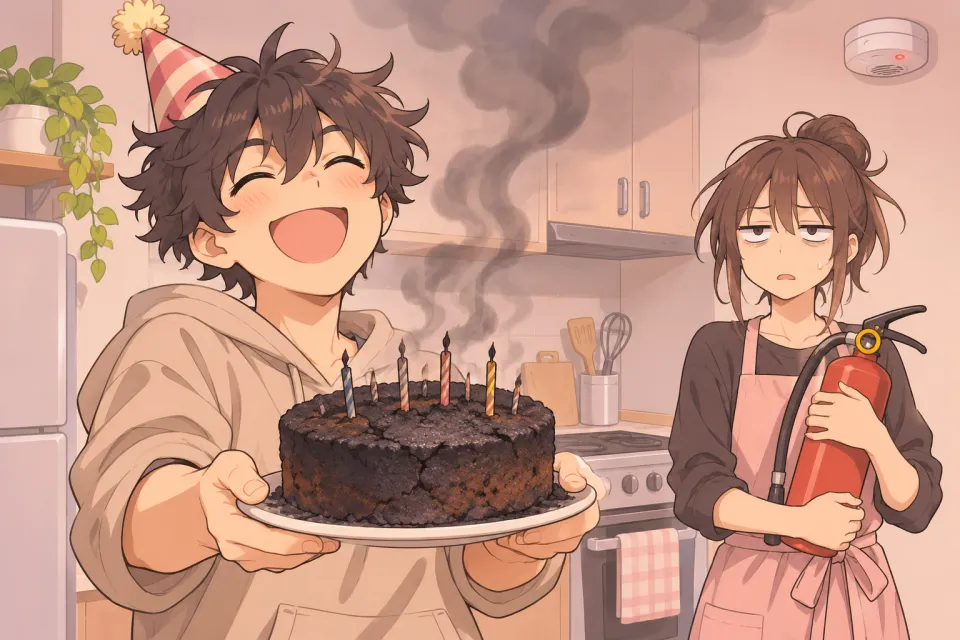
A birthday cake rescue
A baker grins while the cake smokes and a friend stands ready with a fire extinguisher.
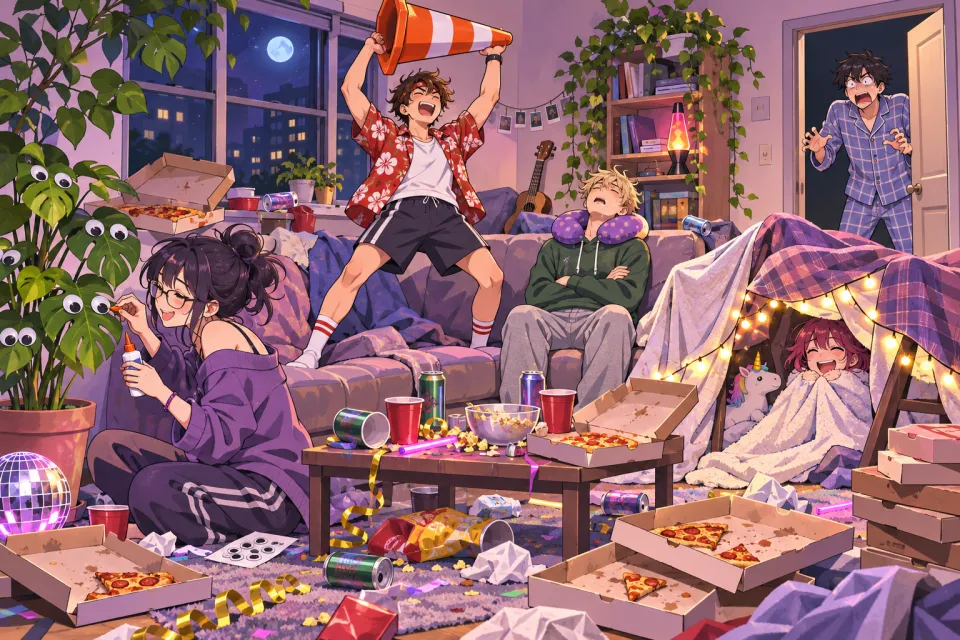
The traffic cone trophy
A pajama party turns into an improvised ceremony, complete with a traffic cone held up like a trophy.
How does a funny AI image generator work from a photo?
A funny AI image generator uses the uploaded photo as a reference for the subject. It asks the model to preserve a visible face, hair or fur markings while changing the setting, outfit and props. Pick a sharp, well-lit reference with one subject. In Custom, say exactly which details to keep, such as a terrier’s white muzzle.
Can I use a funny AI generator online on my phone?
Funny AI Image Generator works on phone and desktop browsers. From photo accepts JPG, PNG and WebP up to 10 MB per image, with each side between 128 and 2048 pixels. From text needs a description of the scene. For a quick prompt, try a serious studio portrait of a pigeon reviewing a stack of expense reports.
Funny AI image pricing and free access
Funny AI image generation is paid at the current signup allowance. Eligible new accounts get 1 signup credit. A Fast image needs 5 credits. Each PNG uses 5–9 credits ($2.50–$4.50 at the trial-pack rate). From zero credits, the smallest purchase is $5 for 10 credits. Examples are free to view. Downloads cost no extra credits and carry no added visible site watermark.
| Quality | Pixels | Credits | Pack-rate equivalent |
|---|---|---|---|
| Fast | 1024 × 1024 | 5 | $2.50 |
| HD | 2048 × 2048 | 7 | $3.50 |
| Ultra HD | 2880 × 2880 | 8 | $4.00 |
| Studio | 2048 × 2048 | 9 | $4.50 |
| Feature | Details |
|---|---|
| Free access | Eligible new accounts get 1 signup credit. A Fast image needs 5 credits. |
| Generation | Sign in with enough credits. HD, Ultra and Studio require eligible paid access. |
| Download | One square PNG per generation. No extra credits. |
| Watermark | No visible watermark added by this site. |
Consistent Character AI runs this generator. The other tools listed here are separate services. All three offer still images from text or a photo. Check each service’s credit and export terms before choosing, especially if you need to reuse the finished picture in a design.
| Tool | Free use | Paid options | Watermark | Output |
|---|---|---|---|---|
| Consistent Character AI | Eligible new accounts get 1 signup credit. A Fast image needs 5 credits. | 5–9 credits per image. One-time pack: $5 for 10 credits. | No added visible site watermark | Square PNG |
| AI Ease | Limited free credits. Quantity unpublished. | From $6.99 for 200 credits. Monthly Pro price varies with promotions. | Free export watermarked. Pro lists watermark-free export. | Still images |
| PicLumen | 10 free Lumens per day | Lite from $7.59 per month. Cost in Lumens varies by model. | Basic images watermarked. Lite and above are watermark-free. | Still images |
Checked 2026-11-20. Each service uses its own credits.
When a funny AI image needs another edit
The model redraws parts of the scene and can change a face, hand, fur pattern or small prop. Review the details before sharing. A clear reference and one focal joke give it a simpler task. If your joke relies on exact lettering or a caption with a fixed layout, add that text after downloading the square PNG.
Funny AI image generator FAQ
Keep the original photo and check the edited likeness before you share it. The account that made the image controls access to its result in the tool. If you need to keep a copy long term, save the PNG to your device.
Can I make an image for a business or social account?
Use photos and other materials you have permission to use. Get consent before uploading someone else’s portrait or sharing an edit of them. Check rights to any logos, characters and other recognizable material before publishing or using an image in an ad.
What happens to the photos I upload?
The site uploads the photos and sends them to an image provider for processing. The result preview and download require the account that made it. Someone with a direct storage link can still be able to open that file, so avoid uploading anything sensitive.
Can I download the same image again later?
Reopen this tool in the same browser and account. If your previous request is still available there, you can check its result and download it again without spending credits on another generation.