
AI pose gallery is a pose library and photo re-poser for creators, photographers and anyone planning a shoot. Pick one of nine poses or describe your own; the prompt asks the model to keep your face, hair and outfit while matching the pose. The current 1-credit signup allowance is below one image. Each 3:4 PNG costs 5 credits, about $2.50 at the $5 pack rate, with no added watermark or download fee.
How the AI pose gallery works
AI pose gallery works in three steps: upload one clear photo of yourself, choose a pose from the gallery or describe your own in Custom, then sign in and generate. The chosen pose goes to the model with your photo as a body-position guide, and the prompt asks it to keep your identity, clothing and background. Check hands and face before downloading the PNG.
1. Upload your photo
Use a JPG, PNG or WebP up to 10 MB and 2048 pixels per side. One clearly visible person works best; a full-length photo shows the model your real legs and shoes.
2. Pick a pose
Choose a gallery pose such as Wall lean or Catwalk stride, or open Custom, describe the pose in words and optionally upload a pose reference image.
3. Review and download
Check face, hands and limbs, then download one 3:4 PNG: 768×1024, 1536×2048 or 2480×3312 depending on quality. Generate again for another take.
Pose gallery: 9 poses to try on your photo
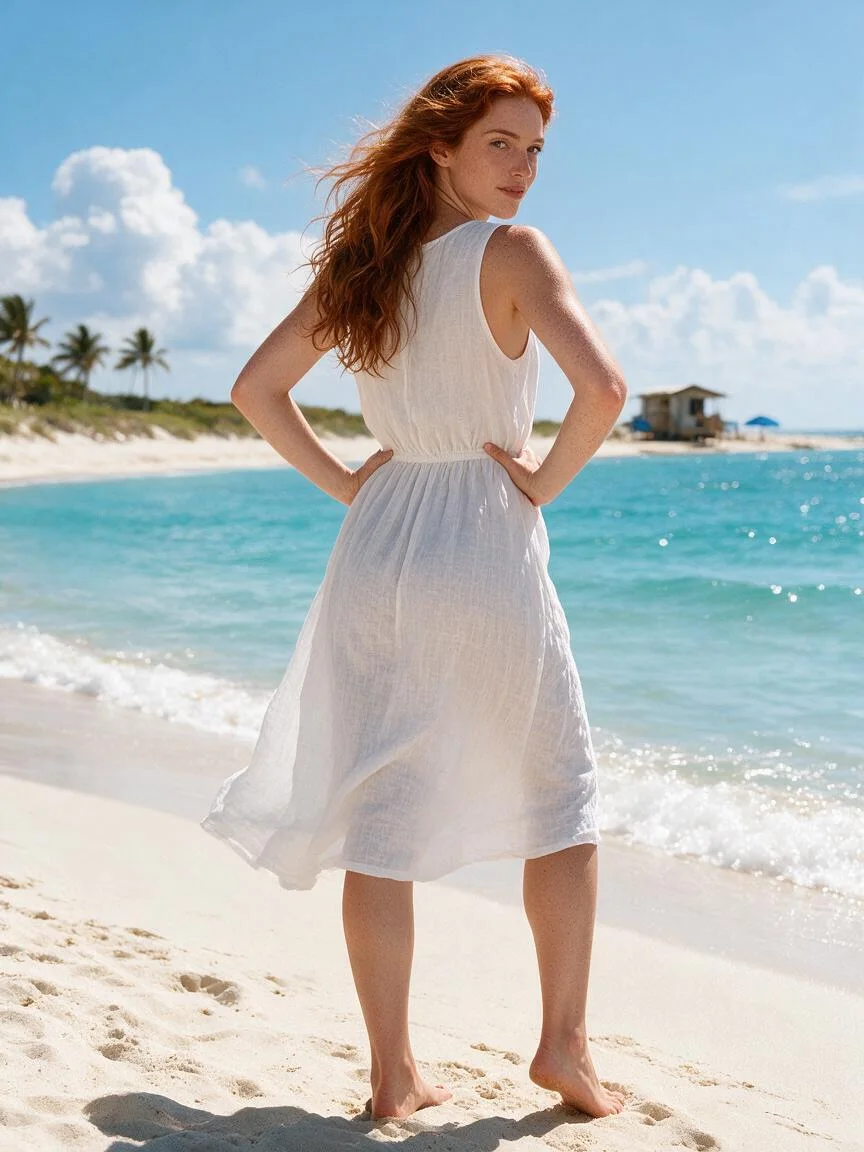
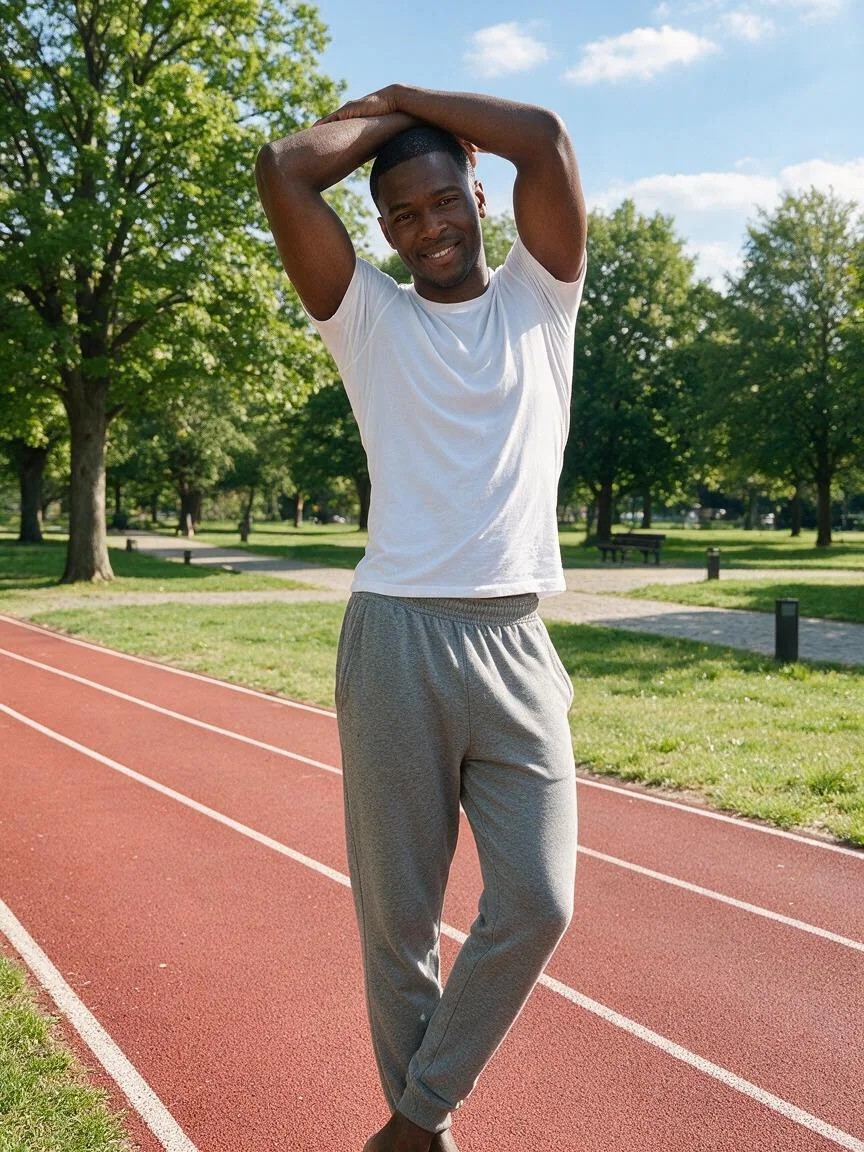
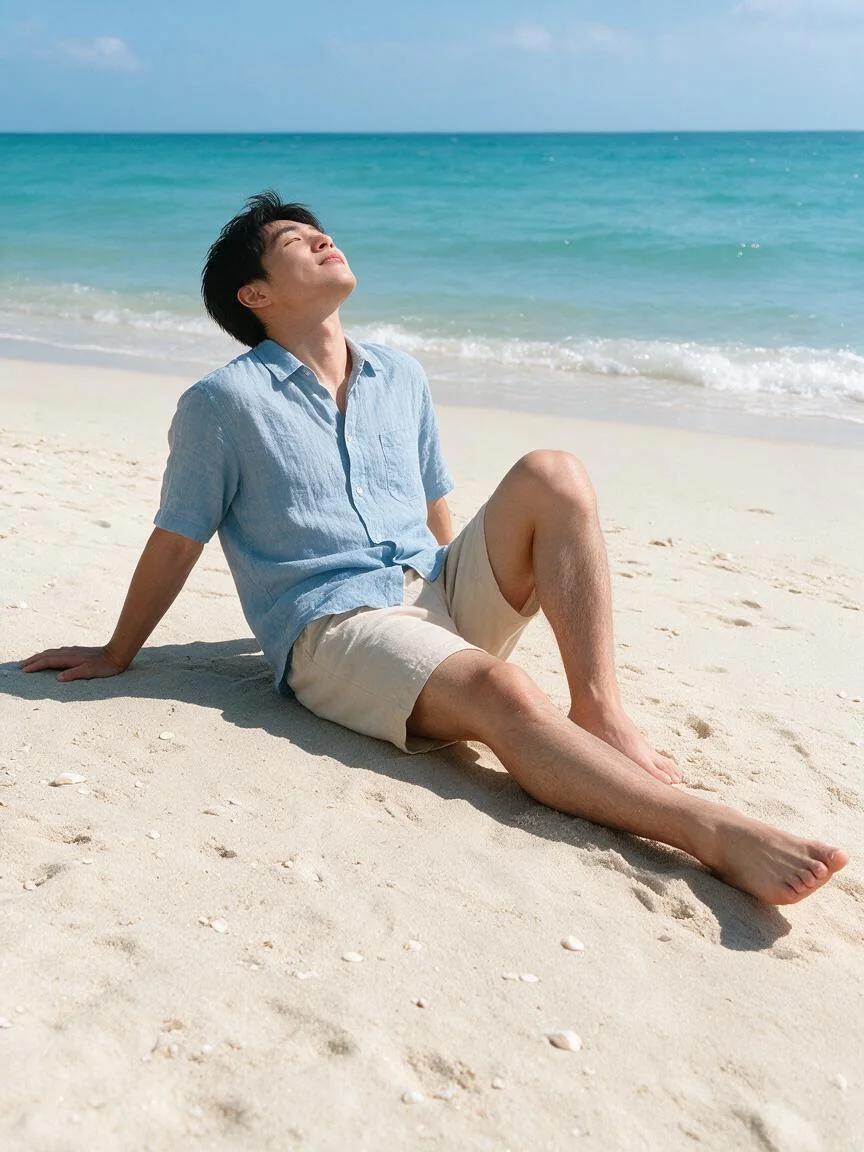
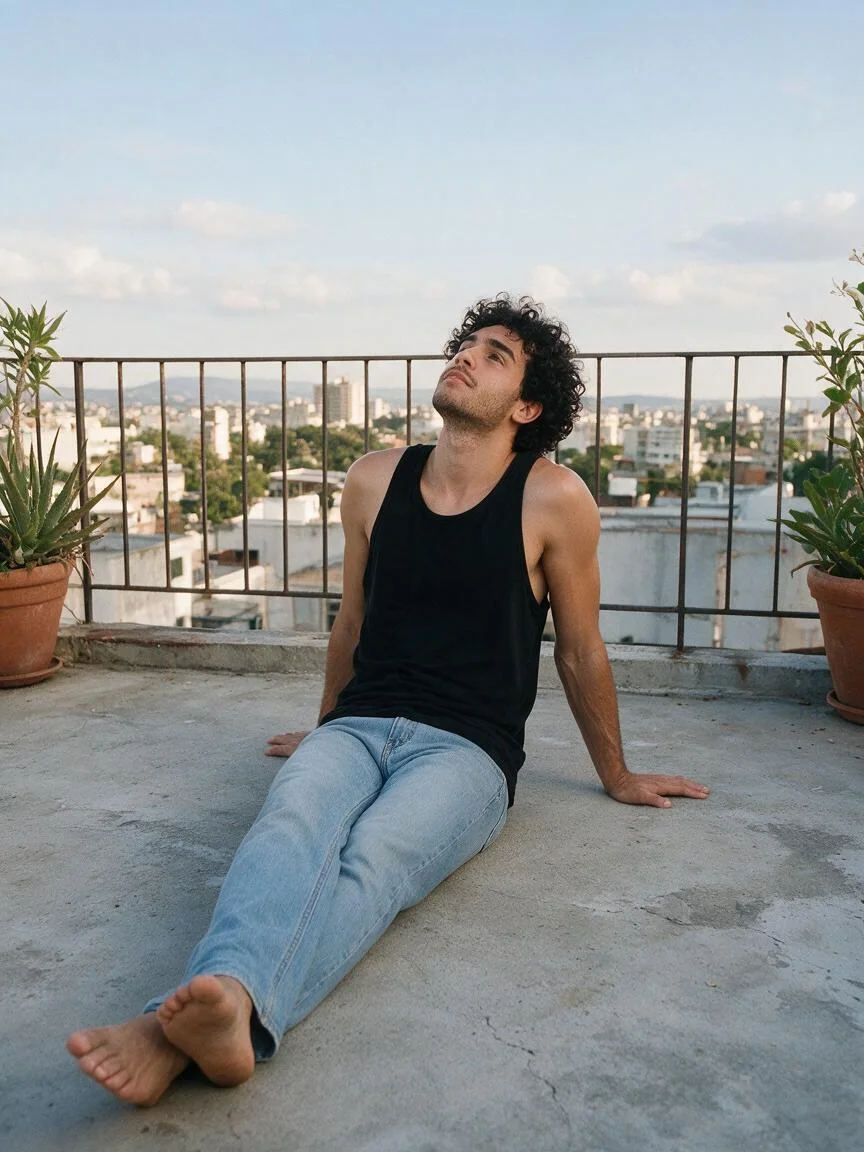
Pose gallery cards below show each pose as a photo-style preview, grouped as standing, walking, sitting and reclining. Every card has a plain-language pose description you can copy into any image prompt, plus a button that loads the pose into the tool above. The previews only illustrate the pose; the file you download is your own re-posed photo.
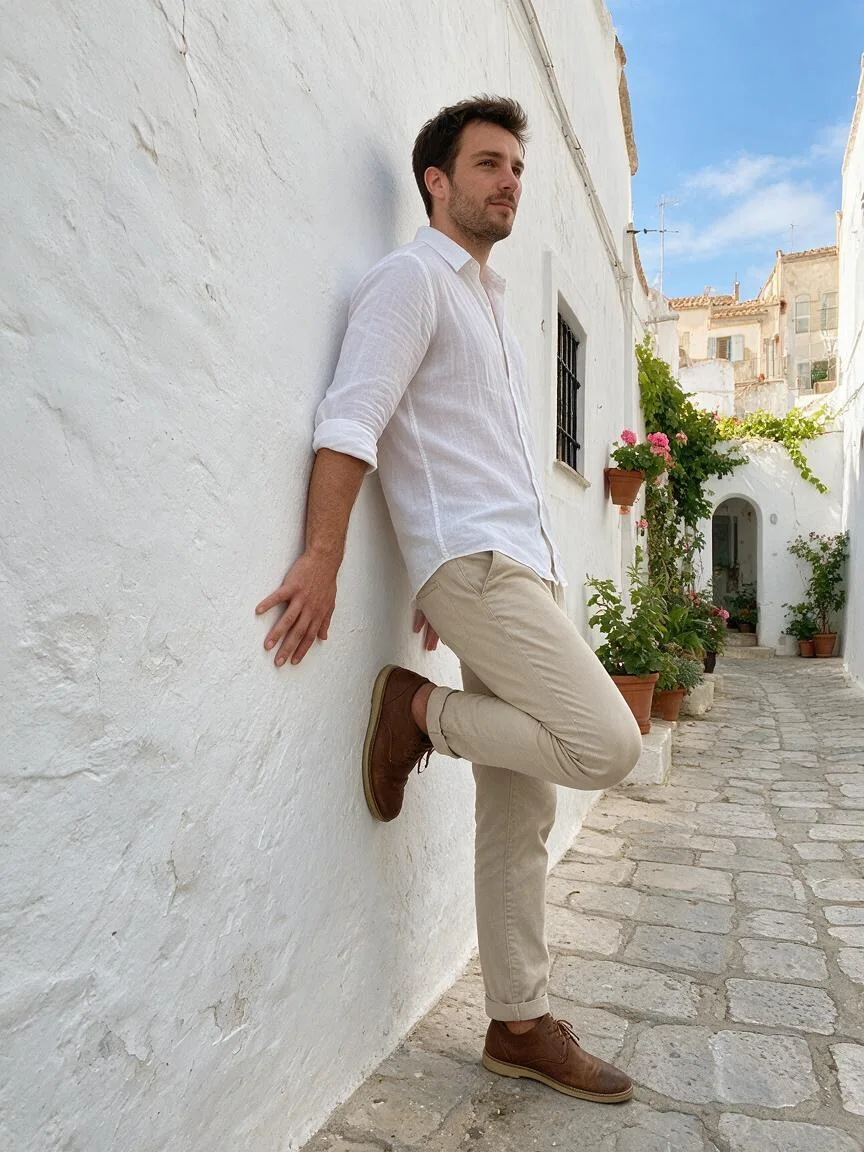
Standing
Wall lean
Standing in three-quarter view with the back and one shoulder leaning against a wall, one knee bent so the sole of that foot rests flat on the wall, the near hand touching the wall at hip height, chin slightly lowered.
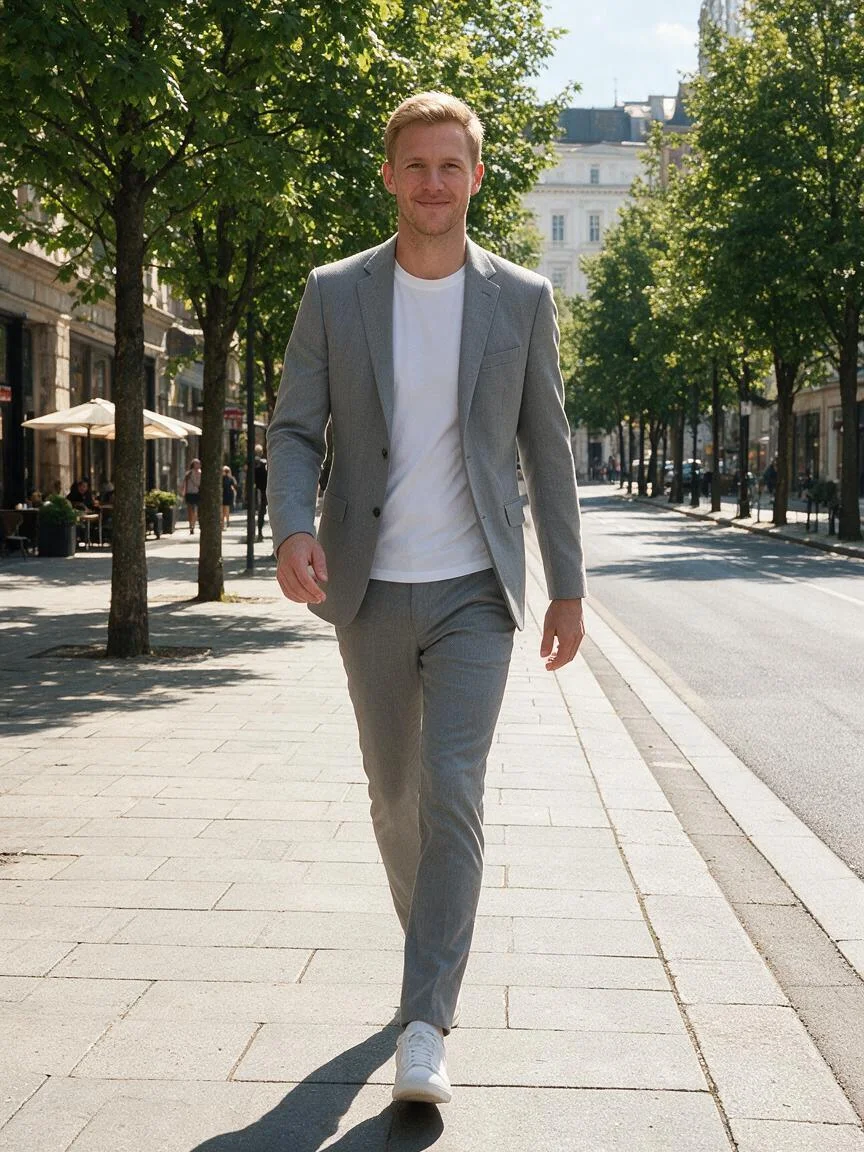
Walking
Catwalk stride
Walking straight toward the camera mid-stride, front foot crossing slightly in front of the other, arms relaxed and swinging naturally at the sides, shoulders level, eyes forward.
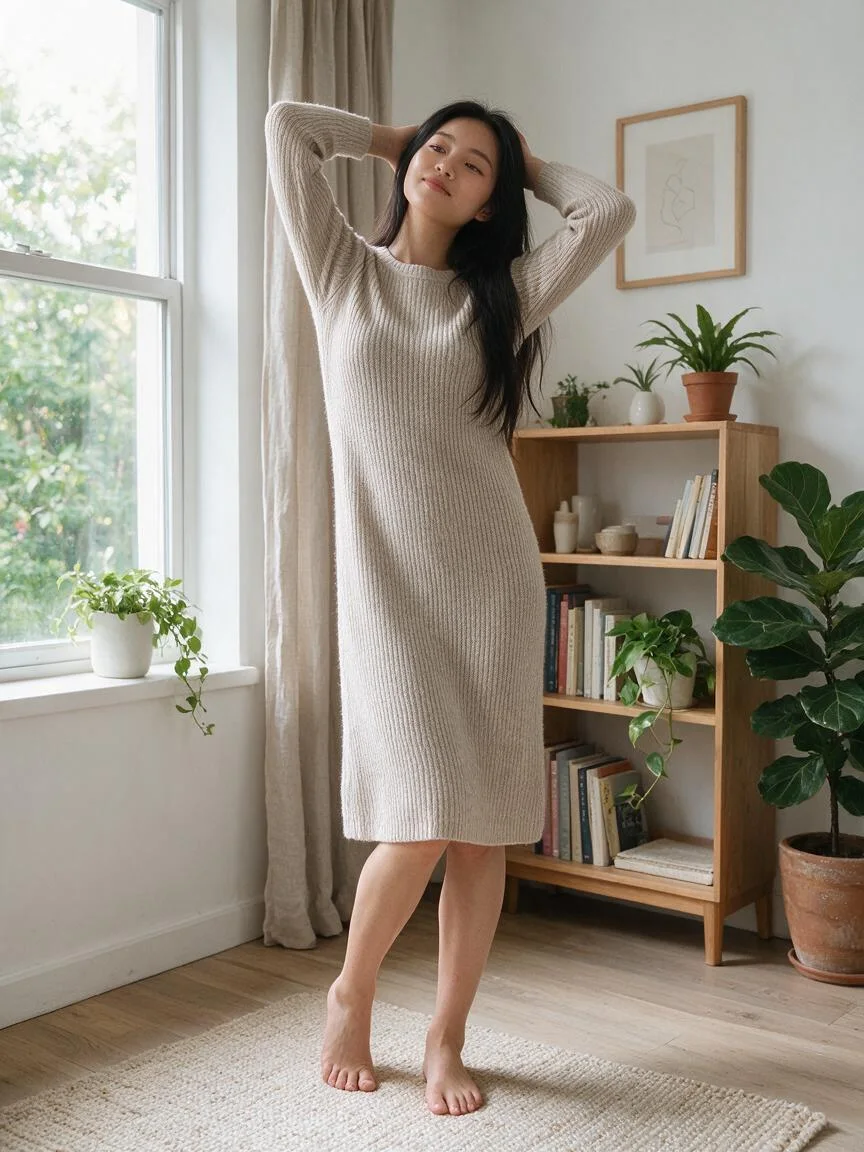
Standing
Hands in hair
Standing facing the camera with both hands lifted into the hair behind the head, elbows open to the sides, weight on one leg with the other knee softly bent inward.
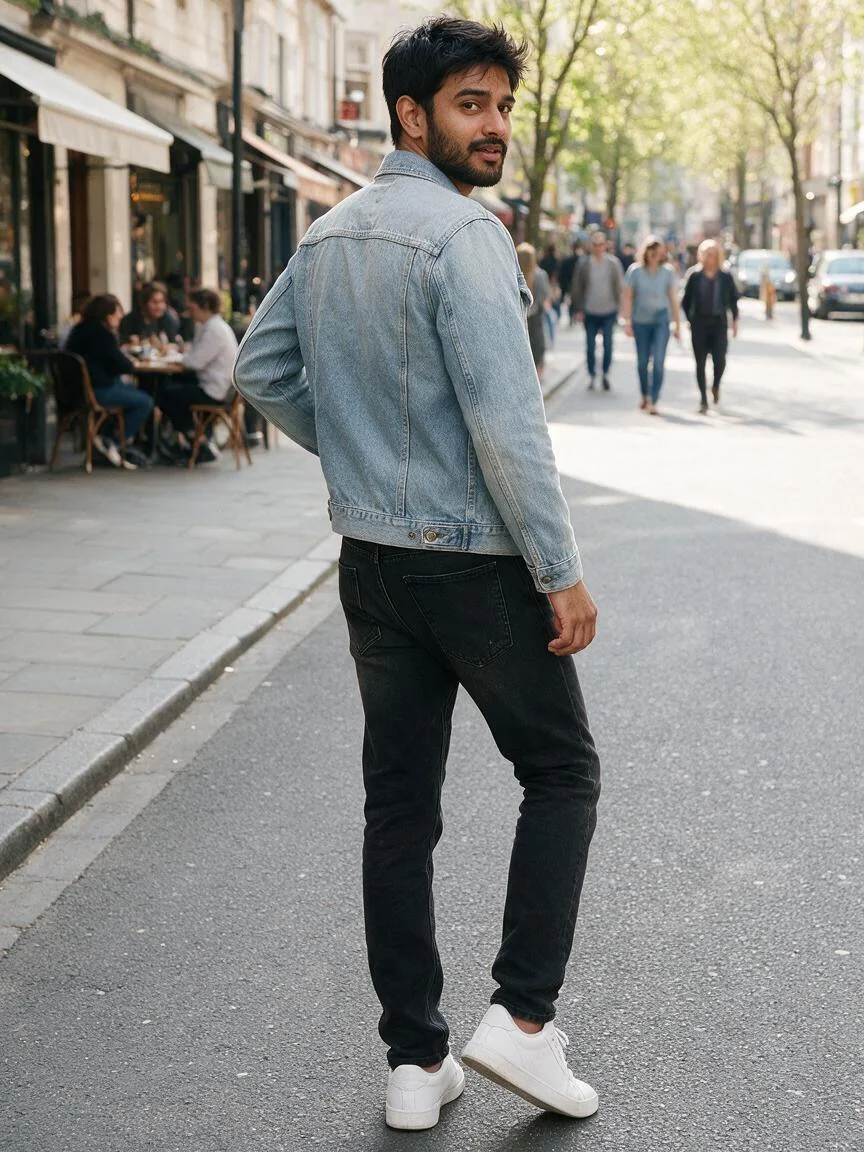
Walking
Back glance
Standing with the back to the camera, weight shifting onto one leg as if mid-step, arms loose at the sides, head turned slightly to one side.
Standing
Over-shoulder look
Standing with the back to the camera, both hands resting on the hips, feet hip-width apart, head turned to look back over one shoulder.
Standing
Forearms on head
Standing facing the camera with both forearms folded and resting on top of the head, one leg crossed lightly in front of the other, relaxed stretch through the torso.
Sitting
Lean-back sit
Sitting on the ground and leaning back on both hands, one knee raised and the other leg extended, head tilted back with the face toward the sky.
Sitting
Seated lean-back
Sitting on the ground in three-quarter view, leaning back on one straight arm, legs stretched forward with one knee slightly bent, the free hand resting on the thigh.
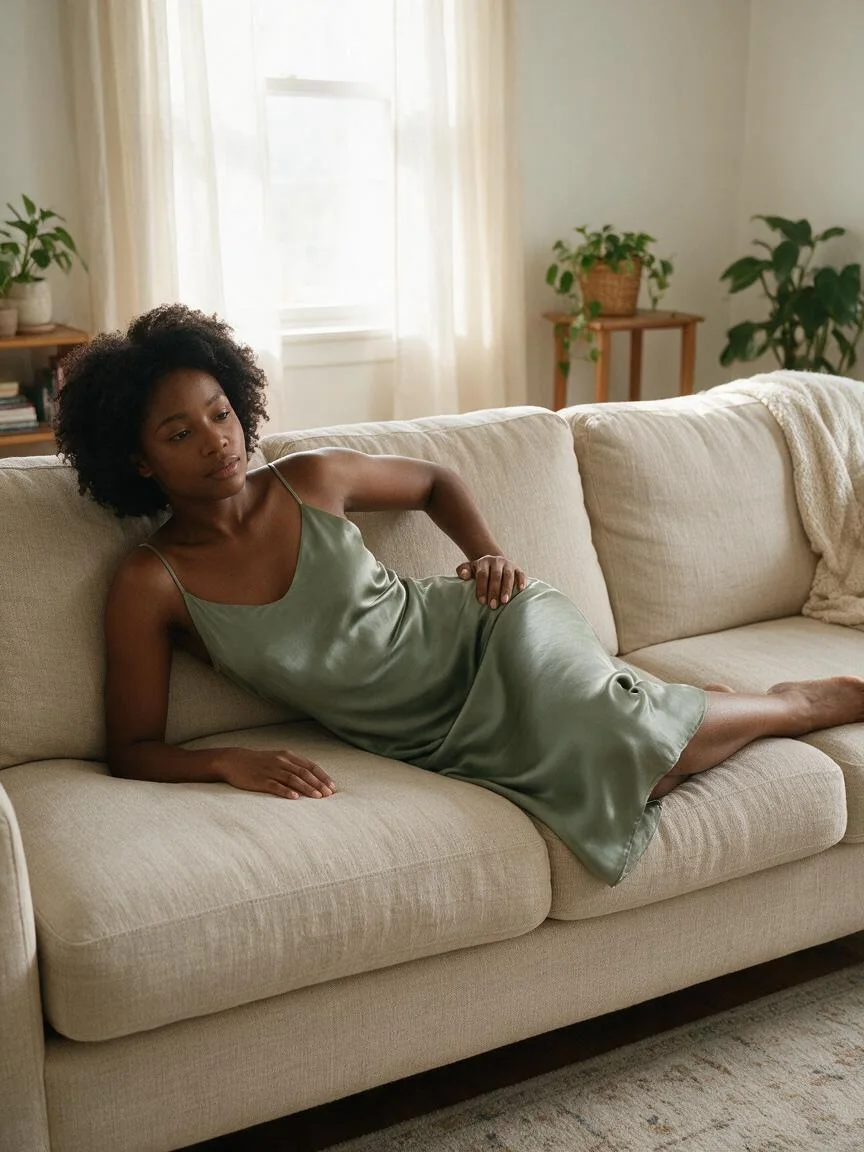
Reclining
Side recline
Lying on one side propped up on an elbow, the top hand resting on the hip, knees bent and stacked, head lifted and facing the camera.
Pose change examples: original photo → new pose
Pose change examples below show the kind of before → after a pose edit aims for: an original photo beside a re-posed version of the same person. The prompt asks the model to keep face, hair, outfit and background; your result depends on your photo, the pose and the model.
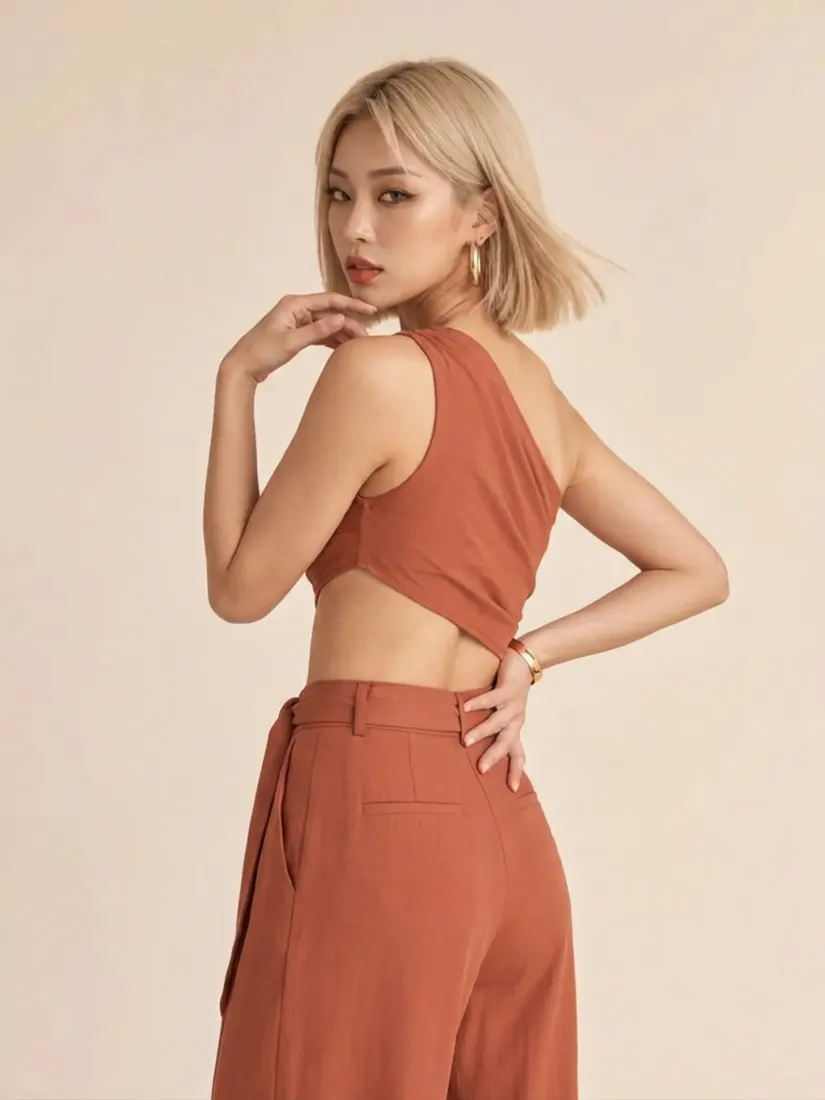
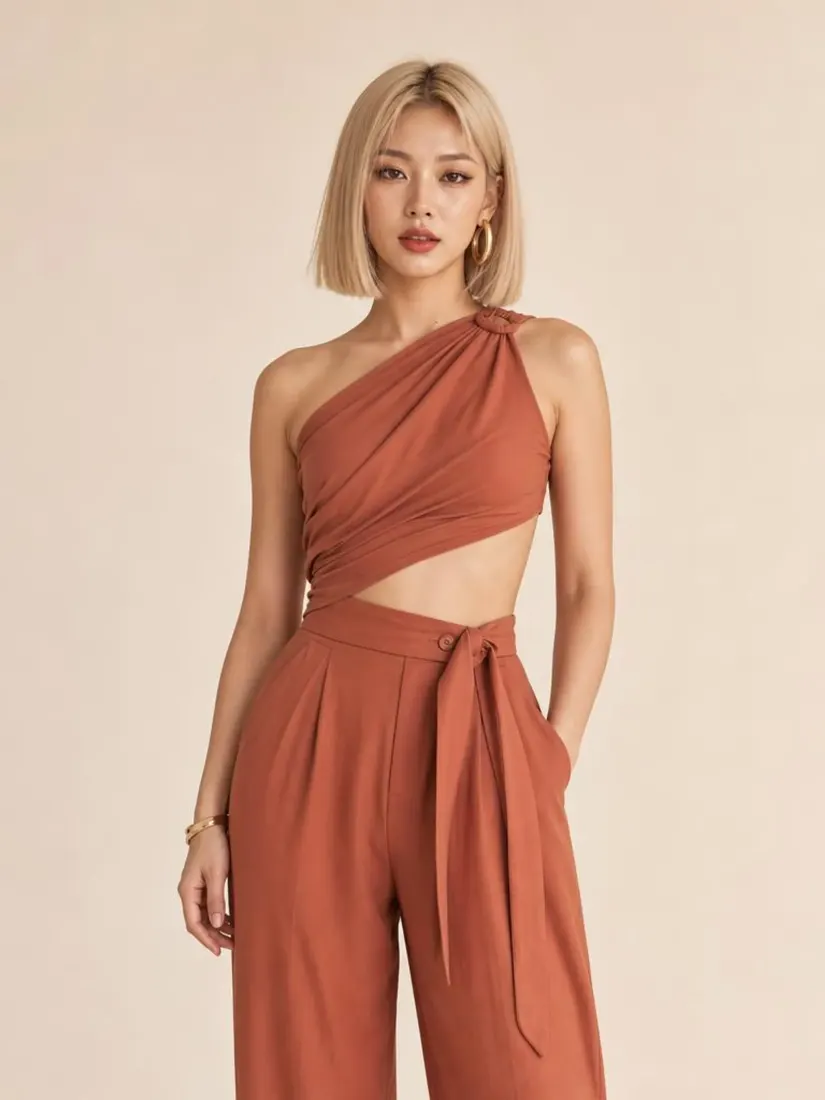
Front-facing → back glance
A studio photo of a woman in a rust halter set beside a version turned away from the camera, looking back over her shoulder; outfit and backdrop match.
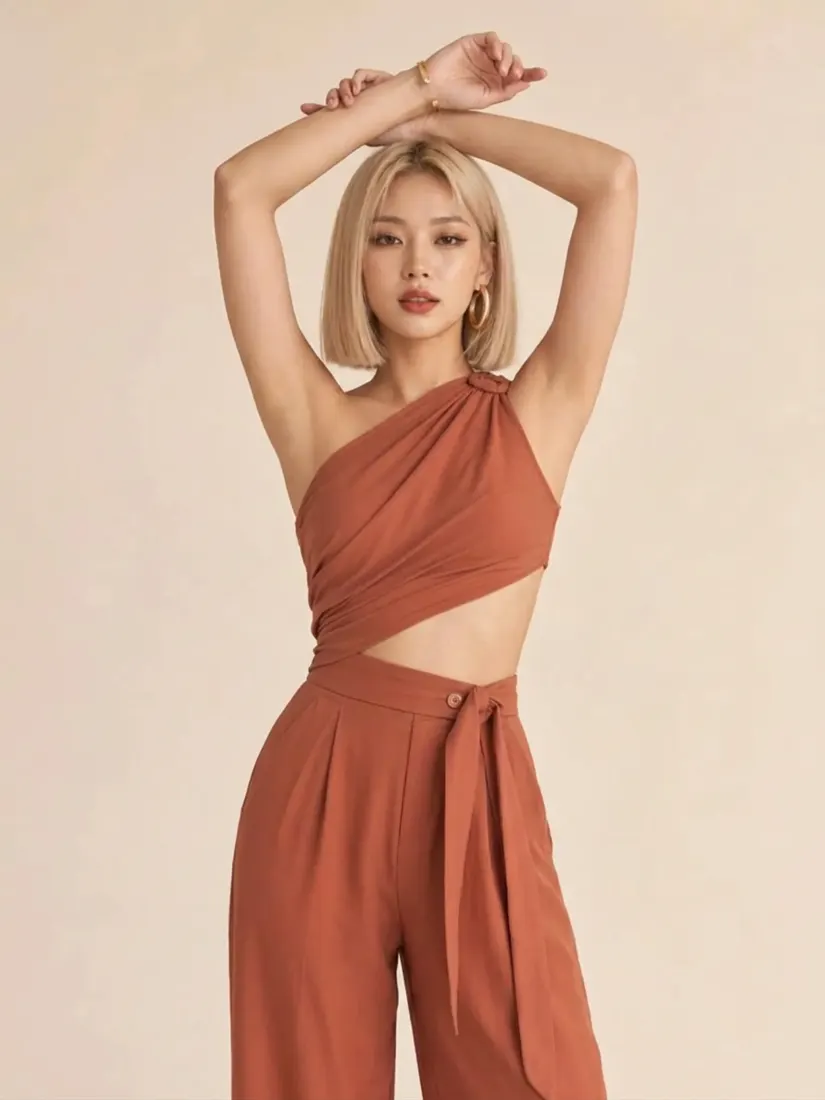
Front-facing → arms overhead
The same studio original beside a version with both arms raised above the head; hair, halter top and trousers match.
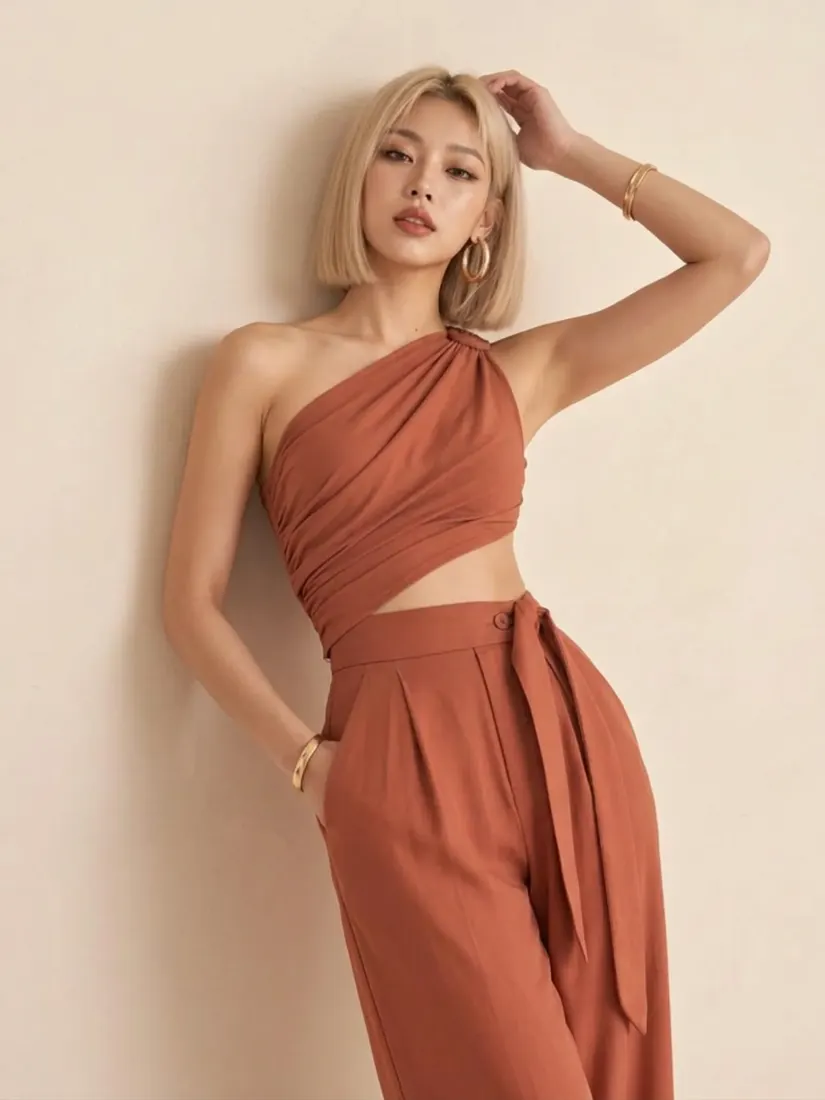
Front-facing → hand-on-head lean
The same studio original beside a version leaning to one side with one hand resting on her head.
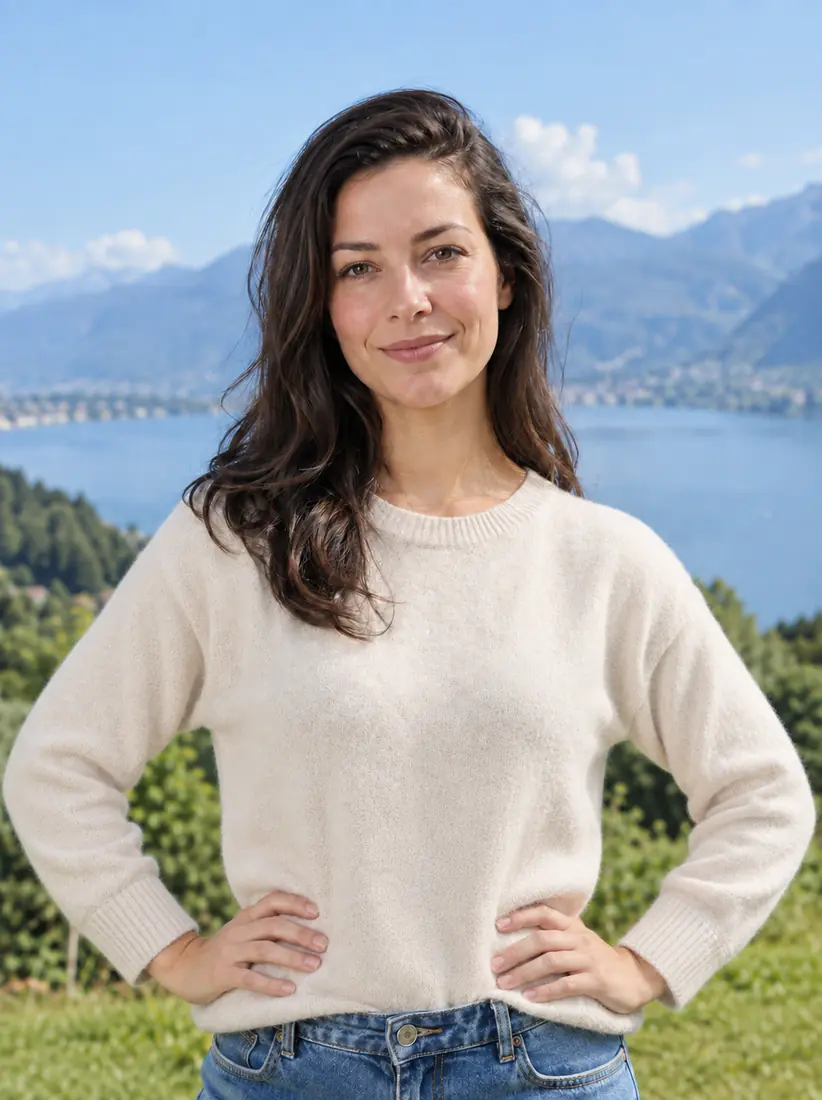
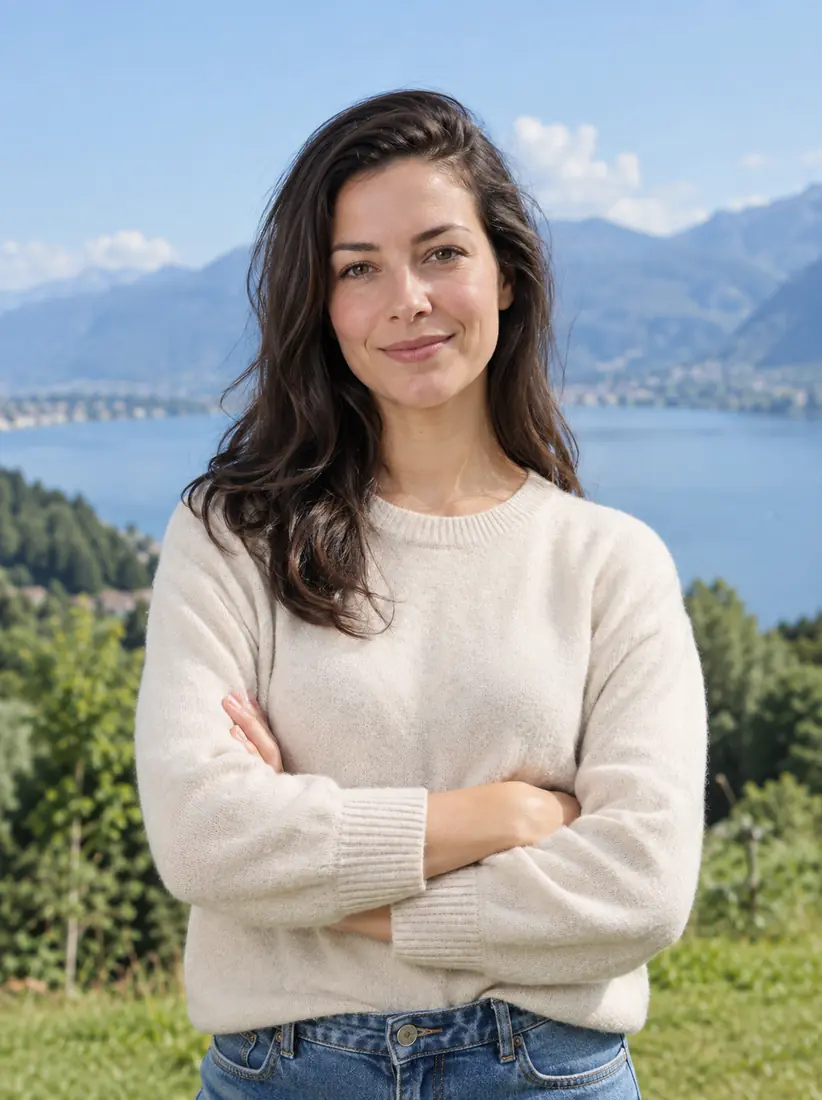
Crossed arms → hands on hips
A woman in a cream sweater by a mountain lake: arms crossed in the original, hands on hips in the second image; face, sweater and lake match.
Is this AI pose gallery free?
Browsing this AI pose gallery is free; re-posing your photo is paid, because the current signup allowance is below one image. Viewing poses, reading the descriptions and copying them into another prompt needs no account. Re-posing your own photo costs 5 credits per Fast image, about $2.50 at the $5 pack rate. From zero balance, the smallest purchase that covers one image is the $5 one-time pack with 10 credits, with no subscription. Results have no added visible watermark or separate download fee.
Can I download poses from this AI pose gallery?
This AI pose gallery lets you download the image you generate, not the gallery preview photos. When a re-pose finishes, the PNG download is included in the credits spent, at 768×1024, 1536×2048 or 2480×3312 depending on quality. To reuse a pose somewhere else, copy its text description into your own prompt. There is no bulk pose pack, ZIP file or line-art download here.
What is the AI pose gallery on GitHub (ai-pose-gallery-zh)?
The AI pose gallery on GitHub is an open-source, Chinese-language pose reference library (anhao/ai-pose-gallery-zh) that people browse on a pages.dev site and save as static reference images. It is a separate project with no connection to this page. Use a library like that for a large set of drawing references; use this page when you want your own photo re-posed into a pose you choose.
What is the best AI pose prompt?
The best AI pose prompt describes the body part by part: what each arm and leg does, where the weight sits, which way the torso and head turn, and the camera angle. For example: "three-quarter view, back against a wall, one foot flat on the wall, chin lowered". Every gallery card gives its pose in this format. Couple poses need two people, which this single-person tool does not generate.
Pose library pricing & credits
Each re-posed photo is charged per generation, whether you pick a gallery pose or Custom with an optional pose reference. Fast costs 5 credits, equivalent to $2.50 at the $5/10-credit pack rate. From zero balance, that one-time pack covers an image without a subscription. HD, Ultra HD and Studio require paid access. Downloading the finished PNG spends no additional credits.
| Quality | Output | Credits | Pack-rate equivalent |
|---|---|---|---|
| Fast | 1K · PNG | 5 | $2.50 |
| HD | 2K · PNG | 7 | $3.50 |
| Ultra HD | 4K · PNG | 8 | $4.00 |
| Studio | 2K · PNG | 9 | $4.50 |
| Item | What you receive |
|---|---|
| Browsing the gallery | Free, no account needed. Pose descriptions can be copied. |
| Signup allowance | The current 1-credit signup allowance is below one image. |
| Minimum purchase | $5 one-time Trial Pack · 10 credits. No subscription required. |
| Download | One PNG included; no second download charge. |
| Visible watermark | This tool adds no visible watermark. Supplier provenance metadata is not removed. |
| Quality access | Fast requires sign-in and enough credits. HD, Ultra HD and Studio require paid access. |
| Unfinished requests | Confirmed provider failure or an invalid output returns the charged credits. Lost confirmation or temporary saving delays keep the same request for recovery; do not pay again. |
What this pose tool cannot do
This pose tool cannot guarantee an exact likeness, identical results across generations or a pixel-perfect copy of a pose; the prompt asks for these, and results vary with the photo and the model. Hands, fingers and crossed limbs may not match the pose exactly, and with a close-up selfie the model has to invent the legs and shoes it cannot see. It re-poses one person per photo: no couple or group poses, poseable 3D mannequin, skeleton export, transparent background, video or bulk reference pack.
Pose gallery FAQ
Answers below cover phone use, the style of the poses and whether the result still looks like you. Each generation costs the credits shown on the Generate button, and a new attempt can place arms and legs differently, so save any result you like before trying again.
Is there an AI pose gallery app, or does it work online?
It works online in a current browser on iPhone, Android, iPad or a computer; there is no app to install. Browsing is open to everyone, while re-posing needs sign-in and enough credits. Uploads go to this site and its image provider. Result access checks your account, but anyone holding a direct storage link may be able to open it.
Does the AI pose gallery have aesthetic poses?
Yes. The gallery leans toward relaxed, aesthetic lifestyle poses: wall leans, slow walks, over-the-shoulder glances and beach or sofa reclines that suit Instagram and Pinterest-style shots. For a pose that is not in the gallery, choose Custom and describe it, or upload a pose reference image. The prompt asks the model to keep the background from your photo.
Will the new pose still look like me?
Not guaranteed. Your photo is sent as the identity reference, and the prompt asks the model to keep your face, hair, skin tone, body type and outfit and to change only the pose; results vary with the photo and the model. A sharp, well-lit, front-facing photo gives it the most to work from. Poses that turn your back to the camera show less of your face in the result.
More photo tools
AI Photoshoot turns one photo into styled portrait shots in different settings, and Full Body AI Generator extends a close-up into a full-length image. Each tool has its own controls and credit costs.