
AI pose changer edits one person’s photo into a standing, walking or sitting pose. The prompt requests the original face, hair, outfit and background; results vary. One 3:4 PNG starts at 5 credits ($2.50 at the $5/10-credit pack rate). The current 1-credit signup allowance is below one image. Sign-in is required. Downloads have no added visible watermark.
How to change the pose in a photo
Upload one clear photo, choose a pose and select an image quality. For a different body position, choose Custom, describe the action and optionally add a pose reference image. Check the credit cost before generating, then inspect the face, hands and outfit in the result before downloading. Each new generation is a separate paid request.
1. Upload the person
Choose a clear photo with the face visible. A full-body photo gives the model more information for a full-body pose.
2. Choose the body position
Pick Lean, Walk or Sit. Custom takes a required pose description and an optional reference photo for body position only.
3. Review and download
Select quality, check the credit cost and generate. Compare the result with your original, then download the PNG.
Photo pose changes: before and after
These four comparisons show a studio portrait with a backward glance, raised arms or a hand near the head, and an outdoor portrait with hands on hips. Slide each divider to inspect the original and the new pose. Facial details, garment folds and the background can differ; these comparisons are illustrations, not a guarantee for your upload.
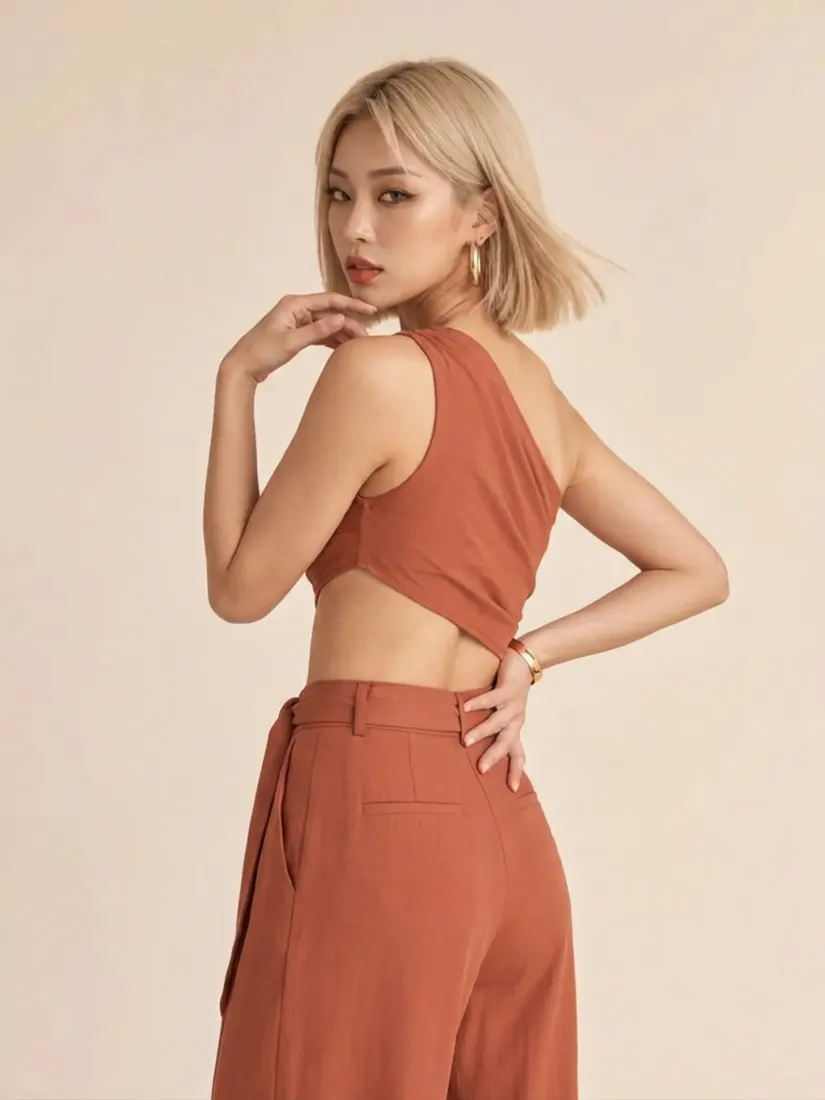
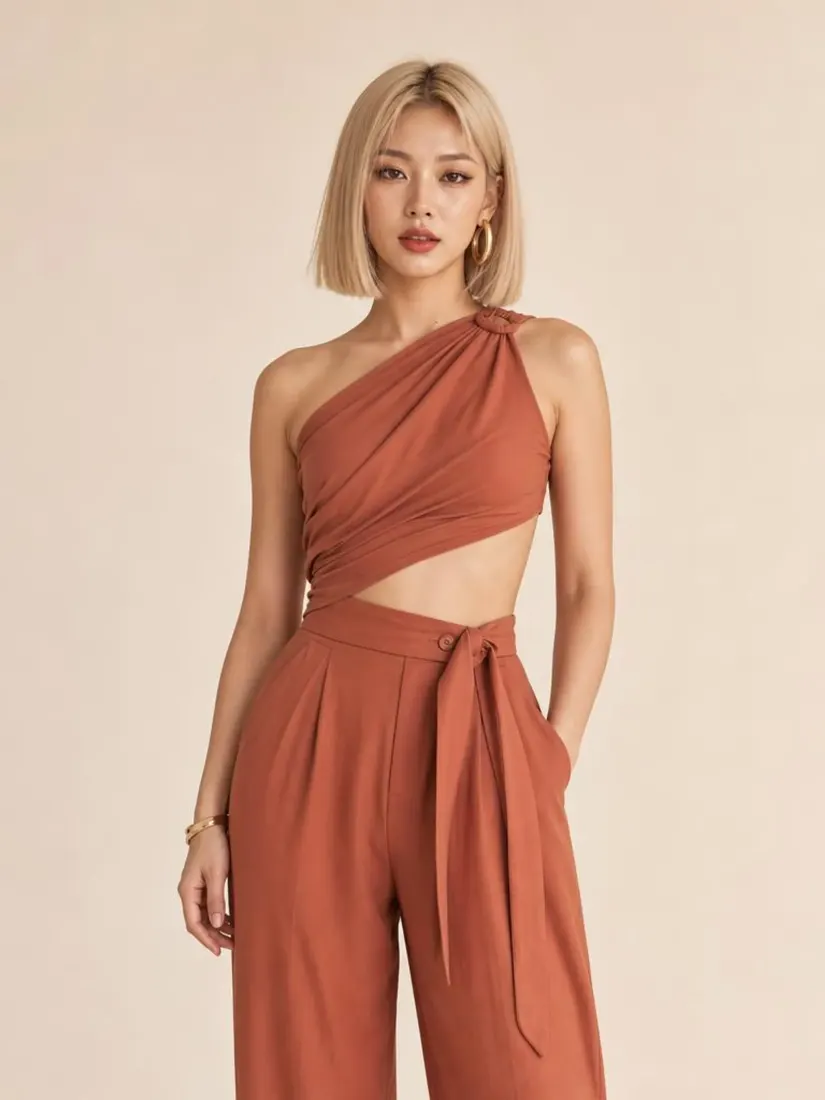
Front-facing → back glance
A studio photo of a woman in a rust halter set beside a version turned away from the camera, looking back over her shoulder; outfit and backdrop match.
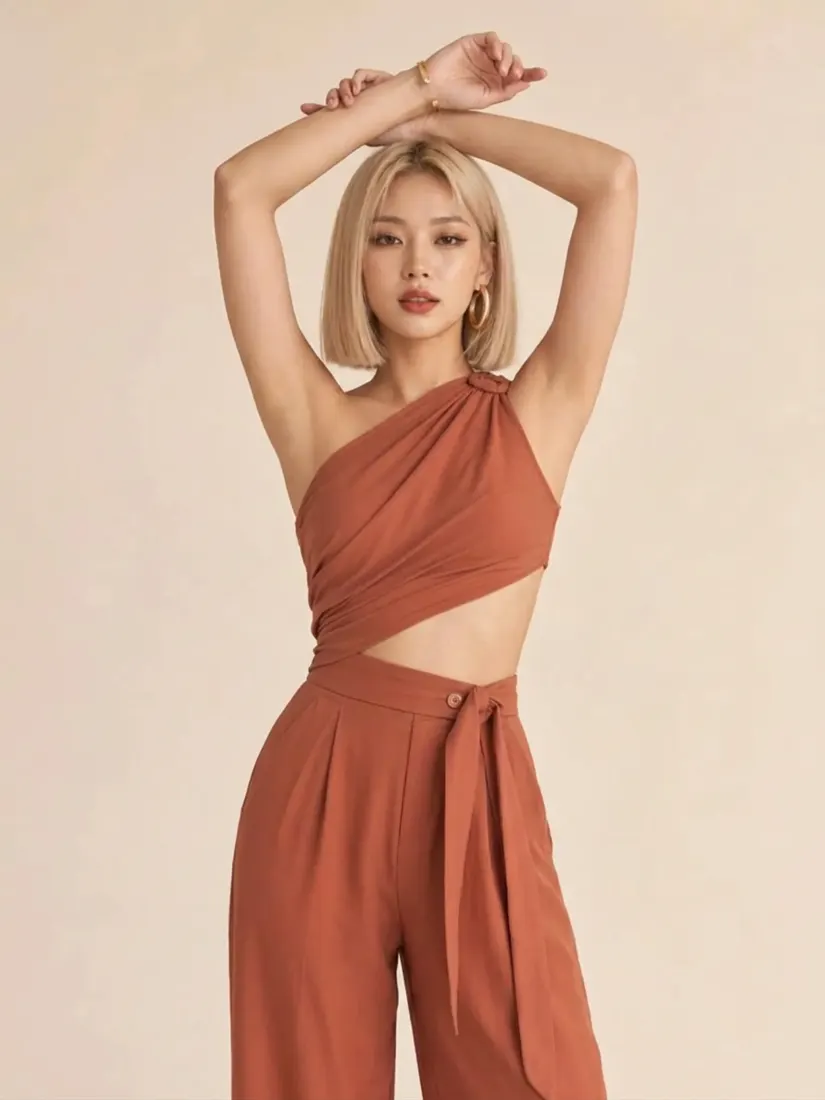
Front-facing → arms overhead
The same studio original beside a version with both arms raised above the head; hair, halter top and trousers match.
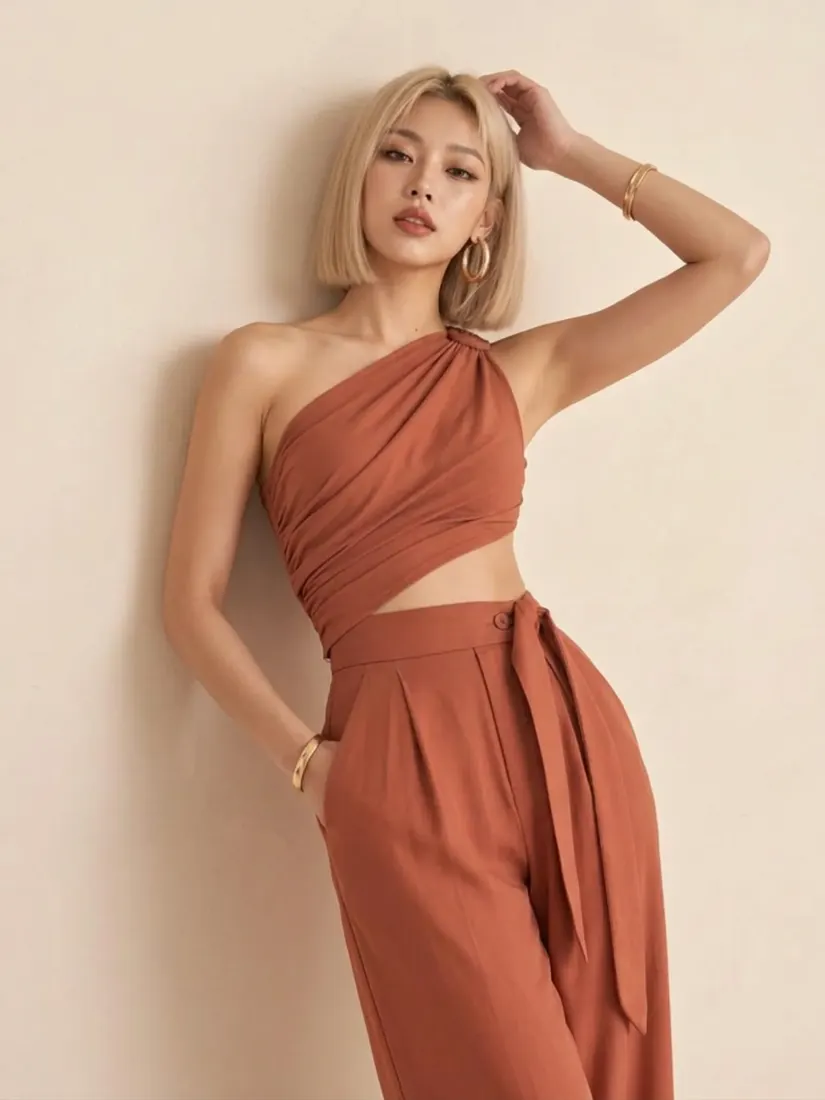
Front-facing → hand-on-head lean
The same studio original beside a version leaning to one side with one hand resting on her head.
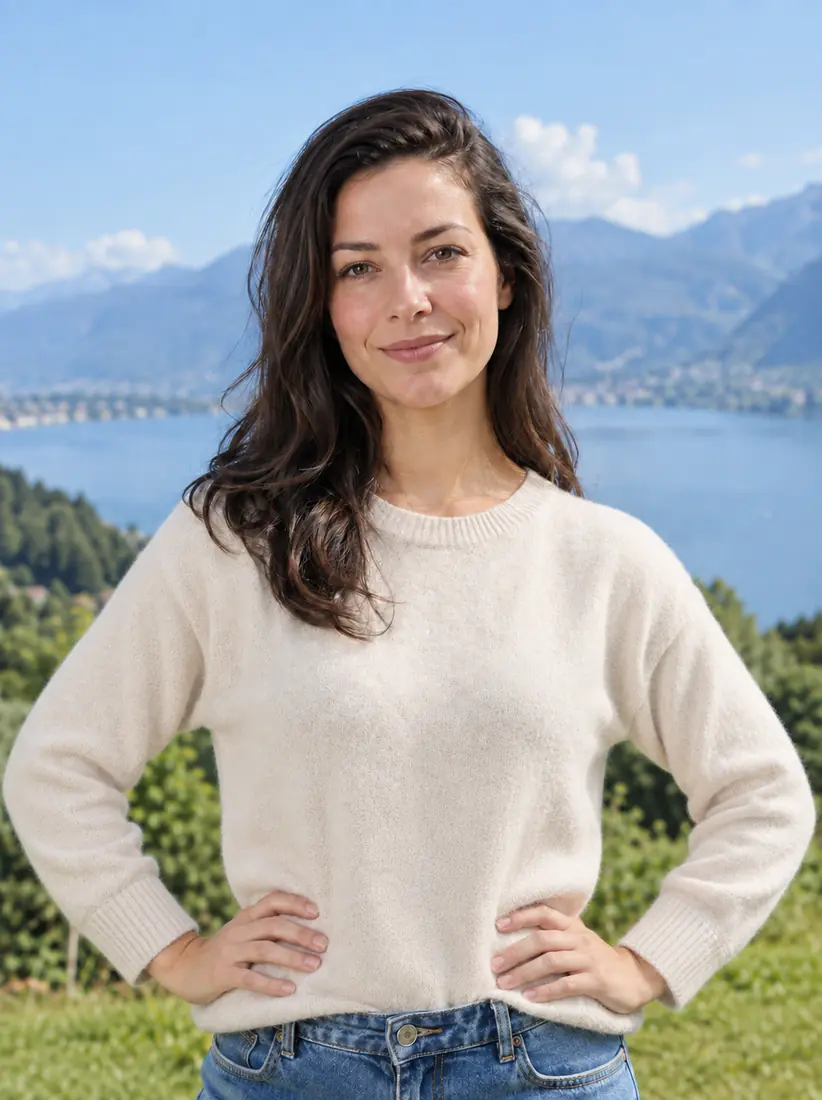
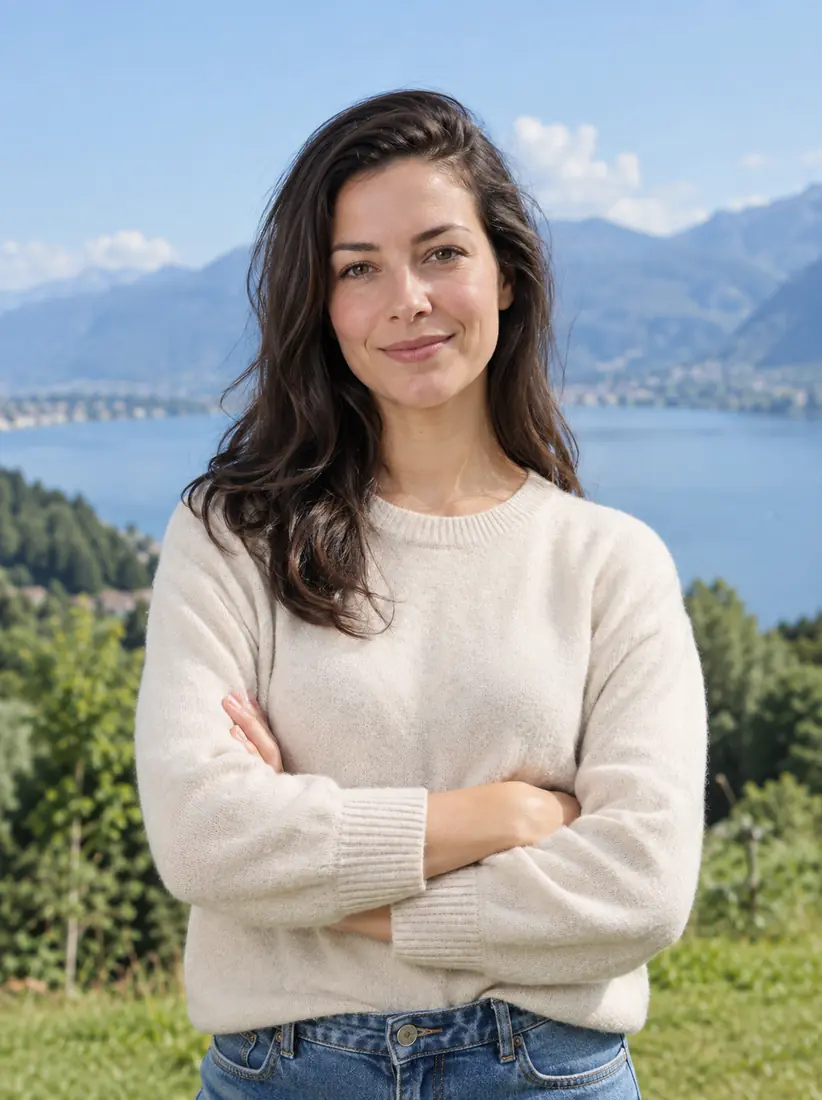
Crossed arms → hands on hips
A woman in a cream sweater by a mountain lake: arms crossed in the original, hands on hips in the second image; face, sweater and lake match.
Can I use this AI pose changer free without signing up?
Browsing is free; the current signup allowance is below the credits needed for one edited image. You can browse the tool and comparisons without signing in, but generating and downloading your own edited photo requires an account and enough credits. There is no unlimited free or no-sign-up generation mode. Fast costs 5 credits per image; the $5 pack contains 10 credits. Downloading a completed result adds no separate fee.
How does an AI pose changer with reference work?
Choose Custom, write the target action and optionally upload a second photo that shows the body position you want. The prompt treats your first photo as the person and the second as a pose guide: it asks for limb placement and camera angle, not the reference person’s identity or outfit. A reference is guidance, not exact skeleton control; inspect the result before use.
What should an AI pose changer prompt say?
Describe the action, hands, feet and gaze in plain words. For example: “Stand facing the camera, one hand on the hip, the other arm relaxed, feet shoulder-width apart, eyes forward.” For sitting: “Sit on a chair, both feet on the floor, hands on knees, look at the camera.” The editing prompt also requests the original person and outfit; the model may still redraw details.
Pricing & credits for one edited photo
Each edited photo is charged per generation, including Custom with a reference image. Fast costs 5 credits, equivalent to $2.50 at the $5/10-credit pack rate. From zero balance, this one-time pack covers a Fast image without a subscription. HD, Ultra HD and Studio require paid access. Downloading the completed PNG costs no extra credits.
| Quality | Output | Credits | Pack-rate equivalent |
|---|---|---|---|
| Fast | 1K · PNG | 5 | $2.50 |
| HD | 2K · PNG | 7 | $3.50 |
| Ultra HD | 4K · PNG | 8 | $4.00 |
| Studio | 2K · PNG | 9 | $4.50 |
| Item | What you receive |
|---|---|
| Tool and examples | Free to browse without an account; generation requires sign-in and enough credits. |
| Signup allowance | The current 1-credit signup allowance is below one image. |
| Minimum purchase | $5 one-time Trial Pack · 10 credits. No subscription required. |
| Download | One PNG included; no second download charge. |
| Visible watermark | This tool adds no visible watermark. Supplier provenance metadata is not removed. |
| Quality access | Fast requires sign-in and enough credits. HD, Ultra HD and Studio require paid access. |
| Unfinished requests | Confirmed provider failure or an invalid output returns the charged credits. Lost confirmation or temporary saving delays keep the same request for recovery; do not pay again. |
What pose editing cannot guarantee
An AI pose change redraws pixels; it is not a pixel-locked adjustment or a guaranteed identity match. The prompt requests the same person, clothes and background, but faces, fabric patterns, hands and unseen body parts can change. Use a clear photo and a modest pose change first, and check product details before publishing. No batch, group, 3D skeleton or video output is included.
Photo pose editor FAQ
Use the same workflow for a single model portrait or a character image you have permission to edit. Use this tool in a browser; photos are uploaded to this site and its image provider. Check the details below before sending a personal or commercial image.
Can I use this as an AI model or character pose changer?
Yes, you can submit a single model photo or character image you have permission to edit. The prompt requests the original appearance and outfit, but does not guarantee exact garment details or character consistency. Review each result before using it in a product listing or reference sheet.
Do I need an AI pose changer app or APK?
No installation is needed. Use a current browser on iPhone, Android or a computer, choose a photo from your device and follow the same controls. This page does not provide a separate app or APK download.
What happens to my uploaded photos?
Photos are uploaded to this site’s storage and sent to its image provider for editing. Task results are accessed through account-checked routes, but anyone holding a direct storage link may be able to open it. Upload only images you have permission to share and edit.
More ways to work with your photo
Browse the pose gallery for more body-position ideas and copyable pose descriptions. If your original is only a close-up, Full Body AI Generator is a separate tool for extending it to a full-length image. Each tool shows its own controls and credit cost.