
The AI Girlfriend Generator makes still portraits for character design, avatars, and stories. Browse three image pairs for free, then create a single PNG from 5 credits ($2.50 at the trial-pack rate). The longest edge is up to 3312 pixels, and the site adds no visible watermark.
How to create an AI girlfriend portrait
Choose a look and generate a first portrait, or upload an existing fictional adult character you want to draw again. The tool aims to carry over facial features while you change the scene, styling, or outfit. Pick a size for where you want to use the picture, then download your result.
1. Start with a character
Attach an existing fictional adult character image if you have one. Use a clear JPG, PNG, or WebP and confirm you have permission for each upload.
2. Pick a look or describe your own
Choose Café Daylight, Gray Studio, or Defined Curls. Choose Custom to describe the person, outfit, and scene in your own words. Add a style image in Custom if it helps.
3. Generate a PNG
Select a shape and quality, sign in, and check the credit cost. When the portrait is ready, review and download the image.
Examples with the same character in each pair
A clear reference gives the tool a face to work from when you change the scene or hairstyle. These three pairs illustrate possible edits for fictional adults. Look at which details stay familiar as the lighting, setting, and hair change. Each 4:5 pair shows a character reference and a variation. New portraits use the output shape you select.
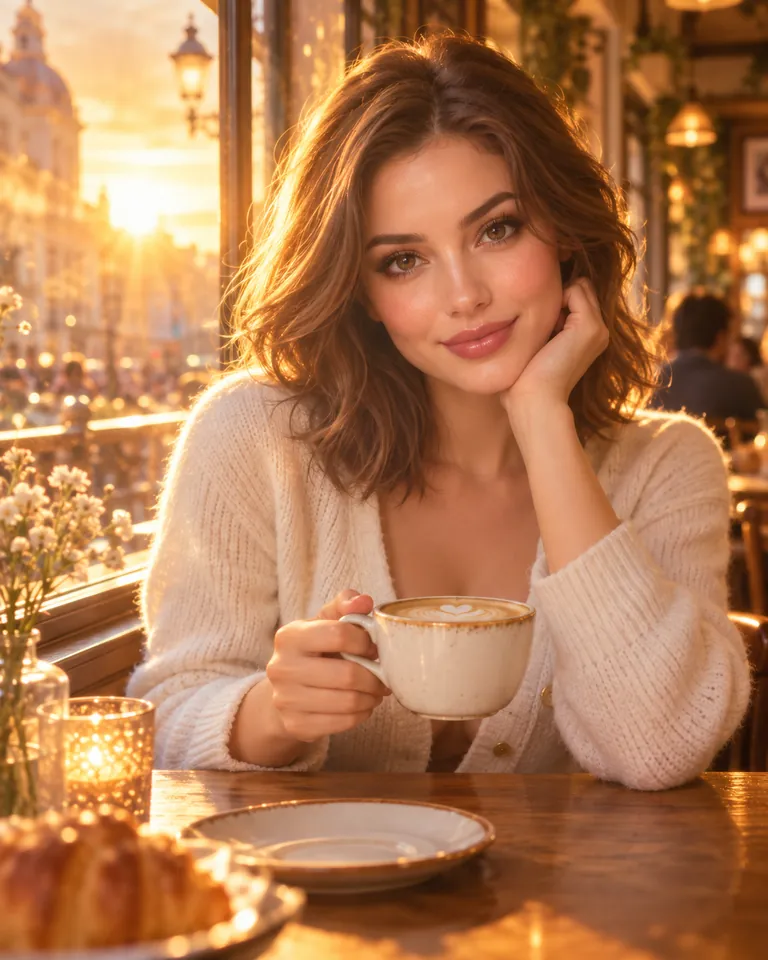
Character reference
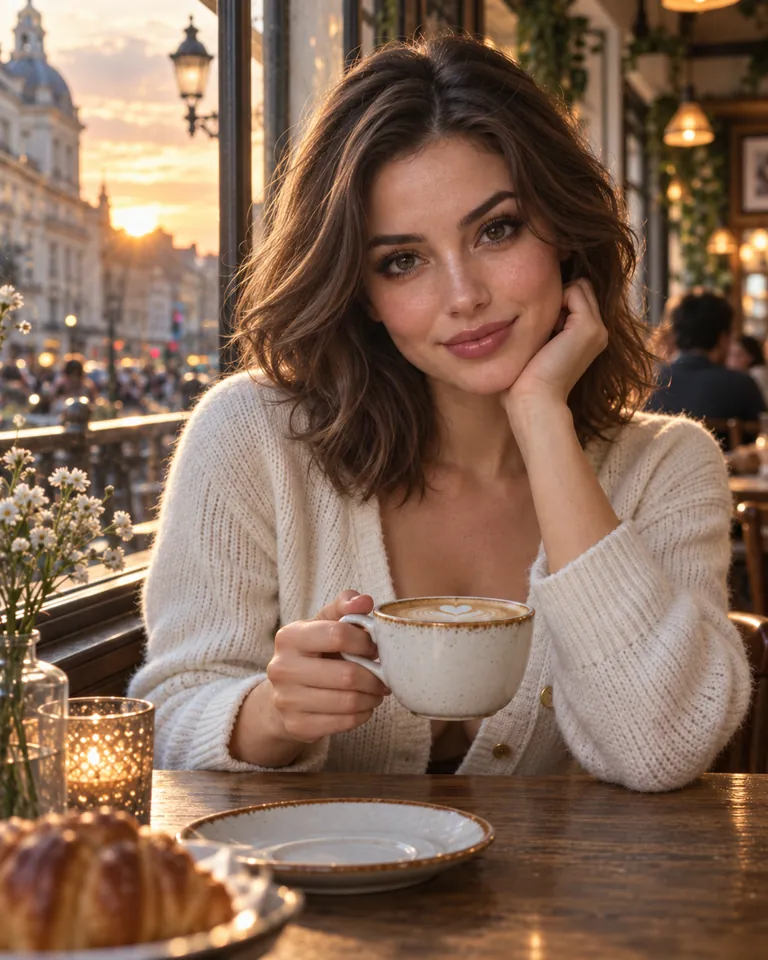
Portrait variation
Café daylight
The café portrait shows softer highlights and natural skin tones, with the same cup, cardigan and café setting.

Character reference

Portrait variation
Studio portrait
A plain gray backdrop shifts attention to the expression and navy blazer in the studio-style portrait.
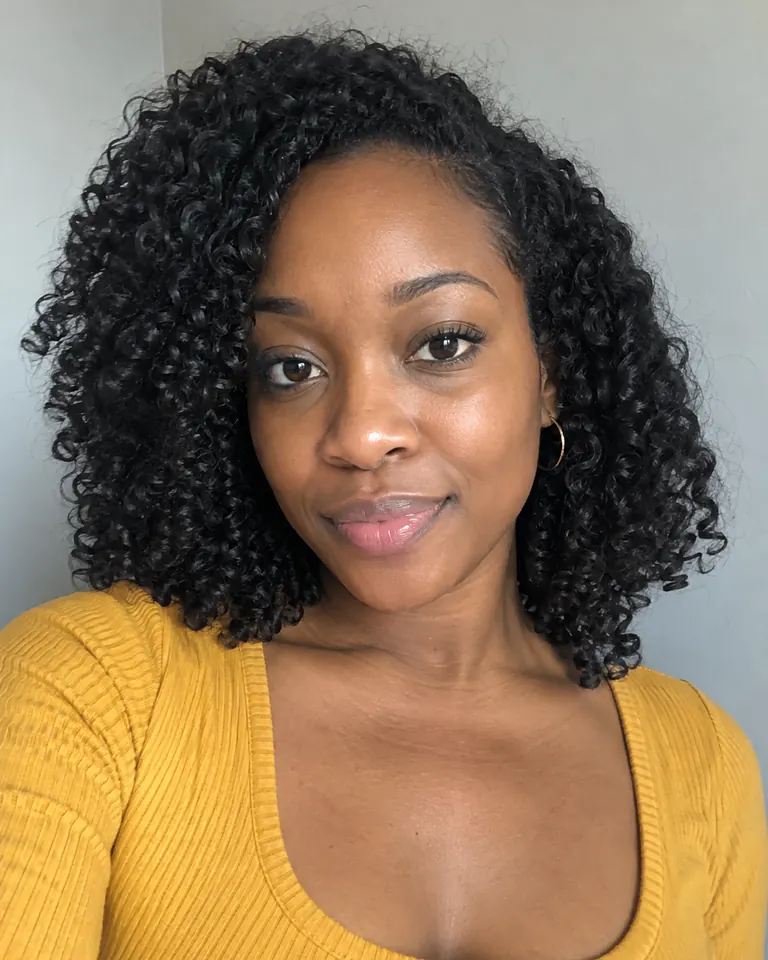
Character reference
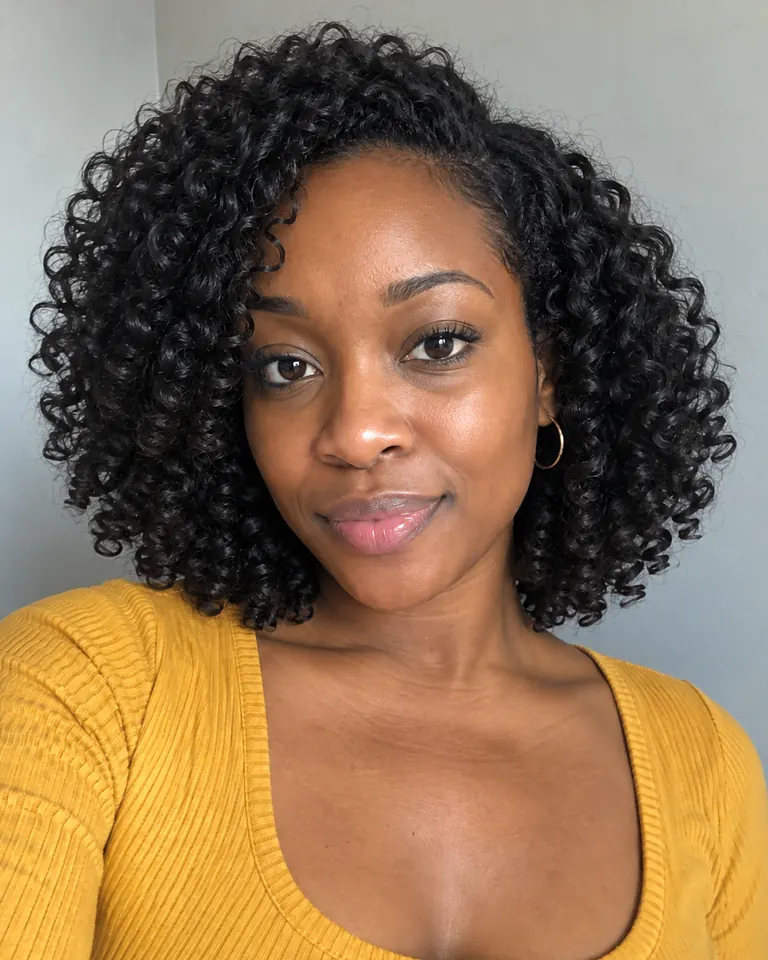
Portrait variation
Defined curls
More defined curls frame the face, with the mustard top and neutral background visible in both portraits.
How do I create an AI girlfriend from a photo?
The AI Girlfriend Generator can start from a clear image of a fictional adult character you own or have permission to use. Upload it, then choose the look you want. To keep a character recognizable across several portraits, reuse the same original image and keep distinctive features in your Custom description when they matter. Faces can vary between generations. Resize your reference if either edge exceeds 2,048 pixels.
What should I put in an AI girlfriend generator prompt?
An AI girlfriend generator prompt works best when it describes one fictional adult and names her hairstyle, outfit, setting, and light. Say whether you want a photo or an illustration. In Custom, say which parts of an uploaded character should stay the same and name the one or two details you want to change.
Café portrait
A fictional 28-year-old woman with a dark bob and brown eyes, wearing a rust-colored sweater, sitting beside a café window. Soft morning light, natural skin texture, chest-up framing.
Anime character art
An adult fictional woman in her late twenties with short auburn curls and a green jacket, on a rainy city street. Hand-painted anime style, warm storefront reflections, clean silhouette.
Is this AI Girlfriend Generator free to use?
This AI Girlfriend Generator requires 5 credits and an account to make one Fast portrait. Eligible new accounts get 1 credit. A Fast image requires 5 credits. You can browse the examples and try the controls without signing in. The trial pack costs $5 for 10 credits, and one Fast PNG uses $2.50 of that pack. Download is included.
AI girlfriend portrait pricing and image sizes
One AI girlfriend portrait costs 5–9 credits. Each purchase of a generation includes one PNG download. The same credit cost applies to all three shapes at each quality level, and the USD equivalents use the trial pack of $5 for 10 credits. HD, Ultra HD, and Studio require an active subscription or eligible paid credits.
| Quality | 3:4 | 4:3 | 1:1 | Credits (pack equivalent) |
|---|---|---|---|---|
| Fast | 768 × 1024 | 1024 × 768 | 1024 × 1024 | 5 ($2.50) |
| HD | 1536 × 2048 | 2048 × 1536 | 2048 × 2048 | 7 ($3.50) |
| Ultra HD | 2480 × 3312 | 3312 × 2480 | 2880 × 2880 | 8 ($4.00) |
| Studio | 1536 × 2048 | 2048 × 1536 | 2048 × 2048 | 9 ($4.50) |
| Feature | Details |
|---|---|
| Browse | Free to view all three pairs and use the controls. |
| Signup allowance | Eligible new accounts get 1 credit. A Fast image requires 5 credits. |
| Download | One PNG per generation. |
| Watermark | The site adds no visible watermark. |
What this girlfriend character creator can make
This tool creates downloadable still images of fictional adults. Chats, voices, videos, and interactive companions are outside its scope. Fine details such as eye shape, age cues, or hands can shift when you change the pose or style. Check each result before using it and keep your clearest reference for future portraits.
To reuse a character across a wider set of scenes and poses, see the AI character generator.
AI Girlfriend Generator FAQ
The AI girlfriend maker runs in a web browser and accepts images you have permission to use. Look through the examples before you upload, and keep a copy of your original character image so you can make more portraits from it later.
Can I use the AI girlfriend creator online on my phone?
Yes. Open the generator in your phone browser, pick a look or enter a Custom prompt, and sign in to generate. You can save the finished PNG to your device.
Can I make an anime AI girlfriend portrait?
Yes. Choose Custom and describe the illustration style and your fictional adult character. For example, ask for a hand-painted adult character in a green jacket under rainy storefront lights. You can also add a separate style image.
What happens to my uploaded reference images?
Uploaded references are kept permanently and sent to the image provider when needed to generate your portrait. In-site result previews and downloads require your account. Anyone with the direct storage link may be able to open that file.