
Vikas Editor is for Instagram creators who want the viral Vikas edit look without pasting prompts into Gemini or ChatGPT. Pick Luxury car, Navratri or Neon rain, or write your own scene, and get one vertical 3:4 PNG from 768 × 1024 (Fast, 5 credits, $2.50 at the $5 for 10 credits rate) up to 2480 × 3312, with no added site watermark. Eligible new accounts get 1 signup credit. One Fast edit needs 5 credits.
How the Vikas editor works
The Vikas editor needs one photo of you and a style. You do not write a prompt for the preset styles: each card adds its own scene, outfit, light and color grade, and the system prompt asks the model to keep your face, skin tone, hairstyle and body proportions. Results vary with the photo and the model, so check the likeness before you post.
1. Upload one clear selfie
Use a sharp, well-lit photo of one person looking at the camera, without sunglasses, heavy filters or other people in the frame. A head-and-shoulders photo works; the model draws the rest of the figure for full-length scenes.
2. Pick a Vikas edit style
Choose Luxury car, Navratri or Neon rain, or pick Custom and describe your own scene, outfit and mood. Custom can also take a style reference photo for the light and setting.
3. Generate, compare and post
Choose a quality level, check the credit cost, sign in and generate. Compare the edit with your selfie, download the PNG and post it as a Reel cover, Story or portrait post.
Vikas edit examples: one selfie, five scenes
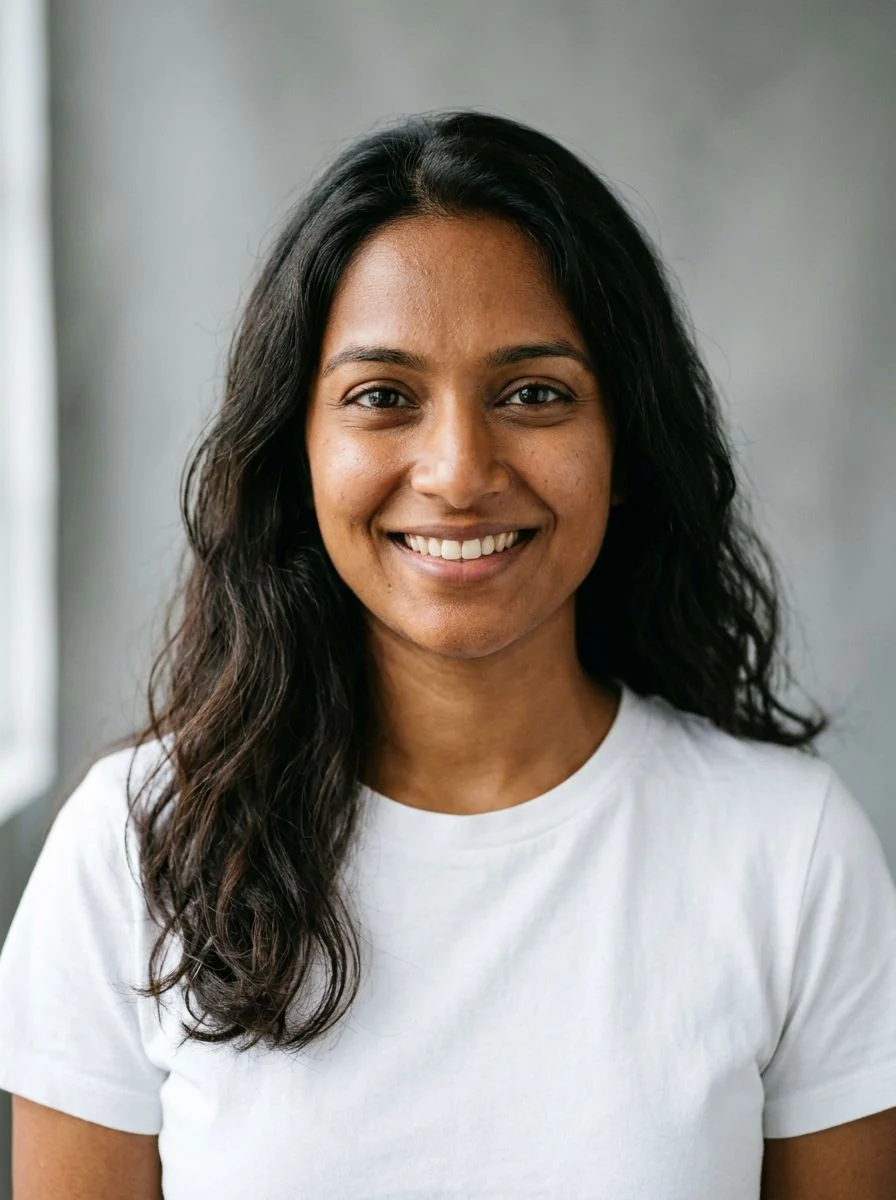
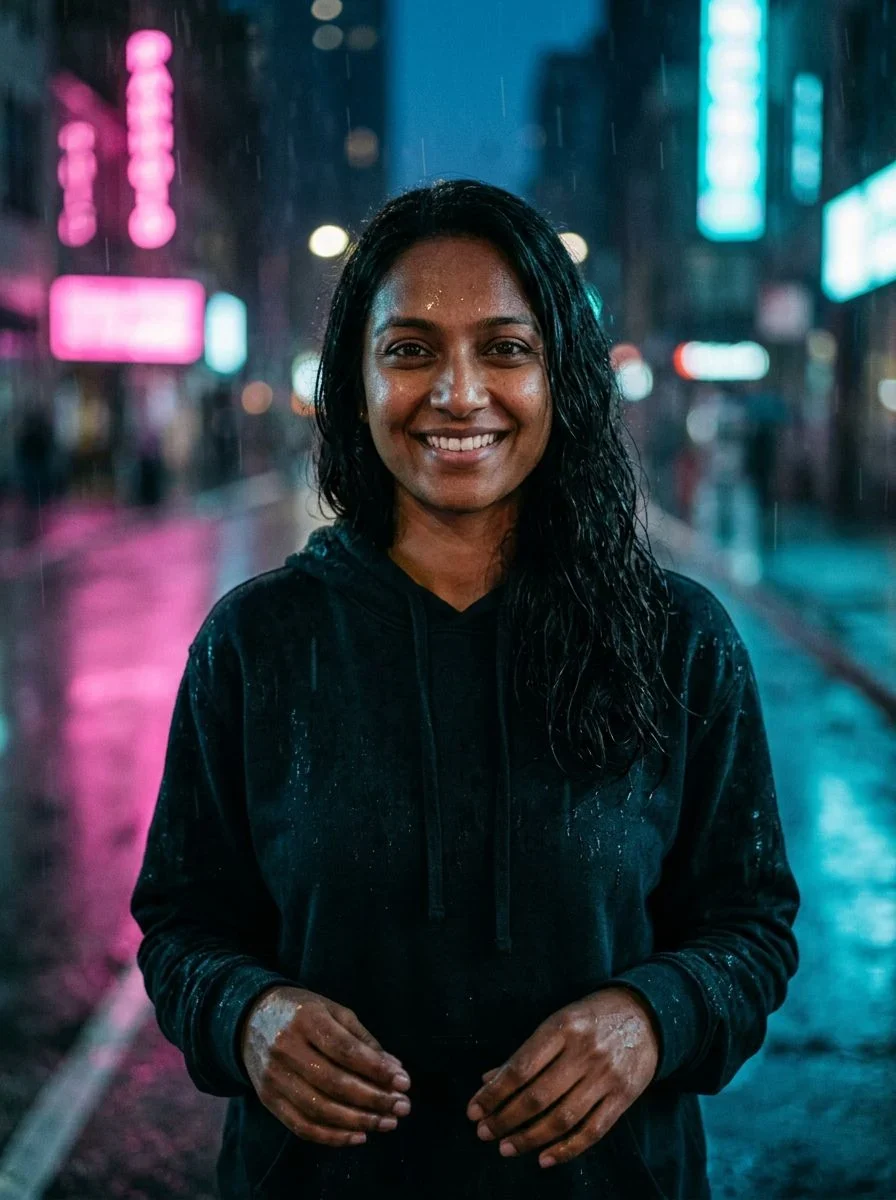
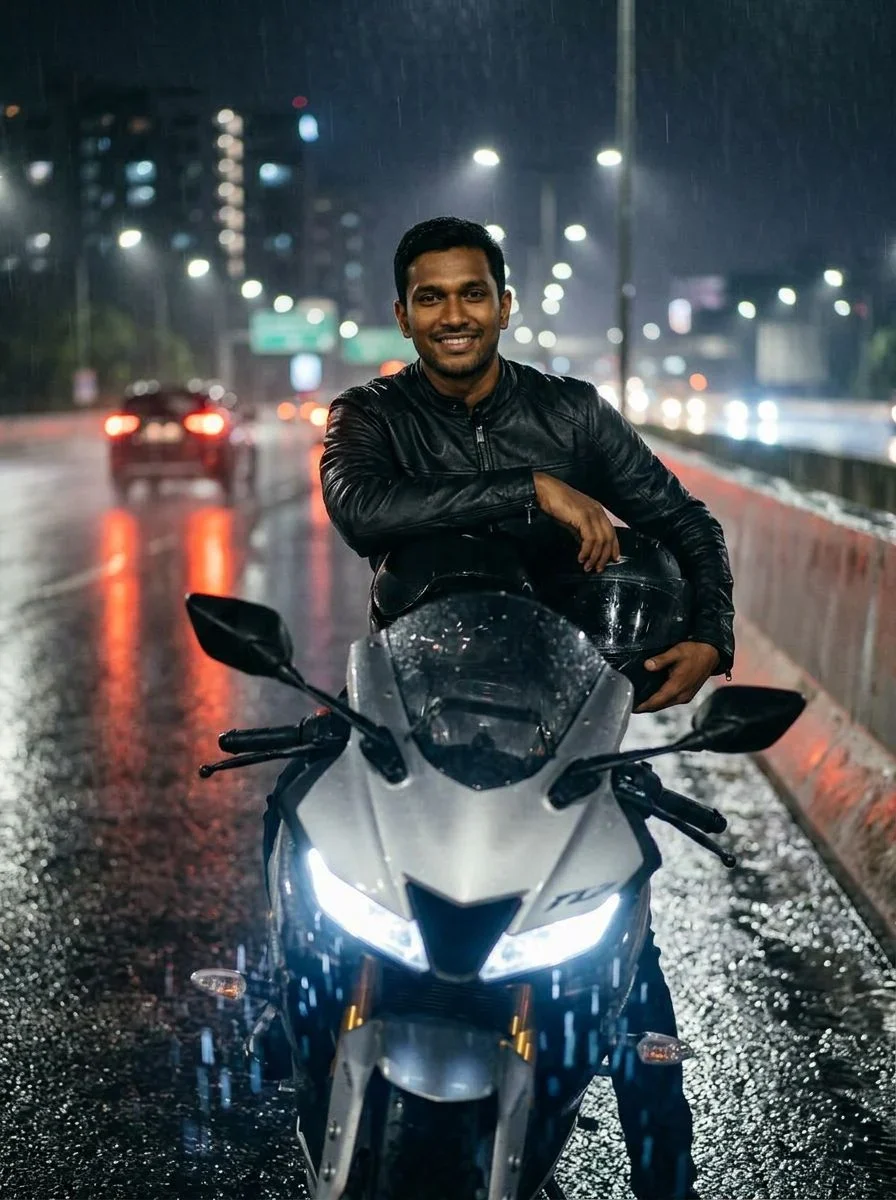
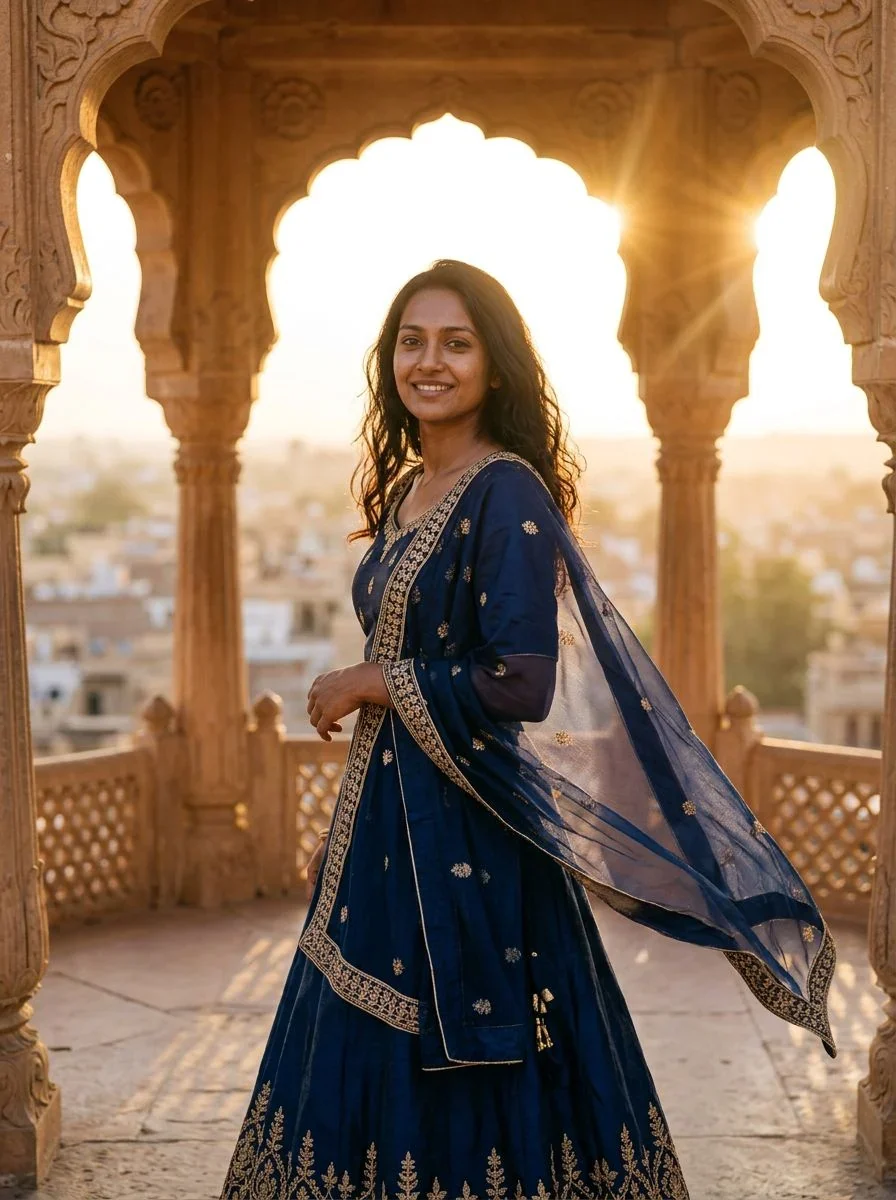
Each pair shows a plain starting photo and a finished Vikas-style edit of the same person. The first three match the Luxury car, Navratri and Neon rain cards; the biker and heritage fort looks show what a written Custom scene asks for. Four of the five starting photos are head-and-shoulders shots, so the rest of the figure in those edits was drawn in.
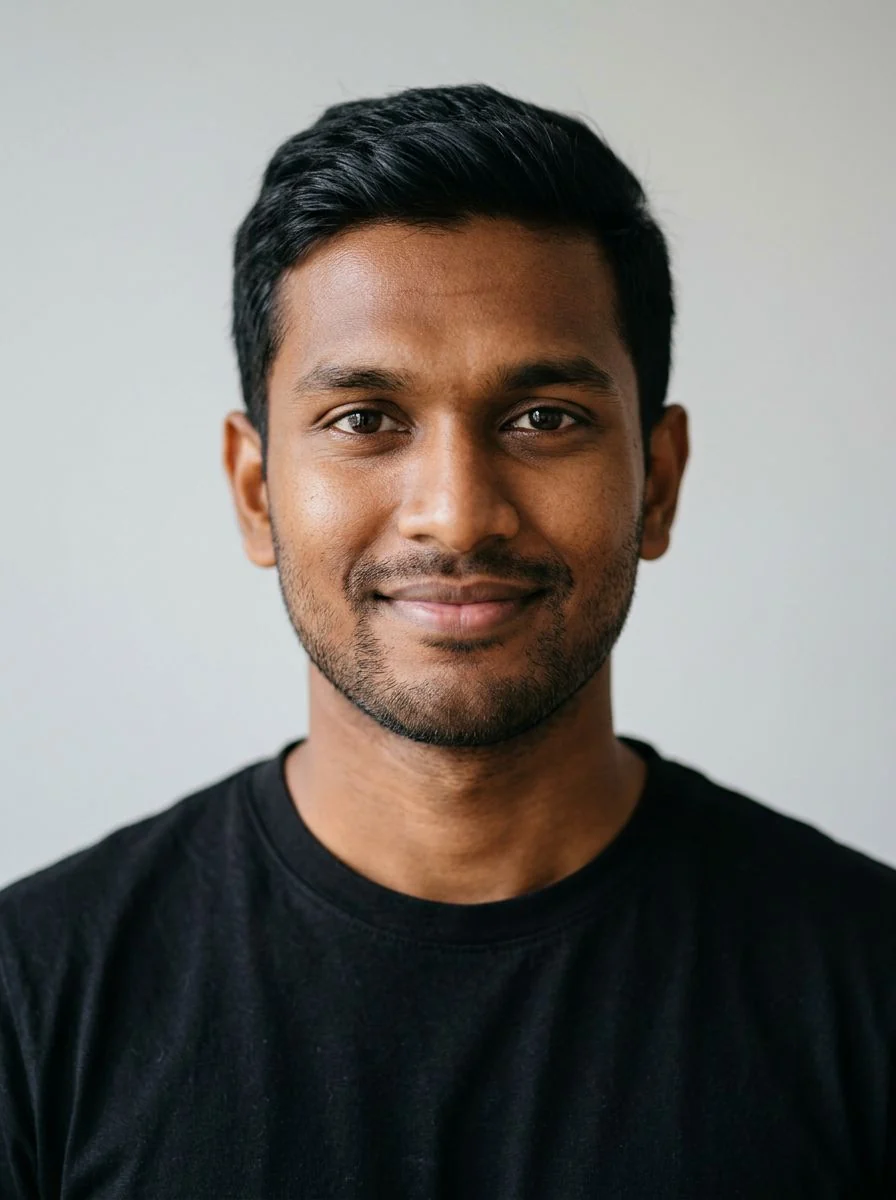
Photo
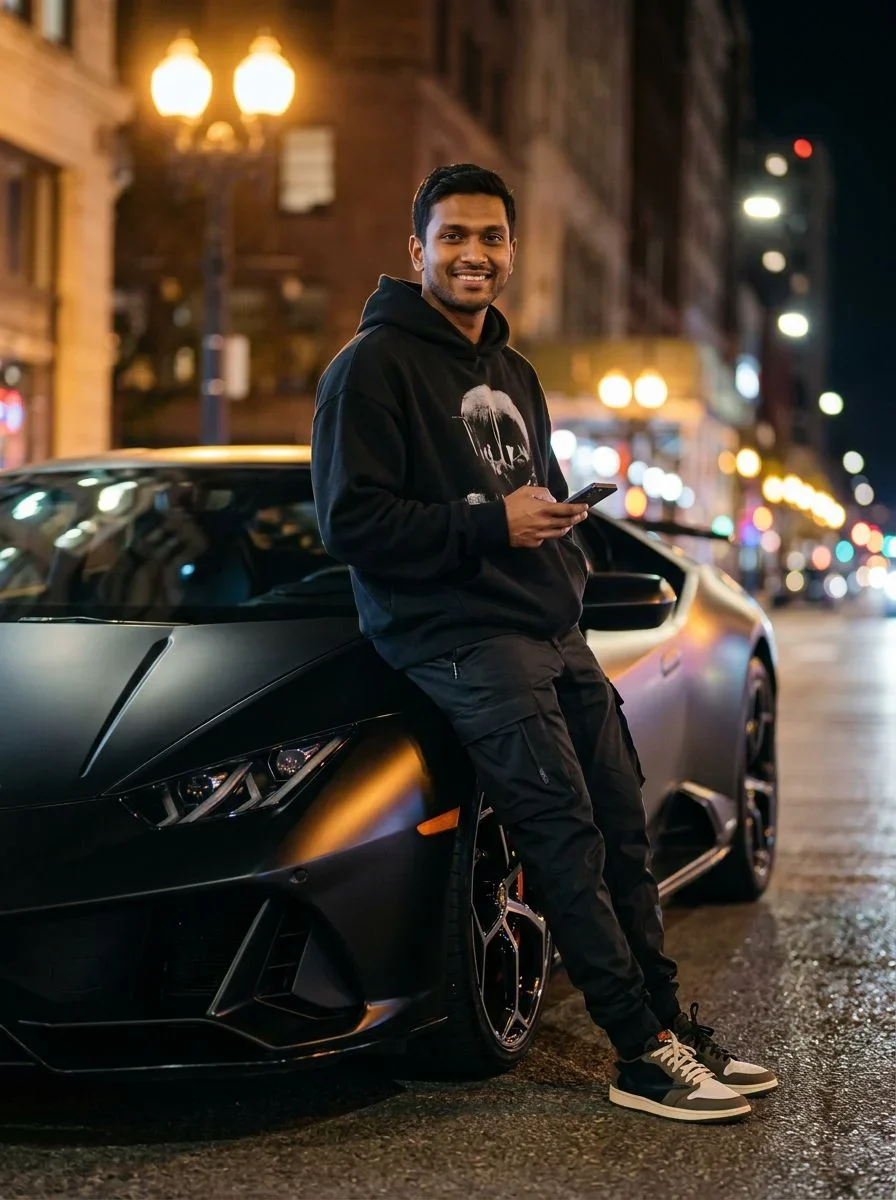
Vikas edit
Luxury car night
A plain head-and-shoulders photo against a grey wall becomes a full-length night shot: black hoodie, cargo trousers and sneakers, leaning on a matte black sports car under warm streetlights with city lights behind.
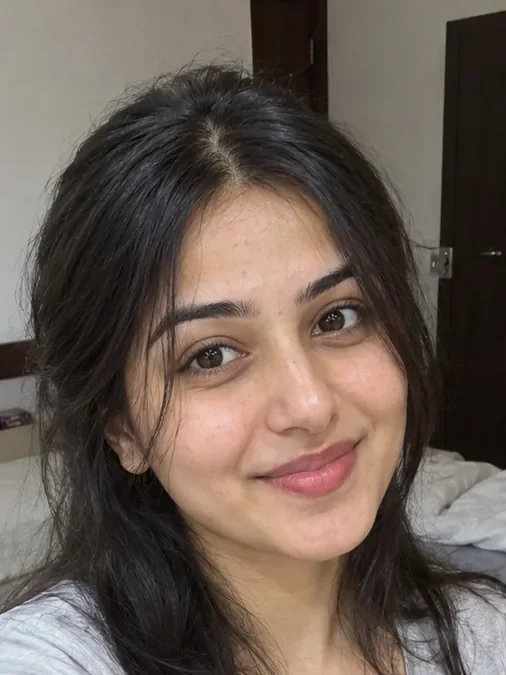
Photo
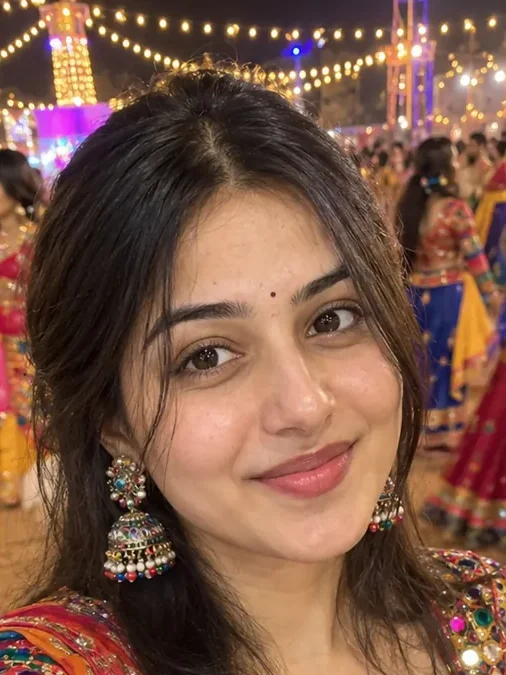
Vikas edit
Navratri garba night
A bedroom selfie in a grey T-shirt becomes a festival close-up: a red and orange mirror-work choli, jhumka earrings and a bindi, with fairy lights and a dancing garba crowd behind.
Photo
Vikas edit
Neon rain night
A plain portrait in a white T-shirt becomes a moody rain shot: black hoodie, wet hair and pink and cyan neon signs reflecting on a wet city street.
Photo
Vikas edit
Rainy night biker
The same head-and-shoulders photo becomes a night ride: a black leather jacket on a white sport motorcycle with its headlight on, on a wet highway in the rain.
Photo
Vikas edit
Heritage fort sunset
The same white T-shirt portrait becomes a festive full-length shot: a navy lehenga with gold embroidery and a sheer dupatta under carved sandstone arches, with the sun setting behind.
What is Vikas Editor, and is this the official Editing by Vikas?
Vikas Editor, also written Vikas Edit or Editing by Vikas, is the name of an Indian Instagram editing creator whose Reels, VN codes, CapCut templates and AI photo prompts made a look popular: a normal selfie turned into a cinematic photo with a luxury car at night, festival lights or moody film color. This page is an independent AI photo tool, not the creator’s own site or app, and it is not affiliated with them.
The trend has two halves. Beat-synced Reels with transitions come from CapCut or VN template files; the still photos come from an AI image model and a prompt. This Vikas editor AI makes the still photo only. For VN codes and templates, use the creator’s own channels; many sites with Vikas in the name are third-party tools like this one.
Can you make a Vikas Editor photo with ChatGPT or Gemini?
Yes. Many Vikas-style photos shared on Instagram are made by uploading a selfie to Gemini or ChatGPT with a copied prompt, and both offer image generation on free plans with daily limits. The common complaint is that the background and outfit look right but the eyes, nose or jawline change, because the model redraws the whole image and prompts copied from Reels rarely say how to keep the face.
This page does the prompt part for you: each style card adds a written scene description plus fixed face-keeping instructions that ask the model to keep the same facial features, skin tone, hairstyle, age and proportions, with no beautifying or slimming. The instructions are meant to keep you recognizable, but no image model guarantees an identical face, so regenerate with a sharper, front-facing photo if the likeness is off.
Is there a Vikas Editor app or APK?
You do not need a Vikas Editor app or APK for the photo look. This tool runs in Safari on iPhone, Chrome on Android and desktop browsers: upload a selfie, pick a style and download the PNG straight to your phone. Sign-in is required to generate, and there is nothing to install.
Be careful with APK files that use the Vikas name and ask for extra phone permissions: the creator shares templates and VN codes through social channels, and the AI photo look only needs an image model. If you already use CapCut or VN for video edits, you can import the downloaded PNG there like any other photo.
Vikas editor pricing, free access and watermark
Vikas Editor here is not free to generate: each edit costs 5–9 credits by quality level ($2.50–$4.50 at the $5 for 10 credits pack rate), and the current signup allowance of 1 signup credit does not cover one. The smallest purchase is $5 for 10 credits, enough for 2 Fast edits. Studio uses the model’s high-detail setting at 1536 × 2048, so it costs more than Ultra HD despite fewer pixels.
| Quality | Pixels | Credits | Pack-rate equivalent |
|---|---|---|---|
| Fast | 768 × 1024 | 5 | $2.50 |
| HD | 1536 × 2048 | 7 | $3.50 |
| Ultra HD | 2480 × 3312 | 8 | $4.00 |
| Studio | 1536 × 2048 | 9 | $4.50 |
| Feature | Details |
|---|---|
| Free access | Eligible new accounts get 1 signup credit. One Fast edit needs 5 credits. |
| Generation | Sign in with enough credits. HD, Ultra and Studio require eligible paid access. |
| Download | One vertical 3:4 PNG per generation. No extra credits. |
| Watermark | No visible watermark added by this site. |
| Phone use | Runs in mobile and desktop browsers. No app or APK to install. |
| Privacy | Photos and results are stored as unlisted files the image provider reads; anyone with a direct file link could open them. Downloads are limited to your account. |
What the Vikas editor can’t do
This Vikas editor makes one still photo per generation. It does not make Reels, beat-synced videos or slow-motion edits, and it does not hand out CapCut templates or VN codes. It will not write readable text, so stylish name photos, name logos and car number plates are out; it also blocks celebrities, public figures and sexualized edits. The prompt asks the model to keep your face, but likeness, hands, jewelry and small props can still come out wrong, so check them before you post.
To change only the clothes in a photo you already like, use the AI Clothes Changer. For a studio-style set of portraits from one selfie, try the AI Photoshoot.
Vikas editor FAQ
What should I write as a custom Vikas editor prompt?
Describe the scene, outfit, props, light and mood in one or two sentences, for example “rooftop at sunset, white kurta, holding a diya, warm golden light, Diwali fireworks behind”. You do not need to write “keep my face the same”: the system prompt already asks for it. Leave out names, logos and text, because the tool does not render them.
Can I make a Vikas editor name or logo photo?
Not with this tool. Vikas editor stylish name photos and name logos depend on readable lettering, and the prompt tells the model to leave out text, logos and brand names so results do not come back with misspelled words. Make the photo here, then add your name in a design app such as Canva or in CapCut.
Why might my face change, and how do I keep it?
Image models redraw the whole picture, so the face can drift even with face-keeping instructions. A sharp, front-facing photo where your face fills more of the frame, without sunglasses, beauty filters or heavy compression, gives the model more to keep. Results vary, so regenerate or try another style if the likeness is off.