
Prompt for Boys gives you copyable photo prompts for Instagram and a browser editor for restyling one selfie. The editor delivers one vertical 3:4 PNG with no added watermark, starting at 5 credits ($2.50 at the Trial Pack rate) for 768 × 1024 pixels. Access to the prompts and examples is free, and eligible accounts receive 1 signup credit toward the 5-credit minimum.
How the boys photo editor works
Start with a selfie where your face is clearly visible, then pick a look for the lighting, outfit and background. The editor uses your uploaded portrait as the face reference. The three presets already contain the styling instructions, and Custom lets you write your own before choosing the image quality.
Upload a clear selfie
Use a photo of one person with both eyes visible. Choose a JPG, PNG or WebP up to 10 MB with 128–2048 pixels per side.
Choose a style and quality
Pick 90s Film, Black Outfit or Street. For a look of your own, choose Custom, describe the outfit, light or setting, and optionally attach a style photo.
Generate and check your portrait
Confirm permission to use the photos and sign in. Compare the edited portrait with your selfie, then save the PNG.
AI photo prompts for boys with before-and-after examples
Pick a prompt based on what you want to change in the selfie. The film prompt asks for grain and muted color, the black outfit prompt uses side light and a dark coat on a city bridge. The streetwear prompt uses warm daylight in a city setting. These pairs retain their original framing. The editor creates a vertical 3:4 portrait.
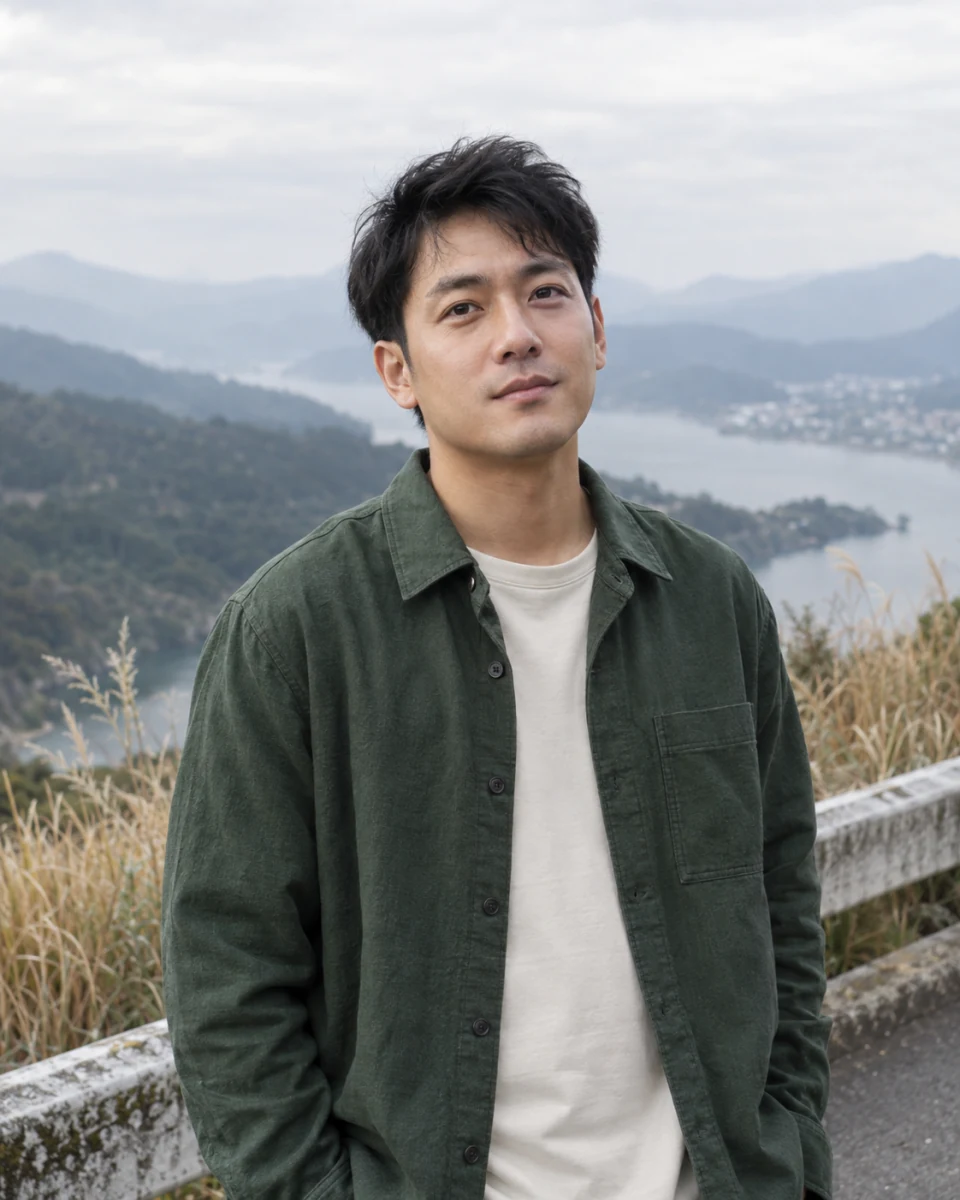
Before
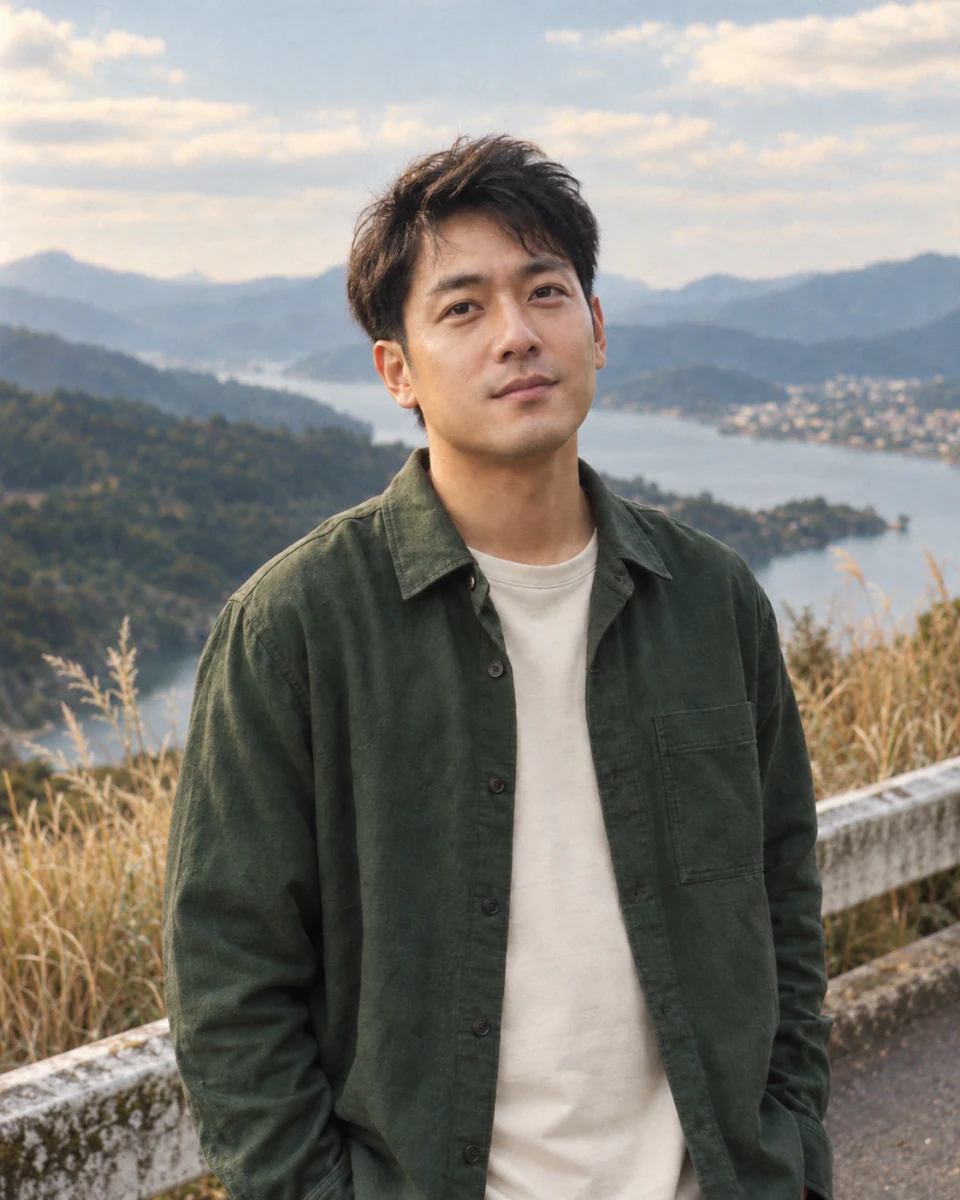
After
90s Film Portrait
Warmer color, lifted shadows, and fine film grain change the look of an outdoor portrait while keeping the same setting.
Edit my selfie into a soft 1990s film portrait. Keep the existing framing and background. Give the photo warm highlights, gently faded greens, lifted shadows and fine film grain. Keep my face shape, eyes, nose, jawline, skin tone, apparent age and natural skin texture from the uploaded selfie. Make one vertical 3:4 portrait with my face clearly visible.
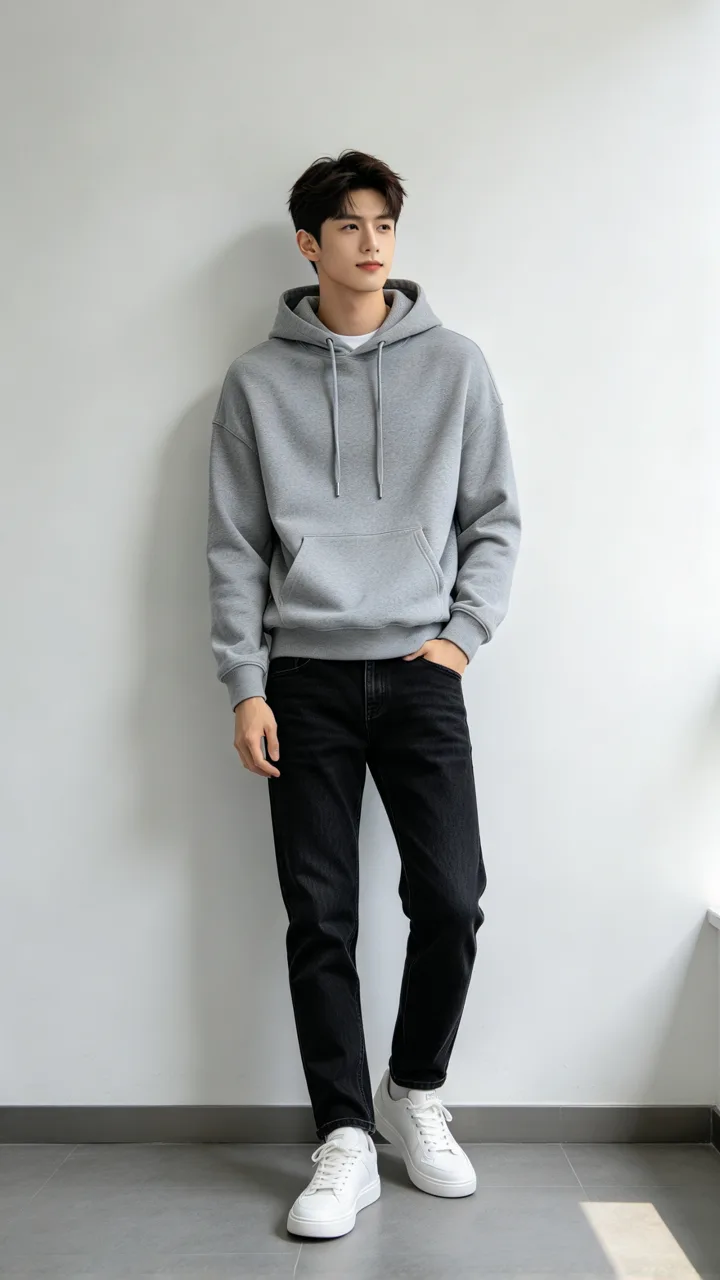
Before
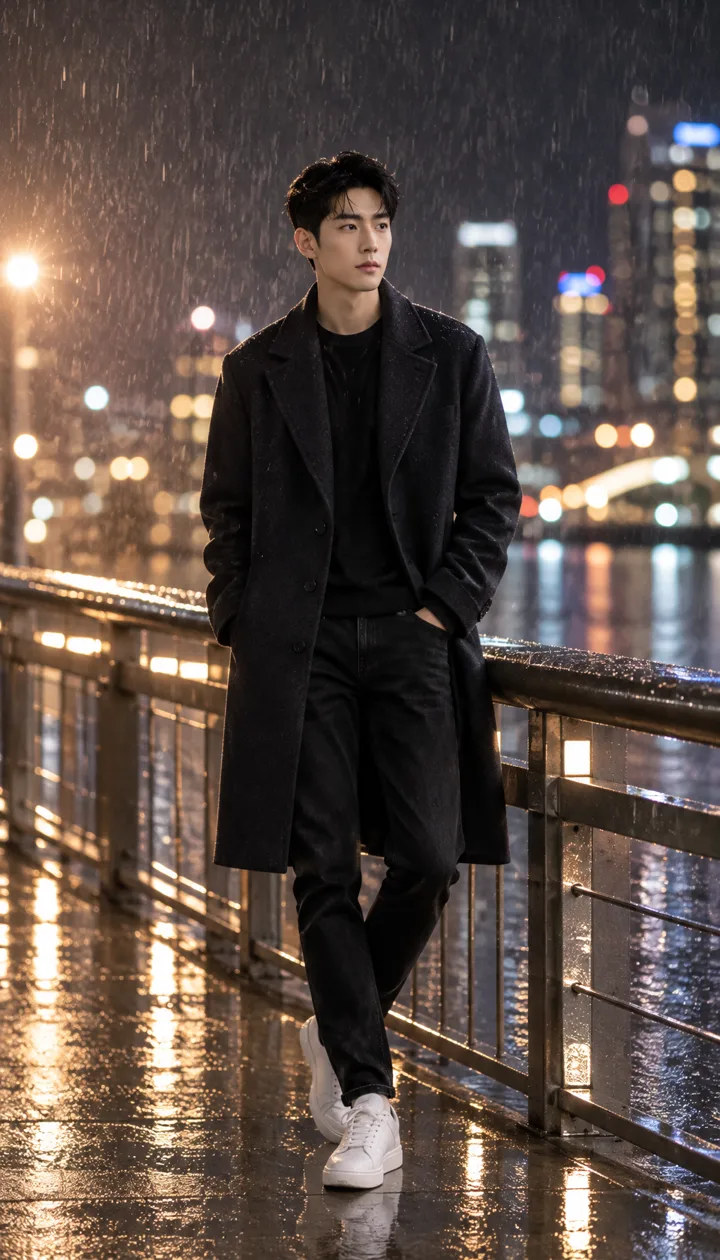
After
Black Outfit at Night
A gray hoodie and plain wall give way to a black coat, warm streetlights, and rain reflections on a city bridge.
Edit my selfie into a cinematic portrait in a black overcoat on a wet city bridge at night. Light my face from one side with warm street light. Keep detail in the shadows and blur the distant lights. Keep my face shape, eyes, nose, jawline, skin tone, apparent age and natural skin texture from the uploaded selfie. Make one vertical 3:4 portrait with my face clearly visible.
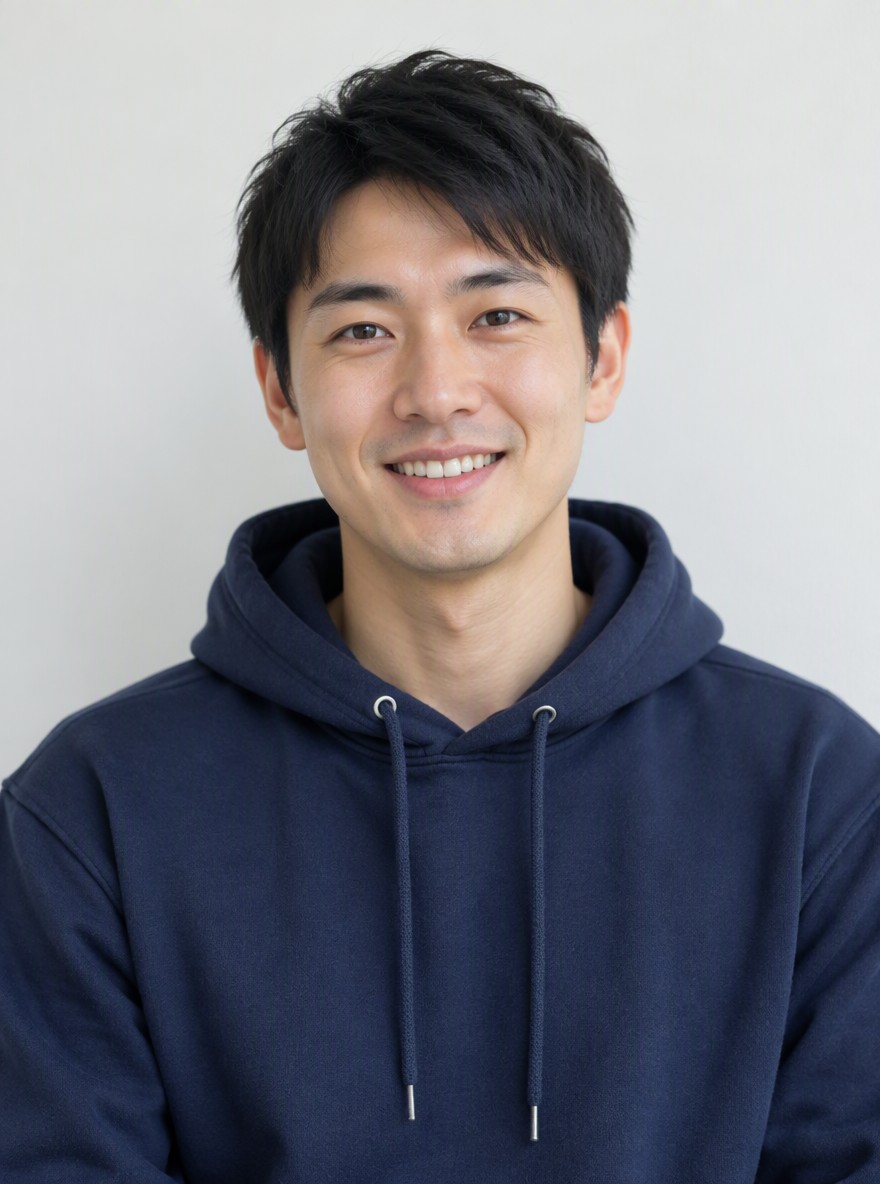
Before
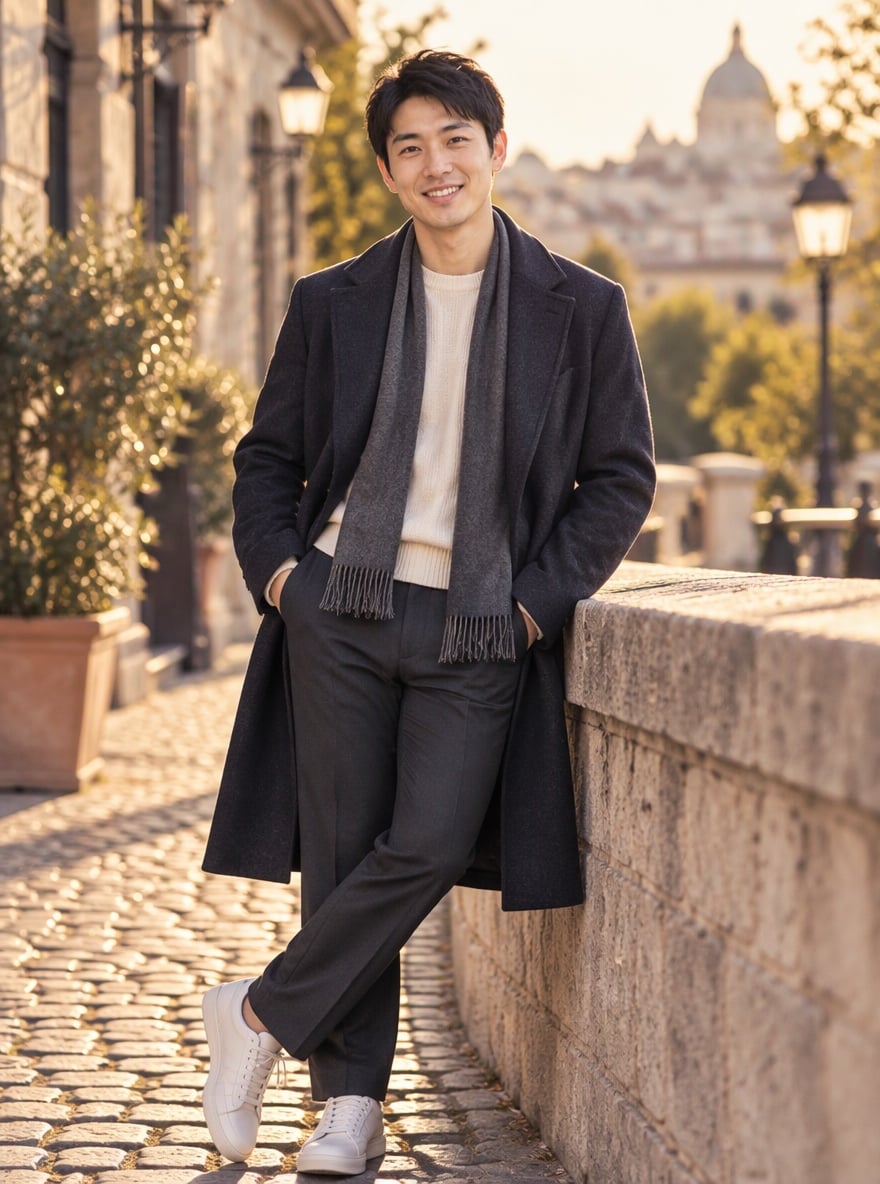
After
City Street Editorial
A hoodie headshot becomes a full-length fashion portrait with a dark coat, stone architecture, and warm daylight.
Edit my selfie into a candid streetwear portrait in a dark wool coat. Place me on a sunlit city terrace overlooking old rooftops. Use a relaxed leaning pose and keep the colors soft. Keep my face shape, eyes, nose, jawline, skin tone, apparent age and natural skin texture from the uploaded selfie. Make one vertical 3:4 portrait with my face clearly visible.
How do you use copy-paste Gemini prompts for boys?
Copy-paste Gemini prompts for boys work in an image-enabled Gemini or ChatGPT chat when you attach a selfie with the prompt. Start with a clear front-facing photo and keep the sentence that asks the editor to preserve your eyes, nose, jawline and skin tone. Ask for a chest-up composition with space around the face if you plan to crop a profile picture.
What goes in a 90s or attitude photo prompt for boys?
A 90s photo prompt for boys can ask for soft light, muted color and a thin layer of film grain on natural skin texture. For an attitude portrait, specify a black jacket, a three-quarter stance and light from one side so the shadows give the outfit shape. In both cases describe the framing and the features you want the edit to preserve.
Can you make a trending boy photo for free?
Prompt for Boys charges at least 5 credits to generate a portrait. The before-and-after photos and copyable prompts are free to access without signing in. Eligible accounts get 1 signup credit toward the 5-credit minimum. The $5 one-time Trial Pack contains 10 credits and covers a Fast edit for eligible buyers. Saving a finished PNG costs no additional credits.
Portrait pricing and credits
A Fast portrait costs 5 credits, equivalent to $2.50 at the Trial Pack rate. The $5 one-time Trial Pack contains 10 credits and covers a Fast edit for eligible buyers. HD, Ultra and Studio require an active subscription or eligible paid credits. The image quality determines the credit cost, so you pay the same for a preset or a custom style in the same tier.
| Quality | PNG size | Credits | At the Trial Pack rate |
|---|---|---|---|
| Fast | 768 × 1024 | 5 | $2.50 |
| HD | 1536 × 2048 | 7 | $3.50 |
| Ultra HD | 2480 × 3312 | 8 | $4.00 |
| Studio | 1536 × 2048 | 9 | $4.50 |
| Option | Details |
|---|---|
| Free access | Browse examples and copy prompts. Eligible accounts get 1 signup credit toward the 5-credit minimum. |
| Starting from zero | The $5 one-time Trial Pack contains 10 credits and covers a Fast edit for eligible buyers. |
| Output | One 3:4 PNG per edit. No separate download fee. |
| Watermark | The site adds no visible watermark to downloads. |
See pricing for subscriptions and credit packs.
Limits of AI selfie edits
The editor is designed for one person in one still portrait. Even with clear identity instructions, the image model can shift facial details, skin texture, hands or the camera angle. Inspect those details before posting. Use even light and a clear, unobstructed face, especially when you want dark shadows in the edited portrait.
For a wider selection of era presets, try the 90s Photo Generator.
Prompt for boys FAQ
Can I make a boys photo edit on my phone?
Yes. Open this page in a mobile browser, upload a photo from your camera roll and sign in to generate. Save the finished PNG to your phone. You can use the editor without installing an app.
Will the photo fit an Instagram DP?
The editor saves a vertical 3:4 PNG. To use it as an Instagram profile picture, crop a square around the face and leave space around the hair and chin for the circular display.
Do I need to upload a second photo for a custom style?
One selfie and a written description are enough. You can add a second photo in Custom to indicate lighting, clothes or color. The editor uses the first selfie for the person’s identity.
Who can open photos I upload?
The uploaded photo goes to a hosted image model for processing. Preview and download in the app check that the account owns the result. Anyone who obtains a direct storage link could open the file. Upload only photos you have permission to use.