
Make a collectible portrait of yourself or a pet from one photo, with a clear blister pack or collector box and up to three accessories. Sign in to generate one vertical 3:4 PNG at up to 2480 × 3312 pixels. Fast costs 5 credits, and downloads carry no site watermark. New accounts receive 1 signup credit. Packs start at $5 for 10 credits.
How to make a boxed action figure from a photo
Upload one clear photo of a person or pet. Choose Blister Pack or Display Box, then add a short package name or up to three miniature props if you want them. Choose the image quality, confirm permission to use the photo, then sign in to generate and download your PNG.
Choose one clear photo
Use a well-lit picture that shows the face. Include the whole subject if the figure should keep a specific outfit, body shape or pose.
Set the packaging and accessories
Pick a preset, or choose Custom and write a description. Add a short name and describe up to three small objects for the package.
Generate and save the image
Check the quality and credit total, confirm permission, and sign in to create your figure. Inspect the face and label, then download one PNG.
Action figure before-and-after examples
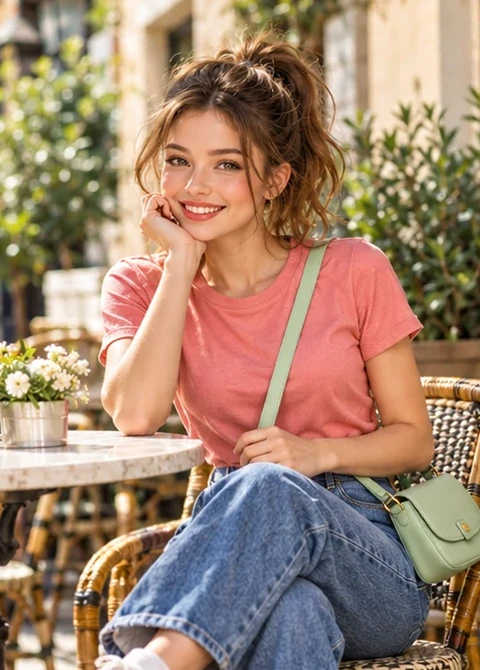
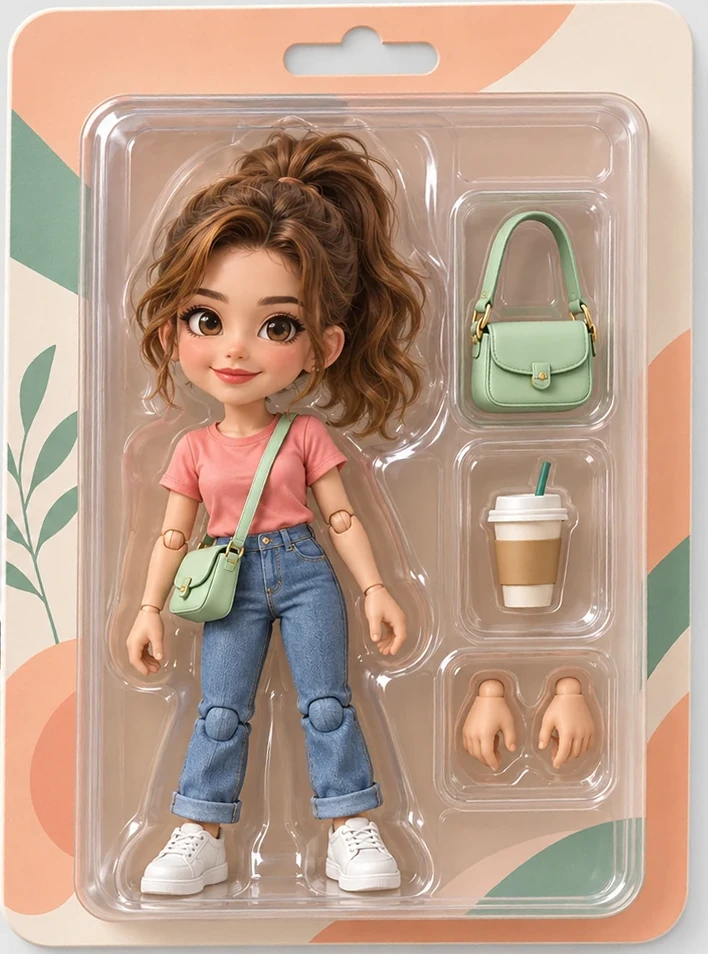
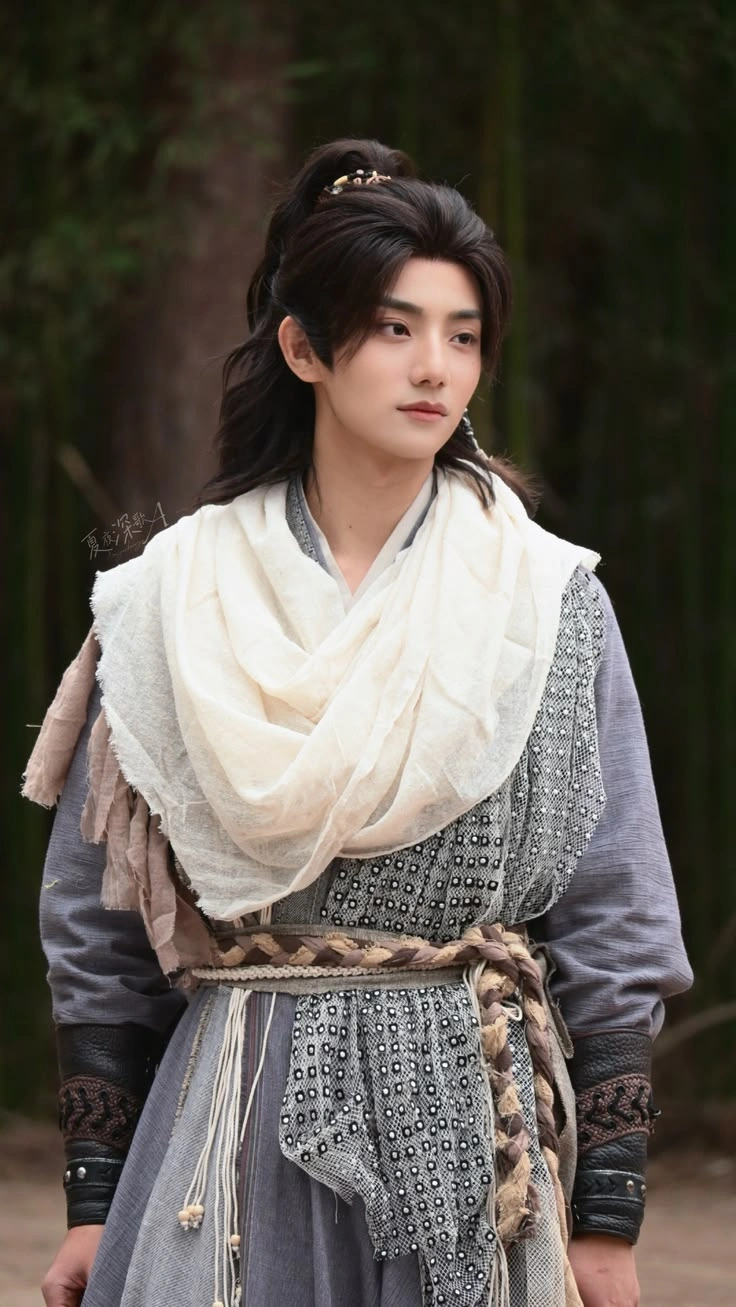
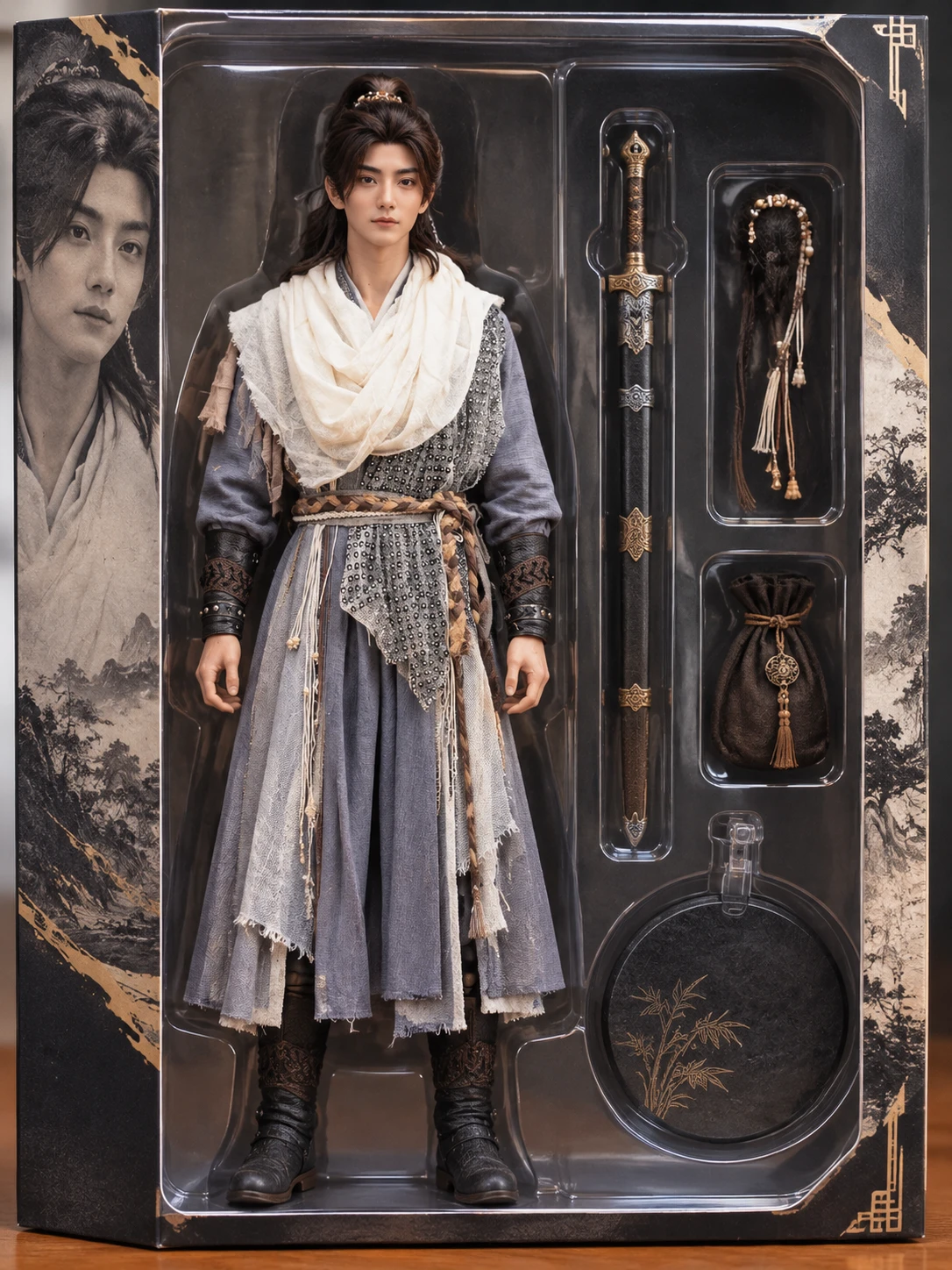
Compare each original photo with a boxed collectible portrait. Look at how the toy treatment changes the surface, pose and surroundings while carrying details such as hair, face shape or clothing into the figure. Packaging and miniature accessories can make each character easier to recognize.
Examples preserve the framing of each photo and box. New images use a vertical 3:4 frame.
Reference photo
Boxed figure
Café portrait
A coral shirt and green handbag carry from the café photo into the clear blister pack.
Reference photo
Boxed figure
Fantasy costume
A cream scarf and layered costume carry into a figure displayed upright, with accessories alongside it.
Reference photo
Boxed figure
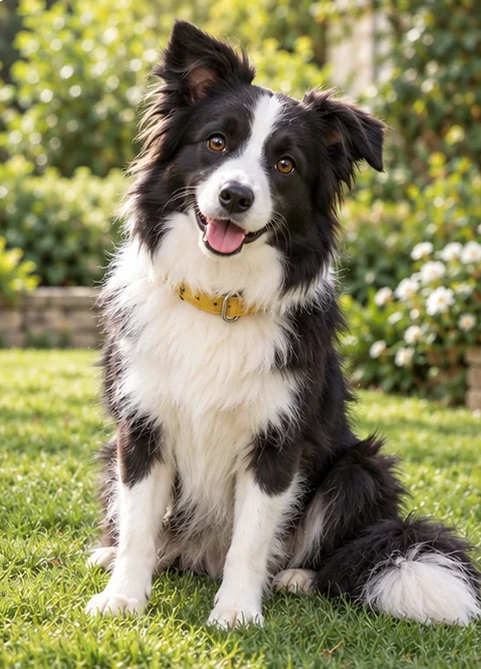
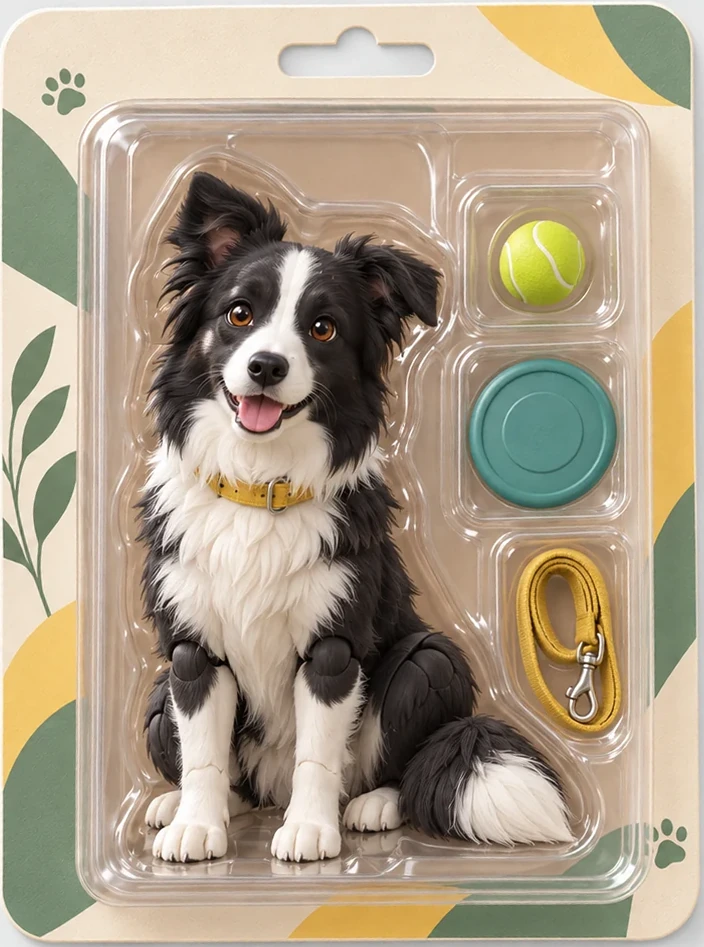
Border Collie
The dog’s white ruff and dark ears remain recognizable, with a tennis ball and other miniature pet gear beside it.
How can I make an AI action figure that looks like me?
Use a single sharp reference photo in which your face is evenly lit and unobstructed. A photo that also shows your outfit helps the generator carry it into a full-body figure. If a detail matters, such as rectangular glasses or a striped shirt, name that detail in the Custom description and compare the result with the original before sharing.
What can I customize with this AI toy generator?
A blister pack uses clear molded plastic around the figure and props on a backing card. A display box puts the figure behind a clear window in a framed carton. Add a short name for the front and up to three accessories, such as a camera, notebook and headphones. Custom lets you describe the packaging and optionally add a style image.
Can I use this AI action figure generator for free?
Creating an action figure on this page costs at least 5 credits. You can view the examples and choose settings for free. New accounts receive 1 signup credit, short of one Fast image. The $5 one-time Trial Pack includes 10 credits. Downloading a finished PNG uses no extra credits and adds no site watermark.
AI action figure pricing and credits
One action figure image uses 5–9 credits, depending on the quality. That is about $2.50–$4.50 per PNG using the $5 Trial Pack with 10 credits. From a zero balance, the smallest purchase is that $5 pack. HD, Ultra HD and Studio require an active subscription or eligible paid credits.
| Access or quality | Output | Cost or allowance | Site watermark |
|---|---|---|---|
| View examples | Gallery | Free · no account | — |
| Signup allowance | Account credits | 1 signup credit · below Fast price | — |
| Fast | 768 × 1024 PNG | 5 credits · $2.50 | None |
| HD | 1536 × 2048 PNG | 7 credits · $3.50 | None |
| Ultra HD | 2480 × 3312 PNG | 8 credits · $4.00 | None |
| Studio | 1536 × 2048 PNG, high detail | 9 credits · $4.50 | None |
Action figure generator output limits
Each run delivers one still PNG for sharing or visualizing a packaging idea. Use the PNG as a visual reference if you need a printable 3D model, animation, dieline or physical figure. AI can misspell names, misplace small accessories or change fine details. Keep label text short and check the complete image before publishing it or sending it to a printer.
Boxed action figure FAQ
To make a matching set for several people or pets, create a separate image for each subject and reuse the same box style. Similar lighting and framing in your photos help the images look coherent side by side. Choose different names or props to make each package easy to distinguish.
Do I need an app to make an AI action figure on my phone?
No app is needed. Open this page in your phone browser to upload your photo, create the image and download the PNG.
Can I turn a pet photo into an action figure?
Yes. Upload a clear photo of one pet and add props if you like, such as a favorite toy or a collar. Use a photo that shows distinctive markings.
Which photo files can I upload?
Upload JPG, PNG or WebP files up to 10 MB each, with 128 to 2048 pixels per side. Convert HEIC photos first.
Who can access my uploaded photo and generated image?
Your account gives you access to preview and download. Anyone who obtains an unlisted direct storage link can open that file. Share those links only with people you intend to give access to.
Can I use a photo of a friend?
Use a photo you have the right to upload and get the person’s permission before generating or sharing an image of their likeness.