
Genshin OC Maker helps you design a fan character for a drawing, story or avatar. Pick an element and weapon or describe your own design, then download one vertical 3:4 PNG from 768 × 1024 with no added visible site watermark. You can browse the examples for free. Generation requires signing in and starts at 5 credits.
How to make a Genshin Impact OC
Genshin OC Maker lets you start from a preset and choose an element and weapon that fit your character. For more control over clothing, hair, presentation or region, select Custom and describe the look. You can attach a drawing as a reference, choose an image quality and download the finished character as a PNG.
1. Pick a starting design
Try Wind mage, Tide mage or Ember guard. Change the element and weapon independently, or use Custom to describe your own design.
2. Add a reference if you have one
Upload a sketch or portrait you have permission to use. In Custom, you can also add an image to suggest a palette, costume or setting.
3. Choose a size and generate
Choose Fast, HD, Ultra or Studio. Sign in, generate one image and download the PNG from your result.
Genshin OC design examples
Use the illustrations below to decide what belongs in your character brief. Look for a silhouette you can recognize at a glance, a palette that echoes the element and a single accessory that tells a story. The tool produces a vertical 3:4 image. A short description can give the model a similar starting point.
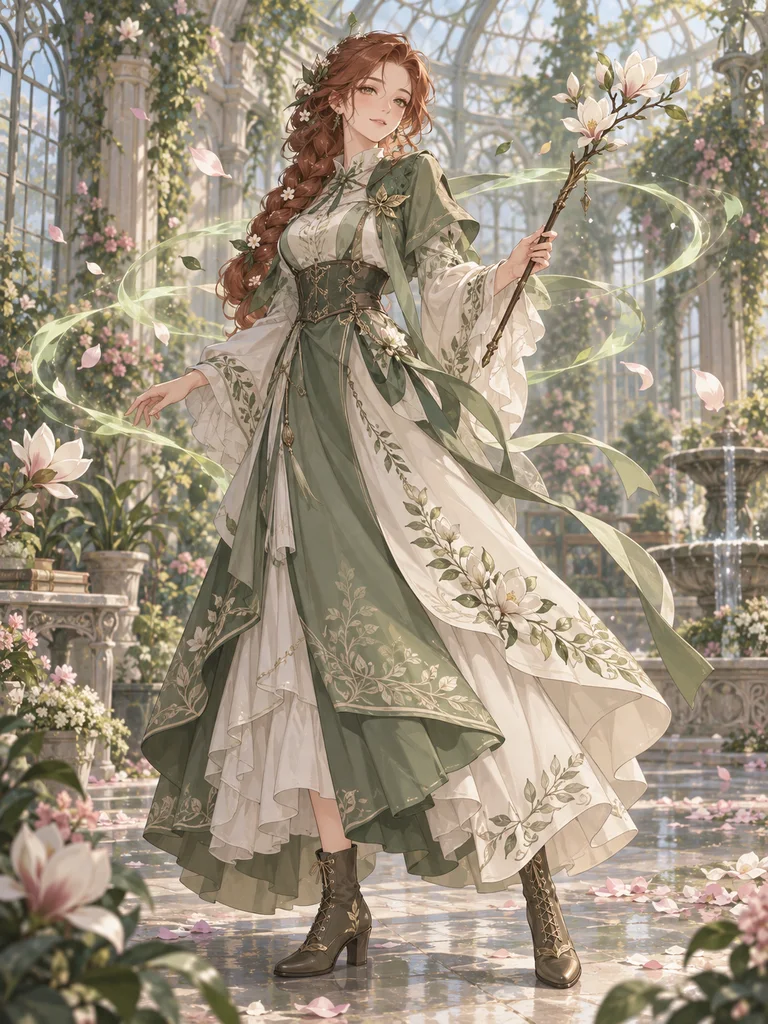
Greenhouse guardian
Brief Auburn braid, layered sage and cream dress with botanical embroidery, magnolia wand and a greenhouse with floating petals.
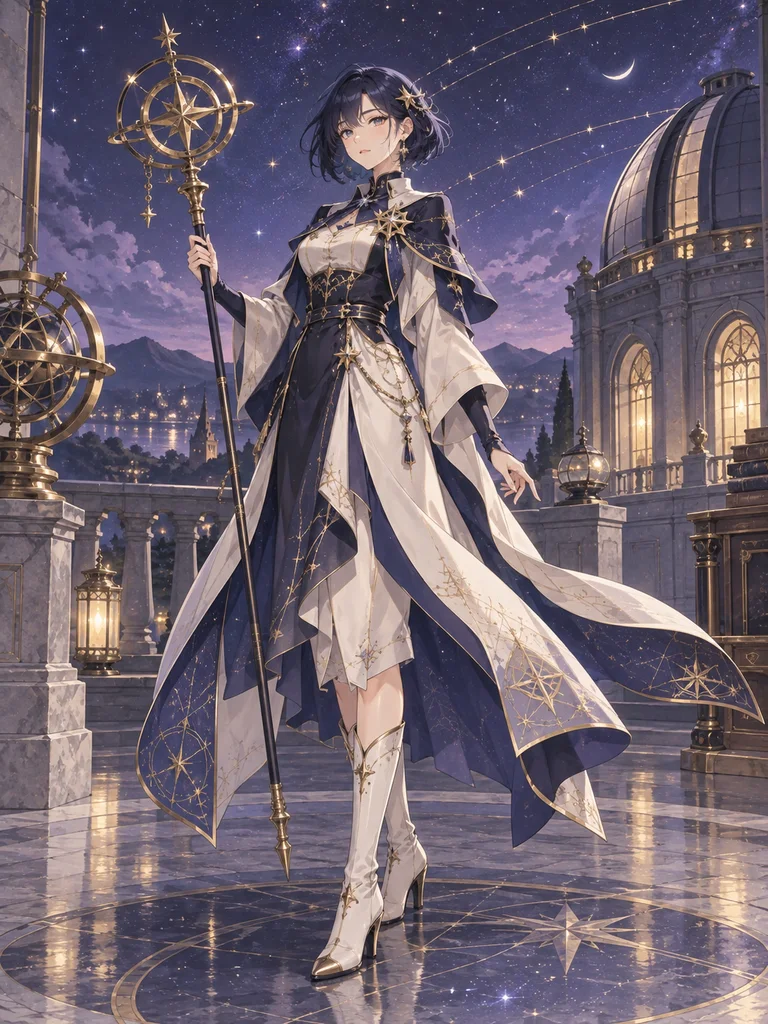
Observatory mage
Brief Midnight-blue bob, long indigo and ivory coat tails, brass compass staff and an observatory terrace under a lavender night sky.
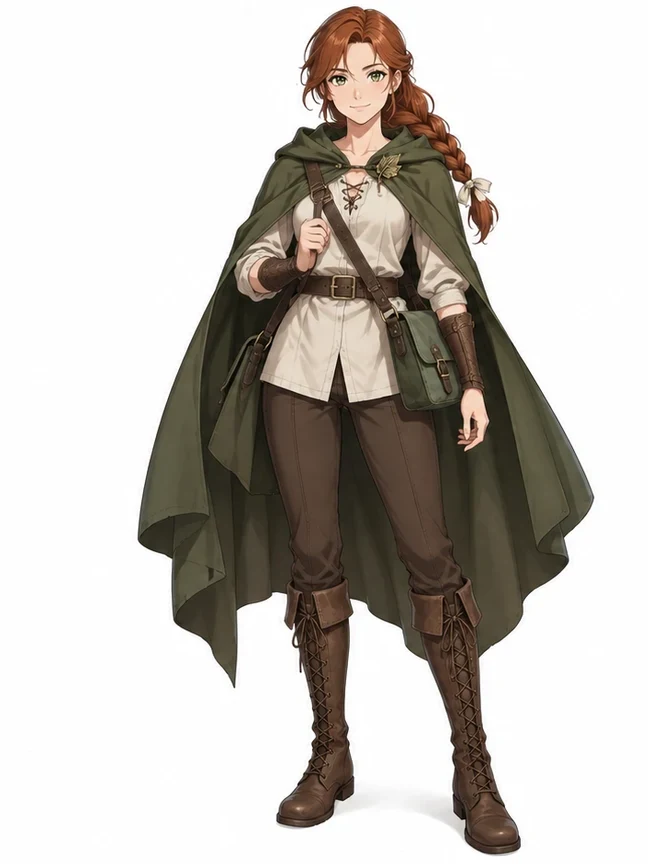
Forest ranger
Brief Auburn braid, olive hooded travel cloak, knee-high lace-up boots, forest-green satchel and a small brass leaf brooch.
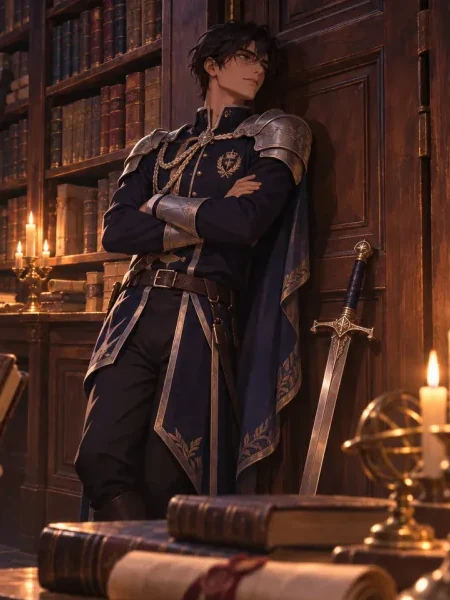
Lanternlit guard
Brief Dark-haired guard in navy and silver, sword within reach, leaning against the door of a candlelit royal archive.
How do I make a full-body Genshin OC?
Genshin OC Maker uses a vertical layout with space for a head-to-toe character. In Custom, name the presentation, outfit and weapon, then ask for a head-to-toe view with both boots and the whole weapon inside the frame. A standing pose on a plain background gives the costume and silhouette room to read.
For example, describe a masculine Cryo courier in a long slate coat, with boots and an ice-blue claymore. Keep the pose simple if the weapon is the most important detail.
Can I use a Picrew OC or a sketch as a reference?
Genshin OC Maker can use your own sketch or a Picrew image you have permission to reuse. Describe which parts matter most. The artwork can guide hair color, clothing shapes and palette. Picrew-style editors give you precise control over individual parts. The AI maker redraws the design as one new illustration, so linework and details may shift.
Is this Genshin OC maker free?
Genshin OC Maker charges at least 5 credits to generate a character. Eligible new accounts receive 1 signup credit. You can browse the examples and choose settings for free. Sign in to generate. At the one-time pack rate, a Fast image costs the equivalent of $2.50, with a PNG download included.
Genshin OC maker pricing and credits
Every generation uses credits for one 3:4 PNG. The one-time trial pack costs $5 for 10 credits, so a 5-credit Fast image uses $2.50 worth of that pack. HD, Ultra and Studio require an active subscription or eligible paid credits. Check the amount beside Generate before starting.
| Quality | Pixels | Credits | Pack-rate equivalent |
|---|---|---|---|
| Fast | 768 × 1024 | 5 | $2.50 |
| HD | 1536 × 2048 | 7 | $3.50 |
| Ultra | 2480 × 3312 | 8 | $4.00 |
| Studio (high detail) | 1536 × 2048 | 9 | $4.50 |
| Feature | Details |
|---|---|
| Free use | Browse examples and choose settings. Eligible new accounts receive 1 signup credit. |
| Account | Sign in to generate and download your result. |
| Image format | One vertical 3:4 PNG with an opaque background. |
| Watermark | The site adds no visible watermark. |
| Tool | Free use | Paid options | Watermark | Output |
|---|---|---|---|---|
| Consistent Character AI | Browse examples | $5 for 10 credits | No added visible site watermark | One 3:4 PNG |
| The OC Maker | 1 image per day as a guest, 3 per day with a free account | $4.99 for 100 images (about $0.05 each) | Small corner mark on free daily images | Full-body character image |
| PixAI | Daily credits advertised | Price varies by model and settings | Undisclosed on tool page | AI image in several aspect ratios |
Checked 2026-11-27 on each service’s public pages.
What the Genshin OC maker can generate
The generator makes one original fan-character illustration at a time. Treat the image as concept art. Check hands, weapon shape, costume seams and framing before sharing, especially when you need the same design across panels. The PNG has an opaque background. The tool does not export game assets, 3D models, transparent layers or a reusable set of poses.
If you need front, side and back views after you settle on a look, use the Anime Reference Sheet Generator.
Genshin OC maker FAQ
What does Genshin OC mean?
OC stands for original character. A Genshin OC is a character a fan invents around inspirations such as an element, a region or a fighting style.
Is this an official Genshin Impact character creator?
No. It is an unofficial fan tool for creating original fantasy character art. HoYoverse does not operate or endorse it.
Does the Genshin OC maker work on mobile?
Yes. Open it in a mobile browser, choose your settings, and attach an image from your device if you want. You can save the PNG to your device after signing in and generating.
Can I make a chibi Genshin OC?
Yes. Choose Custom and describe chibi proportions, such as an oversized head, short limbs and simplified clothes. The tool still requests one head-to-toe character in a vertical 3:4 frame.