
AI Baby Photoshoot from Consistent Character AI is for parents who want newborn, milestone, birthday or holiday portraits without booking a studio. You upload one baby photo, pick a theme and get one still PNG in 3:4, 4:3 or 1:1, up to 3312 pixels, with no added site watermark. It is not free: one portrait costs 5–9 credits, and a Fast one is $2.50 at the $5 for 10 credits trial rate. Likeness to your baby is not guaranteed.
How the AI baby photoshoot works
The AI baby photoshoot works from one photo you already took. Pick a theme and a frame, check the credit quote under the button, then generate. The prompt asks the model to keep your baby’s face, age, skin tone and hair while it replaces the set, outfit, props and light; results vary with the photo, so compare the portrait with your original before you download.
1. Upload one baby photo
Choose a JPG, PNG or WebP up to 10 MB and 2048 pixels per side, with one baby and the face clearly visible. A sharp, well-lit photo gives the model more to work from.
2. Pick a theme and a frame
Select Cream studio, 1st birthday or Christmas, or choose Custom and describe the set, outfit and props. Then choose a 3:4, 4:3 or 1:1 frame.
3. Generate and download
Choose a quality, confirm you are the parent or guardian or have their permission, and sign in to generate. Open the portrait and download the PNG.
Baby photoshoot examples, before and after
These baby photoshoot examples pair an ordinary photo on the left with a studio-style version on the right: a play-mat snapshot turned into a cream studio portrait, a sofa photo turned into a number-one cake smash, a sleeping newborn placed in a Christmas gift box, and a playroom photo moved to a farm birthday set. The examples keep their original 3:2, 9:16 and 4:3 proportions; the tool itself returns 3:4, 4:3 or 1:1. Look at how the set, outfit and light change from one theme to the next.
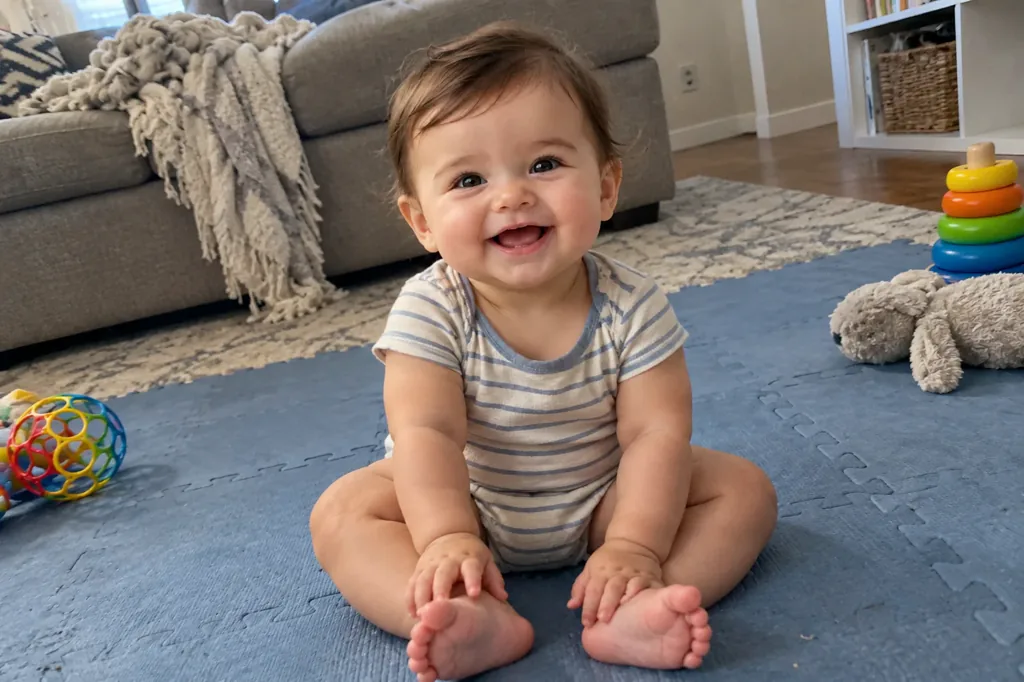
Before
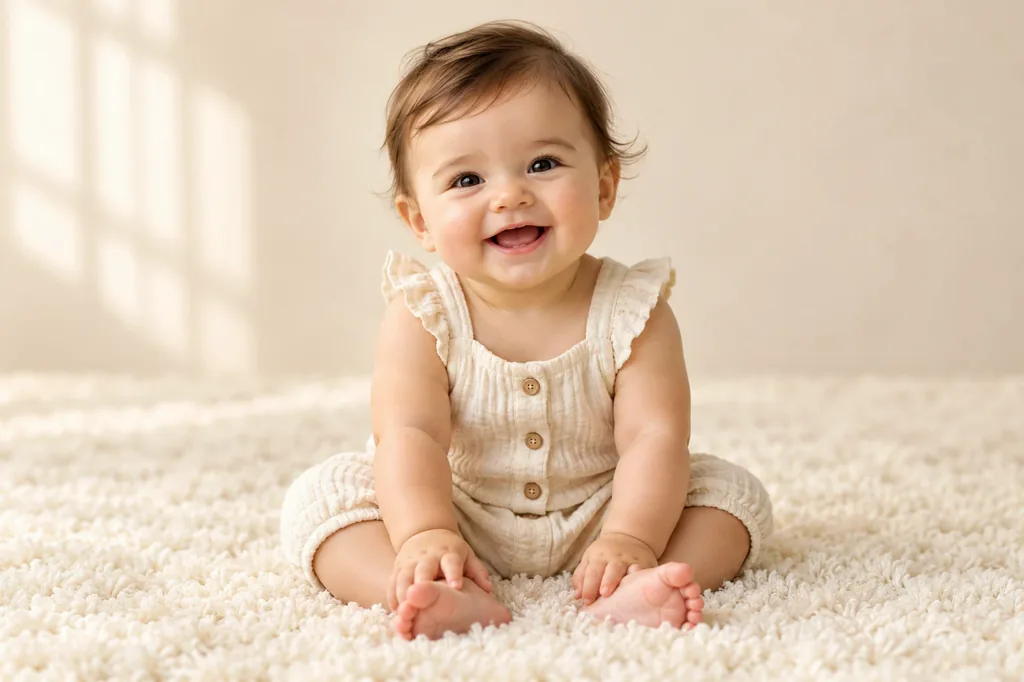
After
Living-room snapshot to cream studio portrait
A casual photo of a smiling baby on a play mat becomes a calm milestone portrait: cream backdrop, fluffy white rug, a linen romper and soft window light.
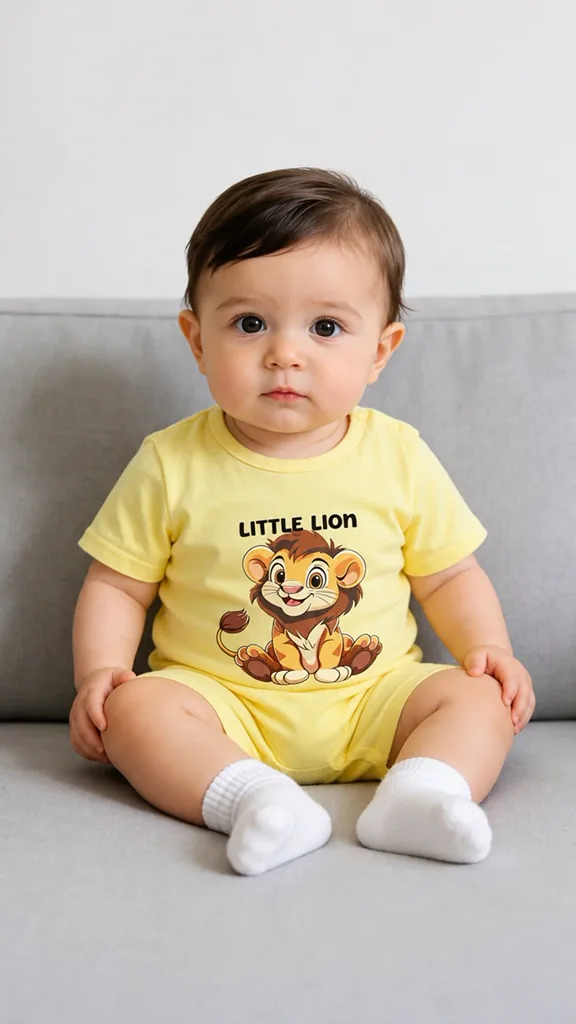
Before
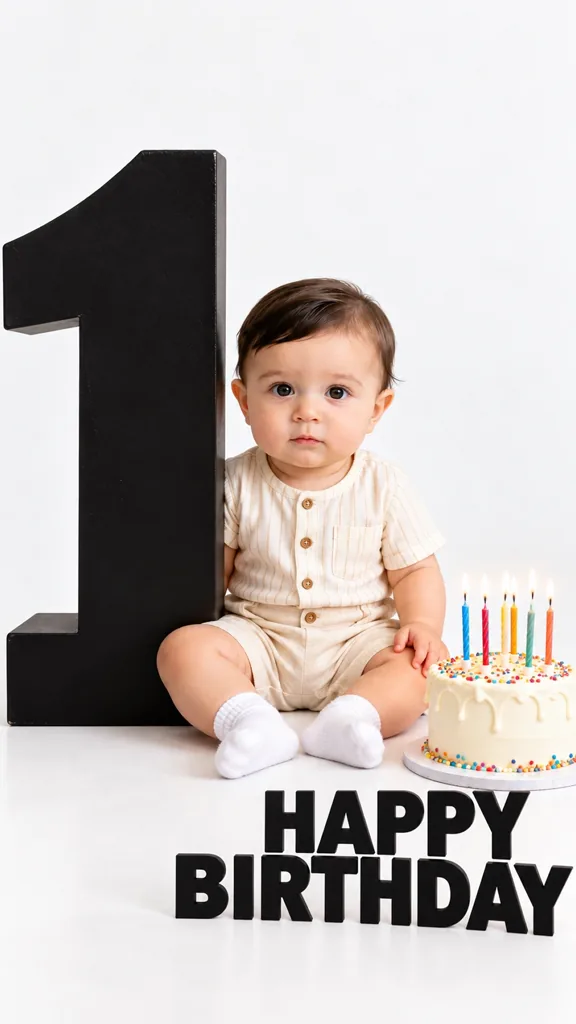
After
Sofa photo to number-one cake smash
A baby in a yellow lion T-shirt on a grey sofa is restyled for a first birthday: a giant black number one, black HAPPY BIRTHDAY letters, a sprinkle cake with candles and white studio light.
Before
After
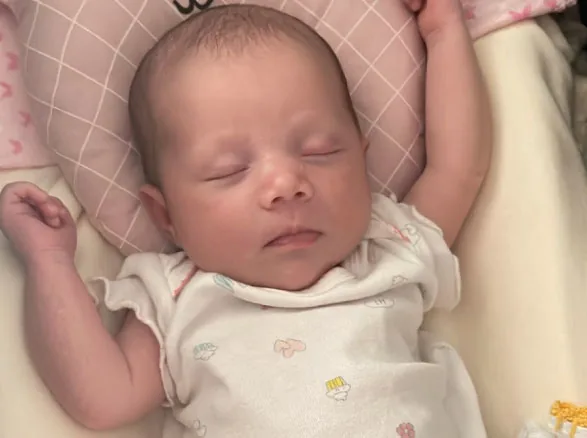
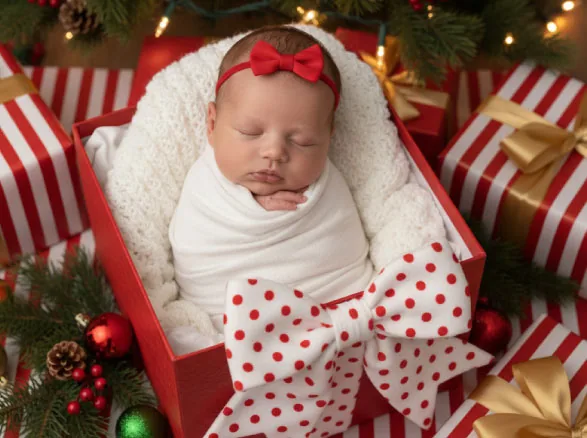
Sleeping newborn to Christmas gift box
A phone photo of a sleeping newborn in a onesie becomes a holiday portrait: swaddled in white inside a red gift box with a polka-dot bow, tree lights behind.
Before
After
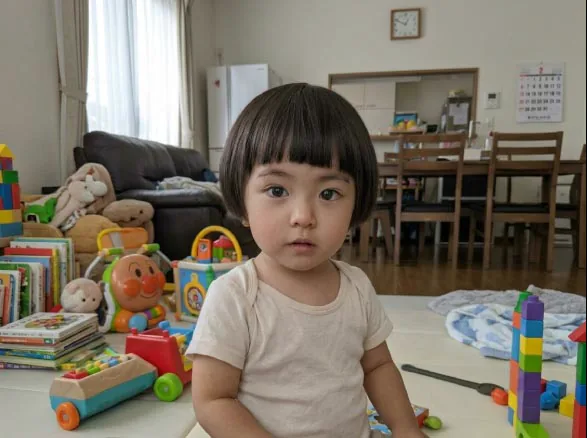
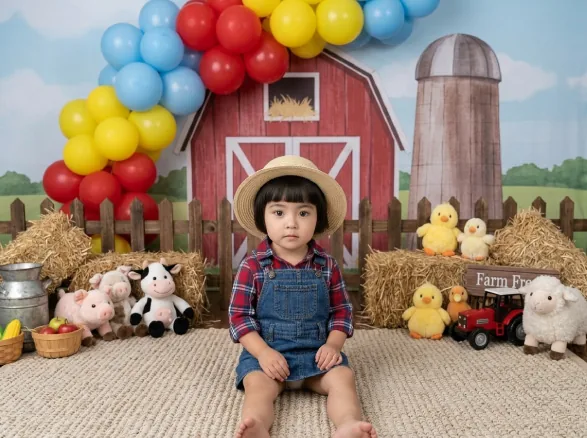
Playroom photo to farm birthday set
A toddler sitting among toys at home is placed in a barnyard birthday set with a red barn backdrop, a balloon arch, hay bales and plush farm animals.
Is this AI baby photoshoot free?
No, this AI baby photoshoot is not free: it needs sign-in and 5 credits for one Fast PNG, which is $2.50 at the one-time trial rate. Eligible new accounts get 1 credit. A Fast portrait needs 5 credits, so the signup credit does not cover one. The smallest purchase is the trial pack at $5 for 10 credits, enough for 2 Fast portraits. Browsing the examples and themes costs nothing, and downloads carry no added site watermark.
A full first-year set of 12 monthly milestone portraits at Fast quality uses 60 credits. Credits are charged once per generated portrait; if the image provider fails before it delivers a result, the credits are returned.
Do I need an AI baby photoshoot app?
No, the AI baby photoshoot does not need an app: it runs online in Safari, Chrome or another mobile browser on iPhone or Android, and on a desktop computer. Pick a photo from your camera roll, generate, and tap Download to save the PNG. On iPhone the file lands in Files, where Share and Save Image copies it to Photos. Convert HEIC photos to JPEG first and keep each side under 2048 pixels.
What AI baby photoshoot ideas can I try at home?
The AI baby photoshoot ideas that suit a photo taken at home follow the classic studio sessions: a newborn wrapped and sleeping in a basket or gift box, a calm cream backdrop for monthly milestones from 1 to 12 months, a first birthday set with balloons and a cake, and seasonal sets such as Christmas. Take the photo in daylight with the face visible, then pick the matching theme or describe your own.
For a boy or a girl, the themes stay the same and you change the outfit in Custom: a tiny knit suit and bow tie, a tulle skirt and flower crown, or overalls and a straw hat for a farm set. For a month-by-month album, keep one theme and one frame for every month so the set looks consistent, and write the month on the print or caption afterward; image models often misspell text inside a picture.
Can I make a Gemini AI baby photoshoot instead?
Yes, a Gemini AI baby photoshoot is possible: Google Gemini can restyle an uploaded baby photo from a written prompt. The difference here is that the themes, frame sizes and face-keeping instructions are already written, so you choose a set instead of drafting and re-running prompts, and each result comes back as one PNG in 3:4, 4:3 or 1:1.
If you write your own prompt for Gemini or ChatGPT, describe the set, outfit, props and light, and add a line such as “keep the baby’s face, age, eye shape, skin tone and hair exactly as in the photo; do not age up or beautify.” Avoid unsafe newborn poses and ask for natural skin texture. The same kind of description works in the Custom field above.
Baby photoshoot credits and PNG sizes
One baby photoshoot portrait costs 5–9 credits depending on quality, and the price is the same for every frame shape. Dollar amounts use the one-time $5 for 10 credits rate. Studio uses the model’s high-quality setting at 2K; Ultra HD uses the standard setting at the largest size (up to 3312 pixels), which suits larger prints. HD, Ultra HD and Studio require an active subscription or eligible paid credits.
| Quality | 3:4 | 4:3 | 1:1 | Credits (pack equivalent) |
|---|---|---|---|---|
| Fast | 768 × 1024 | 1024 × 768 | 1024 × 1024 | 5 ($2.50) |
| HD | 1536 × 2048 | 2048 × 1536 | 2048 × 2048 | 7 ($3.50) |
| Ultra HD | 2480 × 3312 | 3312 × 2480 | 2880 × 2880 | 8 ($4.00) |
| Studio | 1536 × 2048 | 2048 × 1536 | 2048 × 2048 | 9 ($4.50) |
| Feature | Details |
|---|---|
| Browse | Examples and themes are free to view without signing in. |
| Signup allowance | Eligible new accounts get 1 credit. A Fast portrait needs 5 credits, so the signup credit does not cover one. |
| Download | One PNG per generation. The download is included. |
| Watermark | No visible watermark added by this site. |
| Print size | Ultra HD (8 credits) returns 2480 × 3312 in 3:4. |
Where this baby photo editor falls short
This baby photo editor redraws one photo into one still portrait. The prompt asks the model to keep the same baby, but likeness is not guaranteed: a new face, older-looking features, changed hair, extra or merged fingers and plastic-looking skin can still appear, more often with blurry, dark, tilted or very small faces. Compare the result with your original before you download, and try a sharper photo if it does not look like your child.
The tool does not make video, cannot merge siblings or parents from separate photos into one scene, and cannot predict what a future baby will look like. Text such as a month number may come out misspelled.
For more newborn holiday sets, see Newborn Christmas Photos. To picture a future baby from two parents’ photos, use the AI Baby Generator. For a family Christmas card from a group photo, try the AI Christmas Photo Generator.
Baby photoshoot FAQ
Short answers to questions parents ask before they upload a photo.
Is this the same as an AI baby generator?
No. An AI baby generator predicts what a future child might look like from the parents’ photos. This tool starts from a real photo of your own baby and restyles the set, outfit and light around them.
Can I change only the background of a baby photo?
Not exactly. The model repaints the whole picture, so the outfit, pose and light can also change. To ask for a background change only, choose Custom and describe the new backdrop and “keep the same outfit and pose”; results vary with the photo.
Can I use it for a newborn, a toddler or twins?
You can upload a photo of a newborn, a baby or a toddler. Twins or siblings who already appear together in one photo can be uploaded together; the prompt asks the model to keep the same number of children, and results vary with the photo.
Who can see the baby photos I upload?
The site sends your photo to its image provider to make the portrait. The preview and download need your account, but anyone who has a direct storage link may be able to open the file. Uploaded photos are kept and not deleted automatically; email support to have them removed, as the privacy policy explains. Only upload photos of a child you are the parent or guardian of, or have permission to use.