
This glasses try-on is for shoppers comparing frames, people picking sunglasses, and sellers who want a frame shown on a face. Upload one front-facing photo and get a vertical 3:4 PNG from 768 × 1024 (Fast, 5 credits, $2.50 at the $5 for 10 credits rate) up to 2480 × 3312, with no added site watermark. Browsing the examples is free; generating needs credits.
How to virtual try on glasses online
To virtual try on glasses here, upload one clear selfie and choose the frames: a preset, a written description, or a product photo of the exact pair. The prompt asks the model to add only the glasses and keep the face, hair, clothes and background of the original; results vary with the photo, so compare the result with your selfie before deciding.
1. Upload a front-facing selfie
Use a sharp, evenly lit photo, looking straight at the camera with your face large in the frame. Take off any glasses you are wearing, or the model has to replace them.
2. Pick frames or describe your own
Choose Black, Metal or Sunglasses, or choose Custom and describe the shape, colour and lens tint. In Custom you can also add a product photo of the frames you found on another website.
3. Generate, compare and download
Choose a quality level, sign in and generate. Put the result next to your selfie, download the PNG, or try the next pair.
Glasses try-on examples: six faces, six pairs
Each card shows an original photo and the same photo wearing one pair of frames. Under each card is the frame description to start from; your own photo will give a different result.

Before

After
Everyday eyeglasses
Black rectangular frames
A bearded man at a desk, then the same selfie with black rectangular frames and clear lenses; the beard, T-shirt and shelves behind him match.
Frame description
Add classic black rectangular eyeglasses with a medium-thick matte frame and clear lenses, positioned over the eyes and nose bridge and following the head angle.

Before

After
Wire frames
Round thin metal frames
A balcony selfie of a blonde woman, then the same photo with light round wire frames that sit on the nose bridge.
Frame description
Add round thin metal glasses with clear lenses, sitting naturally on the nose bridge and ears, with realistic small reflections and soft shadows.
Before
After
Sunglasses
Tortoiseshell sunglasses
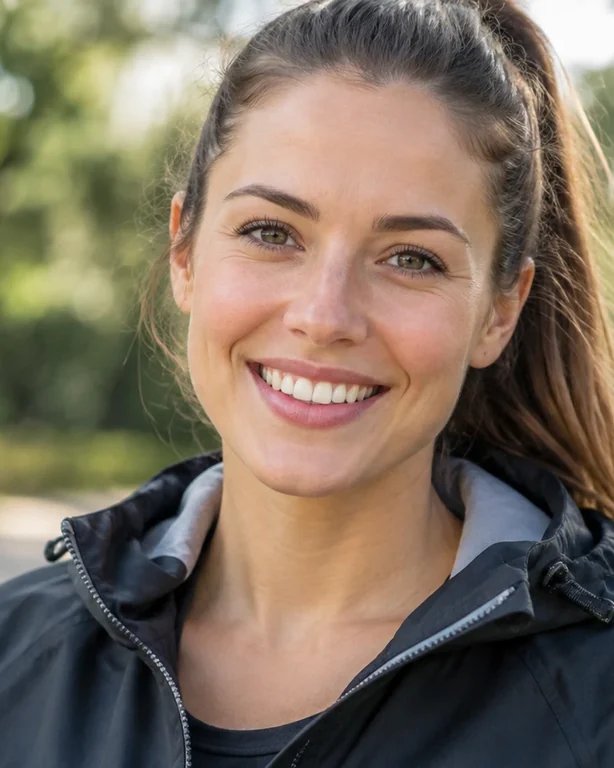
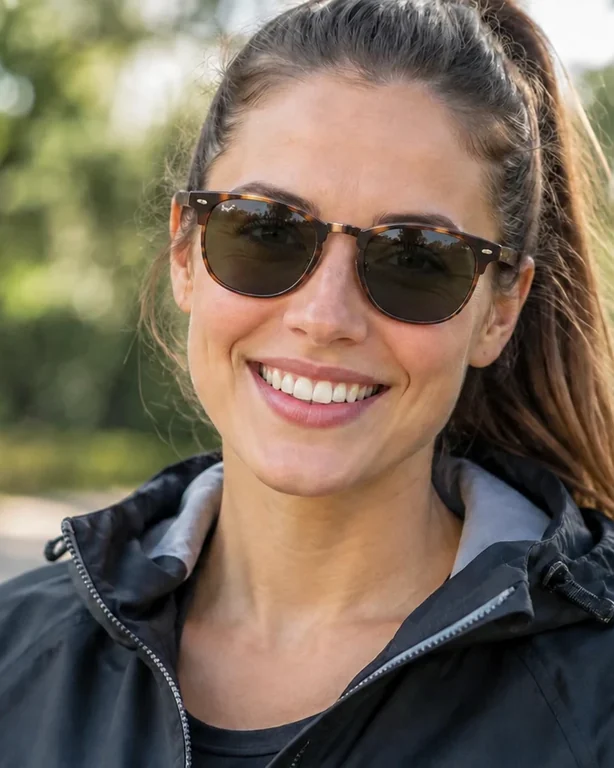
A smiling woman in a park, then the same photo with tortoiseshell sunglasses and dark lenses over her eyes.
Frame description
Add tortoiseshell sunglasses with dark brown tinted lenses and a glossy acetate frame, matching the original lighting, facial angle and perspective.

Before

After
Custom description
Round tortoiseshell eyeglasses
An office headshot, then the same headshot with round brown tortoiseshell eyeglasses.
Frame description
Round brown tortoiseshell acetate eyeglasses with clear lenses, medium thickness, sized to the face.

Before
After
Custom description
Gold browline sunglasses
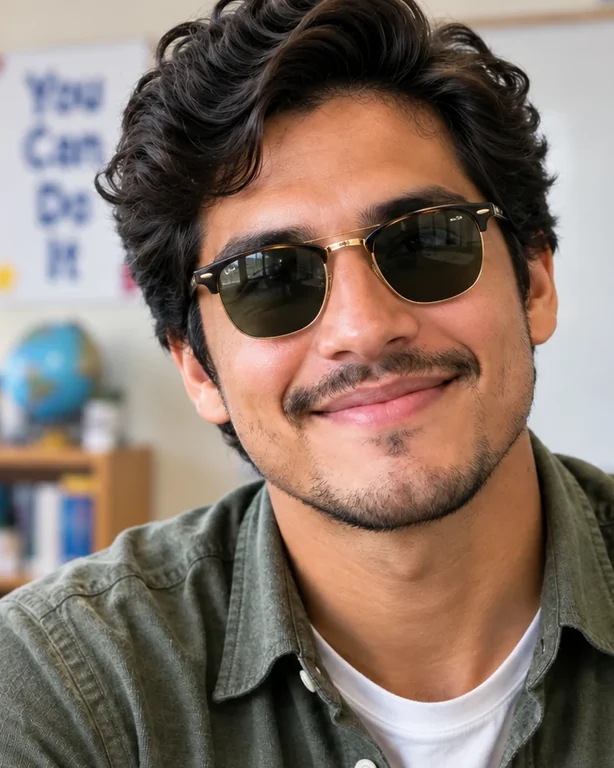
A classroom selfie, then the same selfie with gold metal browline sunglasses and dark green lenses.
Frame description
Gold metal browline sunglasses with a thin black brow bar and dark green tinted lenses.

Before
Frame photo

After
Your own frame photo
A frame from a product photo
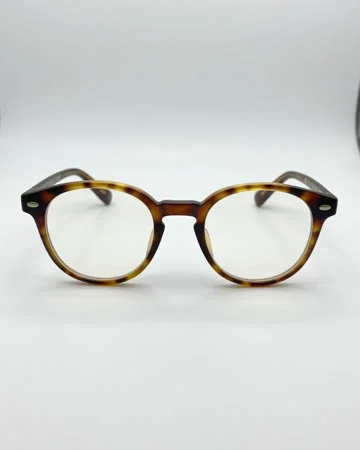
A selfie plus a product photo of round tortoiseshell frames; the result shows a matching pair on the same man.
Frame description
Put on the glasses from my frame photo, the same shape, colour and size.
Can I virtual try on glasses online for free?
No, this virtual try on glasses tool is not free to generate: each try-on photo costs 5–9 credits, more than the current 1 signup credit. The smallest purchase is the $5 for 10 credits trial pack, which pays for two Fast try-ons ($2.50 each). Browsing the examples and frame descriptions is free.
Other tools differ, as stated on their own pages on 2026-11-26: SandBase gives 10 free AI image runs a day without sign-up (30 with a free account); EaseMate lets you try the first pair without logging in; retailers such as Zenni and Warby Parker offer free try-on, but only for their own frames. The first row of the table is this site’s tool; it is not affiliated with any of the others.
| Tool | Free use | Frames you can try | Output |
|---|---|---|---|
| Consistent Character AI | 1 signup credit; one try-on needs 5 | Presets, any description or your own frame photo | 3:4 PNG, no added watermark |
| SandBase | 10 runs a day without sign-up, 30 with a free account | Frame styles typed in the prompt | AI image, no watermark |
| EaseMate | First pair without logging in, more credits after sign-up | Preset styles or an uploaded pair | AI image |
| Retailer try-on (Zenni, Warby Parker) | Free while browsing | Only that store’s frames | Live camera or photo preview |
How does virtual try on glasses work with a photo?
Virtual try on glasses with a photo works by having an image model redraw your selfie with the frames added: it reads where your eyes, nose bridge and ears are and paints the glasses in at that angle. Retailer try-on instead overlays a 3D model of their own frames on your live camera, which can show size more accurately but only for their catalogue.
Use an AI photo try-on to see any style, including a pair from another website, and to get a picture you can save or share. Use a store’s live try-on, or an in-store fitting, when you need the exact width and fit before ordering prescription lenses.
| Feature | AI photo try-on (this page) | Retailer AR try-on |
|---|---|---|
| Frames | Any style you describe or show | Only that store’s frames |
| Input | One uploaded selfie | Live camera or a photo |
| Size accuracy | Approximate; not measured | Closer, scaled to face width |
| Result | A saved PNG photo | A live preview or screenshot |
| Cost | 5–9 credits a photo | Free while shopping |
Is there a virtual try on glasses app I need to install?
No app is needed for this virtual try on glasses tool: it runs in Safari on iPhone, Chrome on Android and any desktop browser, and the PNG saves straight to your phone. Upload from the camera roll, choose the frames and download.
There is no live camera mode, so nothing asks for camera access. If you want a live mirror while shopping, the big eyewear retailers offer that inside their own apps and websites for their own frames.
Can I try on prescription glasses for my face shape this way?
Yes for the look, no for the fit: virtual try on glasses shows how a frame shape, colour and thickness look on your face, which helps compare round, rectangular or cat-eye frames for your face shape. It does not measure pupillary distance, frame width or your prescription.
Try two or three shapes on the same selfie and compare them side by side. Before ordering prescription glasses, check the frame measurements printed on the temple of a pair that fits you and the retailer’s size guide.
Glasses try-on pricing, credits and watermark
A glasses try-on costs 5–9 credits per photo ($2.50–$4.50 at the $5 for 10 credits pack rate), depending on the quality level. Studio uses the model’s high-detail setting at 1536 × 2048, so it costs more than Ultra HD despite fewer pixels.
| Quality | Pixels | Credits | Pack-rate equivalent |
|---|---|---|---|
| Fast | 768 × 1024 | 5 | $2.50 |
| HD | 1536 × 2048 | 7 | $3.50 |
| Ultra HD | 2480 × 3312 | 8 | $4.00 |
| Studio | 1536 × 2048 | 9 | $4.50 |
| Feature | Details |
|---|---|
| Free | Browse the examples and frame descriptions without signing in. |
| Signup allowance | Eligible new accounts get 1 signup credit. One Fast try-on needs 5 credits. |
| Generation | Sign in with enough credits. HD, Ultra and Studio require eligible paid access. |
| Download | One vertical 3:4 PNG per pair. No extra credits to download. |
| Watermark | No visible watermark added by this site. |
| Phone use | Runs in mobile and desktop browsers. No app to install. |
What this glasses try-on can’t do
This glasses try-on makes one still photo with one pair of glasses per request. It does not measure frame size or pupillary distance, show a live camera mirror, make a video, or try many pairs in one run. The model redraws the image, so the eyes, nose or jawline can come out slightly different, and a very angled selfie can give uneven lenses; check the result before you rely on it.
To take glasses off a photo instead, use Remove Glasses from Photo or, for sunglasses, the Sunglasses Remover; to try a new haircut, use the AI Hairstyle Changer; and to change the smile, hair or makeup on the same portrait, use the AI Face Editor.
Glasses try-on FAQ
Why does the virtual try-on look wrong, with floating glasses or a changed face?
Image models redraw the whole picture, so frames can sit off the nose or the face can drift even though the prompt asks for the glasses to rest on the nose bridge and for the face to stay the same. Use a straight-on, sharp selfie with no glasses on, keep your face large in the frame, and run it again if the likeness is off.
Can I try on glasses I found on another website?
Yes. Choose Custom, describe the pair in a sentence and add a clear product photo of the frames as the reference image. The prompt asks the model to copy that frame shape, colour and lens tint; small details such as hinges or logos may not match exactly.
Is it safe to upload my face photo?
Only upload a photo of yourself or an adult who agreed, and confirm the permission box. Photos and results are stored as unlisted files that the image provider reads, and anyone with a direct file link could open them, so avoid sensitive images. Downloads are available only to the account that made the image.
Can I use the try-on photos for a shop or social posts?
You can use images made from photos you have the rights to. If the frames belong to another brand, show them as your own look rather than as that brand’s official photo, and do not use another person’s face without consent. This tool is independent and not affiliated with any eyewear brand.