
Disney Filter is an independent photo-to-cartoon tool for making an avatar from a selfie or a portrait. It makes one vertical PNG from 768 × 1024 up to 2480 × 3312 with no added site watermark. Examples are free to browse, and a Fast image uses 5 credits ($2.50 at the trial pack rate).
How the Disney filter works
Upload one clear photo, choose a 3D portrait style and generate the image. Each preset tells the model how to redraw the lighting, shapes and colors while using the uploaded photo as the guide for the person and pose. When the result is ready, compare it with your photo and save the PNG.
1. Upload a photo
Choose a sharp JPG, PNG or WebP, up to 10 MB. For a selfie, use even light and leave a little space around the head and shoulders.
2. Choose the 3D cartoon look
Pick Classic, Pastel or Film. In Custom, describe the lighting and details you want and optionally add a picture as a style reference.
3. Generate and download
Choose a quality level, confirm you have permission to use the photos and sign in to generate. Check the likeness and save the vertical PNG.
Photo-to-Disney before and after examples
Compare each original photo with its 3D cartoon version to see how the eyes, skin texture and light change. Each pair is shown at its original aspect ratio. Your result uses a vertical 3:4 frame and will vary with the photo and style.
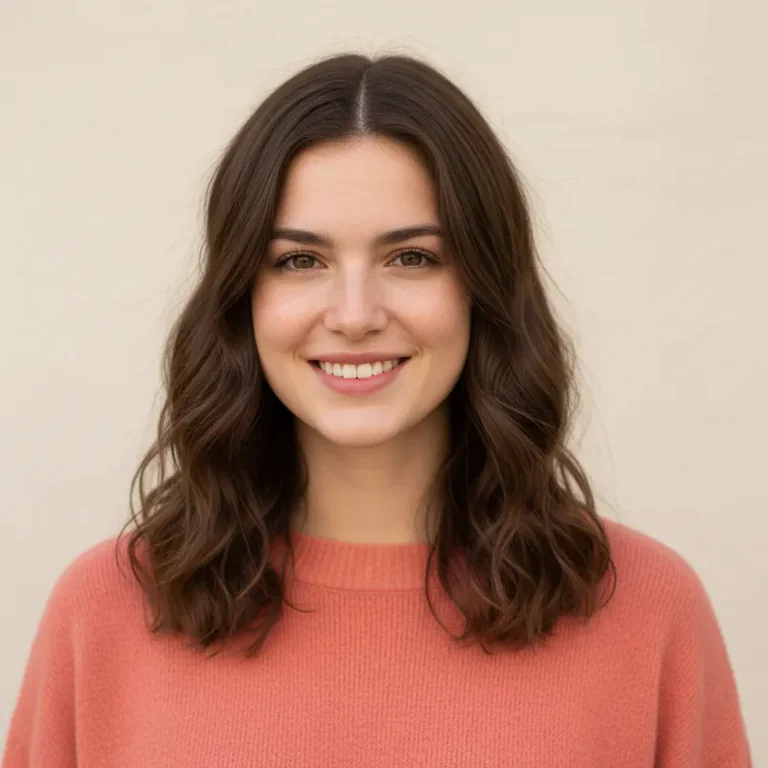
Original
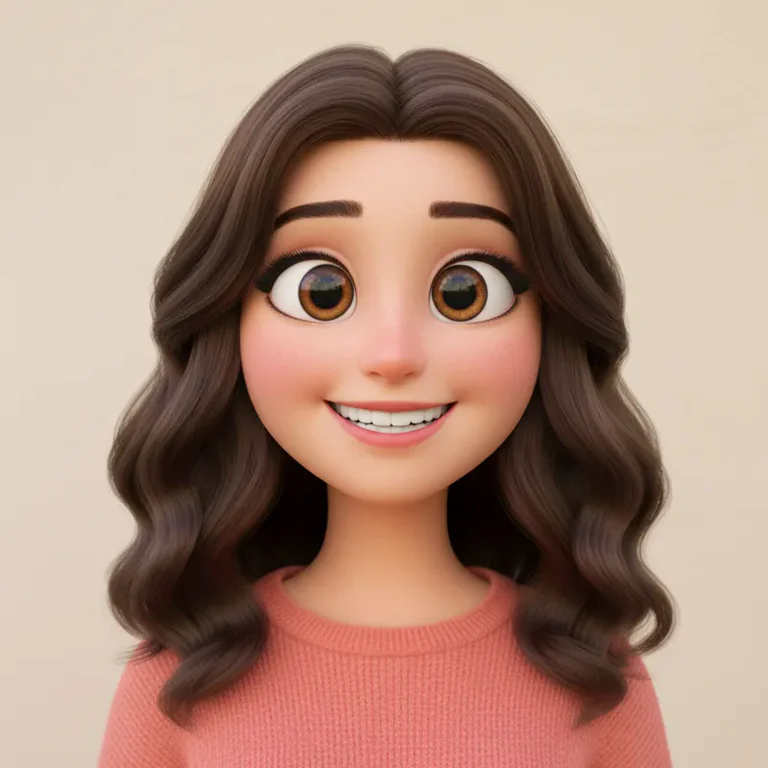
3D cartoon
Classic
A coral sweater and neutral background frame the rounded 3D features.
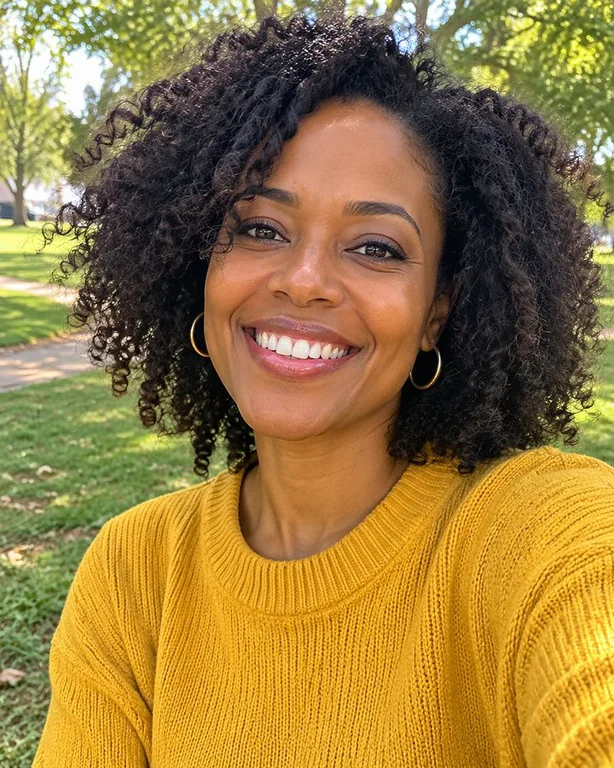
Original
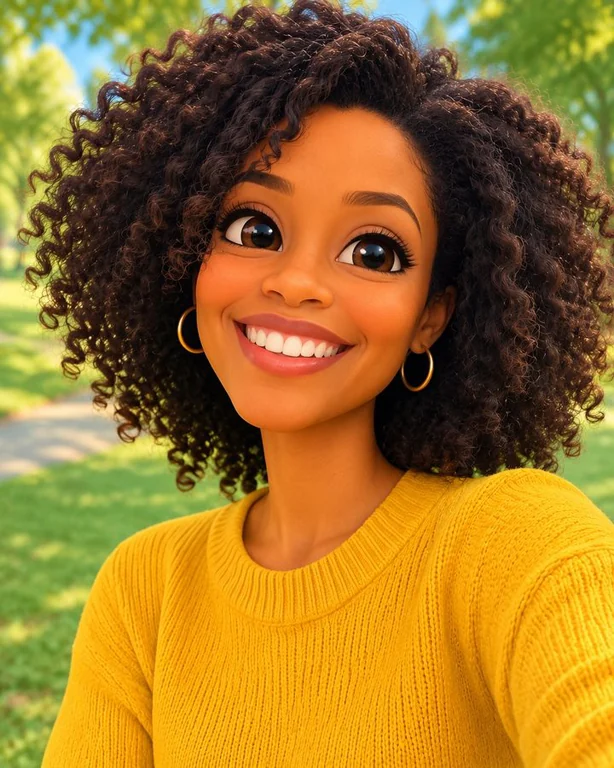
3D cartoon
Pastel
An outdoor portrait with a yellow knit sweater, soft light and a warmer palette.
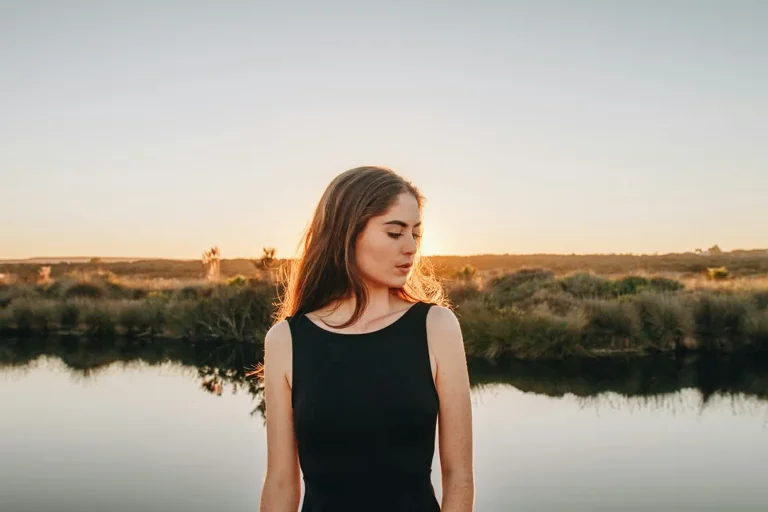
Original
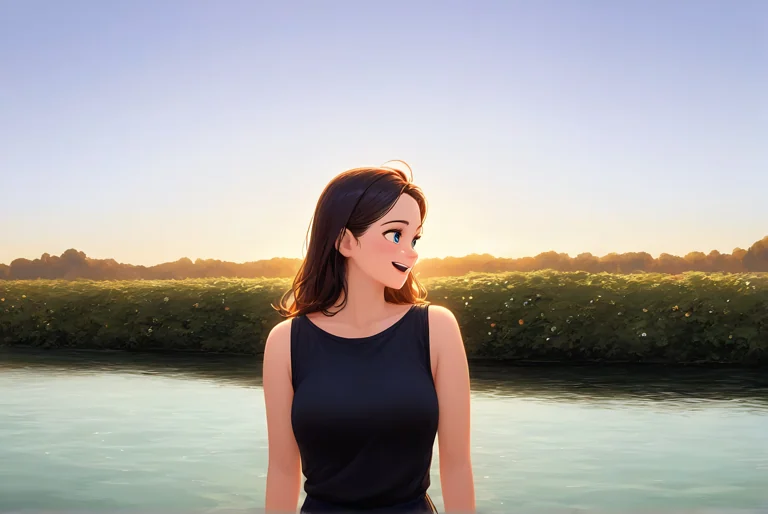
3D cartoon
Film
A portrait by the water with warm sunset light outlining the figure.
What changes when you convert a photo to a Disney cartoon?
A photo-to-Disney conversion redraws the portrait in a 3D cartoon style with rounder shapes, more expressive eyes and softer shading. The filter asks the model to follow the hairstyle, skin tone, expression and pose in your photo. You can use Custom to point out specific details, such as freckles or round glasses, for the model to follow.
Can I use this Disney filter online for free?
You can browse Disney filter examples online for free. Making your own portrait requires signing in and using 5–9 credits, which exceeds the current 1 signup credit. A one-time trial pack costs $5 for 10 credits, enough for 2 Fast portraits at $2.50 per image. Downloading the PNG uses no extra credits.
Disney filter pricing and credits
One cartoon portrait costs 5–9 credits. At the $5 for 10 credits trial pack rate, that is $2.50–$4.50 per image. Studio uses the high-detail setting, while Ultra HD gives you the largest image by pixel count. Each result is a 3:4 PNG with no added site watermark.
| Quality | Pixels | Credits | Pack-rate equivalent |
|---|---|---|---|
| Fast | 768 × 1024 | 5 | $2.50 |
| HD | 1536 × 2048 | 7 | $3.50 |
| Ultra HD | 2480 × 3312 | 8 | $4.00 |
| Studio | 1536 × 2048 | 9 | $4.50 |
| Feature | Details |
|---|---|
| Free to browse | See the example pairs without an account. |
| Signup allowance | Eligible new accounts get 1 signup credit. A Fast image takes 5 credits. |
| Generation | Sign in with enough credits. HD, Ultra HD and Studio also require eligible paid access. |
| Download | One vertical 3:4 PNG. The download costs zero extra credits. |
| Watermark | The site adds no visible watermark. |
Where this 3D photo filter has limits
The Disney filter makes one still portrait per request. A wide group photo can lose space at the sides in the vertical output, and the model can redraw or merge faces even when asked to preserve each person. If you try a couple or group photo, use a frame with well-lit, separated faces and check each person before sharing the result.
The photo-to-cartoon tool offers comic, anime and other illustration styles.
Disney filter FAQ
Do I need a photo-to-Disney app?
Open the filter in a phone or desktop browser. Upload a photo from your device, preview the result and download the PNG from the same page, with nothing to install.
Which files does the photo-to-Disney converter accept?
The Disney AI art generator accepts JPG, PNG or WebP up to 10 MB, with 128 to 2048 pixels per side. If your phone saves photos as HEIC, export a JPG or PNG first.
What happens to the photos I upload?
Use photos you have permission to edit. The image provider reads uploads through unlisted links. Anyone with a direct storage link could open an uploaded or generated file, so avoid sensitive photos. To open the preview or download through this page, use the account that generated the portrait.