
Use this AI age changer to see a selfie or character portrait at a different adult age. Each request returns one vertical 3:4 PNG, from 768 × 1024 to 2480 × 3312 pixels, with no added site watermark. Eligible accounts get 1 signup credit and everyone can browse examples for free, with generation from 5 credits ($2.50 at the $5 for 10 credits pack rate).
How to make an age progression photo
Start with a well-lit portrait of one adult, choose a target age and generate a still image. The editor asks the model to adjust visible signs of age such as fine lines, skin texture and hair color while keeping the face recognizable. Compare the two photos before saving the result.
1. Upload one portrait
Choose a sharp photo with a clearly visible face and even lighting.
2. Choose a target age
Try age 25, 55 or 80, or open Custom and describe an adult age such as 67.
3. Generate and download
Choose a quality level, confirm permission and sign in to generate. Compare the result and save your PNG.
AI age progression photo examples
Compare each starting portrait with its age edit. Look at the eye area, hair and skin as well as the pose and lighting. Some differences are easy to see, such as gray strands or deeper lines, while a more subtle edit may leave the overall first impression almost unchanged.
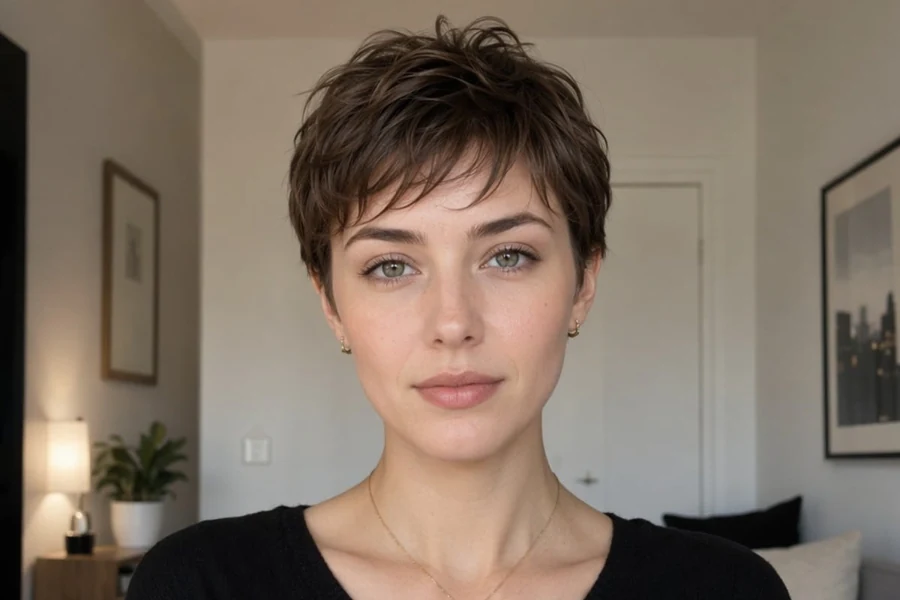
Original portrait
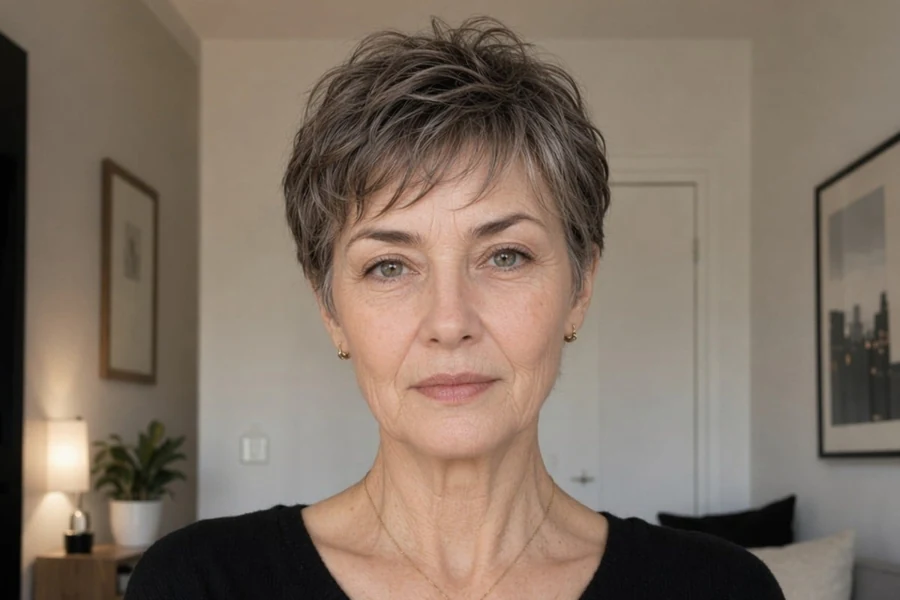
Age edit
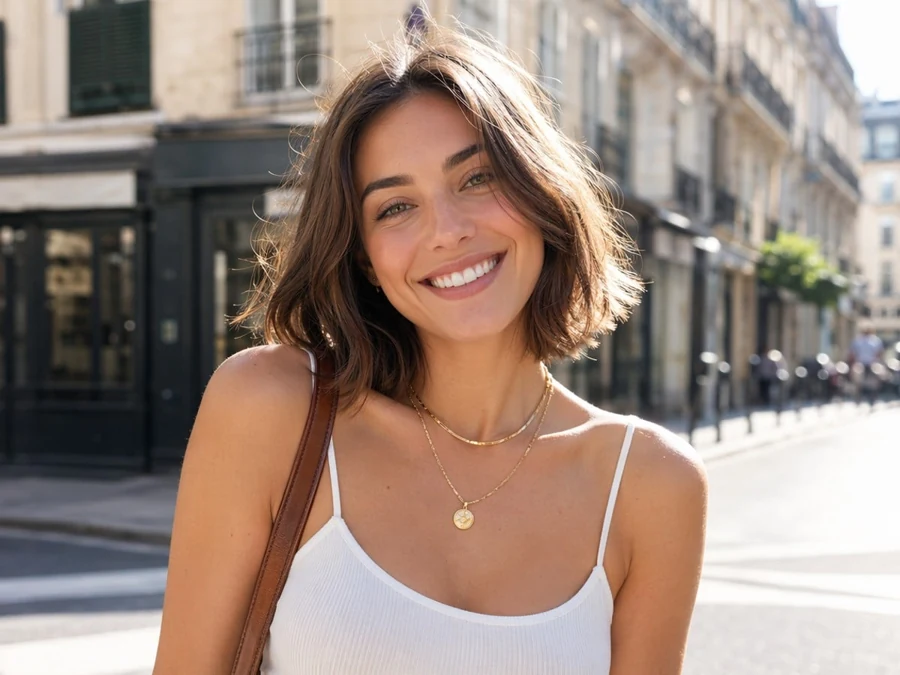
Original portrait
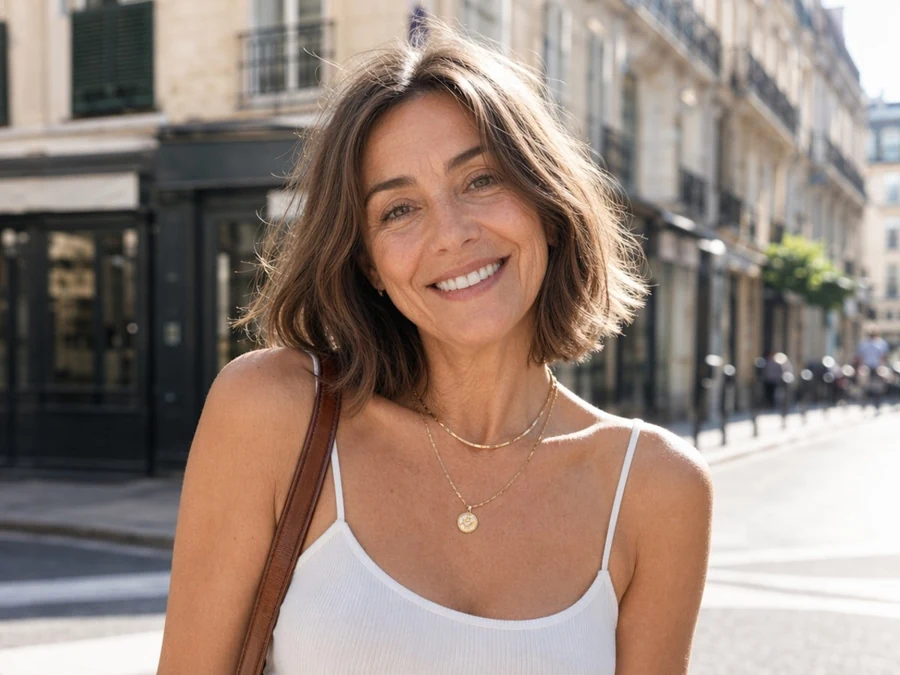
Age edit
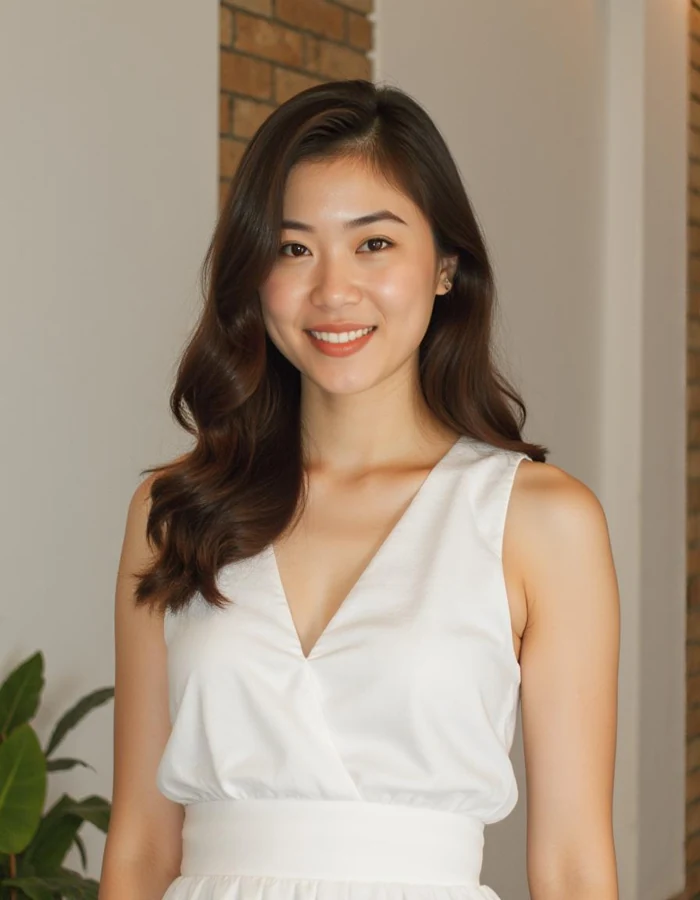
Original portrait
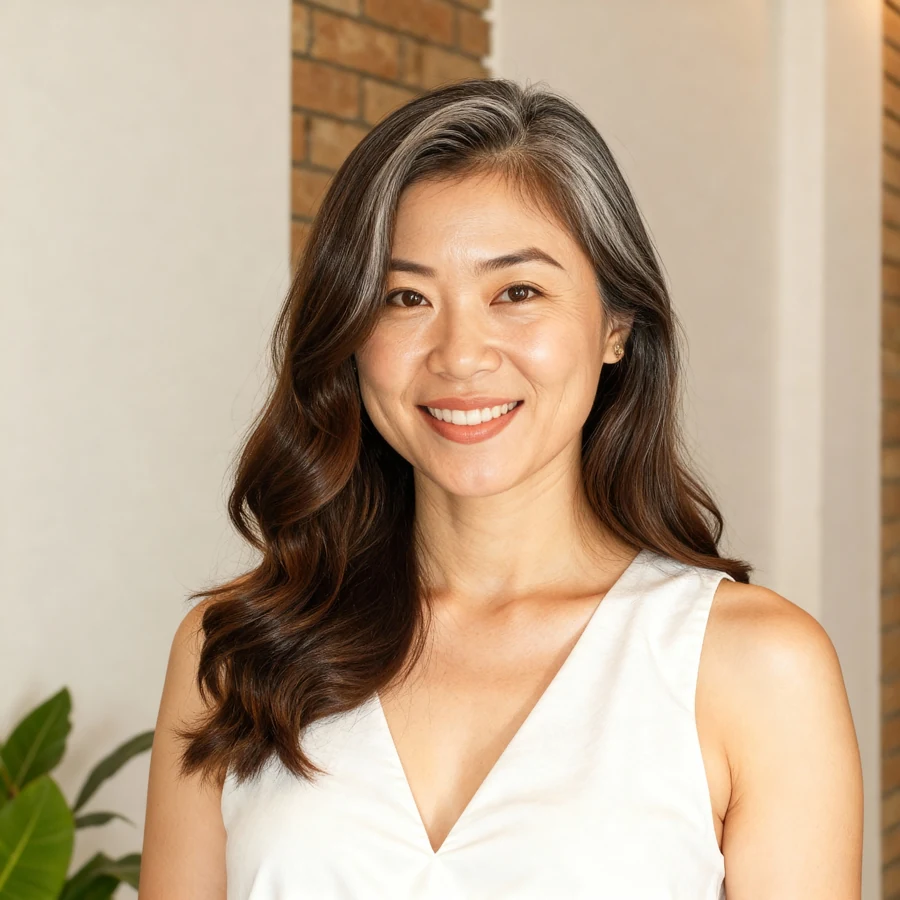
Age edit
Is this AI age progression tool free?
You can see the before-and-after examples for free. To generate your own photo, sign in and use 5–9 credits for one image, depending on quality. Eligible new accounts receive 1 signup credit. A Fast portrait uses 5 credits. The $5 for 10 credits one-time pack covers 2 Fast portraits at the pack rate, and the PNG download is included.
Can an AI age filter make you look older or younger?
Yes. The AI age filter uses your chosen age as a visual target, so a photo of a 45-year-old could be edited toward age 25 or 80. Choose a preset for a quick starting point, or choose Custom and describe the adult age you want, such as “Around 67, with slightly gray hair.”
How can I keep my face recognizable in an AI aging photo?
Start with one sharp portrait showing your face from the front or at a slight angle. This AI aging filter asks the model to keep the eyes, nose, expression and skin tone of your original. Compare those details in the result. For subtler changes, keep the age request simple and use the original photo every time.
Age filter pricing, credits and downloads
One generation costs 5–9 credits, or $2.50–$4.50 at the $5 for 10 credits pack rate. You get one vertical PNG per generation and can download it without using extra credits. Studio uses the high-detail setting at the same pixel dimensions as HD. HD, Ultra and Studio require eligible paid access.
| Quality | Pixels | Credits | Pack-rate equivalent |
|---|---|---|---|
| Fast | 768 × 1024 | 5 | $2.50 |
| HD | 1536 × 2048 | 7 | $3.50 |
| Ultra HD | 2480 × 3312 | 8 | $4.00 |
| Studio | 1536 × 2048 | 9 | $4.50 |
| Feature | Details |
|---|---|
| Browse and compare | Free without an account. |
| Signup allowance | Eligible new accounts receive 1 signup credit. A Fast portrait uses 5 credits. |
| Generate | An account and 5–9 credits per image. |
| Download | One PNG per edit. No extra credits to save it. |
| Watermark | No site watermark added to the downloaded PNG. |
Limits of an AI age filter
An age-edited photo is a creative approximation of someone at a different age. The model redraws details and can change a smile, skin texture or hair more than intended. A sharp portrait of one adult gives it more to work with than a group shot. Each request creates one still image.
For an edit focused on a smile, hairstyle or makeup, use the AI Face Editor.
AI age progression FAQ
Use the tool in a phone or desktop browser, with one adult portrait per request. You can keep the same photo selected when you try a different age. Check the file formats below before uploading, especially if your phone saves its photos as HEIC.
Can I use the AI age filter on my phone?
Yes. Open it in a mobile browser, choose a portrait from your photo library and download the PNG when it finishes. The tool works without installing an app.
What kind of photo can I upload?
Use a JPG, PNG or WebP up to 10 MB, with each side between 128 and 2048 pixels. Convert a HEIC photo to JPG or PNG first.
Can I use my photo for several target ages?
Yes. Keep the original photo selected, choose another target age and generate again. Each request produces one still image and uses its own credits.