
Photo to clay on Consistent Character AI is for anyone who wants a stop-motion clay version of a selfie, couple shot, family photo or pet for a profile picture, card or post. It returns one PNG in 3:4, 16:9 or 9:16, up to 3840 pixels on the long edge, with no added site watermark. One image costs 6–9 credits after sign-in; at the one-time trial rate ($5 for 10 credits) a Fast image is $3.00.
How photo to clay works
Photo to clay starts from one photo you already have. Pick a clay look and a frame, check the credit quote under the button, then generate. The prompt asks the model to keep each face, pose, outfit and pet marking while it rebuilds them in matte modeling clay; results vary with the photo, so compare the result with your original before you download.
1. Upload a photo
Choose a JPG, PNG or WebP up to 10 MB and 2048 pixels per side: a selfie, a couple or family photo, a pet or an object. A sharp, evenly lit subject that fills a good part of the frame gives the model the most detail to work from.
2. Pick a clay look and a frame
Select Clay figure, Clay world or Clay avatar, or choose Custom and describe the clay style or scene you want. Then choose a 3:4, 16:9 or 9:16 frame.
3. Generate and download
Choose a quality, confirm you have permission to use the photo, and sign in to generate. Open the result and download the PNG.
Photo to clay examples, before and after
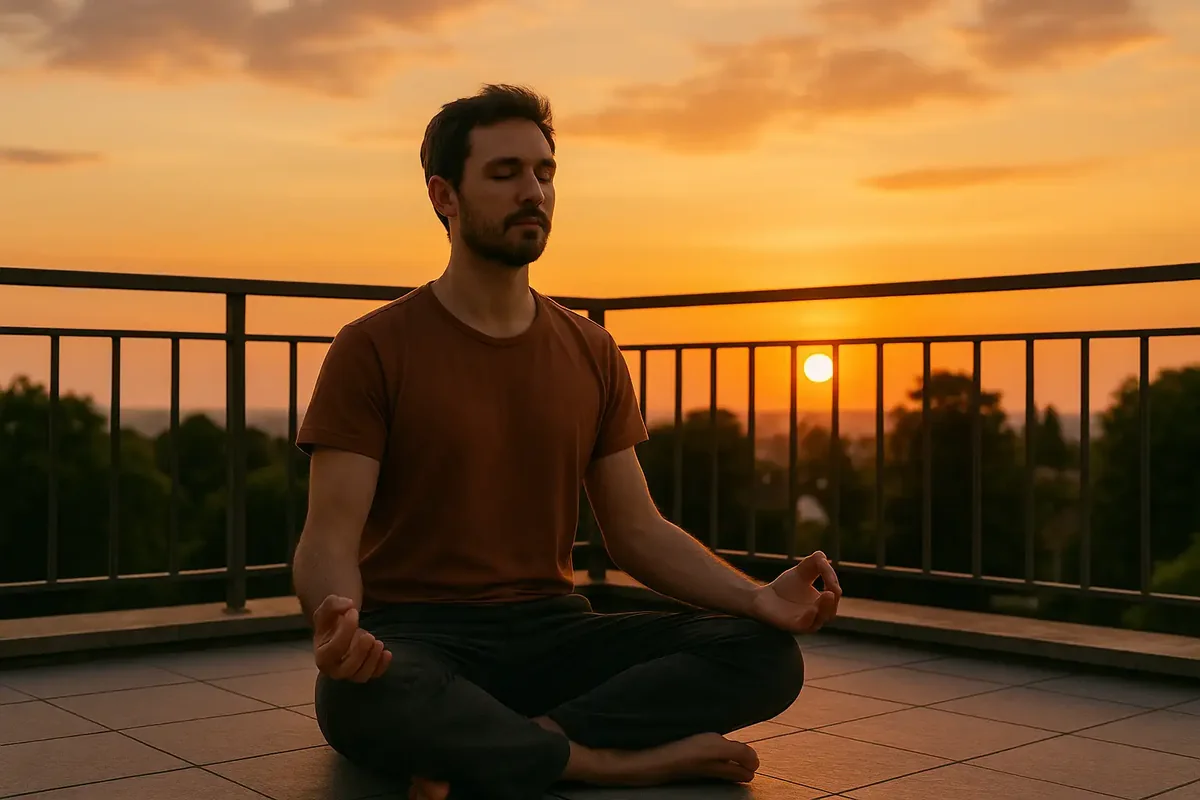
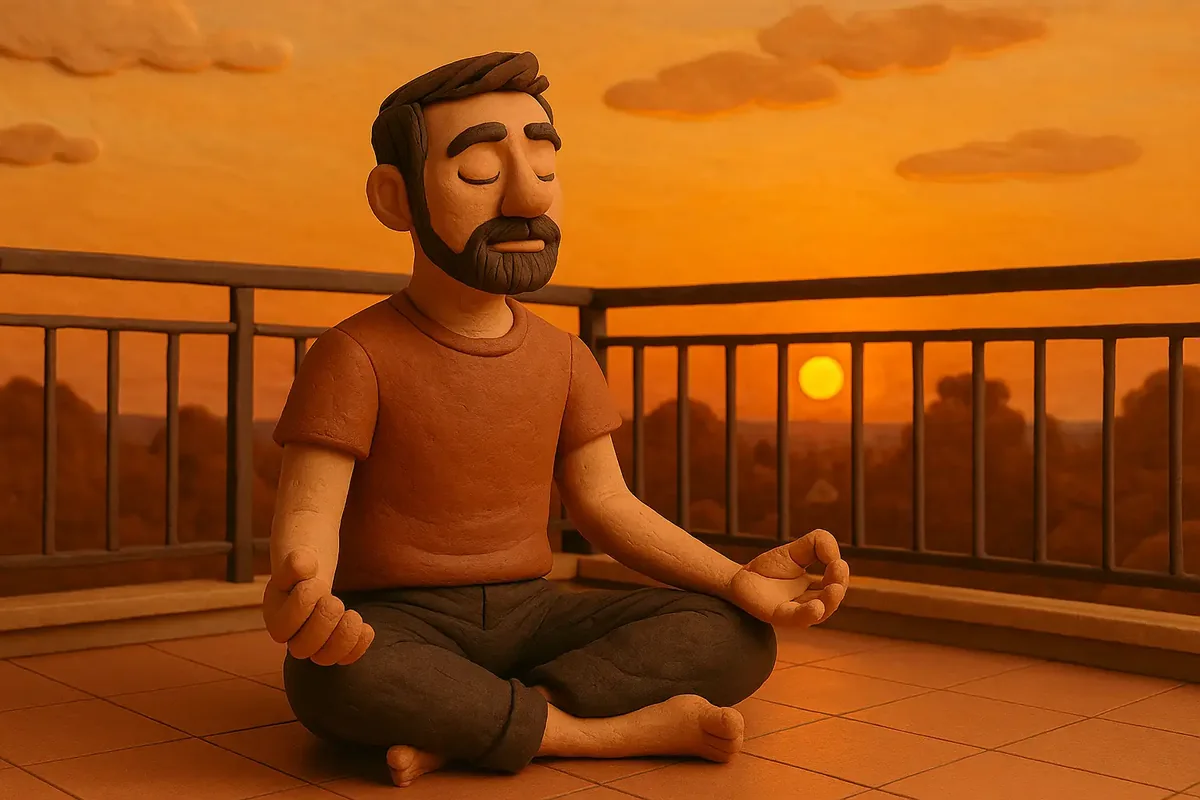
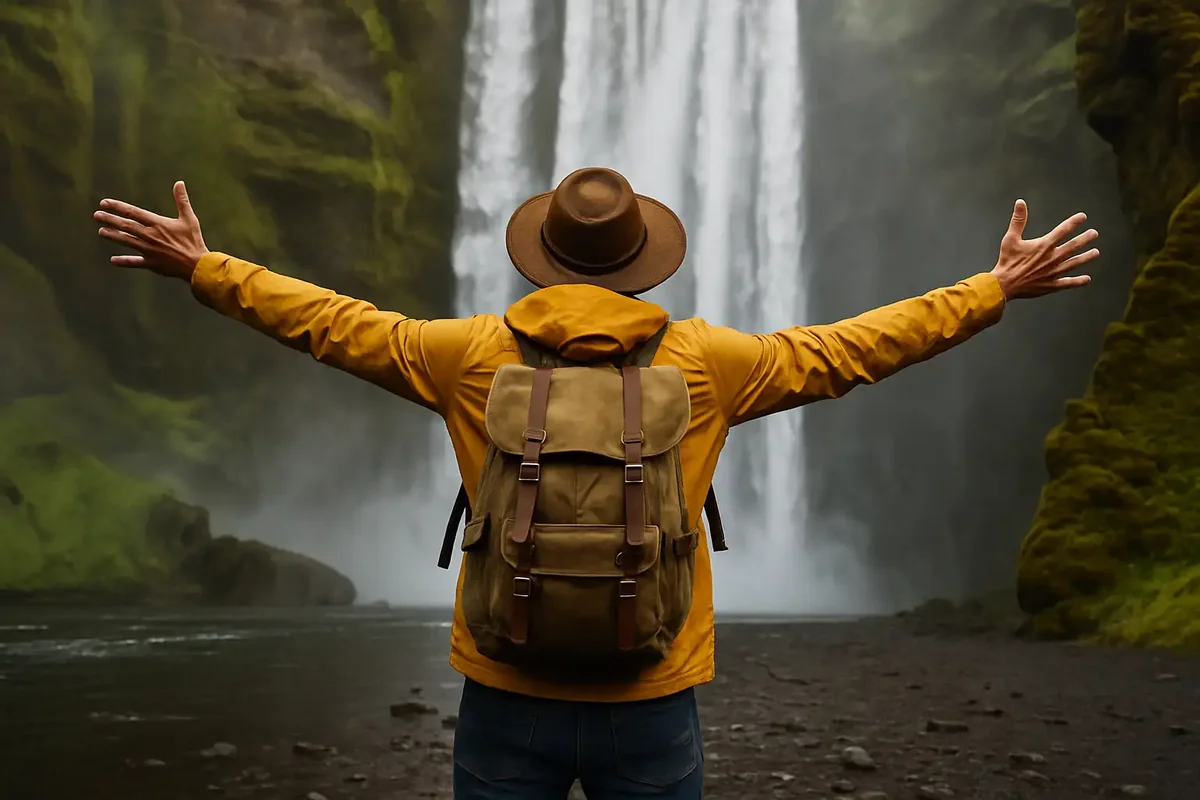
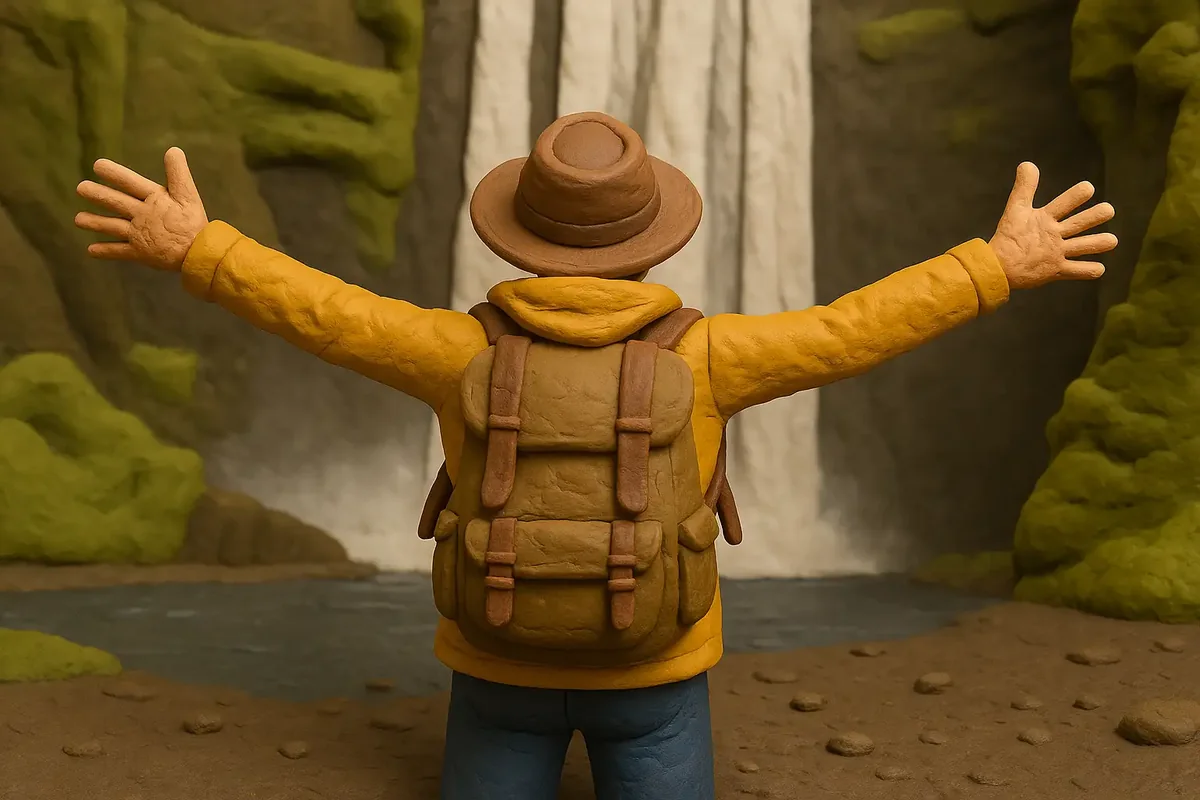
Each pair shows an everyday photo on the left and a clay version of the same picture on the right: a man in a park, a couple on an autumn walk, a tuxedo cat, a close-up selfie, a man meditating at sunset and a traveler at a waterfall. Check how the outfits, pet markings and poses carry over into clay. Your result depends on your photo and varies between runs.
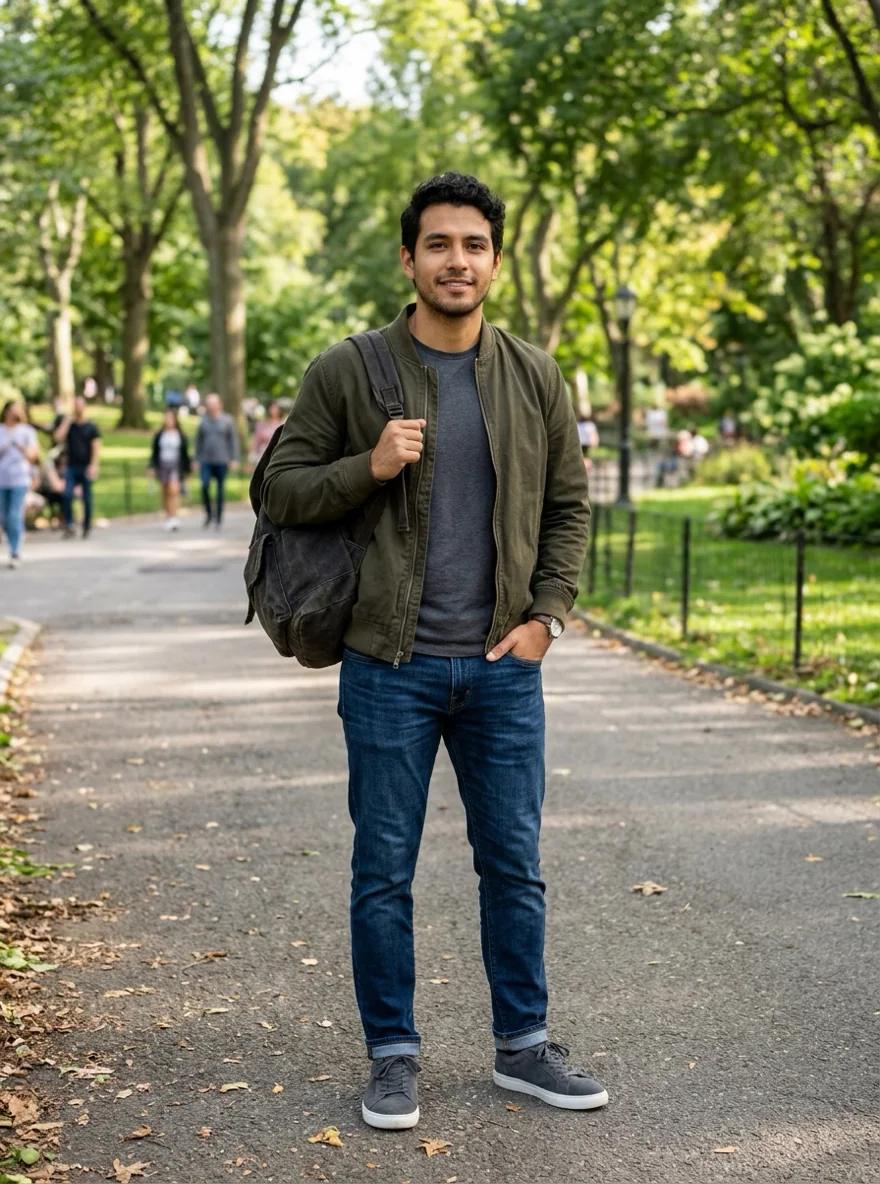
Before
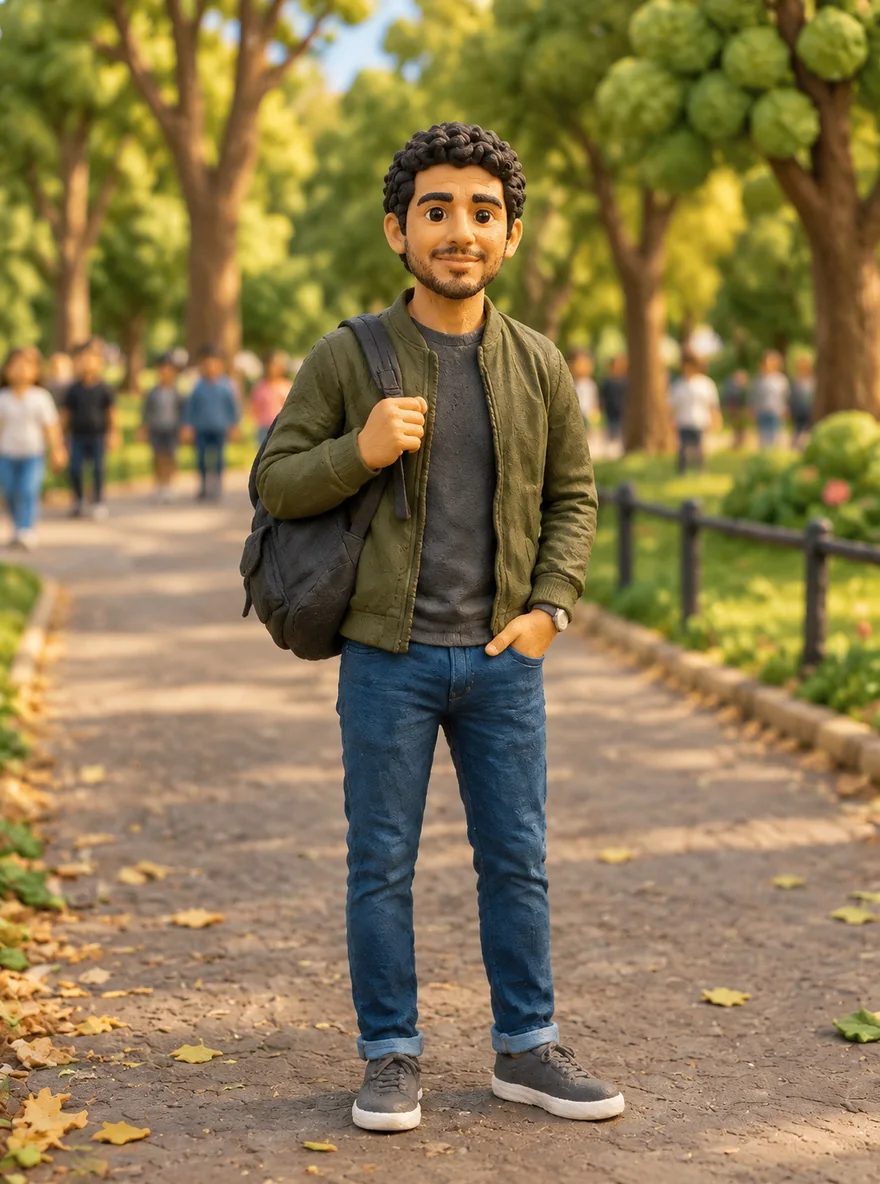
After
Park photo to a clay figure
A man in a green bomber jacket standing on a park path becomes a plasticine figure with a rounded head and sculpted curls, while his jacket, backpack, jeans, pose and the park behind him stay the same.
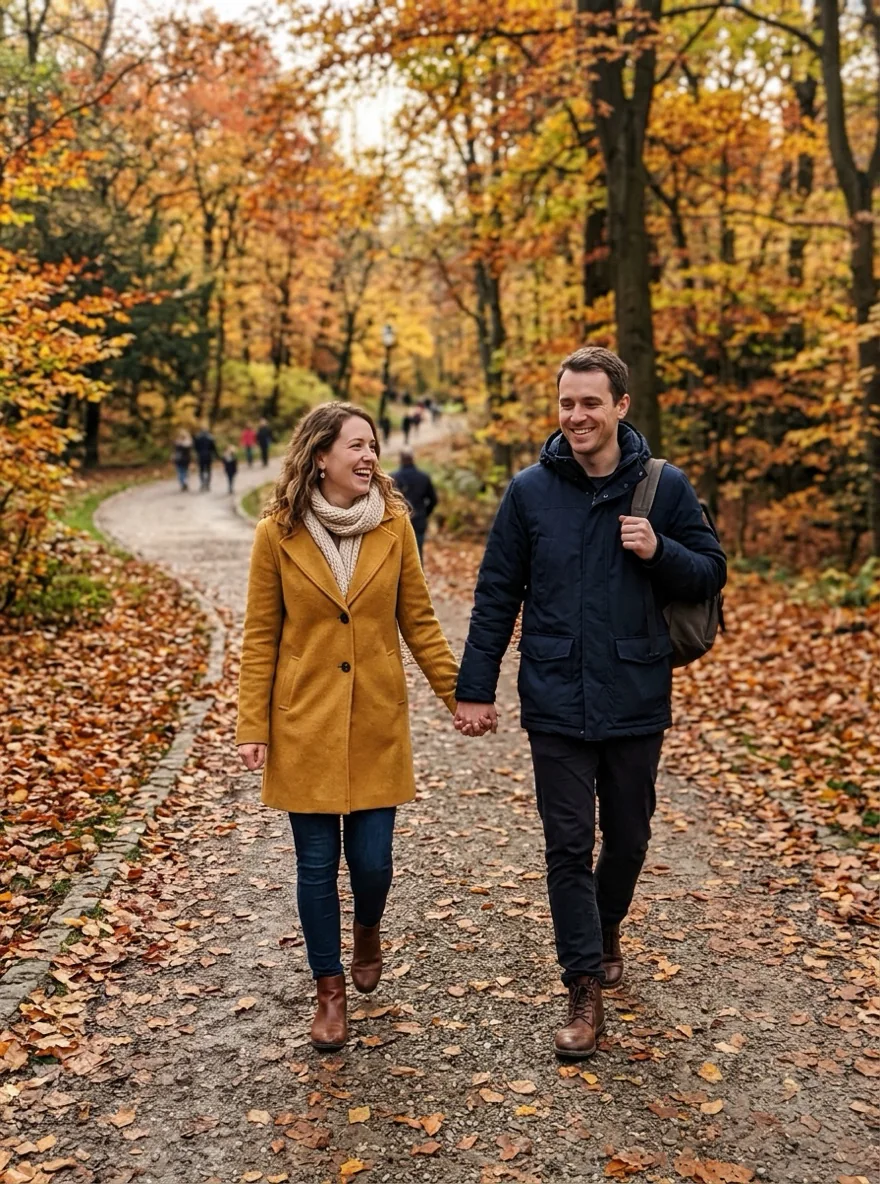
Before
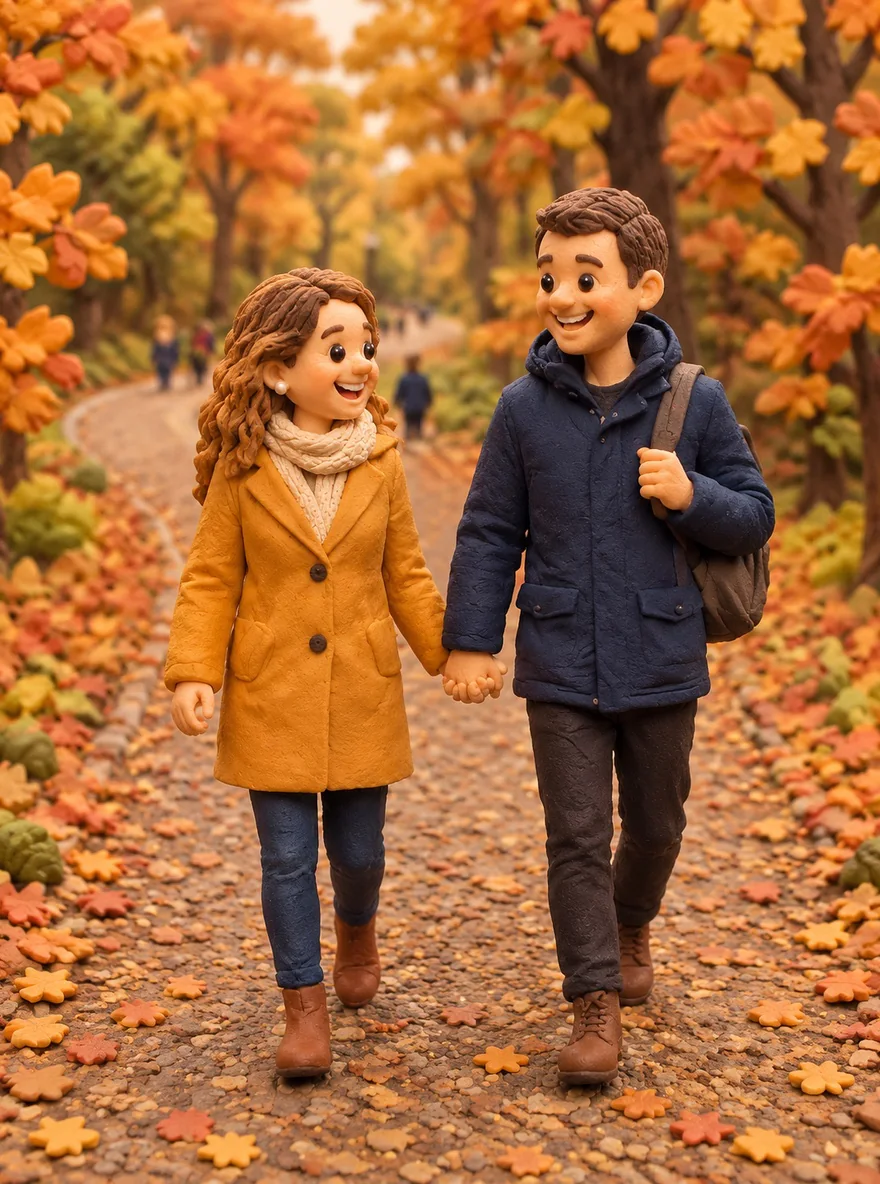
After
Couple walk to clay figures
A couple walking hand in hand through autumn leaves become two clay figures. Her mustard coat and scarf, his navy jacket and backpack, and the leafy path all keep their colors and places.
Before
After
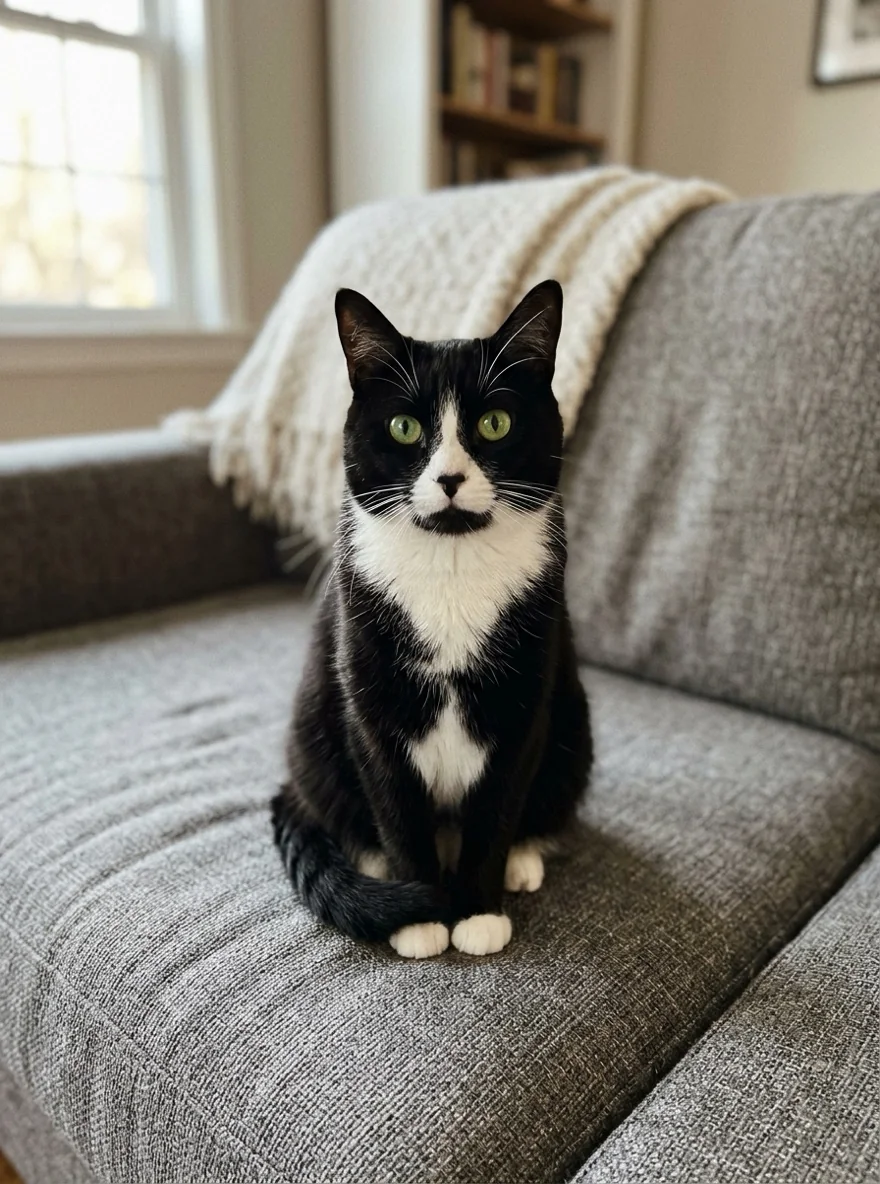
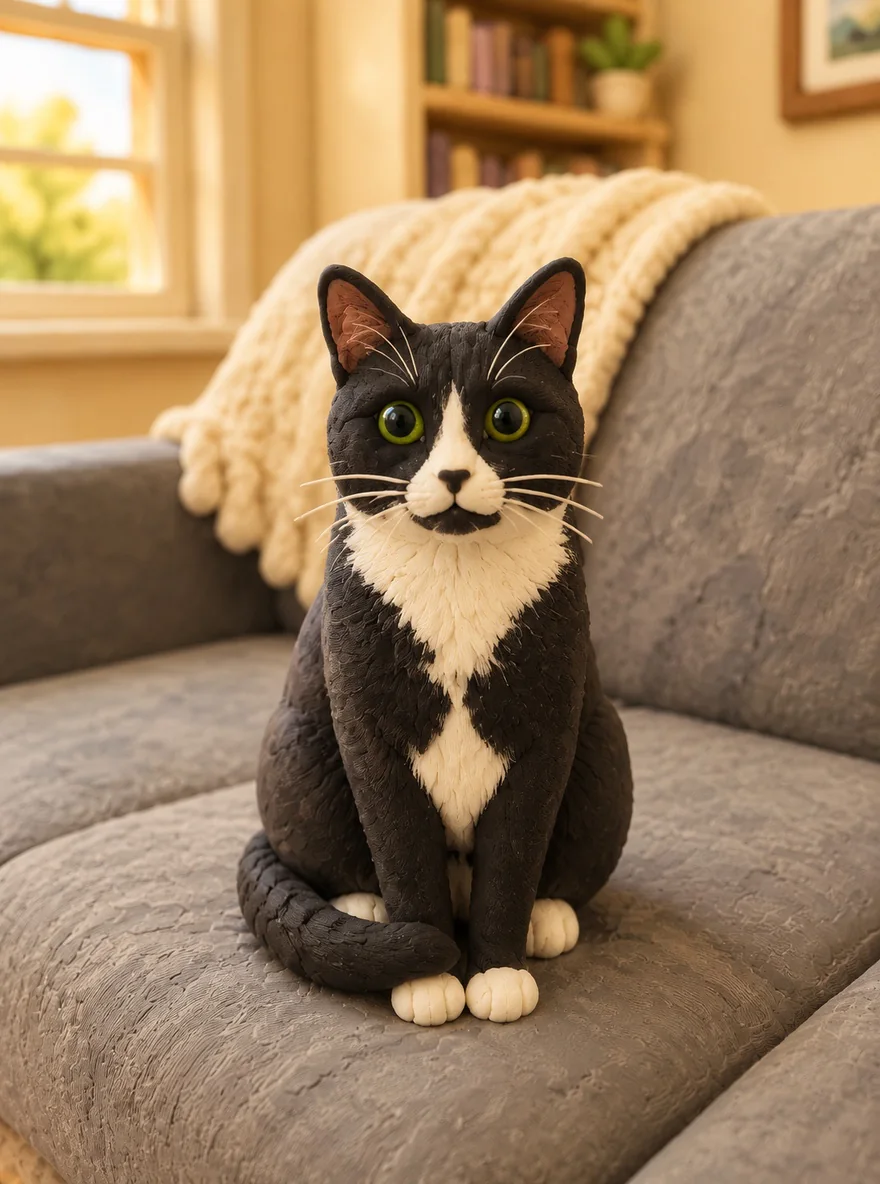
Tuxedo cat to a clay cat
A black-and-white tuxedo cat on a grey sofa becomes a plasticine cat that keeps its white chest, white paws and face markings, sitting on the same sofa in front of the same knit blanket.
Before
After
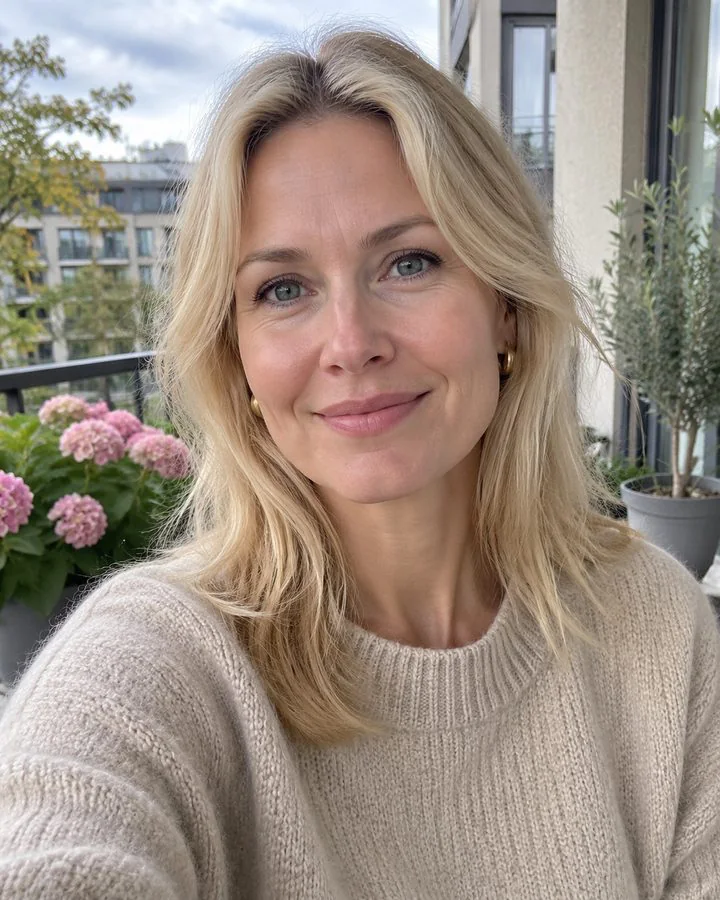
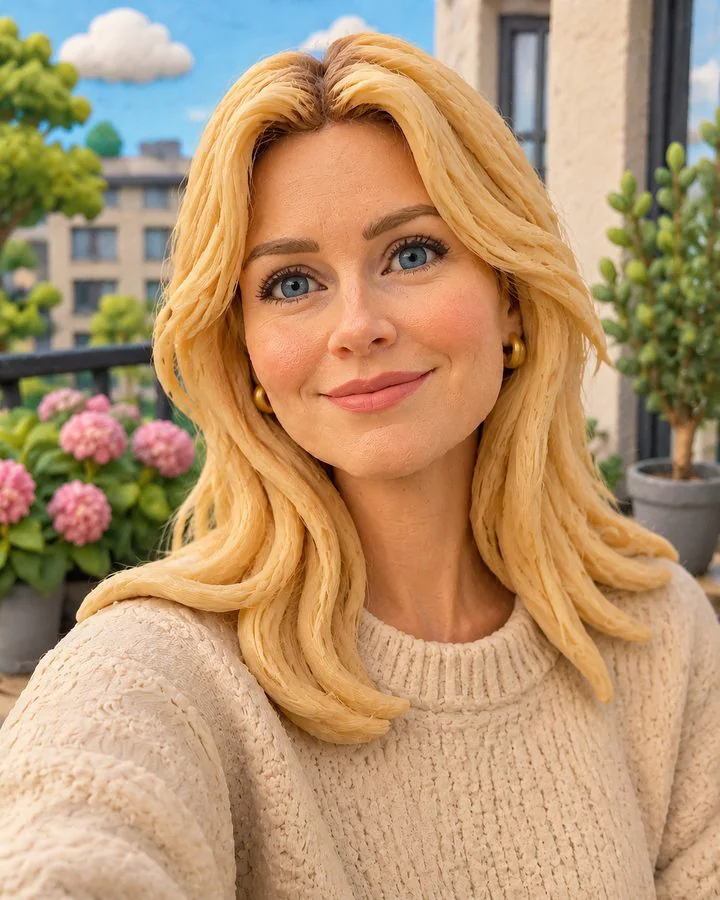
Selfie to a clay avatar
A close-up selfie of a smiling woman with long blonde hair turns into a clay portrait with sculpted hair strands, rounded cheeks and the same knit sweater and gold earrings.
Before
After
Sunset balcony to a clay world
A man meditating on a balcony at sunset is rebuilt as a claymation set: his beard, T-shirt and crossed legs, the railing, the trees and the orange sky are all sculpted clay, with the same pose and colors.
Before
After
Waterfall trip to a clay scene
A traveler in a yellow jacket and brown hat, seen from behind with arms spread in front of a waterfall, becomes a clay figure; the backpack straps, the falling water, the mossy rocks and the pebbled ground are all sculpted clay.
What does an AI clay filter change, and what does it keep?
An AI clay filter redraws your picture as if it were sculpted from plasticine for a stop-motion film, so it changes surfaces rather than people: skin, hair, clothes and fur become matte modeling clay with rounded shapes, soft fingerprints and warm studio light. The prompt on this page asks the model to keep each face shape, hairstyle, skin tone, expression, outfit colors, pose and pet marking, and the number of people; results vary with the photo.
That is the difference from a phone clay filter or a texture overlay, which only tints the pixels you already have. Photo to claymation also differs from a glossy 3D cartoon or a boxed figurine: clay shows hand-made edges and a dull, non-reflective surface.
Clay figure, clay world or clay avatar: which look fits my photo?
Photo to clay offers three looks, and the right one depends on how much of the picture should turn to clay. Pick Clay figure when the place in the photo matters, such as a trip or a couple walk: only the people or pets turn to clay and the real background stays. Pick Clay world for a full stop-motion set where the ground, buildings and sky are sculpted too. Pick Clay avatar when you want a clay avatar for a profile picture: a close-up with sculpted hair and a softened background. Custom takes your own description and an optional style image.
Is this a photo to clay model converter for 3D printing?
No. This photo to clay tool returns a flat PNG image that looks like a clay model; it does not create an STL or OBJ mesh you can rotate, 3D print or bake. If you want a physical clay figure, you can use the PNG as a front-view reference for a sculptor or for an image-to-3D tool; a 3:4 or 16:9 frame leaves room for the full body.
Photo to clay credits and PNG sizes
One clay photo costs 6–9 credits depending on quality, and the price is the same for every frame shape. Dollar amounts use the one-time $5 for 10 credits rate. Studio renders at 2K with higher detail. HD, Ultra HD and Studio require an active subscription or eligible paid credits.
| Quality | 3:4 | 16:9 | 9:16 | Credits (pack equivalent) |
|---|---|---|---|---|
| Fast | 768 × 1024 | 1536 × 864 | 864 × 1536 | 6 ($3.00) |
| HD | 1536 × 2048 | 2048 × 1152 | 1152 × 2048 | 7 ($3.50) |
| Ultra HD | 2480 × 3312 | 3840 × 2160 | 2160 × 3840 | 8 ($4.00) |
| Studio | 1536 × 2048 | 2048 × 1152 | 1152 × 2048 | 9 ($4.50) |
| Feature | Details |
|---|---|
| Browse | Examples and clay looks are free to view without signing in. |
| Signup allowance | Eligible new accounts get 1 credit. A Fast image needs 6 credits, so the signup credit does not cover one. |
| Download | One PNG per generation. The download is included. |
| Watermark | No visible watermark added by this site. |
Where this AI clay image generator falls short
The generator redraws one photo into one still clay-style image. It does not make claymation video or animation, 3D files or transparent-background stickers, and it cannot merge people or pets from separate photos into one scene. Because the model resculpts the whole picture, likeness can drift, small faces in big group photos may lose detail, hands can come out with odd fingers, and fine pet patterns can simplify. A vertical selfie in a 16:9 frame means the model invents the extra scenery.
For a boxed collectible figure instead of clay, use the AI Action Figure Generator. To rebuild a photo in toy bricks, try Photo to LEGO.
Photo to clay FAQ
Short answers to questions people ask before they upload a photo.
Can I use photo to clay for free?
No. A Fast clay PNG needs sign-in and 6 credits, which is $3.00 at the one-time trial rate; the 1 credit new accounts get does not cover one. The smallest purchase is $5 for 10 credits, enough for 1 Fast image, and downloads carry no added site watermark.
Does it work on my phone without an app?
Yes. Open the page in Safari, Chrome or another mobile browser, pick a photo from your camera roll and download the PNG; nothing to install. Convert HEIC photos to JPEG first and keep each side under 2048 pixels.
Can it turn my photo into a claymation video?
No. This page makes one still clay image per generation. It does not animate the figure or add stop-motion movement.
Can I sell or post the clay picture?
You can post and share it. Selling it, for example as custom portraits or in ads, needs the rights to the original photo and permission from the people in it; buying credits does not grant those rights.
Who can see the photos I upload?
The site sends your photo to its image provider to make the edit. The preview and download need your account, and anyone who has a direct storage link may be able to open the file. Only upload photos you have permission to use, and take extra care with photos of children.