
The AI Christmas photo generator from Consistent Character AI turns one selfie, group photo, or pet snapshot into a festive portrait for a holiday post or card. It makes one PNG up to 3312 pixels on the longest edge with no added watermark, from 5 credits ($2.50 at the one-time pack rate). Browsing the examples is free and generation requires credits.
How to make AI Christmas photos
Upload one photo that already shows the people or pet you want in your Christmas portrait. Choose a scene and an output shape, then check the credit quote before you generate. Compare the result with your original photo and look closely at faces, hands, and pet markings before you download the PNG.
1. Pick a clear photo
Choose a JPG, PNG, or WebP up to 10 MB. Use soft, even light and a clear view of every face or the whole pet.
2. Choose the Christmas scene
Select Christmas tree, Matching pajamas, or Pet portrait. In Custom, describe your scene and optionally add an image of the decor or lighting.
3. Generate and download
Choose a shape and quality, confirm you have permission for the photos, and sign in to generate. Open the result and download the PNG.
AI Christmas photo examples
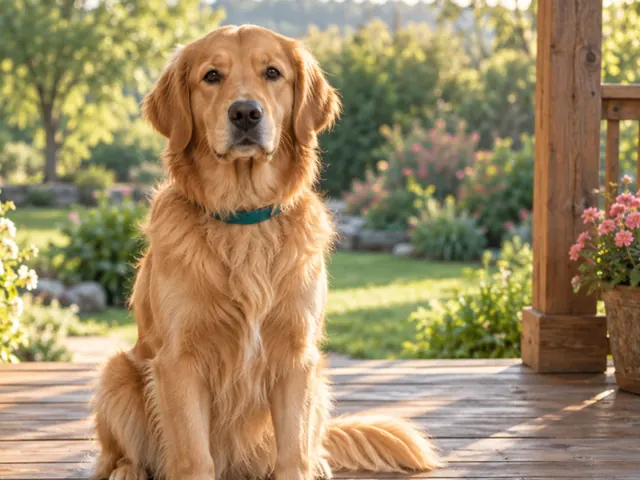
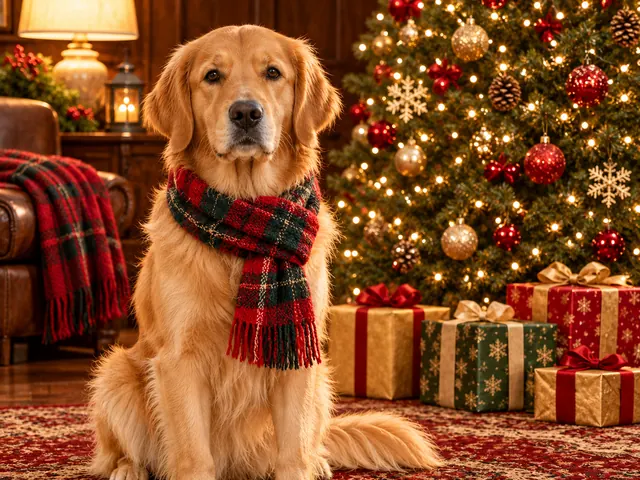
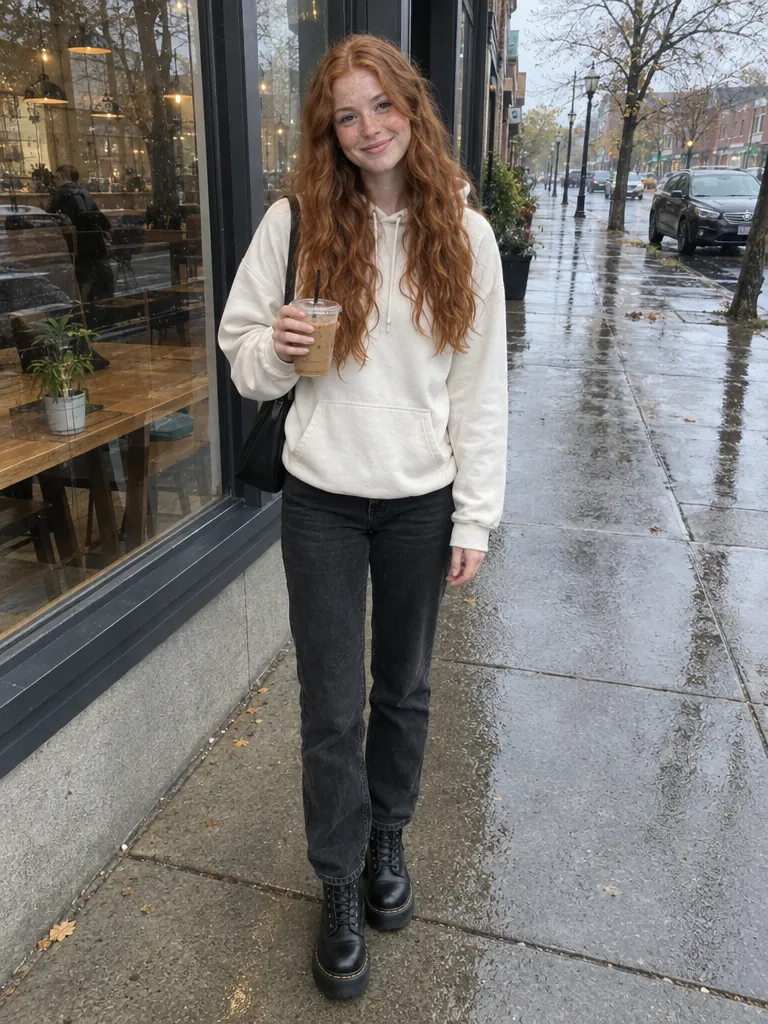
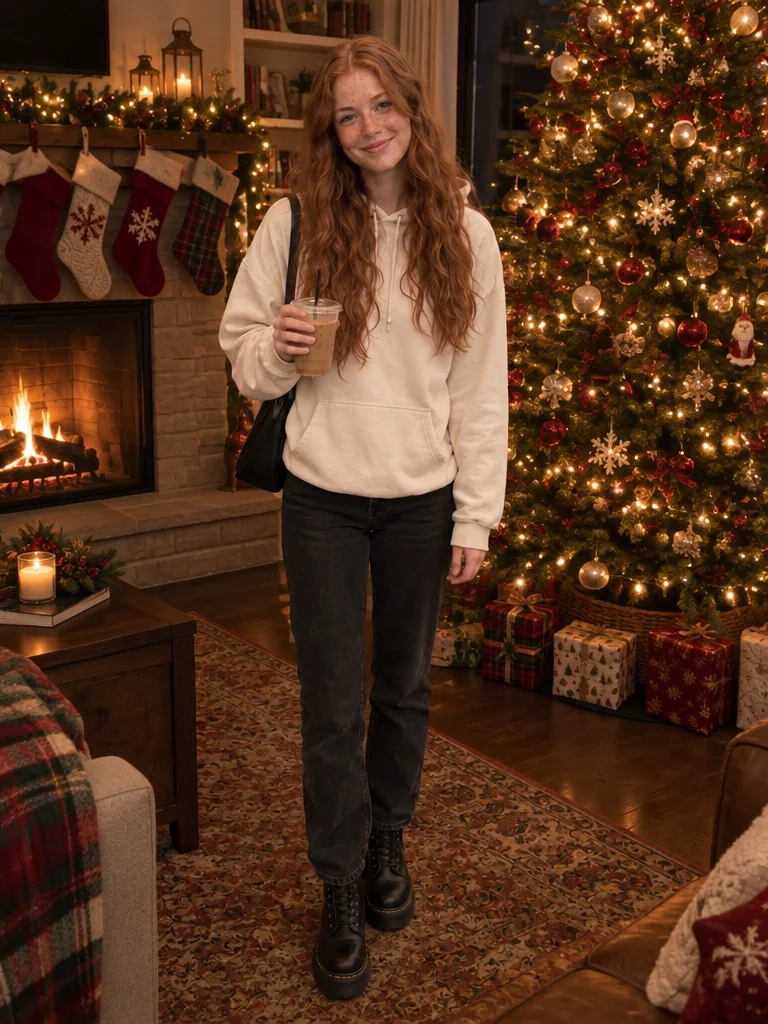
A Christmas photo edit can place an indoor portrait beside a decorated tree, give a group matching plaid pajamas, or style a dog with a festive scarf. Each pair shows the original on the left and the edited photo on the right. Notice which details stay recognizable when the outfit or room changes.
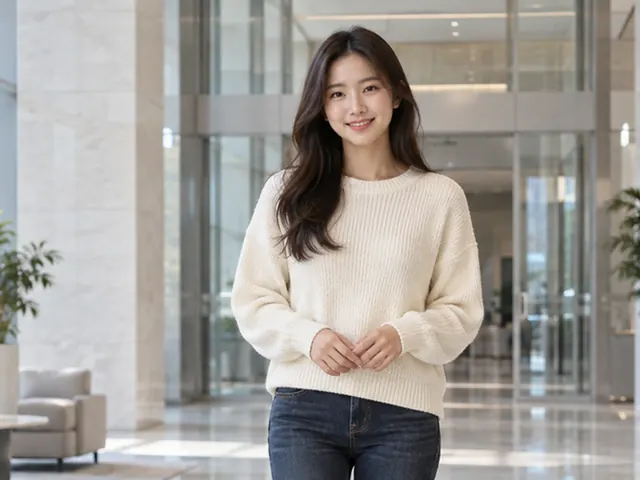
Before
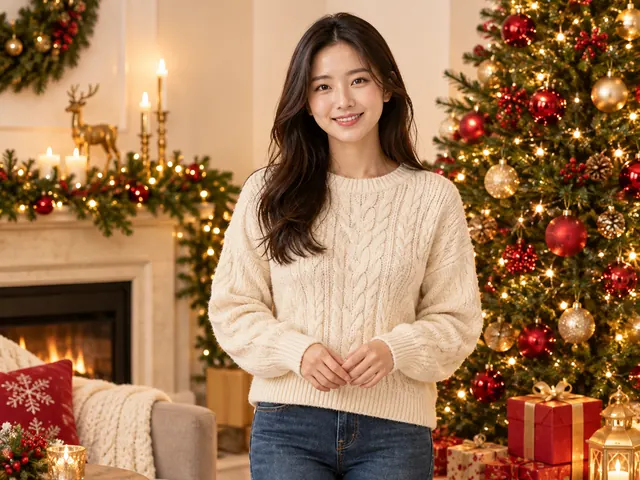
After
A portrait by the Christmas tree
An indoor portrait becomes a warm holiday photo with knitwear, tree lights, and wrapped presents.
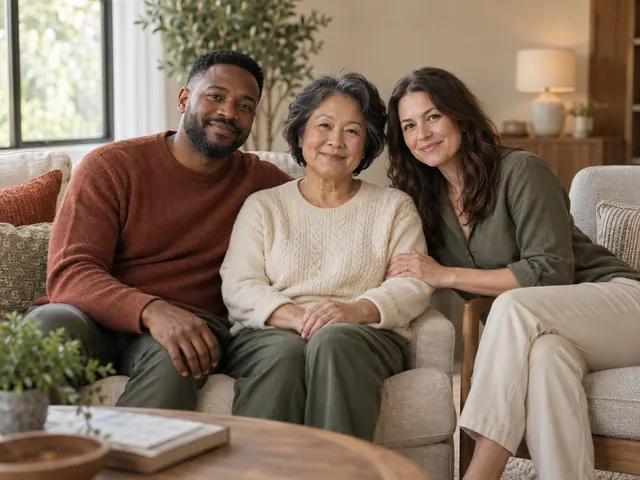
Before
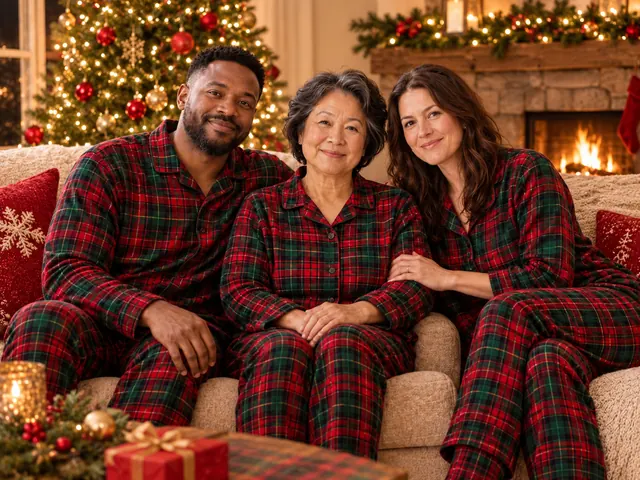
After
A group photo in matching pajamas
Three people from the original group photo wear coordinating red-and-green plaid beside a Christmas tree and fireplace.
Before
After
A golden retriever with a holiday scarf
A porch photo of a golden retriever moves indoors by a lit tree, with a plaid scarf around the dog’s neck.
Before
After
Coffee by the fireplace
A woman holds the same coffee cup in a decorated living room, with stockings and a lit tree behind her.
Is this AI Christmas photo generator free?
The AI Christmas Photo Generator requires sign-in and at least 5 credits per photo. The examples are free to browse. Eligible new accounts get 1 credit. Fast needs 5 credits for one image. The one-time trial pack costs $5 for 10 credits, enough for 2 Fast PNGs at $2.50 each. There is no extra charge to download your result.
How do you create an AI Christmas image on iPhone?
The AI Christmas Photo Generator runs in Safari on iPhone. Choose a photo from your library. Pick a holiday scene, sign in to generate, then tap Download to save the PNG to Files. From Files, use Share and Save Image to keep a copy in Photos. Export a JPEG first if the original is HEIC, and resize images that exceed 2048 pixels on either side. The same page works on Android and desktop browsers.
Christmas photo credits and PNG sizes
One Christmas photo costs 5–9 credits, depending on quality. The table uses the same credit price for all three shapes and shows dollar equivalents at the one-time $5 for 10 credits rate. Studio uses higher-detail rendering at 2K. HD, Ultra HD, and Studio require an active subscription or eligible paid credits.
| Quality | 3:4 | 4:3 | 1:1 | Credits (pack equivalent) |
|---|---|---|---|---|
| Fast | 768 × 1024 | 1024 × 768 | 1024 × 1024 | 5 ($2.50) |
| HD | 1536 × 2048 | 2048 × 1536 | 2048 × 2048 | 7 ($3.50) |
| Ultra HD | 2480 × 3312 | 3312 × 2480 | 2880 × 2880 | 8 ($4.00) |
| Studio | 1536 × 2048 | 2048 × 1536 | 2048 × 2048 | 9 ($4.50) |
| Feature | Details |
|---|---|
| Browse | Examples are free to view without signing in. |
| Signup allowance | Eligible new accounts get 1 credit. Fast needs 5 credits for one image. |
| Download | One PNG per generation. The download is included. |
| Watermark | No visible watermark added by this site. |
Limits of this AI Christmas filter
The generator redraws one existing photo into one Christmas scene. For a group, upload a single photo with everyone visible so the model has each face in context. A Custom reference guides the setting. It cannot reliably combine people from separate portraits, and a new scene may still change facial features, hands, or fur texture.
Use the Christmas PFP Maker for a square holiday avatar, or Ugly Christmas Sweater AI for a festive sweater edit.
AI Christmas photo FAQ
Pick a shape based on how you plan to use the picture. A vertical frame fits a single portrait with a tall tree in the background. A wider frame leaves room for people standing beside each other, and a square image is easy to crop for a small profile picture.
Can I make a matching pajamas Christmas picture from a group photo?
Yes. Upload a single group picture and choose Matching pajamas. A photo where people face the camera and leave a little space between faces gives the model clearer references for each person.
How large can I print a Christmas image AI made from my photo?
A landscape HD photo is 2048 × 1536 pixels, about 6.8 × 5.1 inches at 300 pixels per inch. Use 4:3 for landscape or 3:4 for portrait. If your printer uses a 5 × 7 inch full-bleed layout, leave some space near the edges for trimming.
Who can access the photos I upload?
The site sends your photo to its image provider to make the edit. The preview and download require your account, and someone who has a direct storage link may be able to open the file. Use photos you have permission to share.