
AI Jewelry Model is for Etsy, Shopify and Instagram sellers who have flat-lay or white-background product shots but no model. Upload the piece, pick ring, necklace, earrings or bracelet, and get one PNG of it worn on a hand, neckline, ear or wrist. Signup credits do not cover a photo yet. A Fast photo uses 7 credits ($3.50 at the $5.00 pack rate), and the site adds no watermark.
How the jewelry model generator works
You need one clear photo of the piece. A plain or white background works best, but a flat lay on fabric is fine. Everything else is optional.
1. Upload the product photo
Use a sharp photo where the whole piece is visible, including the clasp or back if it matters. Add a photo of your own model in the second slot if you want a specific hand or face; leave it empty for an AI model.
2. Choose the jewelry type
Ring puts the piece on a hand, Necklace on the neckline, Earrings on the ear and Bracelet on the wrist. Custom lets you describe the pose and setting and add a scene photo for the mood.
3. Pick a shape and check the result
Square suits marketplace listings, 3:4 suits Instagram and Pinterest. Generate one PNG, then zoom in and compare stones, chain links and lettering with your product photo before you publish it.
AI jewelry model image examples
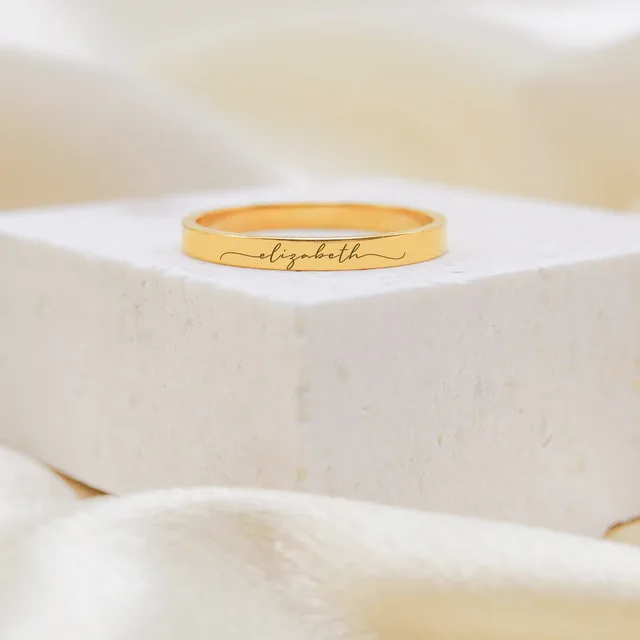
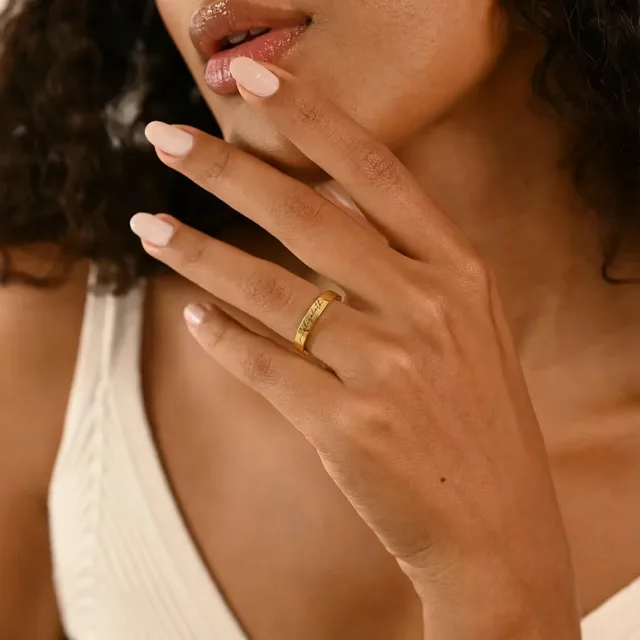
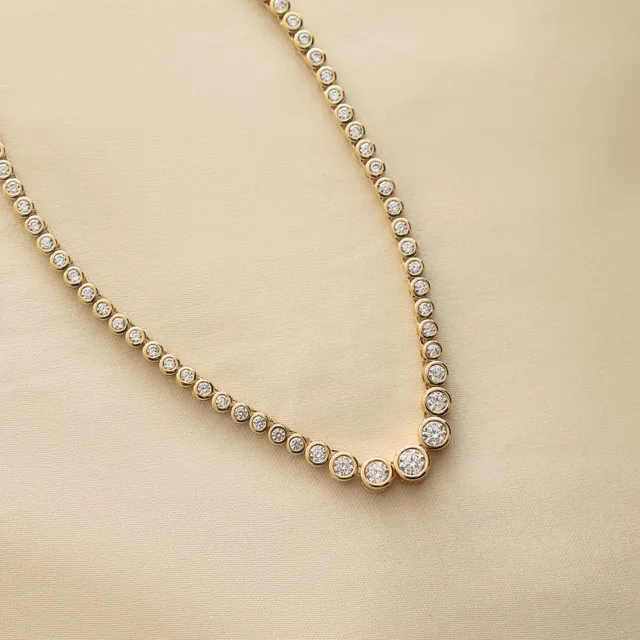
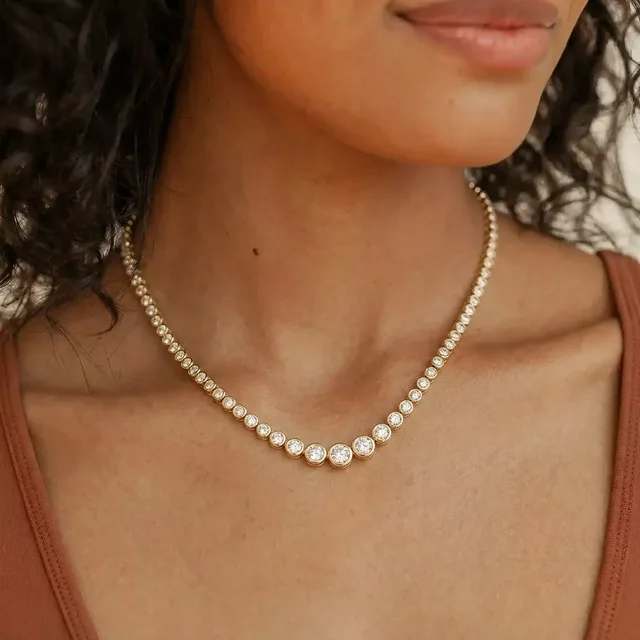
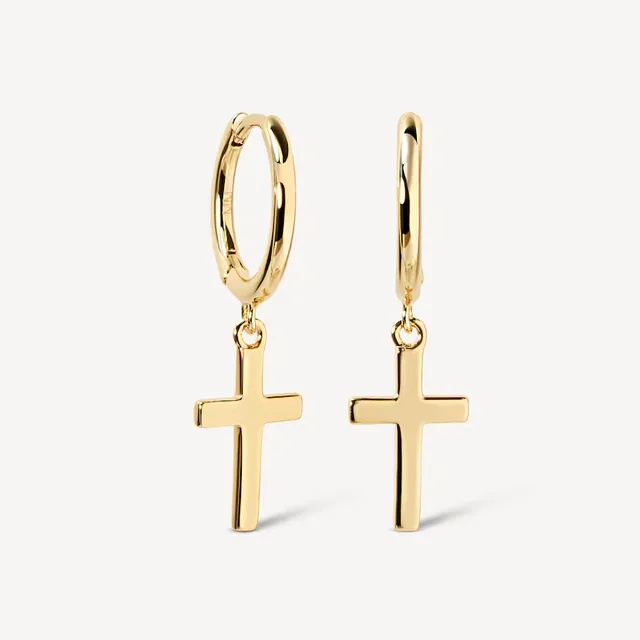
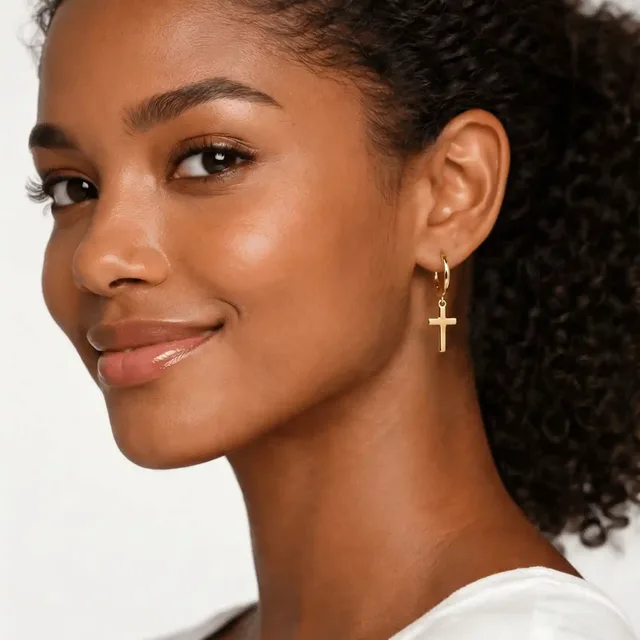
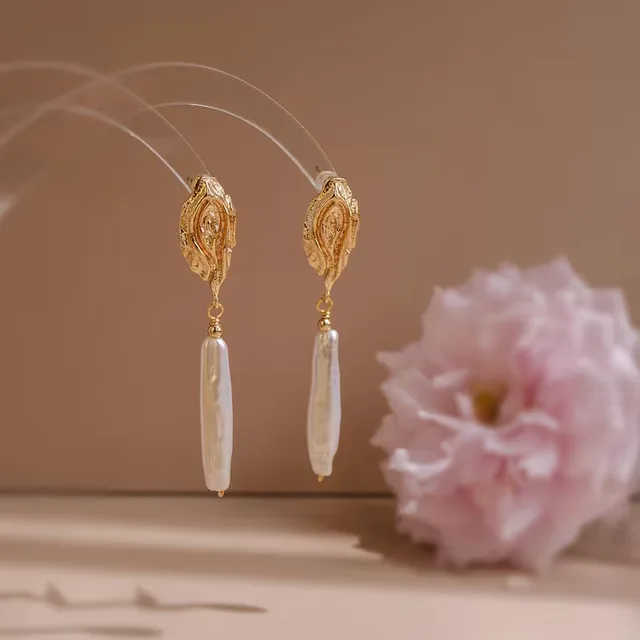
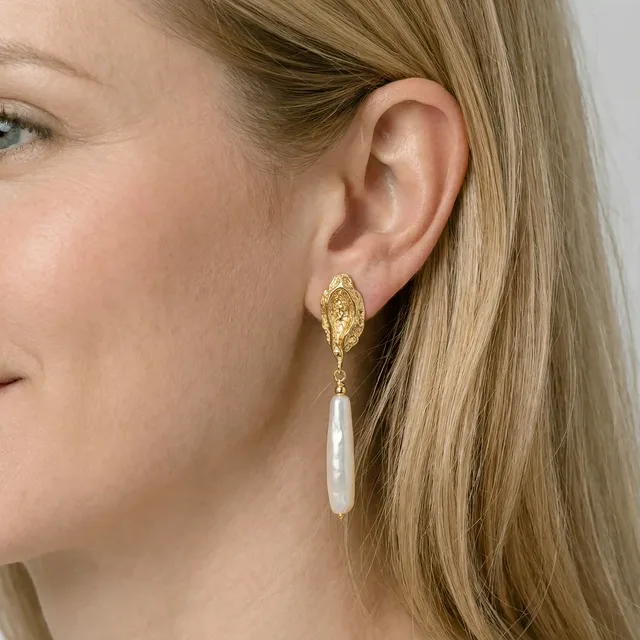
Each pair shows a product photo and an on-model photo of the same piece: an engraved band, a tennis necklace, two pairs of earrings and two bracelets. Look at the details a buyer would notice first, such as the engraving on the band, the stone count on the necklace and the shape of each charm.
Product photo
On-model photo
Engraved name band
A thin gold band with a script name engraving, shown on a hand raised to the chin.
Product photo
On-model photo
Diamond tennis necklace
A graduated gold tennis necklace, shown on the collarbones above a rust-colored top.
Product photo
On-model photo
Cross huggie earrings
Gold huggie hoops with cross charms, shown in a smiling three-quarter portrait.
Product photo
On-model photo
Baroque pearl drop earrings
Sculpted gold studs with long baroque pearl drops, shown on the ear in profile.
Product photo
On-model photo
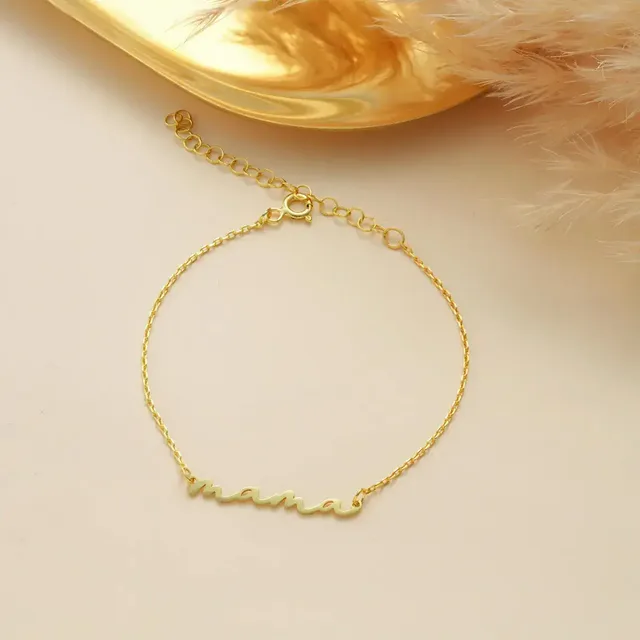
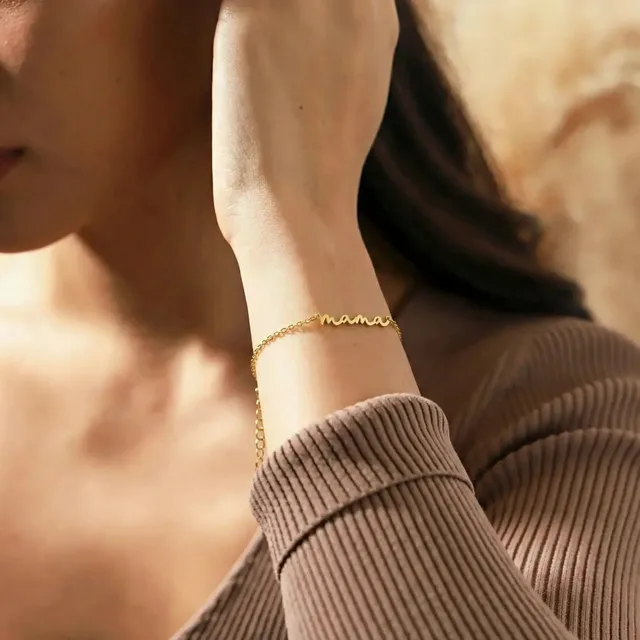
Script name bracelet
A fine gold chain with a cursive “mama” bar, shown on the wrist above a knit sleeve.
Product photo
On-model photo
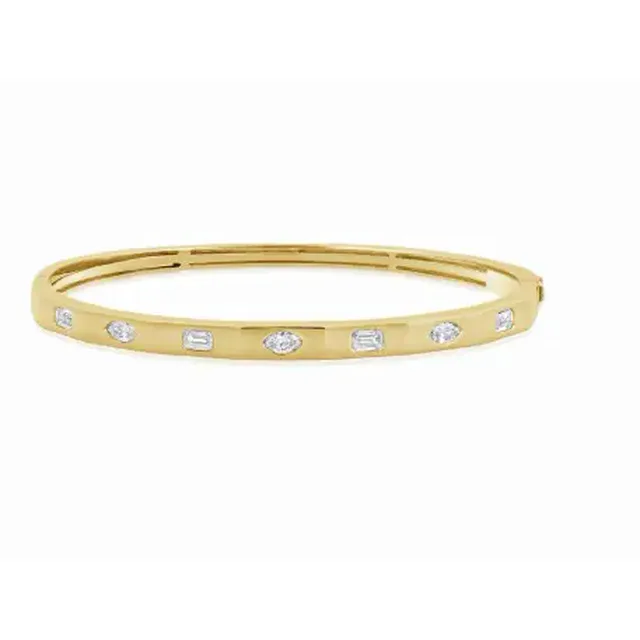
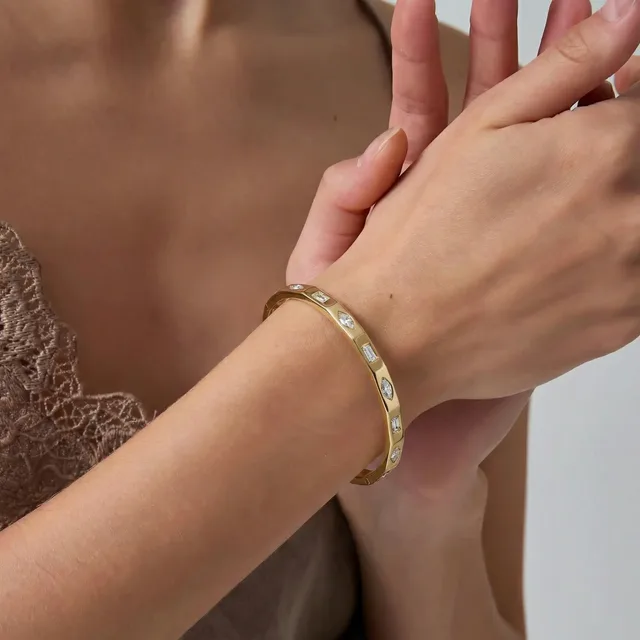
Mixed-cut diamond bangle
A polished gold bangle set with mixed-cut stones, shown on a wrist against a lace top.
How do you put jewelry on a model with AI?
AI Jewelry Model puts jewelry on a model from one product photo: upload the piece, choose where it is worn, and the image model draws a hand, neckline, ear or wrist wearing it. You do not write a prompt for the four standard shots. If you already have a model, upload her or his photo as the second image and the request asks the AI to keep that person’s skin tone and features.
For a whole listing, run the same product photo through two or three shot types, for example Ring for the main try-on and Custom for a lifestyle shot with a coffee cup or a gift box. Use the same model photo each time if you want the set to look like one shoot.
Are AI jewelry model photos photorealistic enough to keep stone and chain details?
AI jewelry model photos can look photorealistic, but this tool redraws the piece rather than pasting your original pixels onto the model. The request tells the image model to copy the metal color, stone count and cut, setting, chain links, clasp and engraving exactly, and results vary with the piece and the photo. Always compare the result with the product photo before listing it.
Simple pieces such as plain bands, chains, hoops and solitaire pendants come out closest. Pavé settings with many tiny stones, fine script lettering and very thin chains are where differences usually appear, so shoot those close up and sharp, and use HD or Studio for more detail.
Which shot works for rings, earrings, necklaces and bracelets?
AI Jewelry Model has one preset crop per jewelry type, matching how sellers usually photograph each piece. Ring is an AI hand model close-up with the top of the ring toward the camera. Earrings is a face-and-ear portrait with the hair pulled back. Necklace frames the collarbones from lips to upper chest. Bracelet shows the wrist with the sleeve pulled back.
For stacked rings, layered necklaces or a full outfit, choose Custom and describe the crop, for example “three stacked rings on the middle and ring fingers, hand resting on a linen sleeve”.
Selling more than jewelry? Try clothes on a model with AI Virtual Try-On, frames with Virtual Try-On Glasses, or build a styled portrait set with AI Photoshoot.
Can you make AI jewelry model photos for free?
AI Jewelry Model is not free to generate: a Fast photo costs 7 credits and needs an account. Eligible new accounts get 1 signup credit, toward the 7 needed for one Fast photo. Browsing the examples and the controls is free. Eligible accounts can buy 10 credits for $5.00 once, and a Fast photo uses $3.50 of that pack. The PNG download is included and has no site watermark. Other tools in the table below give a small free allowance with a watermark or a monthly cap.
Consistent Character AI runs the tool in the first row. The other terms come from each tool’s official pricing page on the date shown, and free allowances can change.
| Tool | Free access | Paid photos | Download |
|---|---|---|---|
| Consistent Character AI | Examples are free. Fast uses 7 credits. | Eligible accounts can buy 10 credits for $5.00 once, and a Fast photo uses $3.50 of that pack. | One PNG with no site watermark. |
| aijewelrymodel.app | 10 credits a month, about one model photo. | Starter $19/month for 600 credits; a model photo is 10 credits. | Paid plans list no watermark. |
| Lustrei | 3 free previews and 1 free HD download for new accounts. | One-time packs from $14.99. | Previews carry a watermark; HD downloads do not. |
Checked
Jewelry model photo pricing and sizes
One on-model jewelry photo costs 7 to 11 credits, and each quality level costs the same in all three shapes. Eligible accounts can buy 10 credits for $5.00 once, and a Fast photo uses $3.50 of that pack. HD, Ultra HD and Studio require an active subscription or eligible paid credits. The trial pack alone covers one photo at Fast, HD, or Ultra HD quality. Studio uses the high setting at 2K and needs 11 credits. The standard 100-credit pack costs $14.90.
| Quality | 1:1 | 3:4 | 4:3 | Credits |
|---|---|---|---|---|
| Fast | 1024 × 1024 | 768 × 1024 | 1024 × 768 | 7 |
| HD | 2048 × 2048 | 1536 × 2048 | 2048 × 1536 | 8 |
| Ultra HD | 2880 × 2880 | 2480 × 3312 | 3312 × 2480 | 10 |
| Studio | 2048 × 2048 | 1536 × 2048 | 2048 × 1536 | 11 |
| Feature | Details |
|---|---|
| Signup allowance | Eligible new accounts get 1 signup credit, toward the 7 needed for one Fast photo. |
| One-time trial pack | The trial pack alone covers one photo at Fast, HD, or Ultra HD quality. Studio uses the high setting at 2K and needs 11 credits. The standard 100-credit pack costs $14.90. Eligible accounts with 1 unused signup credit can combine them with the trial pack for one Studio photo. |
| PNG download | Included with a successful photo. The site adds no visible watermark. |
When AI jewelry model photos go wrong
AI Jewelry Model results drift most on tiny repeated details: a pavé band can gain or lose stones, small script engraving can change letters, and a fine chain can become thicker. Blurry, dark or heavily reflective product photos make this worse. Shoot the piece sharp and evenly lit, crop close, and regenerate or switch to HD when the details do not match. For marketplace main images, Amazon’s jewelry rules ask for the piece alone on white, so use model shots as additional images.
AI Jewelry Model FAQ
Can I use the photos for my jewelry brand on Etsy, Shopify or Amazon?
Yes. The PNG is yours to use in listings, ads and social posts. Check each result against the real piece so the photo does not misrepresent what the buyer receives, and follow each marketplace’s own image rules.
Is there an AI jewelry model app for iPhone or Android?
There is no app to install. The generator runs in mobile Safari and Chrome, so you can upload a product photo straight from your camera roll. Export HEIC photos as JPG first.
Can the AI model wear my jewelry on my own hand or face?
Yes. Upload a photo of yourself or your model in the second slot. The request asks for the same skin tone and hand or face shape and ignores any jewelry already being worn. A clear photo that shows the same body part as the shot type works best.
What happens to the photos I upload?
The service sends the photos to its image provider to create the result. It stores uploads and results and does not delete them automatically. Opening a result on the site requires your account, but anyone with a direct storage link may be able to open that file.
Use product photos you own or have permission to use. If you upload a real person as the model, get their consent first.