
Tattoo Simulator — Try It On Your Own Photo
Tattoo Simulator by Consistent Character AI lets you place your own design on a body photo, adjust the fit, and download a free preview.
Tattoo Simulator lets you compare placement and size on a photo of your body before booking or during a consultation. The browser editor keeps your photo on your device and saves a free PNG without a watermark or an account. Optional AI rendering costs 7–11 credits per image and exports one PNG in your chosen size.
How tattoo try-on works
Start with a clear photo of the spot where you want the tattoo and a clean copy of your design. Put the design on the photo, then change its scale, angle, ink strength and bend while you watch. Download the placement you like, or send that same composition for an optional AI finish.
- Choose a body photo
Upload a close photo of exposed skin, or try one of the sample placements.
- Place your design
Upload your own artwork or pick a sample. Drag it into place and adjust its size, angle, bend and opacity.
- Save your preview
Download your free PNG, or try an AI finish that blends ink into the skin and lighting.
Tattoo preview examples
These before-and-after pairs show a fern on a forearm, a fine-line swallow near a shoulder blade, and a moth on an upper arm. Each preview starts with the same photo as its original. Look for how a narrow design fits along the arm and how a wider one follows the shoulder.
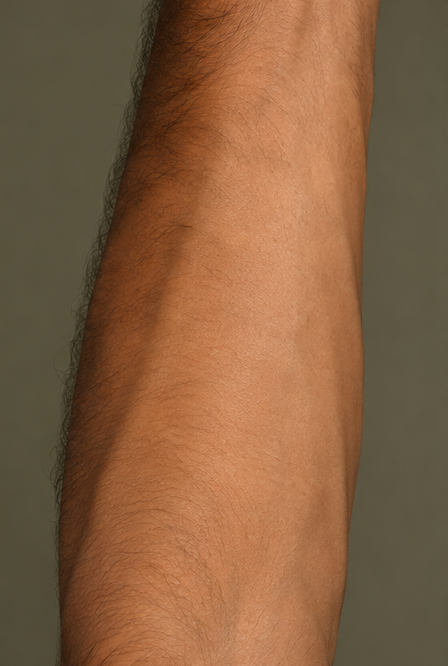
Original
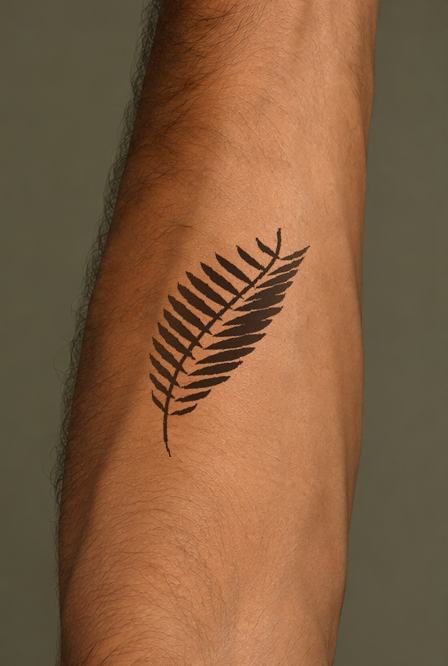
Placement preview
A fine-line fern follows the length of an inner forearm.
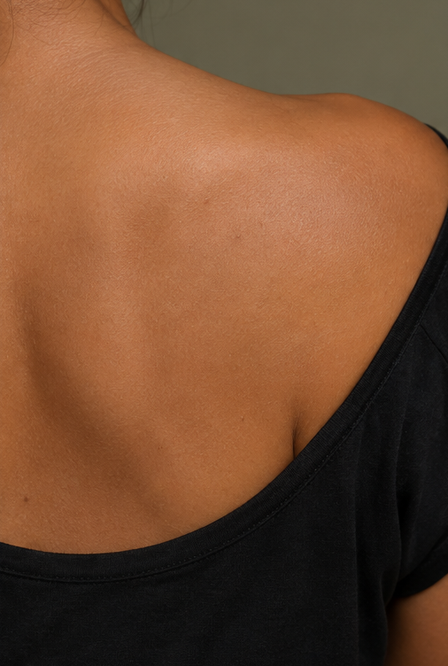
Original
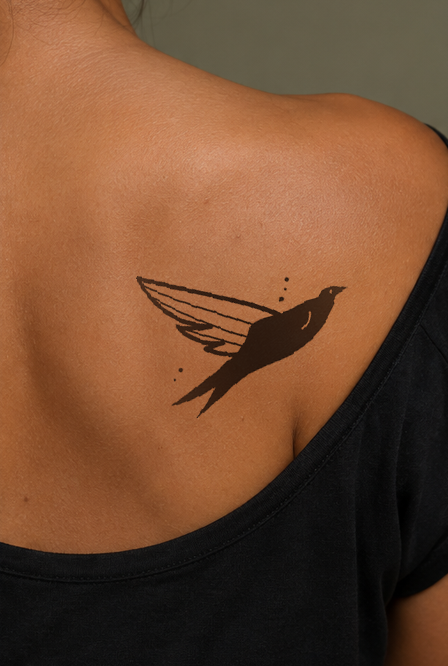
Placement preview
A blackwork swallow crosses the shoulder blade at a slight angle.
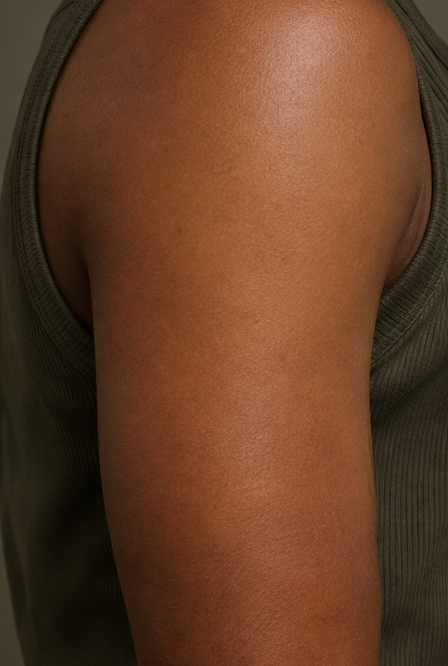
Original
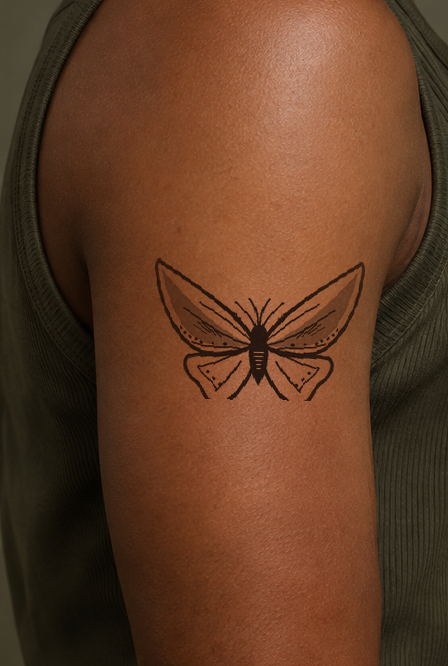
Placement preview
A symmetrical moth shows how a wider design reads on a curved upper arm.
Can I try on a tattoo online for free with this simulator?
Tattoo Simulator lets you try on a design and download a watermark-free PNG without signing in or spending credits. Add your body photo and artwork, then compare placements and sizes in your browser. Choose AI rendering if you want a second version that attempts to blend the ink with the skin.
How can I preview tattoo placement on a sleeve?
Tattoo Simulator previews a sleeve one photo at a time. Take separate photos of the front, outer and inner arm in even light, with your elbow relaxed. Place the artwork on each photo and adjust the bend at the edges, then compare the exports with your artist to see where the design should wrap.
How do free tattoo preview tools compare?
Tattoo Simulator and TattoosPreview both offer free photo placement and watermark-free downloads. InkStudio.ai also offers free 2D placement, and its photo-based depth preview and AI enhancement use credits. A free editor is enough to compare size and position from one angle. Check whether you need a surface preview before paying.
| Tool | Free access | Paid option |
|---|---|---|
| Consistent Character AI | Local placement, manual bend and PNG download without a watermark. | AI photo rendering, 7–11 credits per PNG. |
| TattoosPreview | Local placement and PNG download without a watermark. | Optional AI photo rendering uses credits. |
| InkStudio.ai | 2D placement without sign-in. Watermark terms are unpublished on the tool and pricing pages. | Published packs start at $6.99 for 12 credits. Photo-depth preview uses 1 credit and AI enhancement uses 2. |
Checked 2026-11-29
Tattoo simulator pricing and credits
Watermark-free placement previews cost nothing. AI tattoo rendering starts at 7 credits for one Fast PNG. At the eligible $5 Trial Pack rate of 10 credits, one Fast image uses $3.50 of the pack. The Studio setting costs 11 credits. The Trial Pack alone does not cover Studio.
| Action | Price | Output |
|---|---|---|
| Placement PNG | Free | One PNG at the editor’s canvas size, with no added watermark. |
| AI Fast | 7 credits | 1024 × 1024 square PNG. Portrait and landscape are also available. |
| AI HD | 8 credits | 2048 × 2048 square PNG. Portrait and landscape are also available. |
| AI Ultra HD | 10 credits | 2880 × 2880 square PNG. Portrait and landscape are also available. |
| AI Studio | 11 credits | 2048 × 2048 square PNG. Portrait and landscape are also available. |
| Signup allowance | 1 credit for eligible new accounts | Can count toward an AI render. The free placement PNG is available without an account. |
Ultra HD uses the standard quality setting for a larger 4K export. Studio uses the higher quality setting at 2K for designs with dense linework. HD, Ultra HD and Studio require eligible paid access. Finished images have no added watermark or extra download charge.
View credit plansWhat a photo tattoo preview can show
Use the preview to judge direction and scale on the areas your camera can see. Manual bend is a visual approximation on one photo. For a piece that crosses an elbow or wraps around an arm, check several photos and ask your artist to mark the size on your skin in person.
The tool cannot see around your body, provide measurements in centimeters, or predict how ink will heal. An AI render can soften lettering or change fine lines. Compare it with the placement PNG and keep your original artwork as the reference.
If you already chose a location and need printable linework, use the Tattoo Stencil Maker.
Tattoo simulator FAQ
Can I use a tattoo design with a white background?
Yes. Upload a JPG or PNG with a plain white backdrop and leave Remove white background on to isolate the ink. If your design has white details you want to keep, turn that setting off or upload a PNG with the background already transparent.
Does it work on my phone without an app?
Yes. Open the tattoo visualizer in a current browser and use your finger to position the design. The controls work on a phone, tablet or desktop without an app install.
Do my photos leave my device?
Your photos stay in your browser while you place, bend and download the free preview. If you confirm an AI render, the body photo, tattoo art and placement preview are uploaded for processing. Direct storage links can be opened by someone who has the link, so use an image you are comfortable sharing with the image service.
Updated